Week - 3 Drop test Challenge
AIM:
To Create drop test simulation using LS-DYNA
OBJECTIVE:
Creating the LS-DYNA simulation for drop test.
- In this problem, mobile is dropped on rigid base. The colliding distance is very close and mobile hits the surface with an initial velocity.
- The analysis is done from the instant mobile hits the colliding surface and few milliseconds after that.
(Orientation of phone hitting is ignored)
PRE-REQUISITES:
- Importing .k file into LS-PREPOST.
- Creating design for experiment.
- Creating keywords for analysis.
- Saving the .k file for solving.
- Interpreting plots.
SYSTEM OF UNITS:
Kg, mm, s
KEYWORDS USED:
*CONTROL
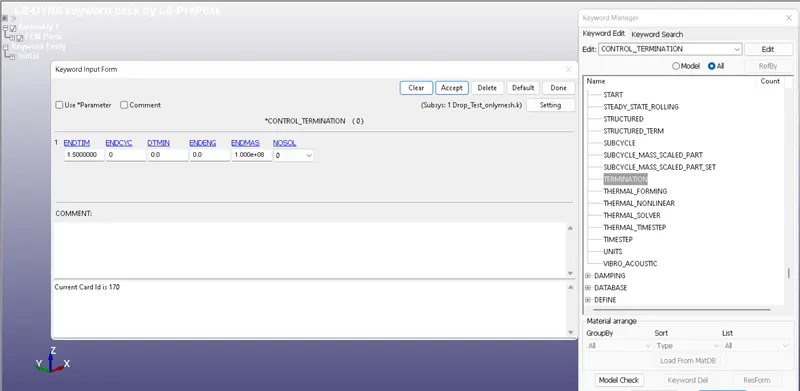
To enter entire duration of simulation to run. i.e Termination time.
*DATABASE
- Binary files, ASCII files.
- Time steps for the event to happen.
*PART
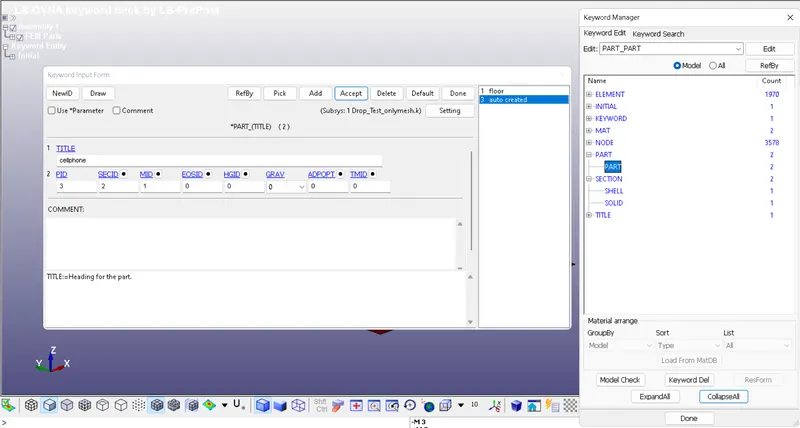
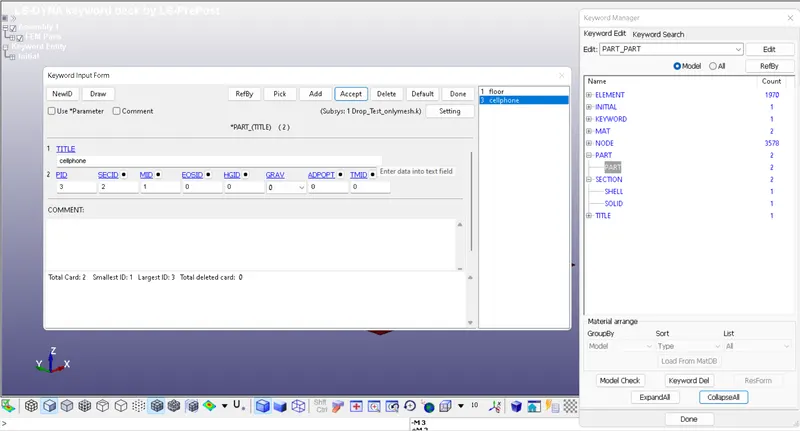
PartID, SectionID and Material ID for mobile and colliding surface.
*MAT
- Elastic plastic card for cellphone with aluminium properties.
- Rigid material properties for the wall.
*SECTION
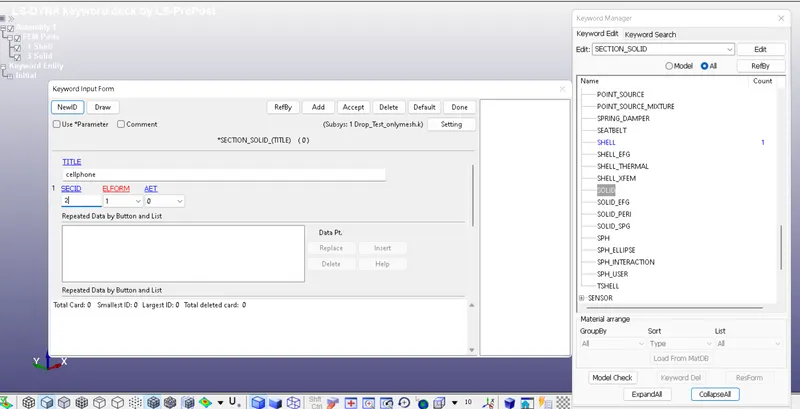
Section ID for solid elements.
Section ID for shell elements.
*INITIAL_VELOCITY
To assign the velocity to the selected nodes of cell phone.
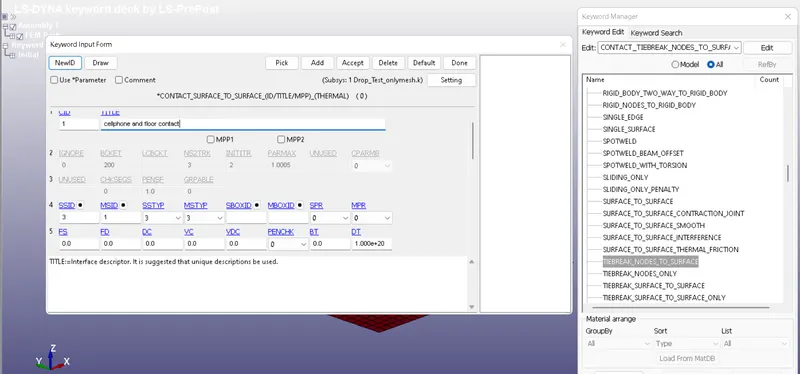
*CONTACT
To establish contact between the Cell phone and colliding surface.
*SET
- To establish contact between two parts we need to define node segments for cell phone as well as rigid collision surface.
- Node set for velocity assignment.
PROCEDURE:
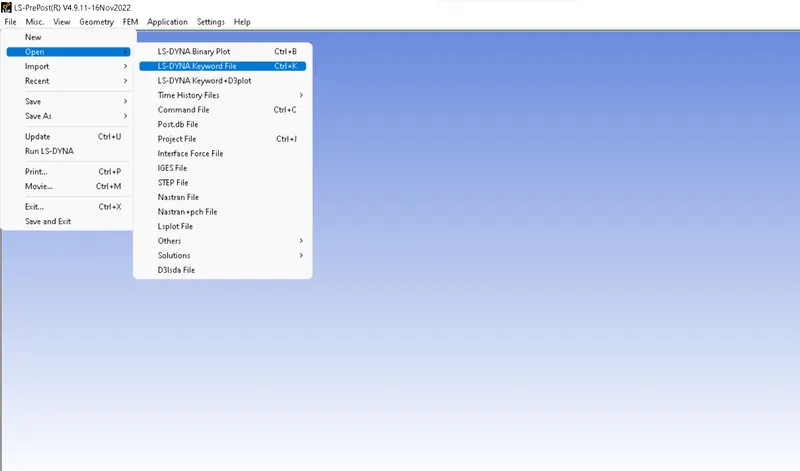
1) First we open the given .K file into LS-PrePost.
The below image is the imported file of a cellphone and floor.
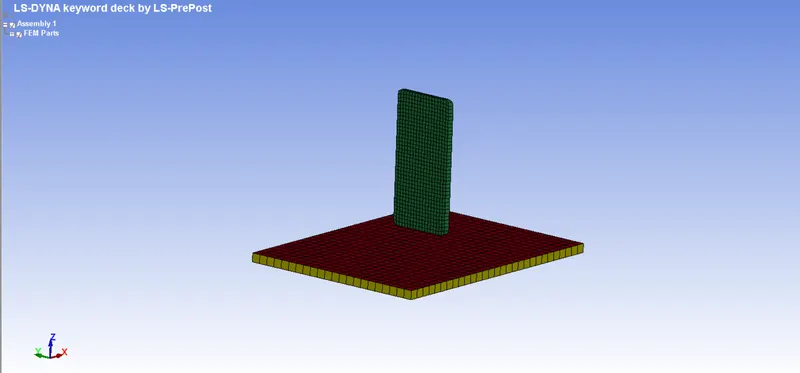
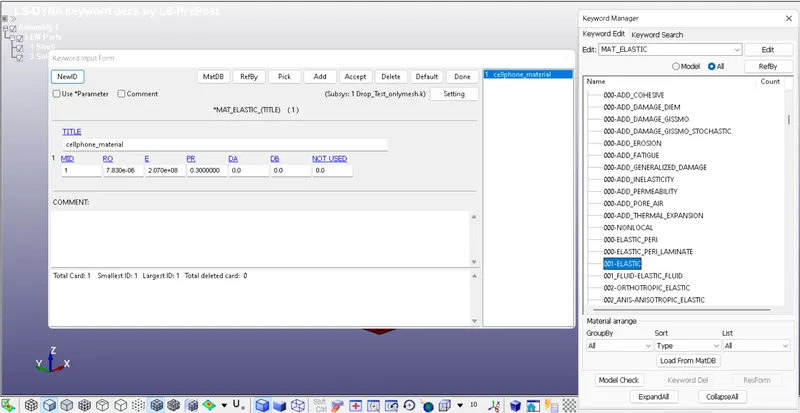
1.1) We start by assigning material to the parts.
Elastic material is assigned to the cellphone.
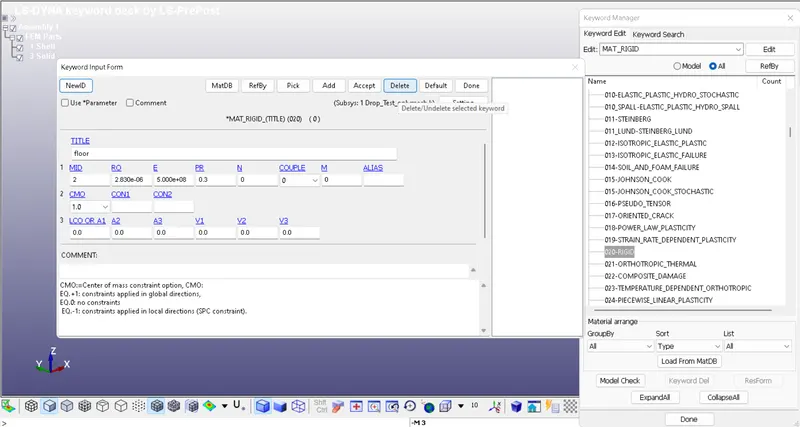
And a RIGID material is assigned to the floor.
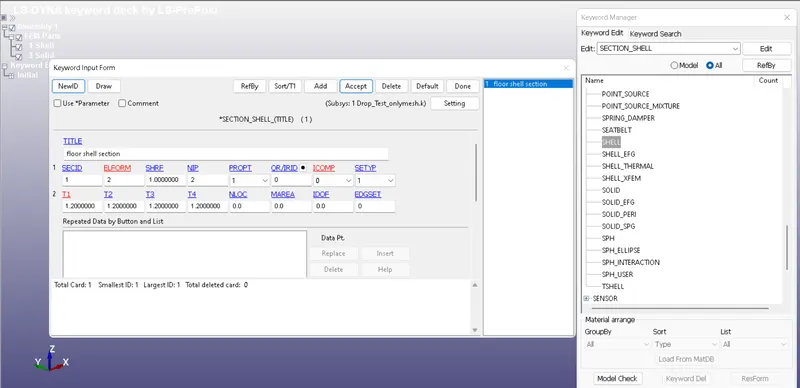
1.2) Now we assign SECTION ID to the parts.
Section shell is assigned to the floor.
Section solid is assigned to the cellphone.
1.3)Now the section ID and material ID are assigned to the parts.
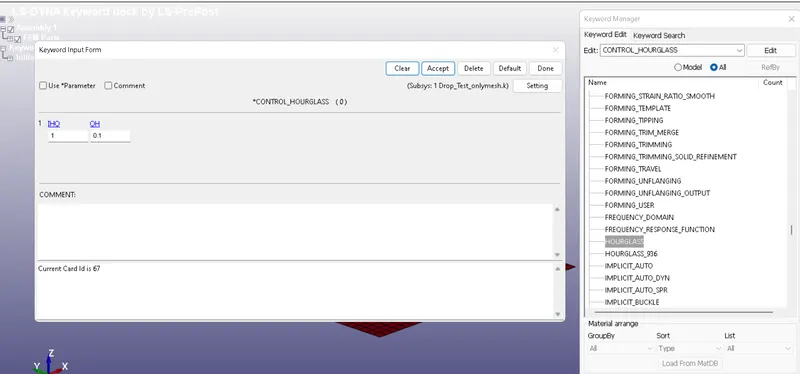
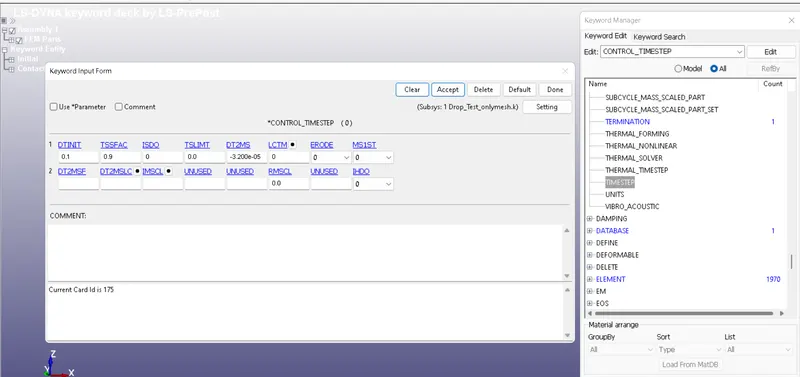
1.4) Now we add CONTROL keywords .
HOURGLASS , TIMESTEP and TERMINATION are assigned .
1.5) Now we assign contact between the 2 surfaces.
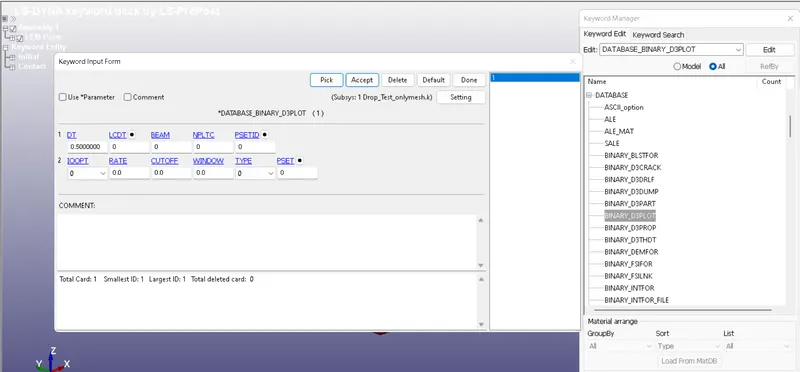
1.6) Assigning Database keywords.
- Binary D3PLOT is assigned .
1.7) After assigining all keywords , we run the .k file in LS-Run.
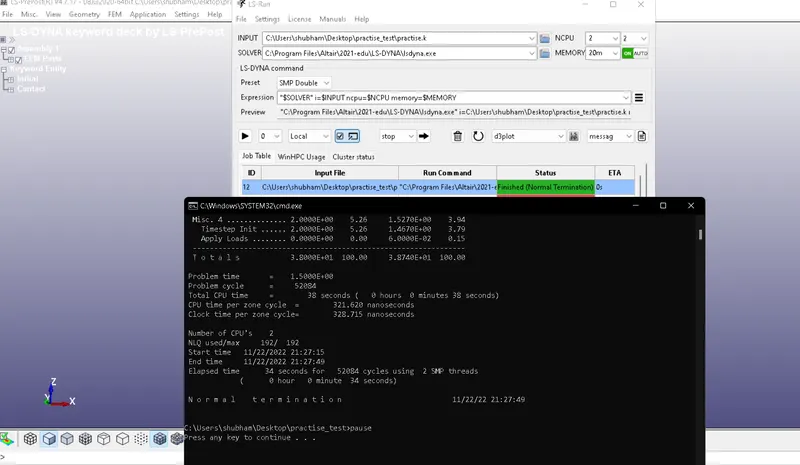
After the message Normal termination is shown, our plot is completed.
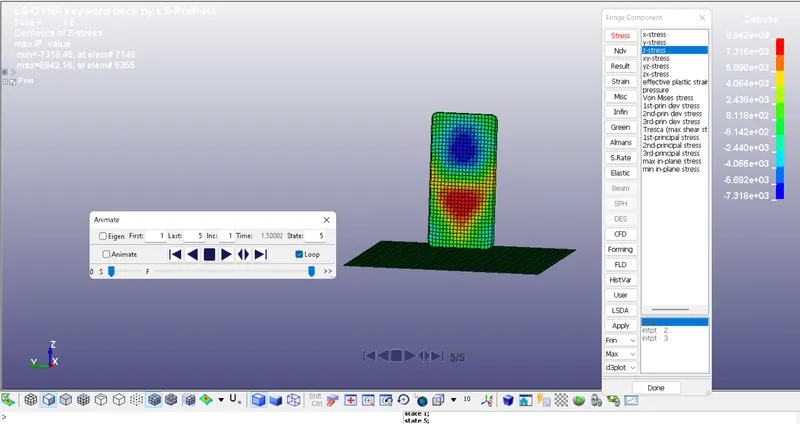
Conclusion: Drop test simulation is successfully performed using LS-DYNA. All the objectives are fulfilled and results are recorded.