Week 8-3D Tetra Meshing Challenge
Q.1) ANSWER –
OBJECTIVE – TO CREATE TETRAMESH FOR THE GIVEN COMPONENTS WITH THE GIVEN QUALITY CRITERIAS.
PROCEDURE
1.1) First we import the given model. [Import
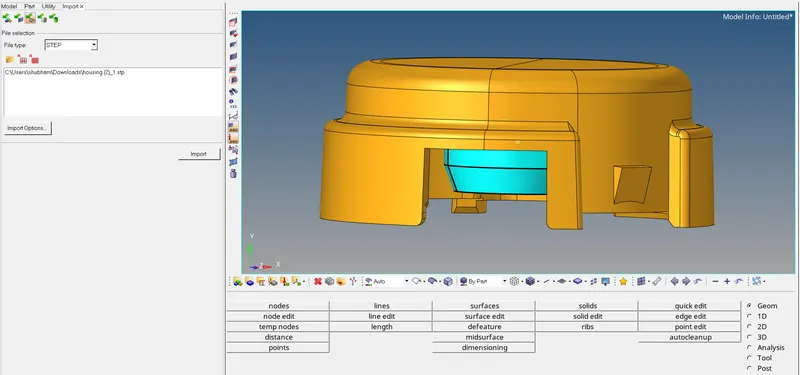
1.2) After the model is imported, we check for any geometry clean-ups to be done. We also check the topology to verify if we have free edges and also toggle some lines which are below the minimum given length [Command
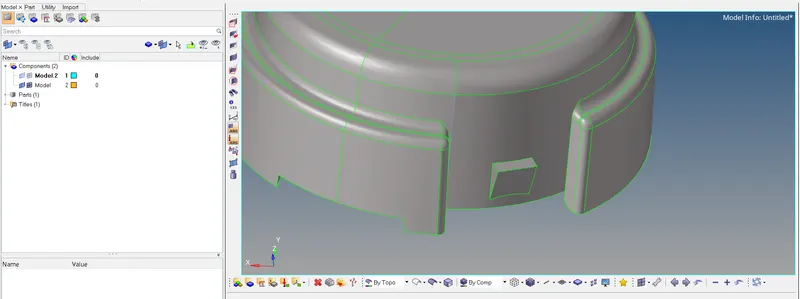
1.3) Now we mesh the components separately. [Command< 2D< automesh< select the surface
1.4) After the mesh is completed, we convert the 2d mesh into 3D Tetramesh. [Command<3D<tetramesh
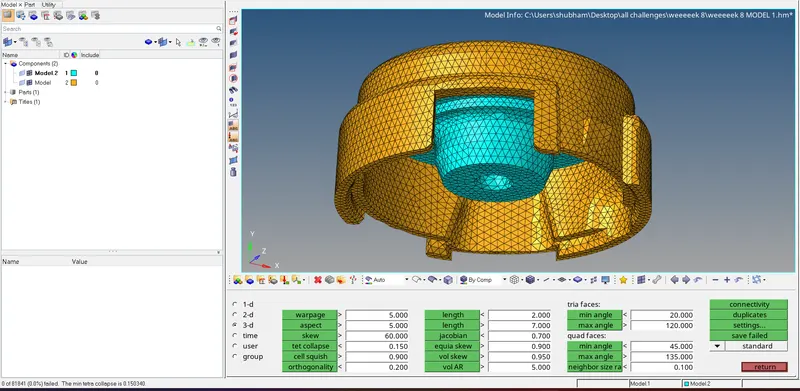
1.5) After the mesh is completed, we check if any elements are failing the given quality criteria’s [Command<tool
1.6) We can see some elements are failing so we remesh the component [Command< Tetra remesh< select the elements < and click on mesh]
1.7) We do the same procedure for the second component. [REFER IMG 6]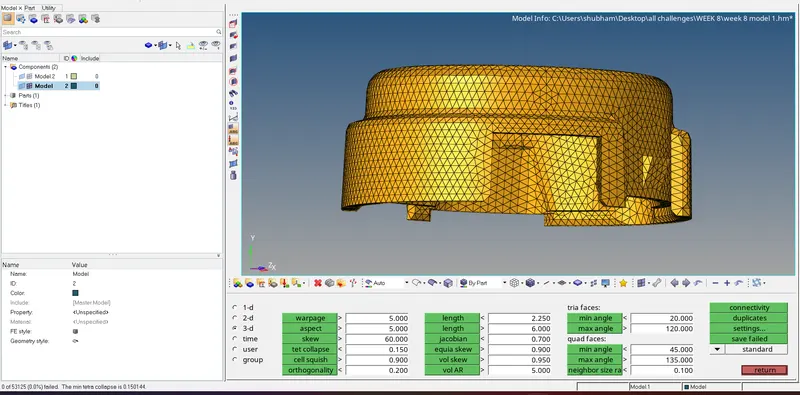
1.8) The desired component with no elements failing the quality criteria is achieved. [REFER IMG 7]
Q.2) ANSWER –
OBJECTIVE – TO CREATE TETRAMESH FOR THE GIVEN COMPONENTS WITH THE GIVEN QUALITY CRITERIA.
PROCEDURE
2.1) First we import the given model. [Import
2.2) After the model is imported, we start meshing the component. We perform 3D quick tetramesh on the component. [Command< View <Browsers<Hypermesh<Utility<Geom/Mesh
2.3) A 3D model has been created. We now check if any element is failing for tet collapse [REFER IMG 10]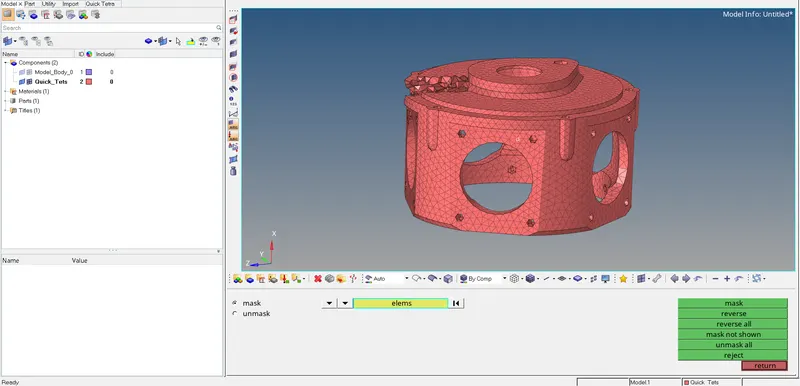
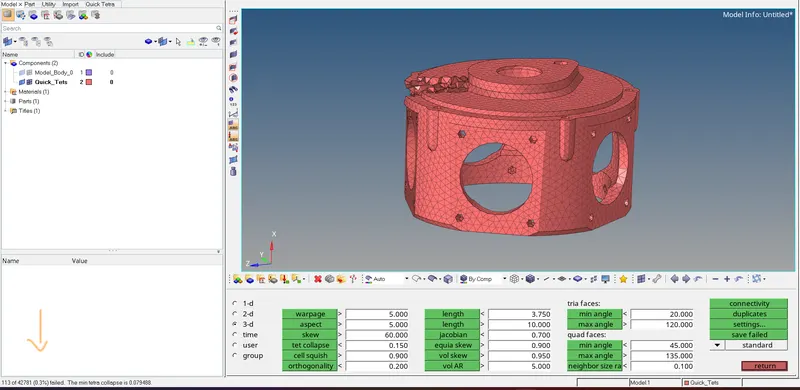
2.4) We can see some elements are failing so we remesh the component [Command< Tetra remesh< select the elements < and click on mesh] [REFER IMG 11]
2.5) The desired component with no elements failing the quality criteria is achieved [REFER IMG 12]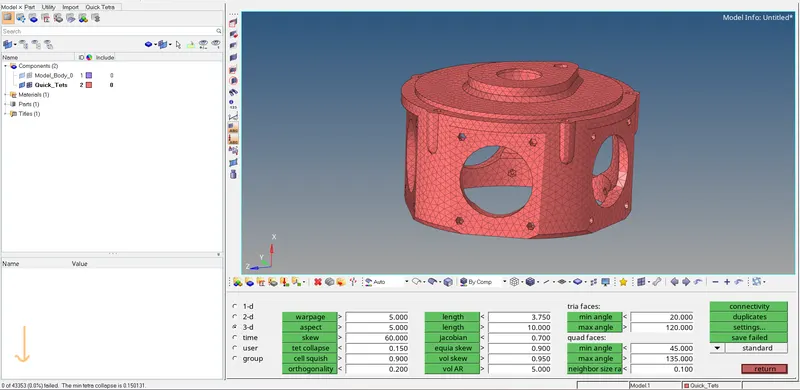
Q.3) ANSWER –
OBJECTIVE - TO CREATE TETRAMESH FOR THE GIVEN COMPONENTS WITH THE GIVEN QUALITY CRITERIA.
PROCEDURE
3.1) First we import the given model. [Import
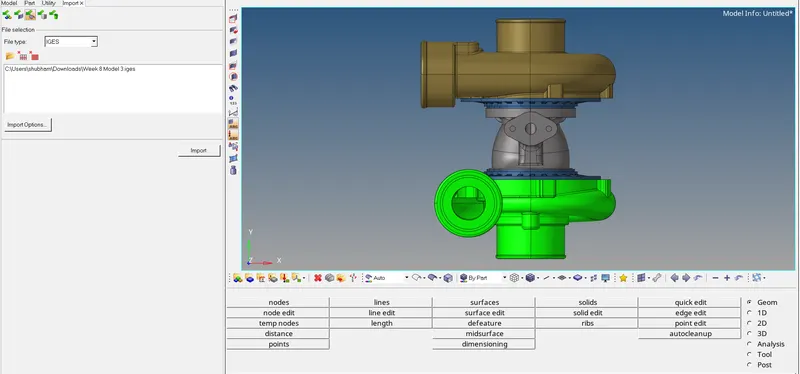
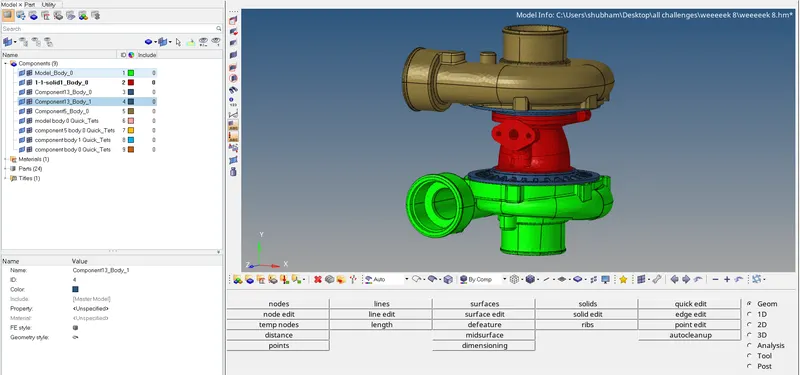
3.2) There are 6 different components hence we mesh all the components separately.
3.3) We start meshing the component. We perform 3D quick tetramesh on the component. [Command< View <Browsers<Hypermesh<Utility<Geom/Mesh
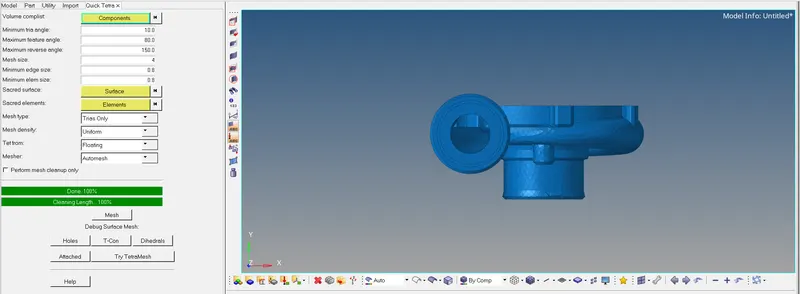
3.4) After the meshing is completed a new component named Quick_tets is created. We check for tet collapse for the elements. [REFER IMG 15]
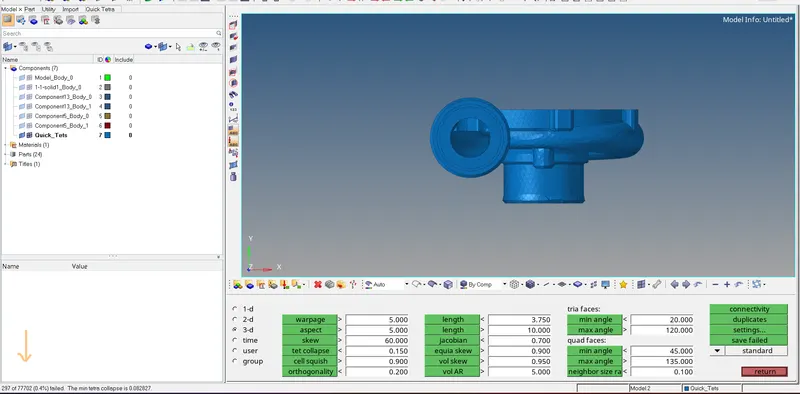
3.5) We can see some elements are failing; hence we perform tetra remesh on the component. [Command< 3D<tetramesh< Tetra remesh
3.6) After remeshing the component we again check for tet collapse. And now no elements are failing the tet collapse [REFER IMG 17]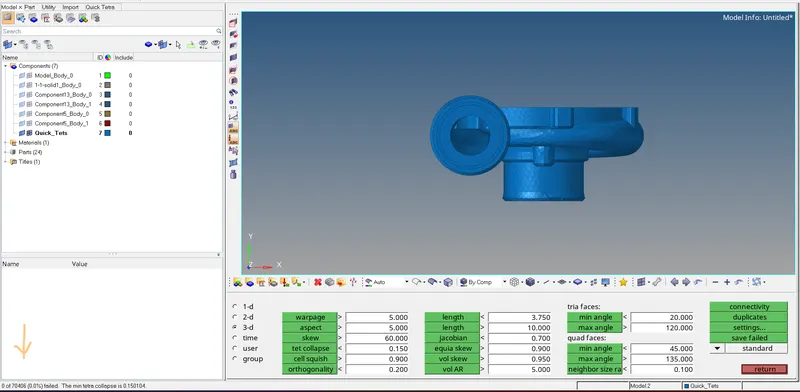
3.7) We perform the same above steps for all the given components [REFER IMG 18,19,20,21]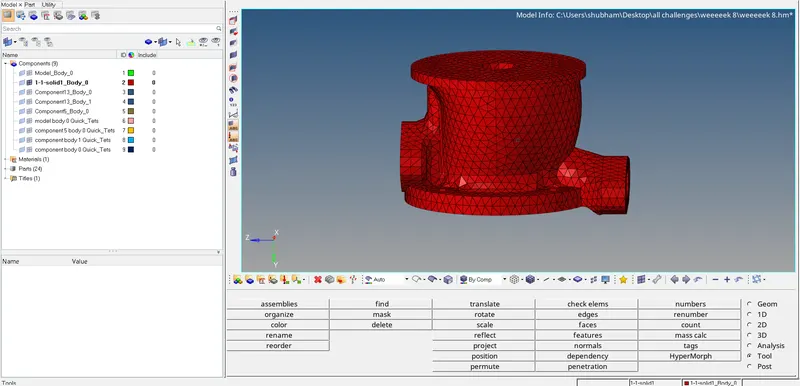
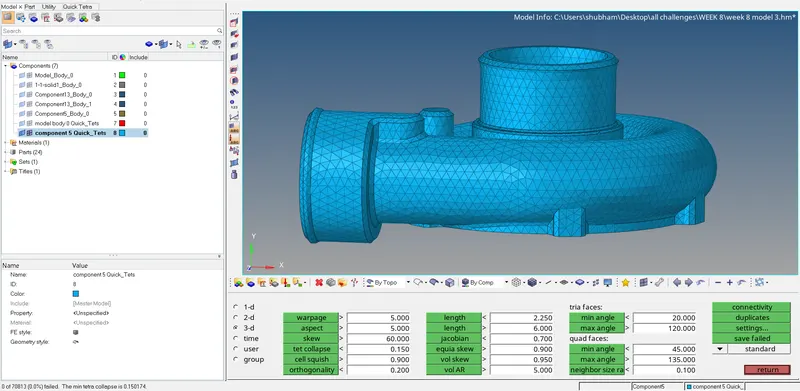
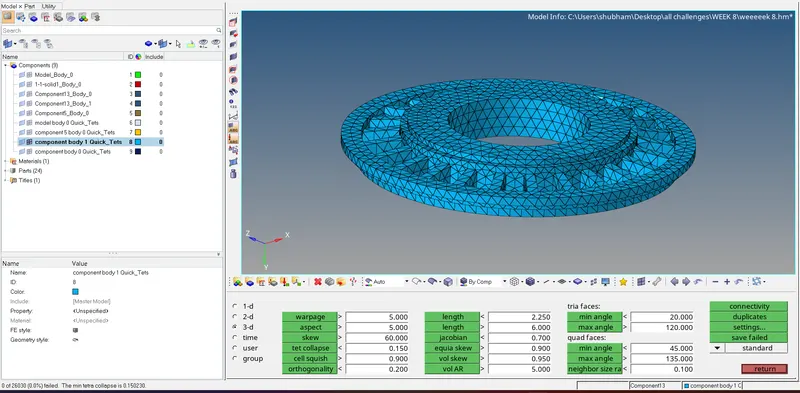
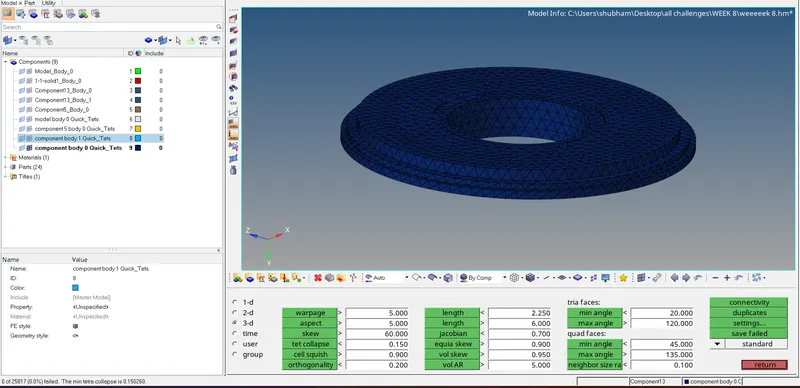
3.8) The desired component with no failing criteria is achieved. [REFER IMG 22]