Basics of ADVISOR Tool
Week 3 Challenge: ADVISOR Tool
AIM: To simulate the given data and condition of an EV modelled vehicle usimg ADVISOR tool
BRIEF:
ADVISOR, NREL’s ADvanced VehIcle SimulatOR, is a set of model, data, and script text files for use with Matlab and Simulink. It is designed for rapid analysis of the performance and fuel economy of conventional, electric, and hybrid vehicles. ADVISOR also provides a backbone for the detailed simulation and analysis of user defined drivetrain components, a starting point of verified vehicle data and algorithms from which to take full advantage of the modeling flexibility of Simulink and analytic power of MATLAB.
You may benefit from using ADVISOR if you want to:
- Estimate the fuel economy of vehicles that have not yet been built
- Learn about how conventional, hybrid, or electric vehicles use (and lose) energy throughout their drivetrains
- Compare relative tailpipe emissions produced on a number of cycles
- Evaluate an energy management strategy for your hybrid vehicle’s fuel converter
- Optimize the gear ratios in your transmission to minimize fuel use or maximize performance, etc.
The models in ADVISOR are:
- Mostly empirical, relying on drivetrain component input/output relationships measured in the laboratory, and
- Quasi-static, using data collected in steady state (for example, constant torque and speed) tests and correcting them for transient effects such as the rotational inertia of drivetrain components.
Capabilites and Intented uses:
ADVISOR uses basic physics and measured component performance to model existing or future vehicles. Its real power lies in the prediction of the performance of vehicles that have not yet been built. It answers the question “what if we build a car with certain characteristics?” ADVISOR usually predicts fuel use, tailpipe emissions, acceleration performance, and gradeability.
In general, the user takes two steps:
- Define a vehicle using measured or estimated component and overall vehicle data.
- Prescribe a speed versus time trace, along with road grade, that the vehicle must follow.
ADVISOR then puts the vehicle through its paces, making sure it meets the cycle to the best of its ability and measuring (or offering the opportunity to measure) just about every torque, speed, voltage, current, and power passed from one component to another.
ADVISOR will allow the user to answer questions like:
- Was the vehicle able to follow the speed trace?
- How much fuel and/or electric energy were required in the attempt?
- How does the state-of-charge of the batteries fluctuate throughout a cycle?
- What were the peak powers delivered by the drivetrain components?
- What was the distribution of torques and speeds that the piston engine delivered?
- What was the average efficiency of the transmission?
By iteratively changing the vehicle definition and/or driving cycle, the user can go on to answer questions such as:
- At what road grade can the vehicle maintain 55 mph indefinitely?
- What’s the smallest engine I can put into this vehicle to accelerate from 0 to 60 mph in 12 s?
- What’s the final drive ratio that minimizes fuel use while keeping the 40 to 60 mph time below 3 s?
- What is the fuel economy sensitivity to mass, aerodynamic drag, or other vehicle or component variations?
ADVISOR’s GUI and other script files answer many of these questions automatically, while others require some custom programming on the user’s part.
Limitation:
- Primarily for anaylsis tool, and not originally intended as a detailed design tool.
- As an analysis tool,it takes the required/desired speed as an input, and determines what drivetrain torques, speeds, and powers would be required to meet that vehicle speed. Because of this flow of information back through the drivetrain, from tire to axle to gearbox and so on, ADVISOR is what is called a backward-facing vehicle simulation.
- It deals in power, and not in voltage and current.
- The front axle is the only drive axle that the required vehicle dynamics calculations for traction control and the wheel slip model are assumed.
SOLUTIONS:
(1) For EV_defaults_in file, if cargo mass is 500 kg with all other default conditions, can the vehicle travel for 45 km with FTP drive cycle and conclude the observations.
Answer:- The figure below is the EV_defaults_in with the predefined values.
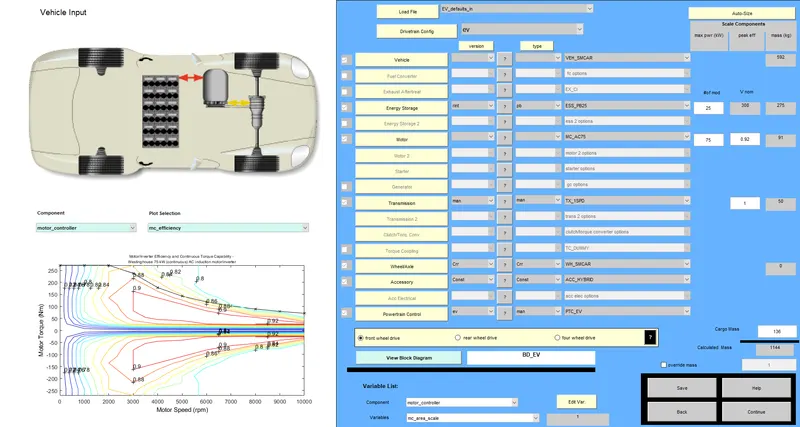
fig (i) Layout of the EV_default_in
Changing the cargo mass to 500kg and the drive cycle to FTP and run for 3 drive cycles.
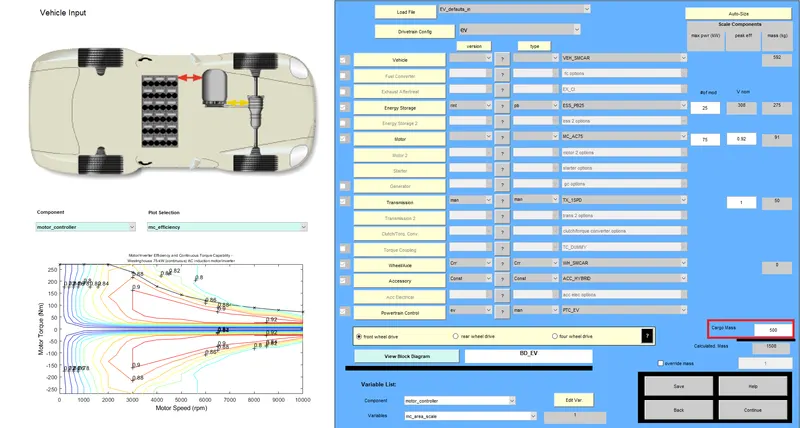
fig (ii) Change the value of the cargo mass in the EV_defaults_in
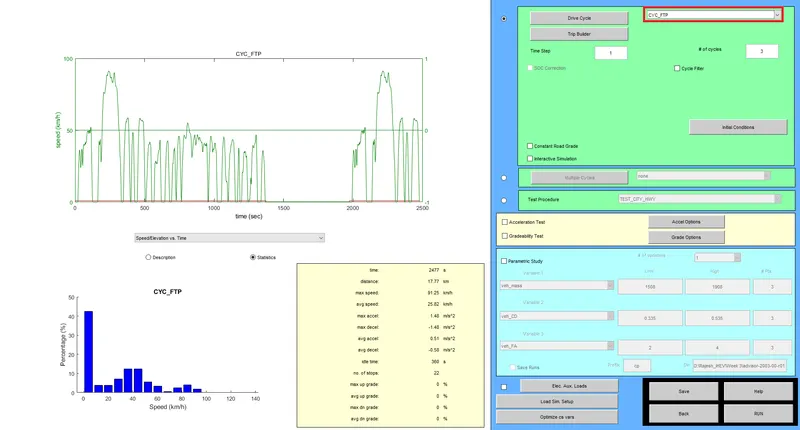
fig (iii) Change the value of cycle in the EV_defaults_in
After Simulation:
fig(iv) The output window after running the simulation with the given input
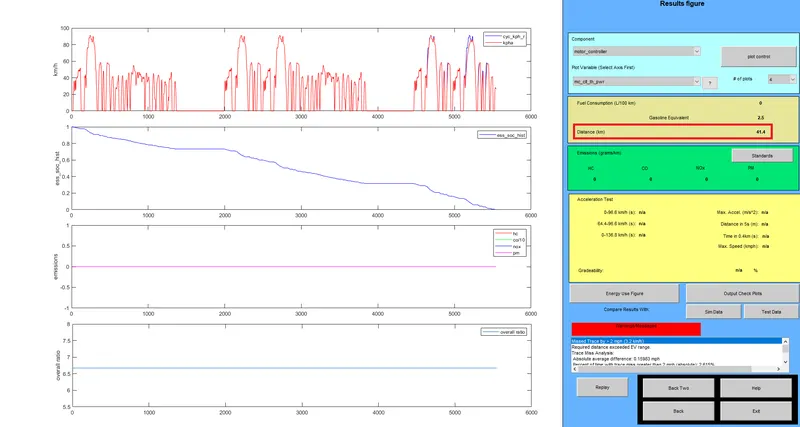
Observation: Thus we can see that for 3 number of cycles at the given conditions,the vehicle can travel for only 41.4 km. If we increase the number of cycles,then the vehicle can travel above 45km.
------------------------------------------------------------------------------------------------------------------------------------------------------------------------------------------------------------------------------------------------------
(2) In the above case,change the battery capacity and repeat the simulation.
Answer:-
The value of battery capacity to 50V and run the simulation with the same previous inputs.
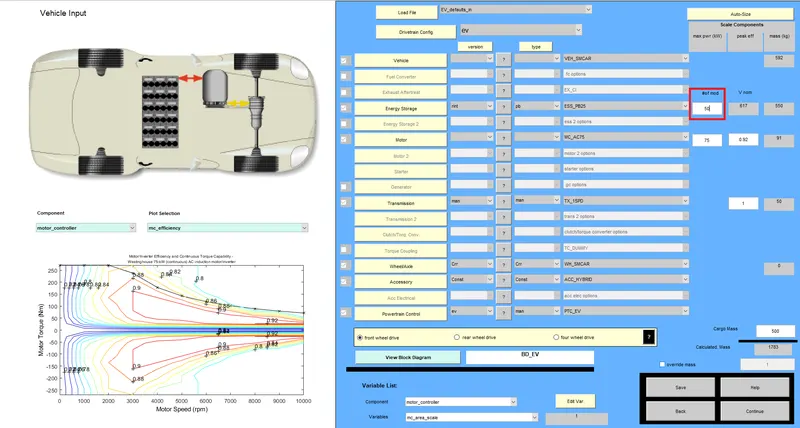
fig (v) Change the value of battery capacity in the EV_defaults_in
After Simulation:
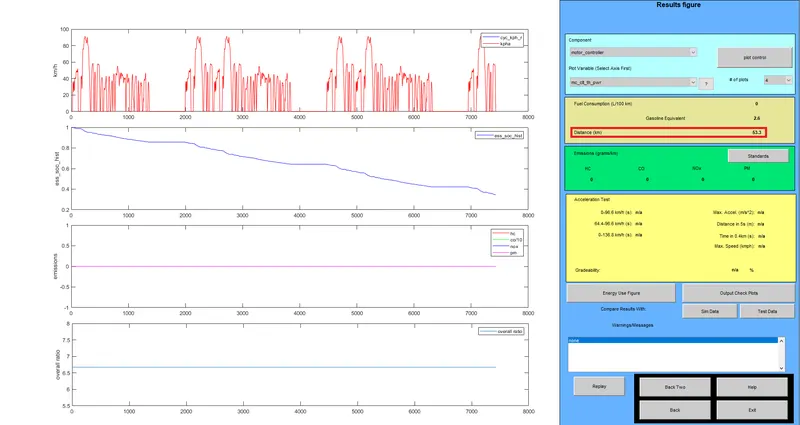
fig (vi)The output window after running the simulation with the increased battery capacity
Observation: By changing the battery capacity, the vehicle can now travel more than 45 km and it can maximum travel upto 53.3 km for same 3 drive cycle under same the given conditions.
-----------------------------------------------------------------------------------------------------------------------------------------------------------------------------------------------------------------------------------------------------
(3) Perform gradeability test with PRIUS_Jpn_defaults_in file and compare your results in table and conclude.
Answer:- The gradeability test is performed usig the PRIUS_Jpn_defaults_in with number of cycle as 1. It is Series-Parallel type hybrid vehicle.
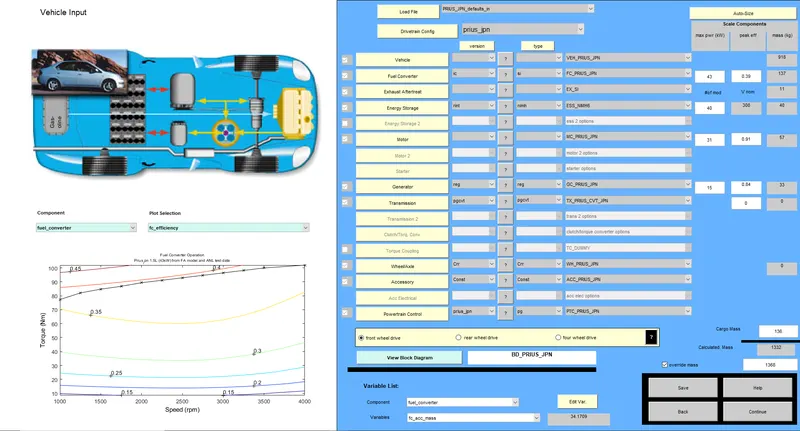
fig (vii) Layout of the PRIUS_Jpn_defaults_in
Gradeability is the ability of a vehicle to climb on a typical hill or slope at the given constant speed.
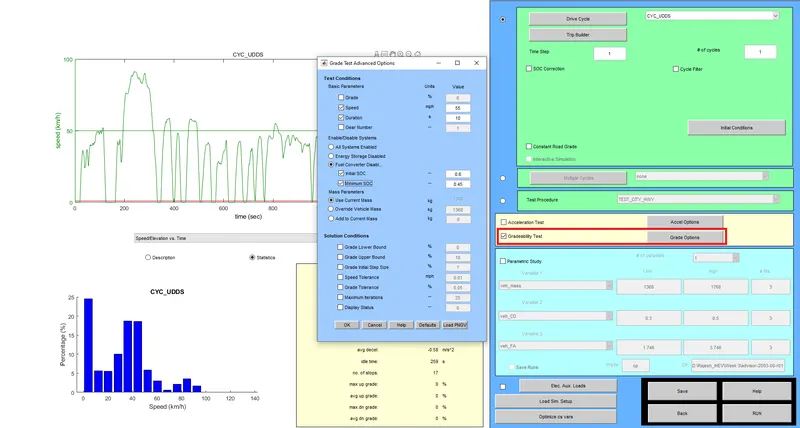
fig (viii) GUI Window of the Gradeability Test
To change speed and the different type of arrangement is selected from the below opp-up window.
(i) Fuel convertor disabled:- It completely runs on the battery mode.
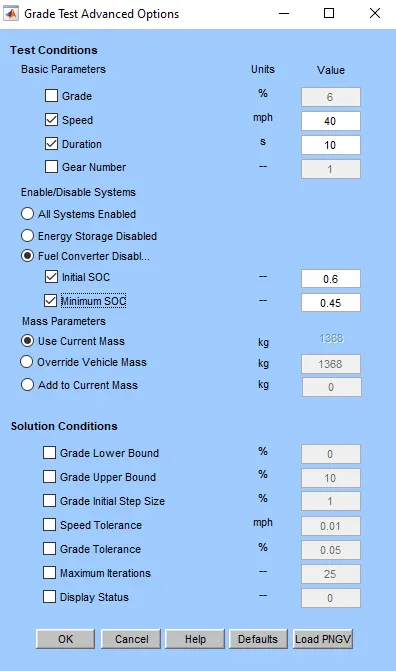
fig (ix) The Grade Test option window for Fuel Convertor disabled command
(ii) Energy storage disabled:- It completely runs on IC Engine.
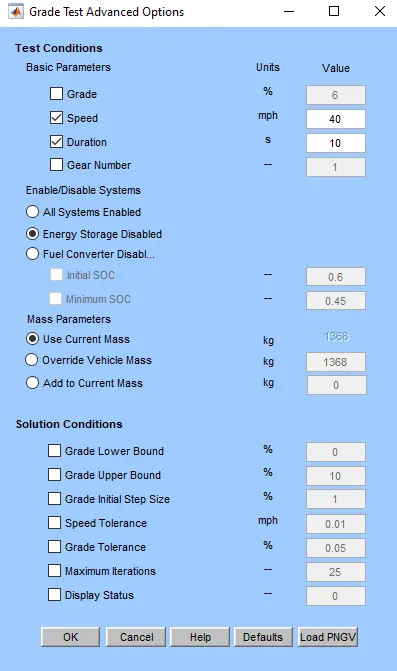
fig (x) The Grade Test option window for Engergy storage disabled command
(iii) All Systems Enabled:- It runs on both, as per the power required to climb the slope.
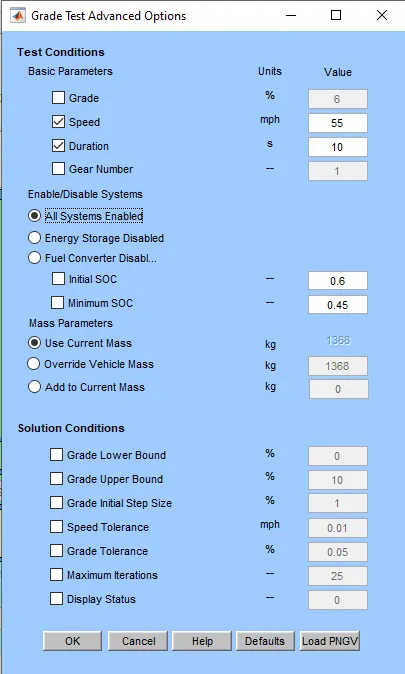
fig (xi) The Grade Test option window for all energy enabled command
Results:
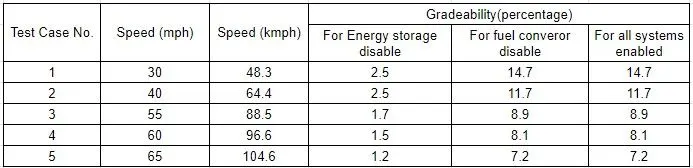
Observation:
(i) For all the speed variable, we can conclude that the value of gradeability decreases as the speed increases when the energy storage is disabled i.e. only it runs on engine.
(ii) For all the speed variable, we can conclude that the value of gradeability decreases as the speed increases when the all systems are enabled i.e. only it runs on hybrid mode and it is same as in when fuel convertor is disable.
(iii) The value of gradeability is same for the both the case of hybrid mode and battery alone mode.
CONCLUSION:
(1) Successfuuly can conclude that as the weight increases, the power to drive the vehicle is consumed more, i.e. more power drained from the battery and can cover less distance as per the previous weight.
(2) Successfully can conclude that by chaning the voltage of the battery, the distnace travel can be overcome and also it depends on the total weight and the power required to run the vehicle in a single charge.
(3) Successfully performed the gradeability test with different speed variables for all the 3 modes viz, battery alone, Engine alone and Hybrid mode.