Week-3 Challenge: ADVISOR Tool
ADVISOR TOOL :
ADVISOR stands for Advanced Vehicle Simulator.
It is designed for rapid analysis of the performance and fuel economy of conventional, electric, and hybrid vehicles. ADVISOR also provides a backbone for the detailed simulation and analysis of user defined drivetrain components, a starting point of verified vehicle data and algorithms from which to take full advantage of the modeling flexibility of Simulink and analytic power of MATLAB.
It is generally used to
- estimate the fuel economy of vehicles that have not yet been built
- learn about how conventional, hybrid, or electric vehicles use (and lose) energy throughout their drivetrains
- compare relative tailpipe emissions produced on a number of cycles
- evaluate an energy management strategy for your hybrid vehicle’s fuel converter
- optimize the gear ratios in your transmission to minimize fuel use or maximize performance, etc
The models in ADVISOR are:
- mostly empirical, relying on drivetrain component input/output relationships measured in the laboratory, and
- quasi-static, using data collected in steady state (for example, constant torque and speed) tests and correcting them for transient effects such as the rotational inertia of drivetrain components.
- For EV_defaults_in file, if cargo mass is 500 kg with all other default conditions, can the vehicle travel for 45 km with FTP drive cycle? Conclude your observations.
CASE - 1 :
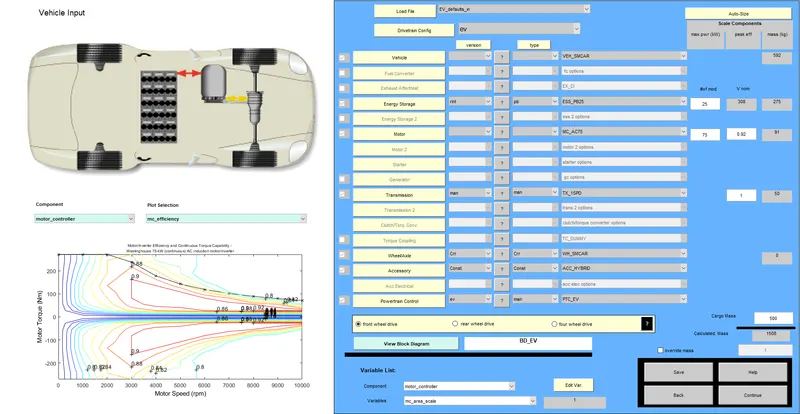
- 'EV_defaults_in' file is loaded at the vehicle input.
- The cargo mass is changed to 500 kg.
- The energy storage (battery module) is kept at 25.
- Press continue to proceed the next step.
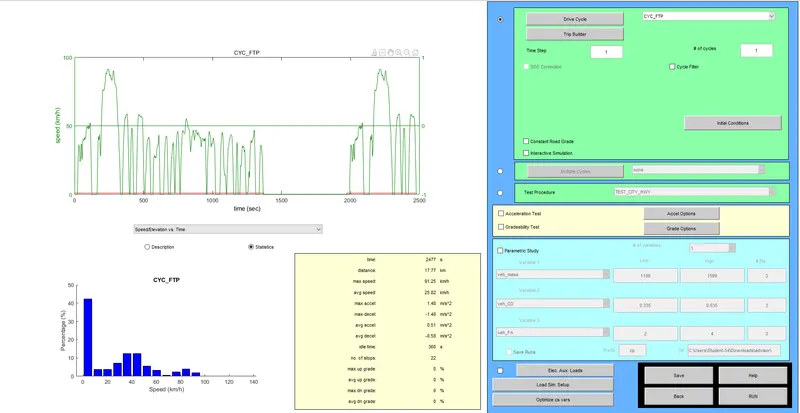
- The drivecycle is change to CYC_FTP.
- The number of cycles kept is 1.
- The distance travelled for this cycle is 17.77 km.
- The maximum speed for this cycle is 91.25km/h.
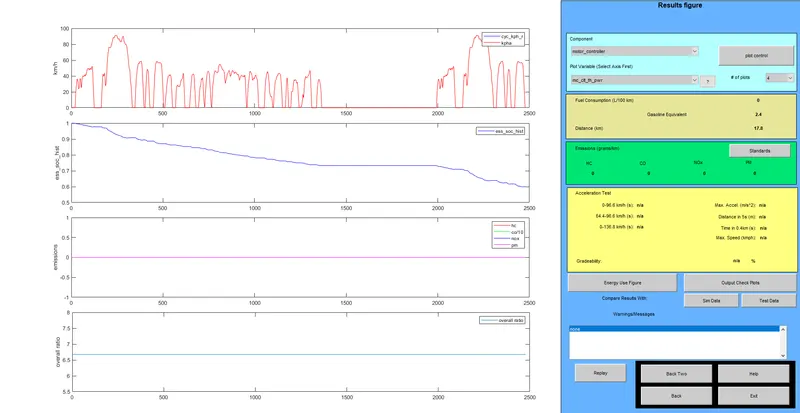
- In this cycle we see that the battery gets over before reaching a distance of 45 km/h.
- The emmissions are 0.
CASE - 2 : Changing the battery capacity.
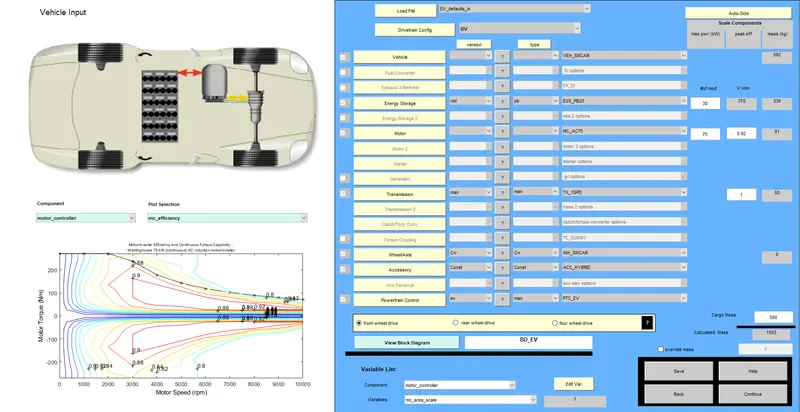
- In this case we keep the cargo mass to 500 kg.
- And we change the battery module to 30 units.
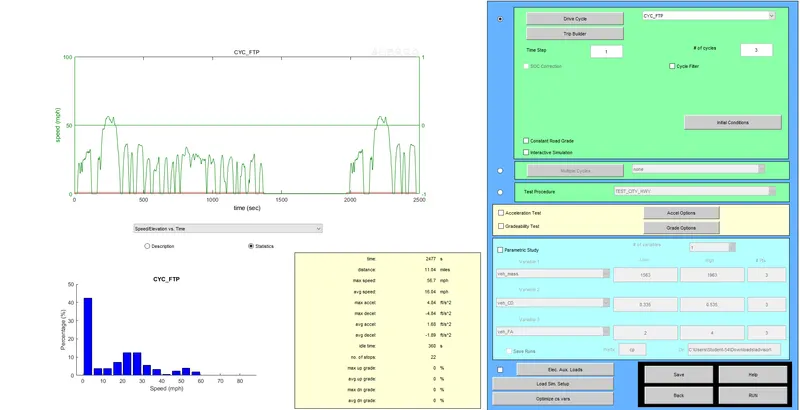
- Here we select the drivecycle as CYC_FTP.
- The number of cycle is kept as 3.
- Proceed Further.
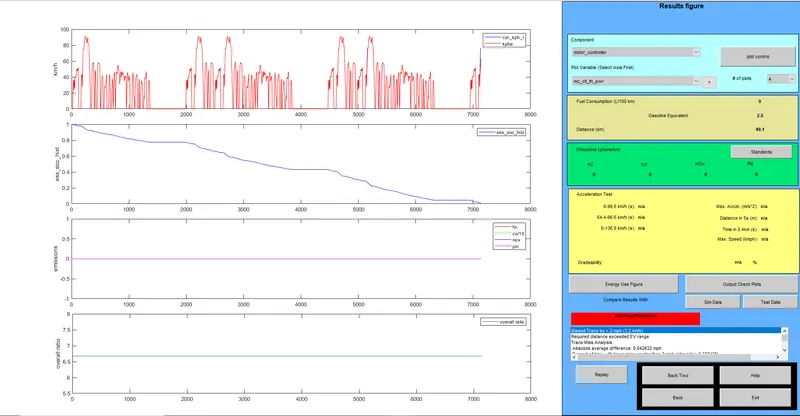
- Here we can see that the battery has run upto a distance of 49.1 km.
- The state of charge is defined as the ratio of the available capacity, and the maximum possible charge that can be stored in a battery, i.e., the nominal capacity.
- The state of charge graph shows that the charge i n battery decreases along with the vehicle movement.
- The emmission is 0.
2. Perform gradeability test with PRIUS_Jpn_defaults_in file
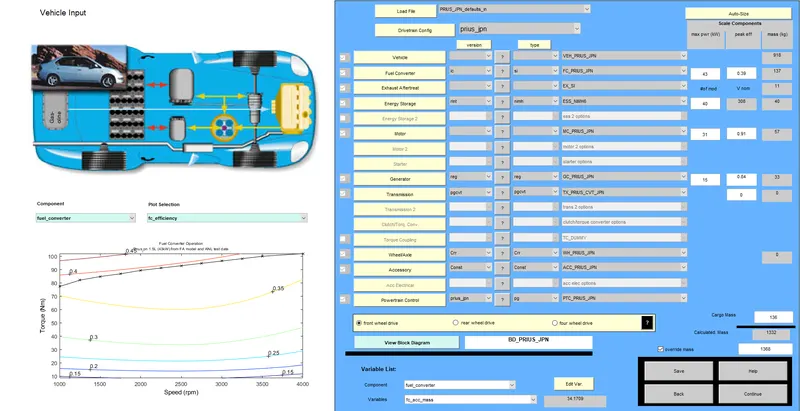
- We have selected the PRIUS_Jpn_defaults_in in the load file .
- And Continue to proceed further..
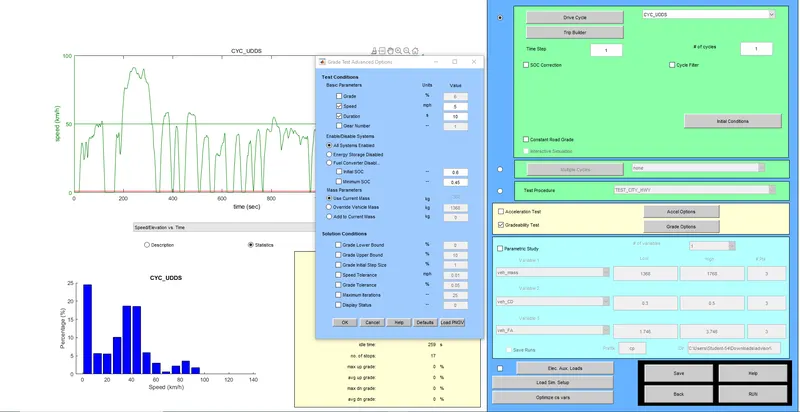
- We selected the ratio greadabality test and also chaged the parameters of gradeabality options.
- we selected 'All systems enabled'.
- We need to do the gradeabality test and gradeablity coefficients at various speed limits.
- We performed the test for a range of speed limits (5-35).
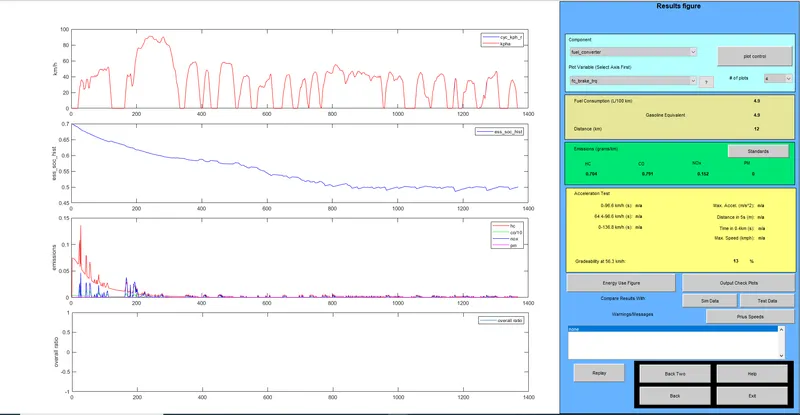
The value of gradeability coefficients with respect to various speed limits is as shown below :
| SPEED | GRADEABALITY |
| 8 | 32.8 |
| 16.1 | 30.3 |
| 24.1 | 24.4 |
| 32.2 | 19.8 |
| 40.2 | 16.5 |
| 48.3 | 14.7 |
| 56.3 | 13 |
Conclusion:
- As the speed goes on increasing the gradeability goes on decreasing.
- With the increase in speed the power to move the vehicle along the gradient is more.
- Speed is inversely proportional to gradeability.