Week-3 Challenge: ADVISOR Tool
1. AIM
Use the ADVISOR Tool and understand the working of the tool and how to simulate different models.
2. OBJECTIVES
- To give different inputs and check how it affects the outputs.
- To Simulate a model to check if the vehicle can meet the given requirements.
- To modify some parameters like changing the battery so that the vehicle meets the given requirements.
- To perform gradeability test with Prius by changing the speed and time.
3. METHOD
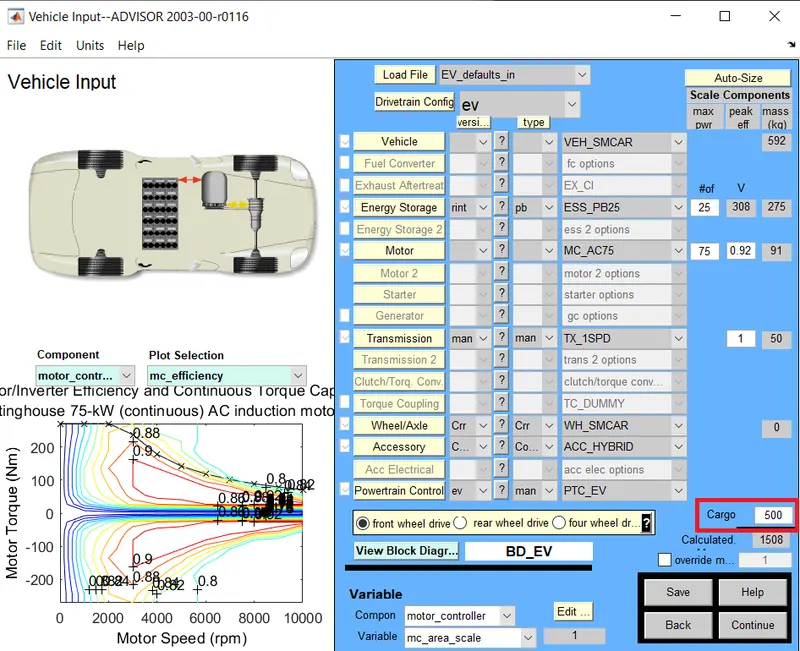
3.1 For EV_defaults_in file, if cargo mass is 500 kg with all other default conditions, can the vehicle travel for 45 km with FTP drive cycle?
 |
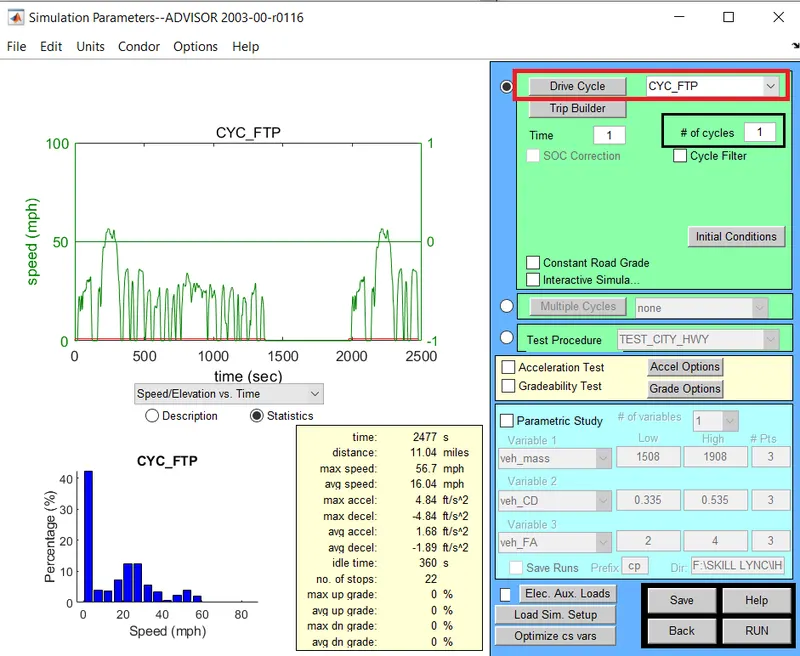 |
| We change the cargo mass to 500kg | We change the drive cycle to FTP |
- We run the simulation for 1 cycle and get the output.
- The distance covered is 11 miles that is 17.7 km.
- But since we need the vehicle to travel 45km we check for more cycles.
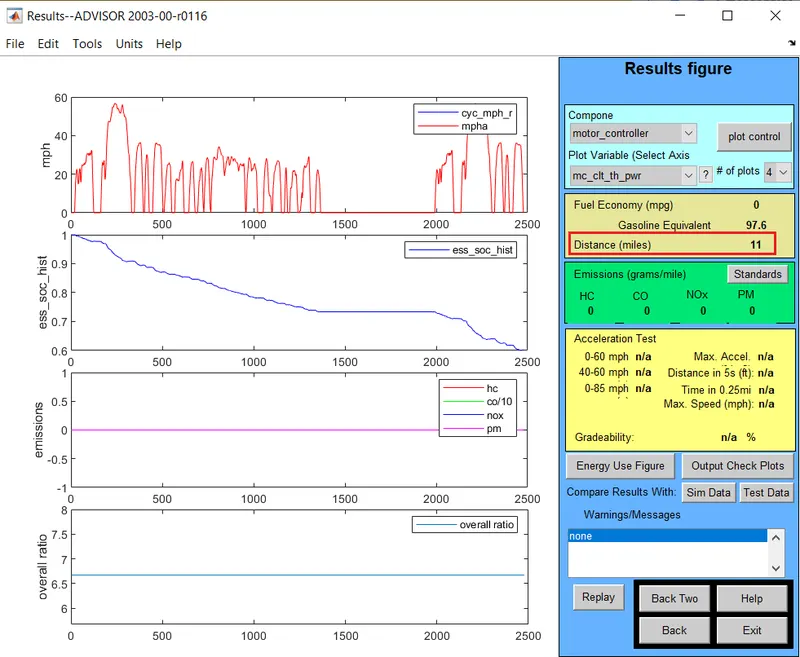 |
For 1 cycle |
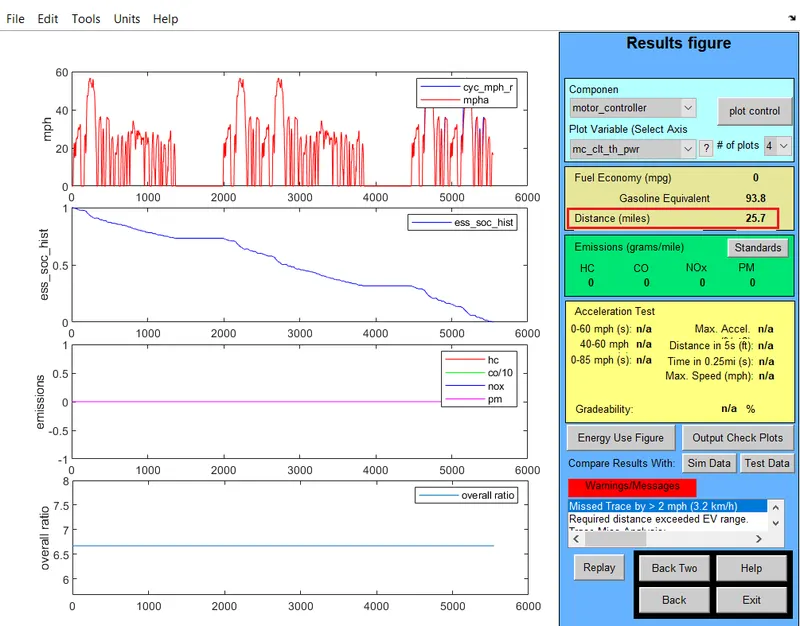 |
For 5 cycles |
 |
For 10 cycles |
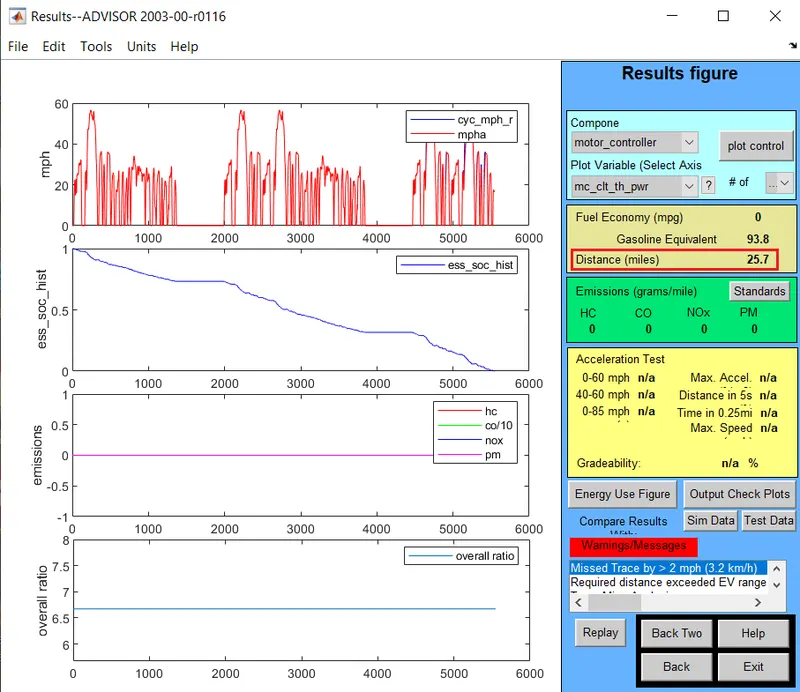
- Even after 10 cycles, we get the maximum distance of 25.7 miles which is 40.23 km.
3.2 In the above case, try changing the battery capacity and repeat the simulation.
- We get to know that the vehicle won't run for 45 km on default settings.
- So to increase the range we try changing the battery and run the simulation for 3 cycles.
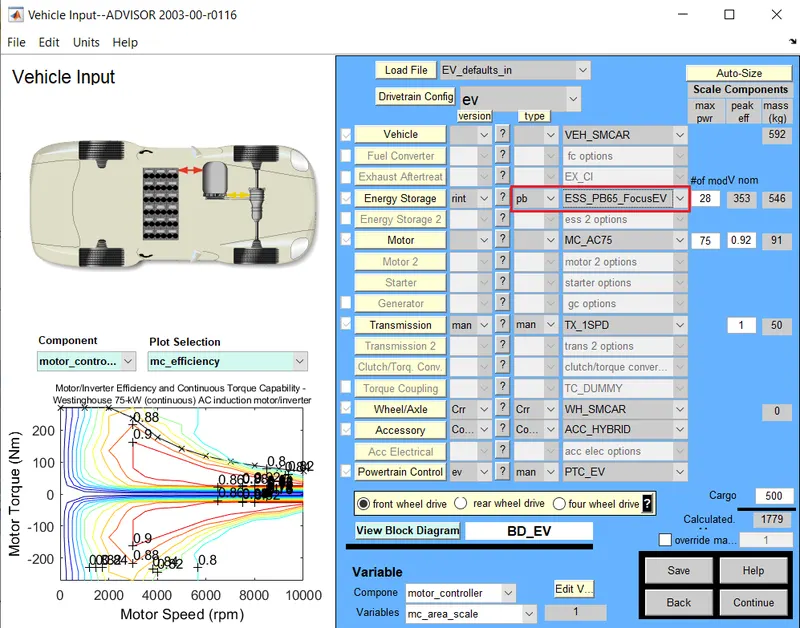
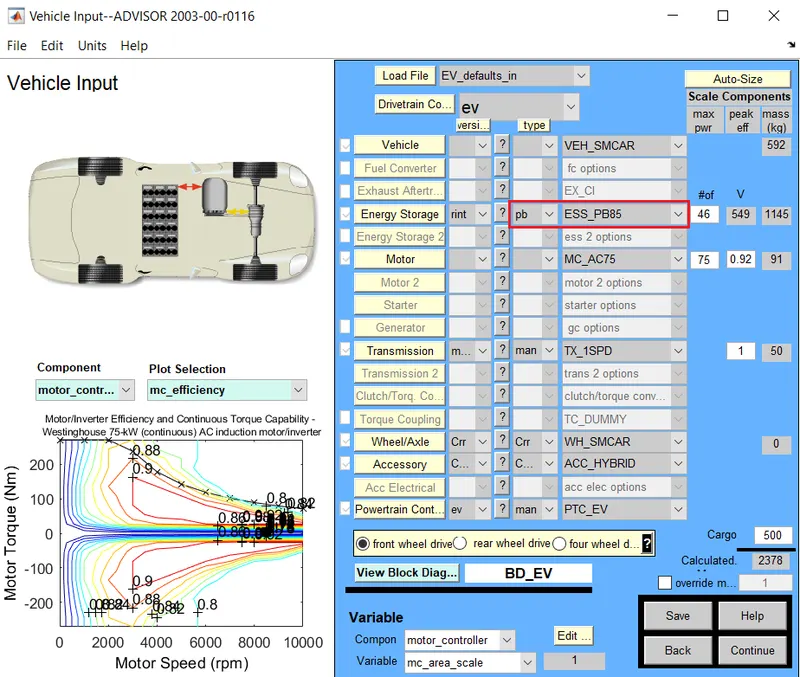
- The default battery used was ESS_PB25, and we change it to ESS_PB65_FocusEV and ESS_PB85.
- Both these batteries give a similar output.
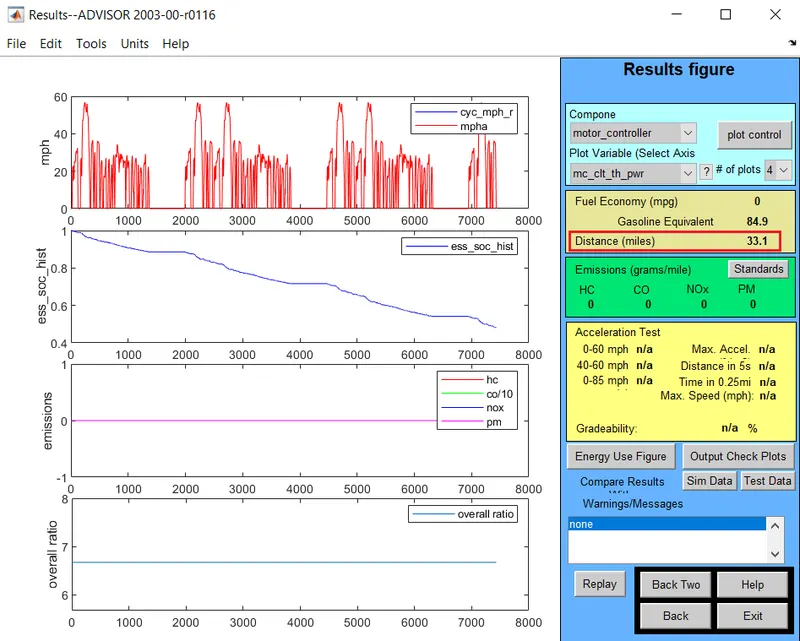
- After the simulation is run, the vehicle travels the required distance.
- Hence we can say that once the battery capacity is increased, the range of the vehicle also increases.
| Fig. Below shown is ESS_PB65_FocusEV | |
 |
 |
| Fig. Below shown is ESS_PB85 | |
 |
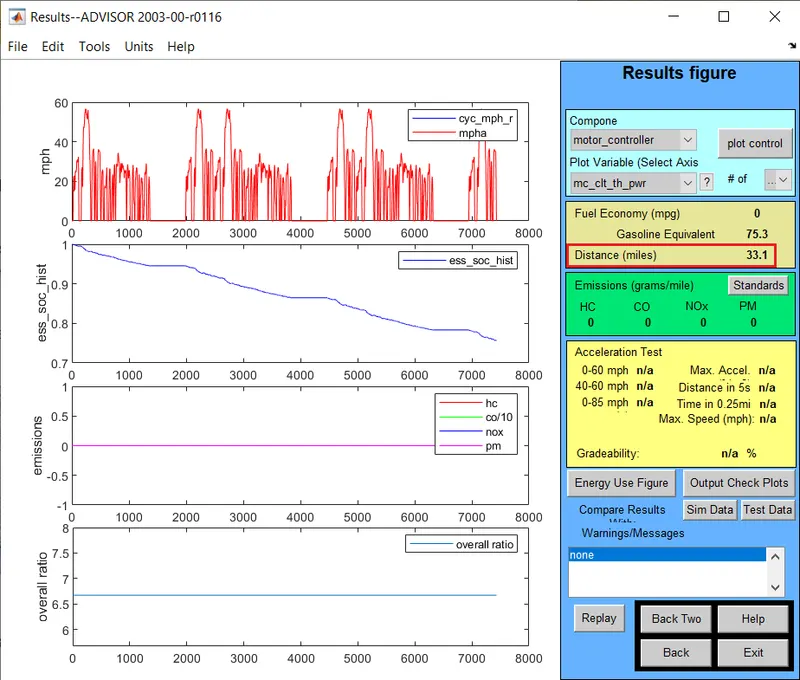 |
- The distance travelled is 33.1 miles that is 53.26 km which is more than the required range.
3.3 Perform gradeability test with PRIUS_Jpn_defaults_in file
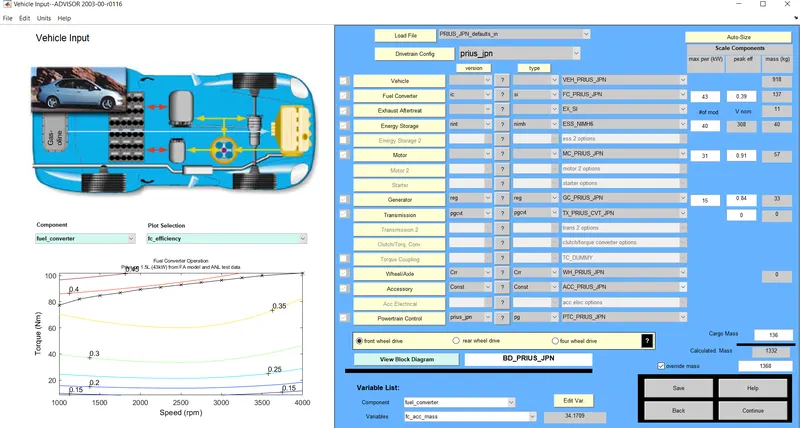 |
| Fig. PRIUS MODEL |
- We open the Prius model and we then change the speed and time to perform the gradability test.
- We can see after performing the test that the gradeability increases as we give more time for the vehicle to climb the hill.
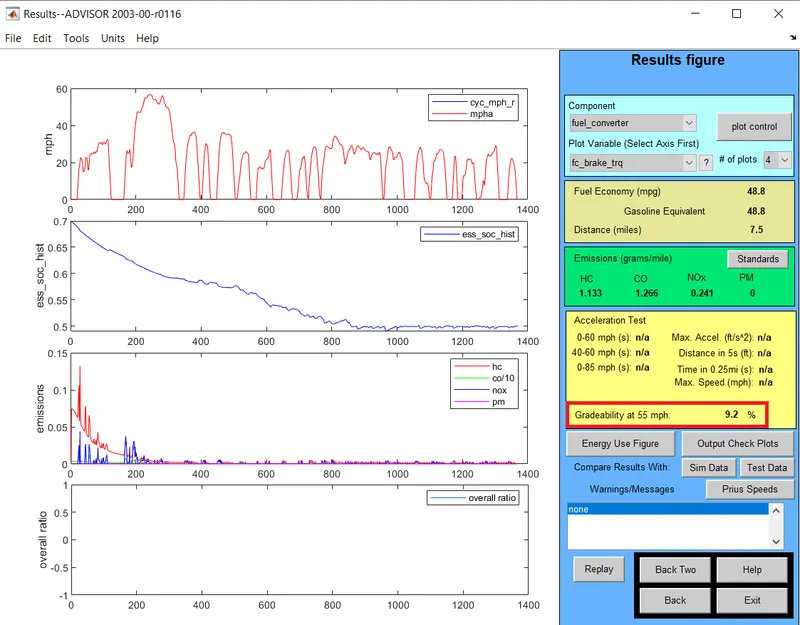
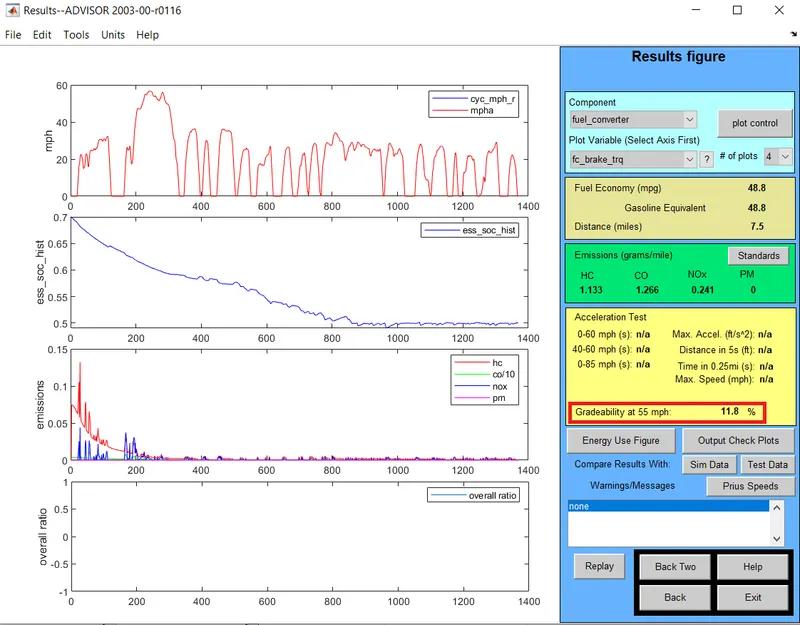
- We initially test for 55 mph for 10 secs and 20 secs.
- After the simulation is run we get the gradeabilty is 9.2% for 10 secs and it changes to 11.8% for 20 secs.
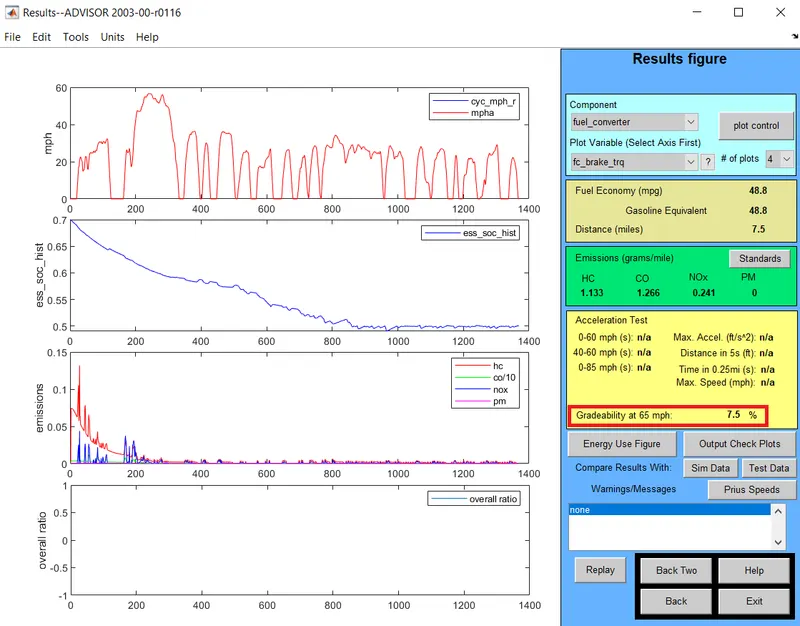
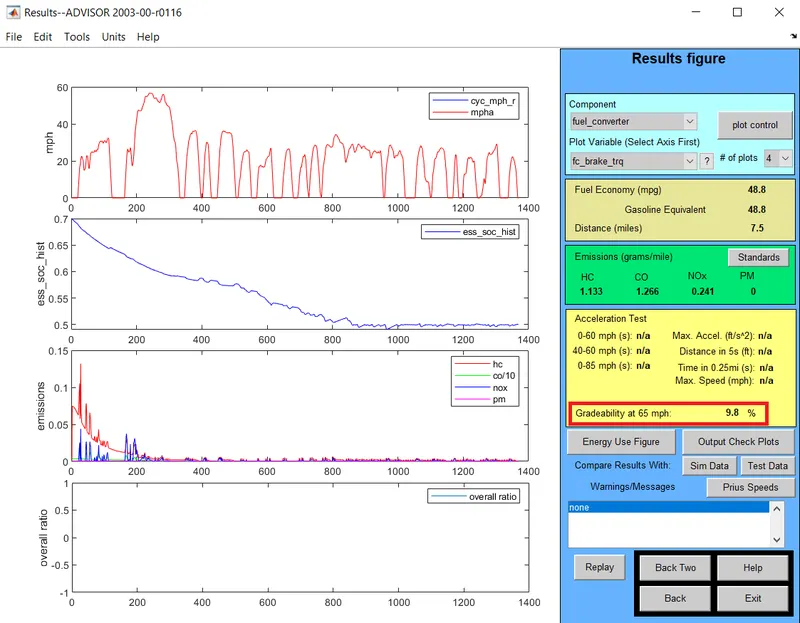
- We perform a second simulation at 65 mph for 10 secs and 20 secs.
- Similar to the first test we get that the gradeability 7.5% for 10 secs and it changes to 9.8% for 20 secs.
- The results of the simulations are shown below.
| For 55 mph at 10 secs | 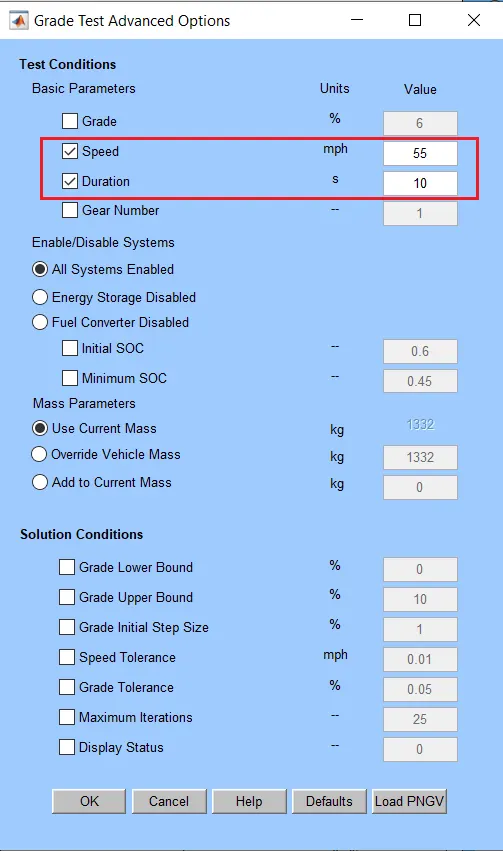 |
 |
| For 55 mph at 20 secs | 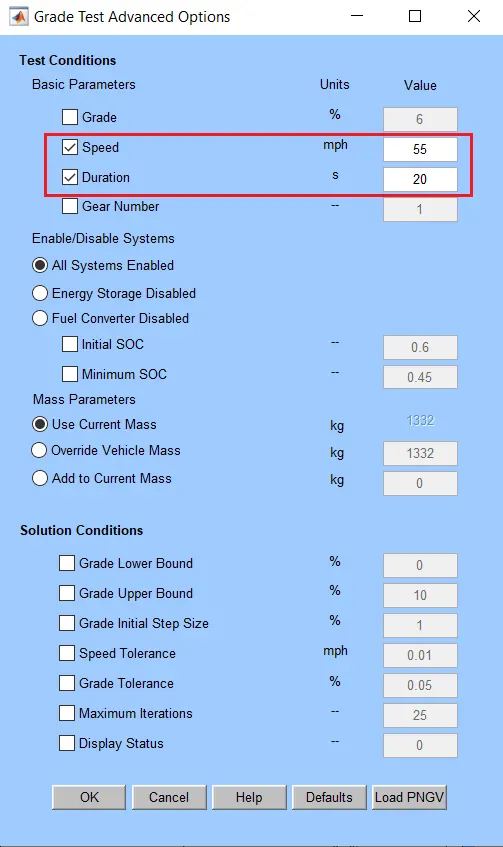 |
 |
| For 65 mph at 10 secs | 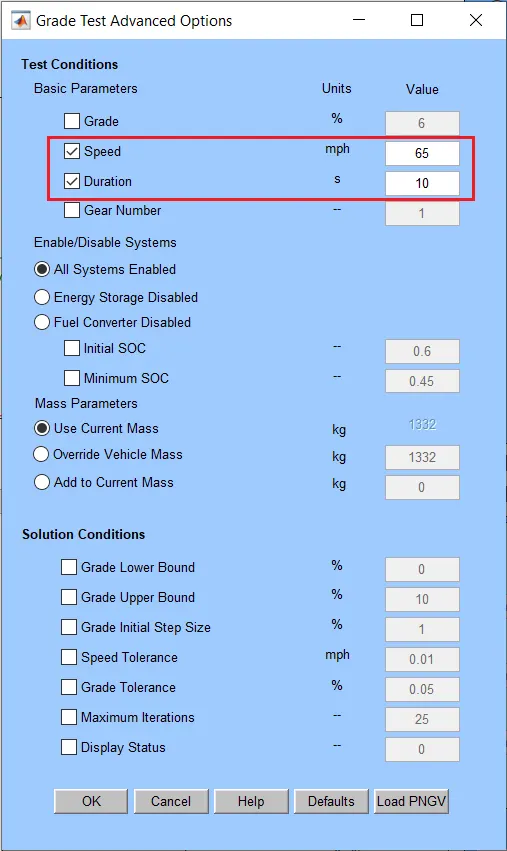 |
 |
| For 65 mph at 20 secs | 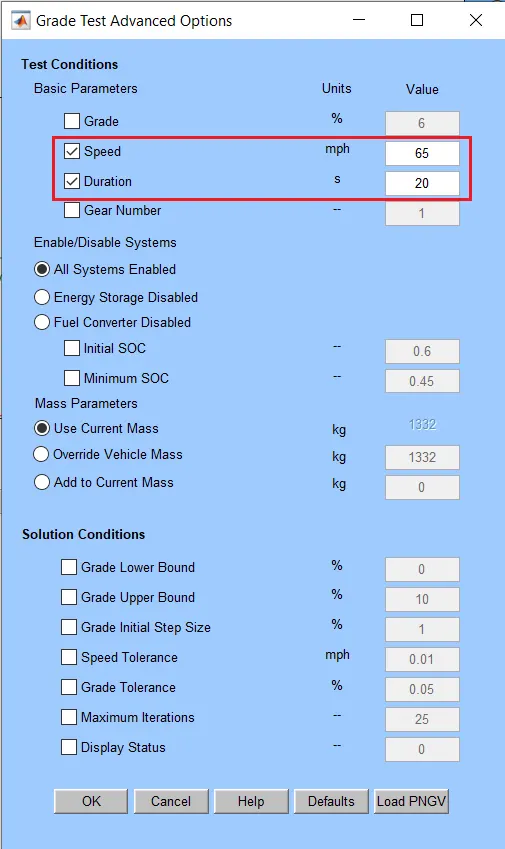 |
 |
4. LEARNING OUTCOME
- Learned the use of ADVISOR Tool and understand the basics of the tool.
- Learned how we can edit the different parameters of the models.
- Learned how to test the gradeability of the vehicle.
5. CONCLUSION
- It is necessary to change the battery to improve the range of the vehicle.
- As the time required for the vehicle to climb the hill increases the gradeability also increases.