Week-3 Challenge: ADVISOR Tool
ADVISOR Tool
Aim:
To simulate the given conditions using the ADVISOR tool.
Objective:
- For EV_defaults_in file, if cargo mass is 500kg with all other default conditions, can the vehicle travel for 45km with the FTP drive cycle, conclude the observations.
- In the same case, try changing the battery capacity and repeat the simulation,
- Perform gradeability test with PRIUS_Jpn_defaults_in file. Compare the results and conclude.
Introduction:
This tool was originally developed by the National Renewable Energy Laboratory, which allows users to simulate and analyze conventional, advanced, light, and heavy vehicles including hybrid electric and fuel cell vehicles.
The tool allows users to access the effect of changes in vehicle components and other modifications that might affect the fuel economy, performance or emissions. This allows system-level analysis and trade-off studies of advanced vehicles.
The advisor approximates the continuous behavior of a vehicle as a series of discrete steps during each of which the components are assumed to be at a steady-state. This is at each time step, the effects of changing current, voltage, torques, and RPM are neglected. This allows efficiency or power loss tables, which are generated by testing a drivetrain component at a fixed torque and RPM. It uses a quasi-static method, using data collected in steady-state.
- For the EV_defaults_in file, if cargo mass is 500kg with all other default conditions, can the vehicle travel for 45km with the FTP drive cycle.
Initially, the ADVISOR file extracted from the downloaded file and is loaded in the Matlab editor window and made to run the program in order to activate the ADVISOR tool, then the advisor window will be displayed and the start button is clicked to open the tool, which displays the following window.
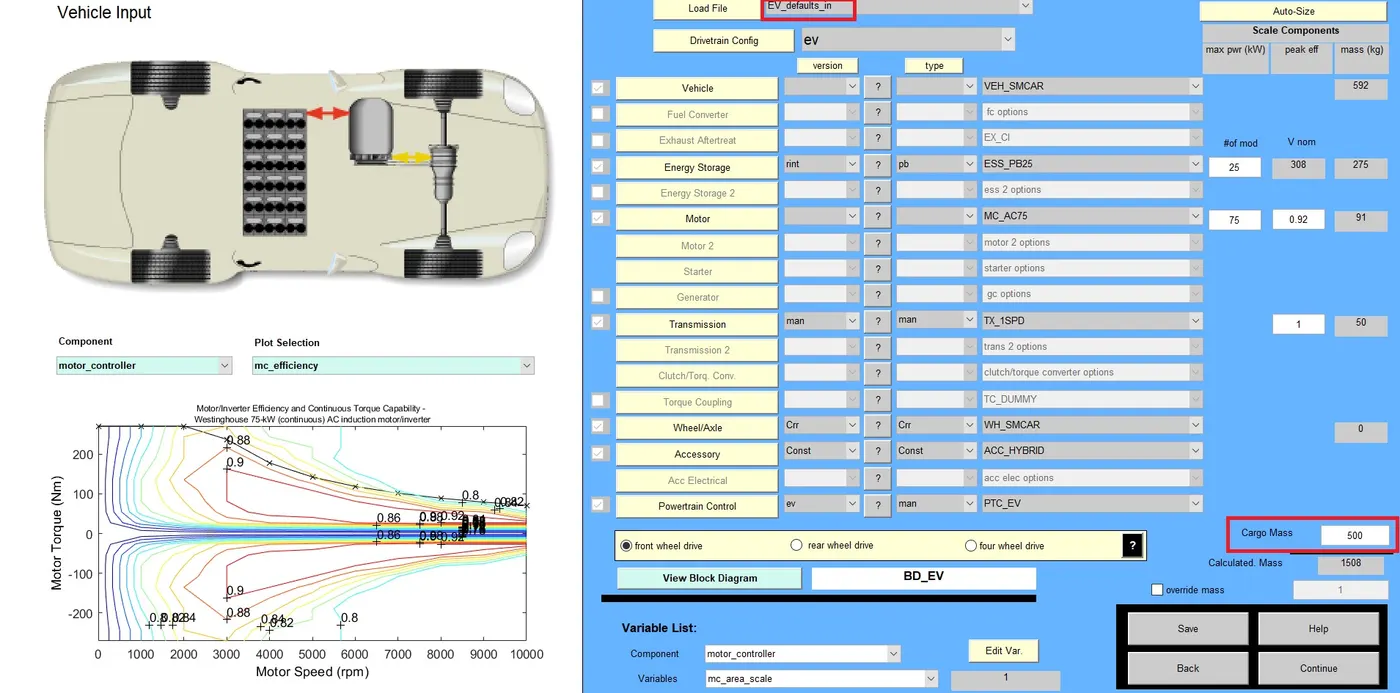
EV_defaults_in file is loaded in the window as shown above. In the above picture, the cargo mass is changed to 500kg from the default value. Then the continue button is clicked which displays the next window as shown below.
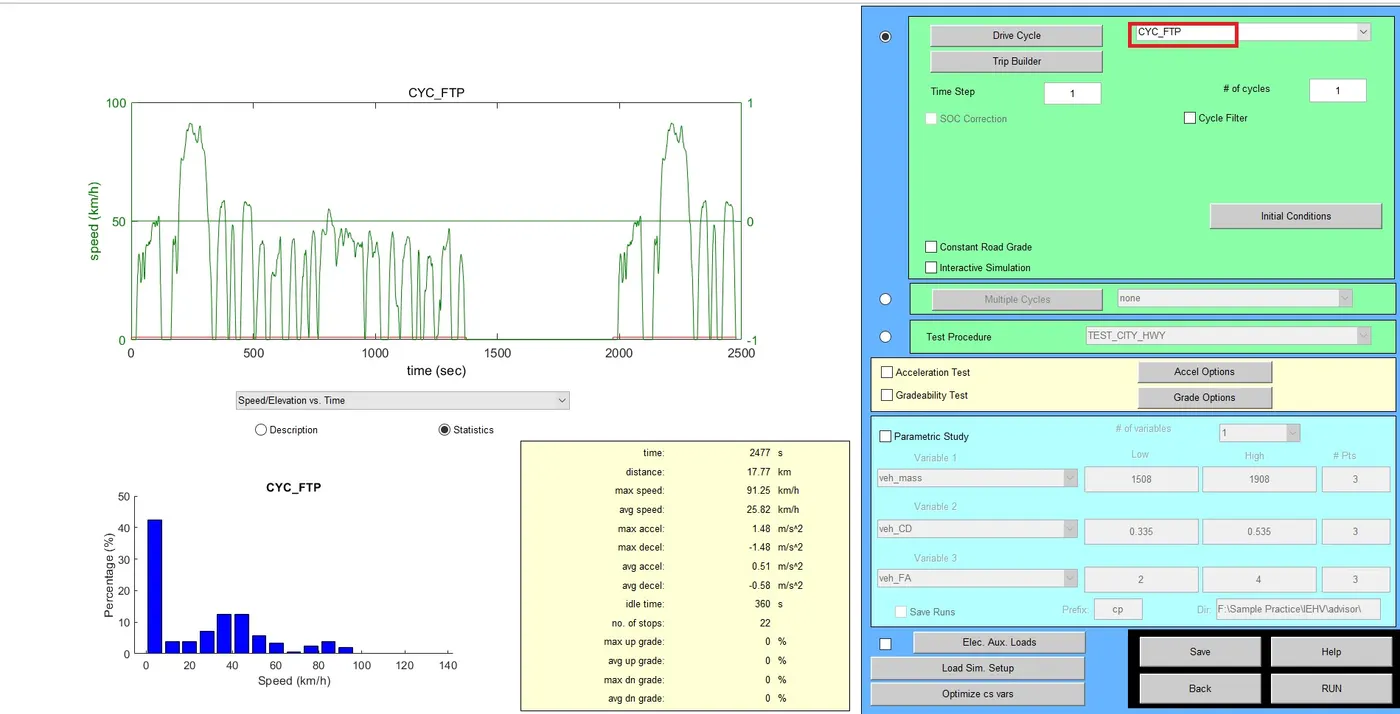
Here, the drive cycle is changed to the FTP cycle from the default cycle, the list of drive cycles will be listed while clicking on the drop-down button, from the list drive cycle is selected. Then Run button is clicked to start the simulation, at end of the simulation result obtained is
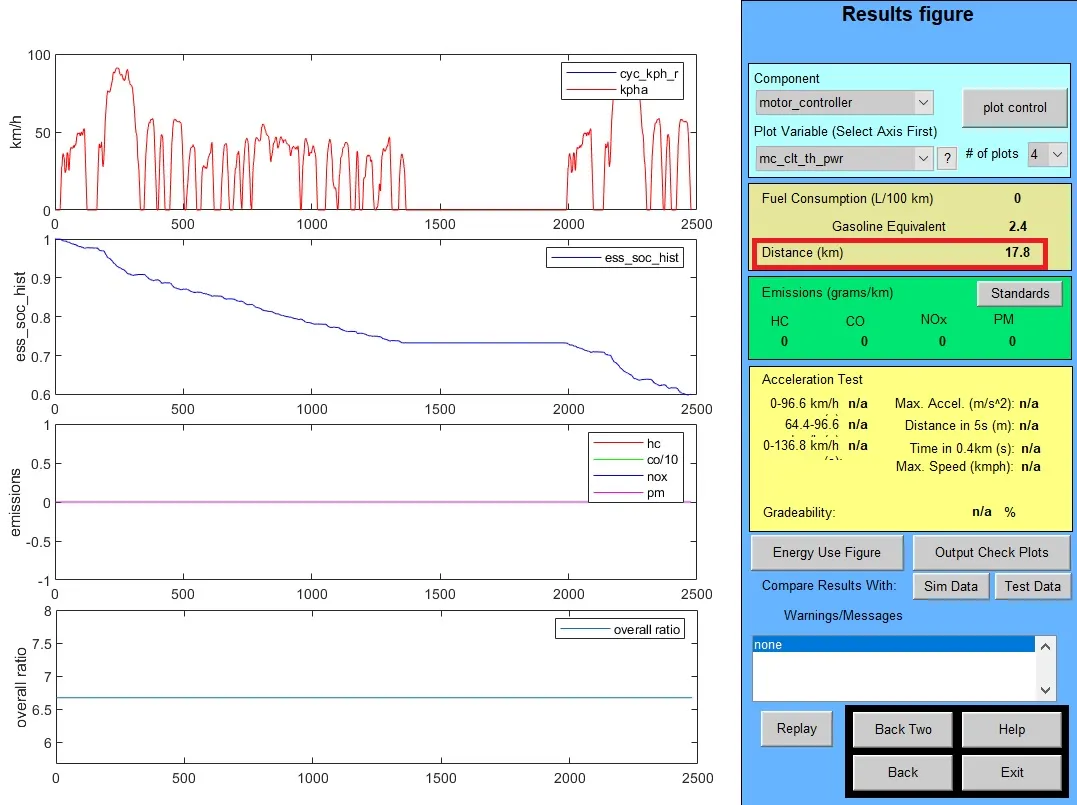
From the above result, the distance traveled by the vehicle is only 17.8km, but the question was, whether the vehicle could cover 45km, in order to increase the distance, the drive cycle can be increased to 2 from 1, which means the number of cycles of the simulation.
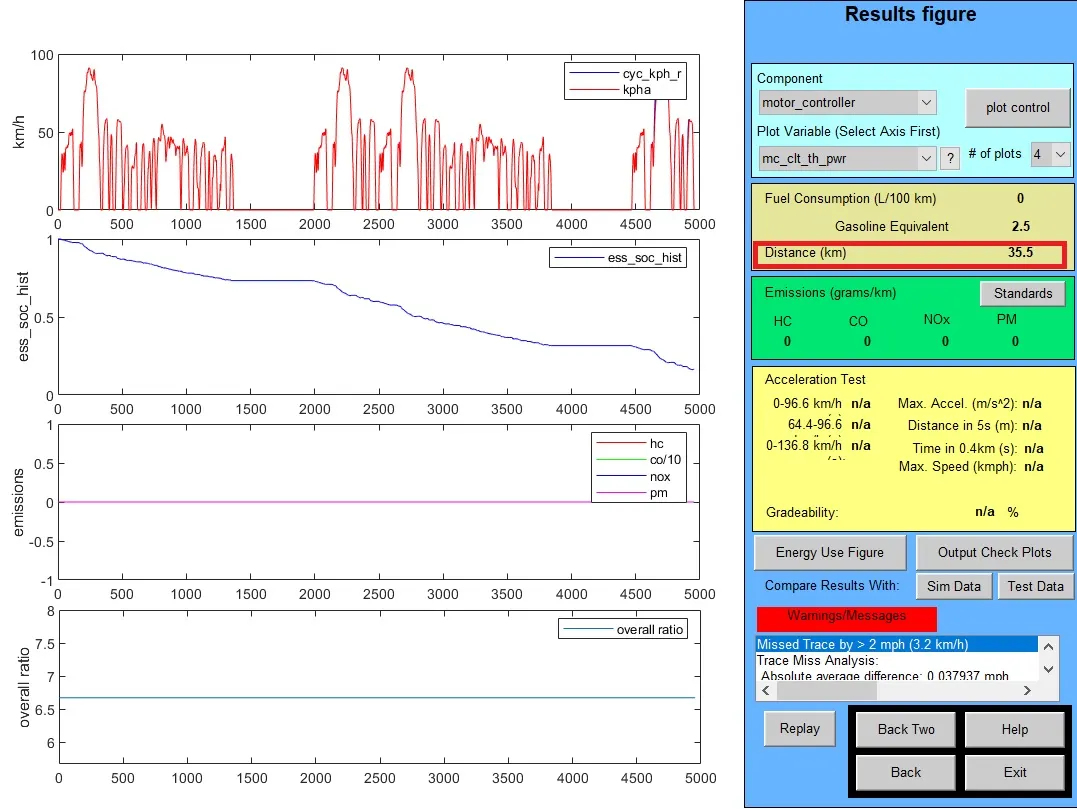
Again observing the result, the distance covered by the vehicle in simulation is 35.5km, therefore, again we should increase the drive cycle, which is 3.
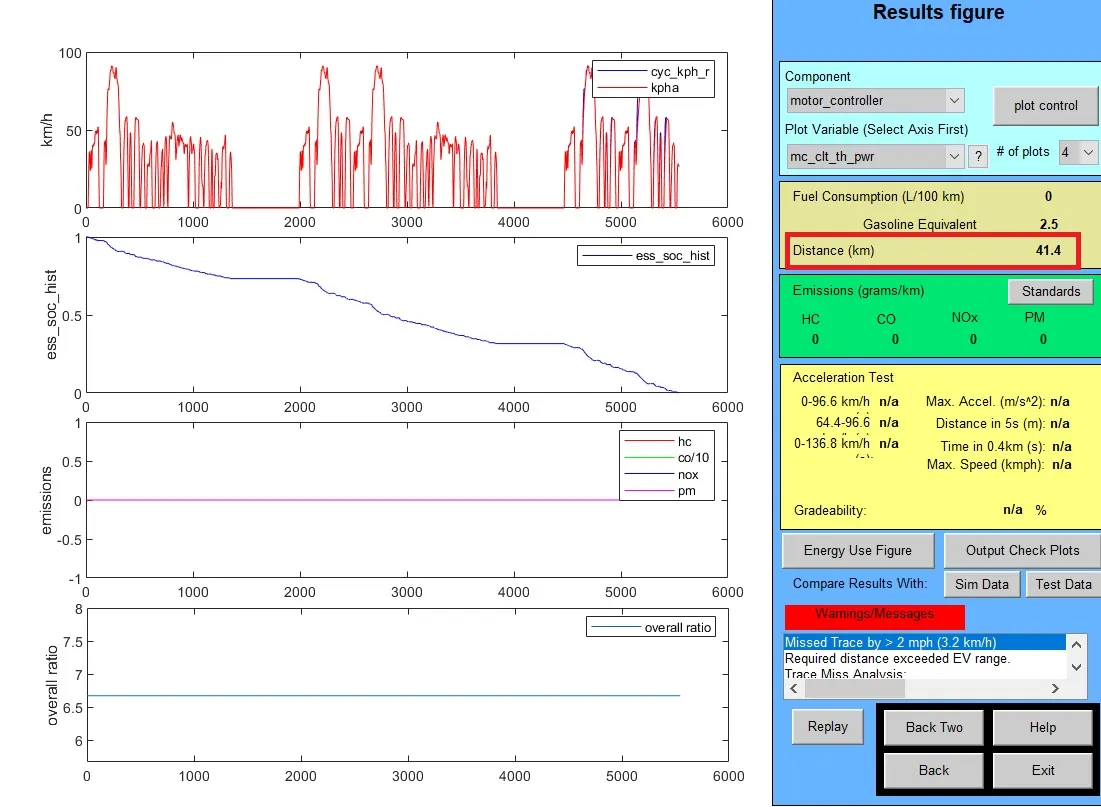
After conducting a simulation with three drive cycles, the distance which vehicle could cover was 41.4kms, which is less than 45km. As we cannot increase the drive cycle further which have no effect, the maximum number of cycle which can be obtained is three. So therefore the vehicle couldn’t reach the given distance with 500kg cargo weight.
2. Case (ii), changing the battery capacity
In the above case, we had reached the maximum number of drive cycle, even then the vehicle couldn’t cover the required distance with given cargo weight, in next case number of battery modules are increased in order to reach the required amount of distance.
So in this case number of modules is increased to 30 from 25, which was the default number of modules.
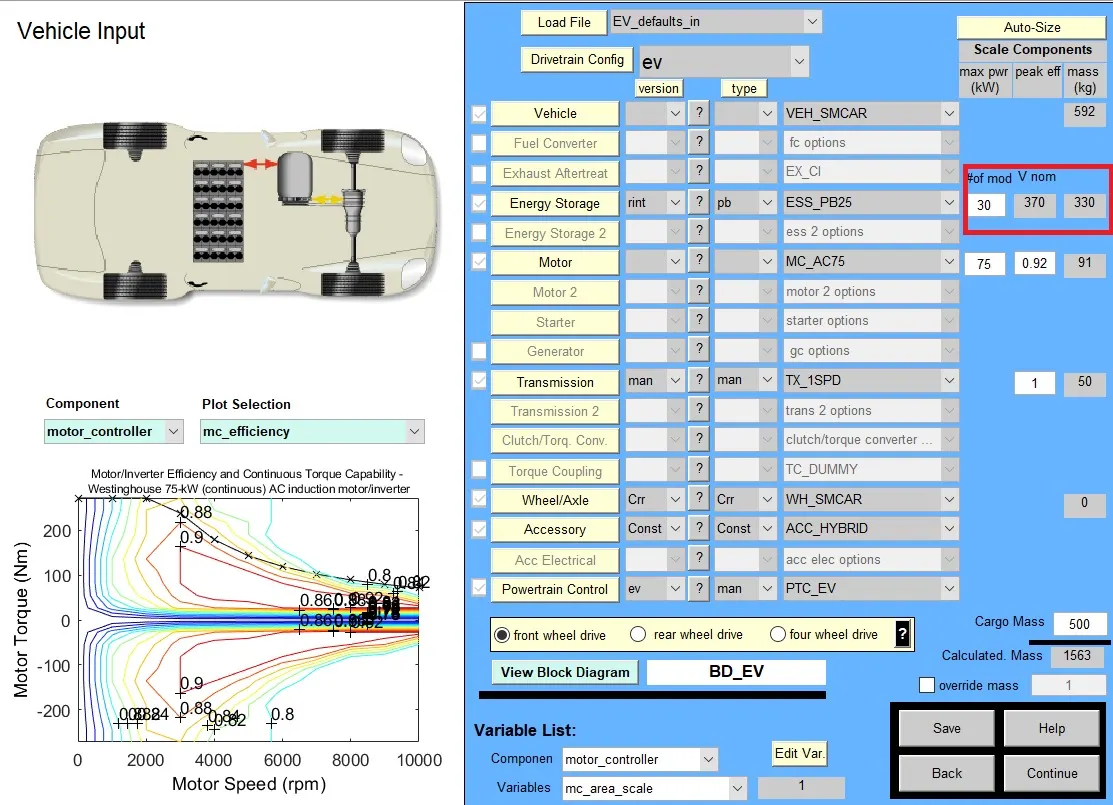
In the above picture it can be seen that number of modules has been changed to 30, and then continue button is pressed and then the simulation is made to run, and the corresponding result is,
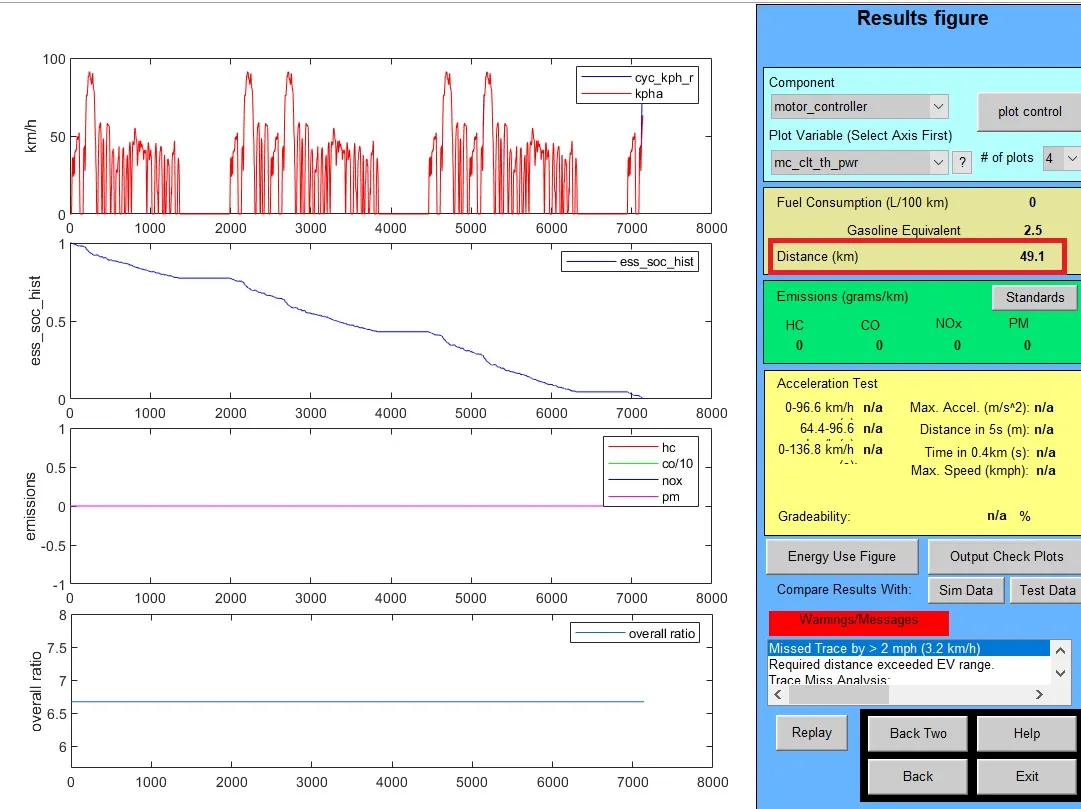
The above result shows that increasing the number of modules leads to the change in distance covered while simulating the running condition of the vehicle with 30 modules, the vehicle covered 49.1km.
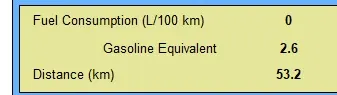
On again increasing the modules to 35 from 30, the resulting distance of simulation is 53.2kms.
3. Gradeability test with PRIUS
Toyota PRIUS is a hybrid vehicle that is available in the ADVISOR tool for simulation. To conduct the gradeability test, first, we need to load the vehicle model in the ADVISOR tool, no changes are done on the parameters,
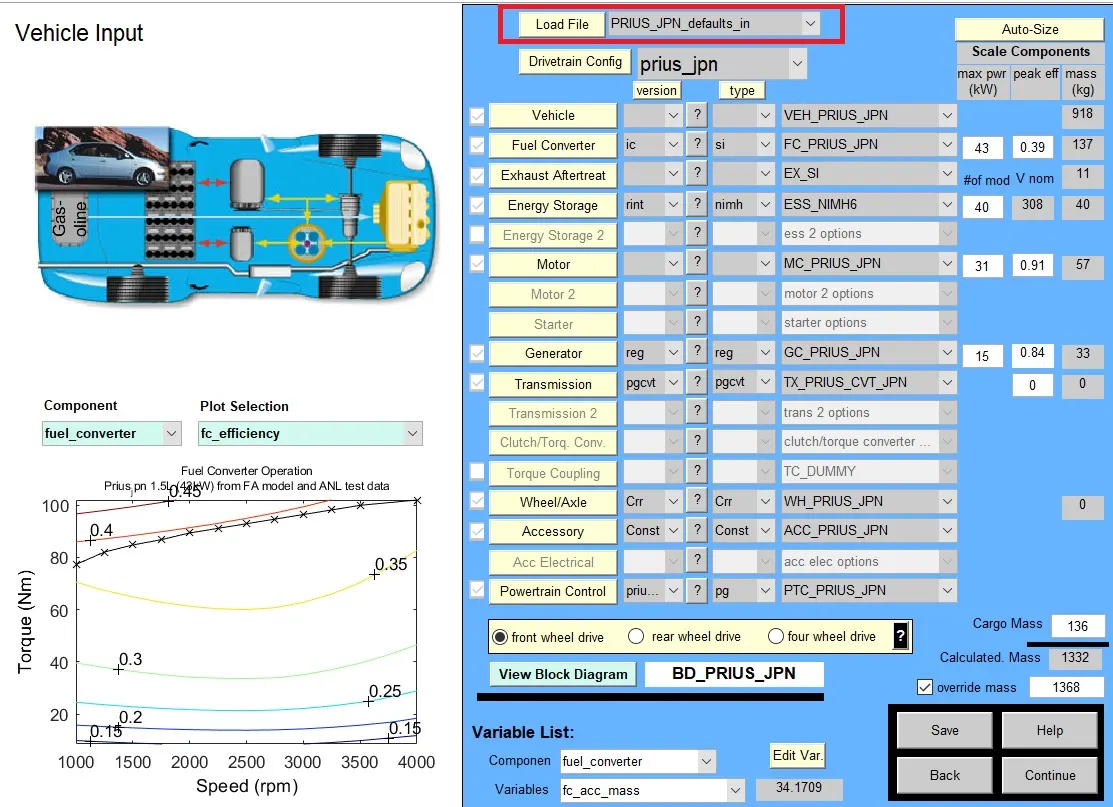
Then continue button is clicked and in the next window, gradeability parameters are to be modified, which is,
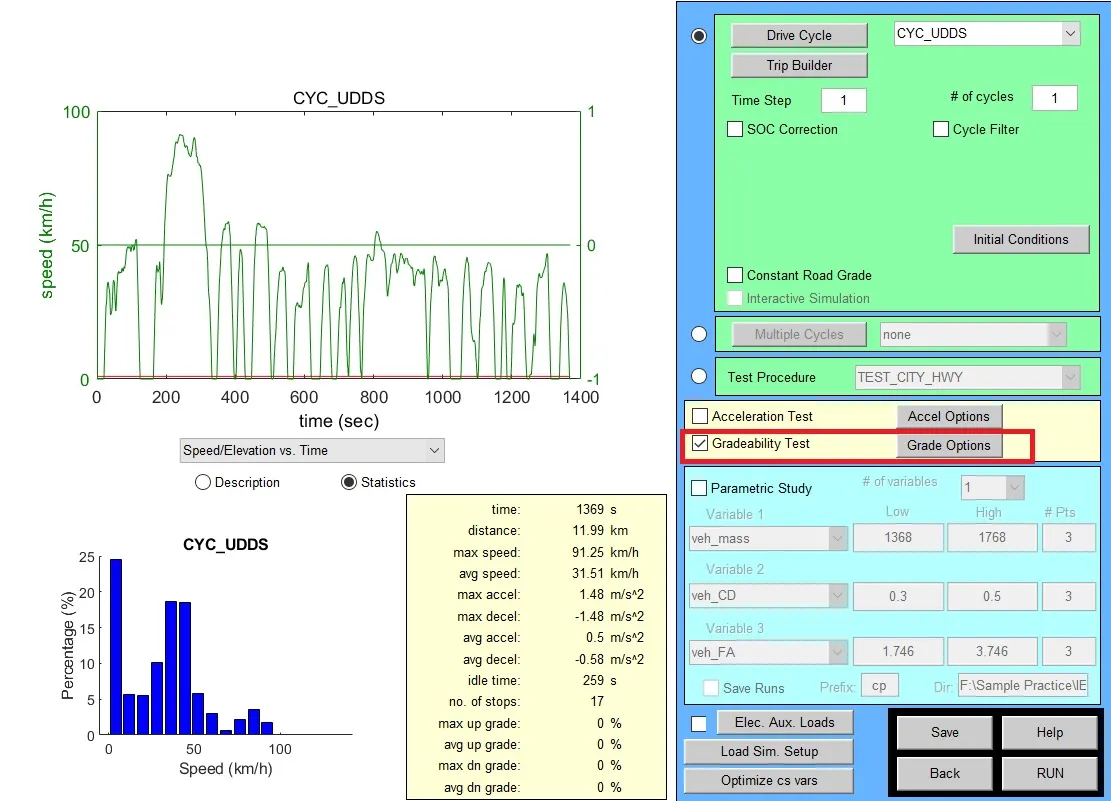
In this window gradeability test checkbox is marked to access gradeability test, then click on the grade options, which leads to a new window as below.
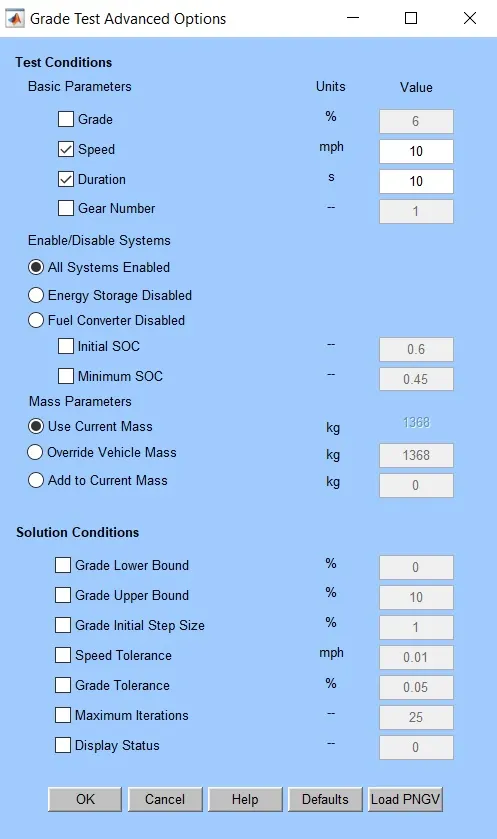
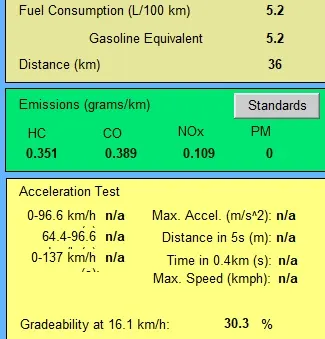
In this window, speed is varied for different simulations. The results showing gradeability for different vehicle speeds are observed and are shown below.
Case (i) Speed = 10mph or 16.1km/h
Case (ii) Speed = 15mph or 24.1km/h
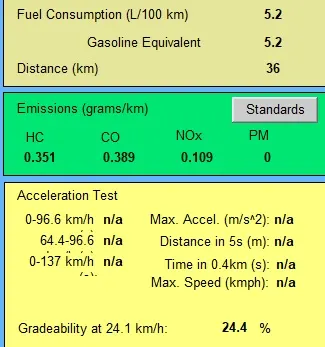
Case (iii) Speed = 20mph or 32.2km/h
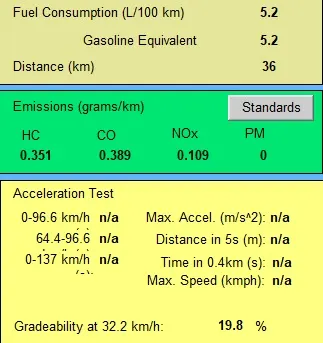
Case (iv) Speed = 25mph or 40.2km/h
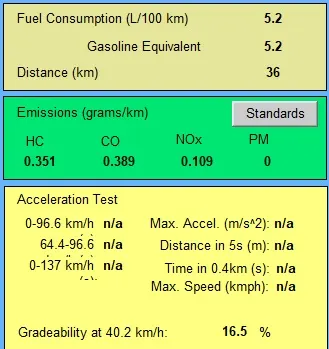
Case (v) Speed = 30mph or 48.3km/h
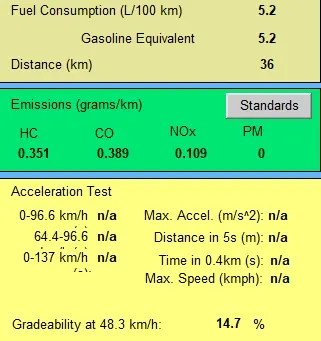
Case (vi) Speed = 35mph or 56.3km/h
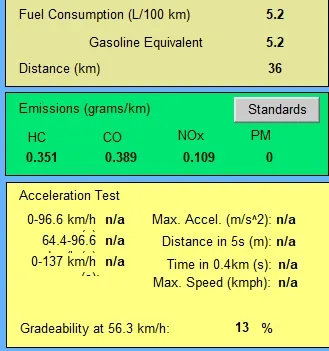
Case (vii) Speed = 45mph or 72.4km/h
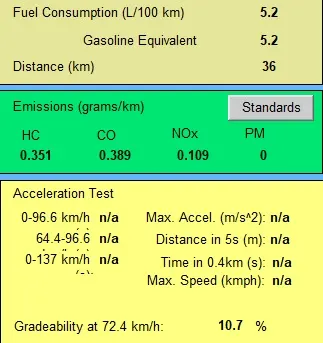
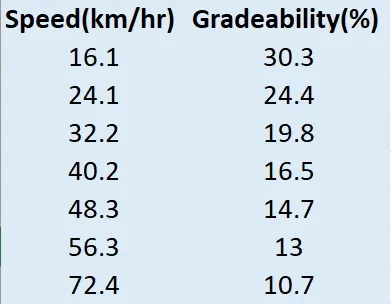
The value of speeds and corresponding gradeability values are entered in a table and shown below,
Conclusions:
- The simulation was carried out using the ADVISOR tool on given vehicle models,
- While using the FTP drive cycle, the vehicle couldn’t cover the required distance even when the maximum number of cycles is given.
- The required distance was covered by the vehicle only when the number of modules is increased.
- Gradeability test was carried out in the simulation for the model of Toyota PRIUS model for varying speeds, and from the results, it is observed that gradeability decreases with the increase in the speed of the vehicle.