Week-3 Challenge: ADVISOR Tool
1. For1. For EV_defaults_in file, if cargo mass is 500 kg with all other default conditions, can the vehicle travel for 45 km with FTP drive cycle? Conclude your observations.
Aim:- to find the EV_defaults_in file, if cargo mass is 500 kg with all other default conditions, can the vehicle travel for 45 km with FTP drive cycle.
How to start the ADVISOR TOOL:-
* Lunch the MAT LAB and frist set the defults loaction folder to the ADVISOR.
* Now in the command window of MAT LAB type ADVISOR and press enter.
* A New window will open select the metric and ckick the start buttion to ADVISOR then it will open in new window.
ADVISOR TOOL have 3 windows that is:-
1) Vehicle input window
2)Simulation parameter window
3) Result window
Now the above question they have Ask the mass is 500kg and speed is 45 kmph and with FTP cycle.
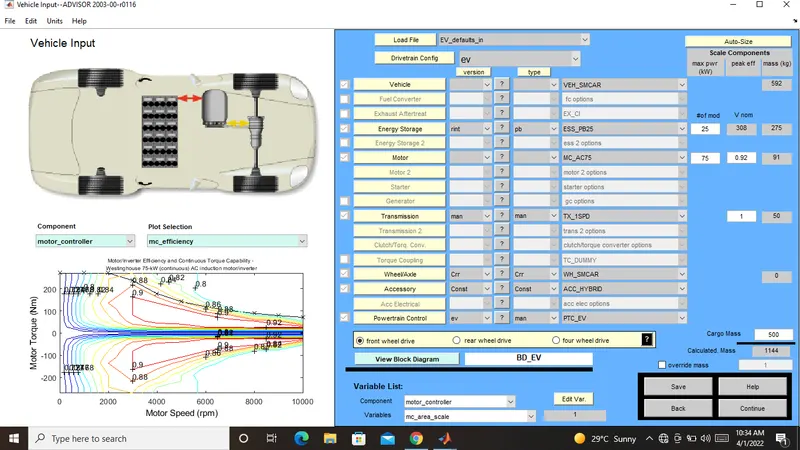
Frist we can change the value of cargo vallu into 5oo kg in total mass of the vehicle can be seen in .
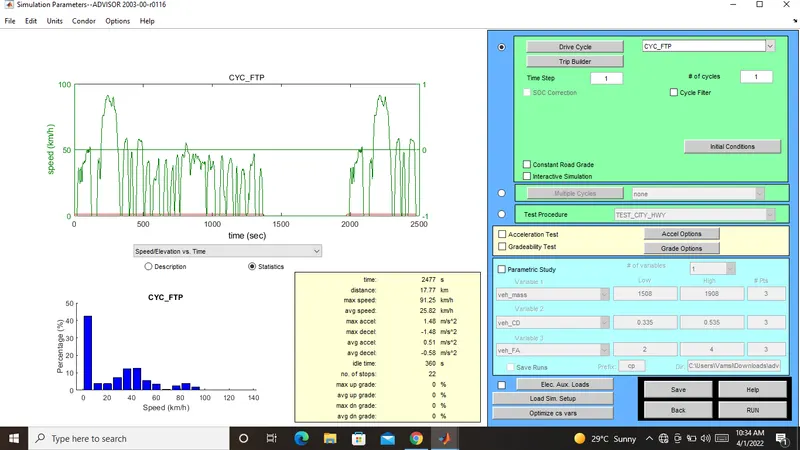
After the changing the vallues click on the continues buttion.Then open the simulation parameters window then we can change the cycle in CYE_FTP
and we will see the drive cycles.
After running the simulation will start and it will be show in result window.
This is the vehicle input window:-
Simulation parameters window:-
Result window:-
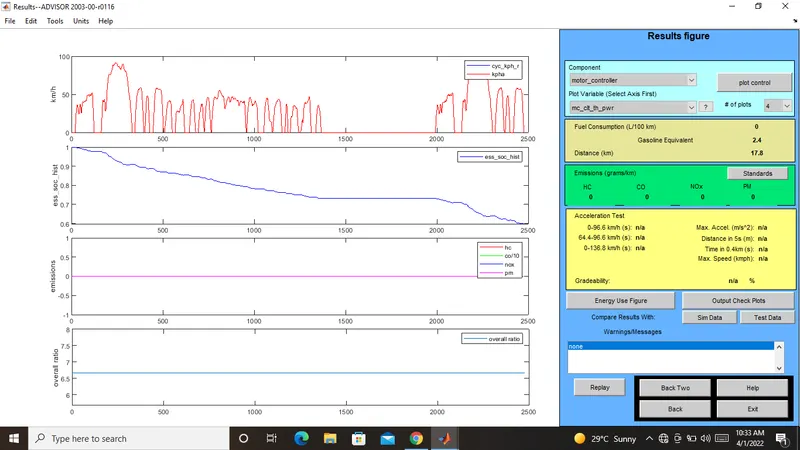
The distance traveled by the vehicle in 1 drive cycle is 17.8 km.
Now we can changes the drive cycles in simulation parameters window ni can change the vallu into 3 now we can see the result of these cycle.
In given bellow thet have show the drive cycle
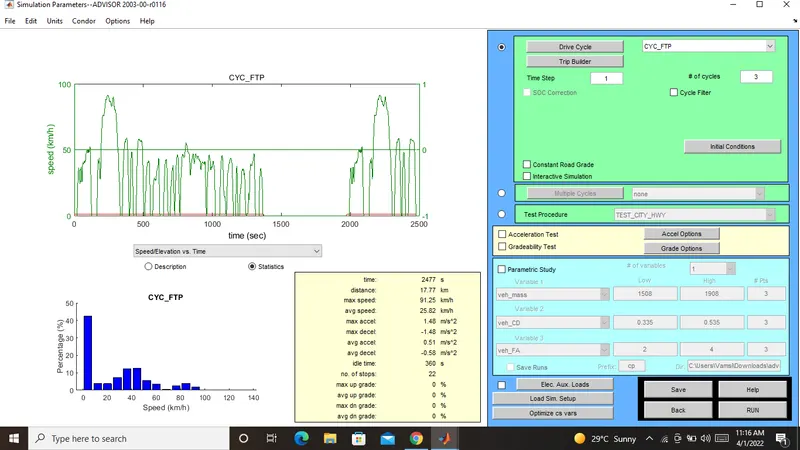
Result window in bellow
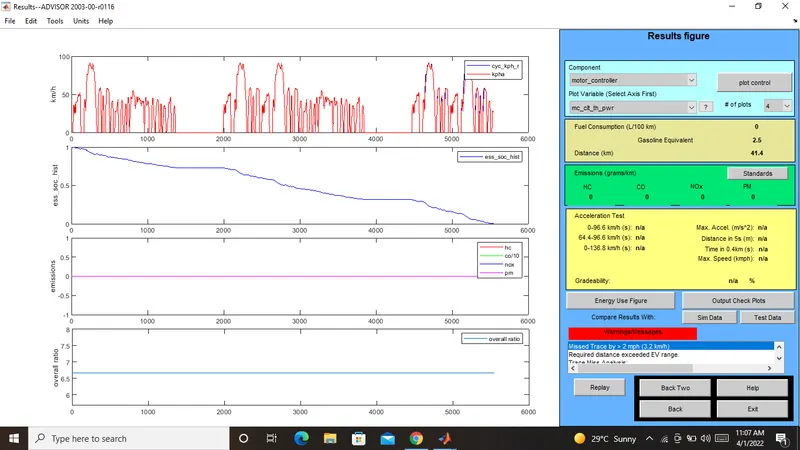
Now This time distance traveled by the Vehicle in 3 drive cycles that is 41.4 km.
Next i can chnage the drive cycle iin to 2 in simulation window that is show in bellow
The frist picture shows the drive cycles
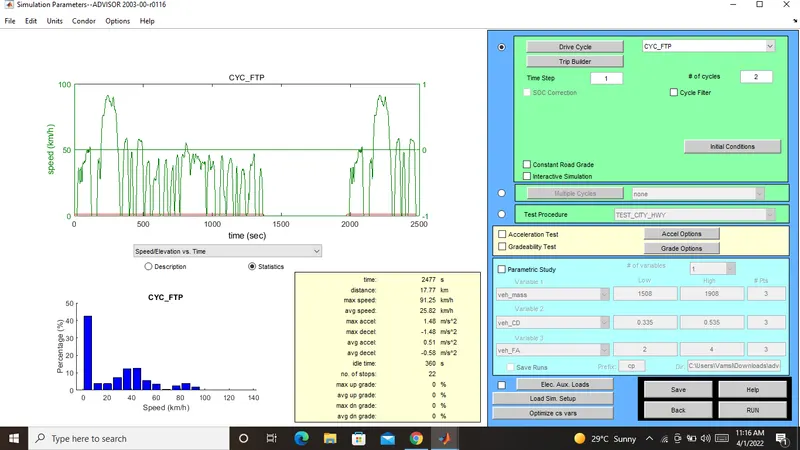
Result window in below
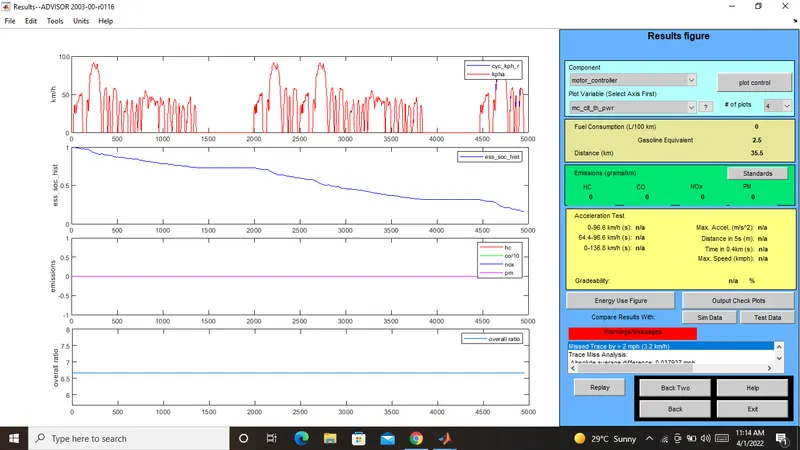
The distance traveled byb the vehicle in 2 drive cycle is 35.5 km.
Now this time we can given 5 drive cycles
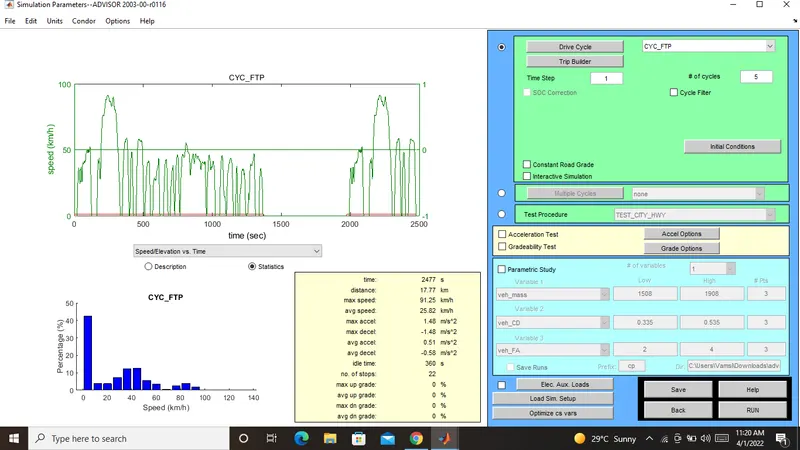
Result window in the bellow
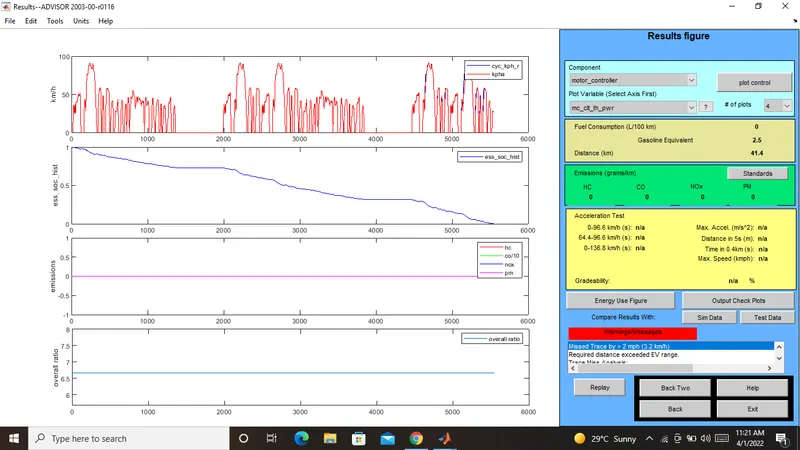
Now This time distance traveled by the Vehicle in 5 drive cycles that is 41.4 km.
2. In the above case, try changing the battery capacity and repeat the simulation.
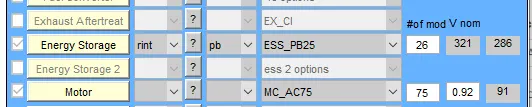
Frist we go to the vehicle input window now we will see the change of capacity of battery from energy stroage.Which will be open in frist ,so we will change the module number of batteries from the frist box and we will set the changes in voltage and weight of the battery.
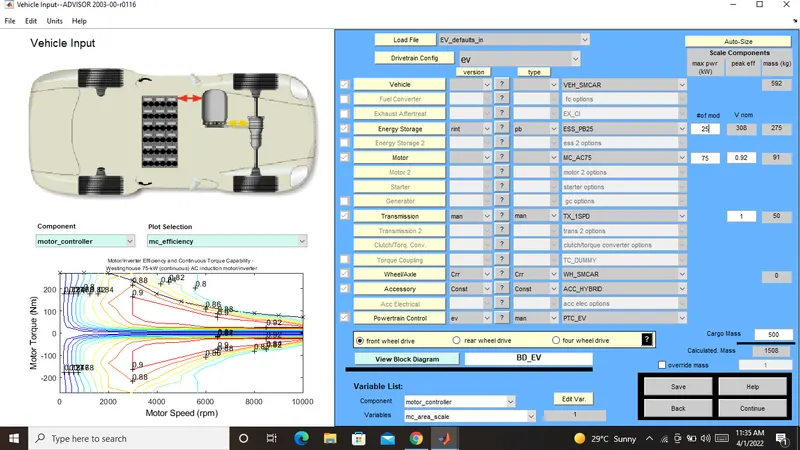
Now A new simulation parameters window wii be open .Here we will change drive cycle 2 or 3 one of the time and run the simulation.
After Completing of simulation we will see the result window where we observe the changes in distance of the vehicle travel.
Now this time we can give the battery vallun is 26 module and 2 drive cycle:-
Result window:-
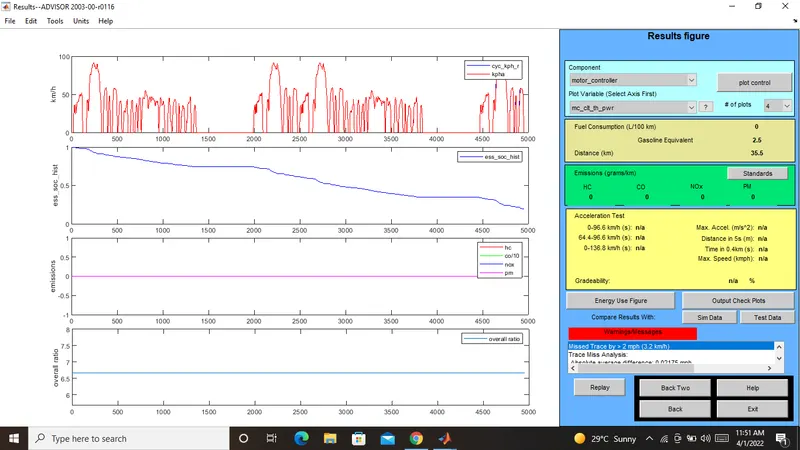
Now this time we can give the battery vallun is 27 module and 2 drive cycle:-

Result window:-
Now this time we can give the battery vallun is 28 module and 2 drive cycle:-

Result window:-
Now this time we can give the battery vallun is 26 module and 3 drive cycle:-
Result window:-
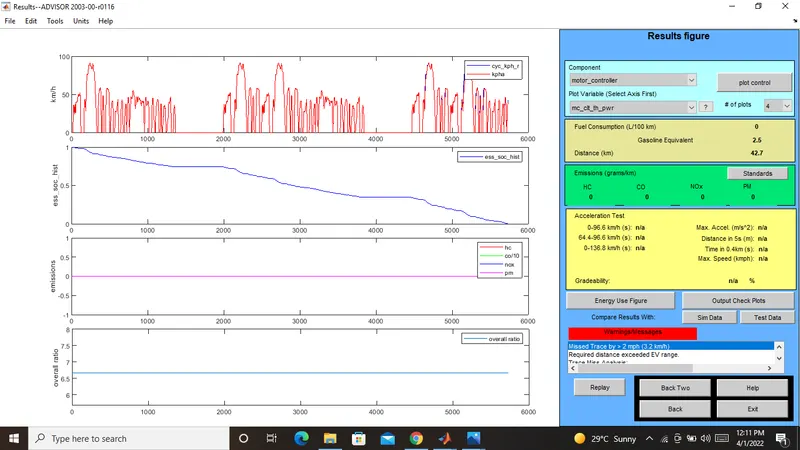
Now this time we can give the battery vallun is 27 module and 3 drive cycle:-
Result window:-
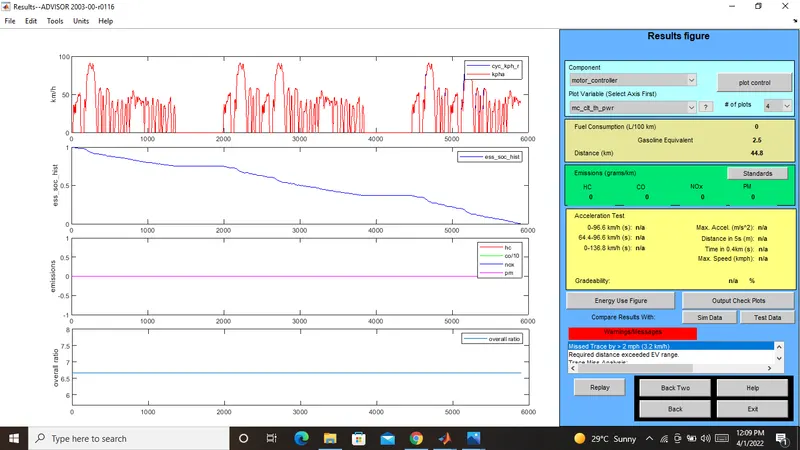
Now this time we can give the battery vallun is 28 module and 3 drive cycle:-
Result window:-
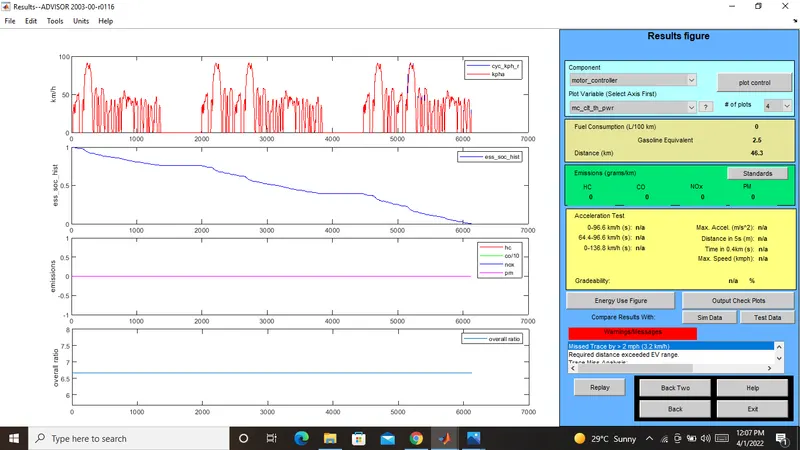
These are the vallues are above images:-
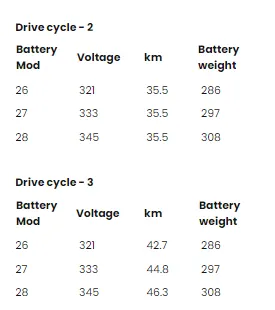
While changing the battery module in drive cycle 2 and 3 .we get the distance travel by the vehicle in drive cycle 2 have a constant distance and drive cycle 3 have a changes the distance .
3. Perform gradeability test with PRIUS_Jpn_defaults_in file. Compare your results in table and conclude.
Frist we go to the vehicle input window select the PRIUS_JPN_DEFAULTS MODEL.Continue the next window.
In simulation parameters window will open select the gradeability test and click on the grade option box and a new dialougue box will be open .In grade option box we can change the speed or duration with respect to our simulation.
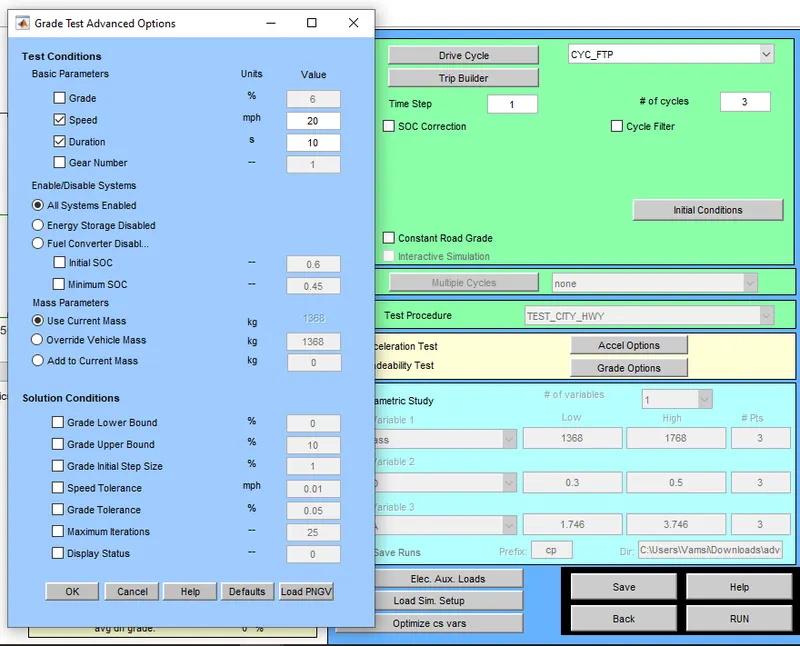
I can change speed one time and duration on the time.
Click on all system enabeld also click on constant road grade.
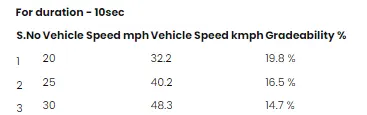
Result for the duraction 10 sec:-
1) Speed -20 miles/h
Gradeability:- 19.8%
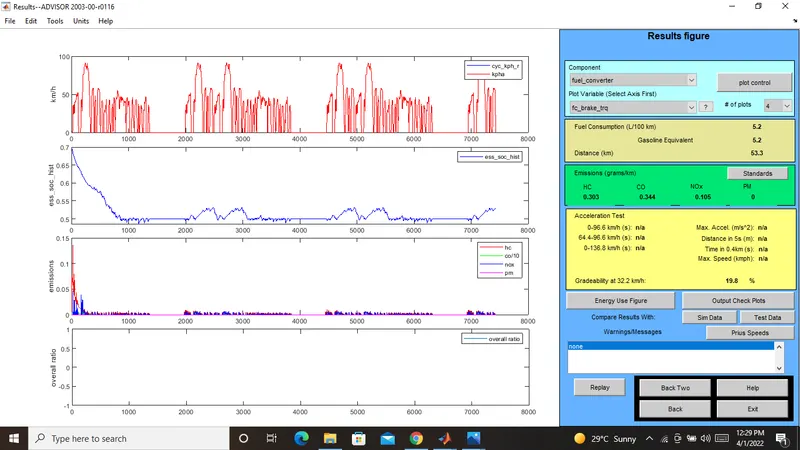
2) Speed 25 miles
Gradeability:- 16.5%
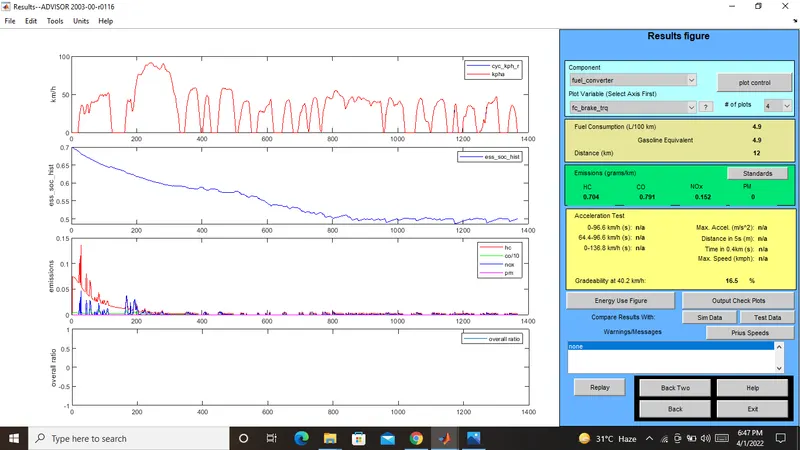
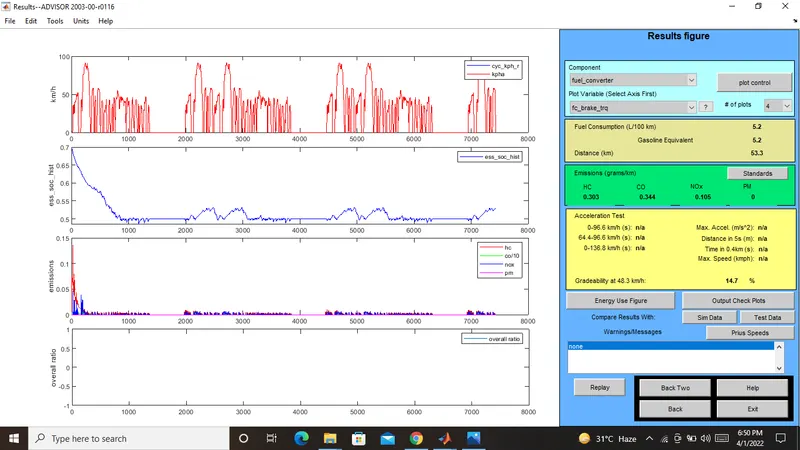
3) Speed 30 miles
Gradeability:- 14.7%
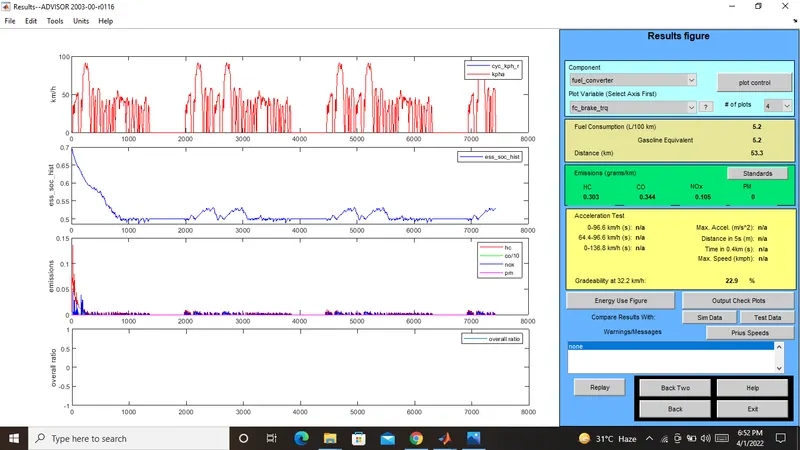
Result for the duraction 20 sec:-
1) Speed 20 miles
Gradeability:- 22.9%
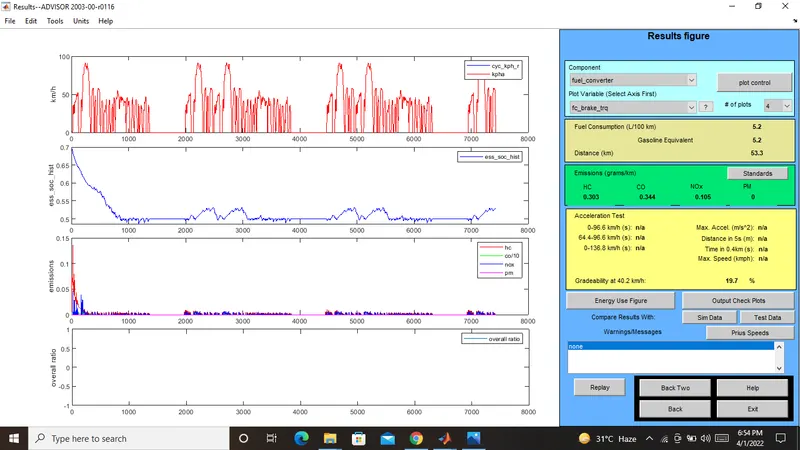
2) Speed 25 miles
Gradeability:- 19.7%
3) Speed 30 miles
Gradeability:- 17.7%
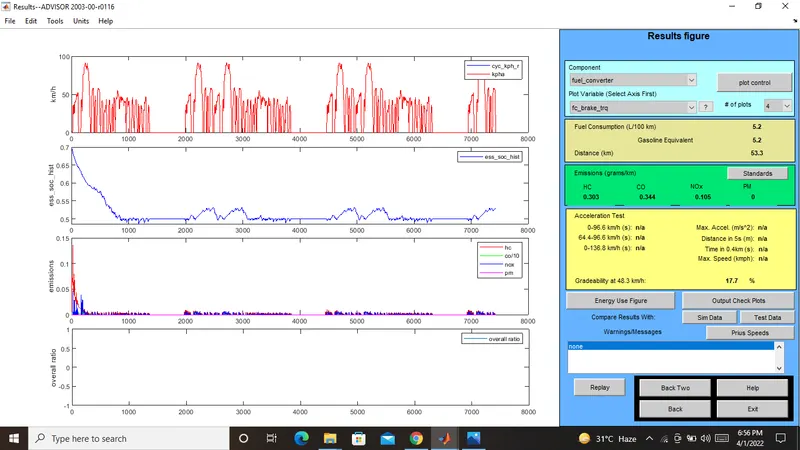
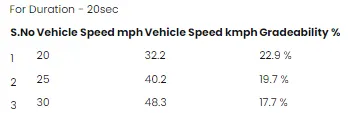
From the above table it can be seen that when vehicle speed increses there is a decrease in gradeability for both 10 sec and 20 sec of duraction.