Week-3 Challenge: ADVISOR Tool
AIM:- To study on different vehicle model using ADVISOR Tool and Simulink in MATLAB.
ADVISOR Tool:-
ADVISOR a system analysis tool for advanced vehicle modeling (Advanced Vehicle Simulator).The US department of energy ADVISOR written in the Matlab/Simulink enviroment and it developed by the National Renewable Energy Laboratory .It provide the vehicle engineering community with an easy to use, flexible and supported analysis package for advanced vehicle modeling.It is primarily used to quantify the fuel economy, the performance,and the emission of vehicle that use alternative technology included fuel cell, battery.electric motor and Internal combustion engine in hybrid configuration.
Quetion:-01) For EV_defaults_in file, if cargo mass is 500 kg with all other default conditions, can the vehicle travel for 45 km with FTP drive cycle? Conclude your observations.
Ans:-
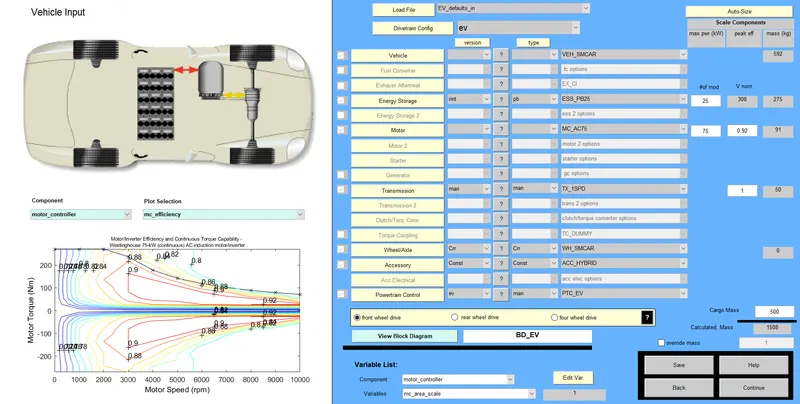
First, we have go to matlab and type in Command Windown Advisor afer press enter button the advisor tool install in our matlab. Loding defaults file name is EV_default_in and changing parallel _default to EV. change the Cargo mass to 500kg. After we have click on contiue button.
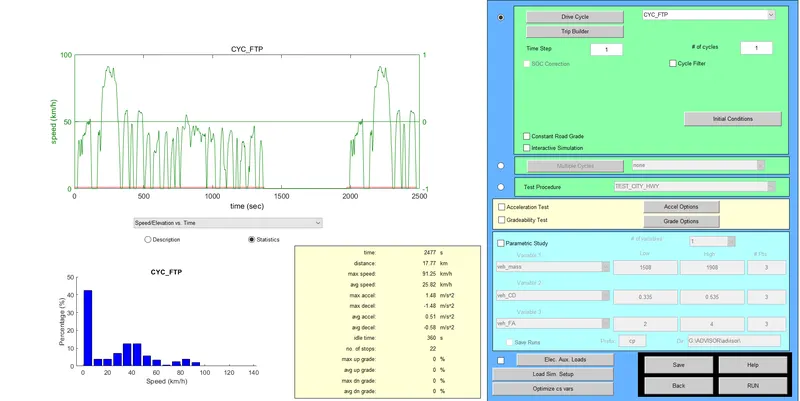
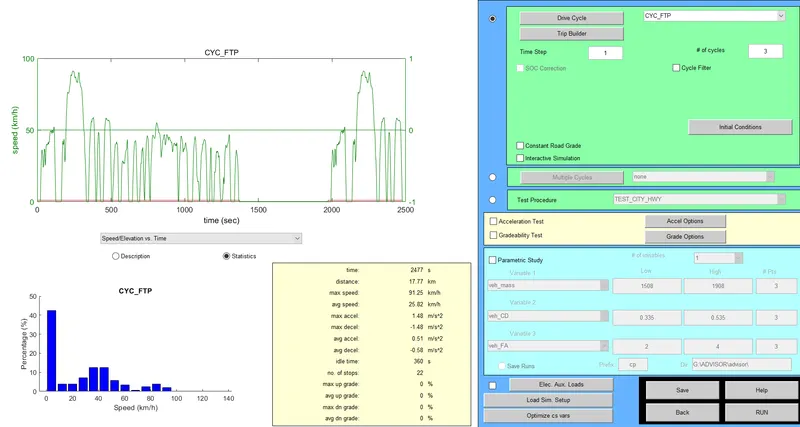
After we have see new widown and change Drive Cycle name as CYC_FTP. Click on Run button.
The Simulation will start and We can see Result Windown.
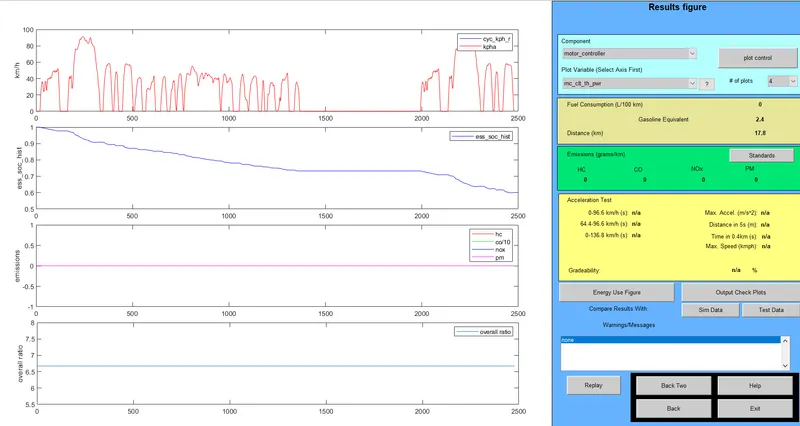
Therefore,The Distance covered by vehicle 17.8km for run in 1 of Cycle and the State of charge almost is used 50%.
Now the we have run for 2 cycle. and click on Run Button.
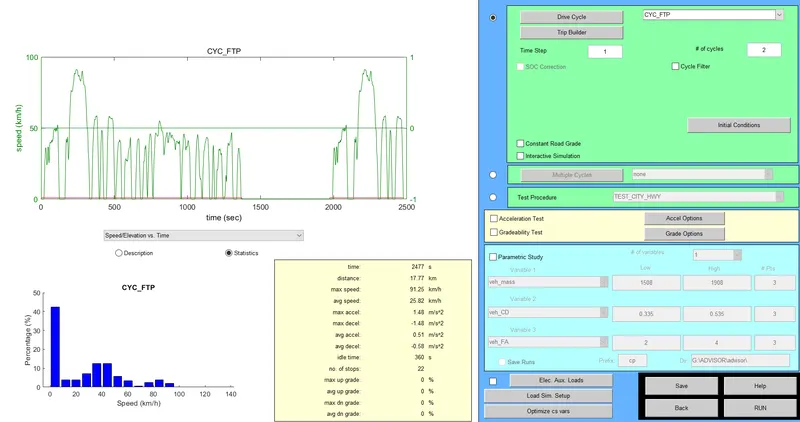
The Simulation will start and We can see Result Windown.
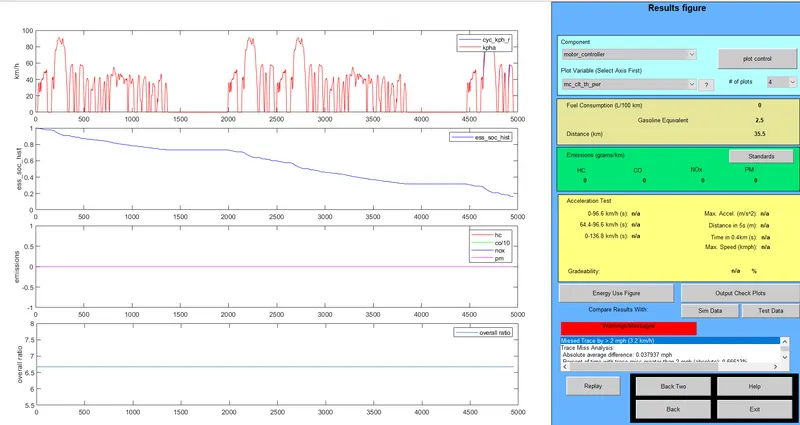
Therefore,The Distance covered by vehicle to 35.5km for run in 2 of Cycle and the State of charge (SOC) almost is used 19%.
Now, the we have run for 3 cycle. and click on Run Button.
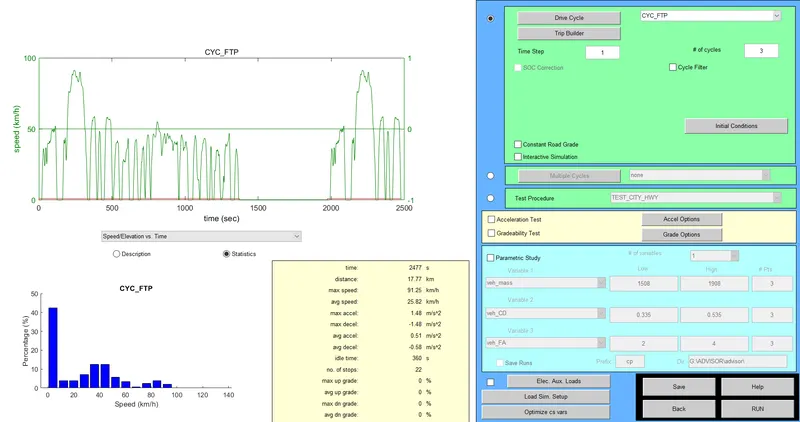
The Simulation will start and We can see Result Windown.
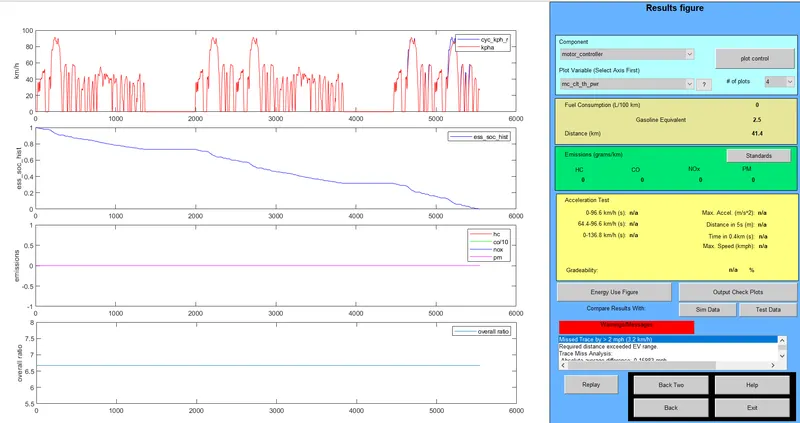
Therefore,The Distance covered by vehicle to 41.4km for run in 3 of Cycle and the State of charge (SOC) almost is used 100%.
Obsevation :-

Now It can be oberved that the total distance travelled by vehicle 41.4 Km. After runed in drive cycle 2 and 3 we seen Warrning massges which means that the distance is more than the range of the current battery pack the This vehical can not covered distance is 45 Km.
Quetion:- 2) In the above case, try changing the battery capacity and repeat the simulation.
Ans:-
In Above case ,the vehical can covered distance 41.5 km for 25 battery capacity we have need vehicle cover 45km. So it this we will increases battery capacity from 25 Modules to 26,27,28,29,30 Modules.
After change battery capacity. Run the simulation and We can see Result Windown.
Now, I am Changing of Battery modules is 26 Modules,
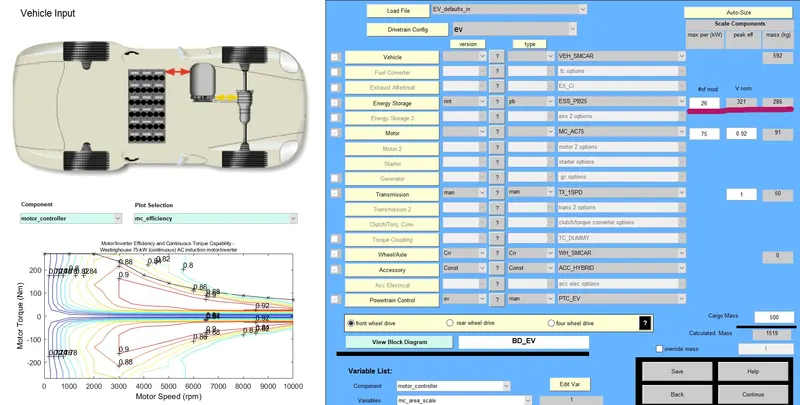
Run for Drive Cycle is 3,
Output for Modules of Battery is 26,
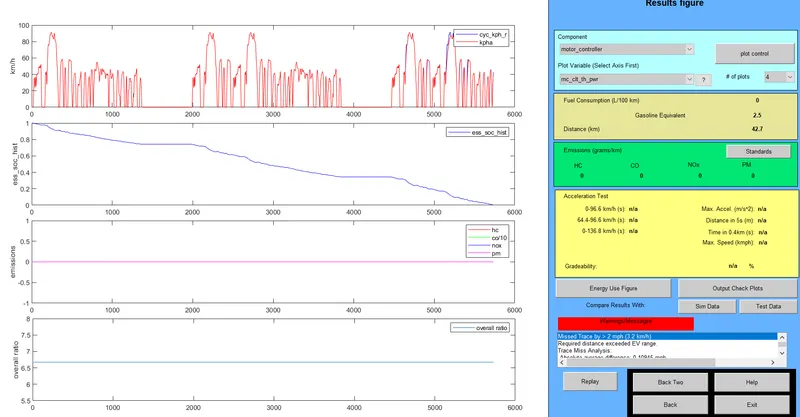
The Distance covered by vehicle to 42.7km and the State of charge (SOC) almost is used 100%.
Now, I am Changing of Battery modules is 27 Modules,
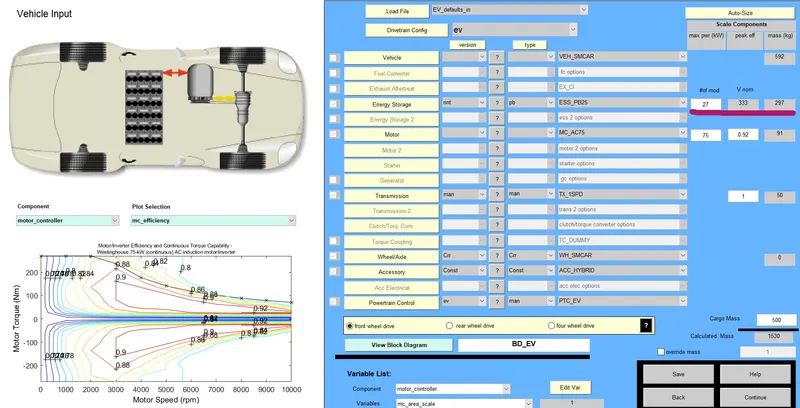
Output for Modules of Battery is 27,
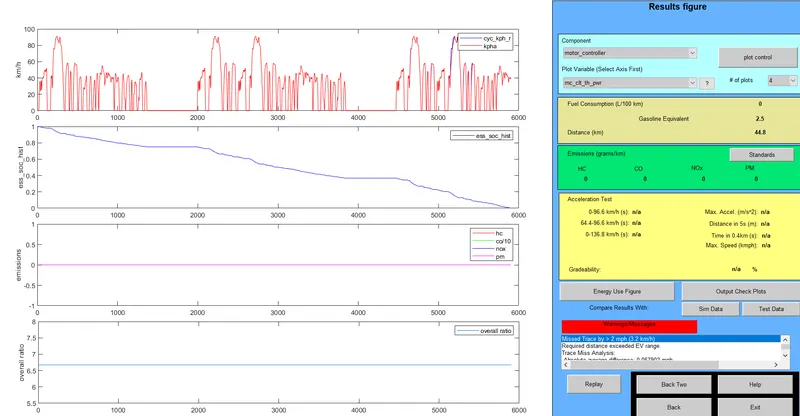
The Distance covered by vehicle to 44.8km and the State of charge (SOC) almost is used 100%.
Now, I am Changing of Battery modules is 28 Modules,
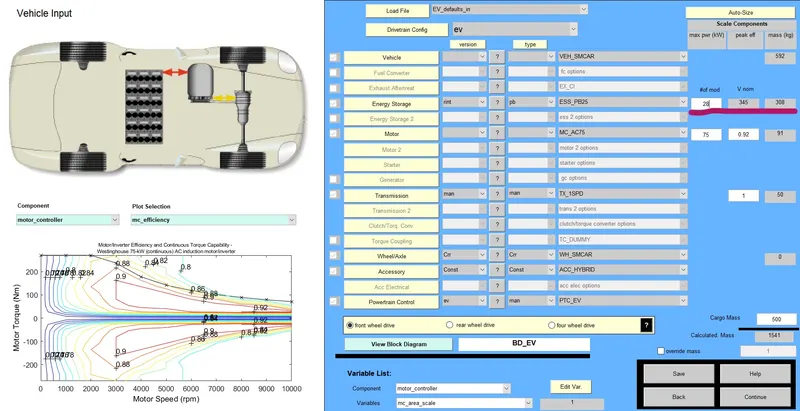
Output for Modules of Battery is 28,
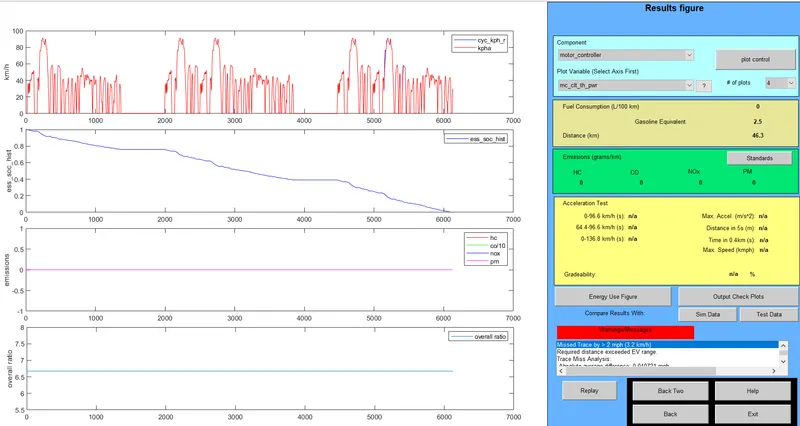
The Distance covered by vehicle to 46.3km and the State of charge (SOC) almost is used 100%.
Now, I am Changing of Battery modules is 29 Modules,
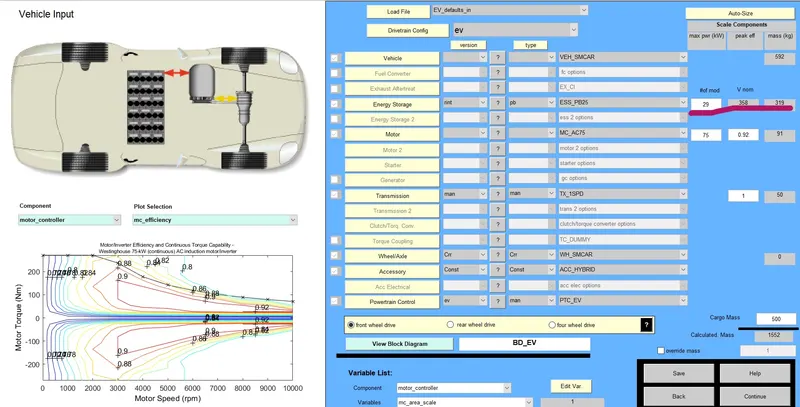
Output for Modules of Battery is 29,
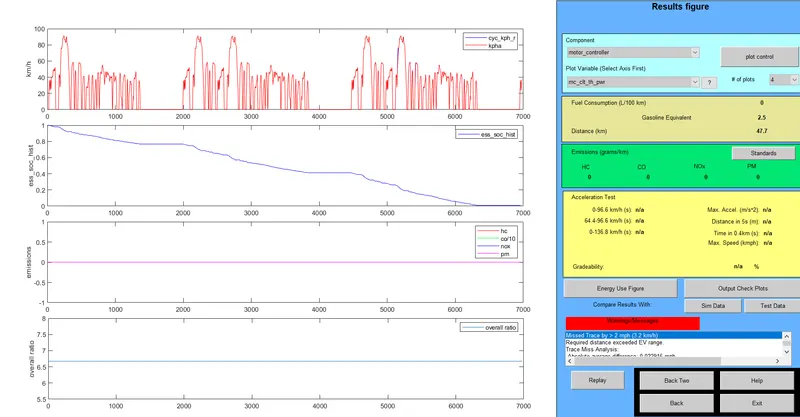
The Distance covered by vehicle to 47.7km and the State of charge (SOC) almost is used 100%.
Now, I am Changing of Battery modules is 30 Modules,
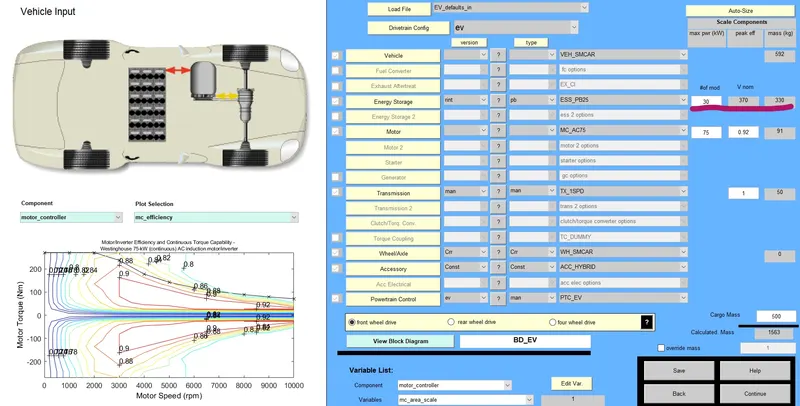
Output for Modules of Battery is 30,
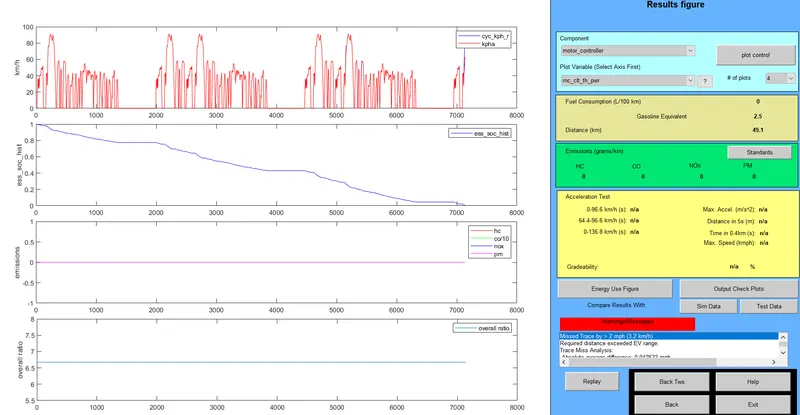
The Distance covered by vehicle to 49.1km and the State of charge (SOC) almost is used 100%.
Oservation :-

We have change of battery voltage and We can see in above table. We have increases No of Modules then the Voltage of Battery Increases by 12 Voltage and also weight of Battery Increases by 11kg and also increases Vehicle traveled distance.We see result after increasing the battery capacity. The distance covered by vehicle 49.1Km.
Question:- 03) Perform gradeability test with PRIUS_Jpn_defaults_in file.Compare your results in table and conclude.
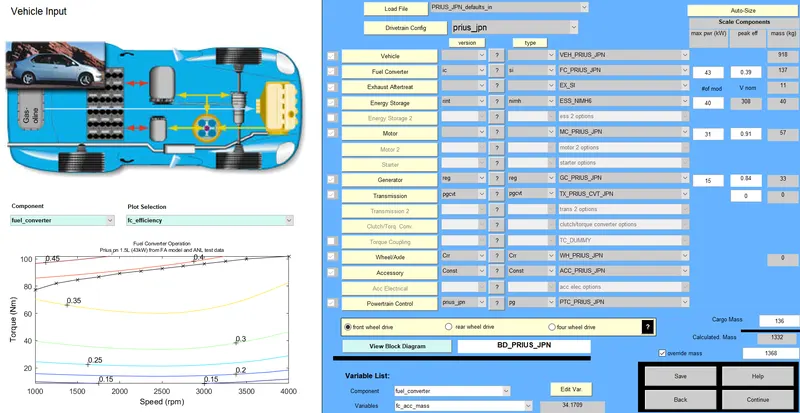
Ans:- Firstly,Loding defaults file name is PRIUS_Jpn_default_in and After we have click on contiue button.
We click on Grade options and after change speed(m/h), select all System Enable and click on and we have run model.
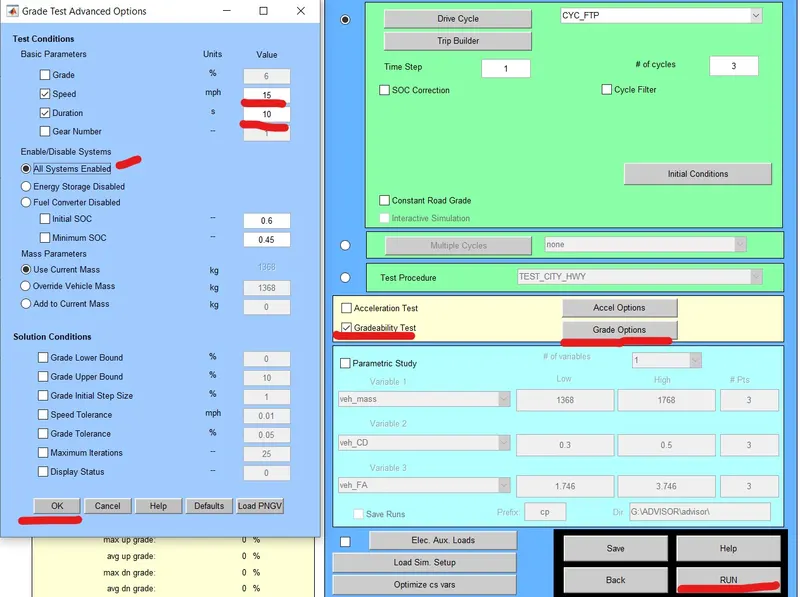
1) For Duration=10 Second,
1] At Speed =15 m/h.
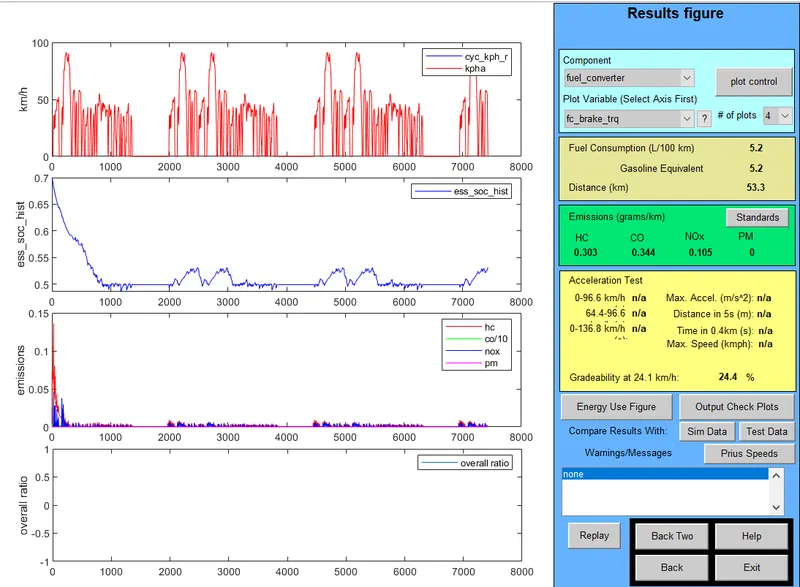
Gradeability at 24.1 Km/h is 24.4 %.
2] At Speed =20 m/h.
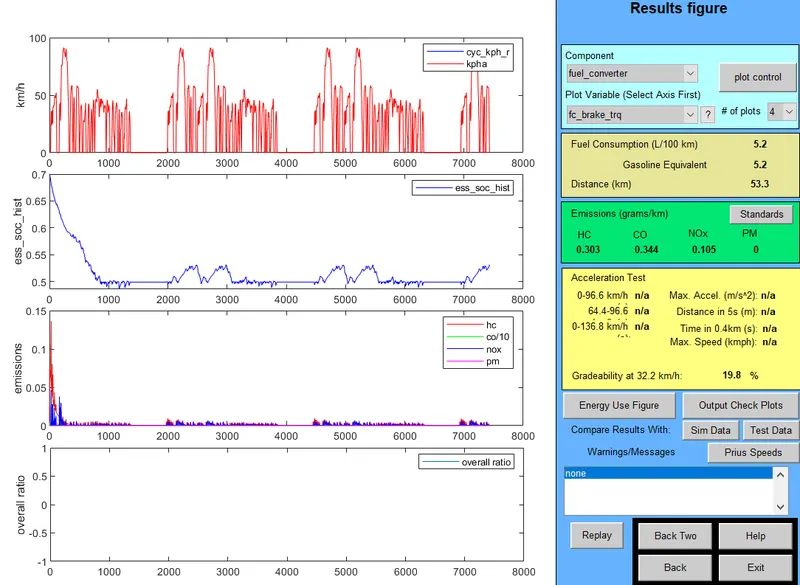
Gradeability at 32.2 Km/h is 19.8 %.
3] At Speed =25 m/h.
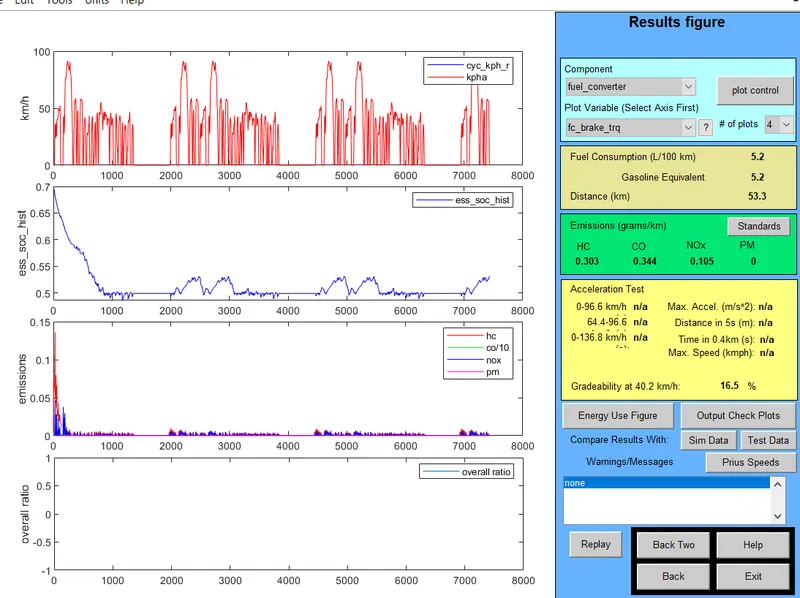
Gradeability at 40.2 Km/h is 16.5 %.
4] At Speed =30 m/h.
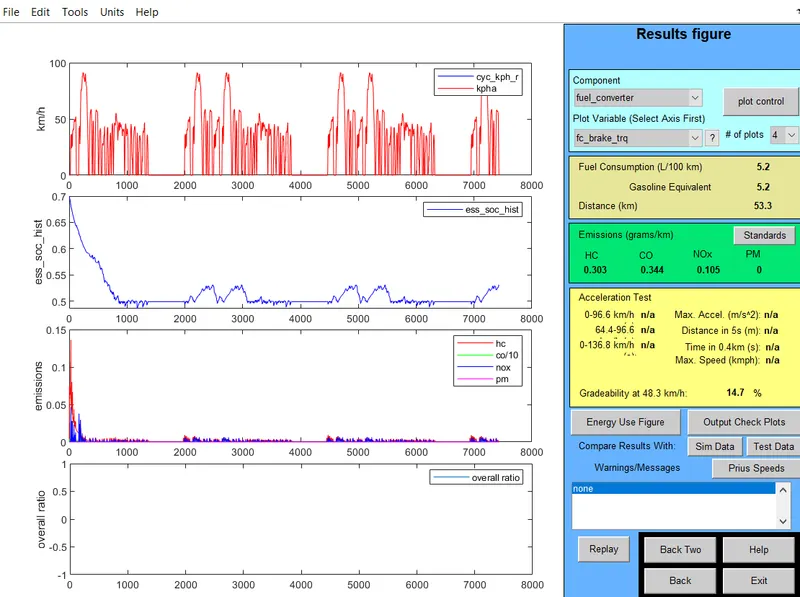
Gradeability at 48.3 Km/h is 14.7 %.
5] At Speed =35 m/h.
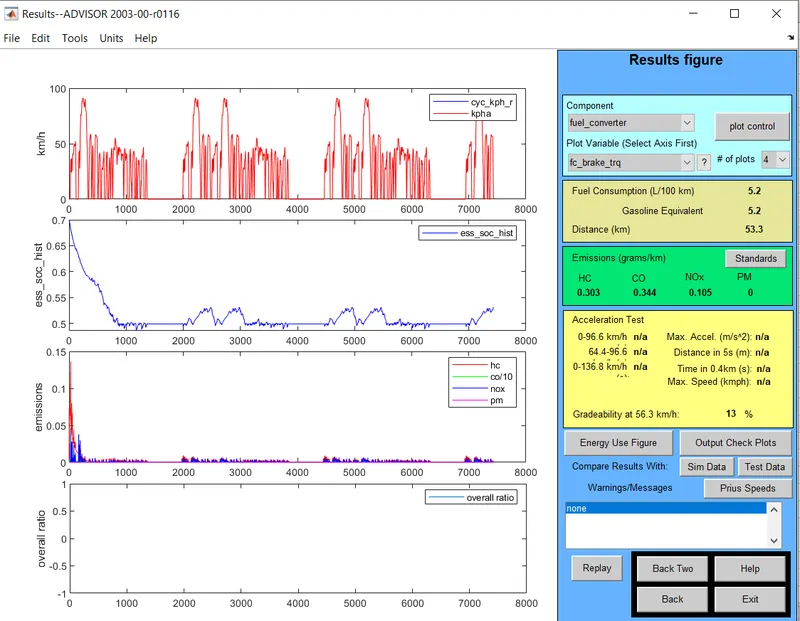
Gradeability at 56.3 Km/h is 13 %.
2) For Duration= 20 Second.
1] At Speed =15 m/h.
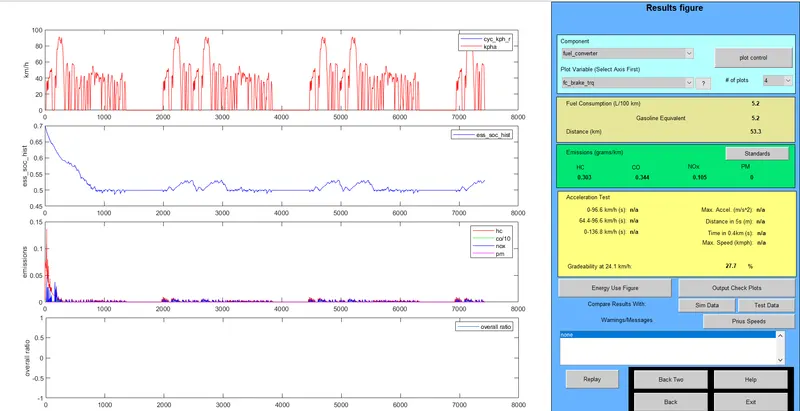
Gradeability at 24.1 Km/h is 27.7 %.
2] At Speed =20 m/h.
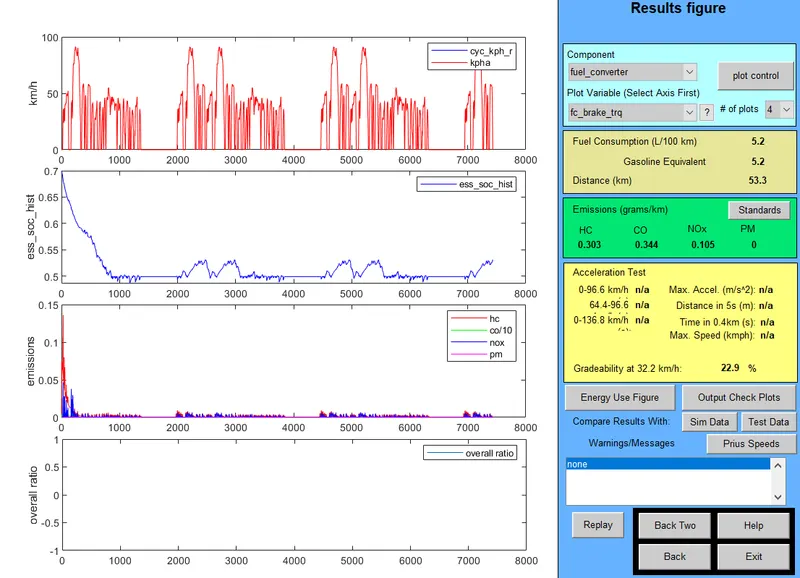
Gradeability at 32.2 Km/h is 22.9 %.
3] At Speed =25 m/h.
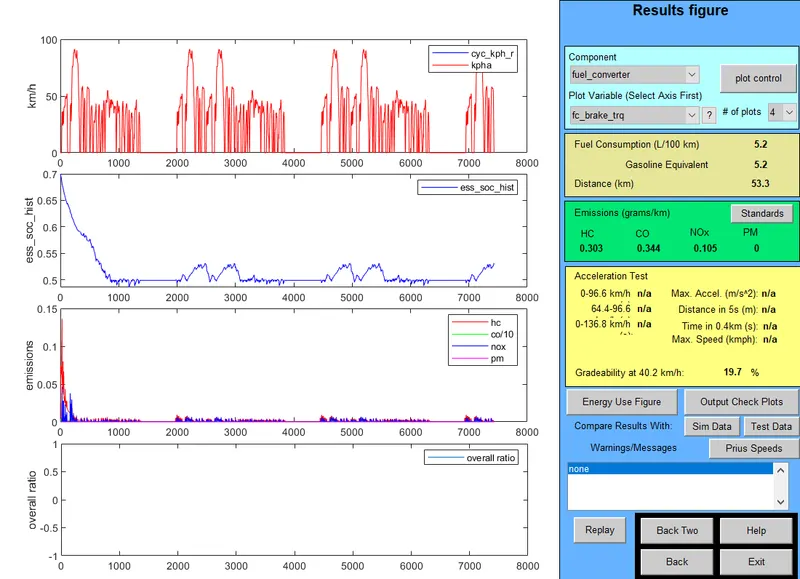
Gradeability at 40.2 Km/h is 19.7 %.
4] At Speed =30 m/h.
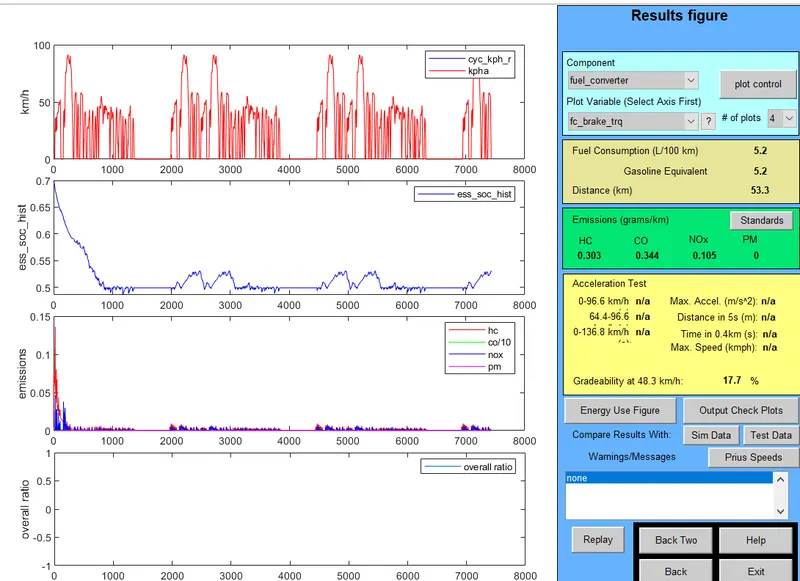
Gradeability at 48.3 Km/h is 17.7 %.
5] At Speed =35 m/h.
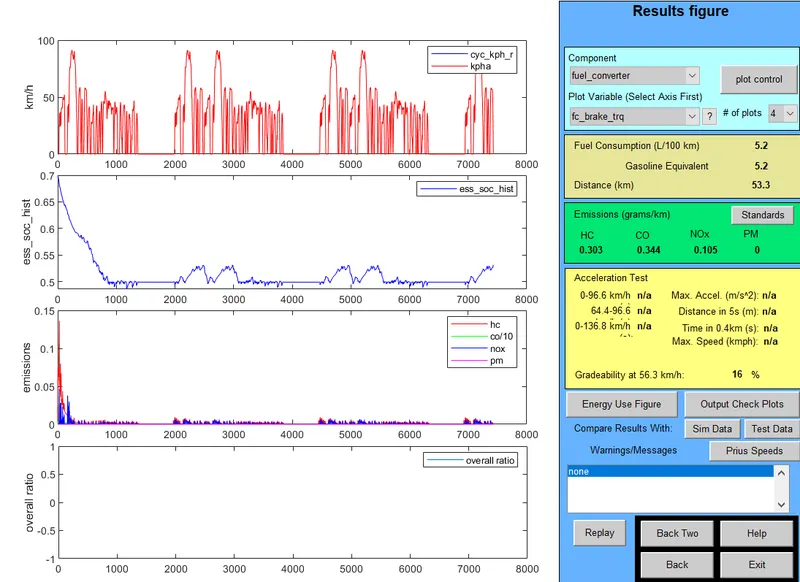
Gradeability at 56.3 Km/h is 16 %.
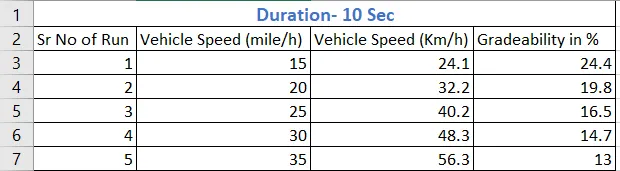
1) Table For duration 10 sec:=
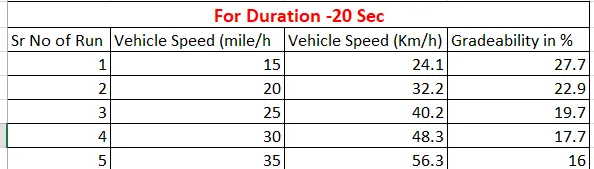
2) Table For duration 20 sec:=
Observation:-
- We have select For duration 10sec - We see in above table When Vehicle Speed is increases at Constant duration then the Gradeability(%) is Decreases.
- We have select For duration 20sec - We see in above table When Vehicle Speed is increases at Constant duration then the Gradeability(%) is Decreases. we can see in this table % of gradability is increases as comparing previous table.