Week-3 Challenge: ADVISOR Tool
1.Travel test For 45km of EV_default_in file, if cargo mass is 500kg with all other default conditions and FTP drive cycle is used
ADVISOR/Advanced Vehicle Simulator
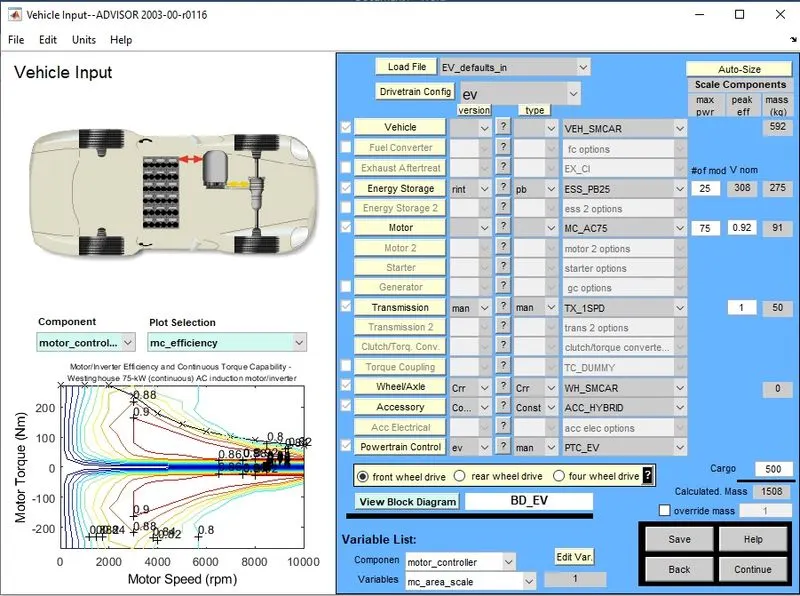
Once the ADVISOR is loaded in the MATLAB have to start the ADVISOR tool after selecting the unit then have to load the EV_default_in then have to change the cargo mass to 500kg and all other conditions to be kept as default GUI (Graphical User Interface) as shown below
Have to hit the continue button to reach the next GUI and have to select the drive cycle as FTP drive cycle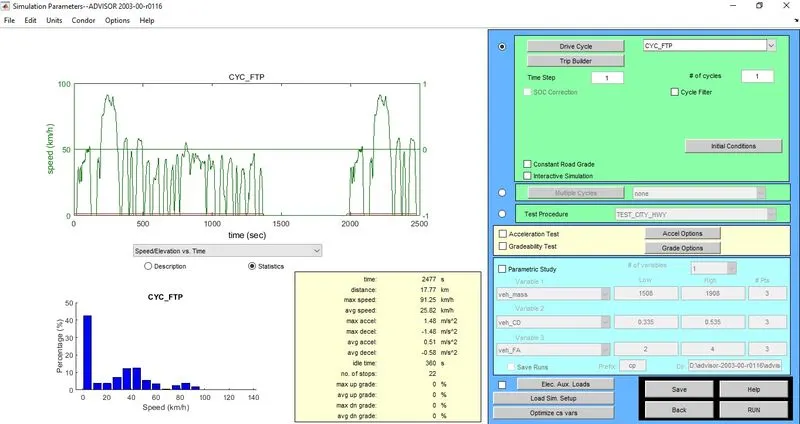
Run the simulation by clicking run command with a value of one driving cycle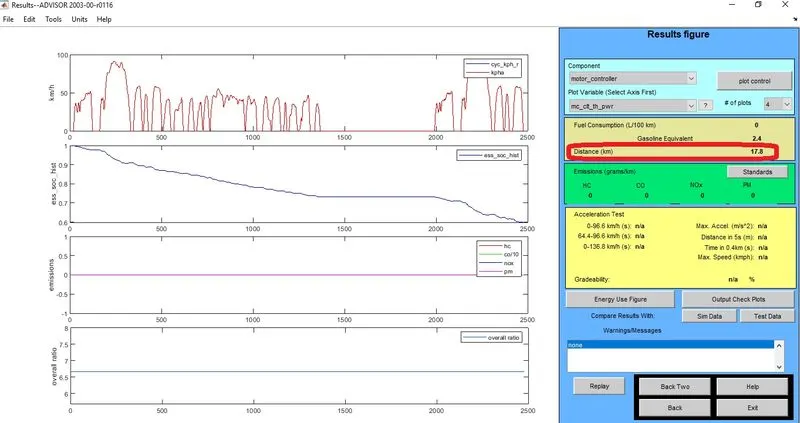
For one drive cycle the with the FTP drive cycle the vehicle will travel 17.8km only,to travel a distance of 45km the vehicle have to complete 3 drive cycle as per this value .due to that observation the value of drive cycle changed from 1 to 3 then
Warning/Messages
1)Missed Trace>2mph(3.2kmph)
2)Required distance exceeded EV Range
3)Trace Miss Analysis.
4)Absolute Average difference =0.15983mph.
5)Percent of time with trace miss >2mph(absolute):2.615%
6)Greatest percent difference based on max. cycle speed requested is 21.0205% at 5159 seconds, (array index 5160)
7)Greatest percent difference is 26.1368% at 5409 seconds, (array index 5410)
8)Greatest absolute difference is 11.9186 mph at 5159 seconds, (array index 5160)
conclusion: -
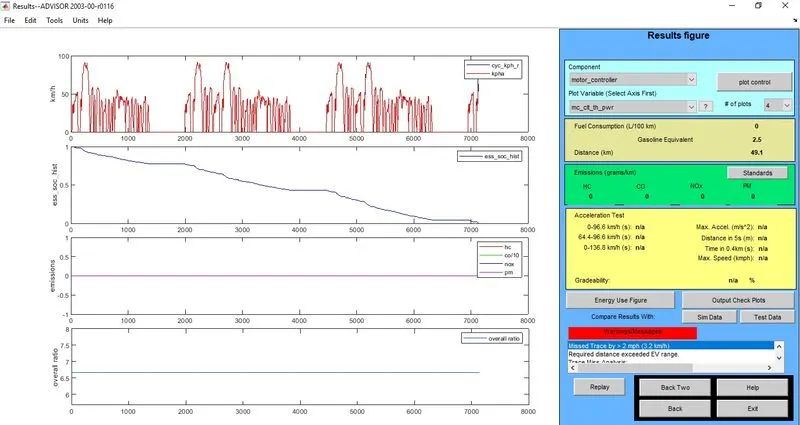
As Per the Warning/Messages the Current Battery Pack is not compatible to travel 45km distance.
2)After changing the battery capacity and repeating the simulation
The default value in the energy storage module capacity is 25 and that value is changed to 30 and the drive cycle kept as 3 and hit the run button,
GUI in which battery capacity changed to 30 from 25 as shown below
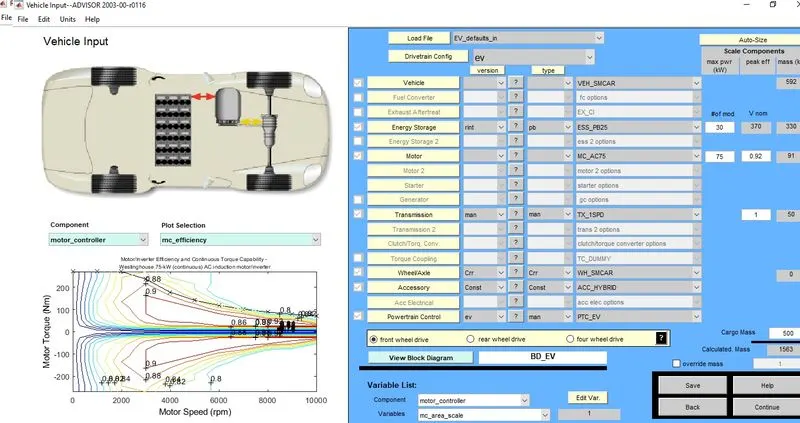
After hit continue and select run then an output value such as distance as 49.1km, Actual distance to travel is 45 the value we received is 49.1 it's slightly more than of required, the GUI for the output is shown below
Conclusion: -
Hence it is concluded that to travel more distance we have to select a required battery capacity.
3)To Perform the gradeability test with PRIUS_Jpn_default_in file and to Compare results in table
The PRIUS_Jpn_default_in file is loaded and the Parameter values are kept as default as shown below
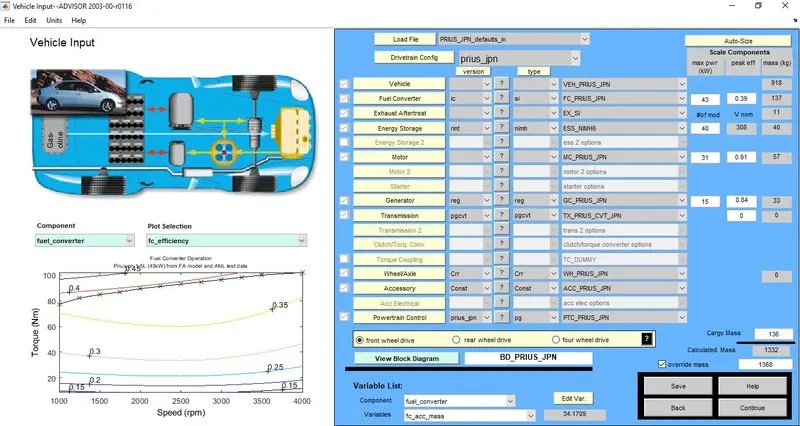
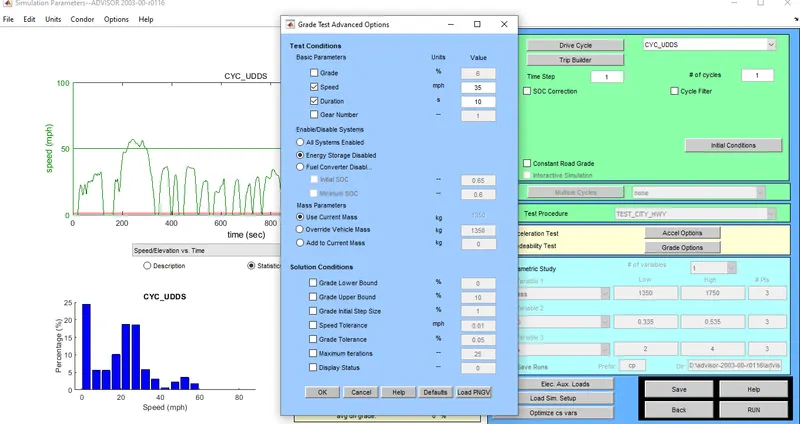
then hit continue to open net GUI , from that we have to click the gradeability test to get ticked then have to select the grade options then a popup window will come in that we have to enter the various speed one by one and have to kept the time 10
clicking the run command to get the gradeability andget an output GUI window as shown below
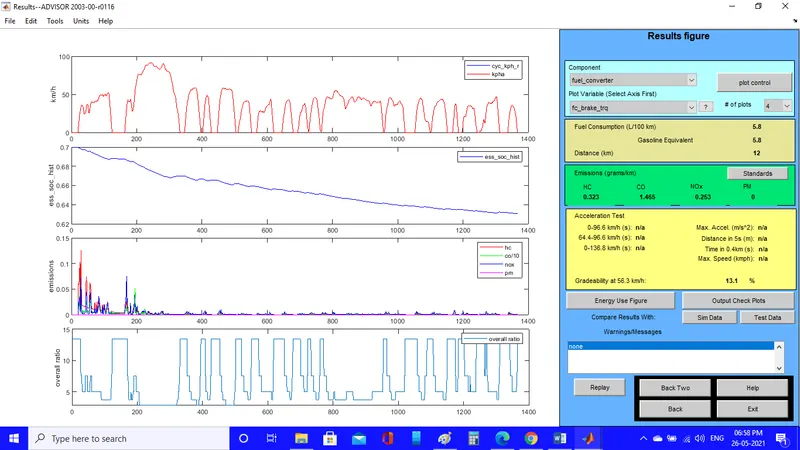
based on the gradeabilty received a table is plotted below
| Duration(s) | Speed(mph) | Gradeability(%) |
| 10 | 5 | 18.1 |
| 10 | 10 | 23.7 |
| 10 | 15 | 26.4 |
| 10 | 20 | 25.5 |
| 10 | 25 | 24.1 |
| 10 | 30 | 13.8 |
| 10 | 35 | 13.1 |
Conclusion: -
From the above table we can conclude that for getting maximum gradeability we have to maintain a speed level, in our case we are getting maximum gradeability at the speed of 15mph.