Week-3 Challenge: ADVISOR Tool
1)Aim:
To change the cargo mass to 500 kg and conclude the observation of the EV_defaults_in file.
Model & Explanation:
Open the Advisor GUI by the entering advisor in the command Window and choose the metric unit and start the Advisor.
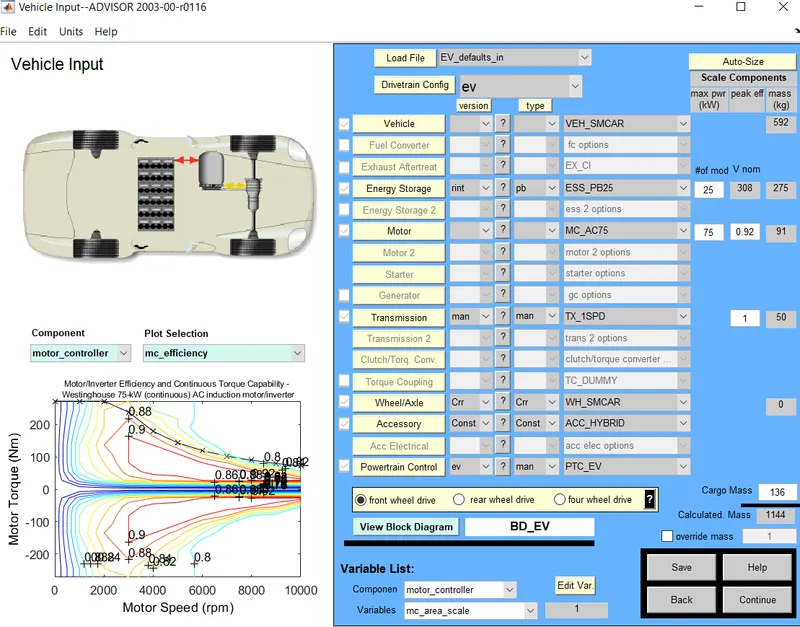
Frist the vehicle input window appears. In the vehicle, the input window chooses the EV_defaults_in file. in the load option and simulation is proceed with the default values.
By clicking on the continue button the next window that is the simulation parameter window appears. In this window, we choose the drive cycle and no of the cycle and which test to be conducted. The CYC_FTP drive is cycle is chosen and simulation run for different No of cycles.
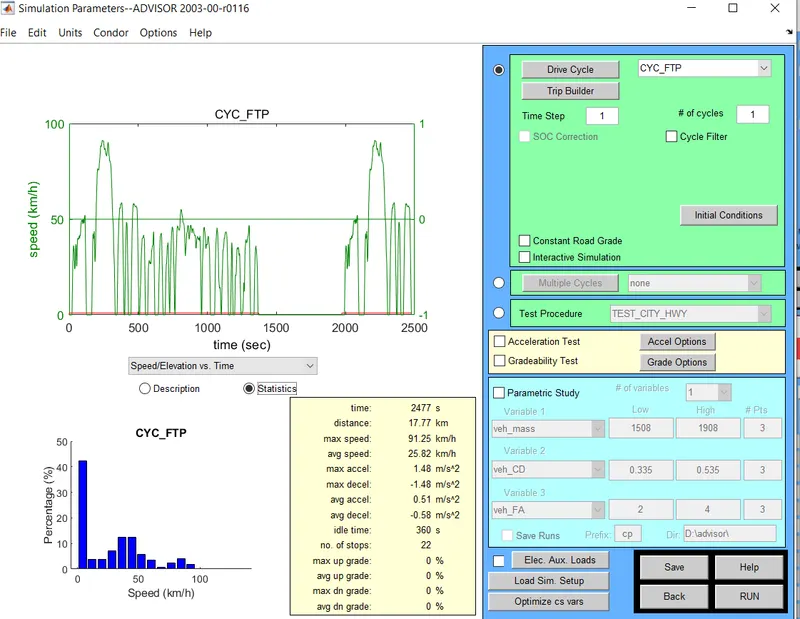
Click on the run button to simulate the model for given parameters.
Result:
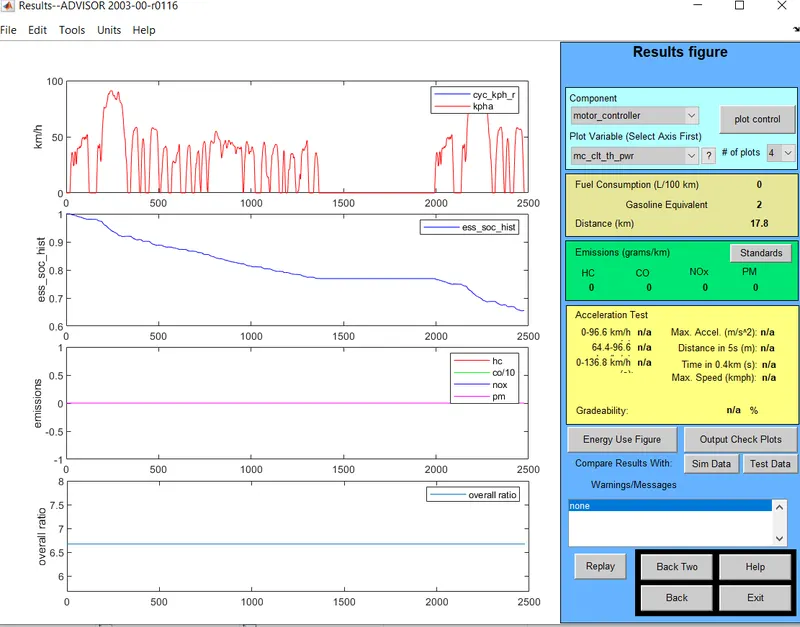
The above figure represents the vehicle runs for a distance of 17.8 km for no of cycle 1.The State of Charge of the battery lie between 0.7 and 0.6. Similarly, the models simulated for the different no of cycles.
| NO of Cycles | Distance in km |
| 1 | 17.8 |
| 2 | 35.5 |
| 3 | 48.2 |
| 4 | 48.2 |
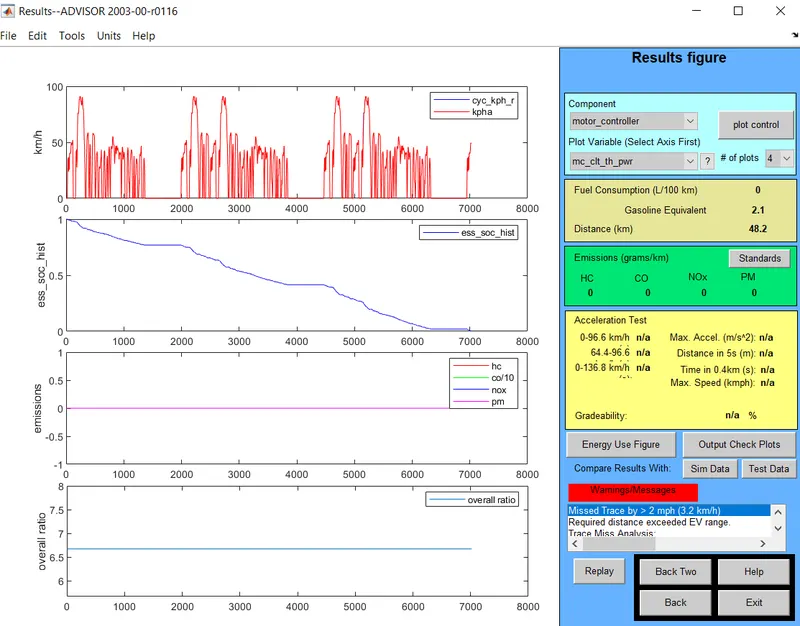
From the above table, For no of cycle 3, the distance traveled by the vehicle is 48.2 km and SOC Becomes zero. Hence the maximum Distance covered by the vehicle for default condition and drive cycle CYC_FTP is 48.2 km which shown in the below figure.
Condition :
Now the Cargo mass is changed to 500 kg and proceed with other default values.
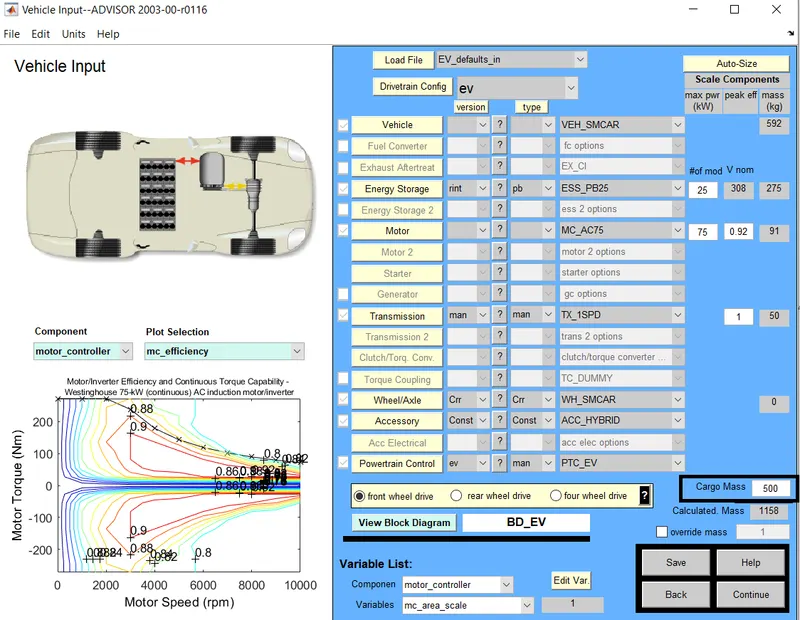
In the simulation parameter window, CYC_FTP drive cycle is chosen and no of cycle is 1, and the model is simulated.
Click on the run button to simulate the model.
Result:
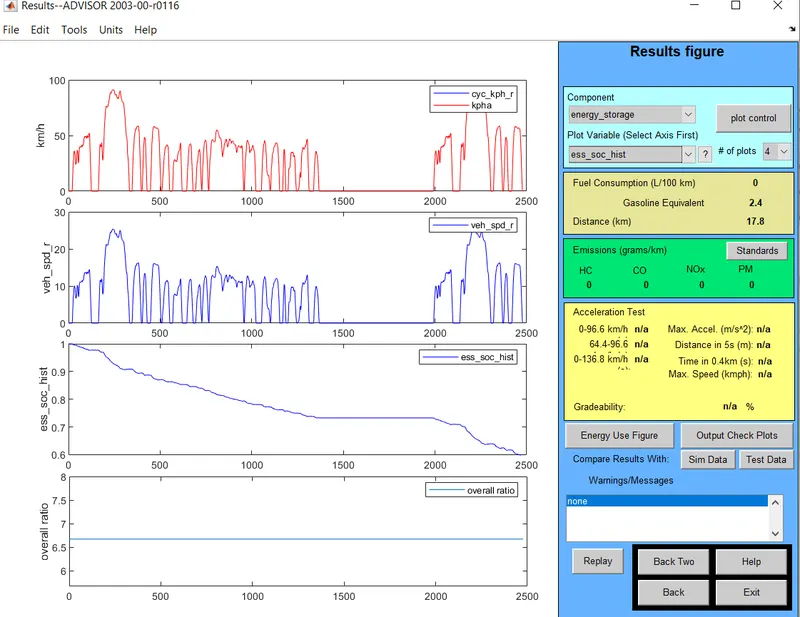
The above figure represents the vehicle runs for a distance of 17.8 km for no of cycle 1. The State of Charge of the battery is 0.6. Similarly, the models simulated for the different no of cycles.
| No of cycle | Distance in km |
| 1 | 17.8 |
| 2 | 35.5 |
| 3 | 41.4 |
| 4 | 41.4 |
From the above table, For no of cycle 3, the distance traveled by the vehicle is 41.4 km and SOC Becomes zero. Hence the maximum Distance Can travel for default condition and drive cycle CYC_FTP is 41.4 km. Hence the battery does not have enough power to run the vehicle for 45km.
Conclusion:
From the above simulation, we can conclude that As the weight of the vehicle increases, the power required by the vehicle is increasing.
2)Aim:
To change the battery capacity in EV_defaults_in file and observe the model.
Model & Explanation:
In the EV_defaults_in file, the battery capacity changes to 35 mod, and cargo mass are kept at 500 kg. Click on the continue button to open the simulation parameter window.
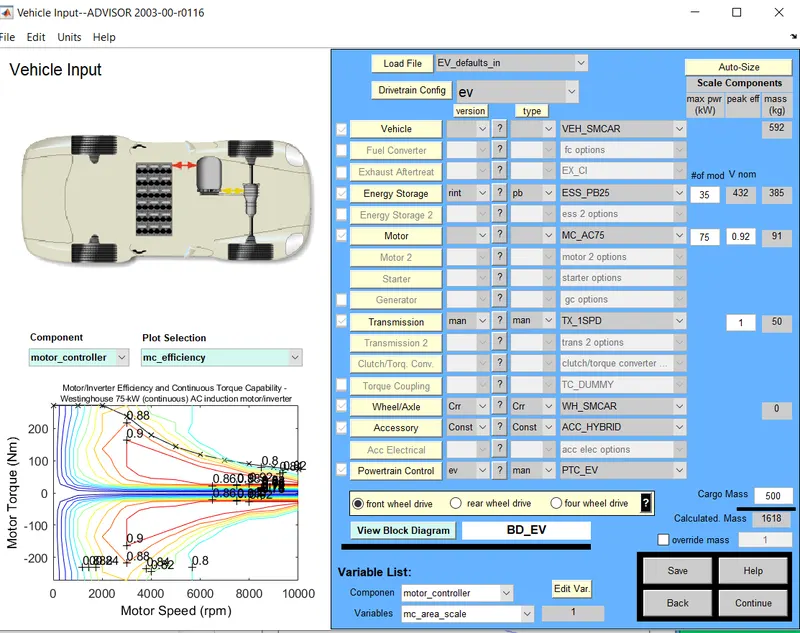
In the Simulation parameter, the CYC_FTP drive cycle and simulated for the Different no of cycles.
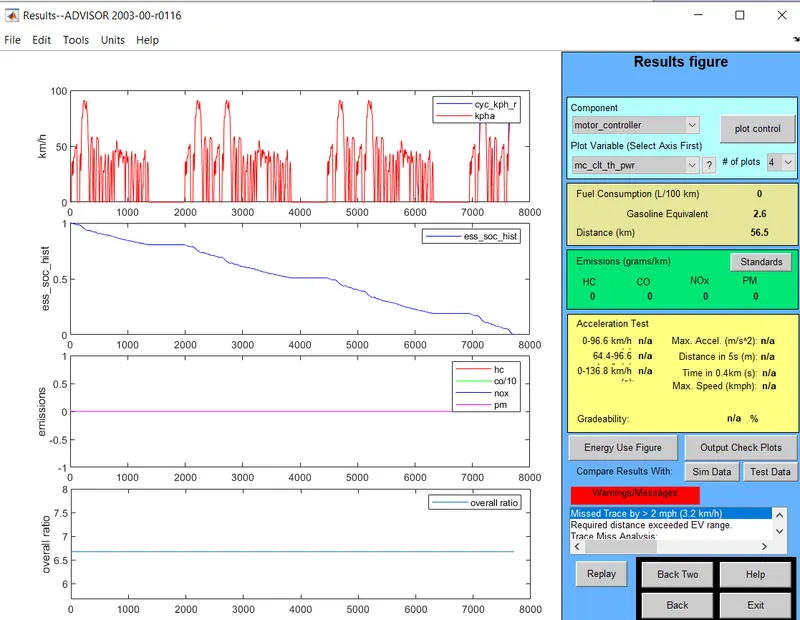
For 35 mod battery values distance covered by the vehicle for different no of the cycle is
| No of cycle | Distance in km |
| 1 | 17.8 |
| 2 | 35.5 |
| 3 | 53.2 |
| 4 | 56.5 |
Result:
As the battery mod value changed to 35 the maximum distance run by the vehicle is 56.5 km while the default value of 25 mod the maximum distance covered by the vehicle is 41.4 km.
3)Aim:
To perform gradeability test with PRIUS_Jpn_defaults_in file and tabulate the result.
Model & Explanation:
In the command window enter the Advisor keyword to open the Advisor GUI.
In the advisor Tool, choose the model PRIUS_Jpn_defaults in the load file dialog box.
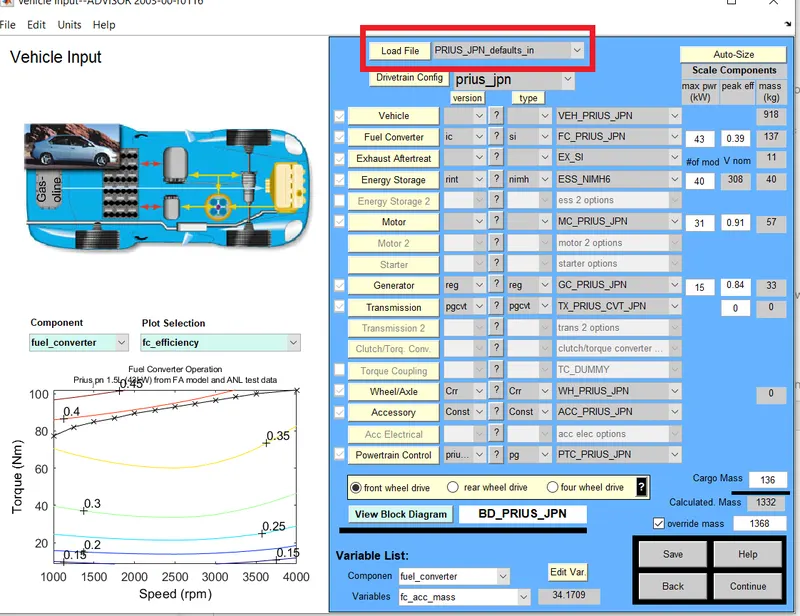
Click on the Continue button for the Simulation parameter window will open.
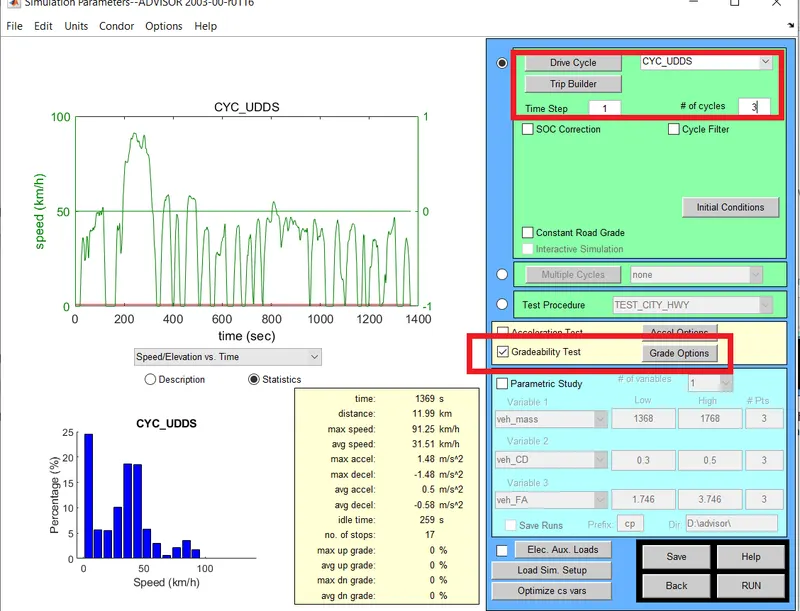
In this window, we can choose the drive cycle, no of the cycle, and check-in which tests to perform whether acceleration test or gradeability test or both. In this case, the Gradeability test is chosen and using the grade option we can modify the parameters. The drive cycle is CYC_UDDS and no of cycles is 3.
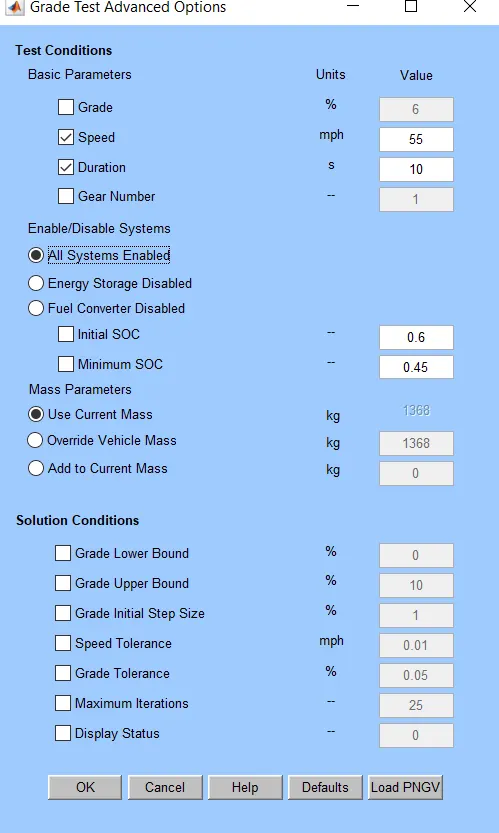
In the grade option, speed is 55 mph and test duration is 10s and all the system is enabled. Once the required data is entered and the model is simulated.
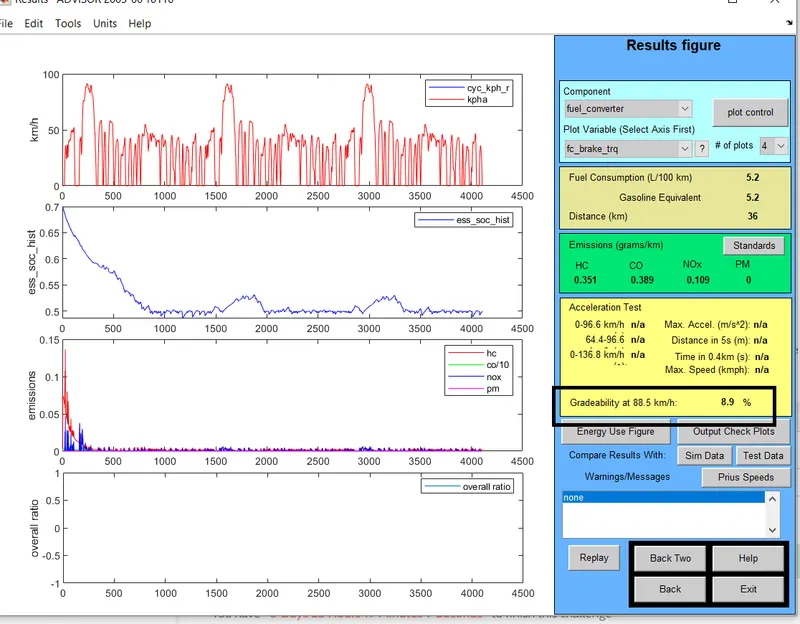
The Gradeability of the model at 88.5 km/h is 8.9%. Similarly, Gradeability is calculated at a different time and speed.
| Speed (mph) |
Speed (kmph) |
Gradeability at 10 s |
Gradeability at 20 s |
| 10 | 16.1 | 30.3% | 33.7% |
| 25 | 40.2 | 16.5 % | 19.7 % |
| 40 | 64.4 | 11.7 % | 14.6 % |
| 55 | 88.5 | 8.9 % | 11.5 % |
| 70 | 112.7 | 6.3 % | 8.3 % |
| 90 | 144.8 | 2.8 % | 4.4 % |
Conclusion:
From the above table, we can conclude that as speed increases the gradeability decreases for both time duration 10 sec and 20 sec.