Week 3 - 2D meshing for sheet metal
Aim:- The Aim of the challenge is to create a shell mesh for car hood including its supporting structure.
Procedure:- Firstly we import the stp file into ANSA working window by going to File > Open and then selecting the stp file. This opens the 3D model, which contain 5 parts Hood Top, Hood bottom support sheet, and some mounting covers and locking covers.
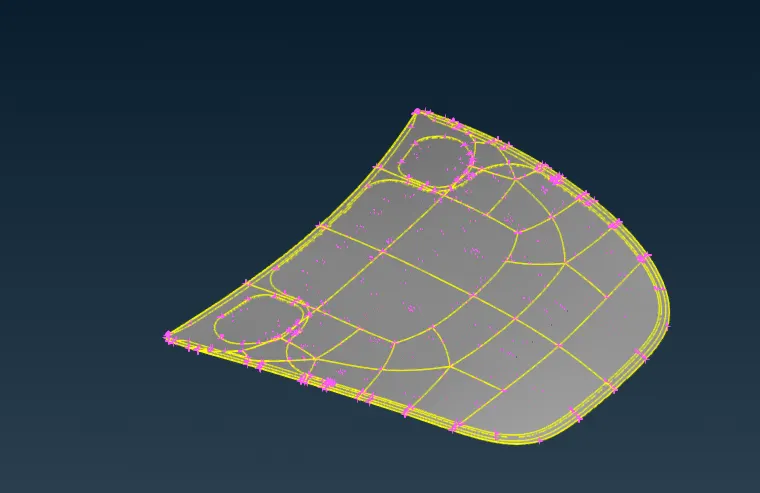
Then we will run a quick geometry check to check wheather the model is ready for pre-processing or it needs some modification prior to geometry cleaning. This check gives some error that the model contain needle surfaces.
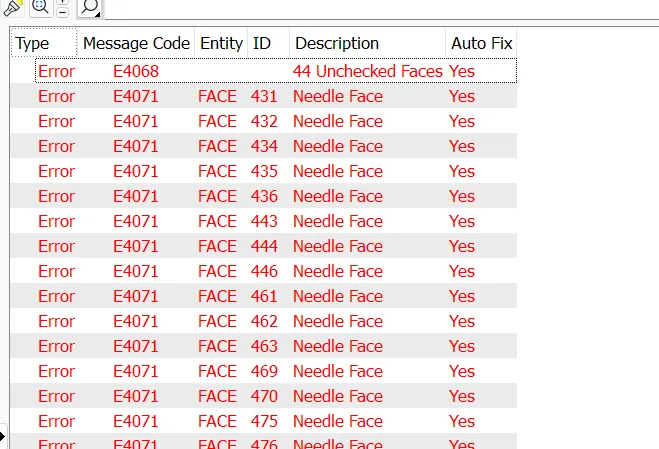
we will fix the errors by deleting these surfaces or in quick way we can also select the fix option provided by the ANSA to solve these error automatically.
After fixing these errors, we will extract the mid surfaces of parts one by one and assign the thickness by set PID command.
Initially I'm using the offset method to extract the mid surface, because it gives the better control over mid surface generation, and also gives better understanding of mid surface generation.
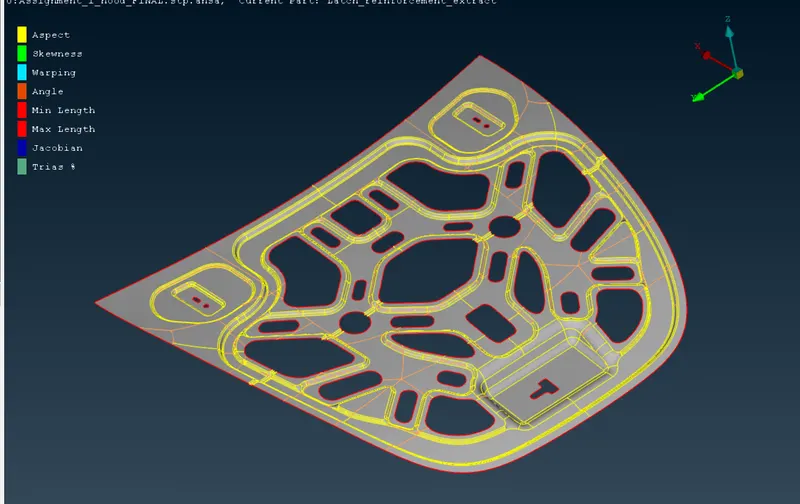
Above image is showing the mid surface generated for support sheet for hood.
After assigning the proper thickness to all the generated mid surfaces, we will apply the average element length to the perimeter, i,e 5 units by going to classical mesh tool > length > 5 units.
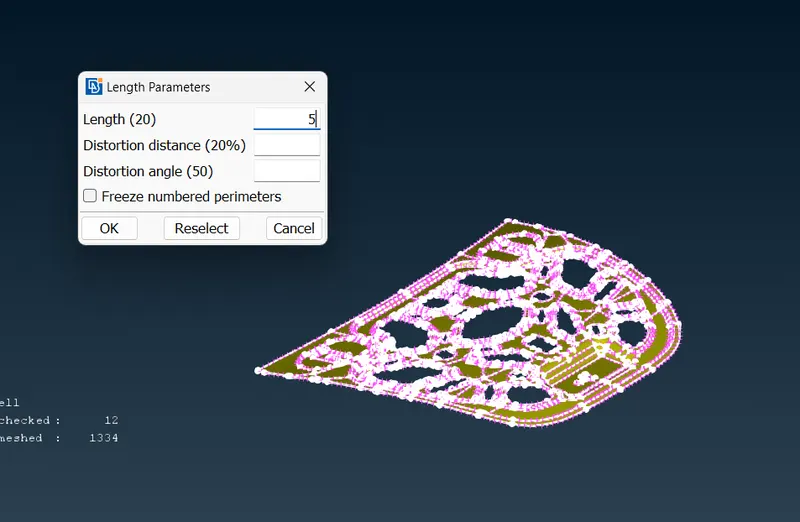
After seting the average element length of 5 units, we will create the symmetric plane to save our time in meshing the symmetric areas in model.
This can be done by using Rm.dbl command in Topo Option, by selecting the symmetric plane option. This will automatically identify the symmetric areas, and make necessary changes that will copy the mesh form one symmetric side to other, when mesh is generated.
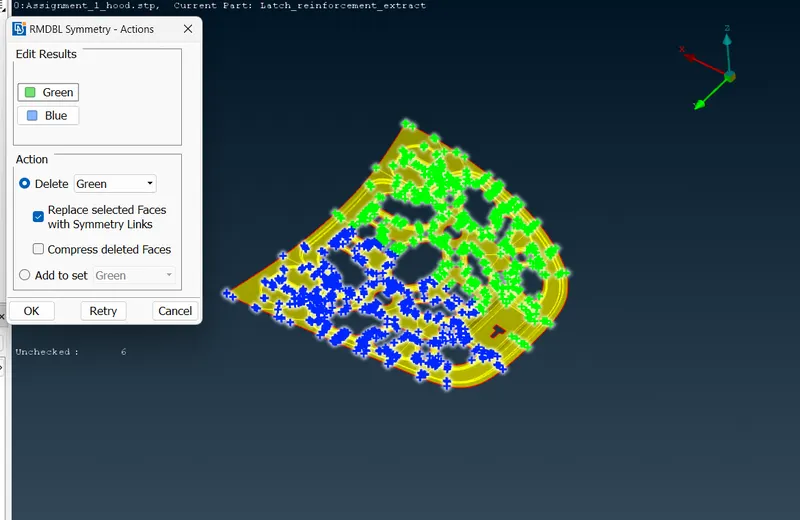
After this we will move to our next major step of pre-processing i,e GEOMETRY CLEANING.
In geometry cleaning we will suppress the unnecessary conns, and join the small areas to merge it with bigger ones to create smooth mesh flow.
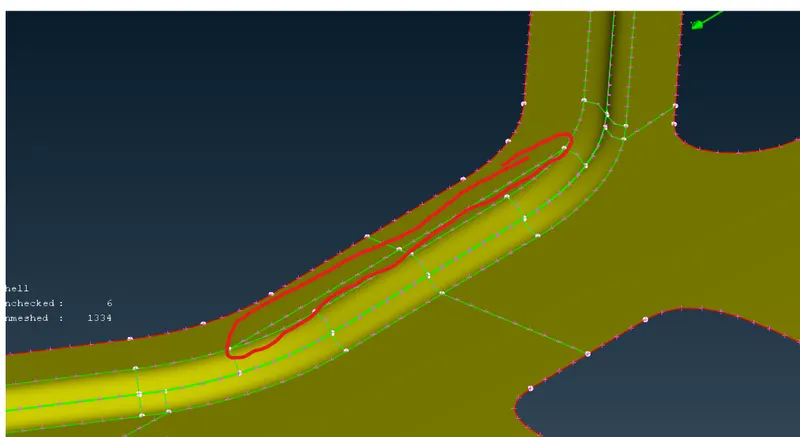
For example, in above image, the conn shown in red highlighted region is suppressed to create uniform surface for mesh generation.
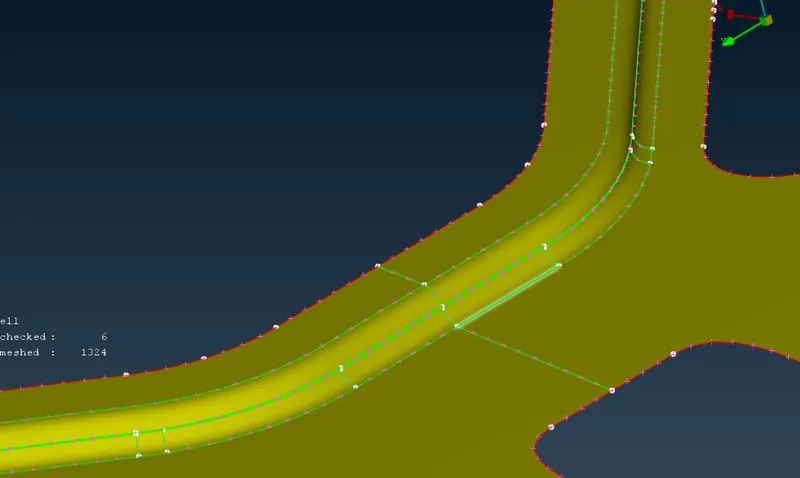
After completing the above steps we are ready to create the mesh on the surfaces. but before this we need to set the quality parameters, for our mesh generation. This can be done by by going to Mesh parameters > Quality Criteria.
Required quality parameters are turned on, and minimum required quality parameter values are filled.
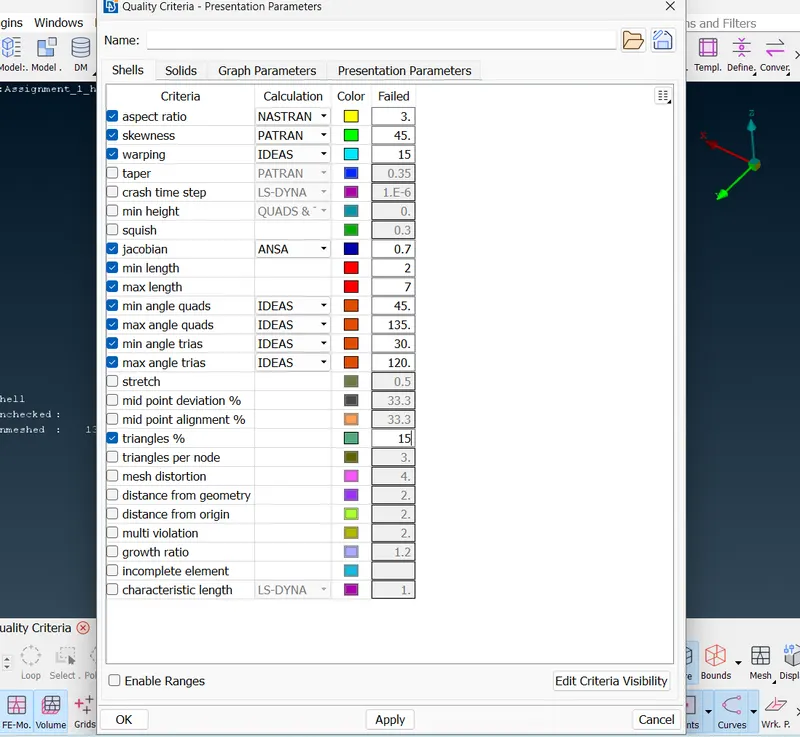
After this we will create the mesh on surfaces by staring with small regions and using Best mesh generation option.
The mesh generated by above method is improved by making suitable changes- moving trias, converting trias to quads, joining opposite trias and many more. after making suitable changes, smooth option is used to make the smooth flow of altered mesh elements.
This procedure is repeated untill the mesh with minimum required quality is not generated on all the parts.
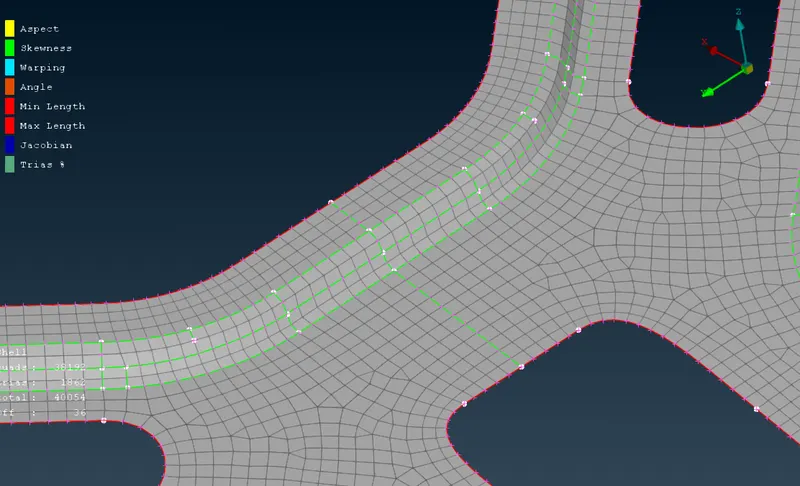
In Above image mesh flow is shown in the upper food support sheet.
LEARNING OUTCOMES:-
There is lots of learning in the given challenge. However main learning in the challenege are listed below-
- Creation of mid surfaces using offset command and by dedicated mid surface command in the ANSA.
- Geometry check feature to remove the unwanted edges and surfaces from the model.
- Symmetry plane option to save the time during complex model meshing but with symmetric regions.
- Use of various mesh generation method and various method to improve the mesh.
- Identifying the possible improvement in the model by shfting, merging trias to improve the overall mesh quality.
- Use of mesh quality check parameters like warpage, aspect ratio, skewness, jacobian etc.
- Defaturing the model upto some extent to improve mesh quality.
- Joining the small unnecessary surface to merge it with larger one to create smooth mesh flow.
Conclusion:-
In this challenge, I learnt how to create a good quality mesh on sheet metal components in ANSA, using mid surface of the component. There are lot of learning in the challenge, which will help to improve the meshing time and quality on the components in the ANSA pre-processor. However connections between the various parts of the models are not covered in this challenge. And in final we got a good quality FEA meshed model of car hood for process it further to make various types of tests.