Week - 4 - 2D meshing for Plastic components
Aim- The aim of this challenge is to mesh the Plastic bottle cap with given quality criteria by mid surface extraction after checking for geometrical errors.
Procedure-
To start working with the given model, firstly we open the 3d file provided, in ANSA window by File -> Open command. After that we run a quick geometry check manager to check for any needle edges or other error. After checking we supress the unnecesssary cons, hotpoints; and join the required surfaces for better mid surface extraction.
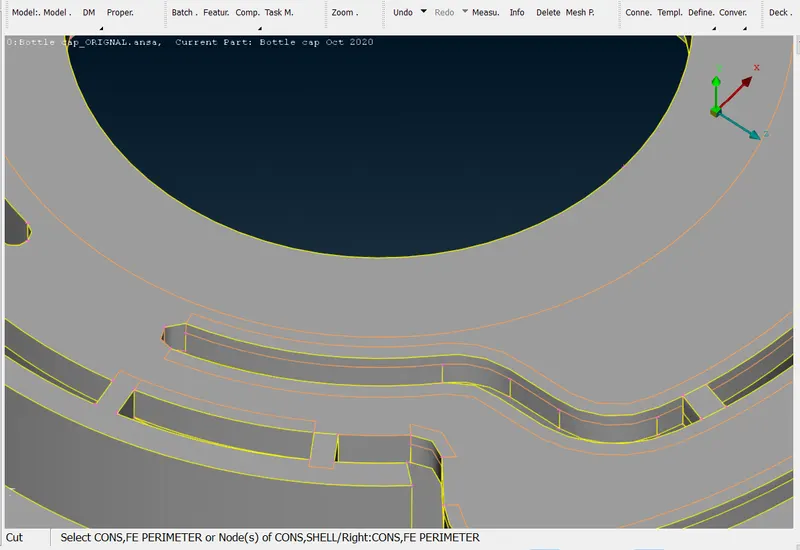
For ex. in the attached image suppressed cons are shown in orange color.
After that we start the mid surface extraction process.
Since it is a quite complex geometry, the auto-mid surface command can't produce good results.
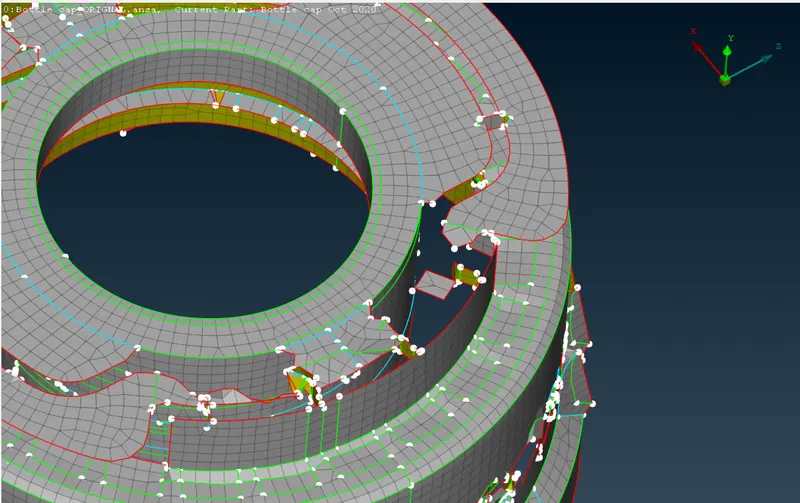
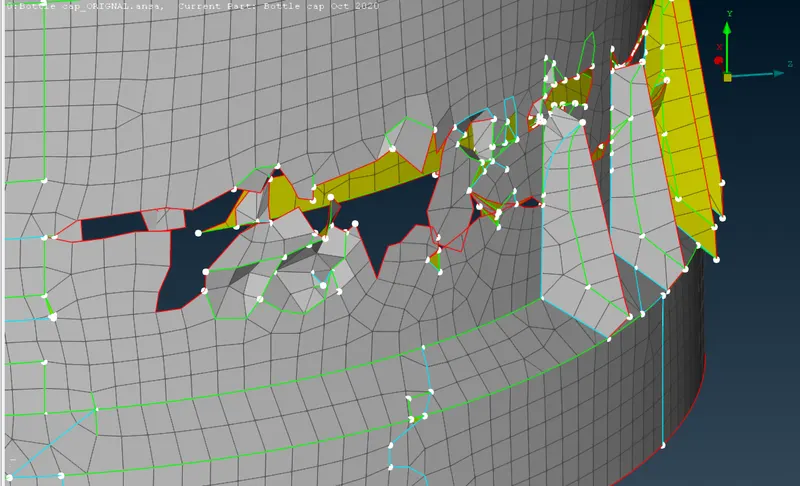
Above Images showing the mid surface extarction using the auto mid surface command. It is clearly showing the highly distorted and missing elements.
so we are using the manual mid surface extraction method for this part.
So starting with the top surface, we measure the thickness of the top surface using the measure command. and then offset the surface one by one untill all the mid surafces are not extracted.
For extarction of mid surface of the continuouly varrying crossection geometry, curve projection is used. For example in the mid surface extraction of the threads, firstly a mid curve is extarcted from the edges and then it is projected to generate cons. then a new surface is drawn using the opposite edges cons of thread surface.
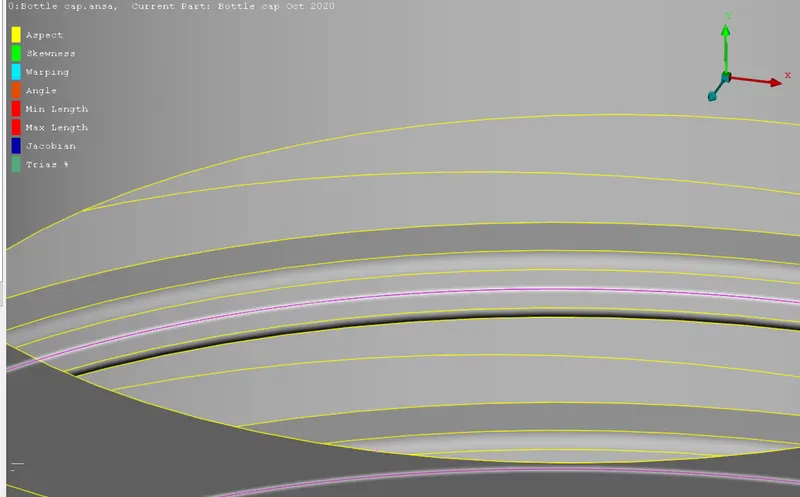
Image showing the extraction of mid curve using opposite edges.
Along with this, there are some repeating surface in circular pattern. To generate them quickly, transform > copy > Rotate, command is used. To use the rotate command, firstly two points are created like they both lie on the axis of imaginary cylinder. Then these points are used as reference for the rotate command.
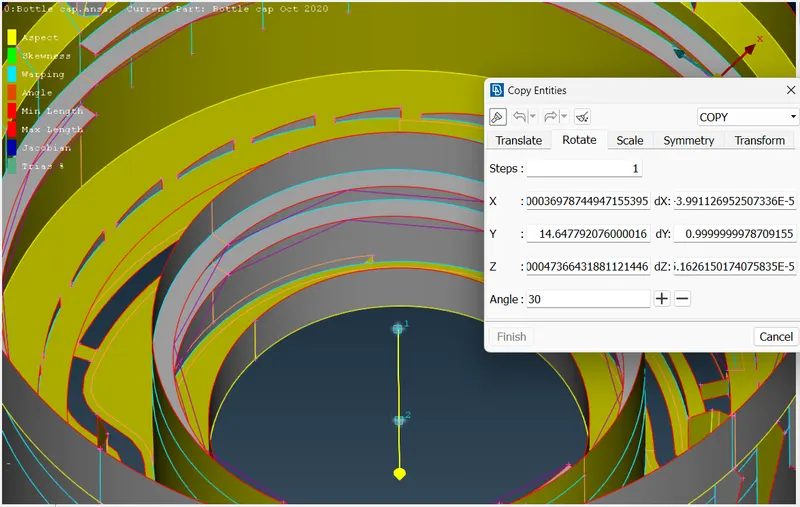
Image showing the use of rotate command, and the two selected points as the reference.
Along with this, extend surface command is used to extend the hanging surface with the nearby joining surface.
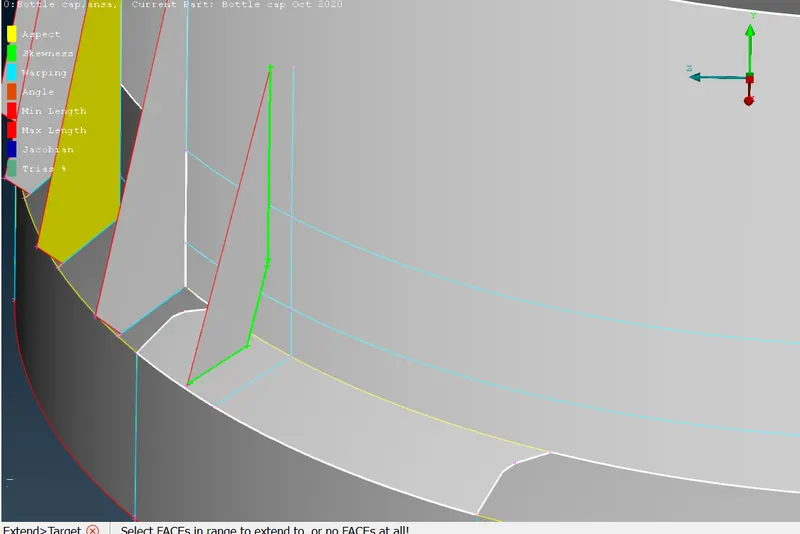
Image showing the use of extend face command. Edges to be extended are shown with green color, and the surface upto which the edges to be extended are shown in white color.
Trim surface command is also used to trim of the unnecessary surface from the intersection line of two maching surfaces.
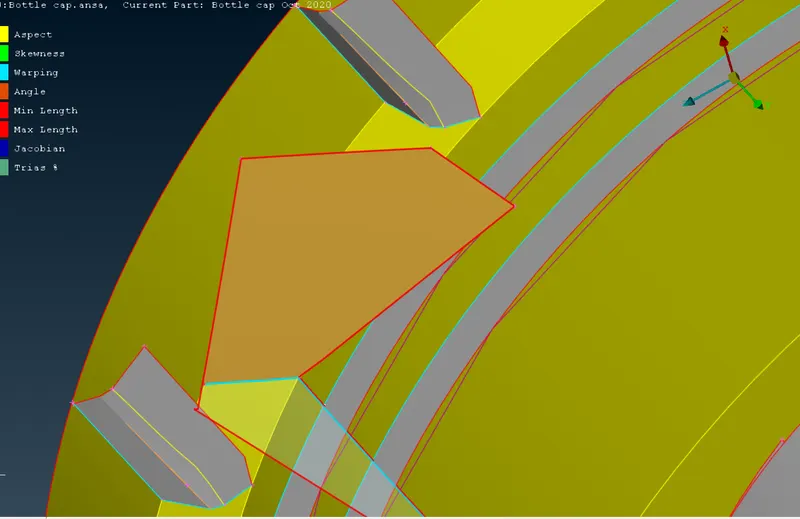
Image showing the surface to be trimmed in red color.
Along with the trim command, Intersect command is also used to create the triple con connection between the required surfaces.
After extracting all the mid surfaces and doing the necessary patching on the incomplete offset surfaces, we put the thickness of all the elements using the SETPID command.
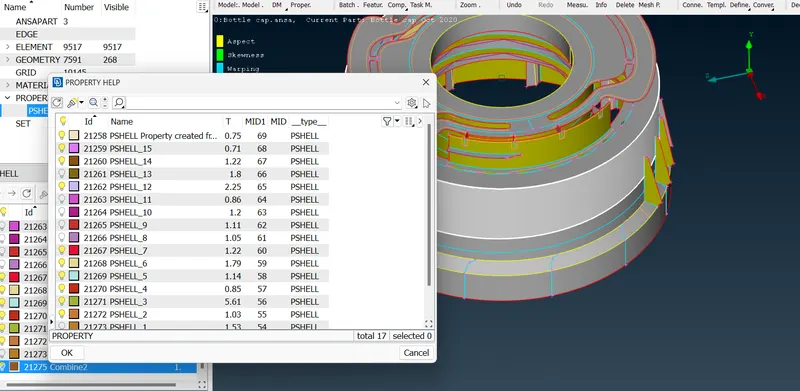
Image showing the thickness assigne dto various surfaces of the model.
To calculate the thickness of continuously varrying surface, an average value is calculated using the minimum thickness and maximum thickness value.
After doing the mid surface extraction and assigning proper thickness value, our model is ready for the meshing.
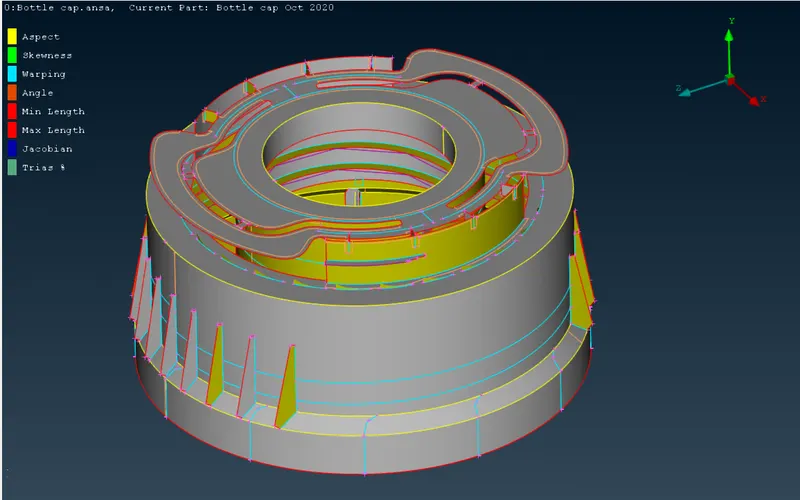
Image showing the model before meshing.
Before starting the meshing process, we put the required quality criteria in the from the Quality Criteria command.
After that we set the average perimeter length to the required length (1 unit in this case).
After that we mesh all the macros and improve the quality of mesh using improve, split, paste commands available in the classical mesh option.
At this point our final pre-processed model is ready for the further analysis.
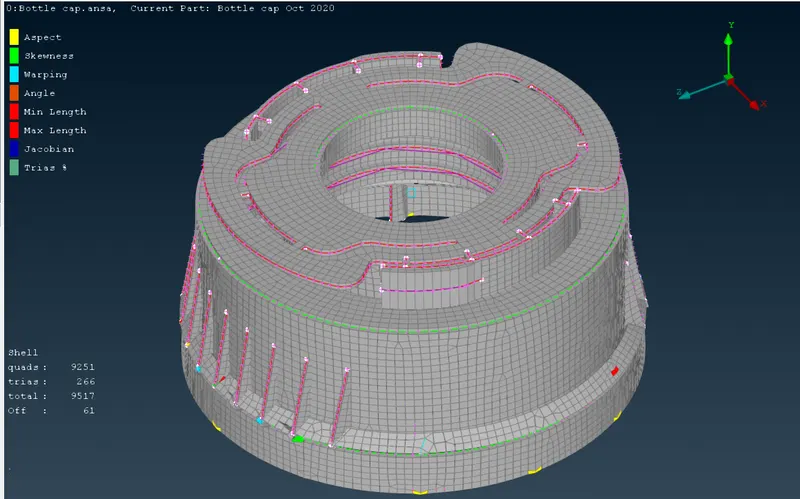
Image showing the final meshed model.
we can check the assigned thickness by using “Draw shell as solid” in Quality criteria > Presentation parameters option.
Learning Outcomes-
By extracting the mid surface mesh of a plastic component, I have learned various challenges to be faced in extracting the mid surface of a complex plastic component. Main learnings of this challenge are-
- Use of middle surface extracting command in Topo Coloumn
- Use of New face command using cons, fitted, planer and existing surface command.
- Use of Trim command to delete unnecessary intersecting surfaces.
- Extend command to extend a surface upto nearby joining surface.
- Use of intersect command to make connecting between T- junction type surfaces.
- Use of curve command to create mid curve using two opposite curves.
- Use of project curve command to project curve on some surface
Conclusion- At the completion of this challenge, a properly meshed model of plastic component is ready, for furter analysis. In this challenge, I have learnt various types of commands, which improves the quality of extracted surface, and also helps me to gain the knowledge and experience of working with plastic component in ANSA. All these things will improve my meshing time and quality of mesh while working with ANSA.