Week- 5 - Solid meshing
Aim:- To mesh the given Rear View Mirror component, after checking and fixing for any geometrical error.
Procedure:-
To start working with the model, firstly we open the 3d IGS file in ANSA workbench window by going to File > Open Command. After importing the geometry, we check the model for any geometrical error first by visual inspection of model, and then with the help of check manager. For visual inspection, the parameter length value can be set to 1, for better visual experience.
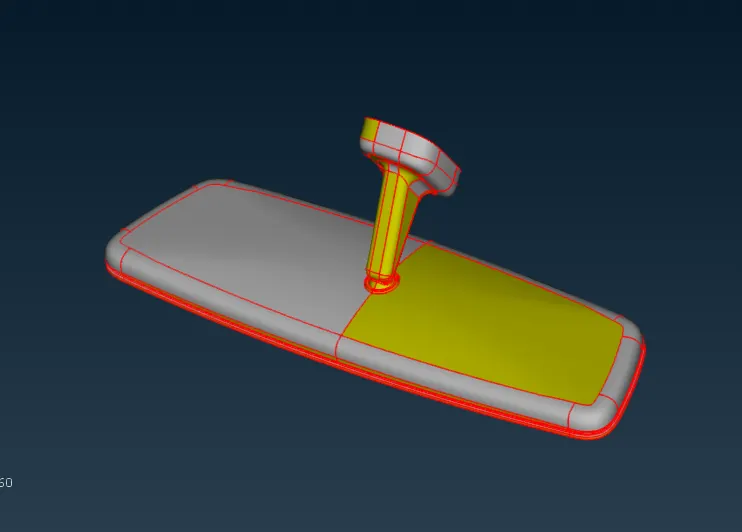
Image showing Rear View mirror IGS file in ANSA workbench.
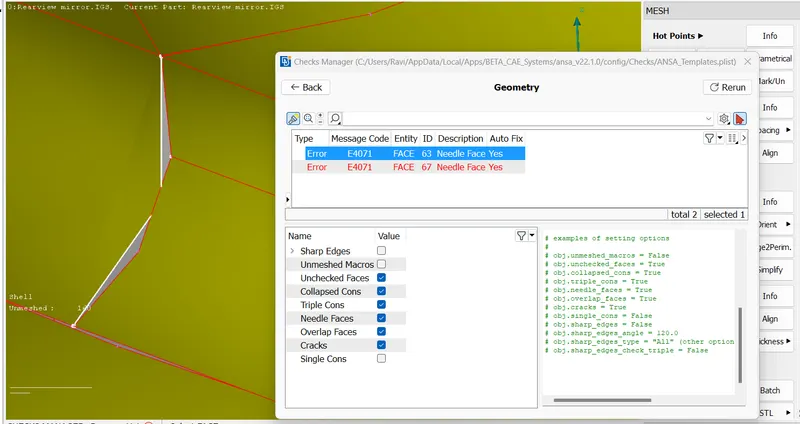
Image showing errors in the model.
The problems reported by the check manager can be fixed automatically by the ANSA or by manually one by one.
This time we use the auto-fix option to save the time.
After fixing the error, we perform a topo operation to join the neighboring surfaces.
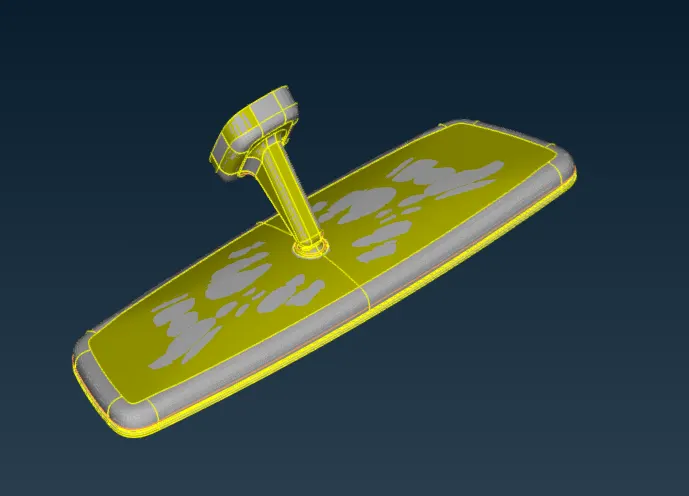
Image showing the model after performing TOPO operation.
Now our model is ready for the meshing, but before that we will load the quality criteria parameters from Quality criteria command. After this we also set the mesh parameters from Mesh parameters command, which sets the average length of element to 1 unit.
After this we start the meshing starting from surfaces first. we use the spot mesh command, and mesh the surfaces having more curvature with ortho tria, and surfaces with less curvature with tria; because ortho tria can better capture the steep curvature surfaces.
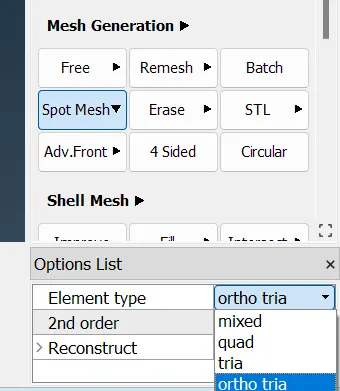
Image showing Element option types available in spot mesh command.
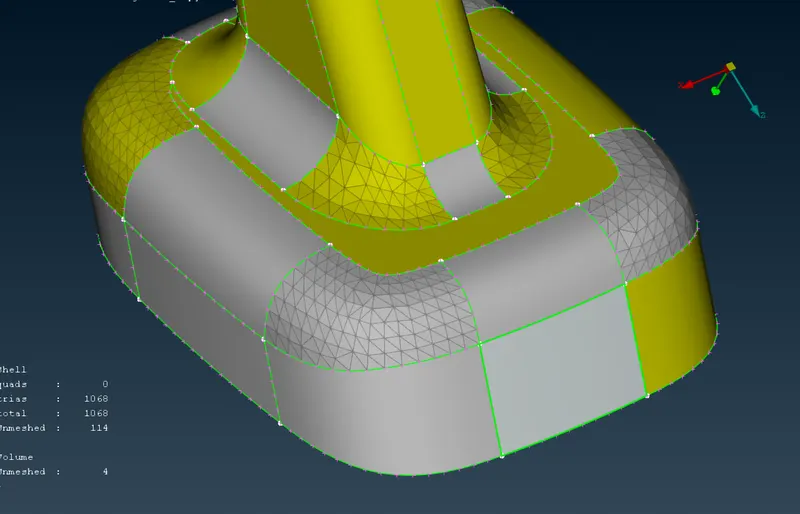
Image showing more steep surfaces meshed with ortho tria.
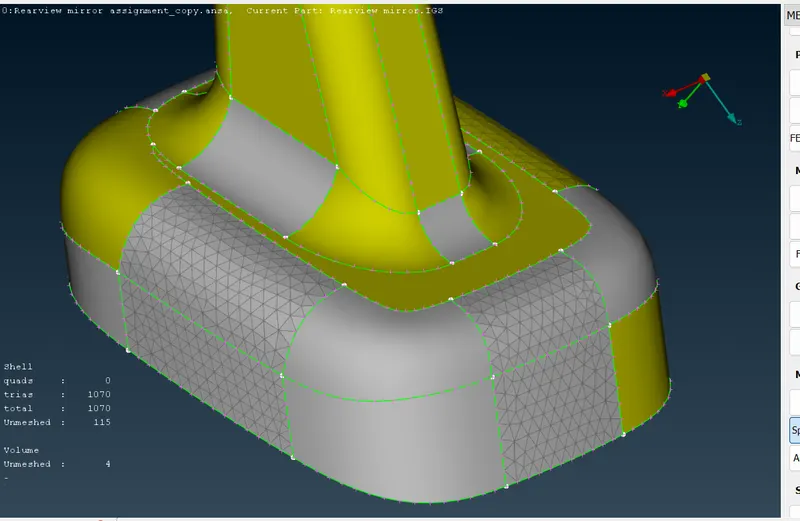
image showing less steep surfaces meshed with normal tria element.
We will generate the ortho tria and normal tria, elements on all the surfaces of Rear view mirror, according to the type of curvature available on that surface.
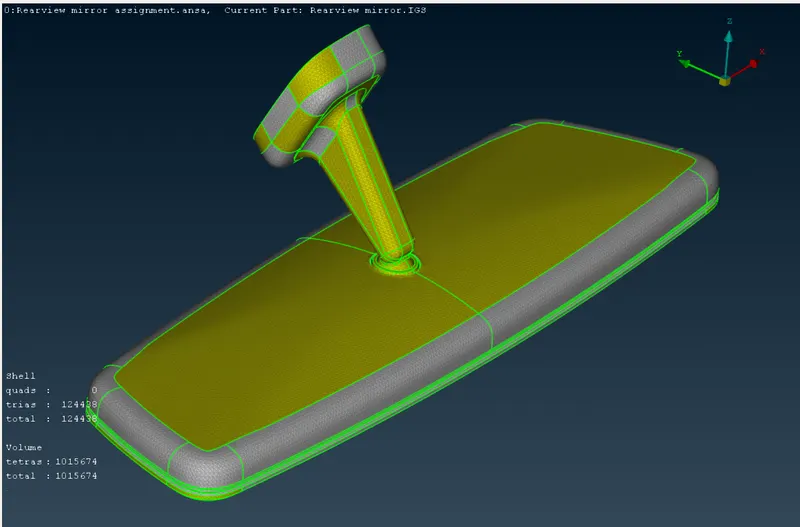
Image showing complete surface mesh on all the surfaces.
Now, we will go to voloume mesh.
Firstly we define the new volumes for all the close volume parts available in 3D file provided.
This can be done from Volume Mesh > Volumes > Define.
This will automatically detect and create the close volume body in model.
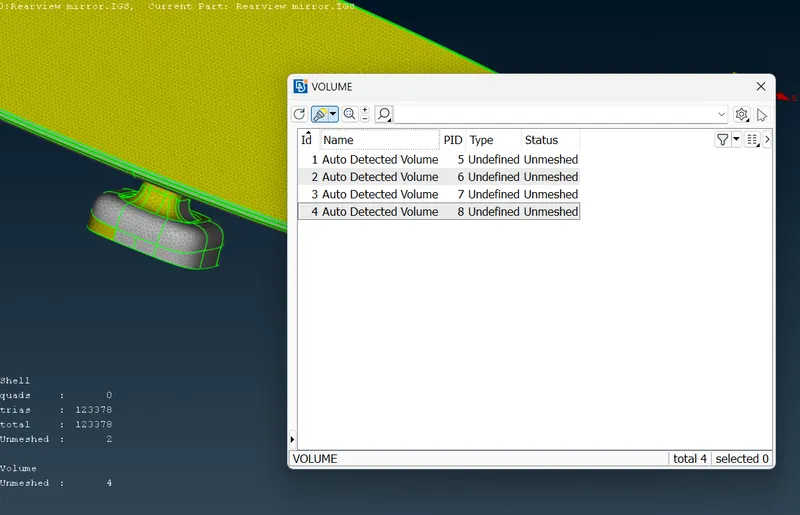
Image showing detected volumes in model.
Now we mesh the volume using unstructured mesh > Tetra Rapid
This will fill the volume of 3D parts having surface generated mesh, with Tetra Elements. Again, the quality of the 3D elements can be checked from Tet collapse parameter available in quality criteria option. Bad elements can be fixed by remeshing, split or move node command. We Repeat the process of voloume mesh generation untill all the 3D parts available in model are not meshed.
Learning Outcomes:-
There are various types of learning can be learnt from this challenge, however the main learning from this challenge are-
- The use of Voloume mesh feature available in ANSA for generating volume mesh in 3d solid components.
- The use of volume define feature which lists all the available close volumes in model
- The generation of tetra mesh to cover the voloume of 3D part.
- The use of TET Collapse quality criteria, for better volume mesh.
Conclusion:-
At the completion of this challenge, we a rear view mirror component of meshed with tetra elements in volume and ortho tria and normal tria elements on surface mesh. This challenge helps me to learn the commands used to perform volume mesh in ANSA software, which will help me to achieve better mesh in less time; on solid components.