Week 2 Railwheel and Track
Railwheel and Track:
Aim:
To perform a static structural analysis on the railwheel and track setup and gain results for total deformation,equivalent stress,life and user defined results of given loads.
Objective:
Perform a static structural analysis on the Railwheel and Track setup and
Case 1: Multiply the bearing load by 5 times and compare the results with the load of 100000 N (As done in week 2 video). Compare the Total Deformation, Equivalent stress, and the life under both the loads
Case 2: Implement a User-defined result and calculate the Total Deformation from this result and check if it is the same as that obtained by the inbuilt result by ANSYS for a load of 100000 N.
Procedure:
- Firstly open the ANSYS workbench software.
- Select static structural from analysis system.
- In the engineering data structural steel is selected as default.
- And then import the geometry from the system files.
- The imported railwheel and track is as follows.
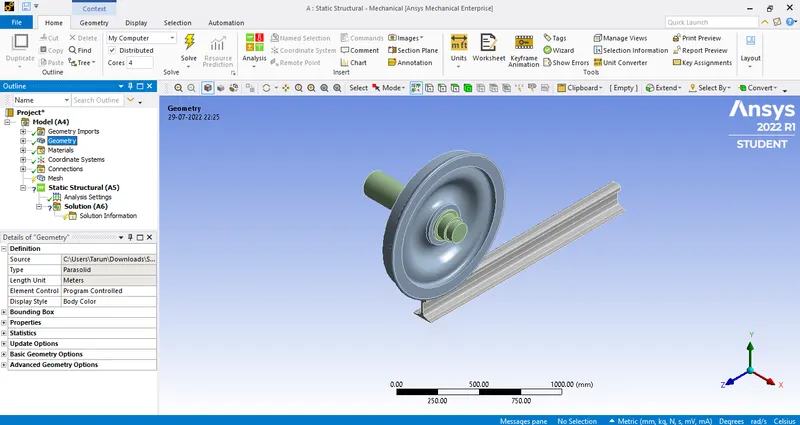
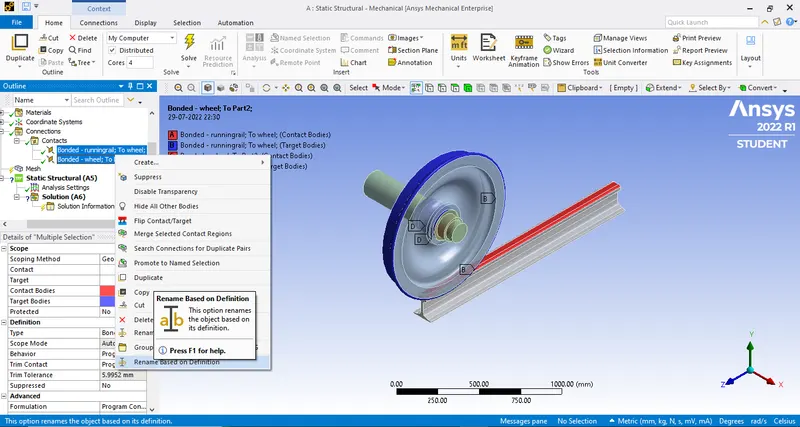
- And then after importing in the contacts select the two parts railwheel and track and rename based on definition as follows.
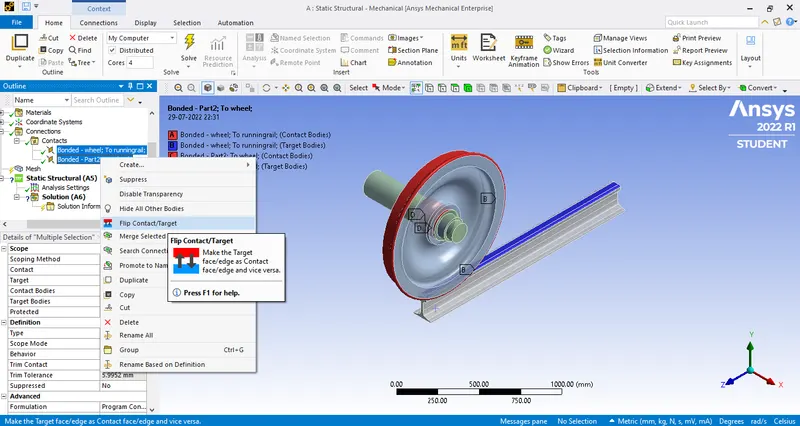
- And after that 'Flip contact to target' as follows.
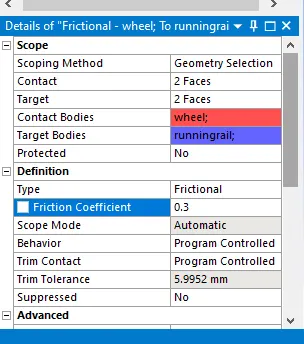
Frictional:
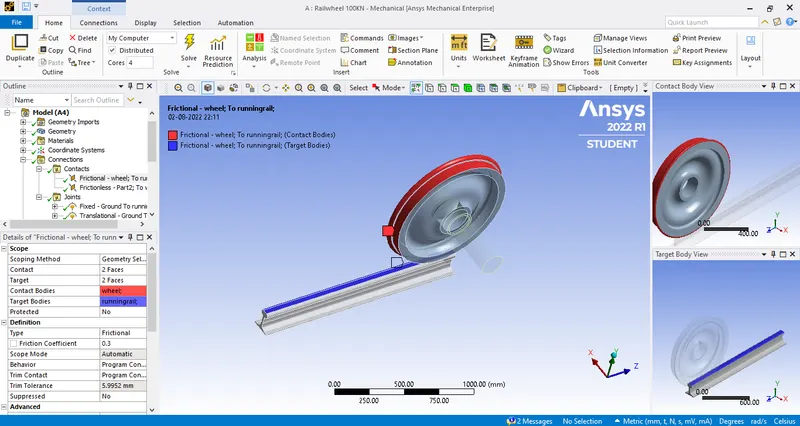
Contact between wheel and Track.
- And in contacts select wheel and track as frictional as below.
Frictionless:
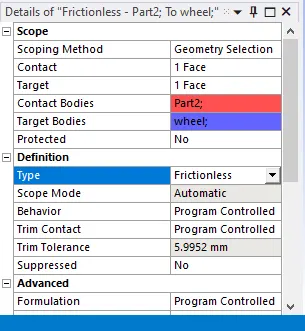
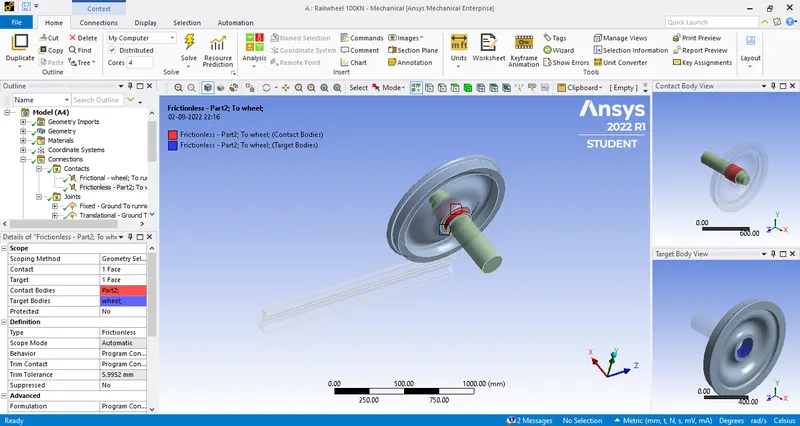
contact between shaft and wheel
- And in contacts select frictionless as below.
- After that joint loads have to be assigned to run the simulation.
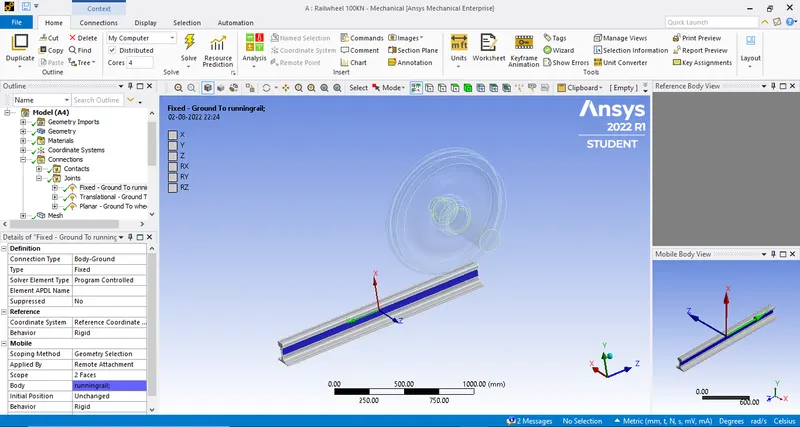
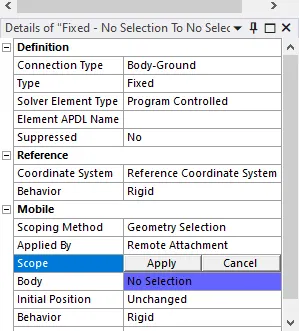
Fixed joints:
It is assigned as it non-movement object while running the wheel.
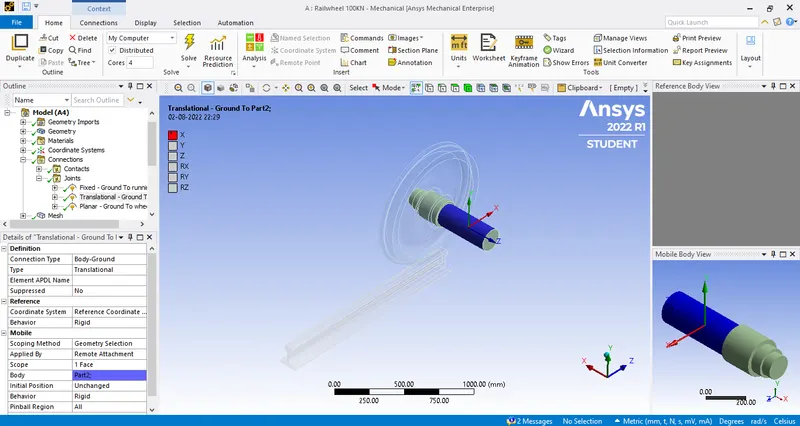
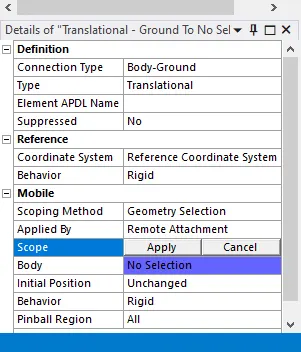
Translational Joint:
The force acts on the shaft will be transitional to the wheel.
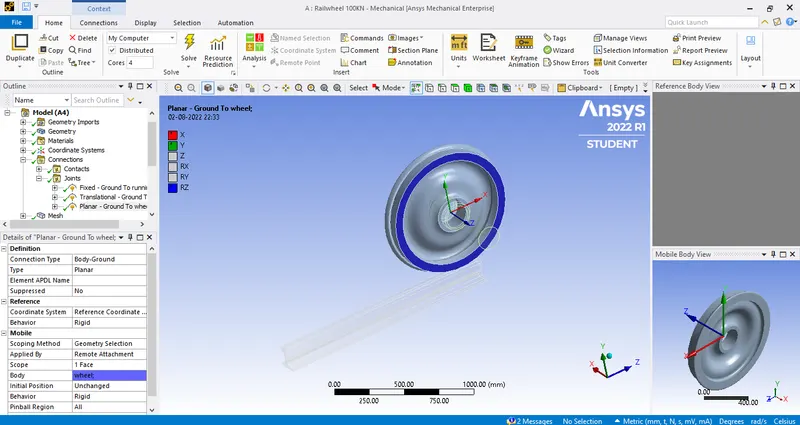
Planar Joint:
It is which provided to the wheel as below.
- After that we further proceed for meshing.
- Element size and there faces are selected with the facing size of 35mm.
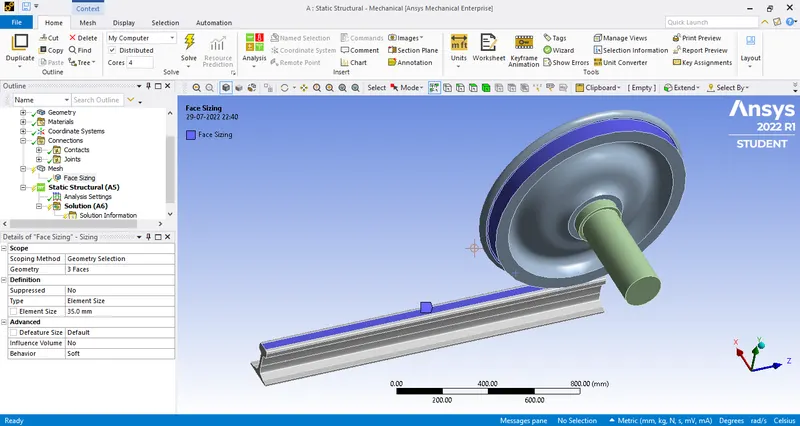
- After meshing the image is as follows.
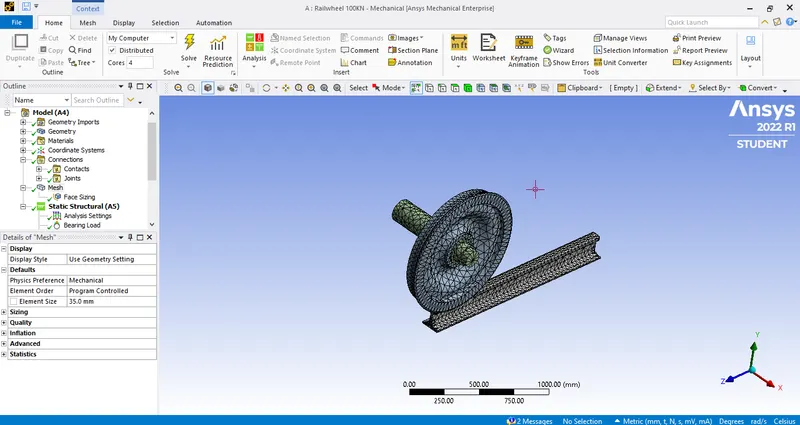
- After that we need to assign the value in analysis settings.
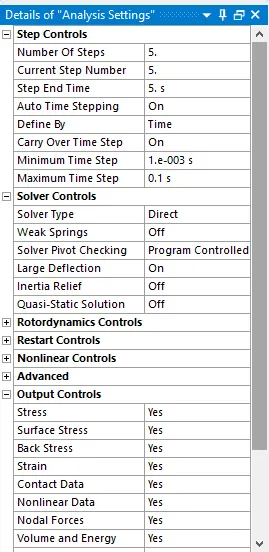
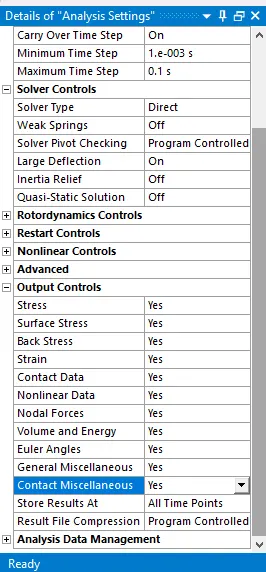
- After that we need to assign the bearing and joint load for the component .
- Assign the bearing load of 100000N as in the image.
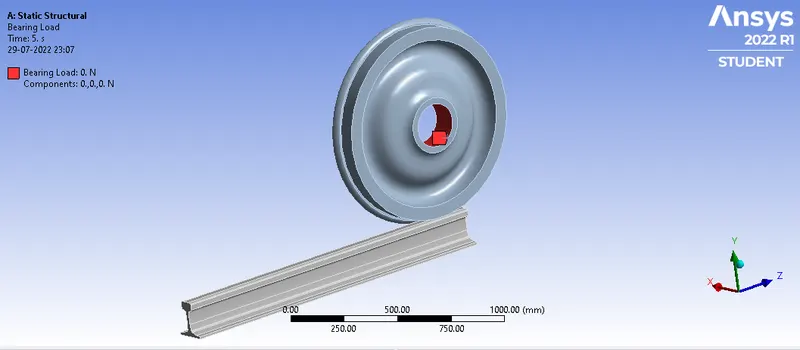
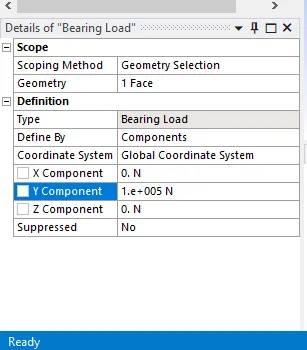
- After that joint displacement is assigned to the shaft as follows.
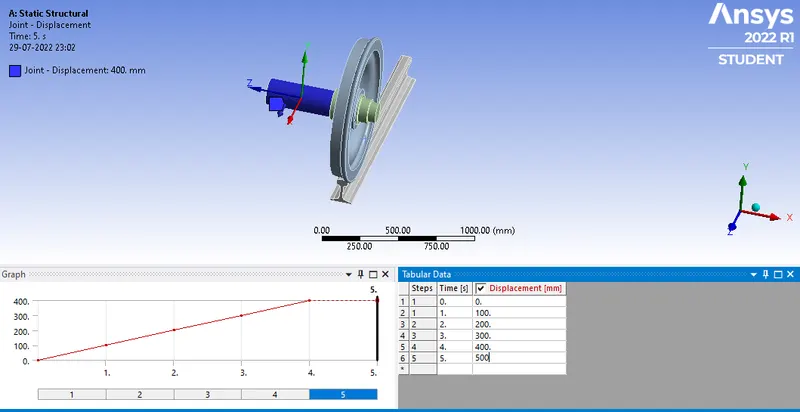
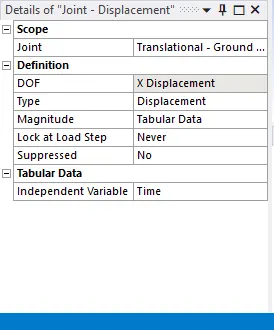
- And then we need to evaluate the parameters of
- Equivalent stress
- total deformation
- Life cycle
- User defined result.
Results:
CASE 1:
Bearing load of 100KN:
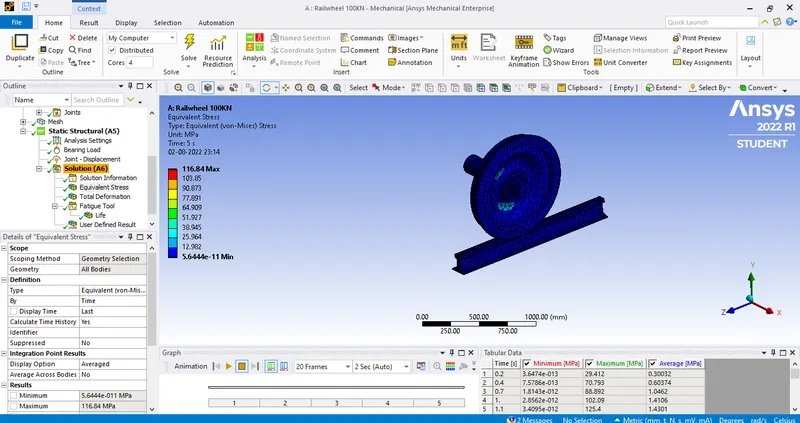
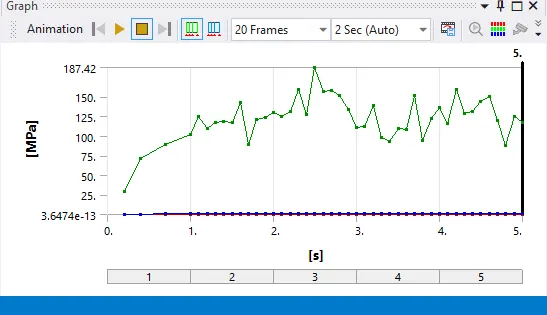
Equivalent Stress:
The equivalent stress for the bearing load of 100KN is
Maximum- 116.84 mpa
Minimum- 5.644e-11 mpa
Graph:
GIF: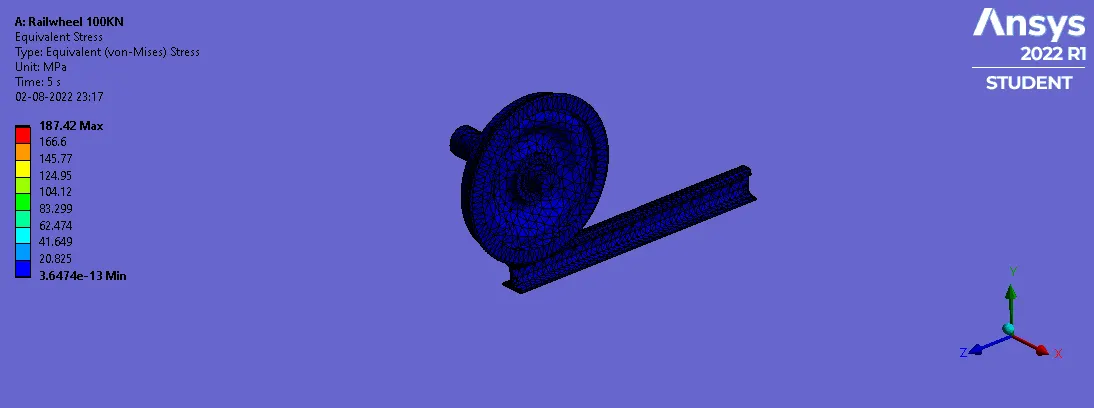
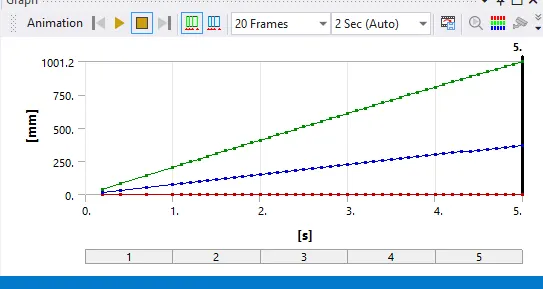
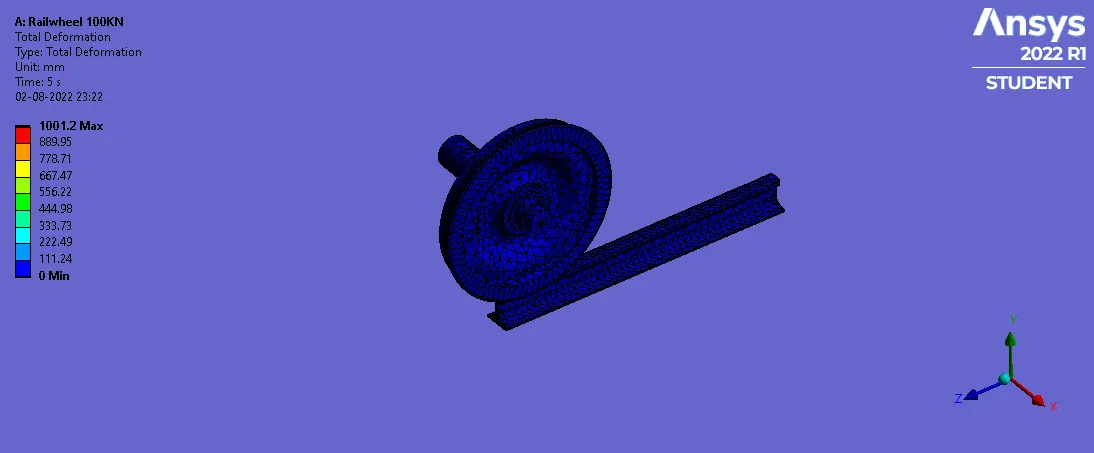
Total deformation:
The total deformation for the bearing load of 100KN is
Maximum- 1001.2 mm
Minimum- 0 mm
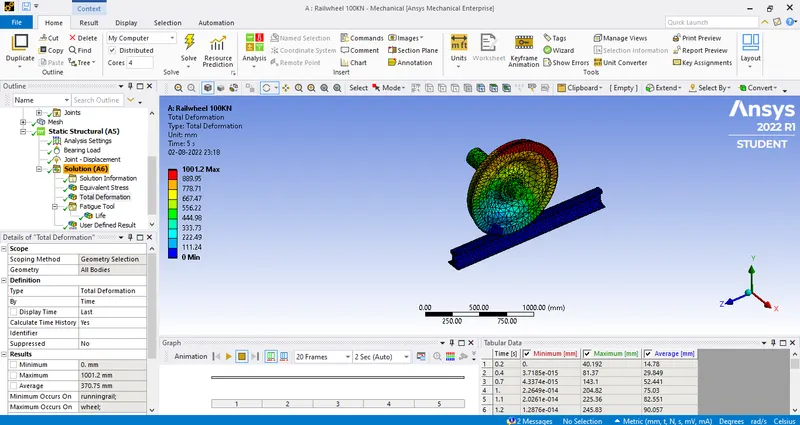
Graph:
GIF:
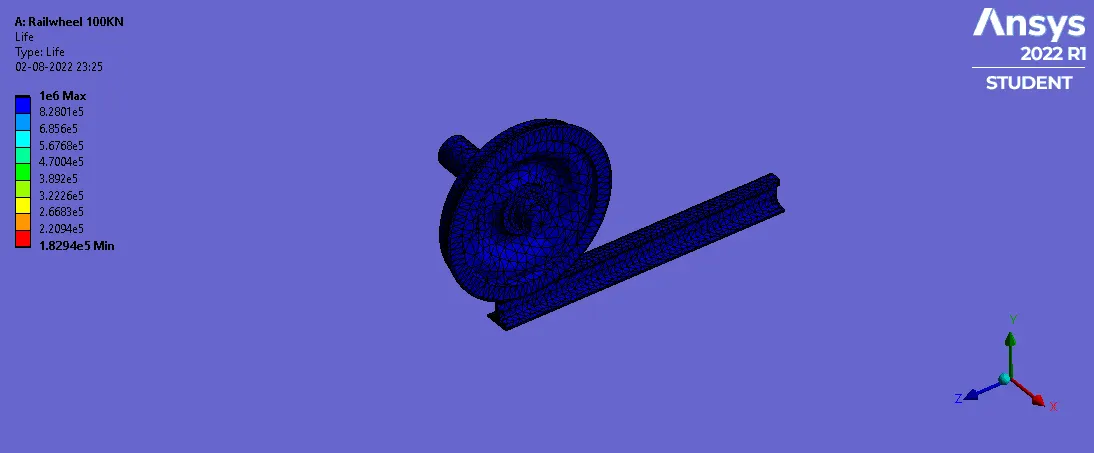
Life:
The life for the bearing load of 100 KN is
Maximum-1e6
Minimum-1.8294e5
GIF:
Bearing load of 500 KN:
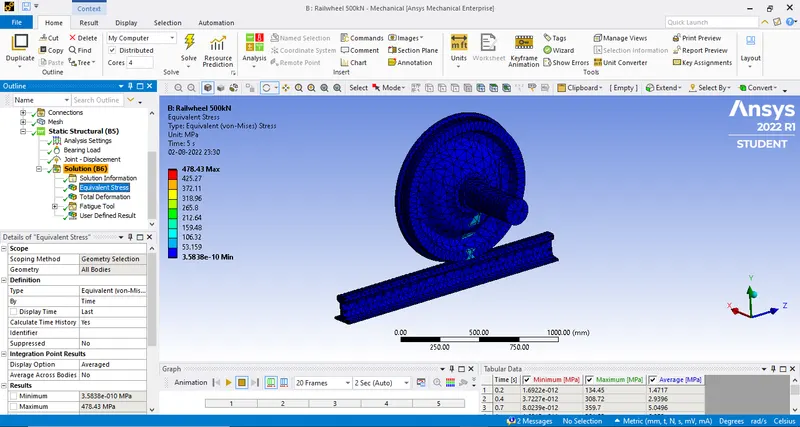
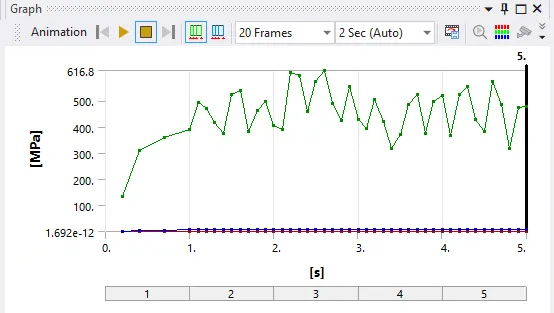
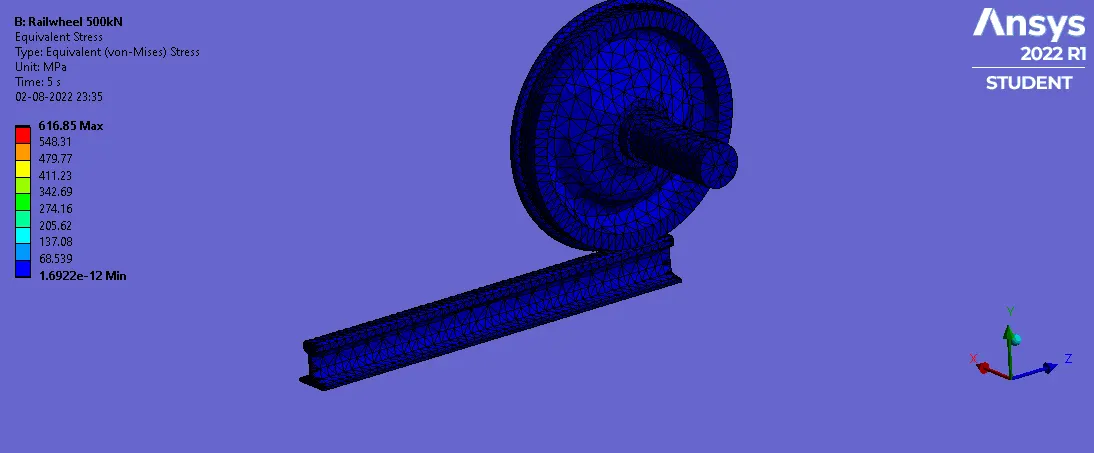
Equivalent stress:
The equivalent stress for the bearing load of 500 kN is
Maximum-478.43 mpa
Minimum- 3.5838e-10 mpa
Graph:
GIF:
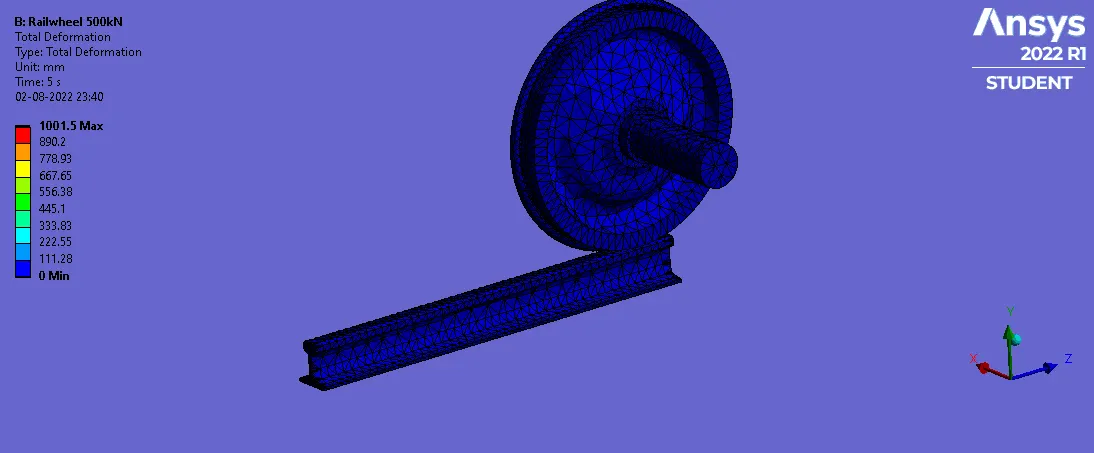
Total deformation:
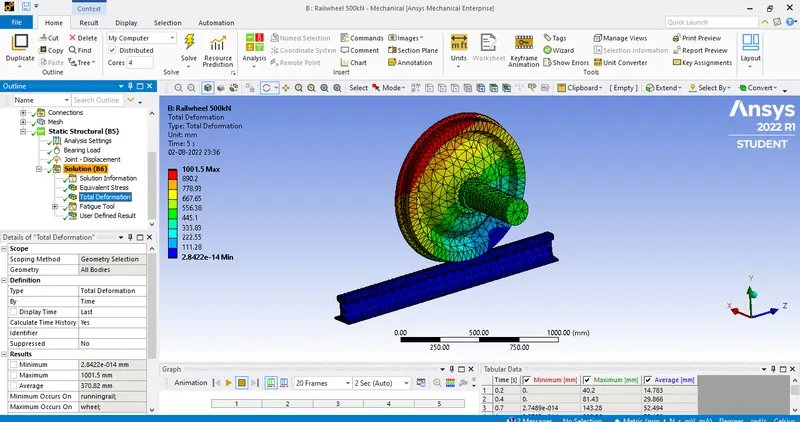
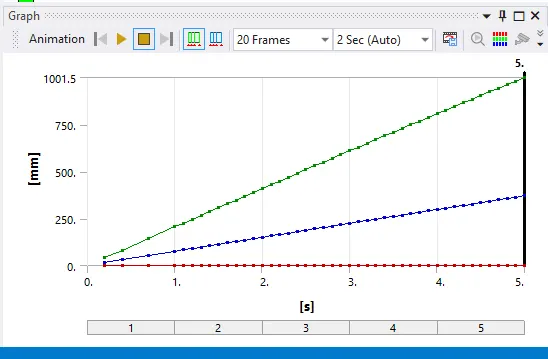
The total deformation for the bearing ;load of 500KN is
Maximum- 1001.5 mm
minimum- 2.8422e-14 mm
Graph:
GIF:
Life:
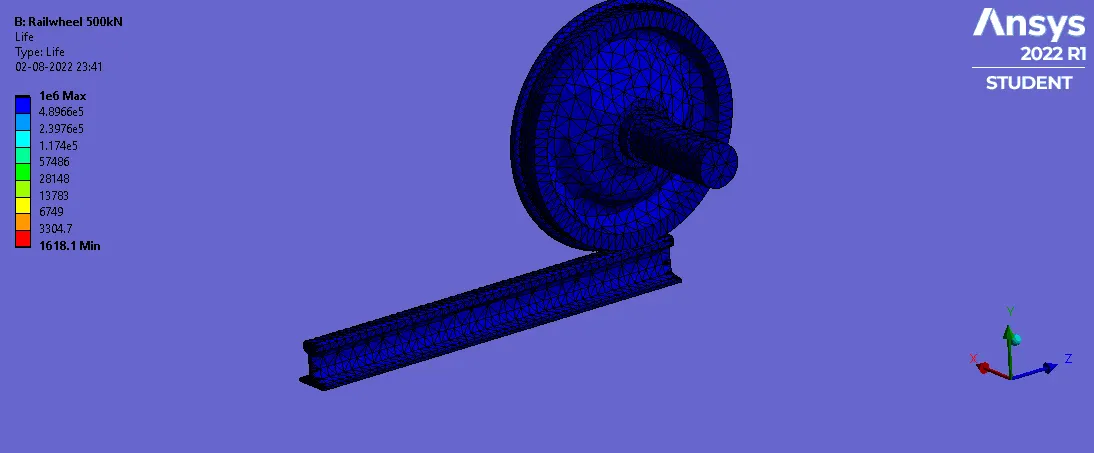
The life for the bearing load of 500KN is
Maximum-1e6
Minimum-1618.1
GIF:
CASE 2:
User defined Result:
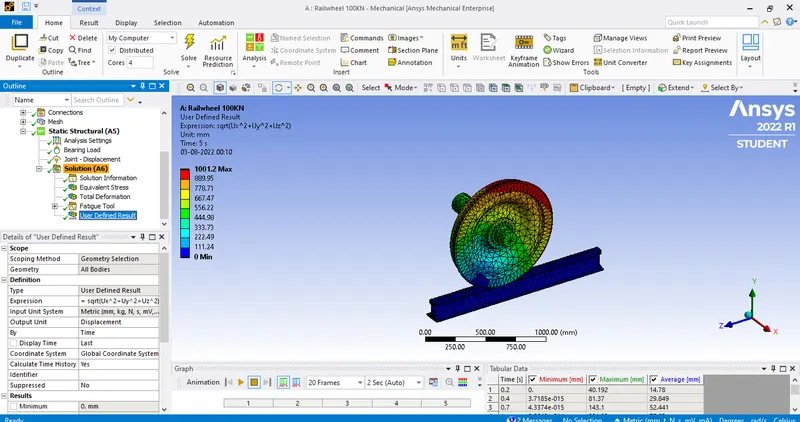
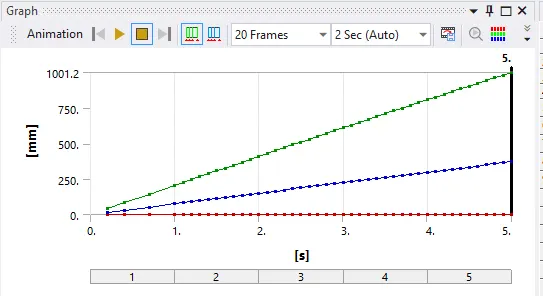
For evaluating the user defined result for the given load of 100KN i have taken the expression as Sqrt(Ux^2+Uy^2+Uz^2).
Maximum-1001.2 mm
Minimum-0 mm
Graph:
GIF:
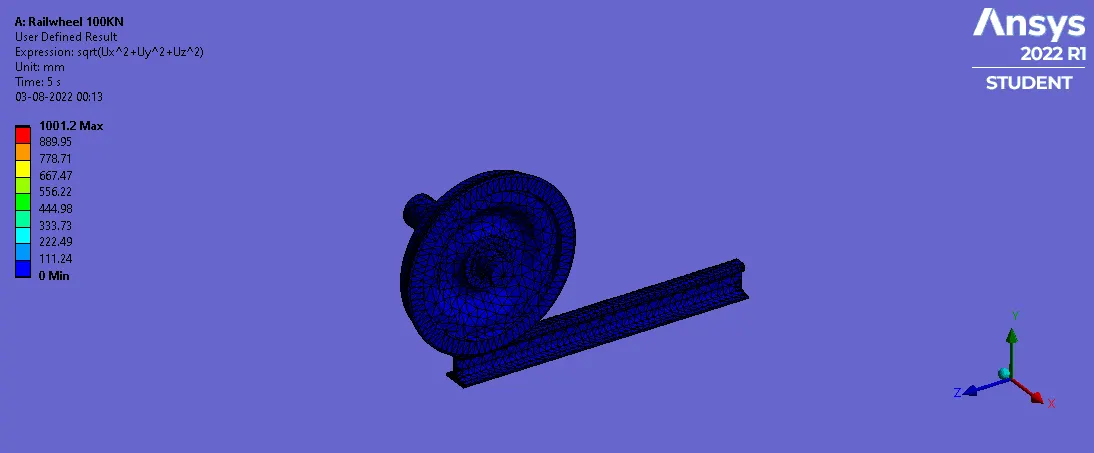
- Therefor the total deformation obtained from simulation results and from user defined data the expression is same for 100KN as
Maximum-1001.2 mm
Minimum- 0 mm
Tabular data:
Equivalent stress(Mpa):
Load Maximum Minimum
100KN 116.84 5.644e-11
500KN 478.43 3.5838e-10
Total Deformation(mm):
Load Maximum Minimum
100KN 1001.2 0
500KN 1001.5 2.8422e-14
Life:
Load Maximum Minimum
100KN 1e6 1.8294e5
500KN 1e6 1618.1
Conclusion:
From the above tabular data we can see that equivalent stress in 100KN is less compared to that of 500KN and total deformation is less in 100KN that of 500KN .So, finally we should avoid higher loads for the safety.