Week 2- 2R Robotic Arm Challenge
Below is the program for simulation of the forward kinematics of a 2R Robotic Arm -
%Program for simulation of Forward kinematics of 2R Robotic arm
clear all
close all
clc

%Inputs
l1 = 1;
l2 = 0.5;

theta1=linspace(0,90,10);
theta2=linspace(0,90,25);
ct = 1;

for i =1 :length(theta1)
   THETA1= theta1(i);

   for j = 1: length(theta2)
       THETA2 =theta2(j);


%Coordinates
x0=0;
y0=0;

x1 = l1*cosd(THETA1);
y1 = l1*sind(THETA1);

x2 = x1 + l2*cosd(THETA2);
y2 = y1 + l2*sind(THETA2);

%Plotting
plot([x0 x1],[y0 y1],[x1 x2],[y1 y2],'linewidth',3)
axis ([-0.1 1.5 0 1.5])
pause(0.03)
M(ct)= getframe(gcf);
ct=ct+1

   end
end

movie(M)
videofile = VideoWriter('Forward_kinematics.avi','Uncompressed AVI');
open (videofile)
writeVideo(videofile,M)
close(videofile)
Code 1
Code Explaination -
- To start with, we are defining the lengths of the links of the robotic arm. We are considering 2 rotating links (link 1 and link 2) attached end to end. The manipulator is attached at the end of the second link (link 2).
- We haved defined the coordinates of both the links. One end of link 1 is fixed (x0,y0) and other end of link 1 is defined by using trignometry (x1,y1 - common end for link 1 and link 2). The manipulator is attached to the end of link 2 (x2,y2). For calcualtion part of the coordinates please refer Code 1
- We have also defined the workspace of the robotic arm by providing the anglular movement limitations. For this program, we have provided 90 degree rotation for both the links and divided the angular movements in 10 and 25 divisions respectively for link 1 and link 2. More number of divisions are given to link 2 for better visualization of the manipulator.
- Now we using 2 for loops for this program. The 1st for loop gets executed for first time(1st position of link 1) and then 2nd for loop gets executed for 25 number of divisions. The 1st for loop gets executed for second time (2nd position of link 1) and then 2nd for loop gets executed for 25 number of divisions and the loop continues. The for loop will run 250 times (10 x 25 = 250) creating 250 different positions of the robotic arm.
- Creating plots for 250 different frame positions is bit cumbersome. So to solve this we are creating an array (M) in which we are storing all the frame positions and creating an animation movie.
- We have also defined counter (ct) options which makes sure each and every frame is getting captured. Initially the counter is set to 1.After capturing first frame the counter will get added by 1 (ct+1) and thus the second frame will be captured. This will continue till 250th frame.
- Now with the help of the function 'movie', we are creating a movie with all the frames stored in the 'M' array.
- For animation movie, please click on the link - https://drive.google.com/file/d/1g9aZ2izmT188TSxt7sC-jJbFP3caBJTv/view?usp=sharing
- Output Window
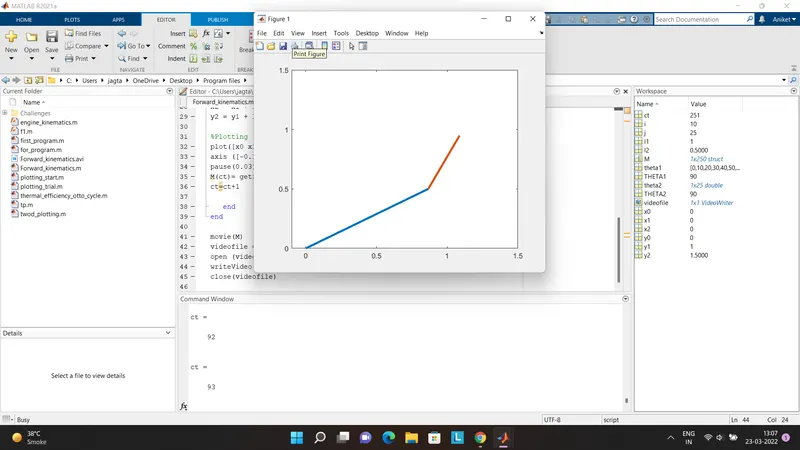
Figure 1 - Snap of the window after running the code (For full animated video click here)
- Errors obtained and solutions
- Missing multipliaction operator or unbalanced delimiters
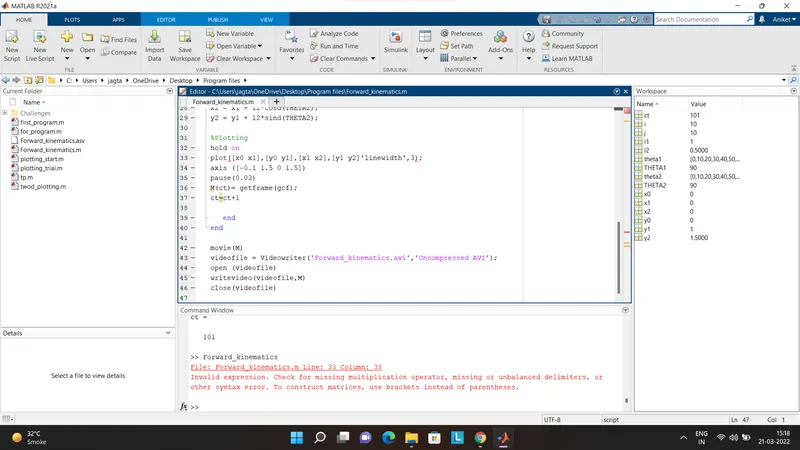 Solution for the error - The separator (,) was missing and thus was mentioned after the error message
- Error 2 - Low level graphics error
- When the code was run, 100 of figure windows got created show different positions of robotic arm. After the code got executed, error message popped up.
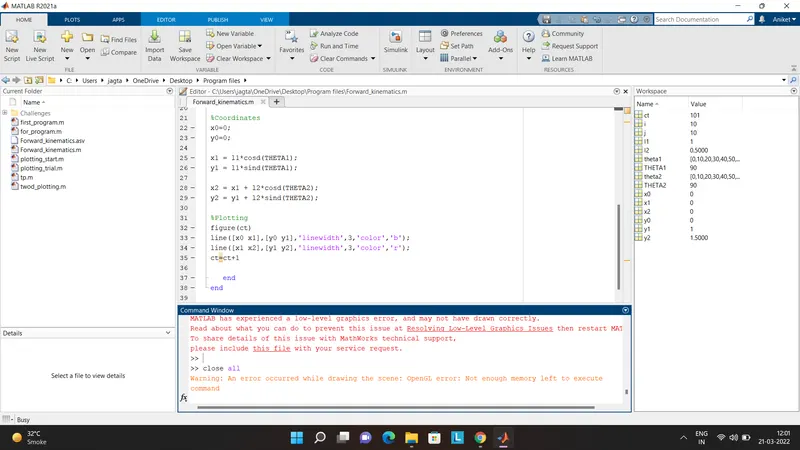
Solution to the error - To solve the error, I introduced a term getframe and stored all the frames in an array (M)
- Error 3 - Error in typing
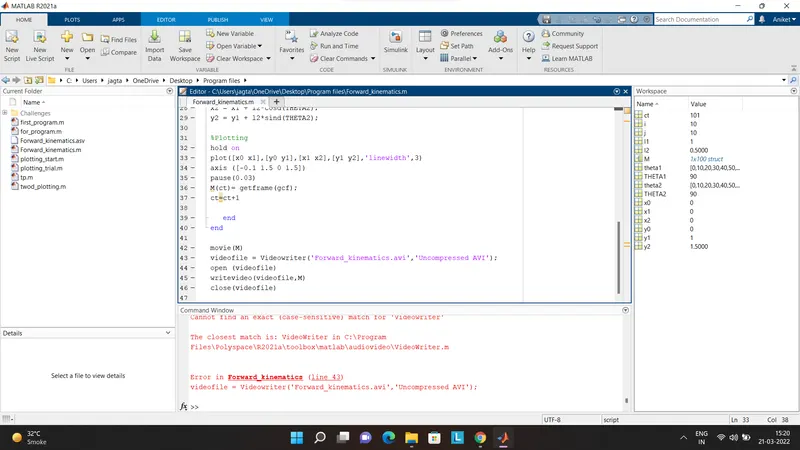
Solution to the error - The function 'Videowriter' was corrected to 'VideoWriter'.