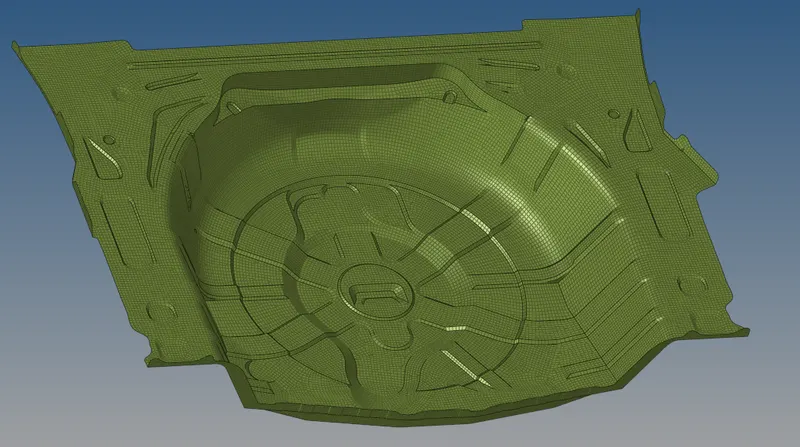
Week 12:Project 2-Meshing of Rear Wheel Holder challenge
#13 Week Project-2 Challenge Hyper-mesh for FEA Plastic and Sheet Metal Applications
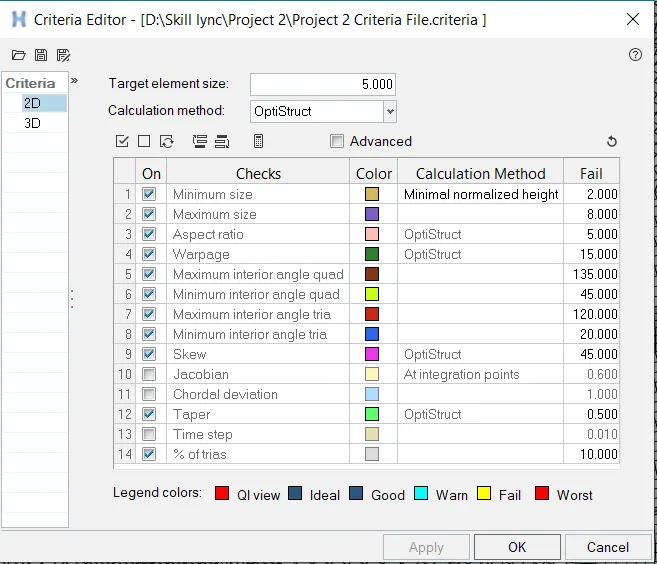
Aim: To Mesh the given components by giving the target Element Length as "5 units" by using the quality criteria as below:
Import the geometry:
- Click on the import icon on the main menu bar.
- Select the import geometry and choose the file, click on import.
- Then the file will be imported and will be shown in the graphical area as below,
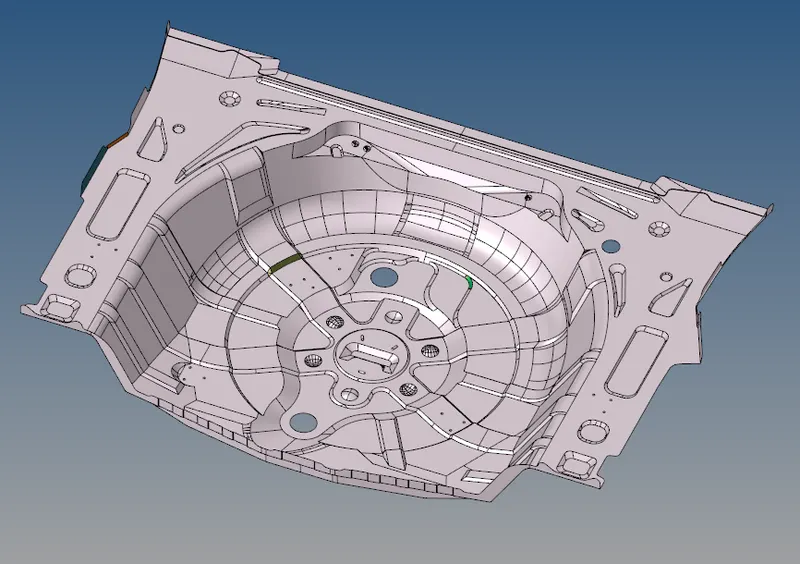
Delete the Button Surfaces:
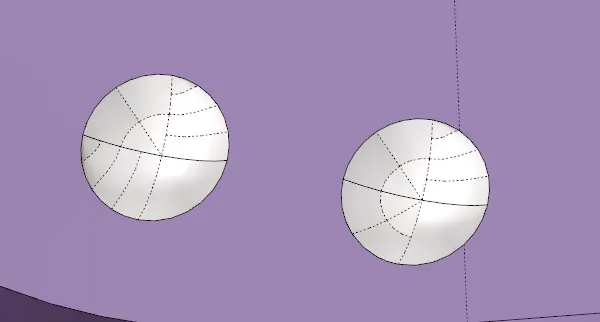
- The buttons in the picture given destroys the quality of the mesh, remove such surfaces to obtain better mesh.
- Go to Delete (F2) and select the surfaces and select the surfaces of the buttons.
- Click on delete entity and the surfaces will be deleted.
Quick-Edit:
- Click on Quick edit(F11) from the geometry menu.
- Select the filler surf to fill the missing surfaces.
- Toggle the lines to obtain better mesh.
- Check for the free edges and toggle them if required.

Auto-Mesh:
- Click on the 2D from the menu bar.
- Click on auto mesh from the panels.
- Give the criteria values as prescribed in the criteria file settings and apply them.
- Give the element size as ‘5’. Select the surfaces and click on mesh.
- Remesh the elements where required for better mesh.
- Check the failed elements and optimize them.
- Make the mesh smooth and uniform flow.

The Output: