Week 11 - Louver/Grille characterization
Aim: To determine the minor loss coefficient of a grille that has hexagonal holes.
Objectives:
- To define a parameter to optimize the design.
- To define trials.
- To define the primary and compound functions that you want to report.
- To calculate parametric solutions.
- To report and plot parametric results.
Problem Description:
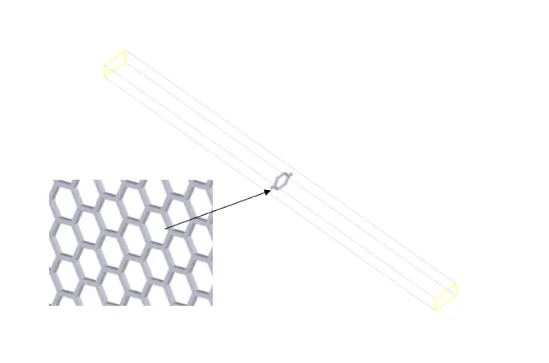
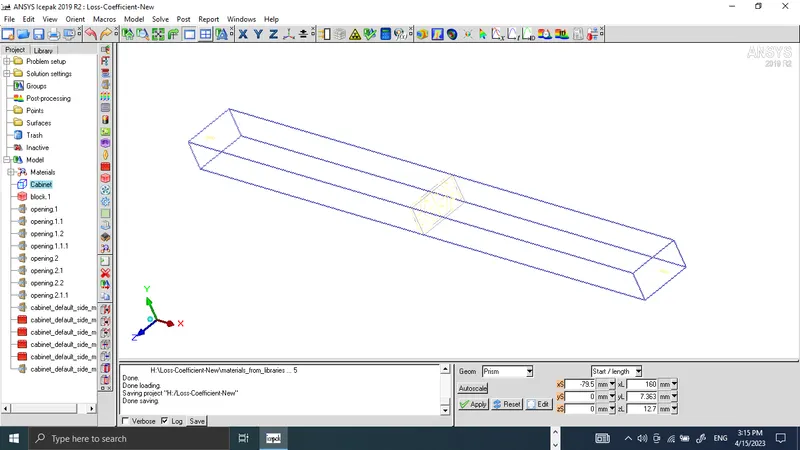
The model includes a cabinet that is 160 mm in length with inlet and outlet openings at the two ends (with a cross-sectional area of 7.363 mm x 12.7 mm) and four symmetry walls at the other sides. The model also includes a part of the hexa-grille placed at the center of the channel in the streamwise direction, as shown in Figure 9.1: Problem Specification (p. 198). The grille has one full hexagonal hole at the center and four quarter hexagonal holes around it. This pattern was selected because it forms a periodic region and is sufficient to calculate the loss coefficient.
The loaded Model in ICEPAK is shown below.
Loss-Coefficient: The loss coefficient K is obtained by dividing the total pressure differential through the
domain by the average dynamic pressure.
K = `(Pt("in")-Pt(out))/(0.5rho*u^2)`where Pt is the total pressure.
Define Parameters and Trials:
Defined the report that displays average velocity and pressure data at the inlet and outlet openings as shown below.
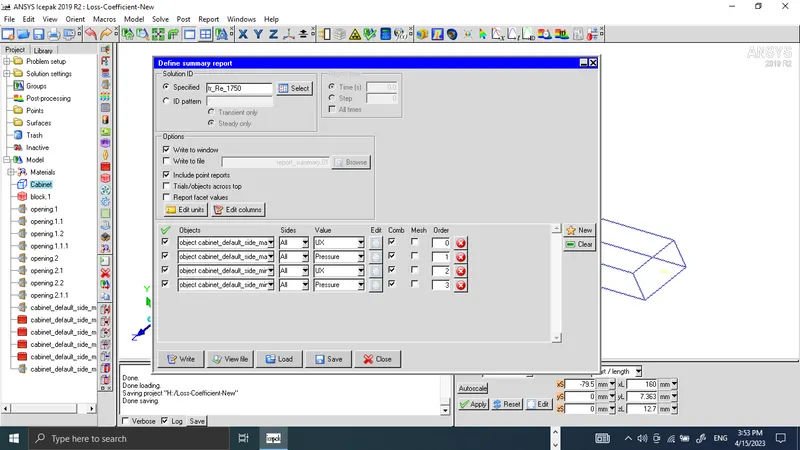
`U = (Re*nu)/(Dh)`, is the velocity at the inlet opening in terms of Reynolds number, kinematic viscosity, and the hydraulic diameter of the duct (Dh).
Where Kinematic viscosity = 1.84e-5 kg/ms, Hydraulic diameter of the duct = 9.322e-3 m.
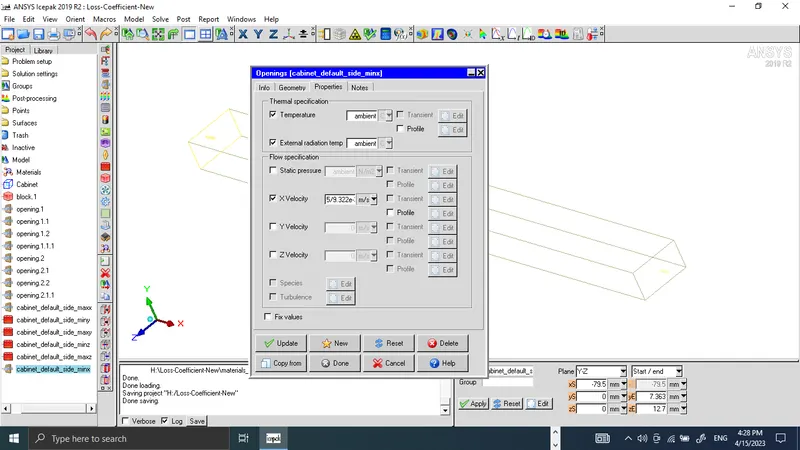
X velocity is entered as $Re*1.84e-5/9.322e-3, inlet opening velocity in terms of Reynolds number.
The initial value of the Reynolds number is taken as 10.
Defining Trials:
6 trials are to be set in the Parameters and Optimization panel as shown below.
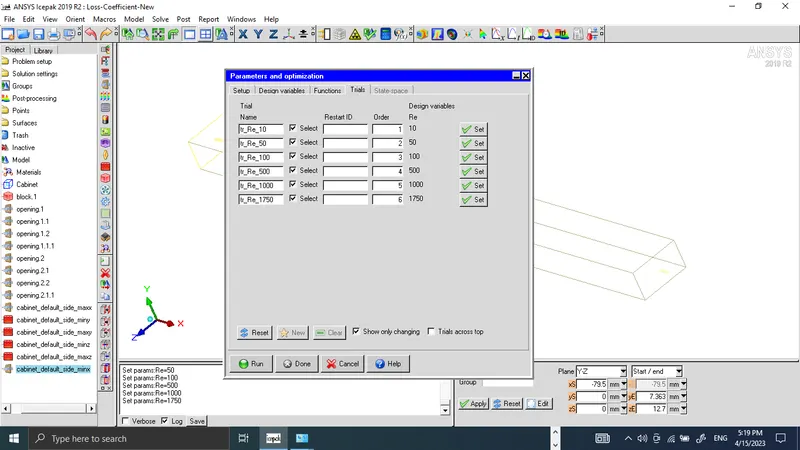
Reynold's values were entered as 10, 50, 100, 500, 1000, and 1750.
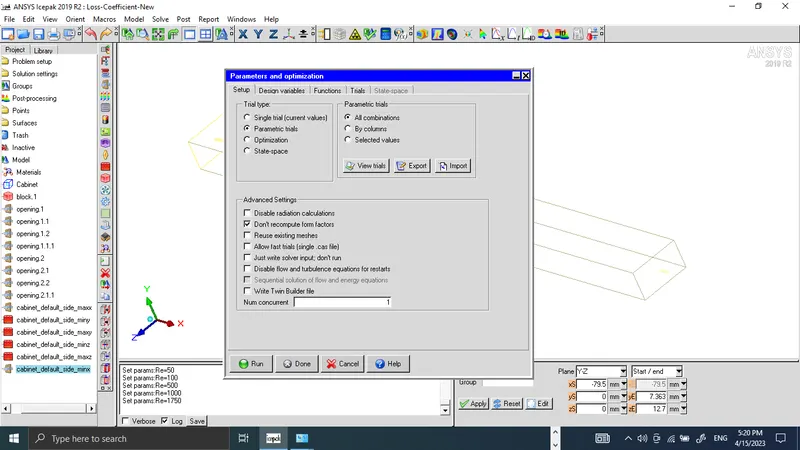
The trial setup for selected Reynold's number is given below:
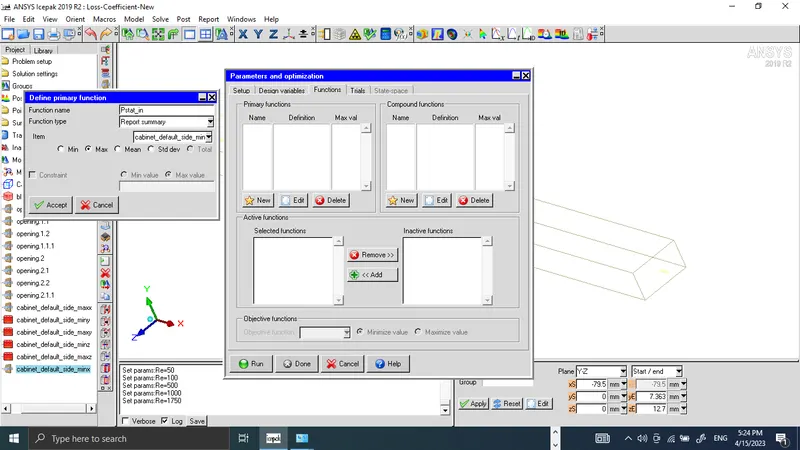
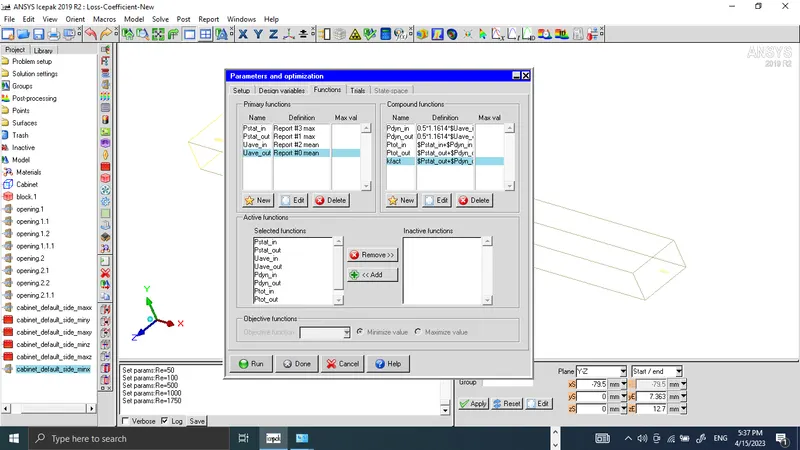
Primary functions (Pstat_in, Pstat_out, Uave_in, and Uave_out) for cabinet_default_side_minx, and cabinet_default_side_maxx are defined below.
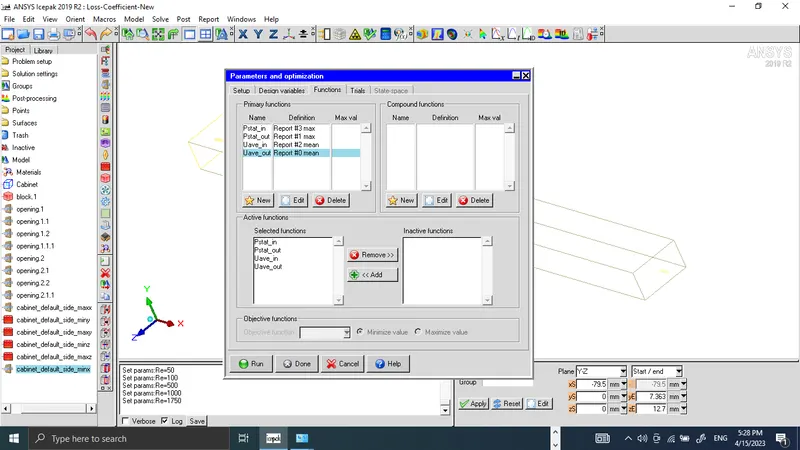
All primary functions entered are shown below:
Compound functions (Pdyn_in, Pdyn_out, Ptot_in, Ptot_out, and Kfact) are defined as shown below,
Pdyn_in = 0.5*1.1614*$Uave_in*$Uave_in,
Pdyn_out = 0.5*1.1614*$Uave_out*$Uave_out,
Ptot_in = $Pstat_in+$Pdyn_in,
Ptot_out = $Pstat_out+$Pdyn_out
Kfact = ($Ptot_in-$Ptot_out)/$Pdyn_out
Mesh Generation:
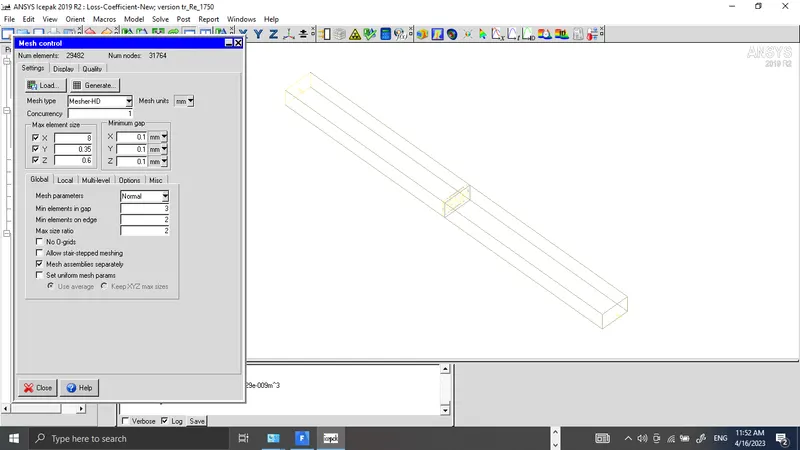
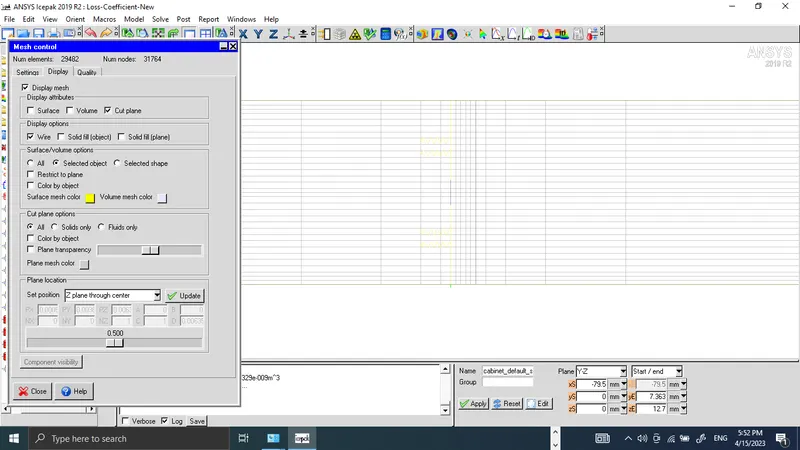
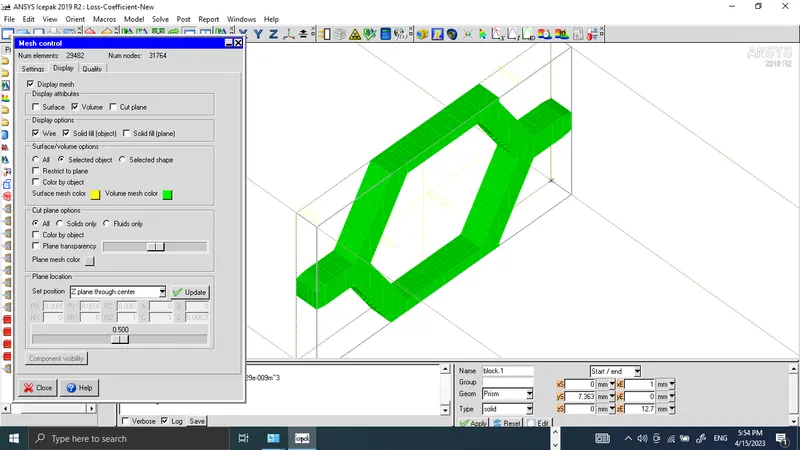
A mesh is generated using the settings given below:
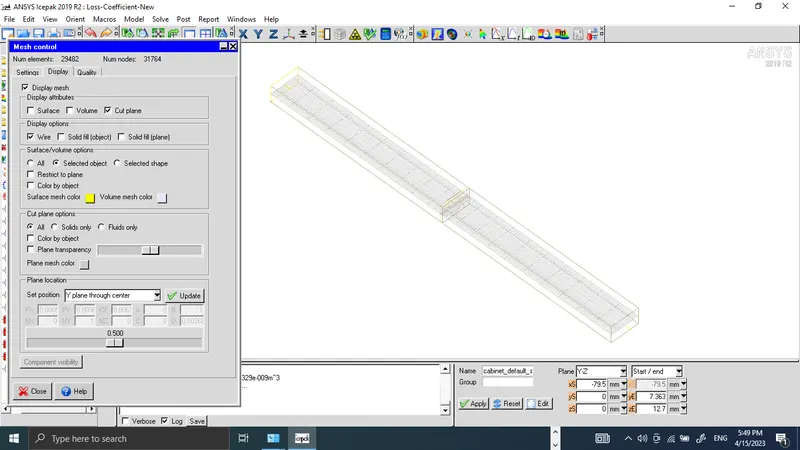
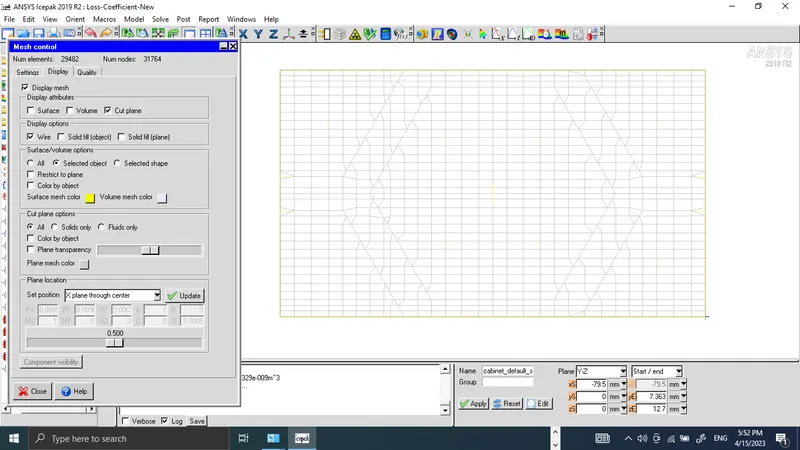
Mesh cut planes:
Y Plane through the center
X Plane through the center
Z Plane through the center
Volume Mesh:
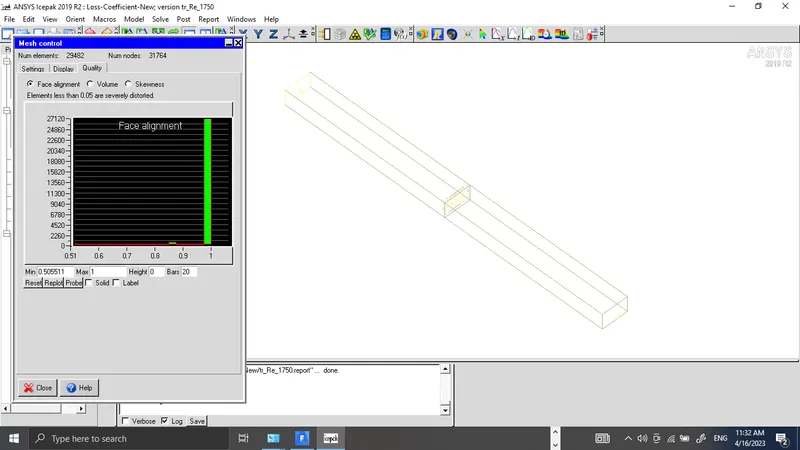
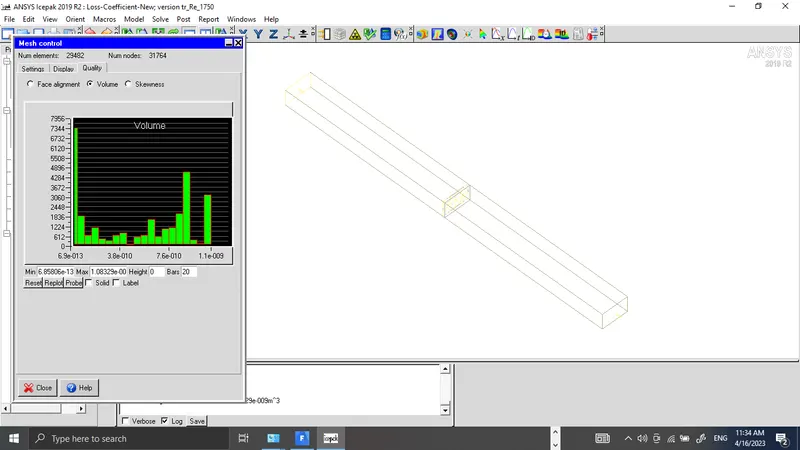
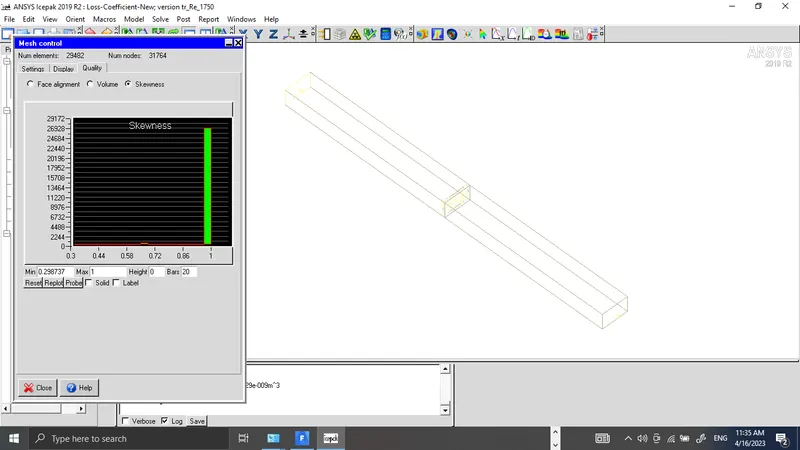
Mesh Quality:
A high-quality mesh will have good face alignment, well-sized volumes, and low skewness. However, the optimal values of these measures may vary depending on the specific application and the numerical method being used. The quality of the generated mesh in terms of Face alignment (Min, 0.50), volume (min, 6.85e-13), and skewness (min, 0.29) are given below which shows mesh generated is of good quality, and suitable for generating good results.
Physical and Numerical settings to run the trials are given below:
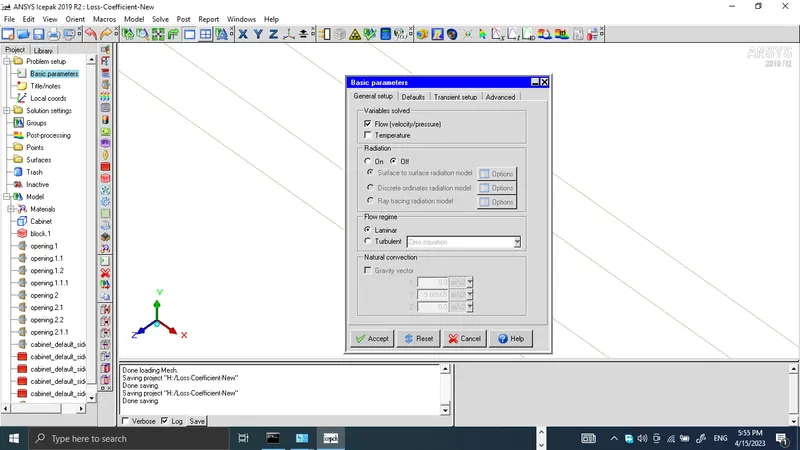
In the problem setup section, the basic settings panel is opened to set the parameters as required to run the solution. Only flow variables like pressure and velocity are to be solved, radiation is kept off, the flow regime is selected as laminar flow, and no gravity effect is considered.
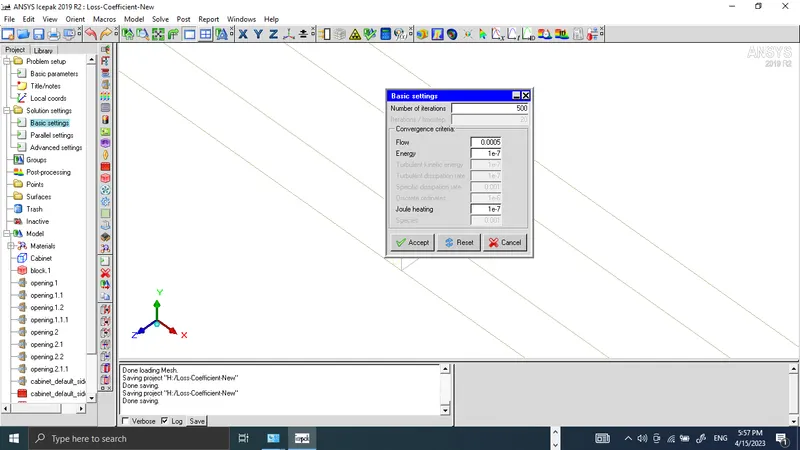
Basic settings in the solution section are given below:
The number of iterations is set to 500, and the convergence criteria are set to 0.005
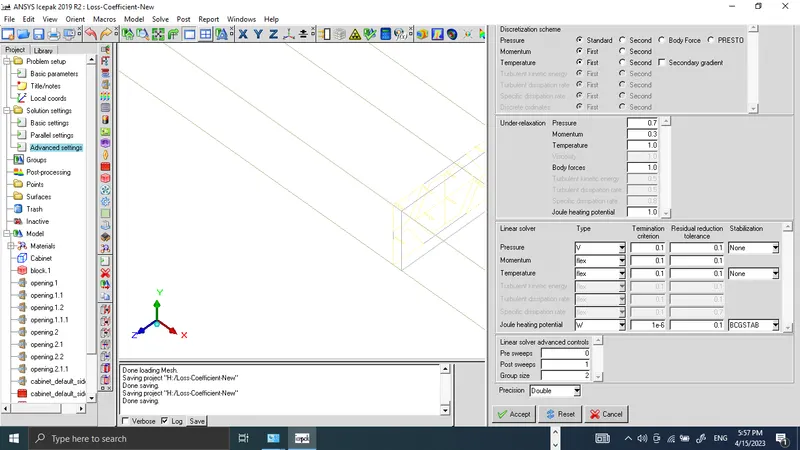
In the advanced setup panel precision for the solver is set to be double, and it is shown below:
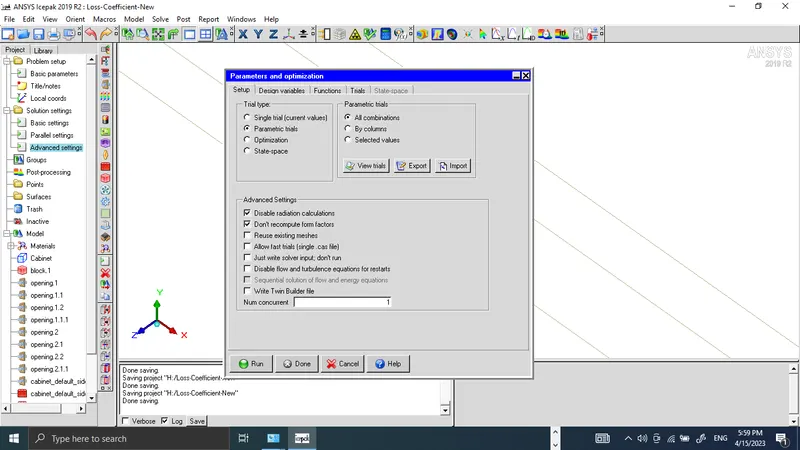
From Solve menu by clicking on run optimization, the Parameters and Optimization panel is opened, and The allow fast trails is unchecked, and under parametric trials, all combinations is checked. The run tab is clicked to run the solution.
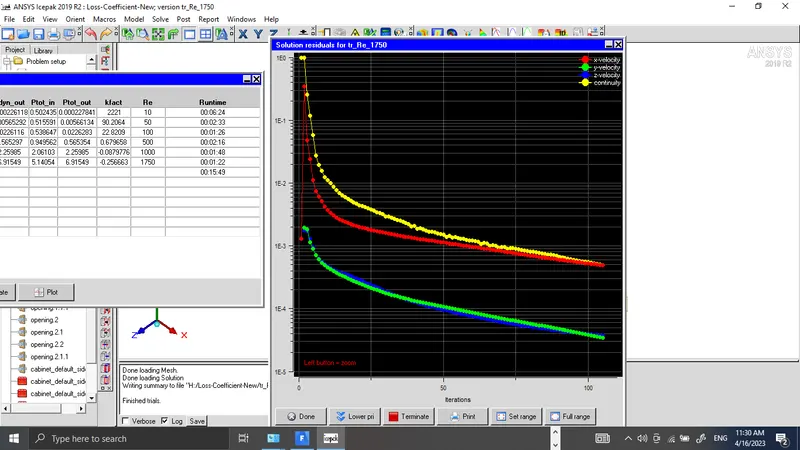
Solution residuals plots are shown below, it shows solution starts converging after 100 numbers of trials.
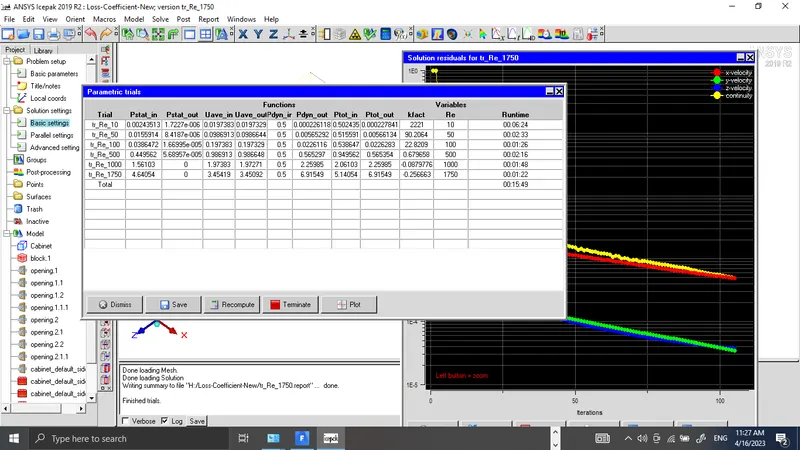
Results of trials are shown below for Reynold's numbers 10, 50, 100, 500, 1000, and 1750. It is observed fact is decreasing with increasing Reynold's number.
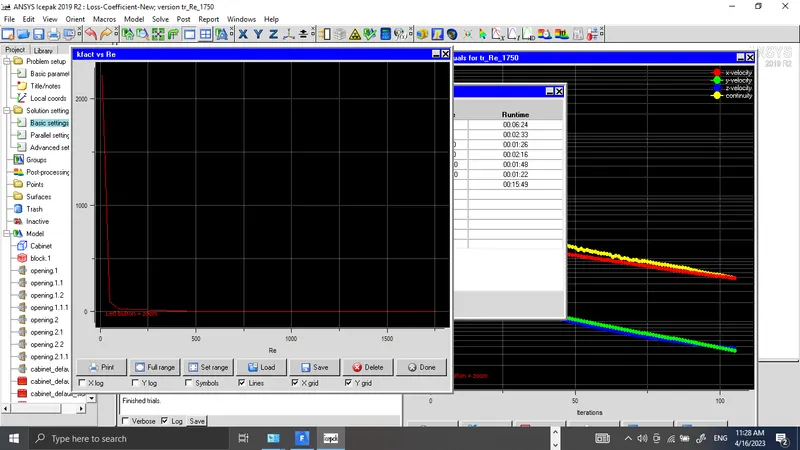
The Kfact and Reynolds number graph for loss coefficient simulation of hexagonal grilles represents the relationship between the loss coefficient (Kfact) and the Reynolds number for a specific flow through a hexagonal grille.
Conclusions:
The loss coefficient (kfact) represents the amount of energy loss due to the presence of the hexagonal grille in the fluid flow. The Reynolds number, on the other hand, is a dimensionless parameter that represents the ratio of inertial forces to viscous forces and is used to predict the flow regime of a fluid.
In laminar flow, the fluid flows in a smooth, orderly manner, with layers of fluid moving in parallel without any mixing. As the Reynolds number increases, the fluid flow becomes more turbulent, with chaotic movements and the mixing of fluid layers.
The kfact vs Reynolds number graph for hexagonal grilles under laminar flow shows that as the Reynolds number increases, the loss coefficient (kfact) decreases. This is because, at low Reynolds numbers, the fluid flows smoothly through the hexagonal grille, with minimal disturbance and energy loss. As the Reynolds number increases, the fluid flow becomes more turbulent, causing more energy loss due to the presence of the hexagonal grille. However, at very high Reynolds numbers, the flow becomes fully turbulent, and the loss coefficient (kfact) begins to level off, as the turbulence in the flow helps to reduce the energy loss due to the hexagonal grille.
Therefore, the kfact vs Reynolds number graph for loss coefficient simulation for hexagonal grilles under laminar flow shows that at low Reynolds numbers, the hexagonal grille causes minimal energy loss, while at high Reynolds numbers, the hexagonal grille causes more energy loss due to the turbulent flow, but this effect begins to level off at very high Reynolds numbers.