Week 11 - Final project
Aim: To create a Door Trim Assembly from the given Class A surface of the parts of the door following the OEM standards.
Objective:
- To create Class B surface for each given part.
- To create Class C surface for each given part.
- To create solid body for each given part.
- Develop Master Section for each given part.
- Perform draft analysis for each given part.
- Create attachment features in accordance with the design rules.
Introduction:
This project is aimed to use all the design rules to create solid parts from the given Class A surfaces and also create the attachment features that would be used to attach together the plastic and the sheet metal parts as per the given master sections.
This project also explains the brief design cycle followed in the industry. The steps to create the solid parts are explained below and also the design considerations used while creating the attachment features for the given parts.
The door trim model in this project is made of 4 parts- Door Arm Rest, Lower Substrate, Map Pocket and Bottle Holder. The Class-A surface for all the parts is given along with master sections.
Before working on the individual parts, they need to be separated into different parts in the Assembly design workbench. Use the ‘New Part’ command to insert a new part in the assembly design. Copy the surface from the assembly and ‘Paste’ into the geometrical set of the new part. Do this process for all the surfaces and rename the parts accordingly.
When working on a certain part, double click on the part to activate it in the Part Design workbench and create the features.
The plastic parts of the door assembly would be joined together using the heat stakes. So to make the assembly easier, heat stakes and the corresponding flanges with the holes will be made on the parts to join together. This total assembly will be then joined to the sheet metal parts of the door assembly using the lower substrate as the contact. Hence, the Dog Houses and the Push clips will be made on the lower substrate only.
Lower Substrate:
Creating the Tooling Axis:
- Put a point on the surface.
- Draw a line through the point in a direction such that most of the surfaces are visible. In case of lower substrate, tooling axis is oriented along the Y direction.
The process to create the total solid part for the lower substrate is described below. Similar process is followed to make other solid parts.
- In a new geometrical set, ‘Offset’ the given Class-A surface by 2.5mm such that the given Class-A surface is towards the driver inside. The Class-B surface should be on the other side where the attachment features are going to be built and not be seen by the person sitting in the car.
- When the surface is offset, extrapolate the edges by small amount such that they penetrate across the Class-C surface, and create the solid body easily.
- To create the Class-C surface, extract the boundaries of the edges. Use ‘Curve Smooth’ to remove any curvature discontinuities.
- Sweep these curves with reference to the given Class-A surface such that it moves in the direction of the Class-B surface. Use the draft angle according to the orientation of the Class-B surface in the particular region of the part.
- When the surfaces are created, they should penetrate across each other to perform the trim operation. If some surfaces do not penetrate, use the ‘Extrapolate’ command.
- In a new geometrical set, ‘Trim’ the surfaces and make a closed surface of the required thickness.
- Define in the ‘Part Body’ and use ‘Close Surface’ command in the Part Design workbench, to create a solid body out of the closed surfaces. The surfaces for the lower substrate are shown below.
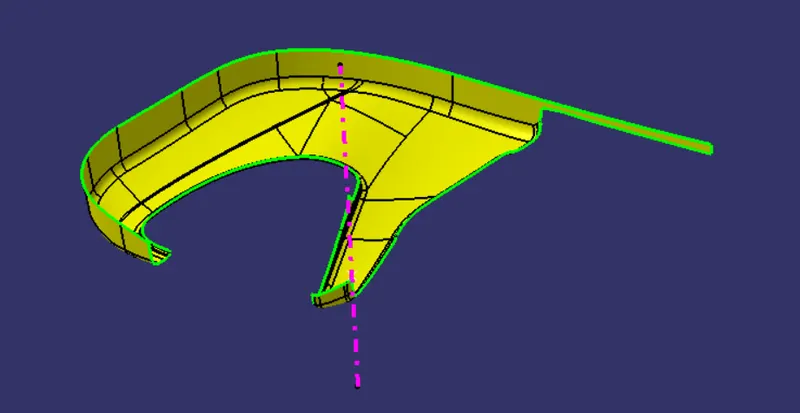
Fig. 1: Class-A surface of the Lower Substrate
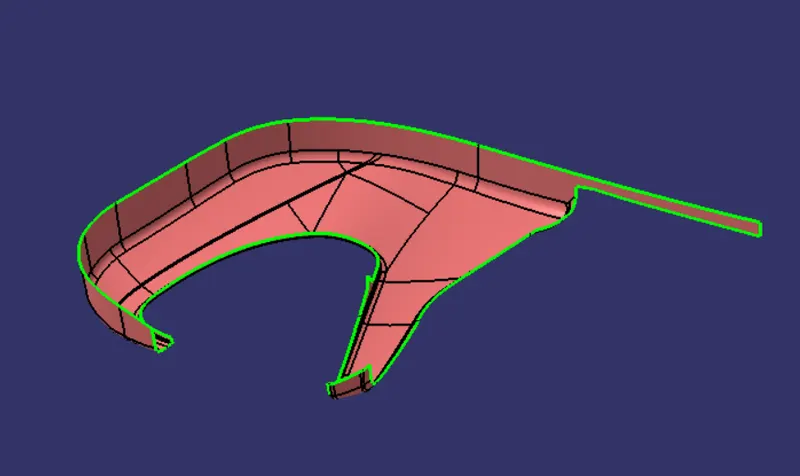
Fig. 2: Class-B surface of the Lower Substrate
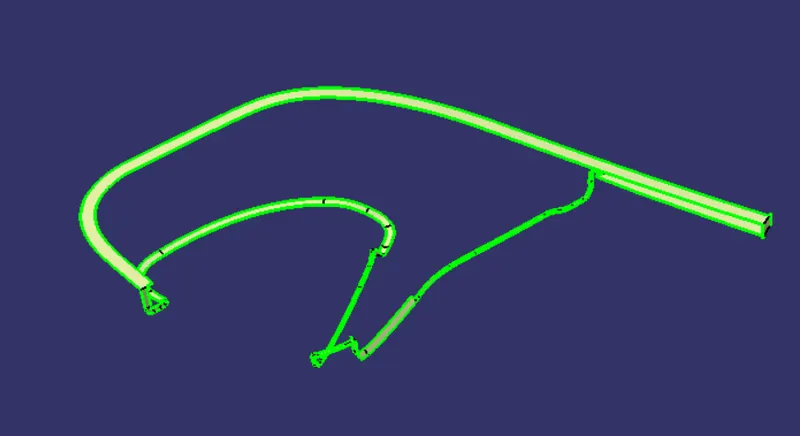
Fig. 3: Class-C surface of the Lower Substrate
Creating the flanges according to the master section:
- In a new geometrical set named as flanges, extract the curves of the master section. Put a plane through 3 points on the master section.
- Again, ‘Extract’ the boundary of the lower substrate to make a flange. Use ‘Curve Smooth’ to remove curvature discontinuities. ‘Sweep’ this surface with reference to the Class-A surface, at an angle such that it is nearly parallel to the master section curve.
- This swept surface would be above the master section. Measure the distance between the surface and the master section curve and ‘Offset’ the surface to match the curve.
- ‘Sweep’ the edges of the offset surfaces with a draft angle such that they move away from the Class-A surface. These should form the closing boundaries of the flange.
- ‘Extrapolate’ the surfaces to intersect each other. ‘Trim’ the surfaces together to get a closed surface of the flange.
- Insert a new body and use ‘Close Surface’ command to make a solid body of the flange. ‘Union Trim’ this with the main body of the lower substrate.
- ‘Extract’ the top surface of the flange and extrapolate it such that it cuts across the main body of the lower substrate.
- ‘Spilt’ using the Part Design command to get the final shape of the lower substrate according to the master section.
Creating the Heat stake according to the master section.
- Put a plane parallel to XY plane and through a point on the master section. ‘Extract’ the curves representing the heat stake in the master section.
- On the above mentioned plane, draw a sketch as shown below and ‘Pad’ it for distance measured on the master section in a new body.
- Put a plane normal to the above mentioned plane, and draw a sketch for the rib as shown below. ‘Pad’ this rib for 1.4mm symmetrically in a new body again. Use ‘Circular Pattern’ to put 4 ribs around the heat stake.
- ‘Add’ the heat stake in a body and ‘Union Trim’ the ribs with the heat stake. Give ‘Draft’ of 0.5 degree w.r.t. main tooling axis.
- On the lower substrate, heat stake and ribs need to be placed at multiple locations. So, extract the curves where the parts of the door will be joined together using the heat stakes. ‘Curve Smooth’ the curve and use ‘Parallel Curve’ command to get a curve away from the original curve.
- Put points on this curve such that they are at least 50mm apart from each other and not more than 65mm apart.
- ‘Copy and Paste Special as Result with link’ the heat stake and rib combined body, and ‘Translate’ it using ‘Point-Point’ option from the initial point to the point on the curves.
- ‘Union Trim’ these heat stakes with the lower substrate.
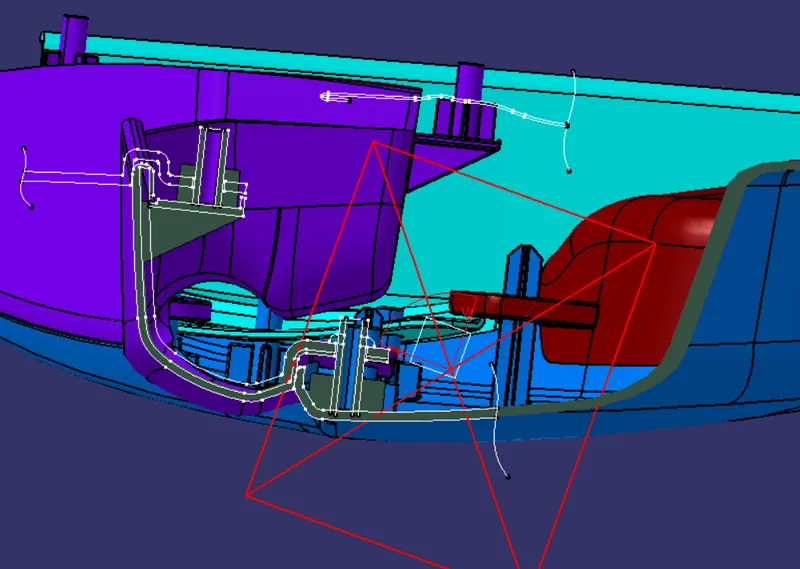
Fig. 4: Master Section showing the development of the heat stake and the ribs on the lower substrate.
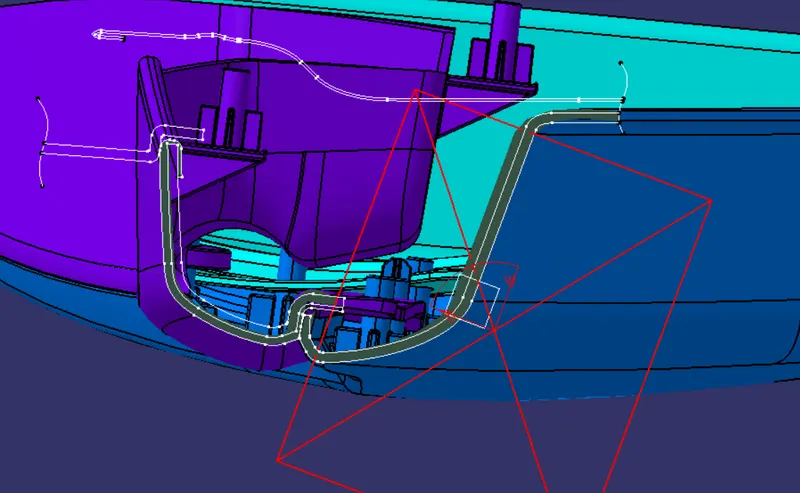
Fig. 5: Master Section showing the development of the flanges on the lower substrate and the door arm rest.
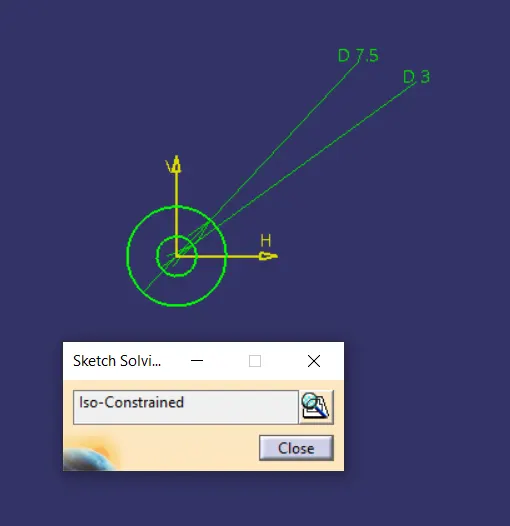
Fig. 6: Sketch used to make a Heat Stake.
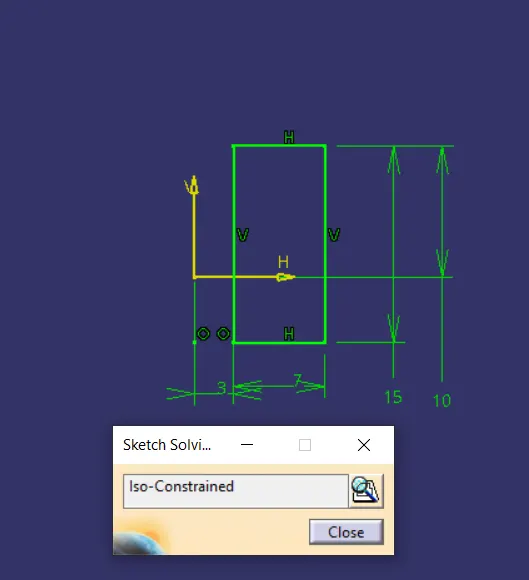
Fig. 7: Sketch used to make a heat stake rib
Creating the Dog House
- Use ‘Multiple Extract’ command to extract surfaces from the Class-B surface surrounding the base of the dog house. Put a point approx. where you want the center of the dog house to lie on the surface. On the plane used to draw the sketch for the heat stake, draw another positioned sketch on the above point as shown below.
- Sweep this sketch with a 3 degree draft w.r.t. the main tooling axis for height of 25-30mm. Draw a line to join the top corners of the surface and fill the top surface. ‘Join’ the surfaces.
- Insert a new body and use ‘Thick Surface’ Command to thicken the dog house by 2mm on the outside.
- ‘Extract’ and ‘Offset’ the inside top surface of the dog house as per the drawing of the dog house. ‘Thick Surface’ this for 2mm towards the bottom. ‘Add’ this to the Dog House body.
- ‘Extract’ the internal surfaces of the Dog House and ‘Offset’ for 0.4mm and ‘Spilt’ the body to make the base profile of the Dog house to avoid the sink marks.
- Similar to the heat stakes, ‘Translate’ the dog house to different positions on the lower substrate.
- Finally, ‘Union Trim’ these with the main lower substrate body.
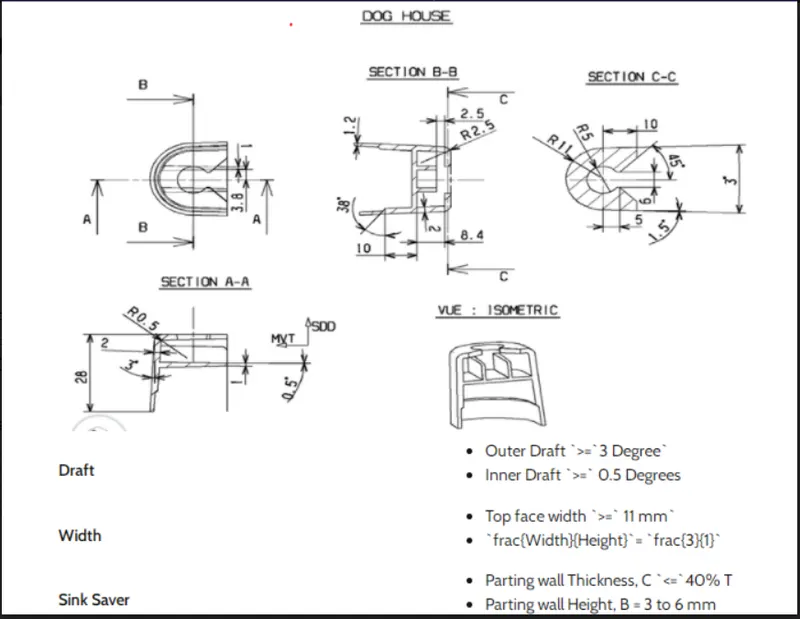
Fig. 8.1: Guidelines to create a Dog House
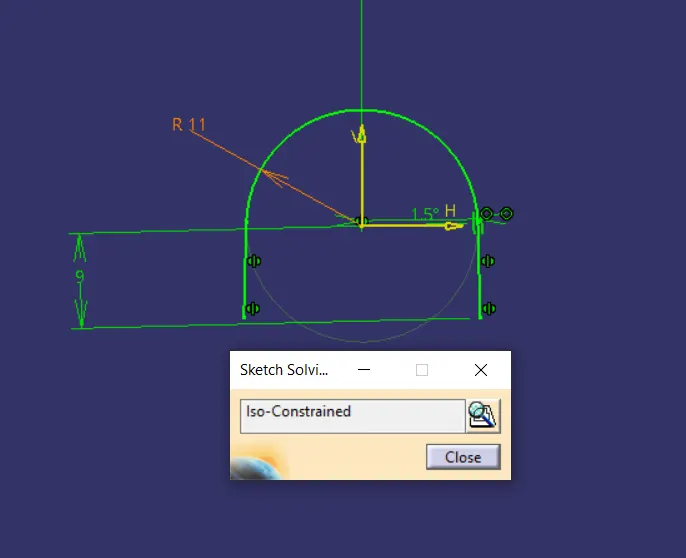
Fig. 8.2: Sketch used to make the Dog House.
Creating the 4-Way Locators
- Create a sketch on the same plane as the base sketch of the Dog House, as shown below. The locator will be a cross of 10mm.
- ‘Pad’ the sketch and use ‘Thick’ option to give thickness to the locator of 1.2mm.
- Give draft angle of 0.5 Degree w.r.t. main tooling axis.
- Similar to the dog house translate it to different points on the lower substrate.
- ‘Union Trim’ these with the lower substrate.
At the end when all the bodies are joined together using the Boolean Operations, give appropriate fillets to avoid sharp edges in the geometry.
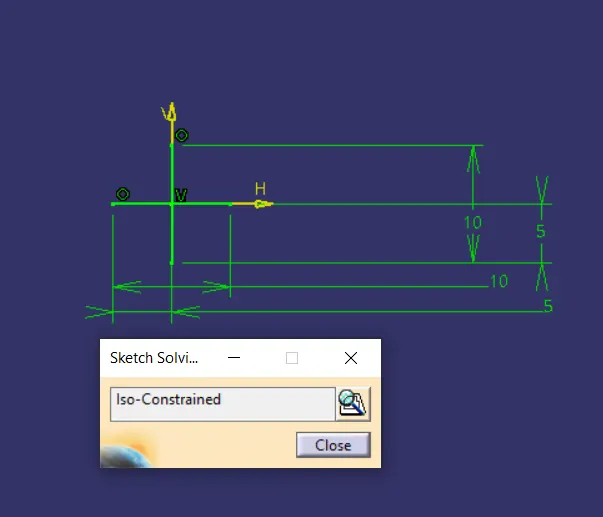
Fig. 9: Sketch used to make the 4 Way Locator
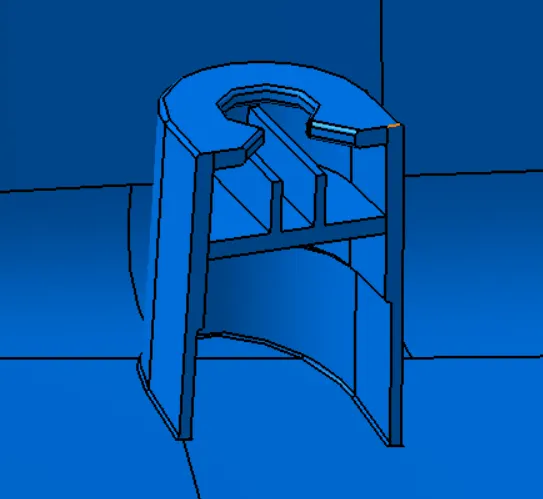
Fig. 10: Isometric View of the Dog House
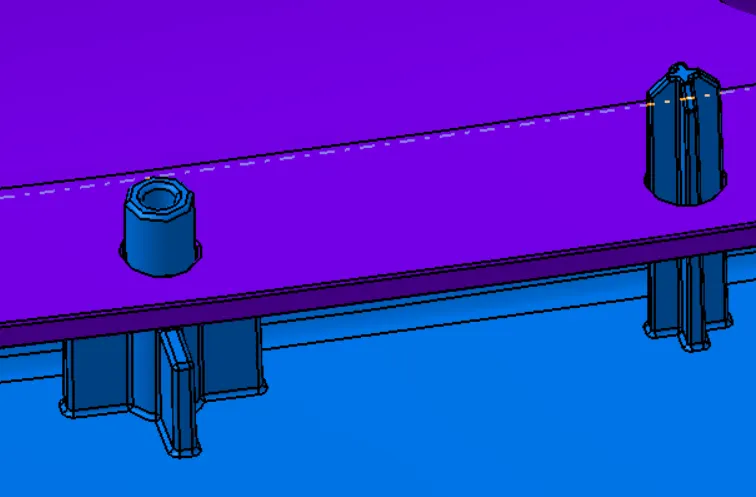
Fig. 11: Isometric View of the Heat Stake and 4-Way Locator through the holes.
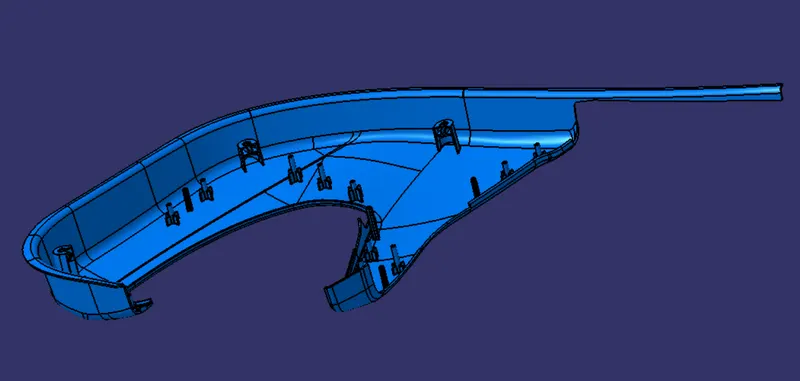
Fig. 12: Final Lower Substrate Body along with the attachment features.
Similar process is followed to make a solid part for the other parts of the Door Assembly and create attachment features.
On the flanges of the remaining parts, make holes for the corresponding heat stake or 4-Way Locator to pass through.
To make a hole, draw a circle with the base point of the first heat stake and ‘Pad’ it to a certain height. Then, translate this to all the corresponding points. ‘Remove’ this body from the corresponding body where the hole is required.
Following images show the development of the parts of the Door Assembly:
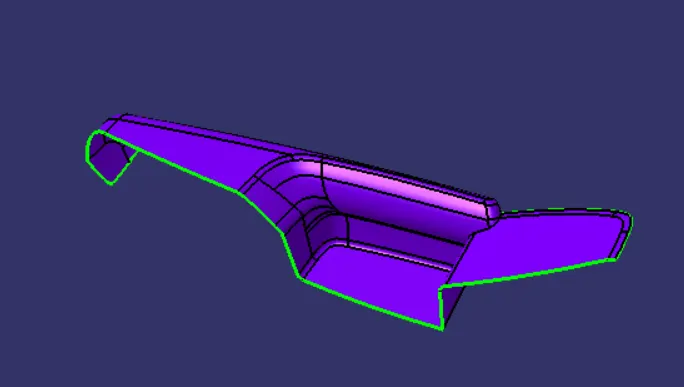
Fig. 13: Class-A surface of Door Arm rest
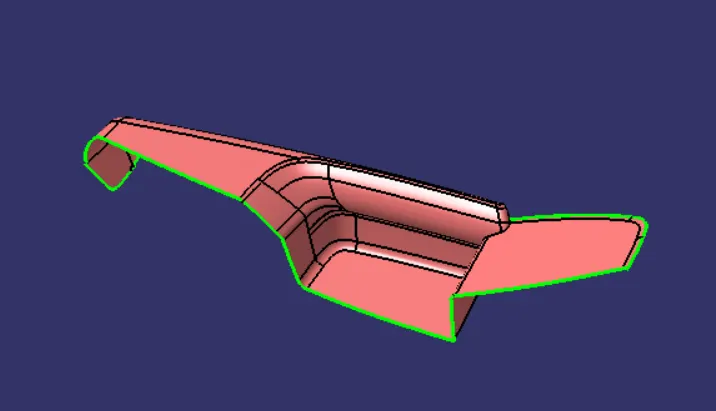
Fig. 14: Class-B surface of Door Arm Rest
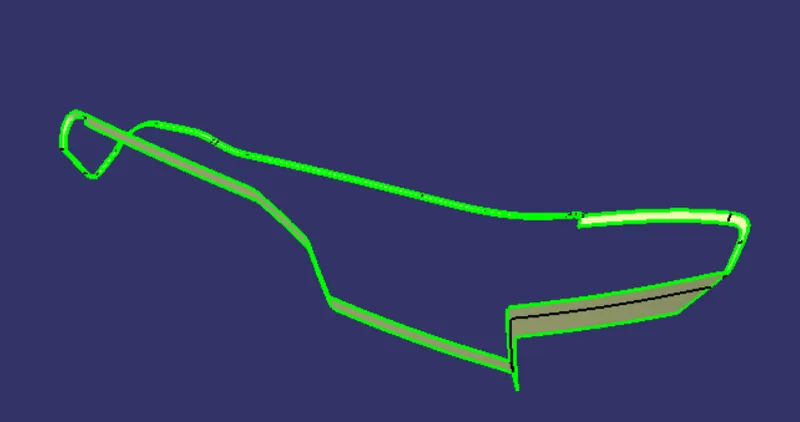
Fig. 15: Class-C surface of Door Arm Rest
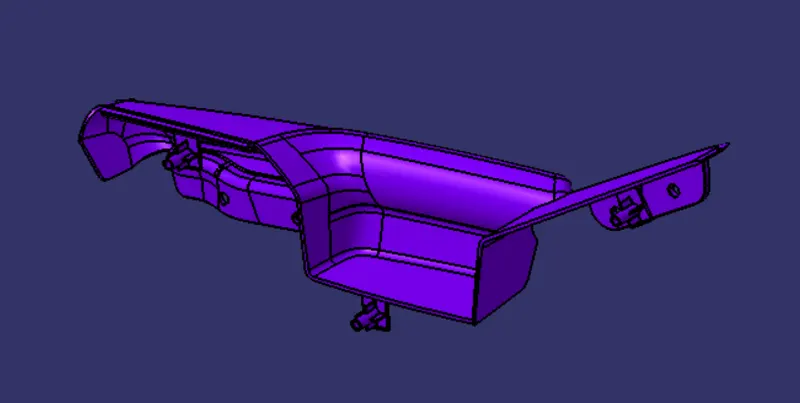
Fig. 16: Isometric View of Door Arm rest
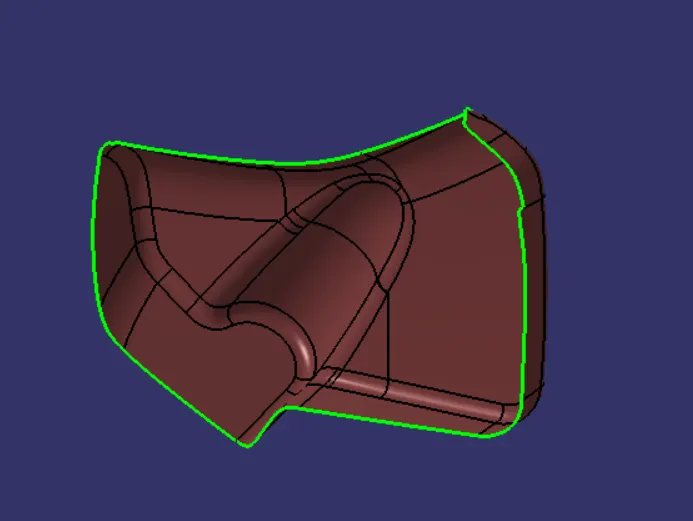
Fig. 17: Class-A surface of Bottle Holder
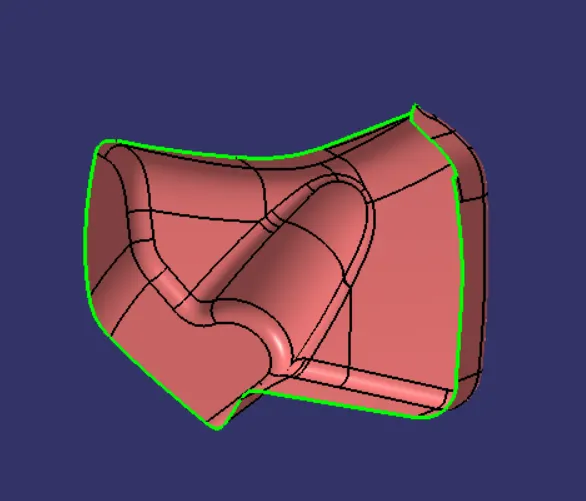
Fig. 18: Class-B Surface of Bottle Holder
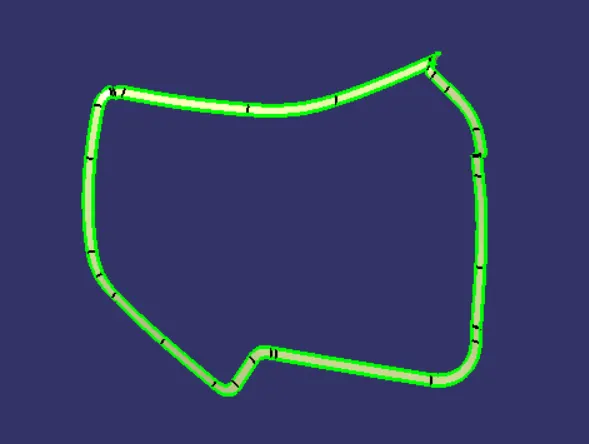
Fig. 19: Class-C surface of Bottle Holder
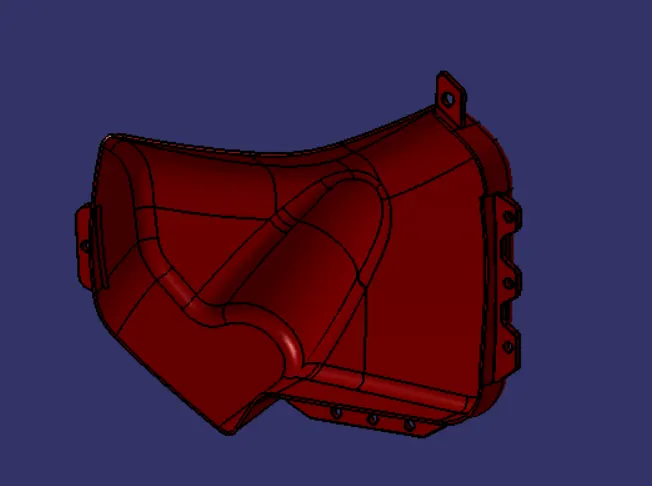
Fig. 20: Isometric View of Bottle Holder
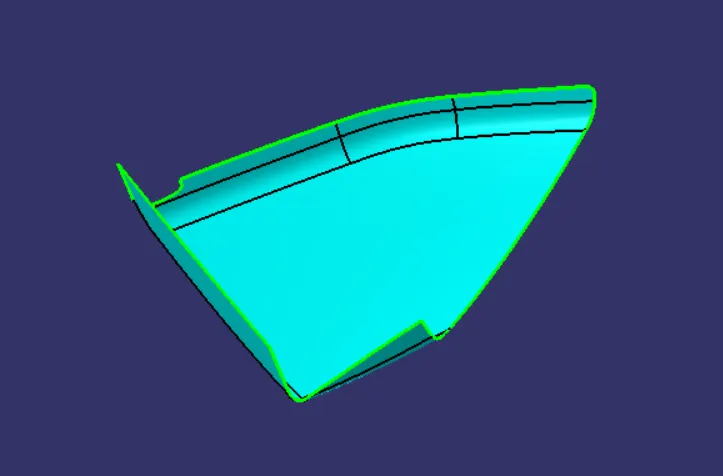
Fig. 21: Class-A surface of Map Pocket
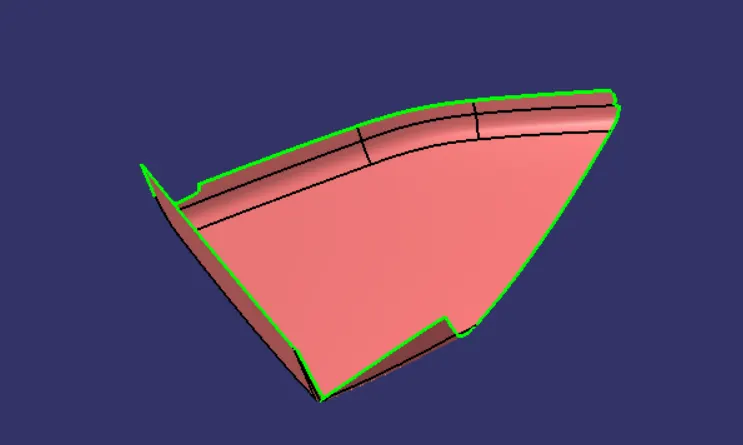
Fig. 22: Class-B surface of Map Pocket
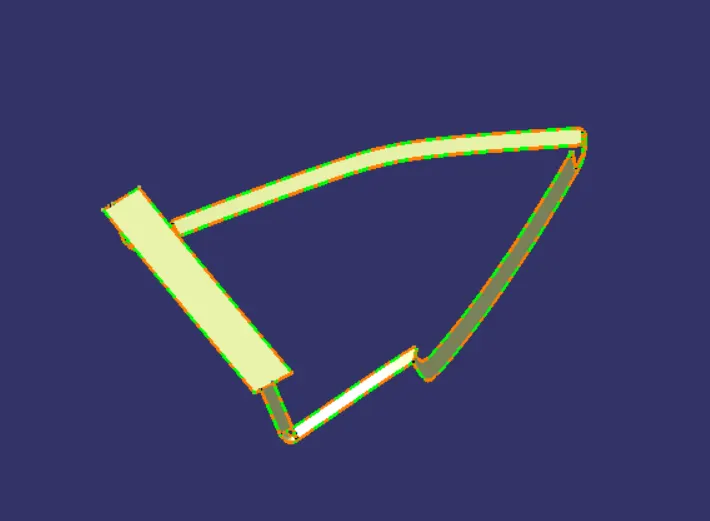
Fig. 23: Class-C surface of Map Pocket
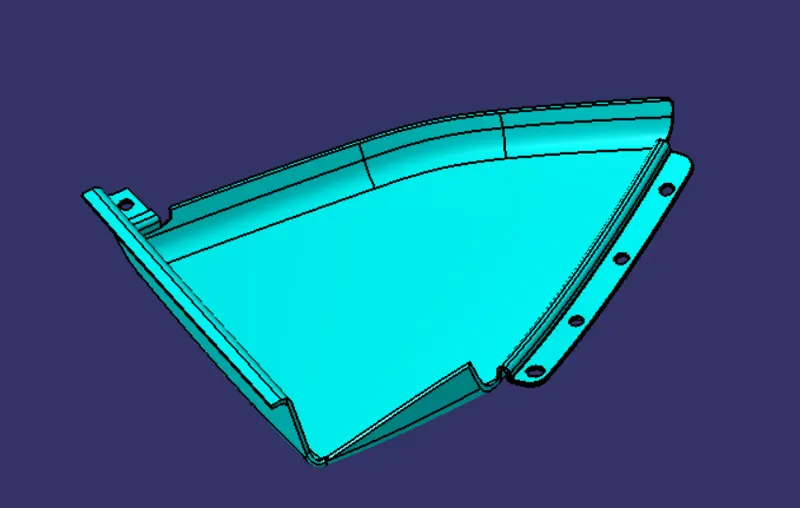
Fig. 24: Isometric View of Map Pocket
Draft Analysis:
To perform draft analysis, Tooling Axis for each part are made in the geometrical set of the corresponding body. The draft analysis results are shown below:
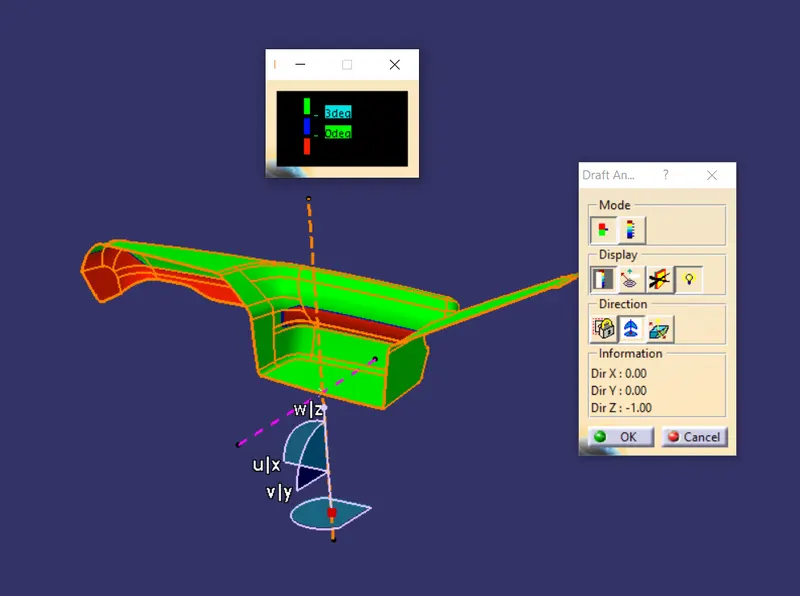
Fig. 25: Draft Analysis of Class-A surface of Door Arm Rest w.r.t. Main Axis
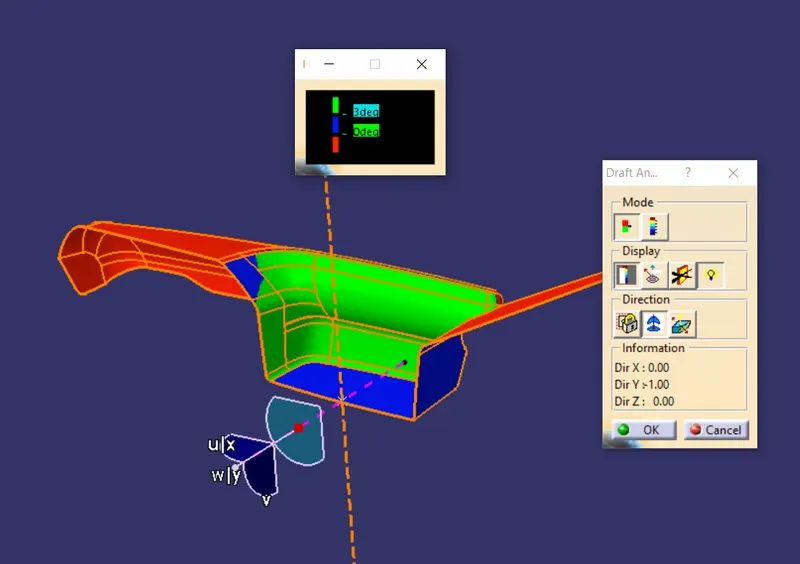
Fig. 26: Draft Analysis of Class-A surface of Door Arm Rest w.r.t. Side Core Axis
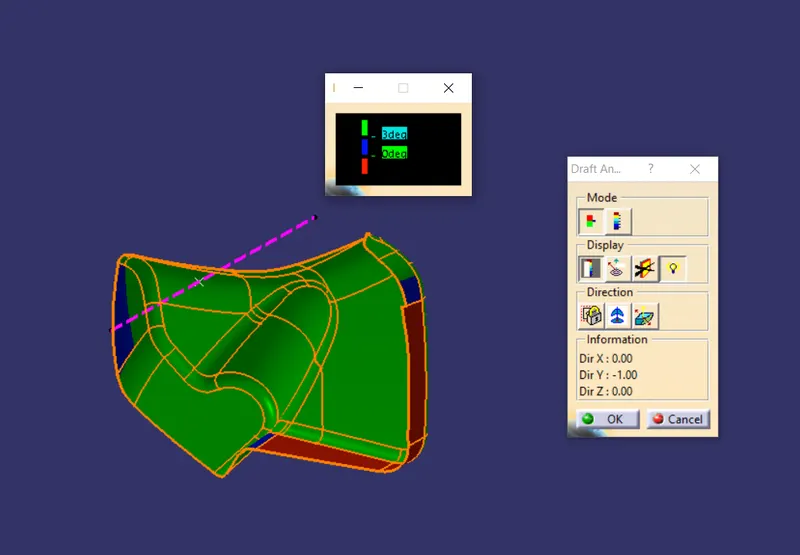
Fig. 27: Draft Analysis of Class-A surface of Bottle Holder
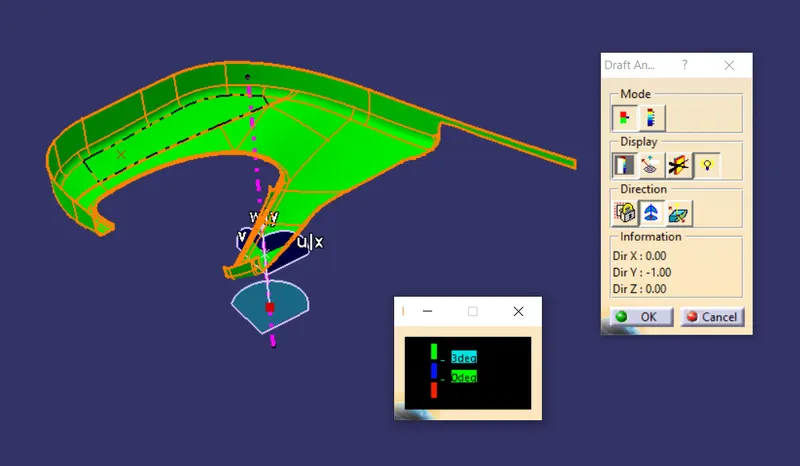
Fig. 28: Draft Analysis of Class-A surface of Lower Substrate
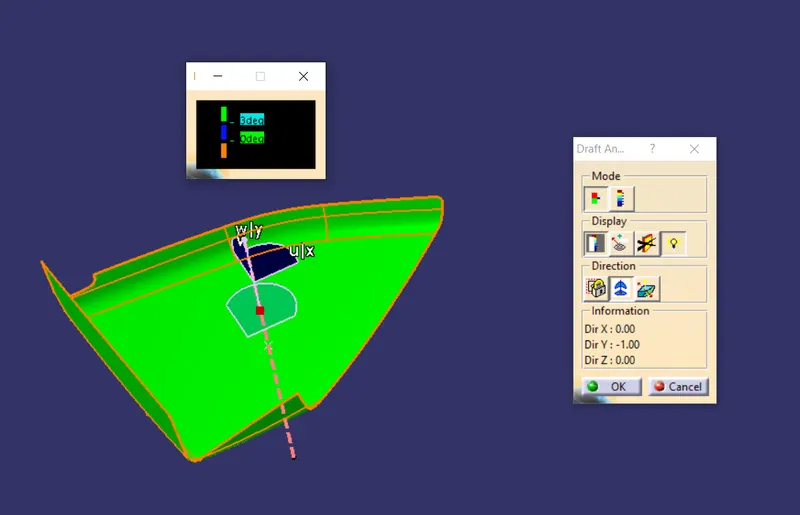
Fig. 29: Draft Analysis of Class-A surface of Map Pocket
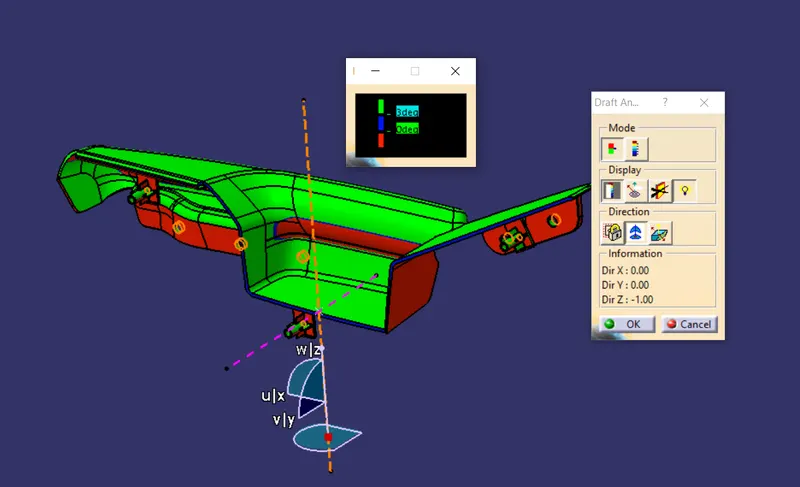
Fig. 30: Draft Analysis of Solid Door Arm Rest w.r.t. main axis
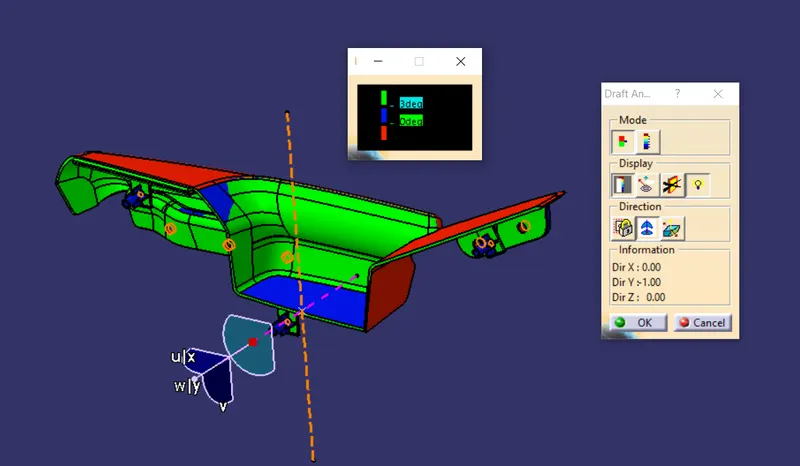
Fig. 31: Draft Analysis of Solid Door Arm Rest w.r.t. Side Core Axis
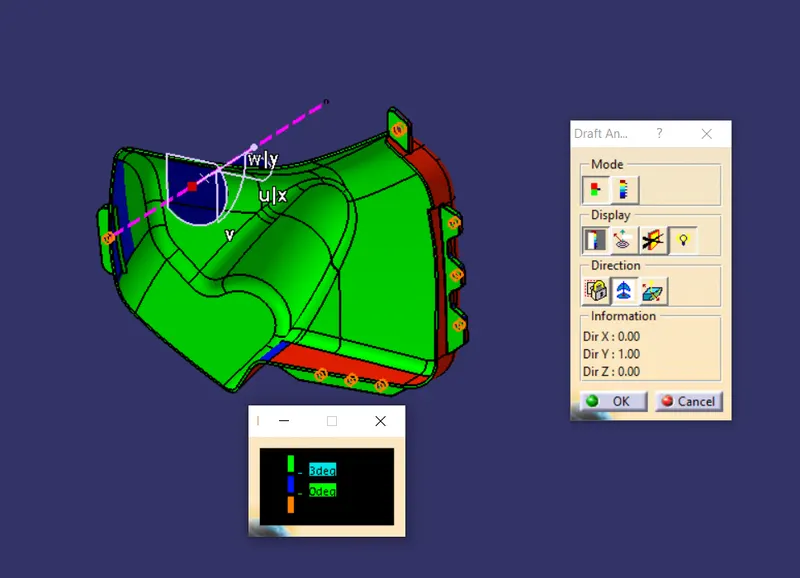
Fig. 32: Draft Analysis of Solid Bottle Holder
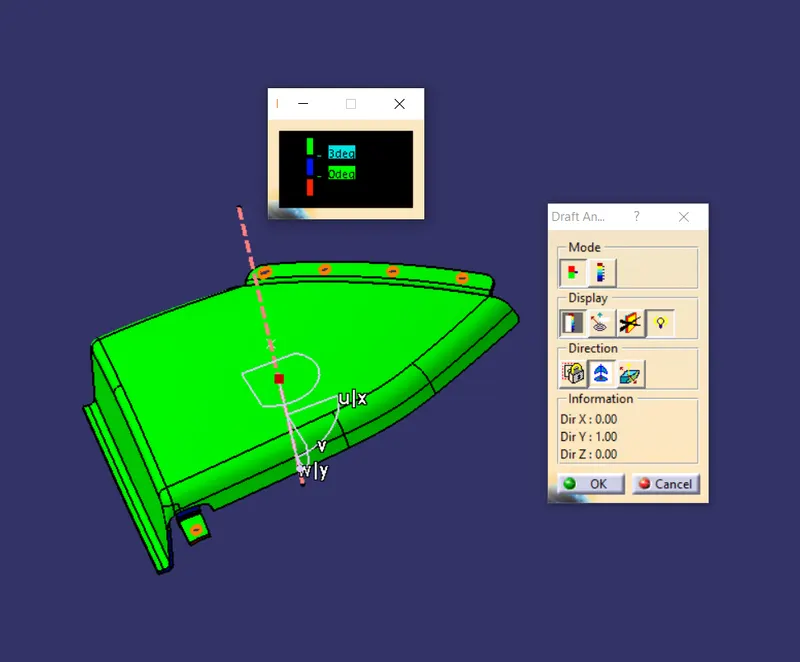
Fig. 33: Draft Analysis of Solid Map Pocket
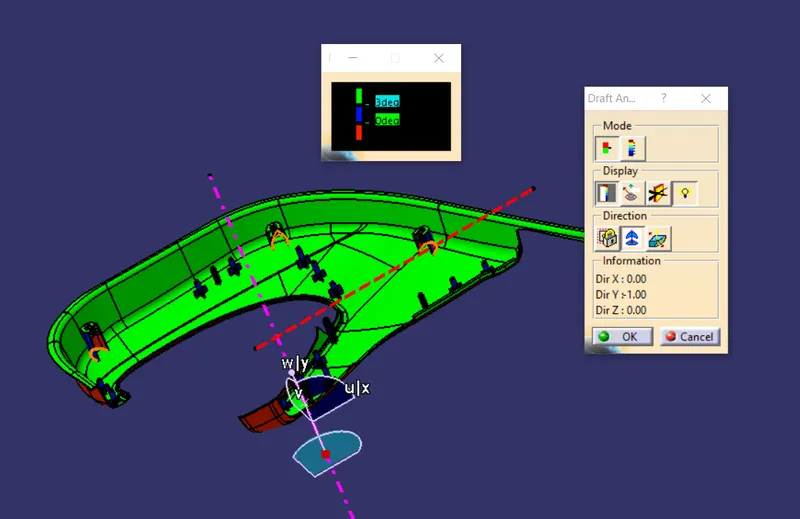
Fig. 34: Draft Analysis of Solid Lower Substrate
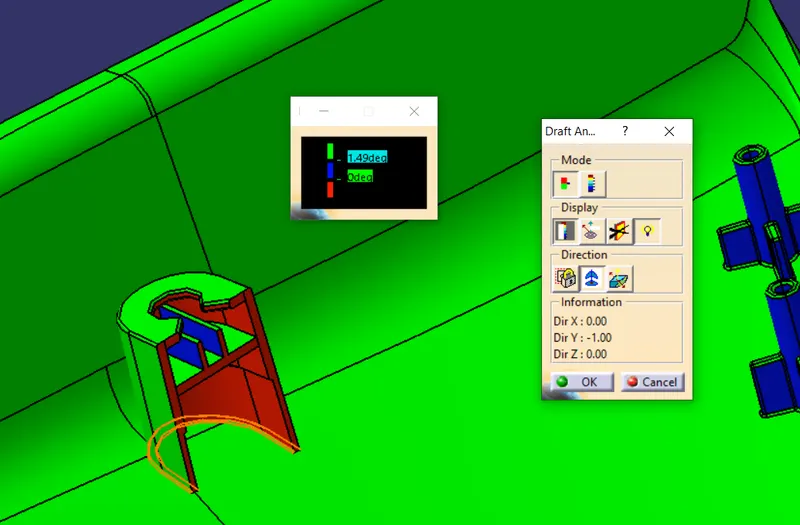
Fig. 35: Draft Analysis of Dog House w.r.t. Main Tooling Axis
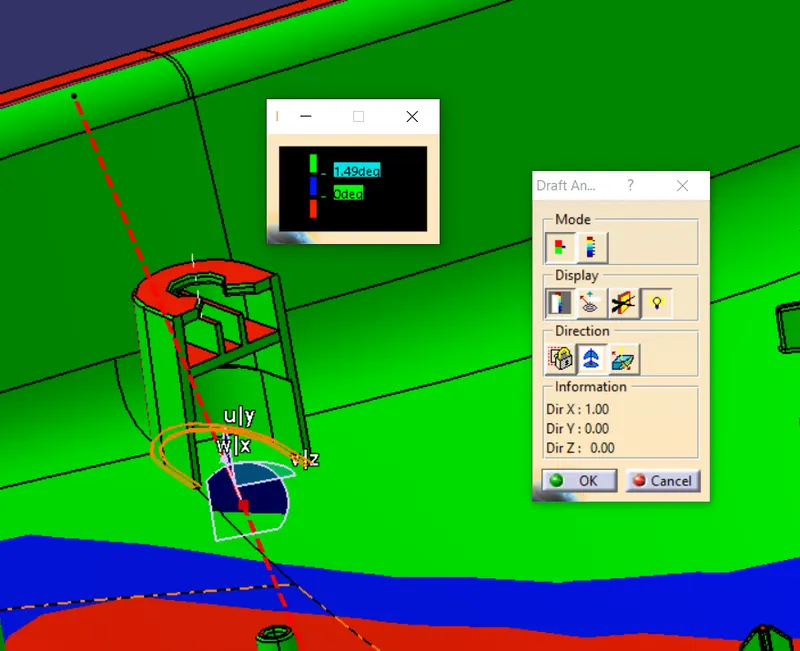
Fig. 36: Draft Analysis of Dog House w.r.t. Side Core Axis
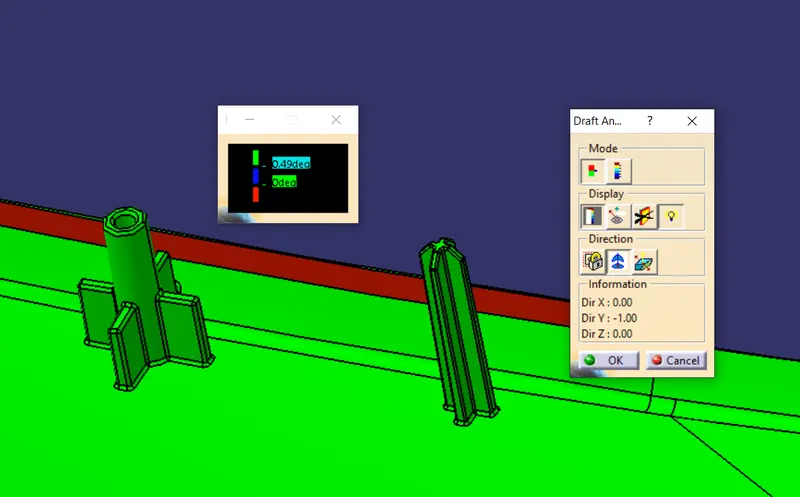
Fig. 37: Draft Analysis of Heat Stake and 4-Way Locator
Creating the Assembly:
- When all the parts are created with the attachment features, they need to be assembled. Since, I used the Top-Down Approach for designing the parts, they were worked in the Part Design at a time alongwith keeping other surrounding parts in place. So the parts need to be Fixed when assembling them.
- In the Assembly Design Workbench, Fix the 4 parts.
- Use ‘Existing Component’ to import the Push Pin in the Assembly Design.
- Coincide the axis of the Push Pin and the center axis of the hole on top of the Dog House.
- Give ‘Contact Constraint’ to keep the Push Pin on the top surface of the Dog House as shown.
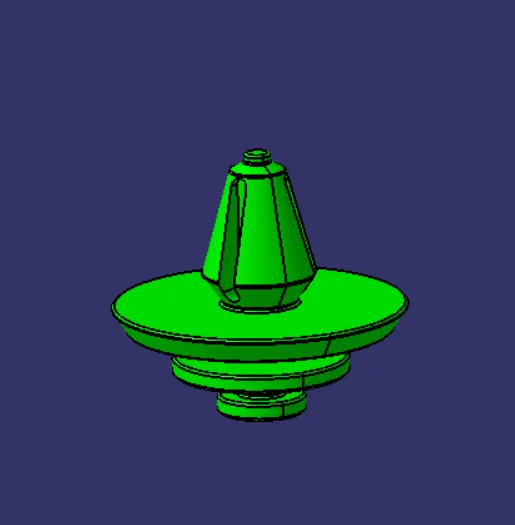
Fig. 38: Push Pin used to connect the lower substrate and the sheet metal component
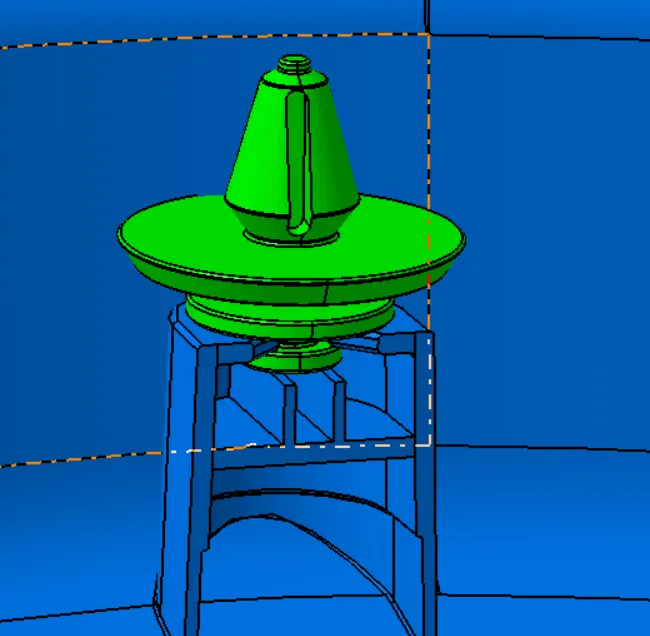
Fig. 39: Pushpin assembled on the top of Dog House.
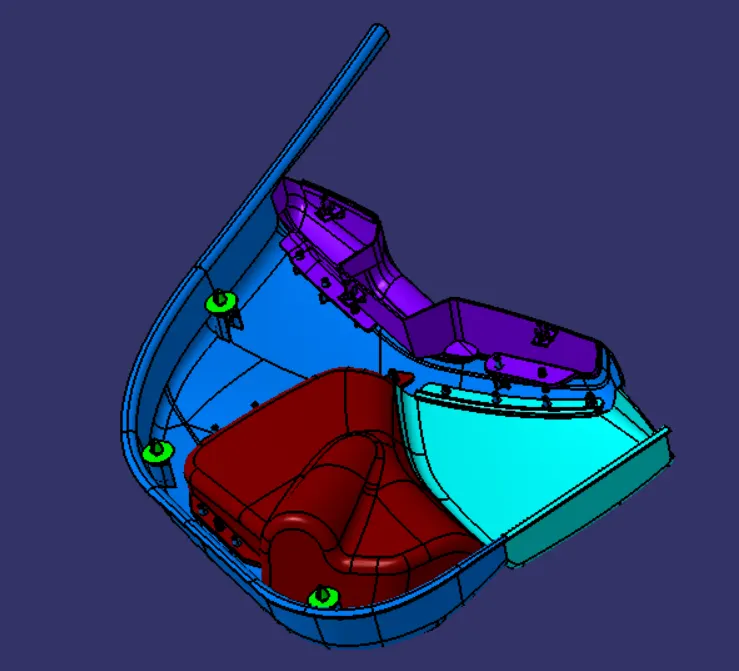
Fig. 40: Isometric View of the final Door Trim Assembly
Conclusion: The Door Trim Assembly parts were successfully designed alongwith the attachment features and assembled together. The plastic component can now be attached to the sheet metal counterpart of the Door Assembly.