Week 10 - Challenge 3 - Door Trim Lower with Engineering Features
DOOR TRIM LOWER WITH ENGINEERING FEATURES:
CREATION OF TOOLING AXIS USING BISECTING METHOD:
1. Analyse the given class-A surface to find out which direction is the most viable tooling direction. In this case we can see that Y direction is the tooling direction.
2. Create a point on the edge of the given class-A surface and create an axis system at that point.
3. Obtain the intersect of the class-A with the XY plane of the axis system.
4. Create lines that coincide with the extreme edges of the obtained intersect and extend them a little.
5. Now create a line bisecting the previous two lines and let the resulting line pass through the point created in the beginning.
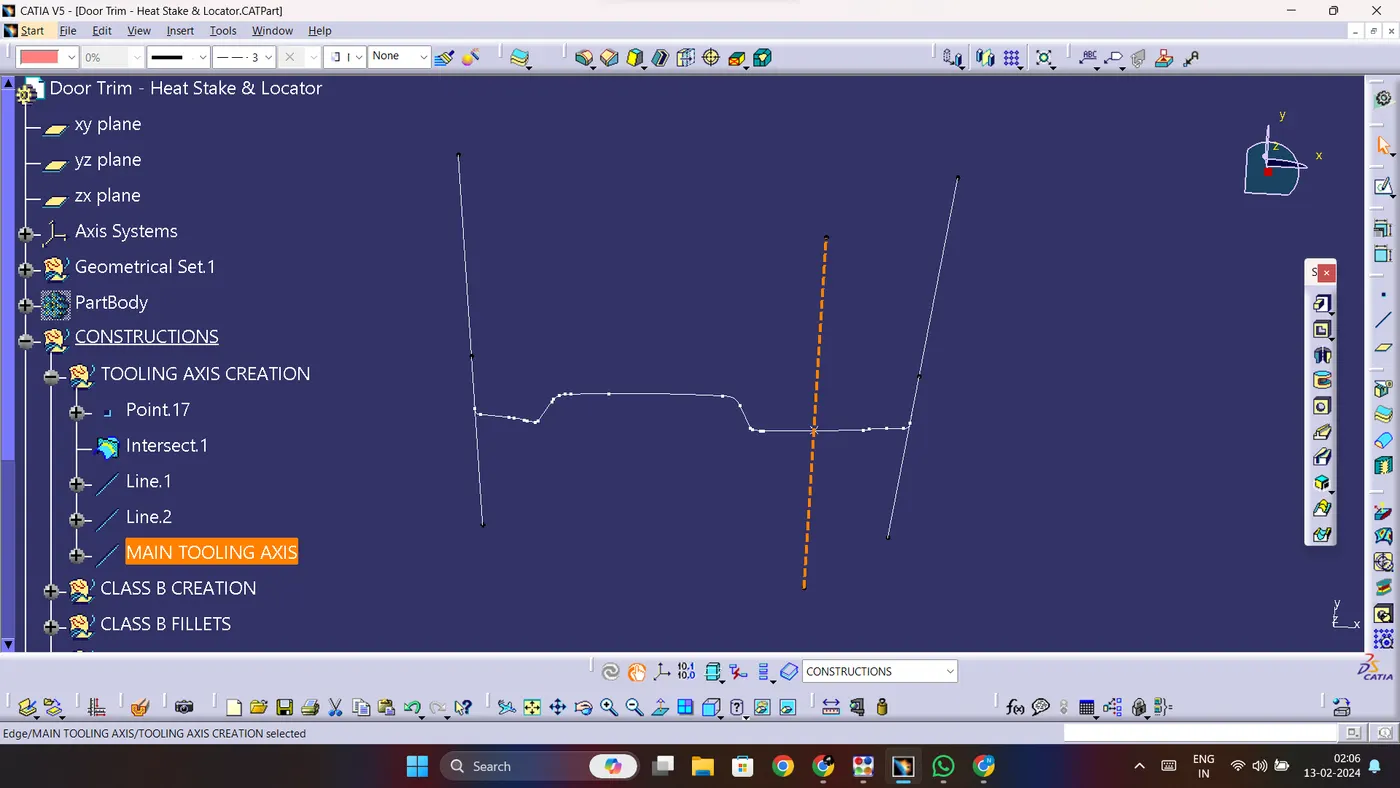
6. This line will act as our tooling axis and it can be further verified by performing draft analysis on the class-A surface.
DRAFT ANALYSIS ON THE CLASS-A SURFACE:
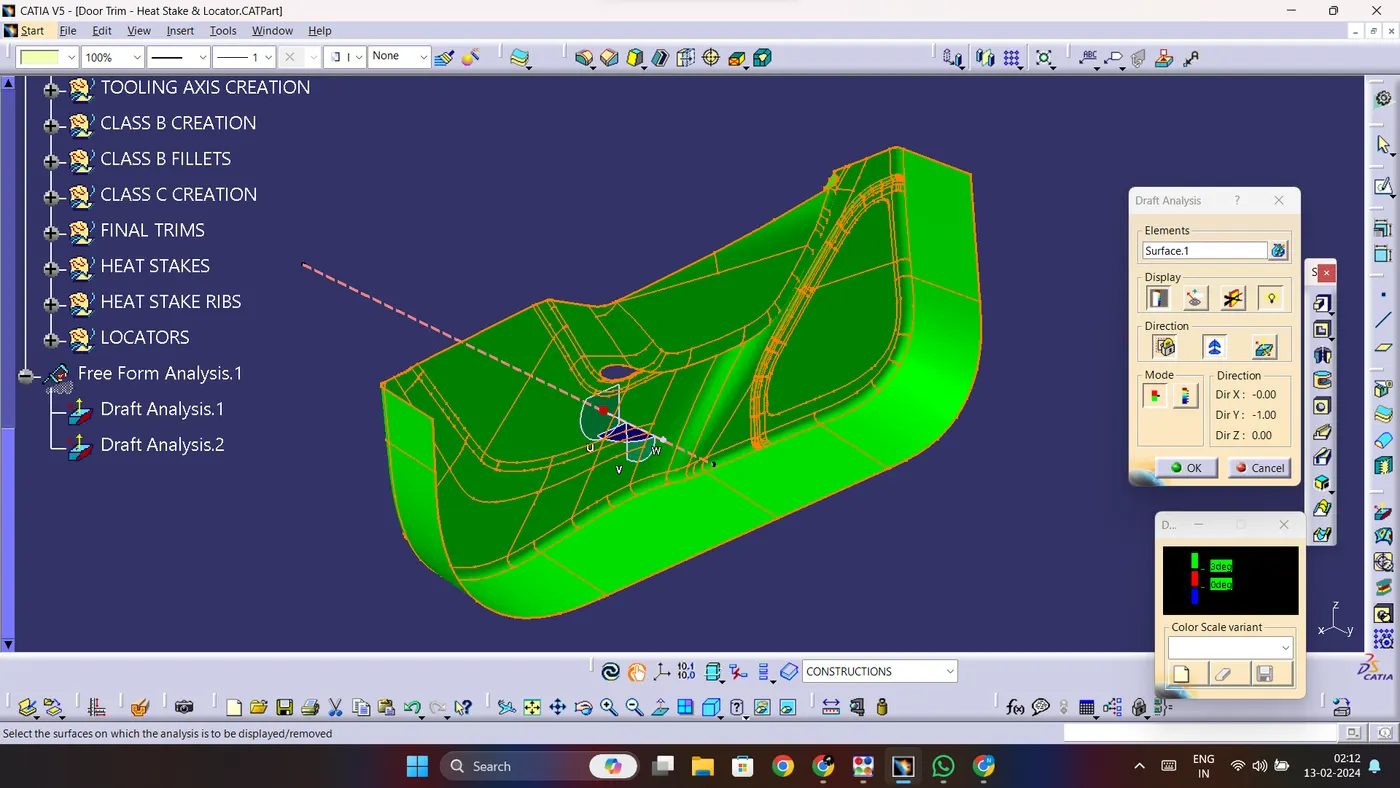
1. To perform draft analysis, insert a new feature draft analysis.
2. Select the compass option and align the compass with the tooling axis.
3. Click on the lock button and select the class-A surface.
4. The class-A surface will change colours based on the angle of that segment of the class-A surface.
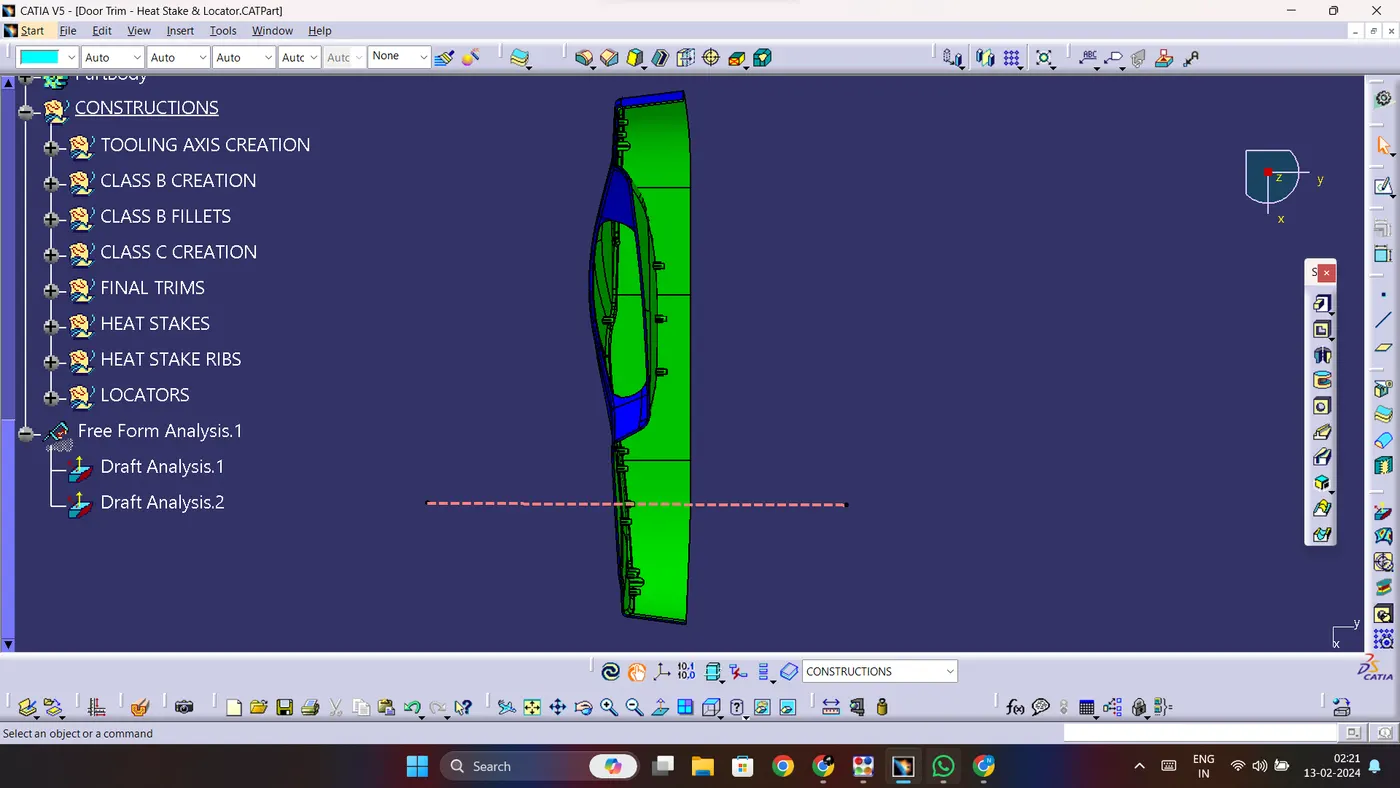
5. In this case, any segment at an angle greater than 3 degrees is green in colour, an angle between 0 and 3 degrees gives the segment a red colour.
6. Any segment with an angle under 0 degrees gets the colour blue.
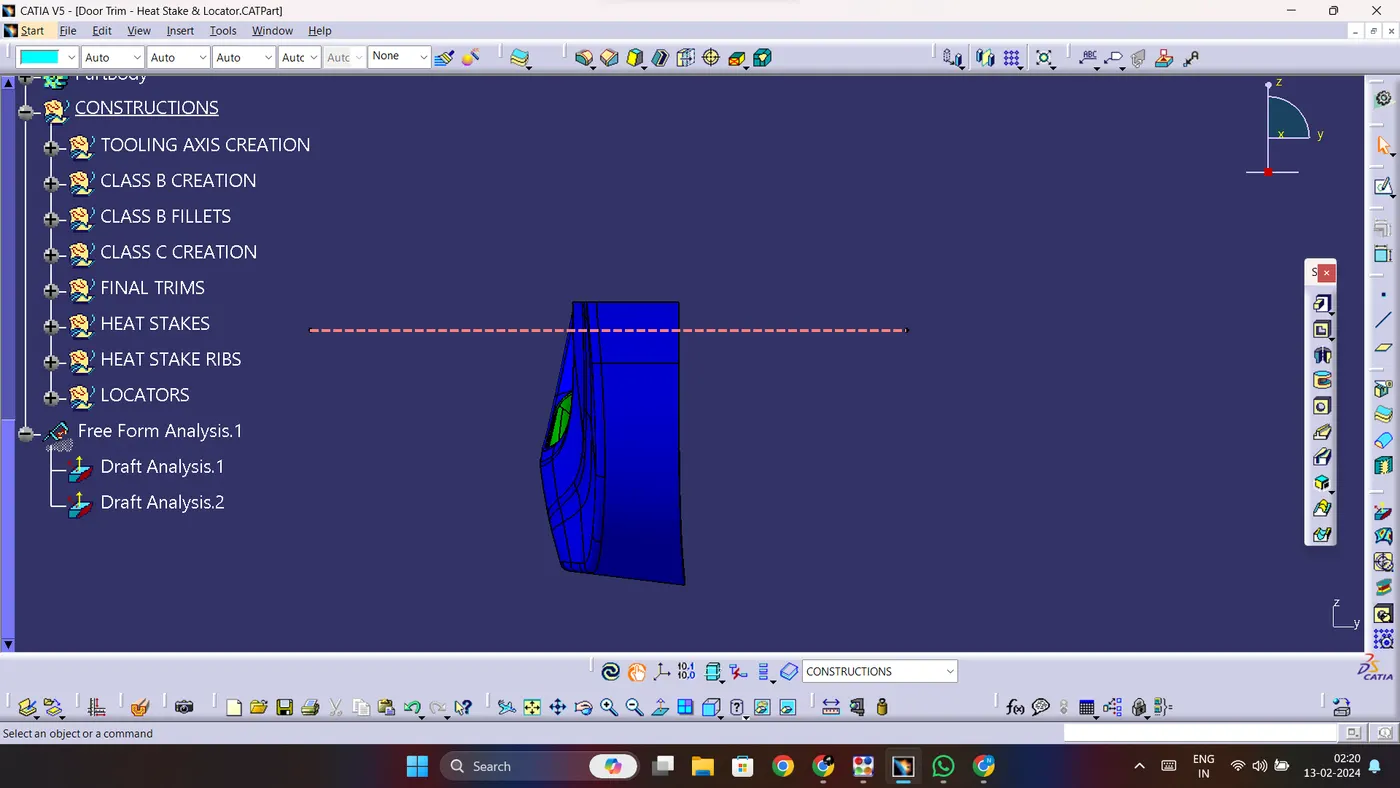
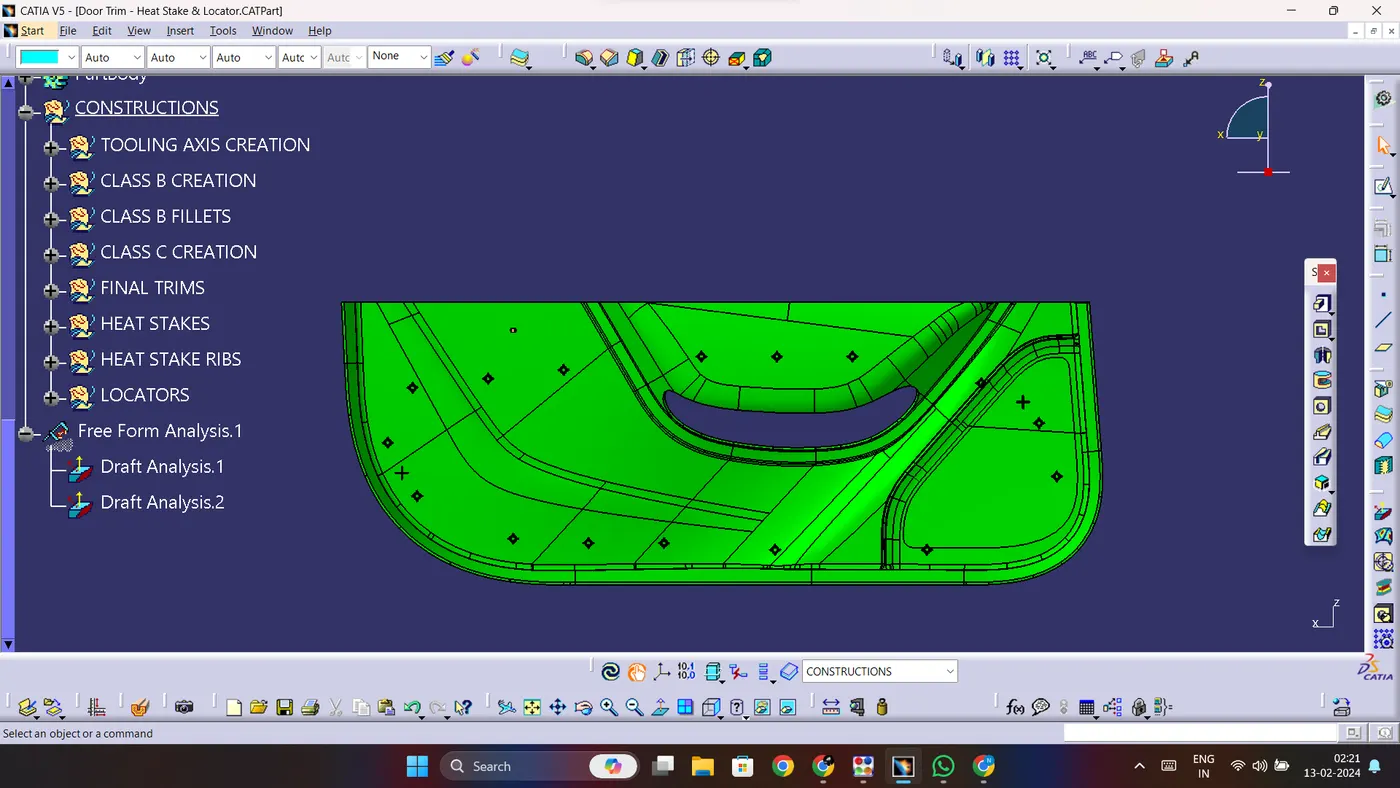
DRAFT ANALYSIS ON THE FINAL PART BODY:
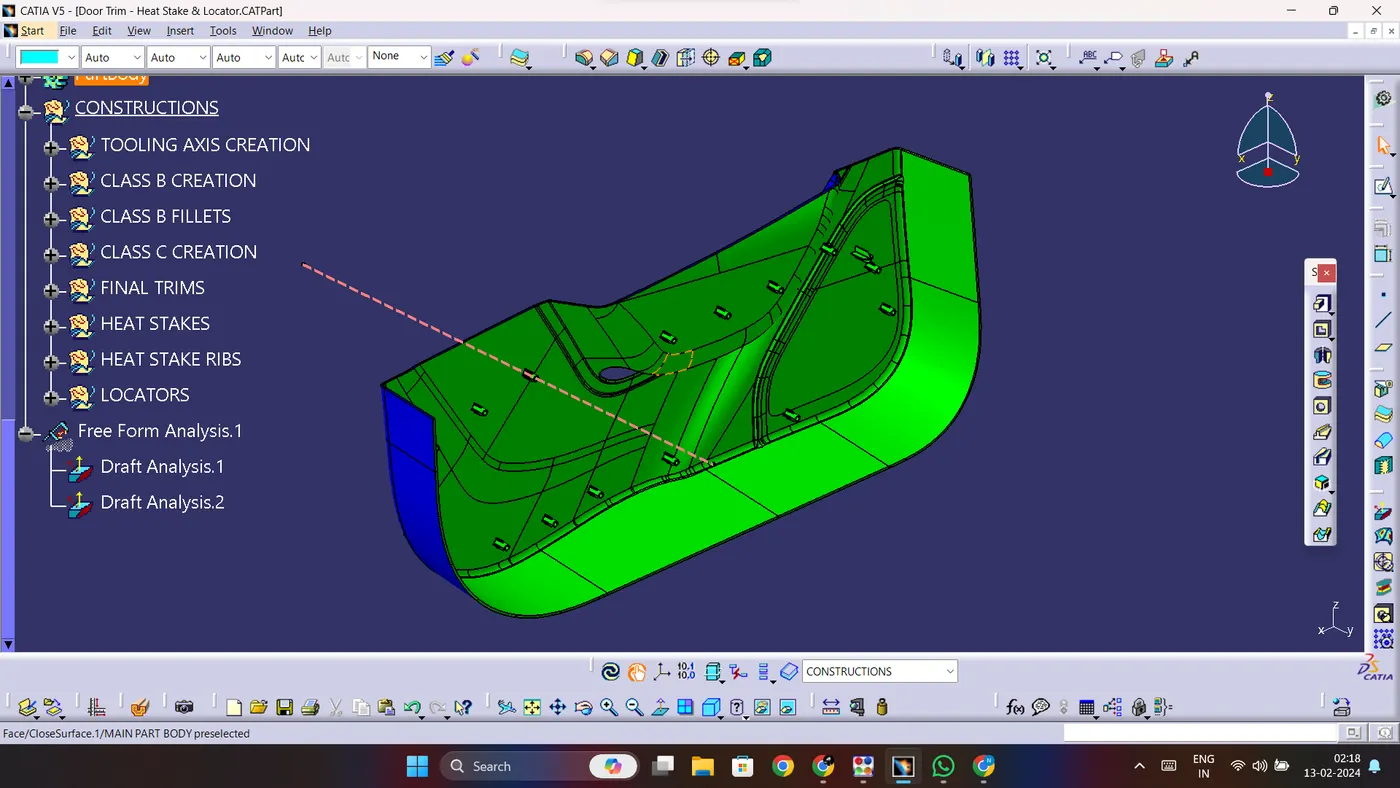
1. Another draft analysis is performed on the final part body which contains all the B-side features namely - heat stakes and locators that were constructed based on the given points.
2. Insert a new draft analysis and select the compass option.
3. Align the compass with the tooling axis and click on the lock icon.
4. Now select the part body and the part body will take colours based on the draft angle at various segments.
5. For the B-side features, the minimum draft angle is 0.5 degrees so the draft analysis has been performed accordingly.
6. Any segment with a draft angle higher than 0.5 degrees will take the colour green, any segment with a draft angle between 0 and 0.5 degrees will take red and segments below 0 degrees will take blue colour.
FINAL PARTBODY IN VARIOUS ORIENTATIONS:
ISOMETRIC VIEW:
FRONT VIEW:
SIDE VIEW:
TOP VIEW: