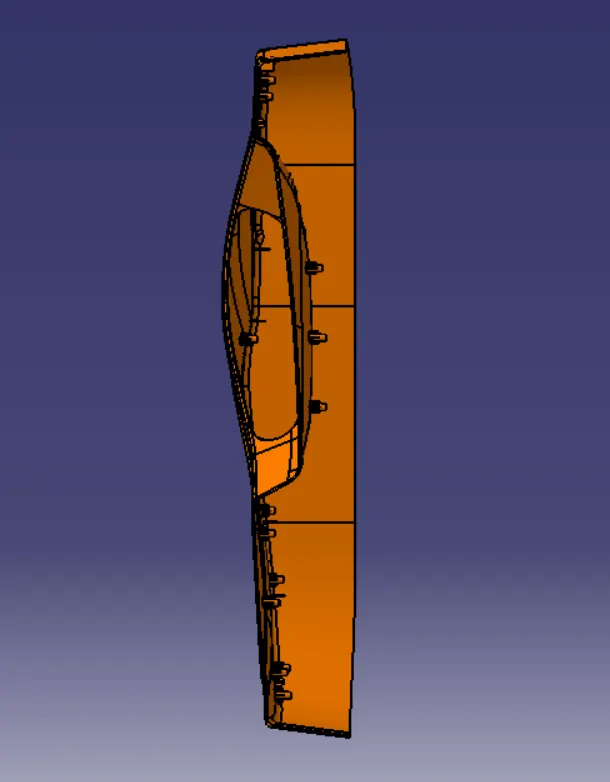
Week 10 - Challenge 3 - Door Trim Lower with Engineering Features
DOOR TRIM WITH HEAT STAKE & LOCATOR DESIGN
Objective:
1. Create the Heat Stake & Locator as per given Inputs.
2. Create the Tooling Axis.
3. Perform the Draft Analysis on Class-A Surface and Final component model.
Software Used:
CATIA V5.
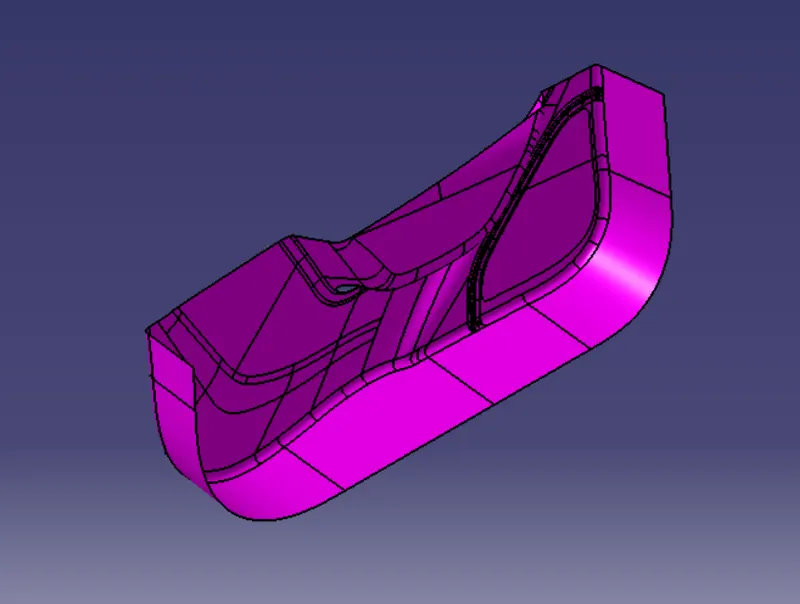
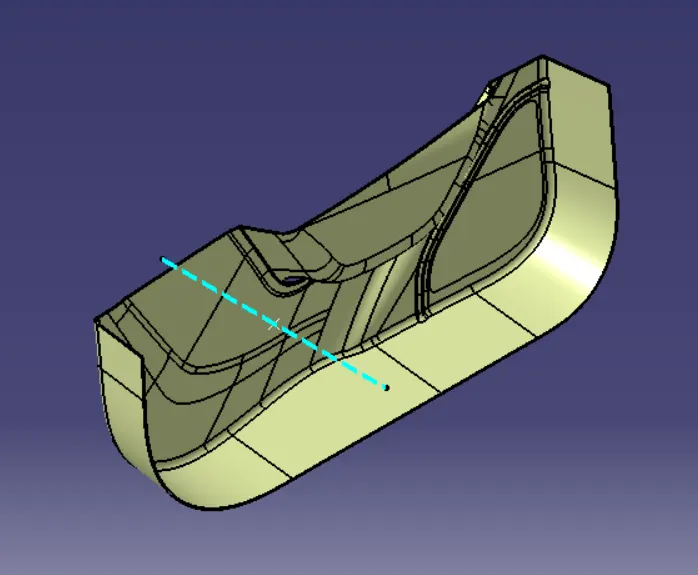
DOOR TRIM LOWER : CLASS A SURFACE
TOOLING AXIS
Tooling axis: The direction in which the mold or core and cavity opens is the tooling axis.
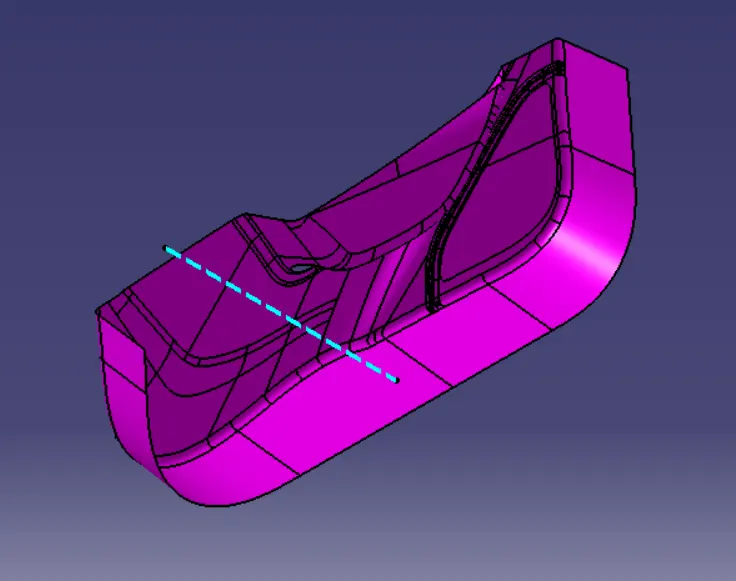
Steps to Create a Tooling Axis :
1. First, Create a Referene Point on Class A Surface where the most surface is exposed to mold or core direction.
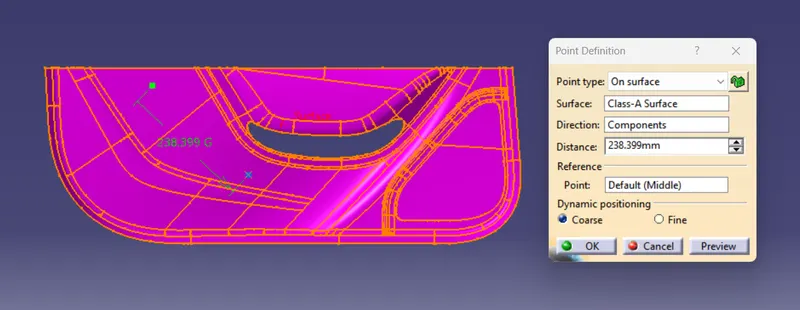
2. Then, Create a Tooling Axis by selecting a Reference Point and Choosing Y-Direction as most of the surface exposed to mold or core direction.
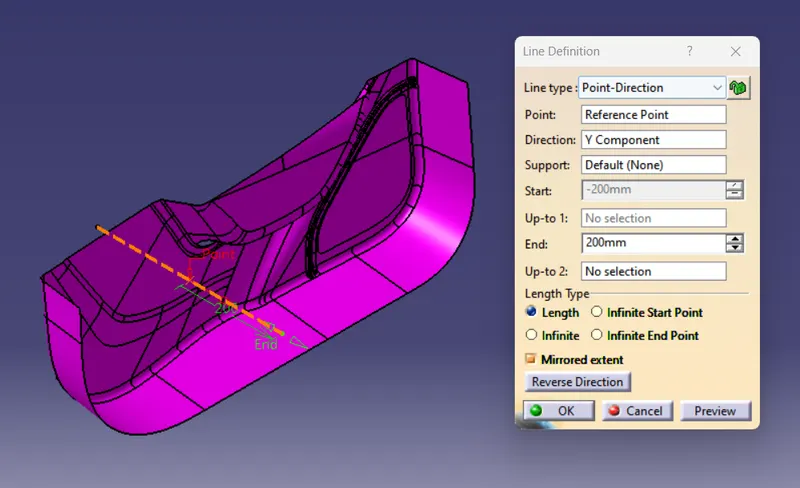
Tooling Axis : Tree Structure

DRAFT ANALYSIS
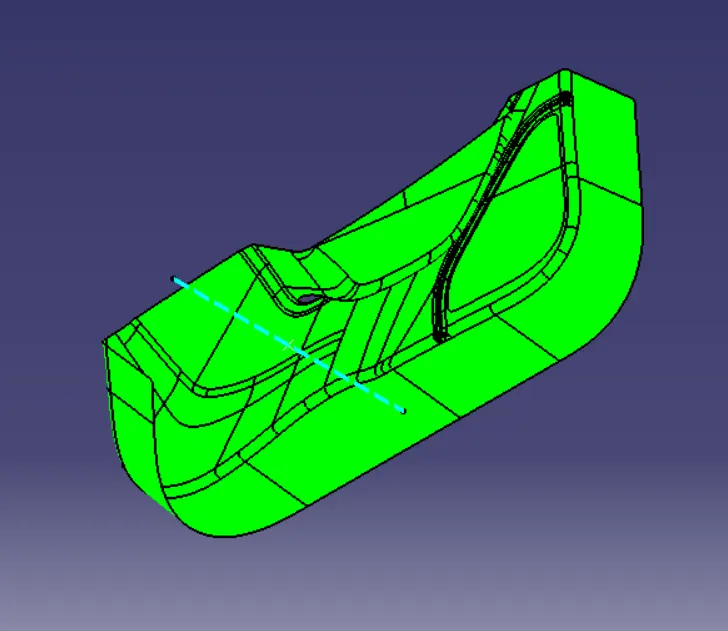
Draft : The purpose of providing angles or tapered face by draft is to remove the part from the mould with ease so that it is parallel to the direction of mould release.
DRAFT ANALYSIS : CLASS A SURFACE
DRAFT ANALYSIS : FINAL COMPONENT
Steps for Draft Analysis :
1. First go to the surface tab bar then click on Insert -> Analysis -> Feature Draft Analysis.
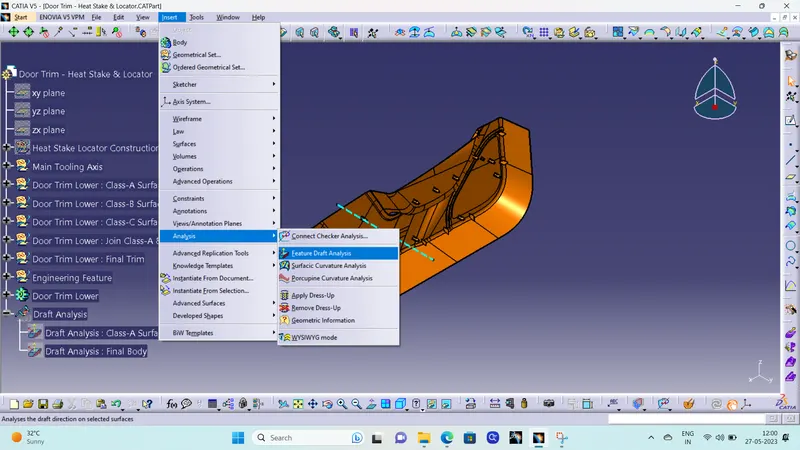
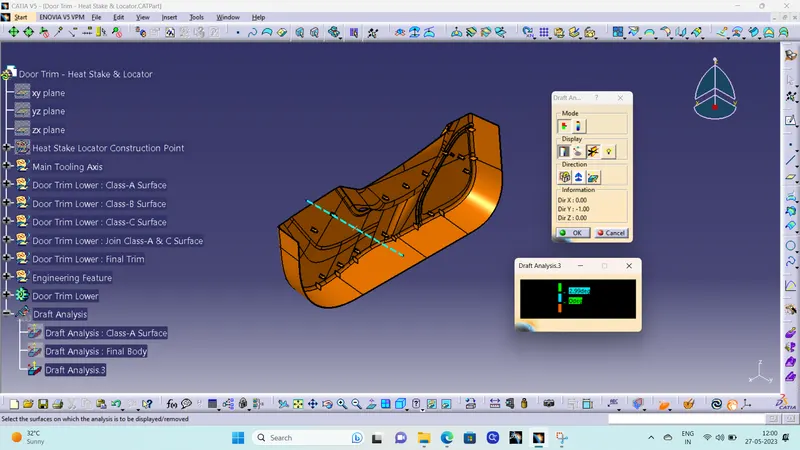
2. Then go to Customize View Parameters and check whether the material box under mesh is ticked or not. If not ticked click on the box and tick it for draft analysis.
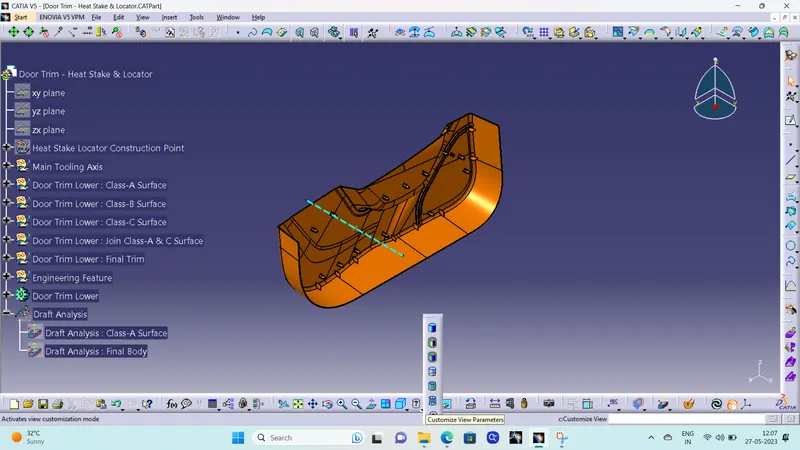
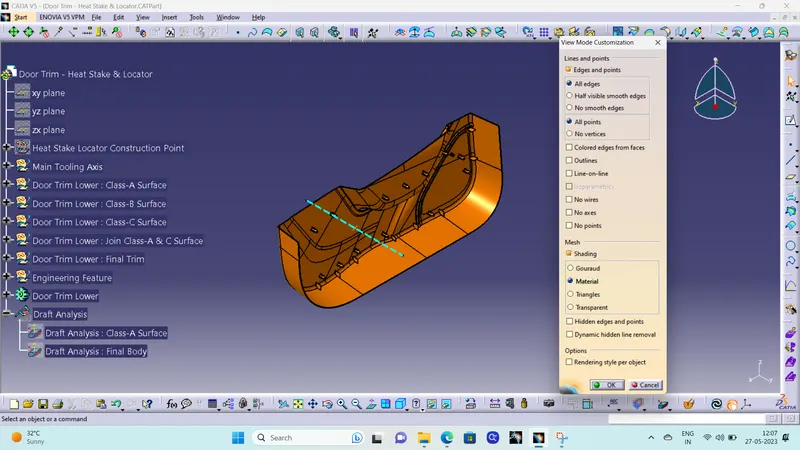
3. Then, ensure in Draft Analysis Box, Mode is swicted to Quick analysis mode, Color scale Display should be on, select the compass to define the direction.
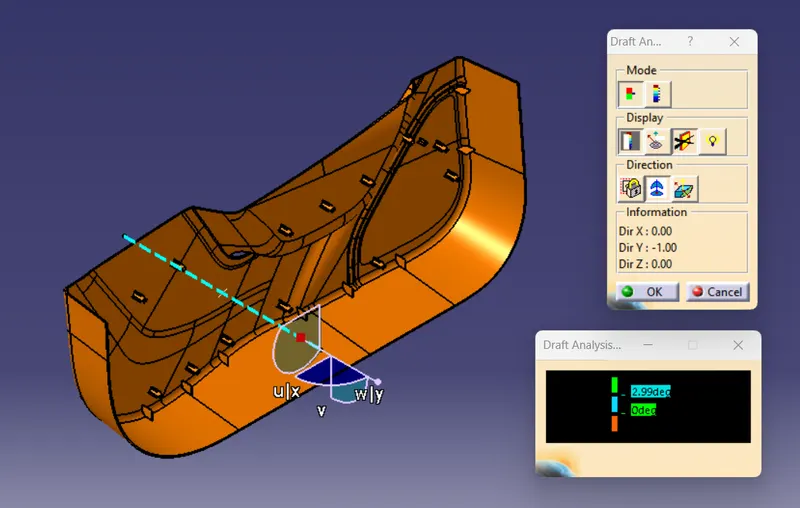
4. Drag the compass on the tooling axis for Draft Analysis then select the surafce or body to be draft analysed.
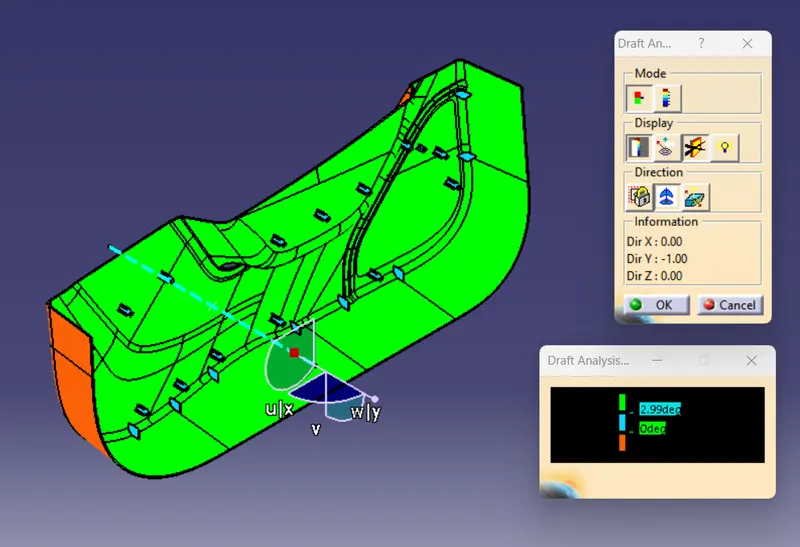
Note : Under Draft Analysis Color Display Dialog Box double click on the parameter tab and input the desired angle on which draft analysis to be perform.
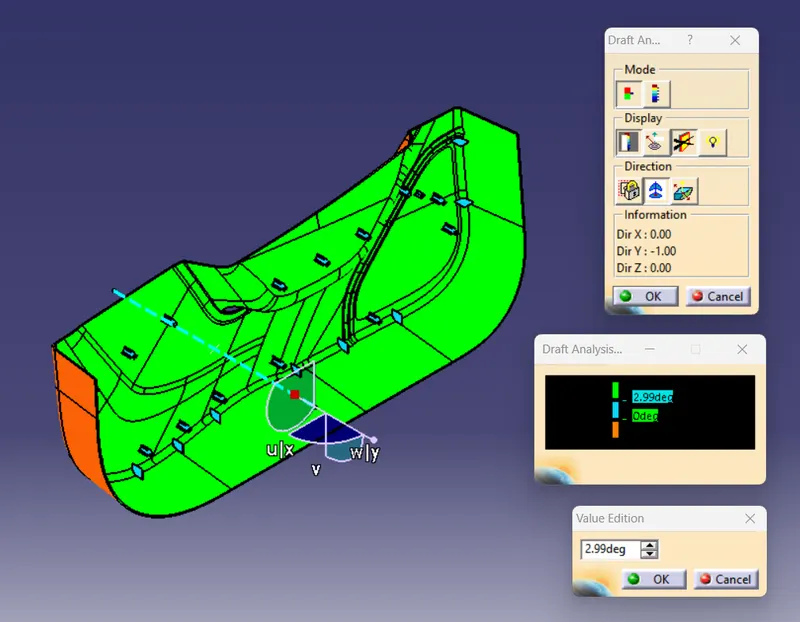
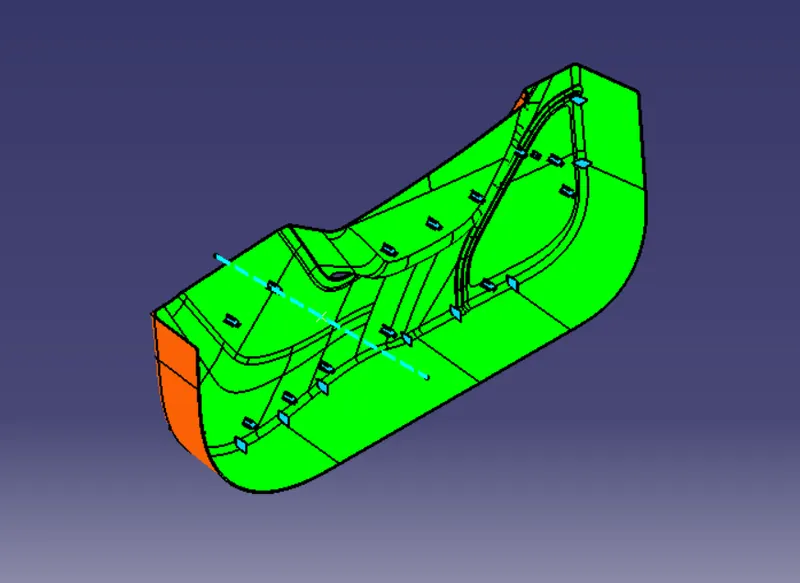
For Draft Analysis of Class-A Surface & Final Part : Draft Angle is taken as 2.99 Degree for Draft Analysis.
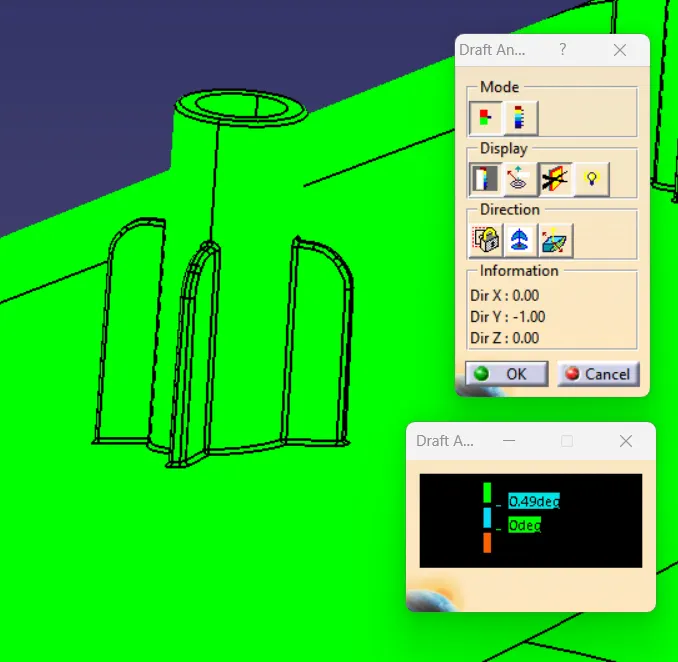
- Green : Angle is more than 2.99 Degree.
- Blue : Angle between 0 to 2.99 Degree.
- Red : Draft in Reverse Direction to selcted direction.
DRAFT ANALYSIS : CLASS C SURFACE
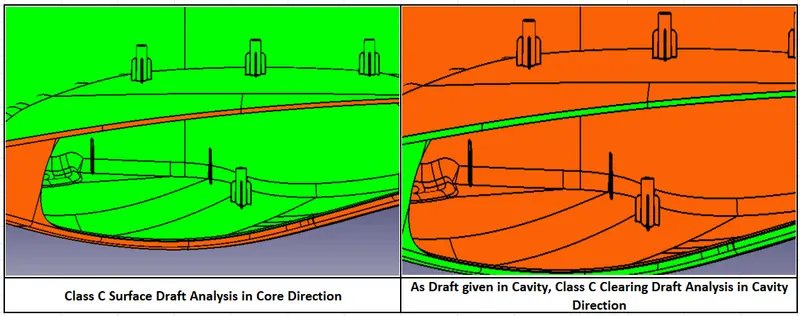
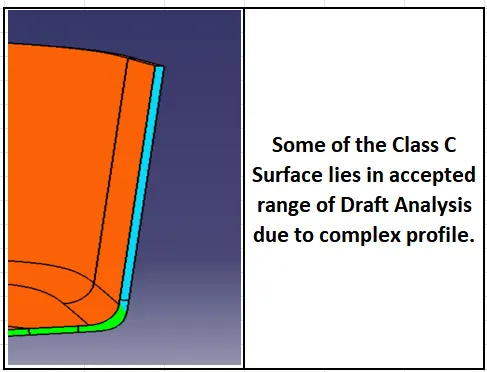
Draft Analysis : Tree Structure

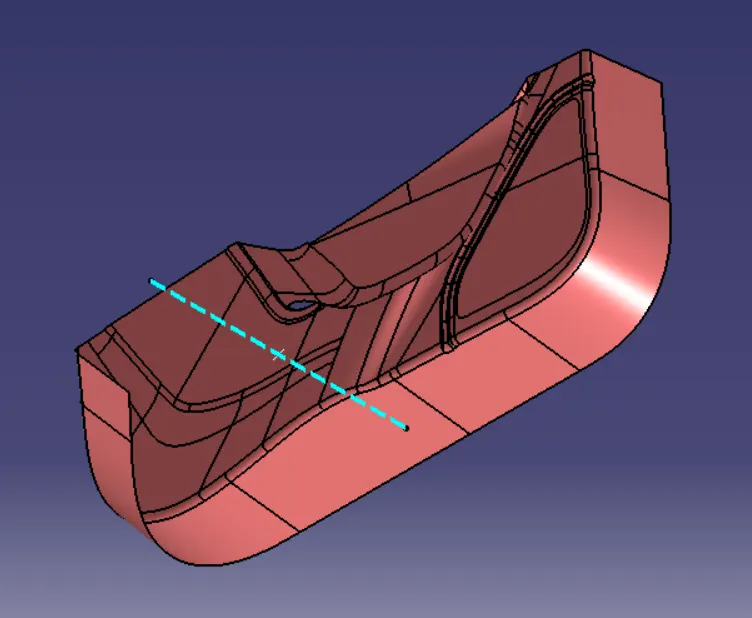
DOOR TRIM LOWER : CLASS B SURFACE
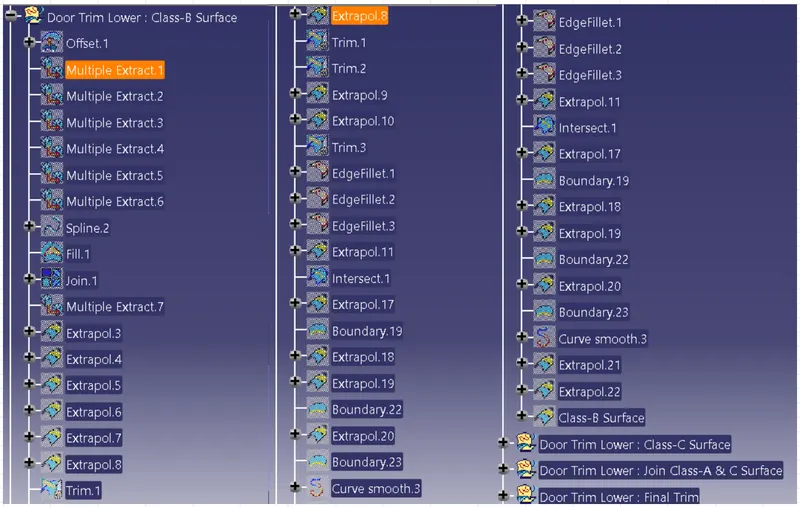
Class B Surface : Tree Structure
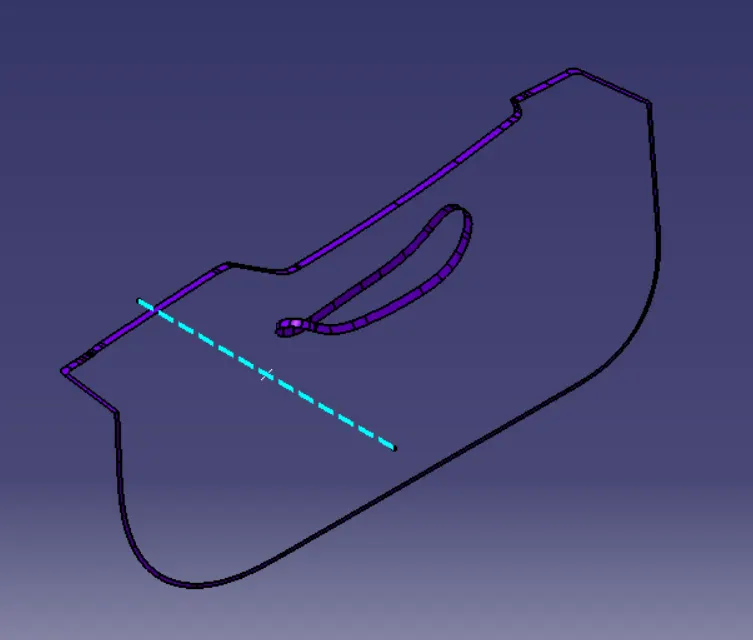
DOOR TRIM LOWER : CLASS C SURFACE
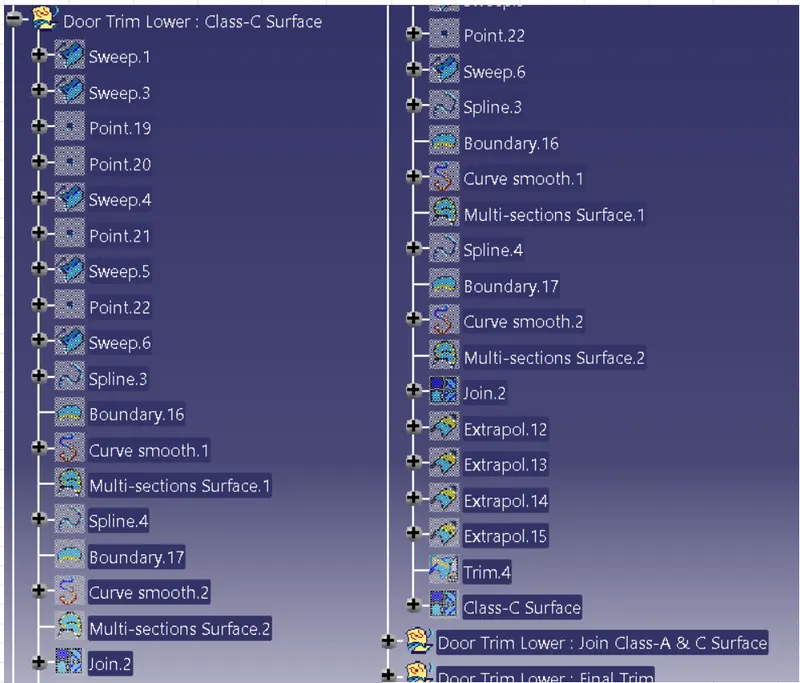
Class C Surface : Tree Structure
DOOR TRIM LOWER : JOIN CLASS A & C SURFACE
Join Class A & C Surface : Tree Structure
DOOR TRIM LOWER : CLOSED SURFACE
Closed Surface : Tree Structure

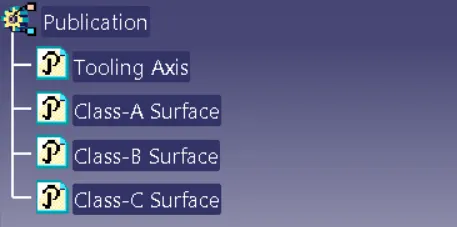
PUBLICATION
LOCATOR DESIGN
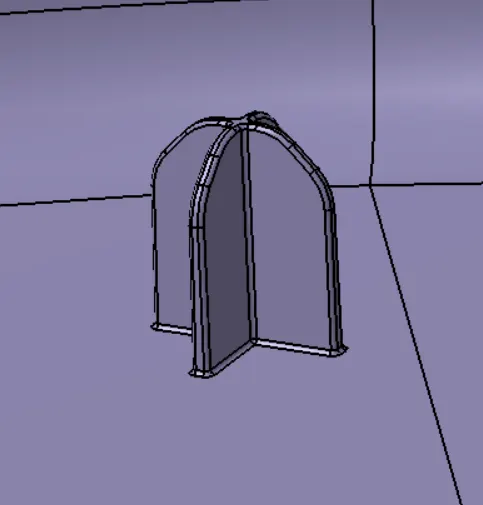
Steps for Locator Design :
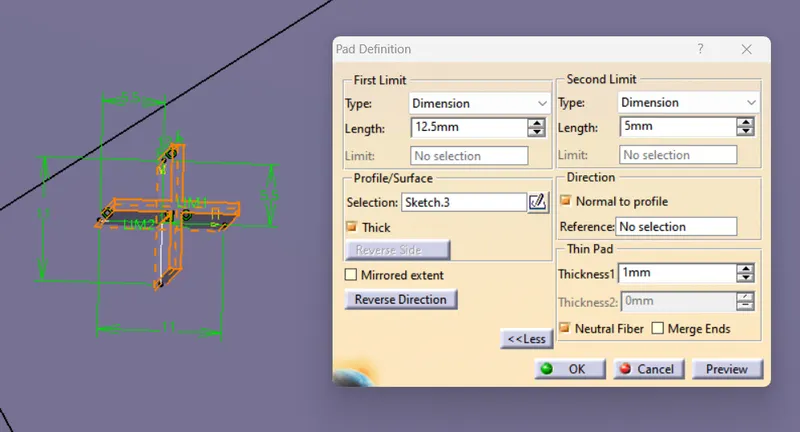
1. Sketch the Profile of 4 Way locator, sketch should be positioned sketch and iso-constrained.
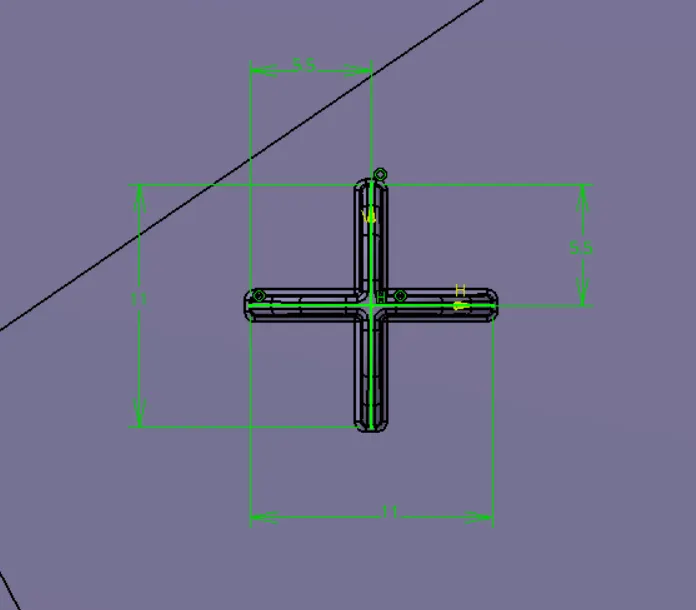
2. Pad the sketch as per design rule, dimension as per design rule as followed :
Locator Depth : 5*Thickness of Part = 5*2.5 = 12.5mm
Locator Thickness : 0.4*Thickness of Part = 0.4*2.5 = 1mm
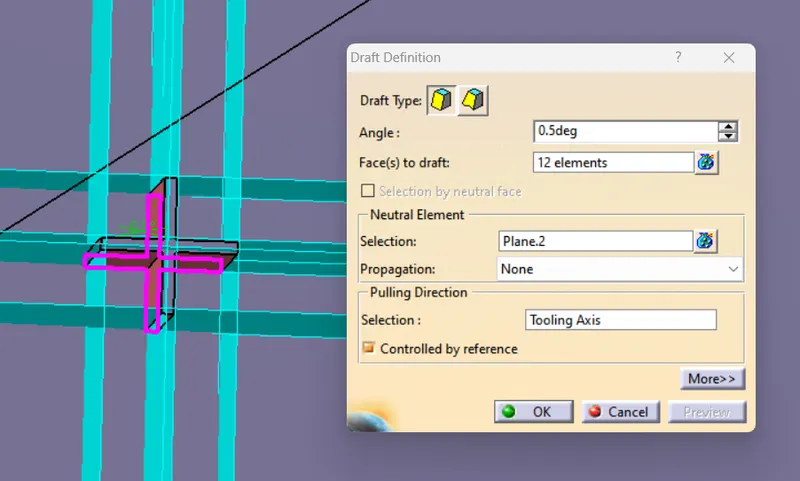
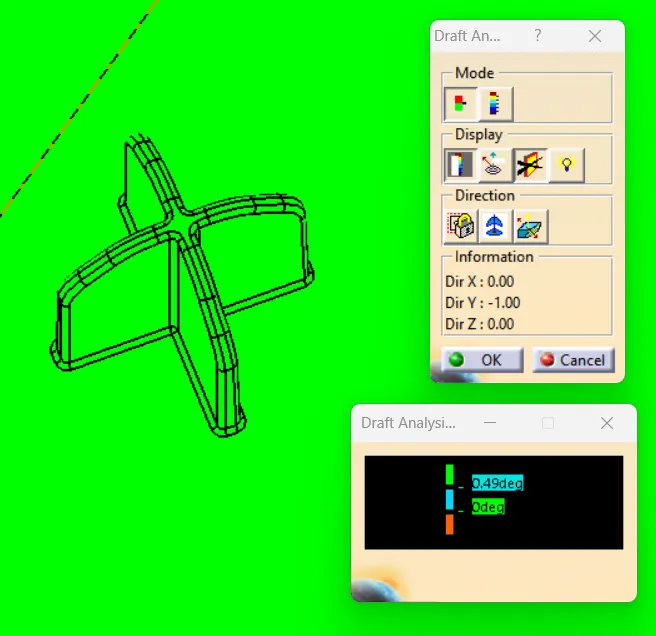
3. Draft the Pad locator in tooling direction, darft angle taken as 0.5degree as per design rule.
Draft Angle : 0.5 Degree
Pulling Direction : Tooling Axis
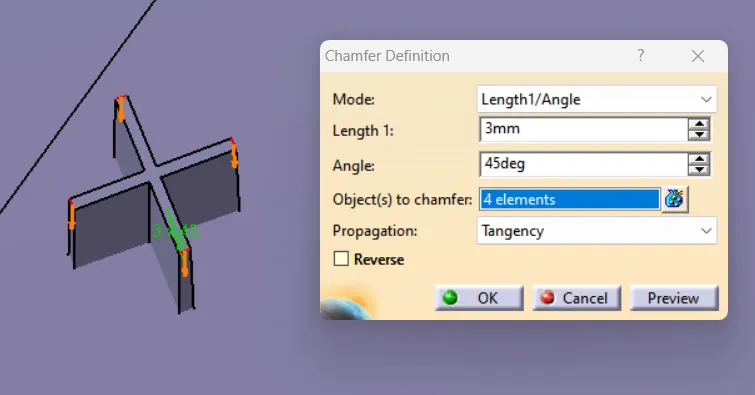
4. Chamfer the edges after drafting the face of locator.
Chamfer Length : 3mm
Chamfer Angle : 45 Degree
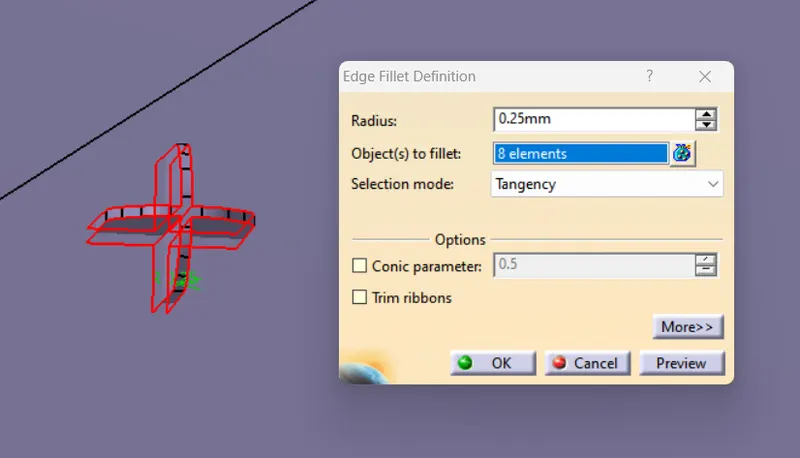
5. Fillets the edges of Locator faces after chamfering as per design standard.
Edge Fillet Radius : 0.25 mm
6. At the end, trim the locator with Door trim body and fillet the intersection of locator and door trim lower as per design standard.
Edge Fillet Radius : 0.25mm
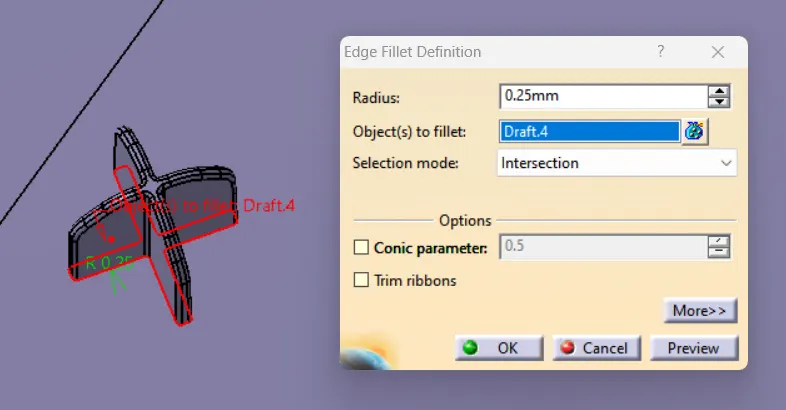
Draft Analysis : Locator
HEAT STAKE DESIGN
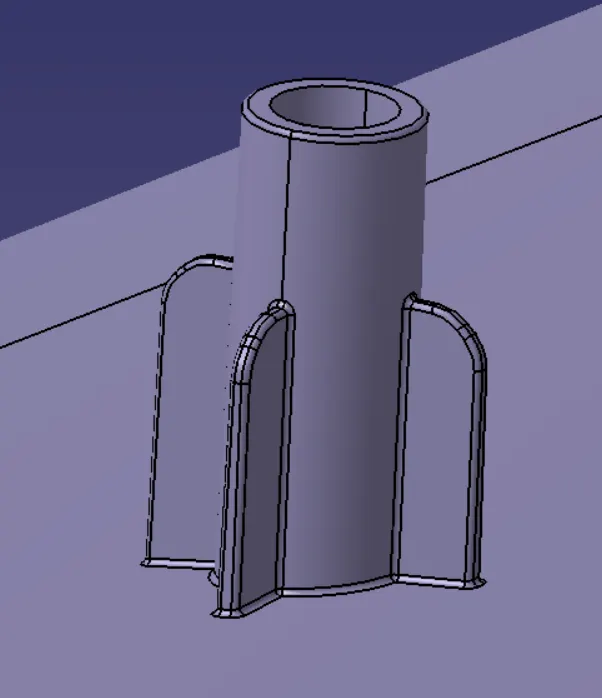
Steps for Heat Stake Design :
1. Sketch the Heat Stake Profile, SKetch two circle with difference of radius of 1.5mm as per design standard.
Heat Stake Thickness : 1.5mm
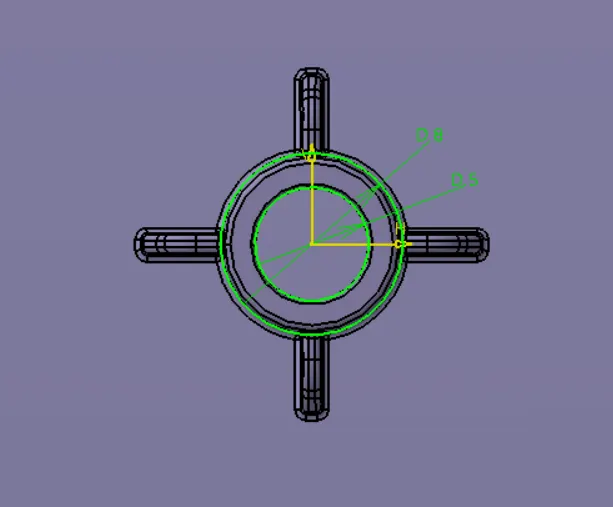
2. Pad the sketch of heat stake upto required height from surface, maximum upto 35mm. For more than this use dog house for Heat Stake attachement.
Heat Stake Depth : 20mm
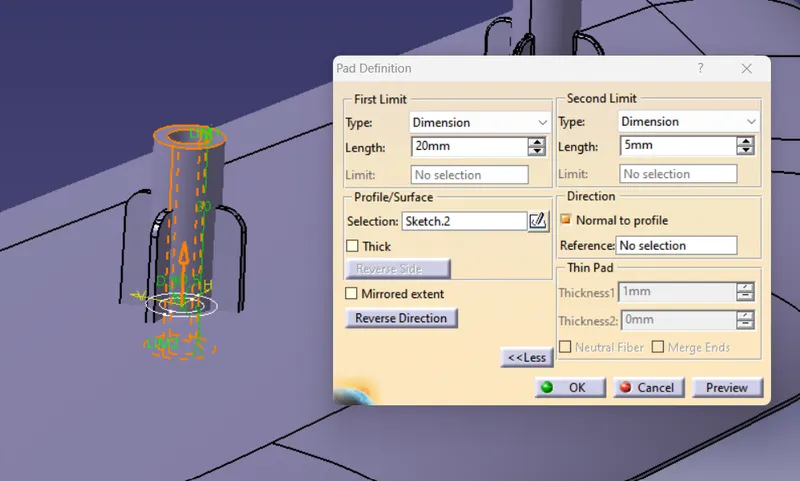
3. Draft both Inner and Outer face of Heat stake pad as per design rule.
Draft Angle : 0.5 Degree
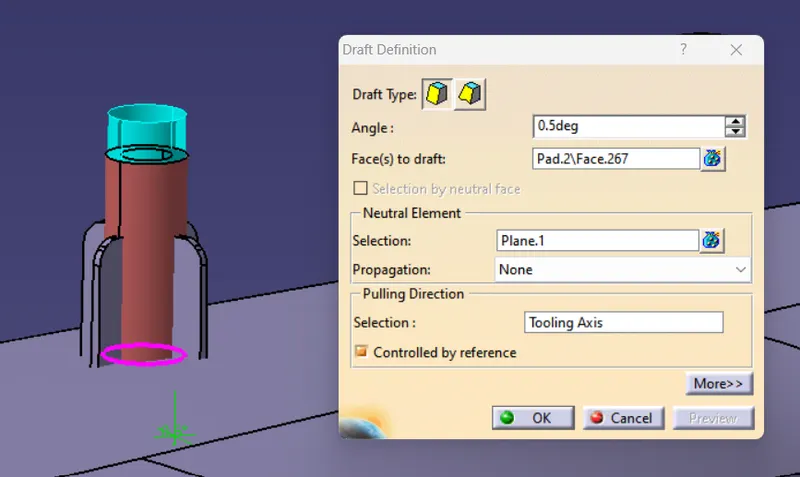
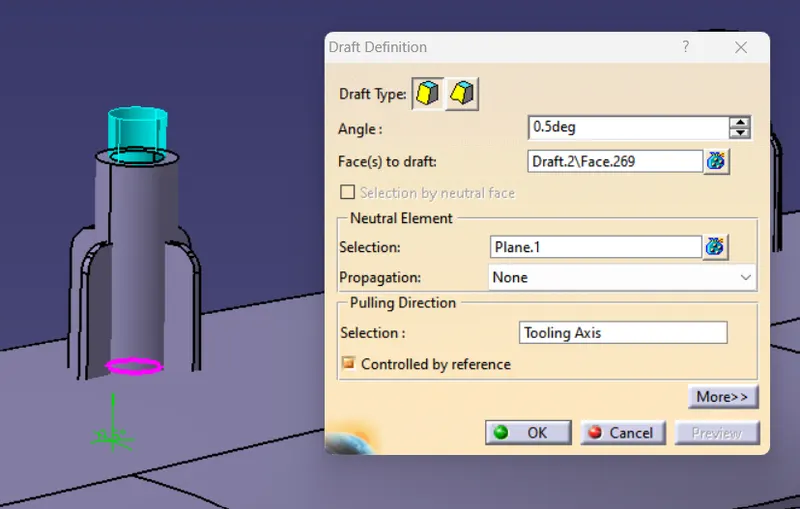
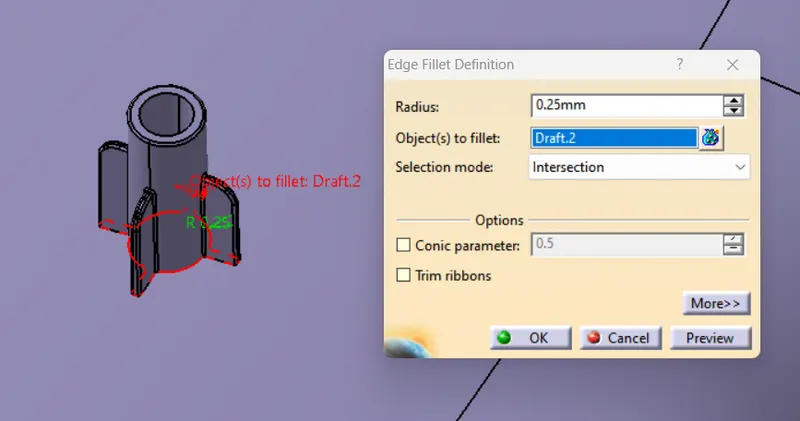
4. Edge fillet the Heat stake pad after drafting as per design standard.
Edge Fillet Radius : 0.25mm
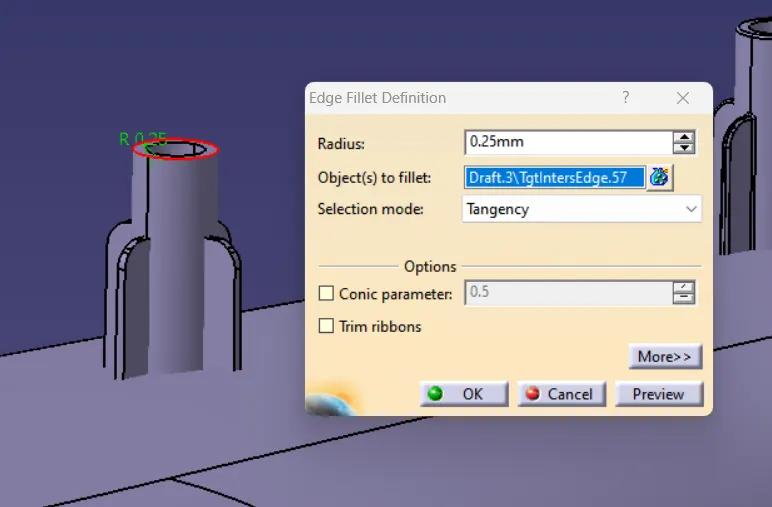
5. At the end, trim the heat stake with door trim and then edge fillet the intersection of heat stake and door trim lower.
Edge Fillet Radius : 0.25mm
Draft Analysis : Heat Stake
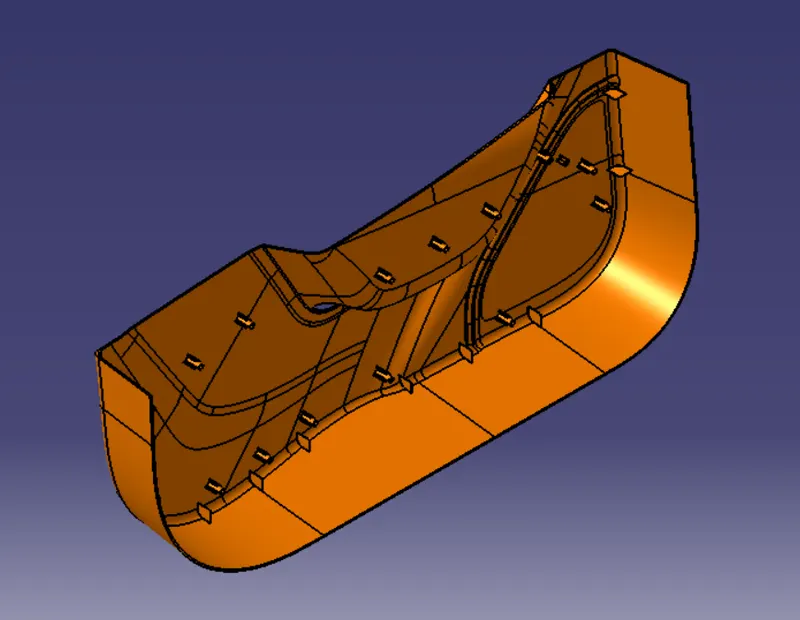
DOOR TRIM LOWER : FINAL COMPONENT
Isometric View
Front View
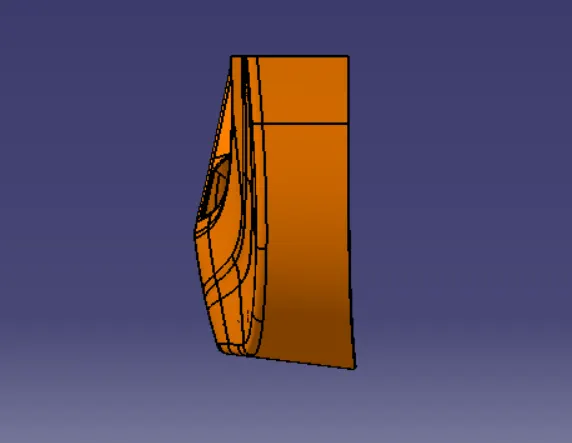
Side View
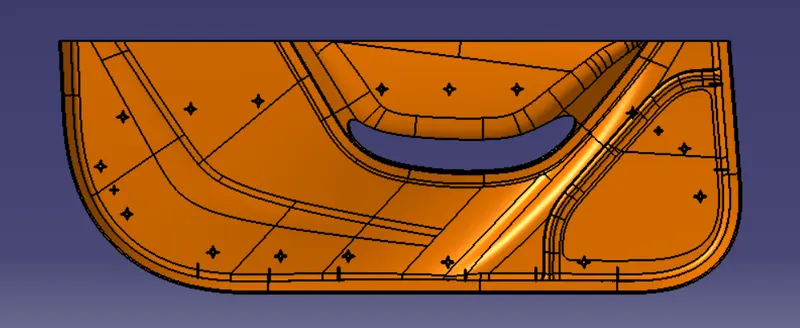
Top View