Week 10 - Challenge 2- Attachment Feature Creation (Dog House)
ATTACHMENT FEATURE CREATION (DOG HOUSE)
AIM:- To create the Dog House for the Door Trim considering the design rules.
INTRODUCTION:
- DOG HOUSE:-
Dog House is an engineering feature used in plastic design. Dog houses are used as support feature. Sometimes other engineering feature like snaps, locators and screw bosses are mounted on them to increase their strength.
Dog houses are subjected to Draft analysis to prevent breakage of the component during ejection from the mould cavity. Dog house and other engineering components are built on the B-surface.
OBJECTIVE:-
- Create a Tooling axis for the given Class-A surface.
- Create the Class-B and Class-c surface of door trim using the given Class-A surface.
- Create a final surface model and convert it into a solid body using the close surface command in the part design workbench.
- Create side core axis for the dog house.
- Create Dog house on the B-surface by considering the design rules.
- Perform draft analysis for the both Class-A surface and Final part body.
DESIGN METHODOLOGY:-
CLASS-A SURFACE:
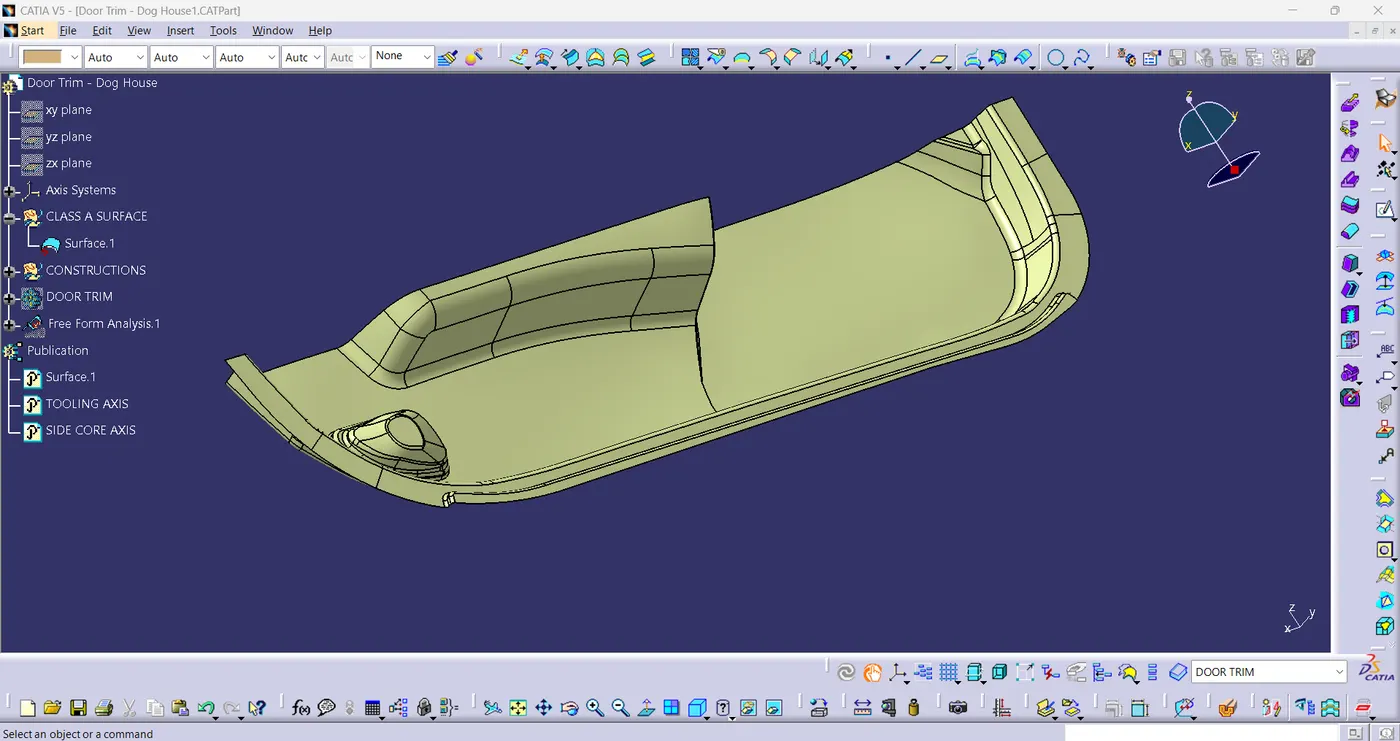
- Visible surface is referred to as class-A surface. It provides the styling team's generated components look, which the part design engineer utilizes to create the part with all engineering details.
- Given class-A surface, as shown in fig(1).
fig(1)
- Check for continuity of the given surface using Join or Boundary commands.
- If there are no gaps on the class-A surface, then move to the creation of Tooling axis.
TOOLING AXIS:
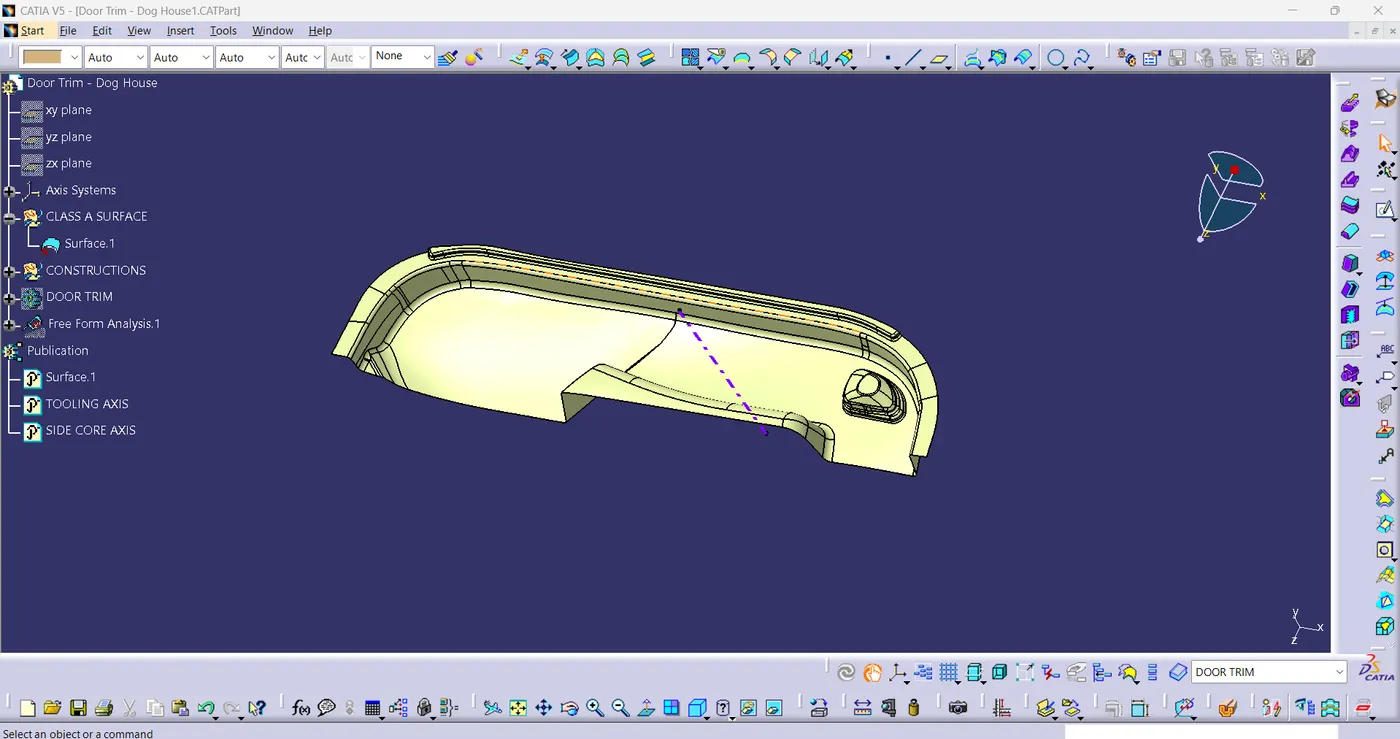
- Check the best possible Tooling direction by manually adjusting the compass.
- After analysis, it is discovered that most faces could be easily cleared by using the y-axis as the Tooling axis.
- Now extract any surface and create a mid-point on it.
- Afterwards, create a dummy axis creating a line on the point and direction along the y-axis.
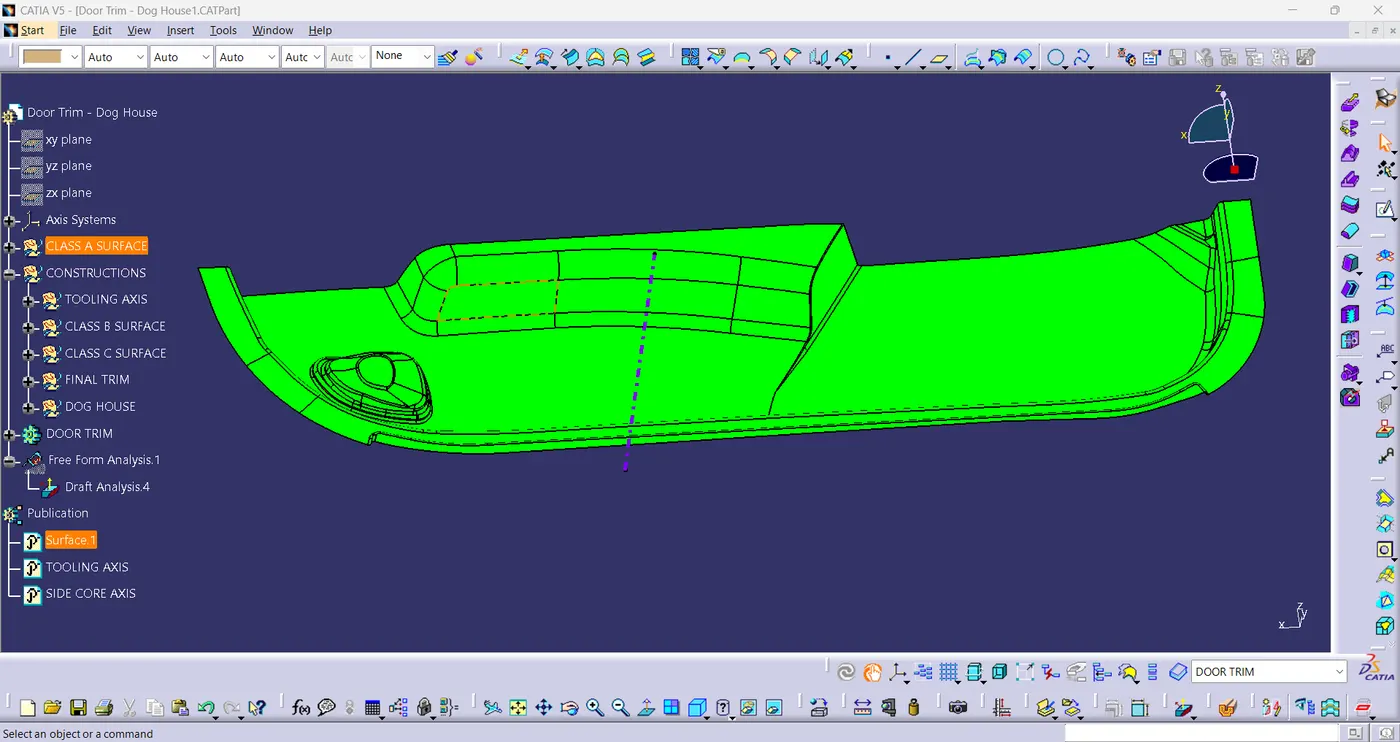
- At last perform draft analysis to find whether the given axis clears the draft analysis. If not create a new Tooling axis.
fig(2)
CLASS-A SURFACE DRAFT ANALYSIS:
fig(3)
CLASS-B SURFACE:
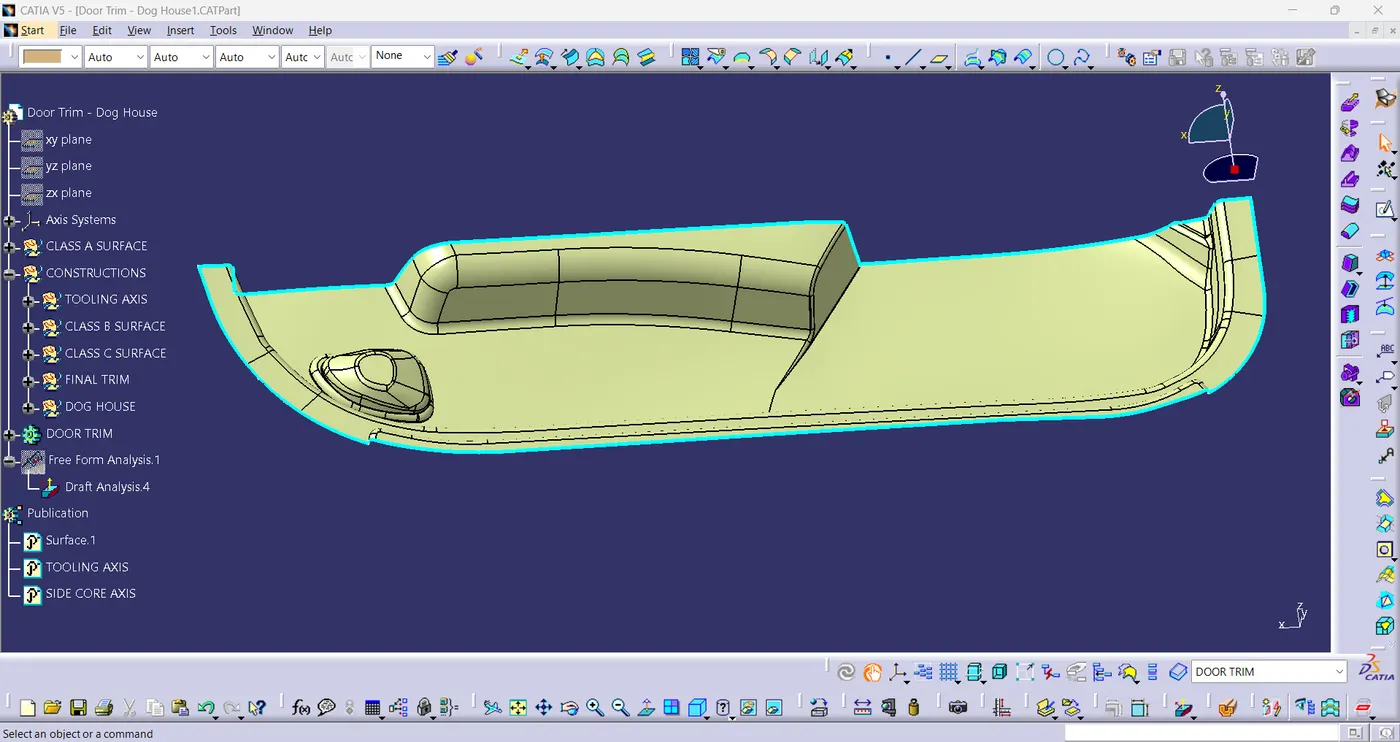
- Class-B surface refers to a part's thickness that is inside and not visible. Stated differently, a surface below a specific thickness from a class-A surface is referred to as a class-B surface. This surface is where a model's engineering components are located.
- Create an offset surface of class-A about 2.5mm inward direction.
- Check for discontinuity and manually update the offset surface using extract, multi-extract, multi-section surfaces.
- Join the surfaces and ensure the final Class-B surface created has no gaps.
fig(4)
CLASS-C SURFACE:
The surface that joins class-A and class-B surface is called class-C surface. Class-C is often specified for interior surfaces not readily visible, surfaces that will be covered by another part when assembled.
- Create the sweep concerning to the surface along the tooling direction by extracting the boundary of class-A surface.
- Join the sweep surfaces by using commands like Extrapolate and Trim.
- At last join all the sweep surfaces and ensure the continuity of the class-C surface.
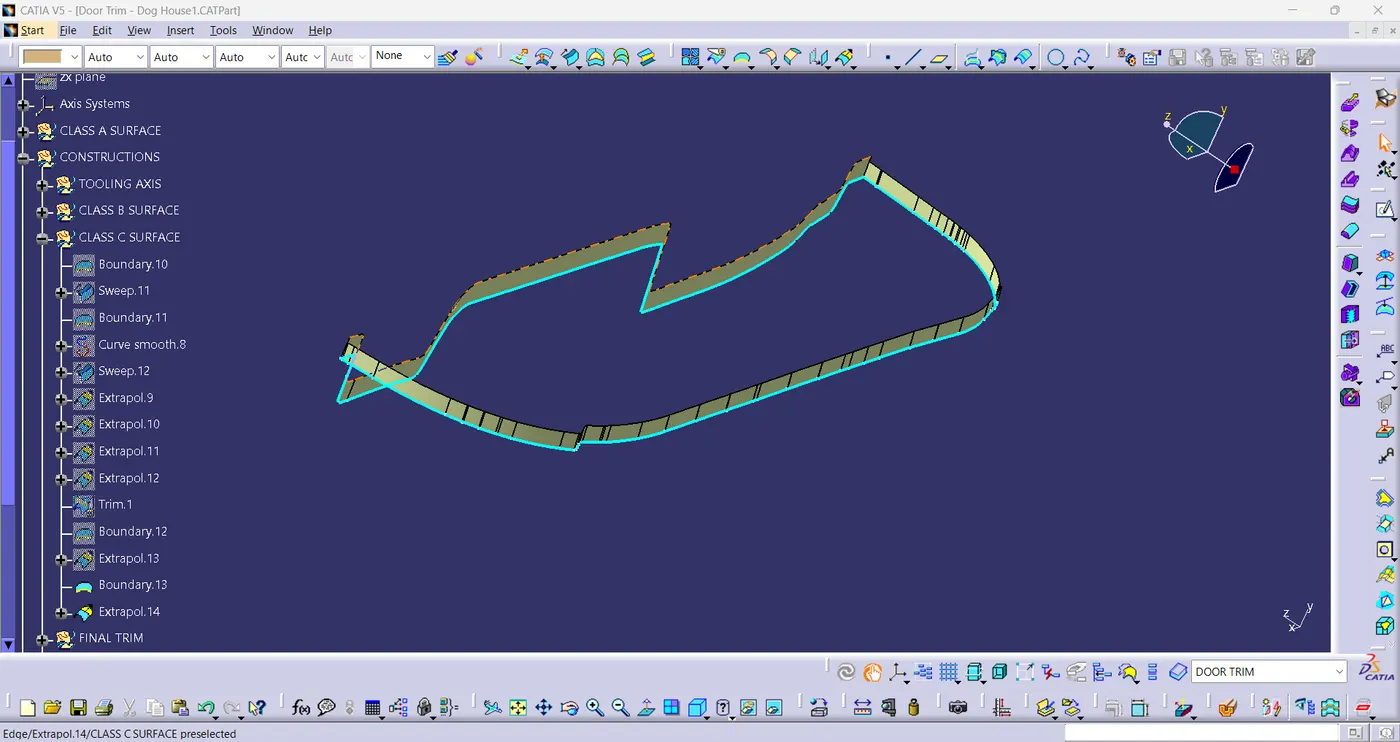
fig(5)
FINAL SURFACE:
- Join the class-A and class-C surface to obtain the final door trim surface.
- Next, extrapolate the B-surface siightly outward to ensure that there is no gaps between the linked surface and trims.
- Then, trim the extrapolated class-B surface with the joined class-A and class-C surface, as shown in fig(6).
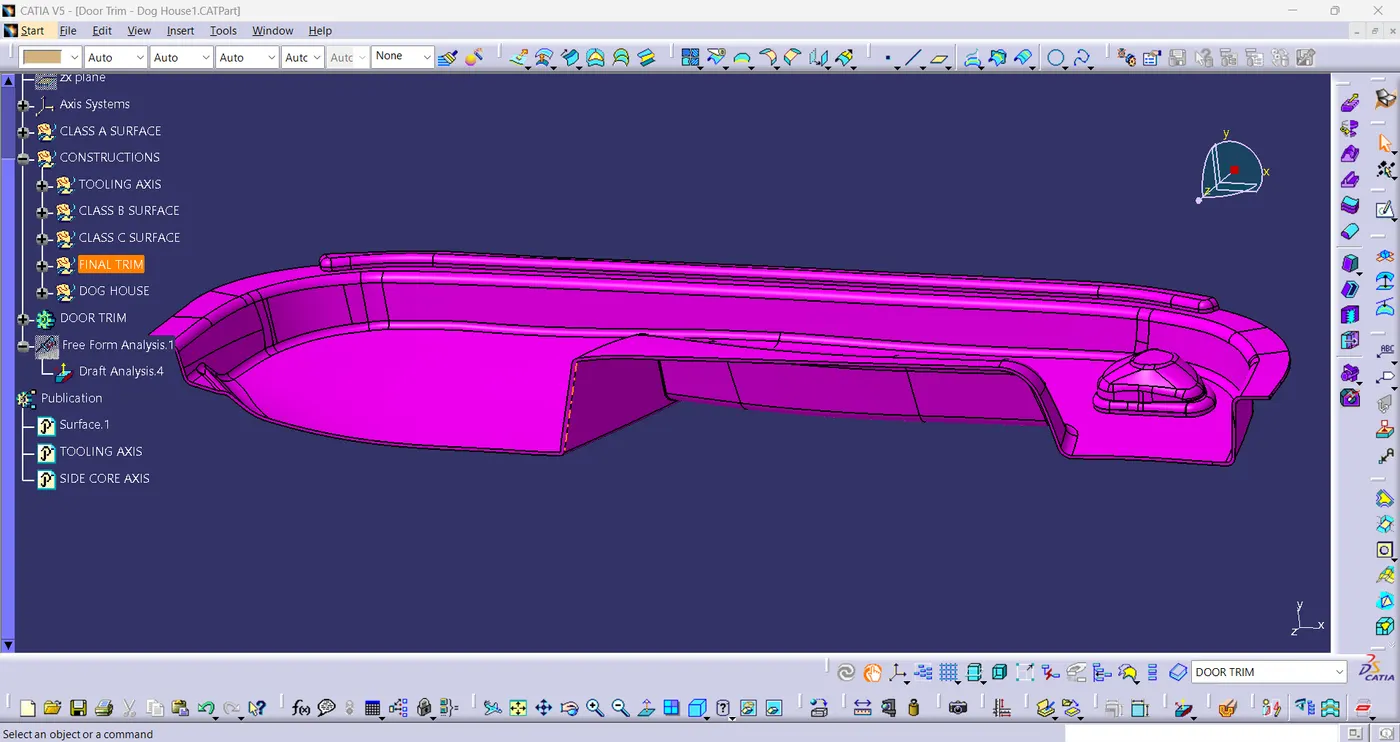
fig(6)
- Use the Close surface command in the part design workbench to obtain the solid surface.[fig(7)]
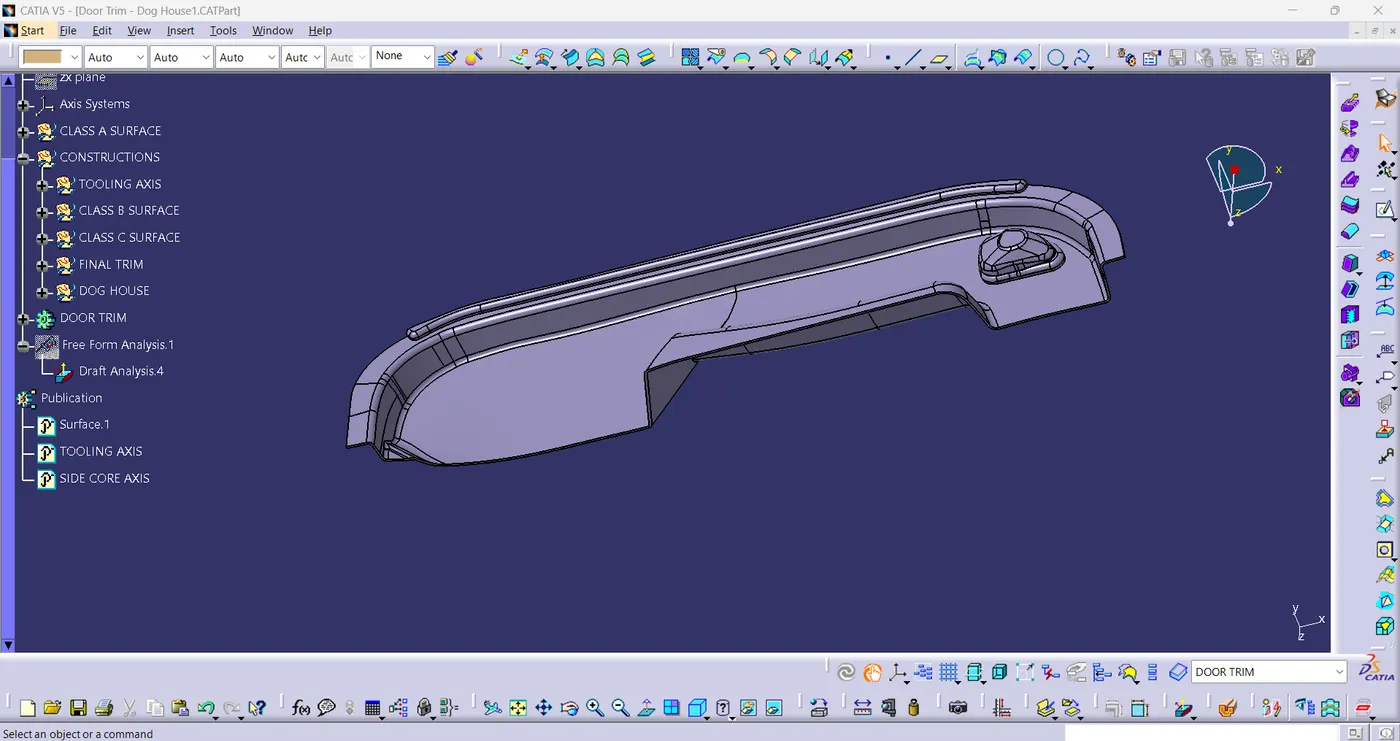
fig(7)
DOG HOUSE CREATION:
- Dog houses are designed to avoid SINK MARK created on the class-A surface by screw bosses and to solve the length issues.
- It is also useful when perpendicular screw bosses are required on the part to the tooling direction.
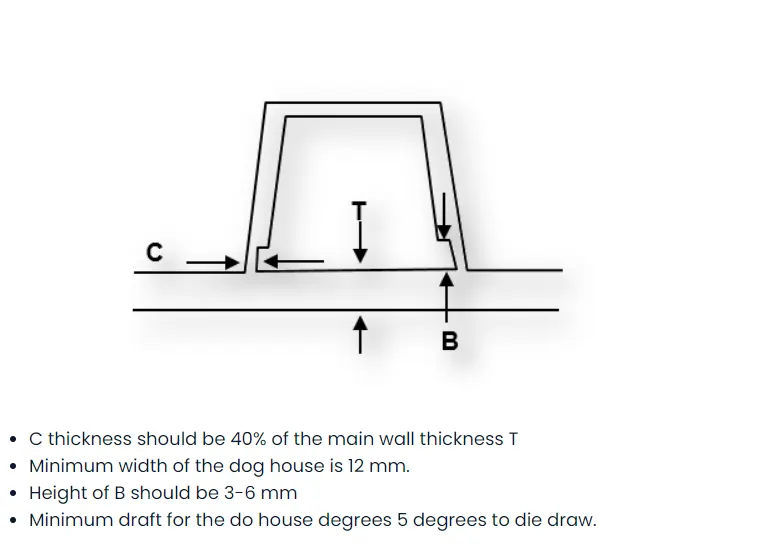
Procedure for Dog House:
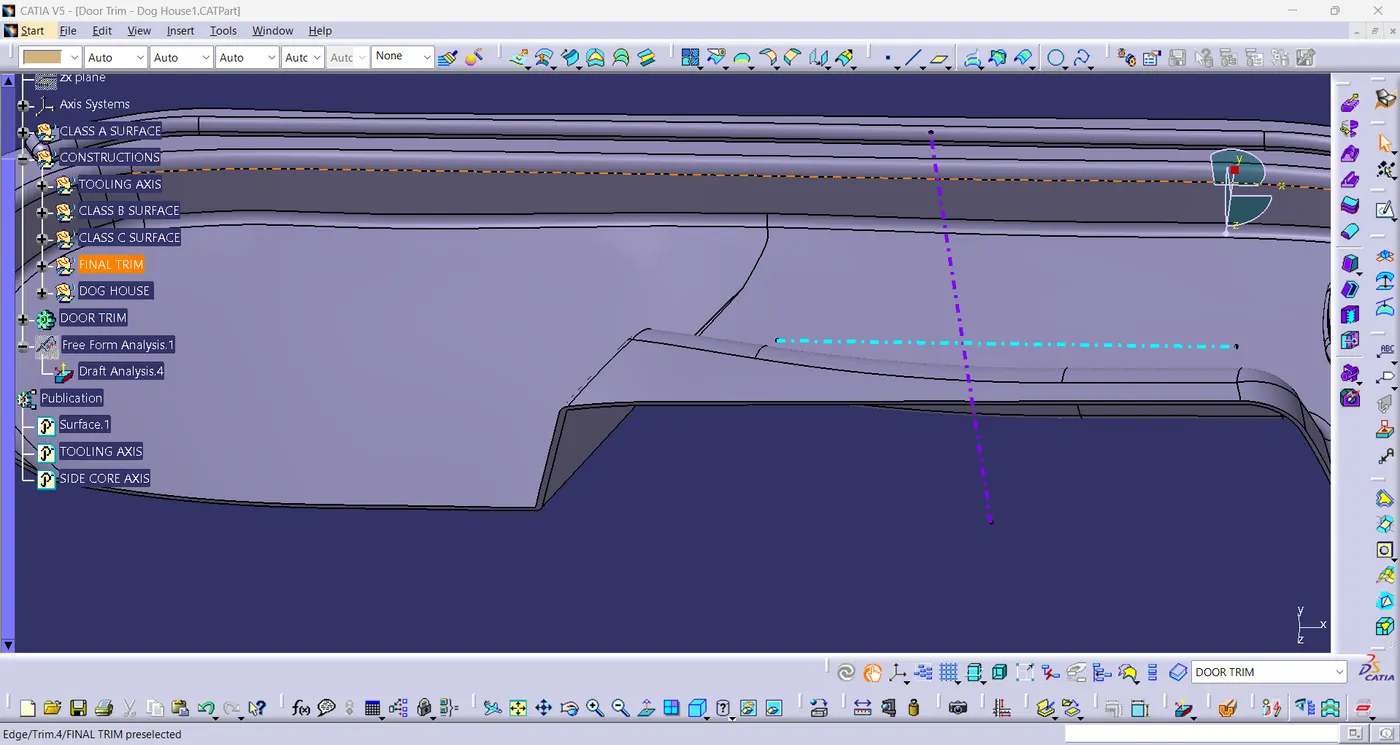
- Firstly, construct the side core axis, I have opted the normal-to-point method for creating the side core axis.[fig(8)]
fig(8)
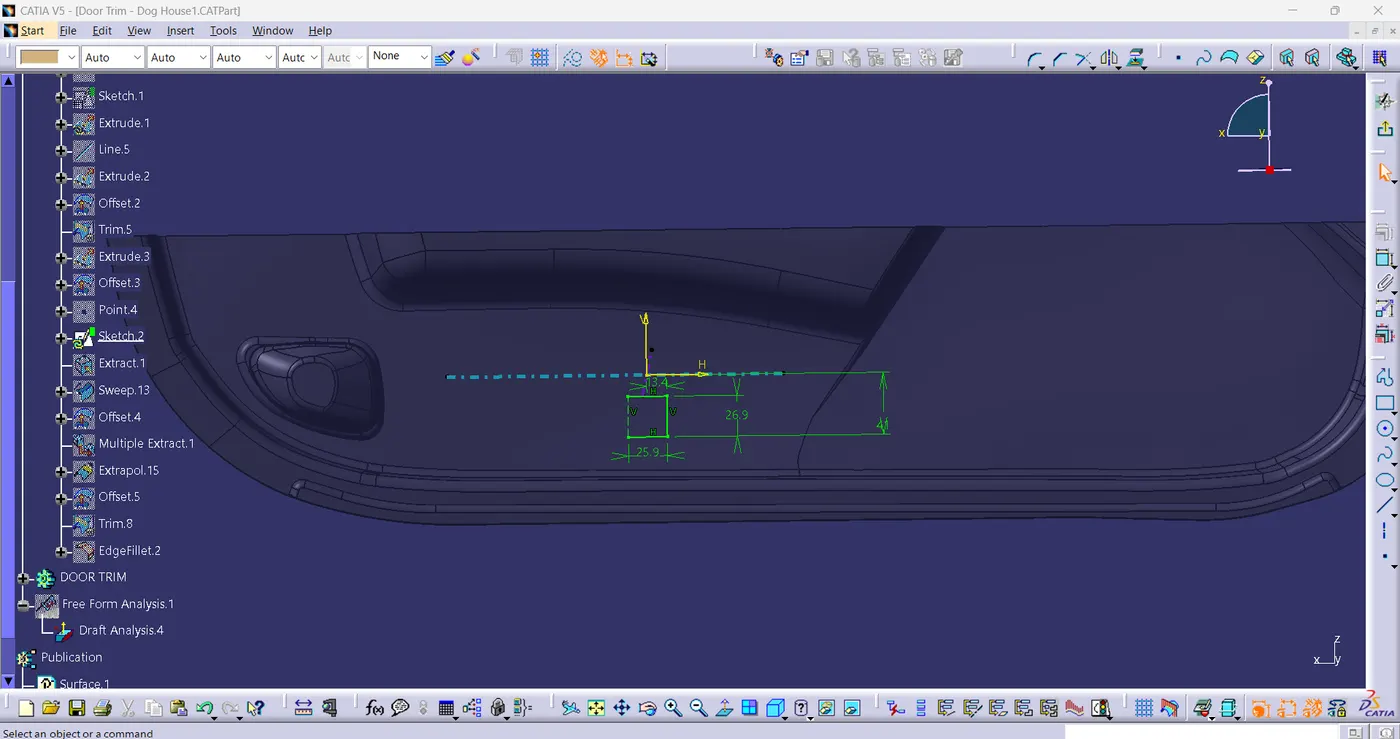
- Sketch the Dog house as per given drawing and with the help of extrude or sweep command create the outer walls.
fig(9)
- Close the top wall using multi-section surface command.
- Create a solid part of Dog House, using Thicken command in part workbench.
- Apply draft angle and fillet as per design rules.
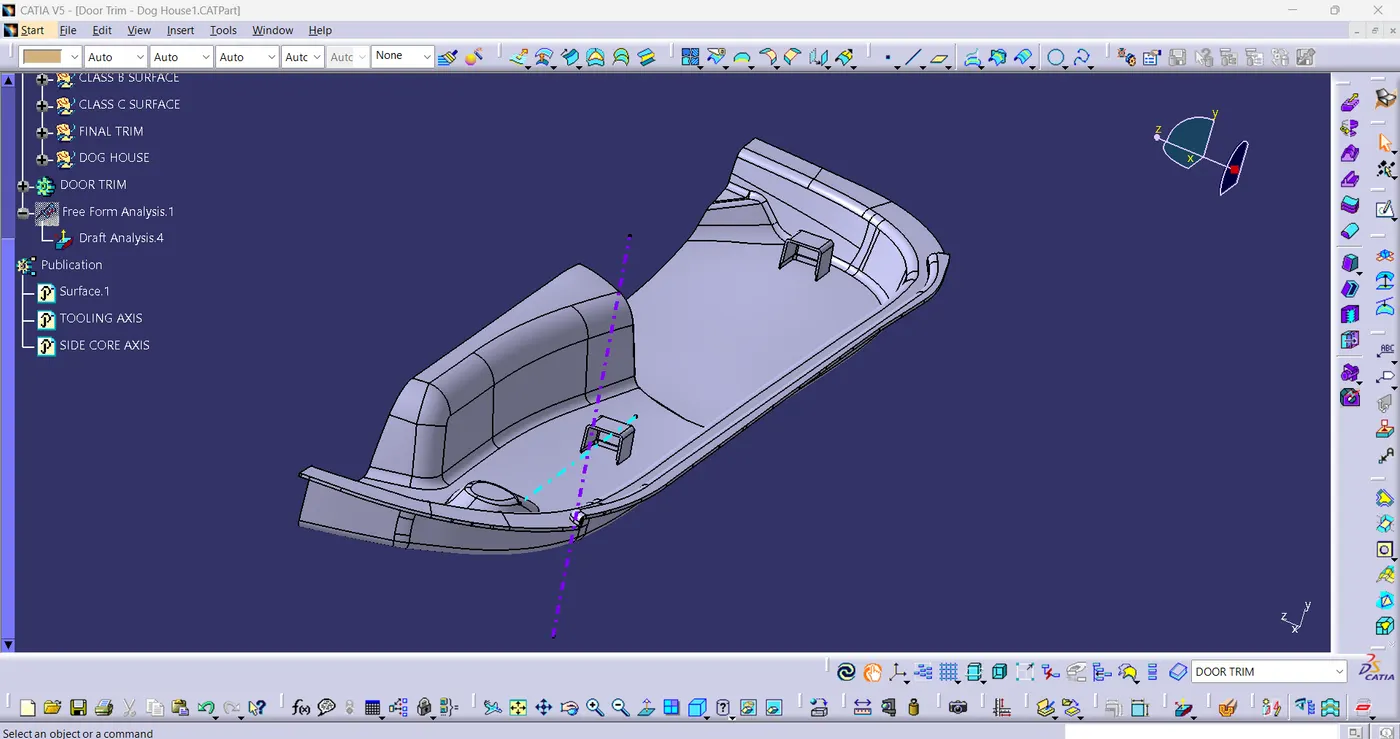
- By using boolean operations and union trim to join the part body and dog house together.
fig(10)
DRAFT ANALYSIS:
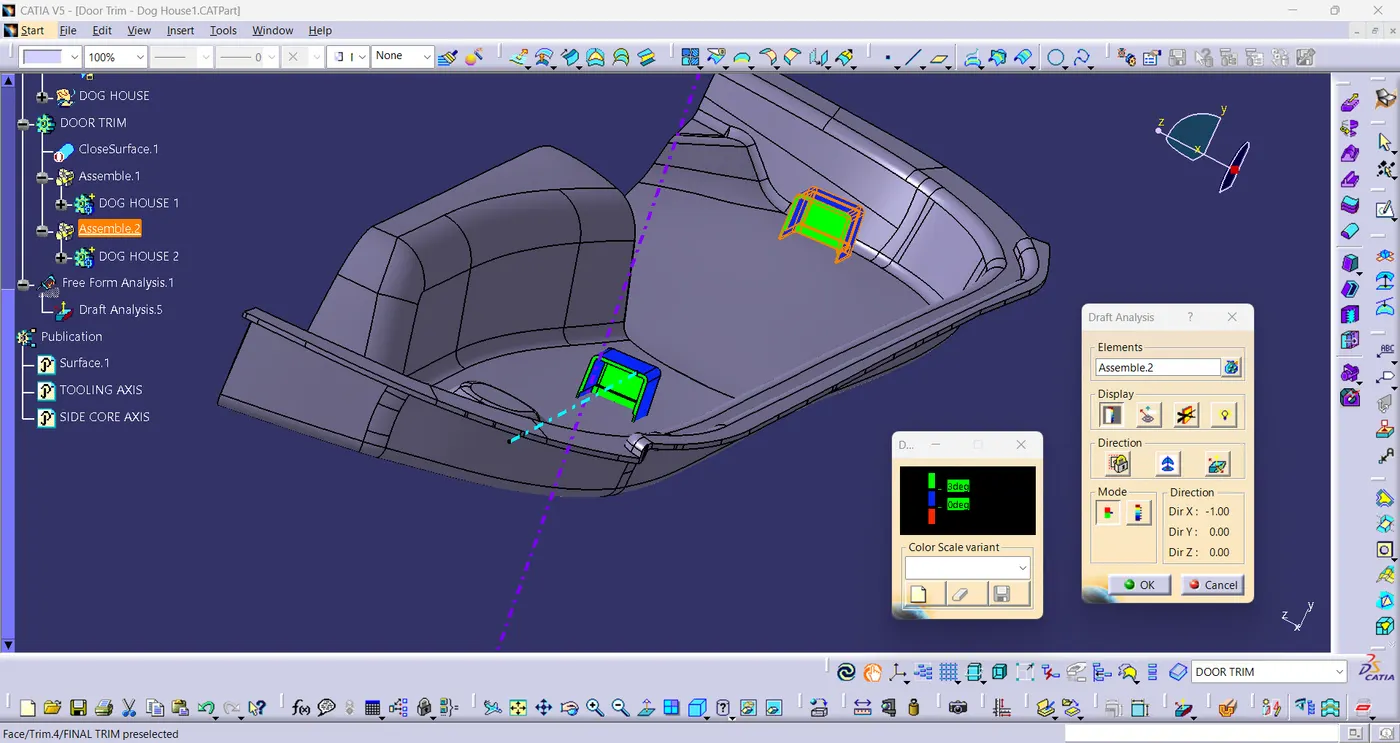
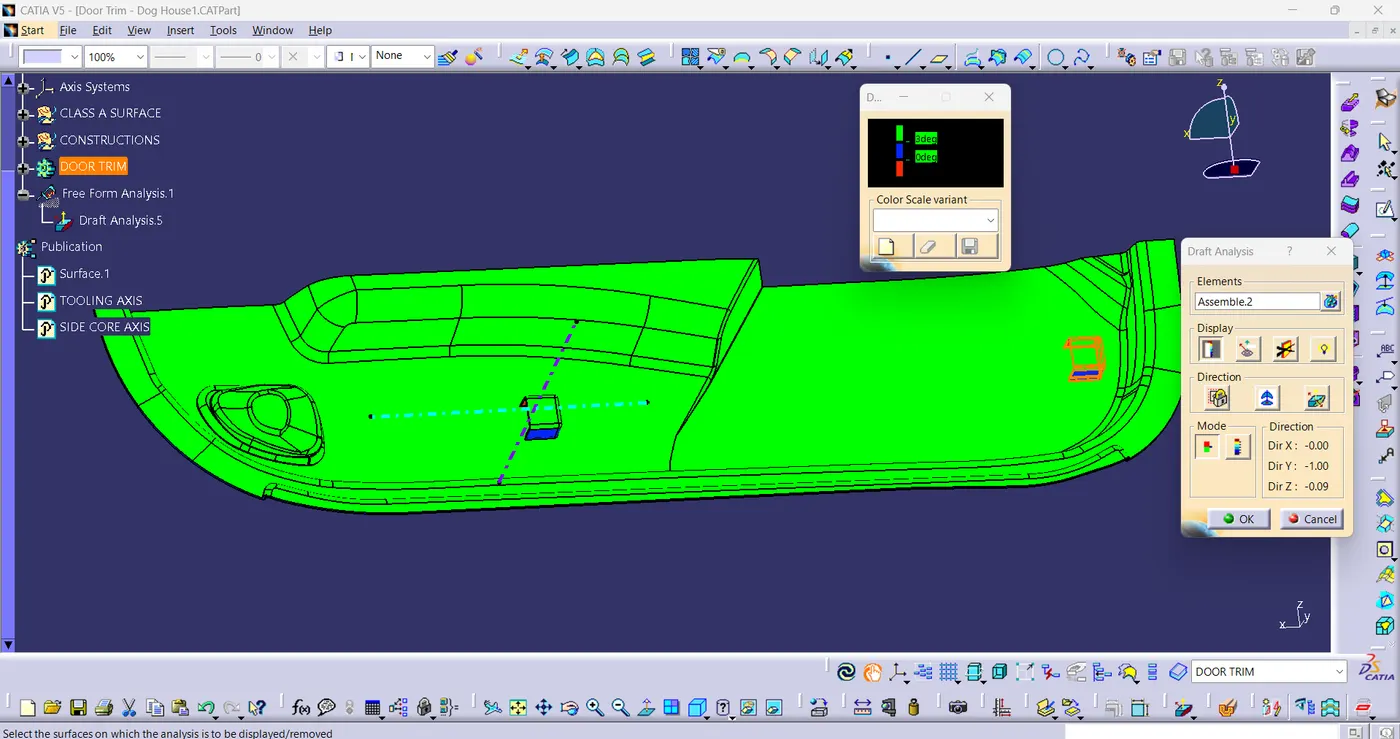
- The Draft Analysis is a command that enables you to detect if the part you drafted will be easily removed. This type of analysis is performed based on colour ranges identifying zones on the analysed element where the deviation from the draft direction at any corresponds to specified values. It is done after dertermining the tooling axis, draft analysis is used to check whether the minimum draft angle of 3-degree is maintained or not.
Procedure for Draft analysis:
- Change the view mode of the component, in customized parameter mode and then select the shading mode as materials.
- In the insert menu, click on feature draft analysis tool.
- Click on compass icon to determine the draft direction by draging the compass towards the tooling axis.
- Lock the draft direction and perform the draft analysis by clicking on the component.
Colour Range representation:
- GREEN - Positive draft angle
- BLUE - Zero draft angle
- RED - Negative draft angle
- DRAFT ANALYSIS OF DOG HOUSE (using side core axis):
fig(11)
- DRAFT ANALYSIS OF DOOR TRIM (using Tooling axis):
fig(12)
3-D MODEL ORIENTATIONS:
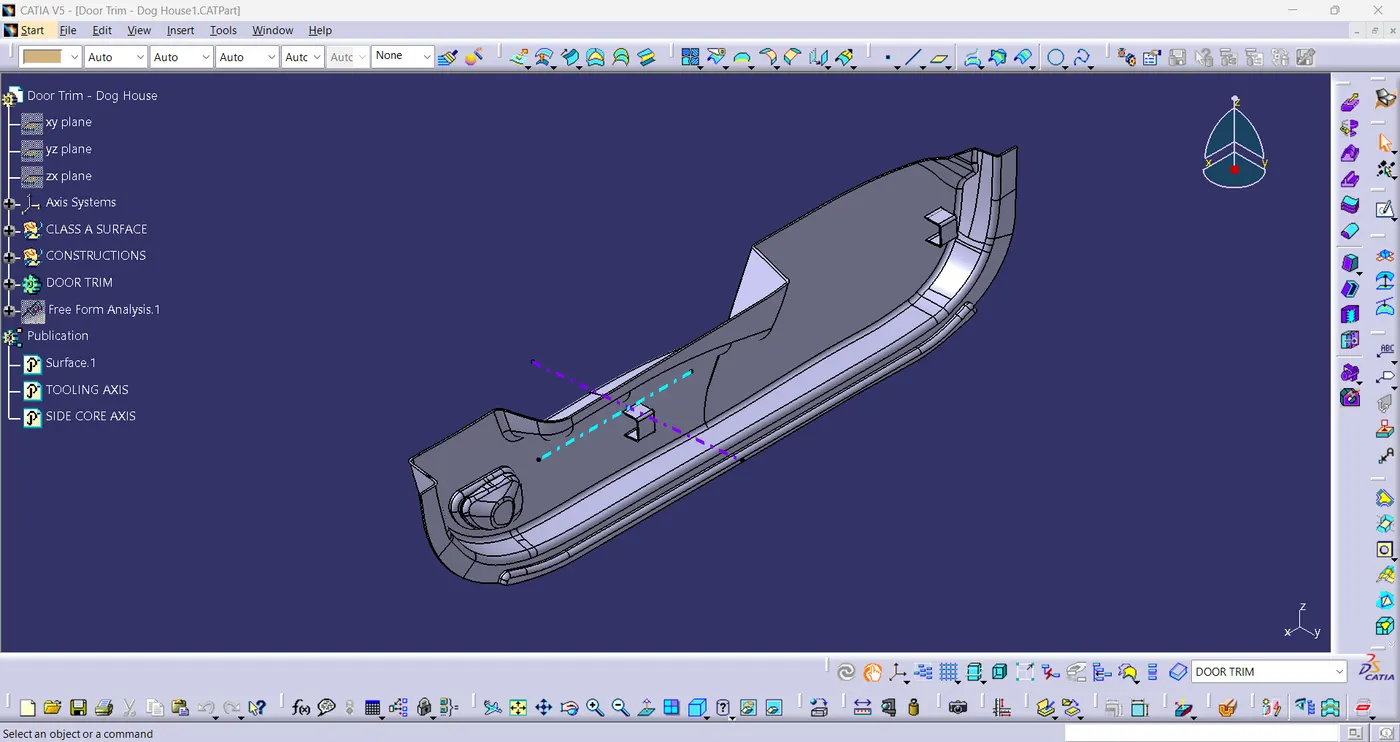
- ISOMETRIC VIEW:
fig(13)
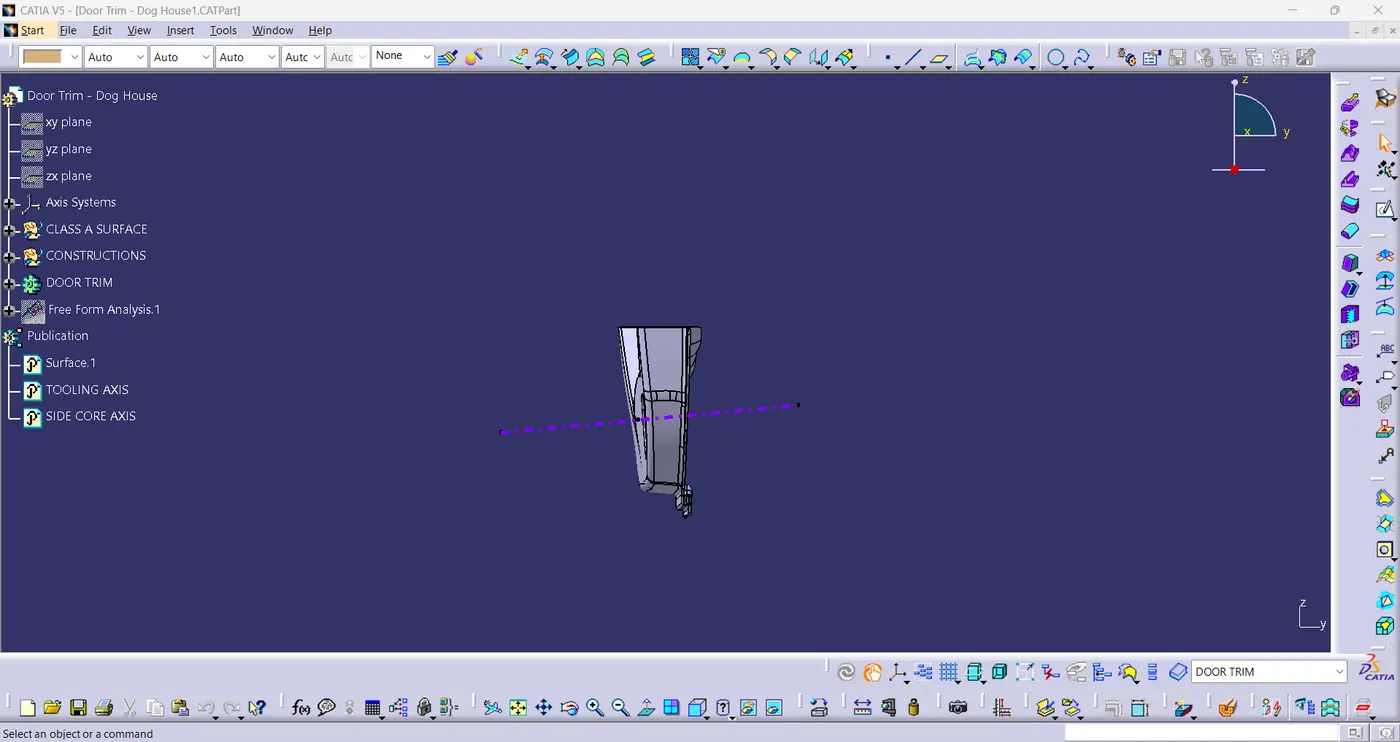
- FRONT VIEW:
fig(14)
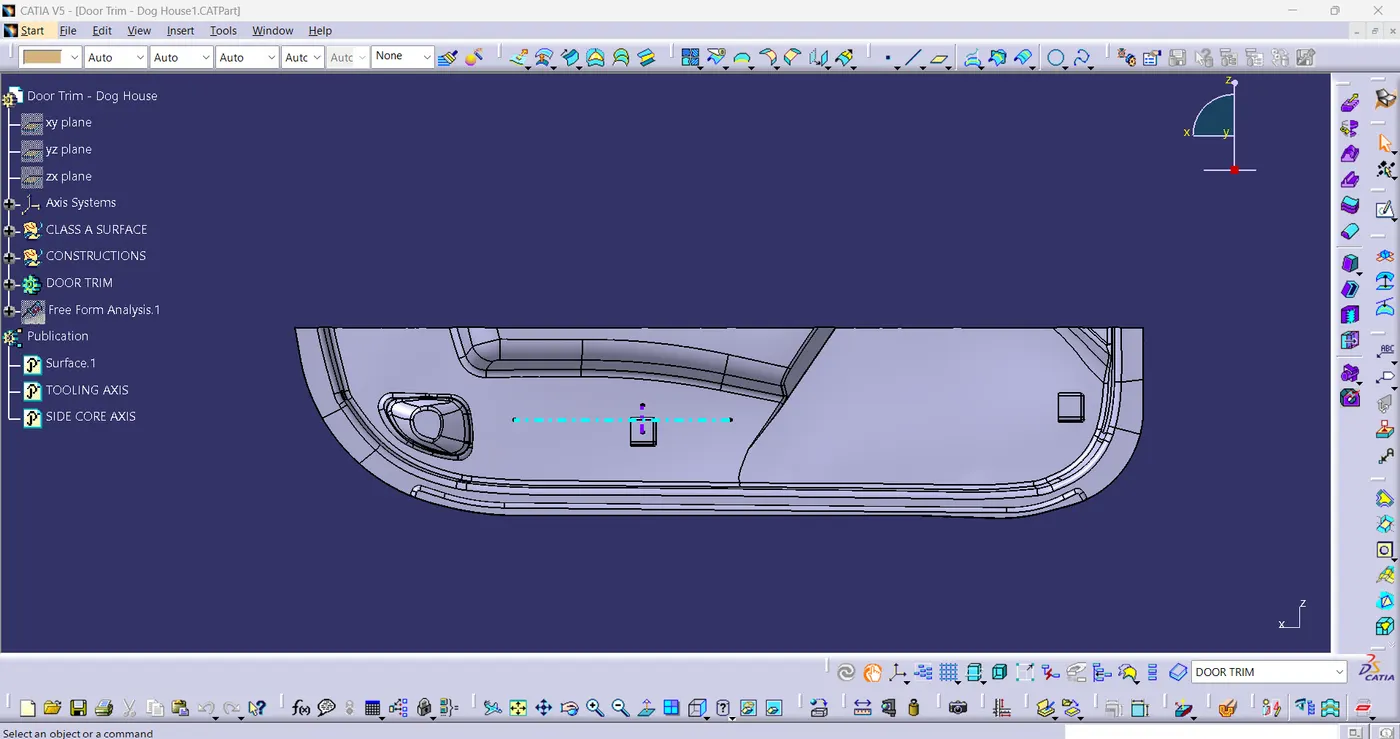
- SIDE VIEW:
fig(15)
- TOP VIEW:
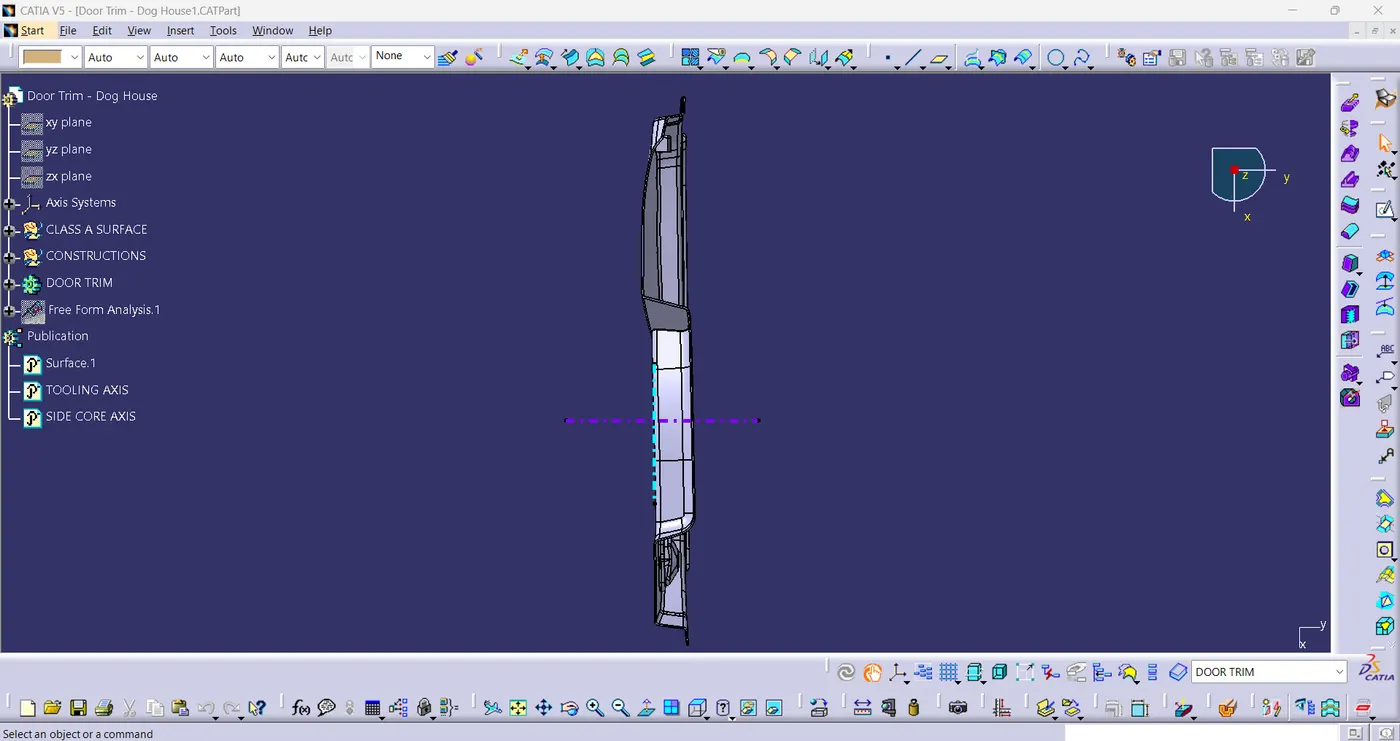
fig(16)
CONCLUSION:
- The Door Trim and Dog House have been successfully created by following the design rules. All the objectives have been covered like cretion of class-B and class-C surface and performed the draft analysis using tooling axis and side core axis.