Week 1 Stress Concentration on a Plate with hole
Week 1:
Sress Concentration on a plate with Hole:
Aim:To compare the deformation and maximum stress developed on a structural steel for both the cases (1&2) from analysis stand point and manufacturing stand point.
Objective:
Case :1
Design a plate with a hole model similar to what we worked in the class, but with increased thickness.
Determine the maximum deformation and stress developed in the model.
Plate dimensions:
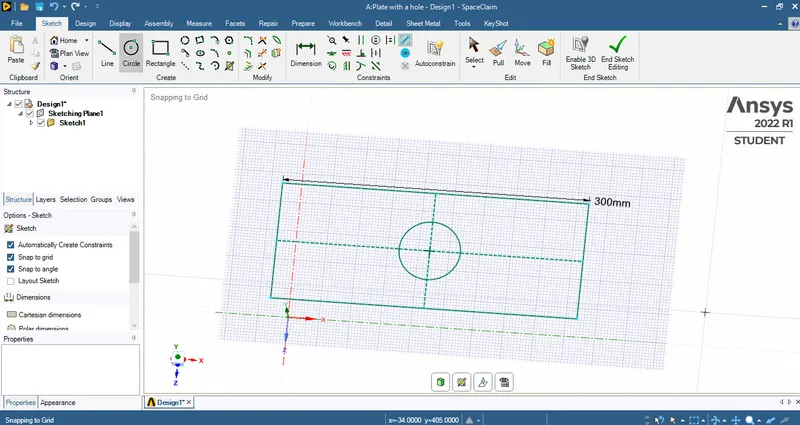
Length=300mm
Height=120mm
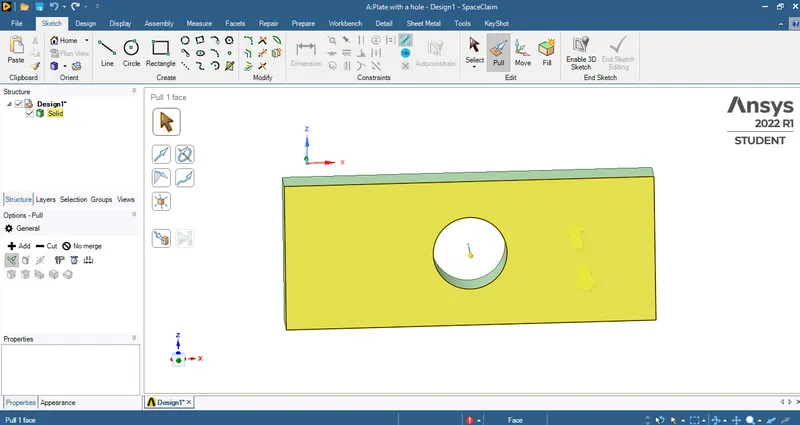
Thickness=30mm
Circular Hole at the center:
Diameter=60mm
Case 2:
smaller holes 90mm away from the center:
Diameter=30mm
Boundary Conditions:
Plate fixed at left face.
Load of 500N on the right face.
Procedure:
CASE 1:
- Firstly open the ANSYS Workbench software.
- select 'Static Structural' from analysis system.
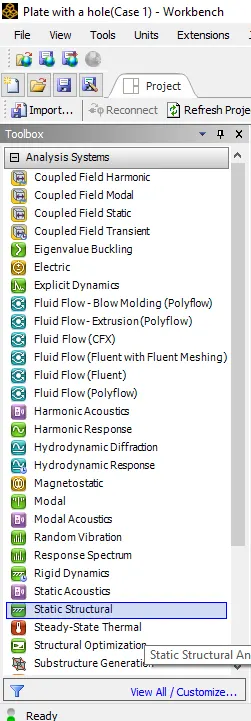
- Use the default material which is a 'Structural steel'.
- Then click on Geometry it will re-direct to another tab named as 'Space Claim'.
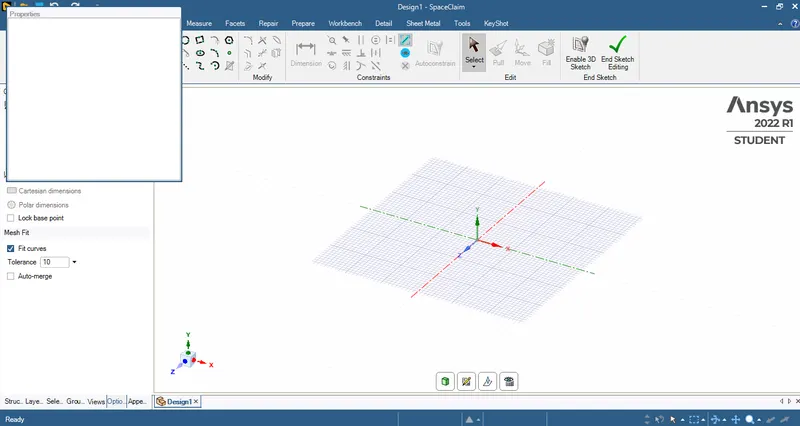
- Then create a rectangular plate with a hole and assign the dimensions as mentioned.
- And then pull the created plate with a thickness of 30mm with the pull option.
- After that close the Space claim window.
- Then right click on the model tab and click 'update' then it will open another window named as 'ANSYS Mechanical'.
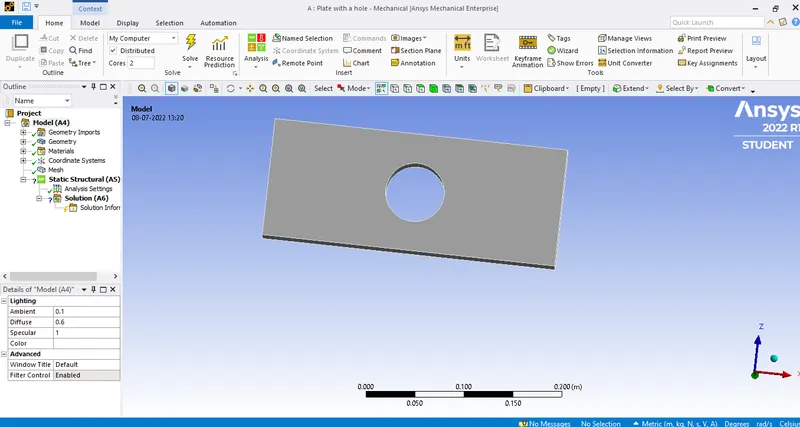
- Then mesh the model using 'automesh' with an element size of 5mm.
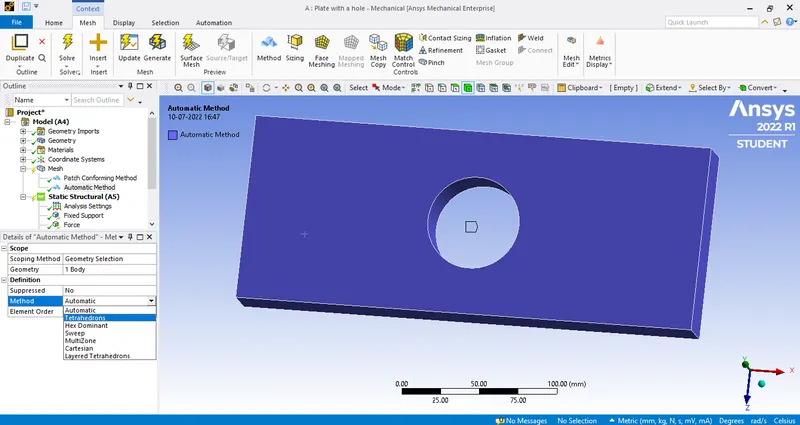
- As it is a solid structure we need to convert it from 2D element to 3D element.
- So, right click on mesh and then insert a method.
- Then select the model and click apply and in method select 'Tetrahedrons'.
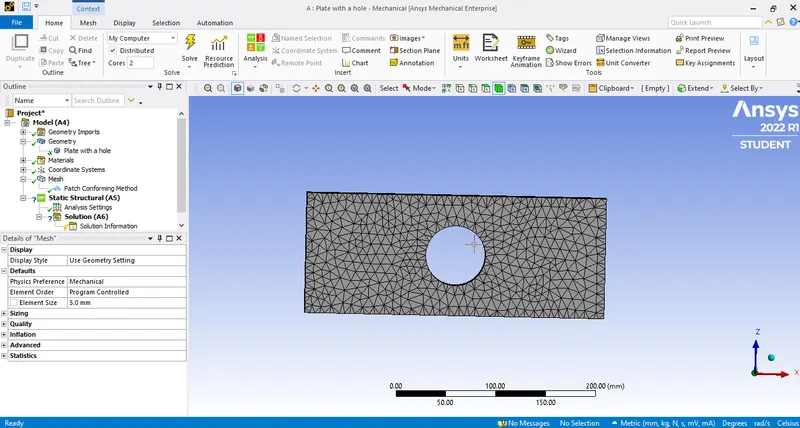
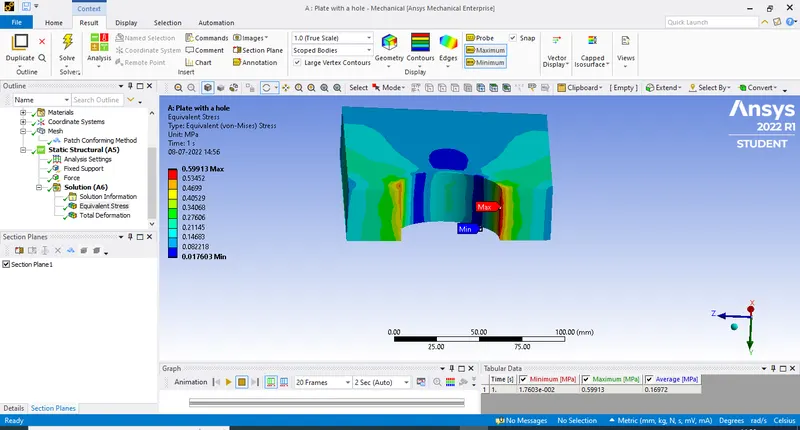
- After meshing the model the image will be as follows.
- After that we need to fix the left end of the plate using fixed support.
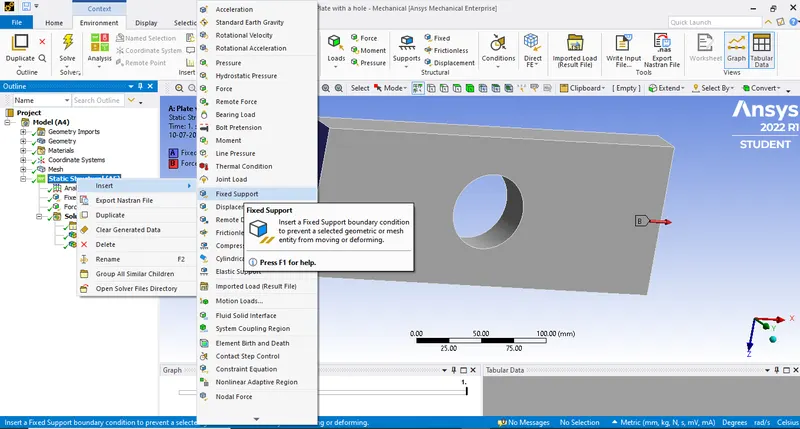
- Then select the side and click on 'apply' then it will be fixed at one end as follows.
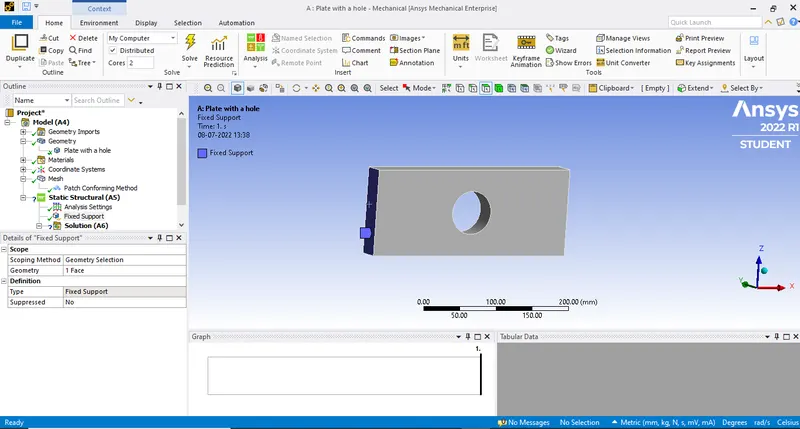
- We need to select the force end on right side where the force is applied.
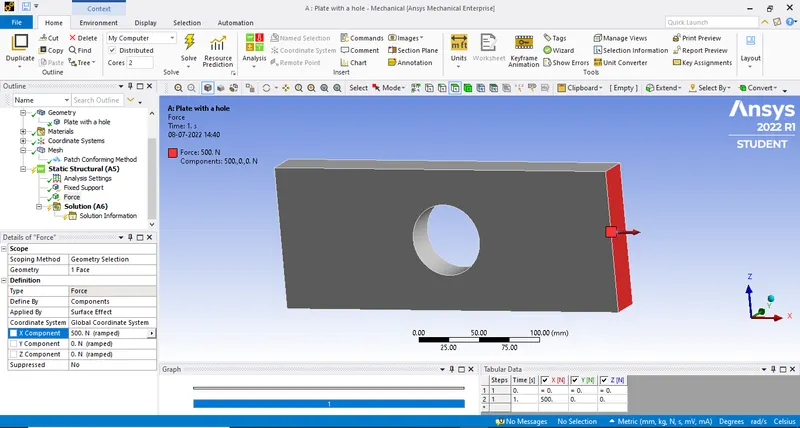
- Then we need to assign the force at one end by defining using co-ordinate system.
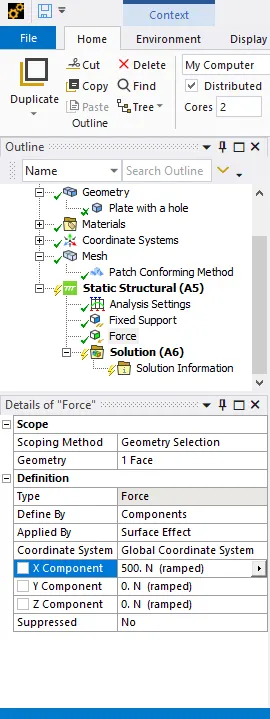
- Assign the force of 500N at a right end of the plate according to Co-ordinate axis.
- Then click on the solution it gives us the solution information as follows.
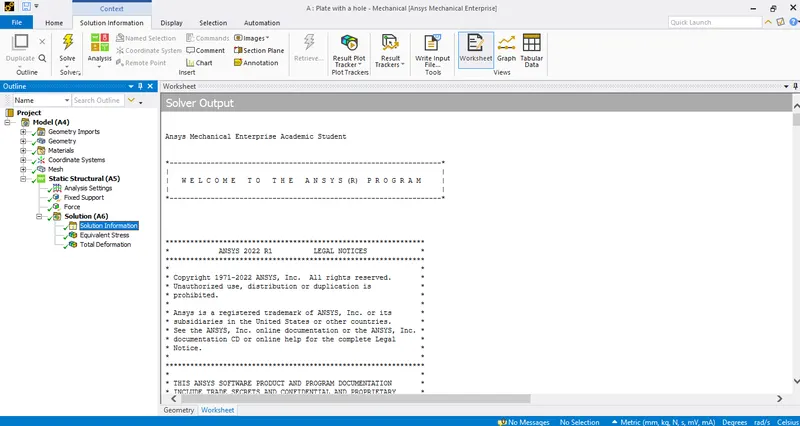
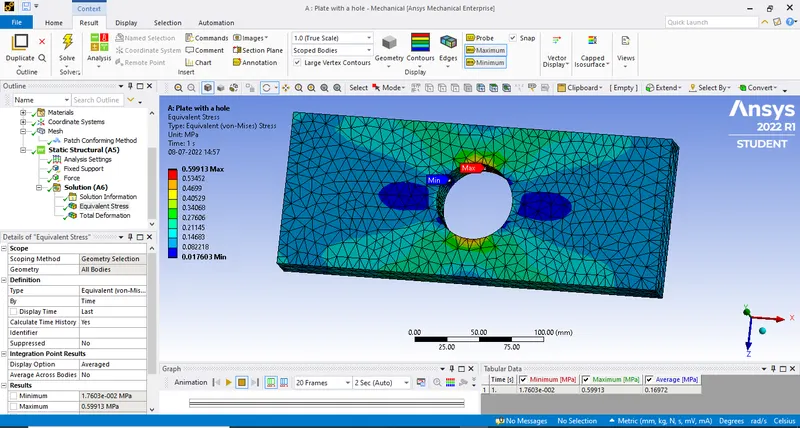
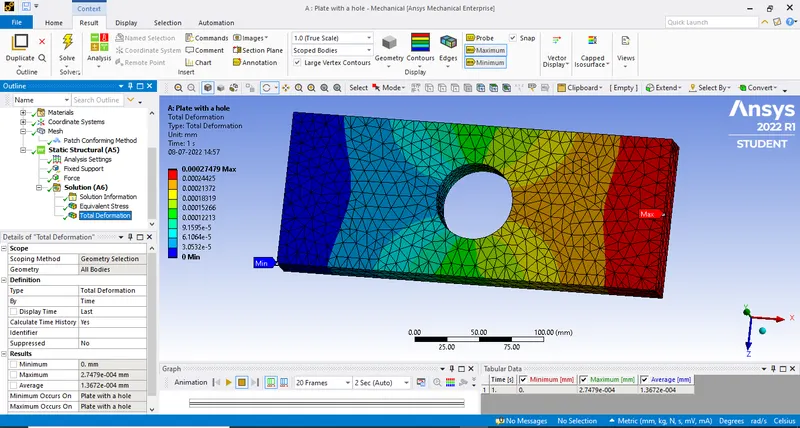
- Then after we need to get the output results for this model as equivalent stress and total deformation.
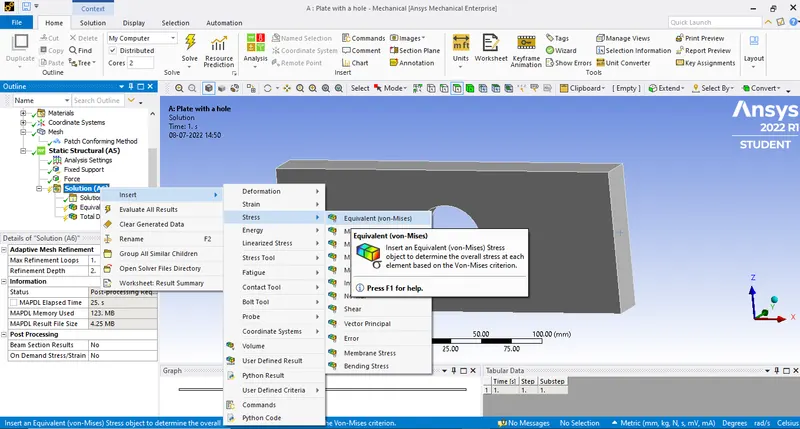
- For that right click on Solution>Insert>Stress>Equivalent(Non-mises).
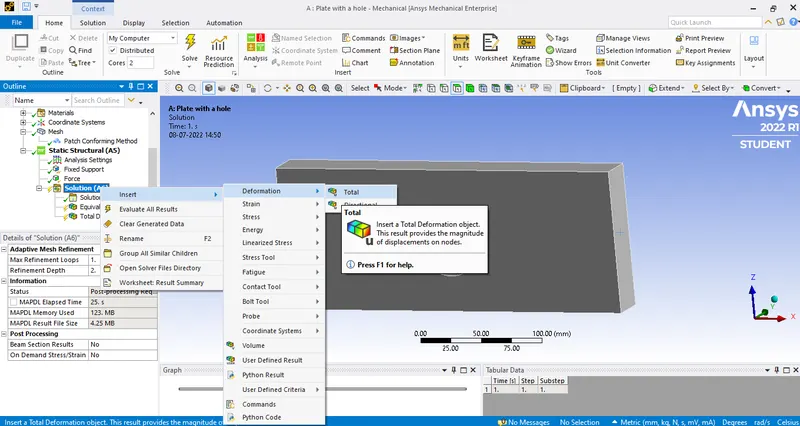
- For Total deformation Solution>Insert>deformation Total.
- And finally after that we evaluate the result by right click on the solution tab and check evaluate all results.
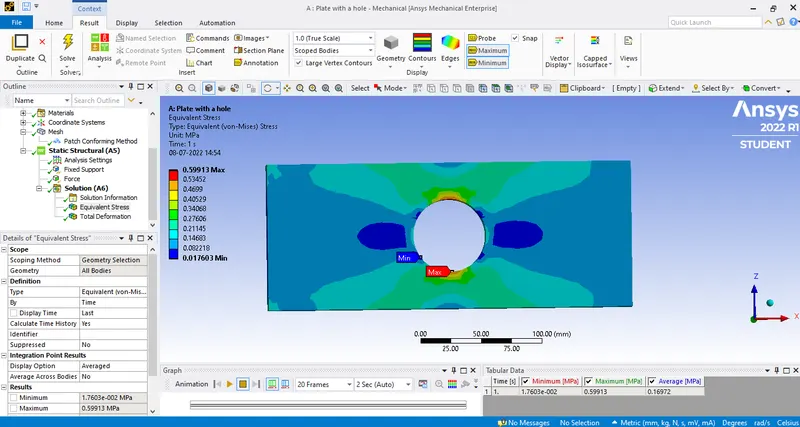
Equivalent Stress:
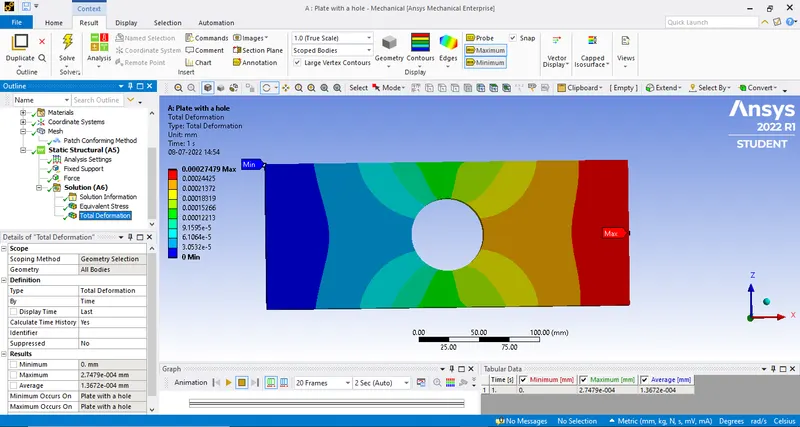
Total Deformation:
Final Images:
CASE 2:
- Create a rectangular plate with three holes and assign the dimensions as mentioned.
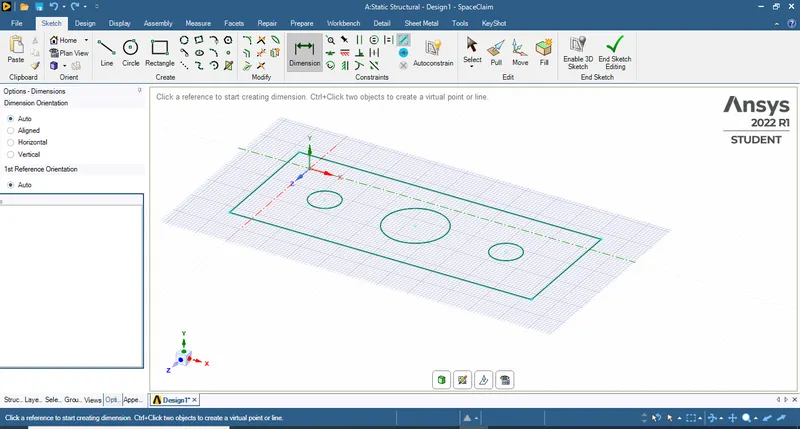
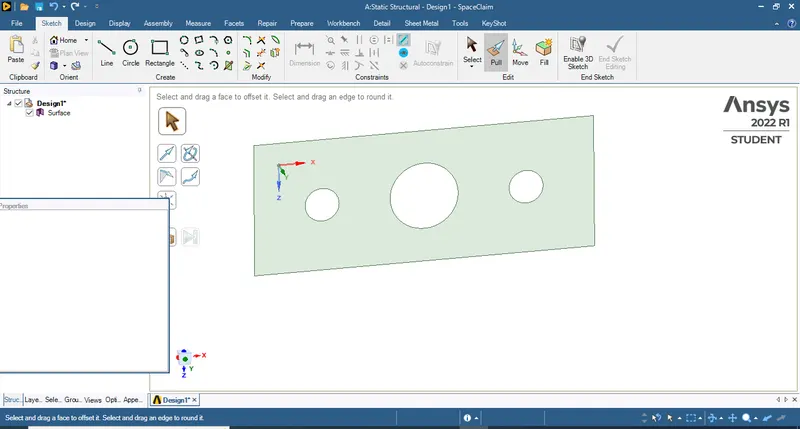
- And then pull the created plate with a thickness of 30mm with the pull option.
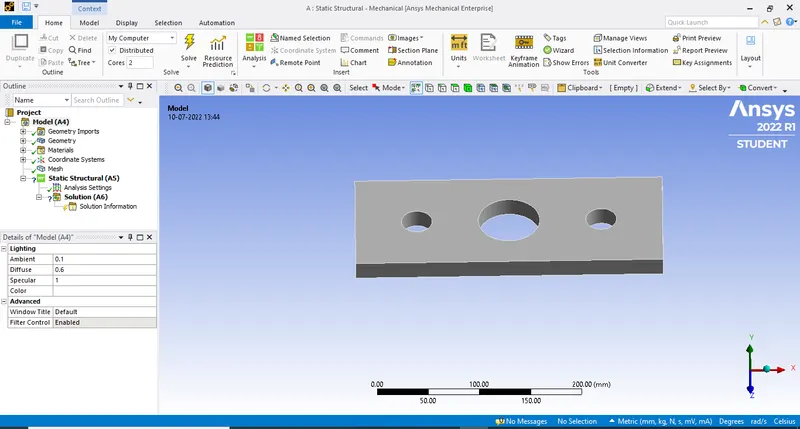
- After that close the Space claim window.
- Then right click on the model tab and click 'update' then it will open another window named as 'ANSYS Mechanical'.
- Then mesh the model using 'automesh' with an element size of 5mm.
- As it is a solid structure we need to convert it from 2D element to 3D element.
- So, right click on mesh and then insert a method.
- Then select the model and click apply and in method select 'Tetrahedrons'.
- After meshing the model the image will be as follows.
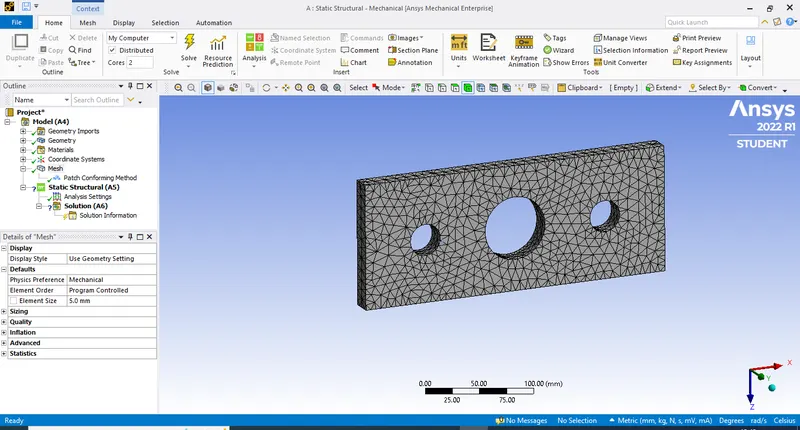
- Then select the side and click on 'apply' then it will be fixed at one end.
- We need to select the force end on right side where the force is applied.
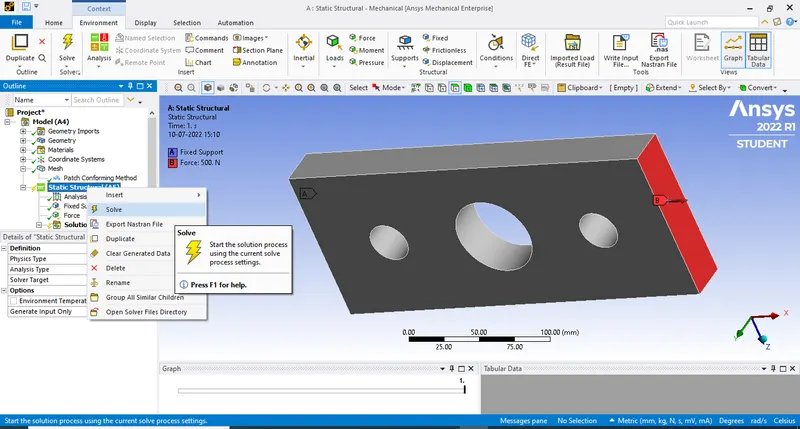
- Then we need to assign the force at one end by defining using co-ordinate system.
- Assign the force of 500N at a right end of the plate according to Co-ordinate axis.
- Then click on the solution it gives us the solution.
- And finally after that we evaluate the result by right click on the solution tab and check evaluate all results.
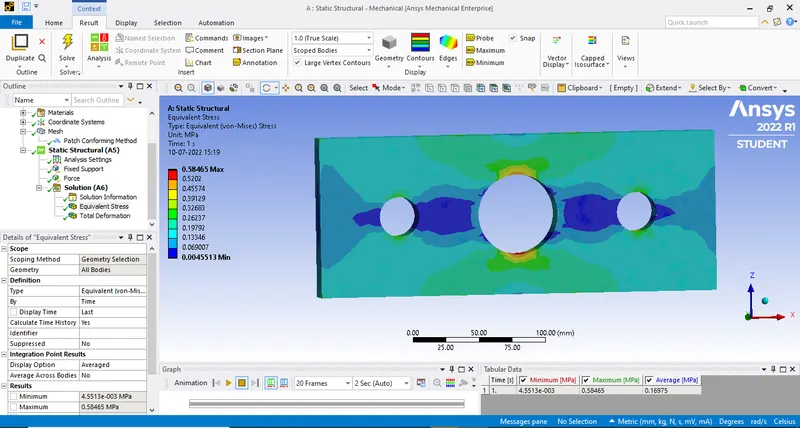
Equivalent stress:
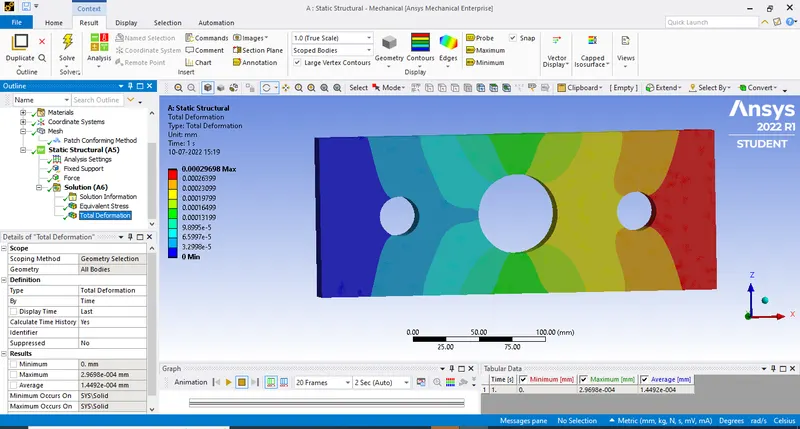
Total Deformation:
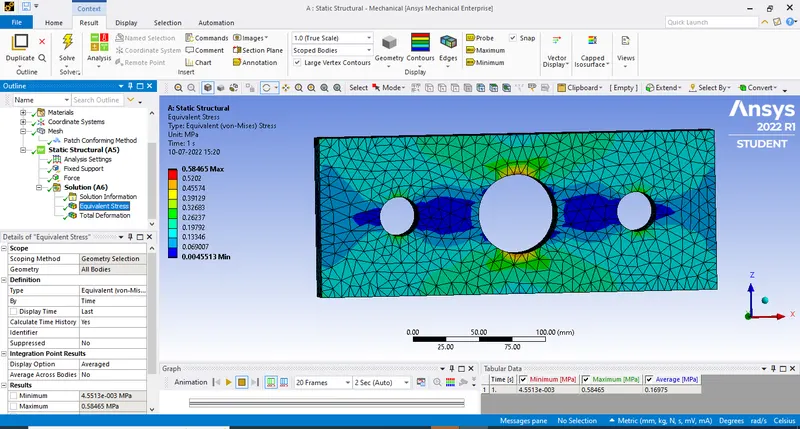
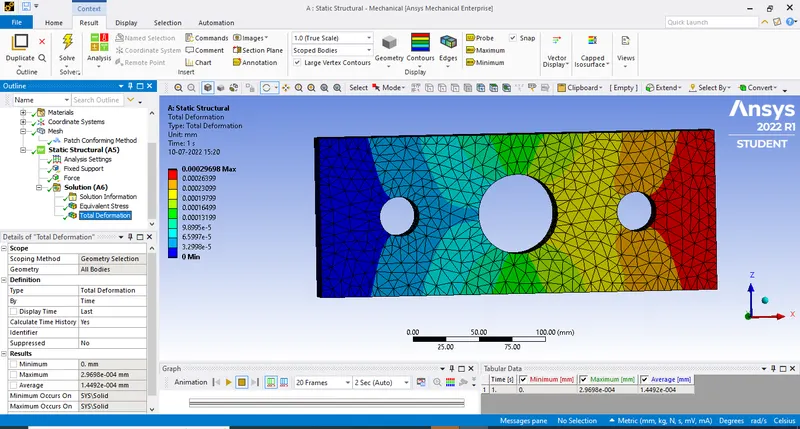
Final Images:
Results and comparision:
Equivalent stress:
Maximum(MPA) Mininimum(Mpa) Avg(Mpa)
CASE 1 0.599913 0.017603 0.16972
CASE 2 0.58465 0.0045513 0.16975
CASE 1 Image:
CASE 2 Image:
Total Deformation:
Maximum(mm) Minimum(mm) Avg(mm)
CASE 1 0.00027479 0 1.367e-004
CASE 2 0.00029698 0 1.4492e-004
From the above Comparisions
- The deformation in Case 2 is high when compared to Case 1.
- Whereas for maximum stress the case 1 is high compared to that of case 2.
Selection of design from Analysis point of view:
In analysis point of view we can go with case 2 because it has less 'stress' compared to case 1.The stress concentration around is very low and it gives a better flow of stress waves in the element.The stress has been distributed around the three holes on the plate.
Selection of design from a Manufacturing point of view:
In manufacturing point of view we can go with case1,As to reduce the wastage of the material,production cost and time as well.In the case 1 it is very simple design that requires less effort in manfacturing.
Conclusion:
From the above cases we get a conclusion we get a conclusion that stress developed as maximum in case 1 compared to that of case 2.And then deformation is higher in case 2 comapared to that of case 1.