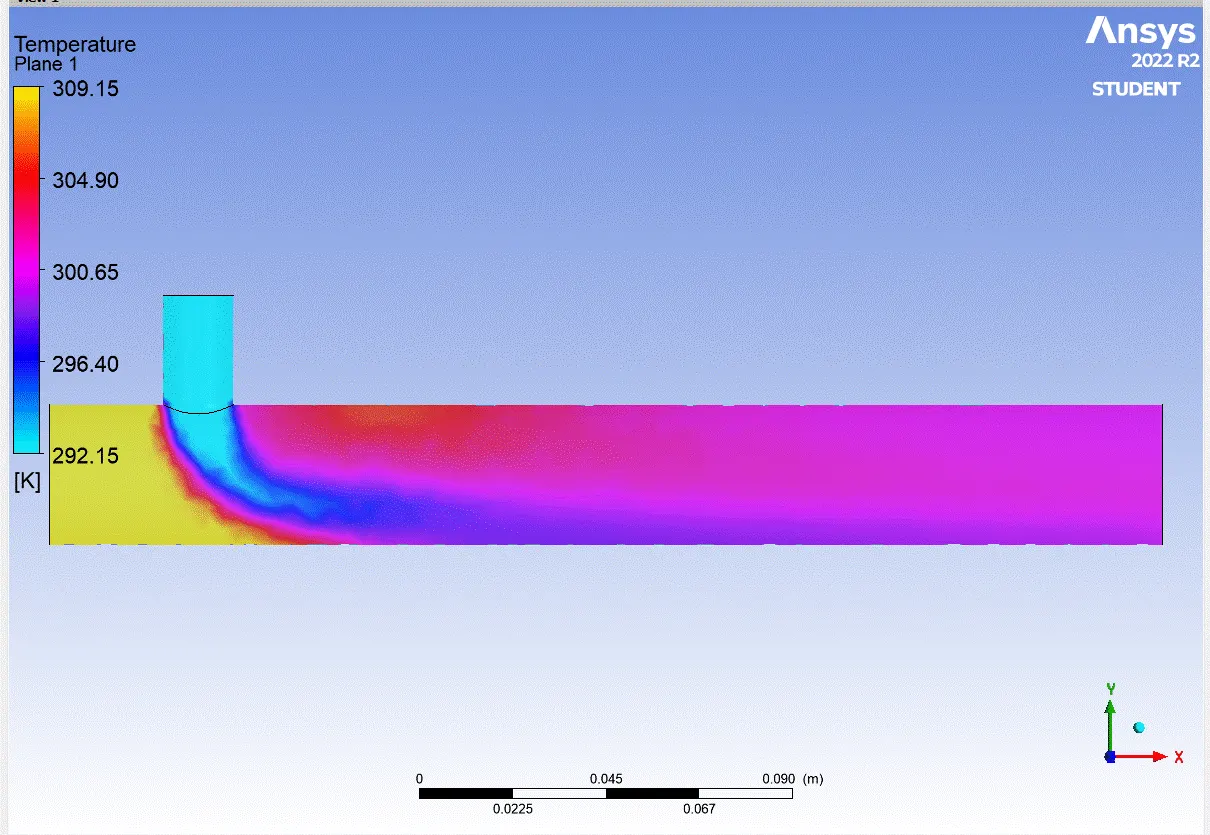
Week 1- Mixing Tee
AIM :- Mixing Tee
Objective :–
- To clean the geometry and mesh it in pre-processing.
- To solve the model with best solver in Ansys solver.
- To generate contour and line plots and analyse it in postprocessor.
Procedure :-
There are three major steps to perform any type of simulation as follows pre-processor – it includes geometry clean up and generate best quality mesh. Solving includes applying boundary conditions, initialize and convergence. Last step is post processor which includes generate plots, contours, vectors to analyse results. In this study we are going to follow all three steps to find out effectiveness of mixing tee. The following steps to be followed
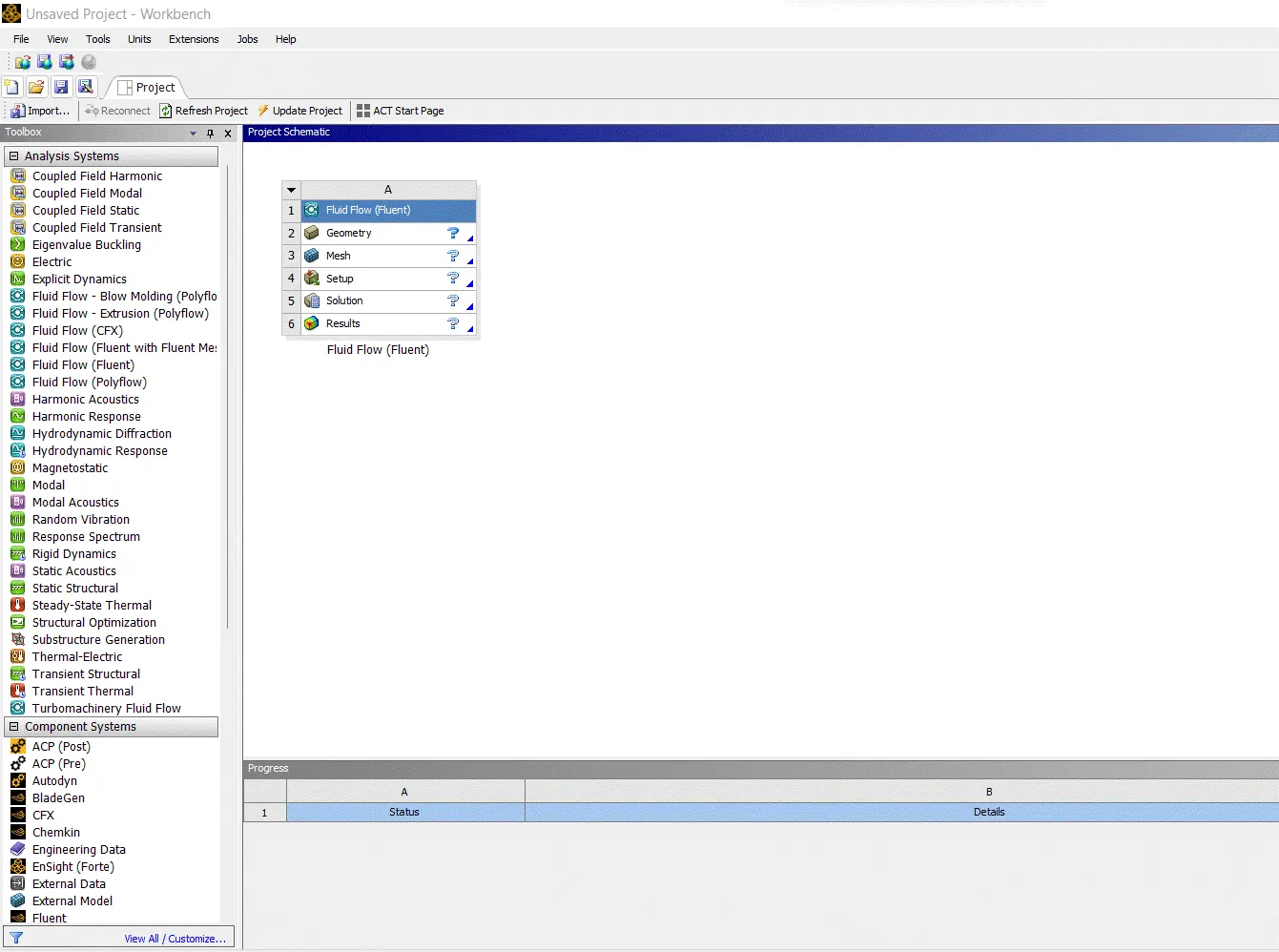
Open new project, by clicking on Fluid flow (Fluent) in Ansys workbench.
Case 1 :-
- Short mixing tee with a hot inlet velocity of 3m/s.
- Momentum ratio of 2
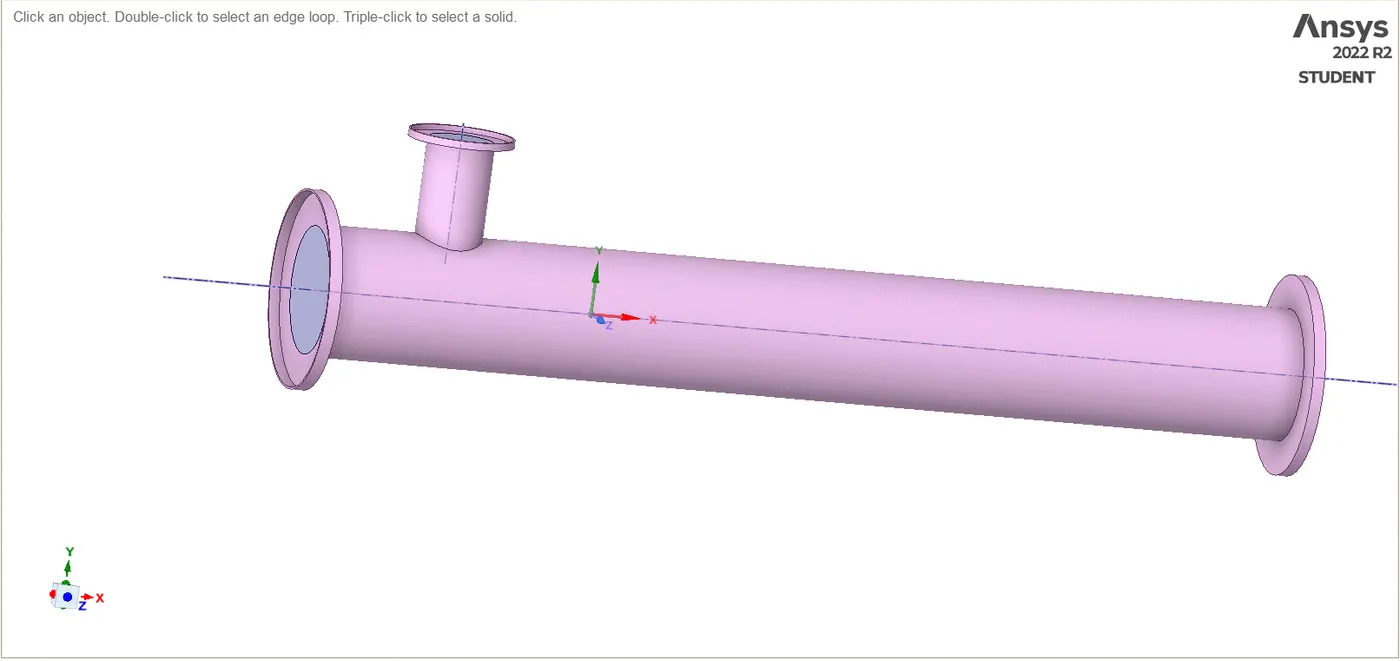
Now click on geometry to import mixing tee model. It will redirect to Spaceclaim, Ansys’s geometry model manipulator.
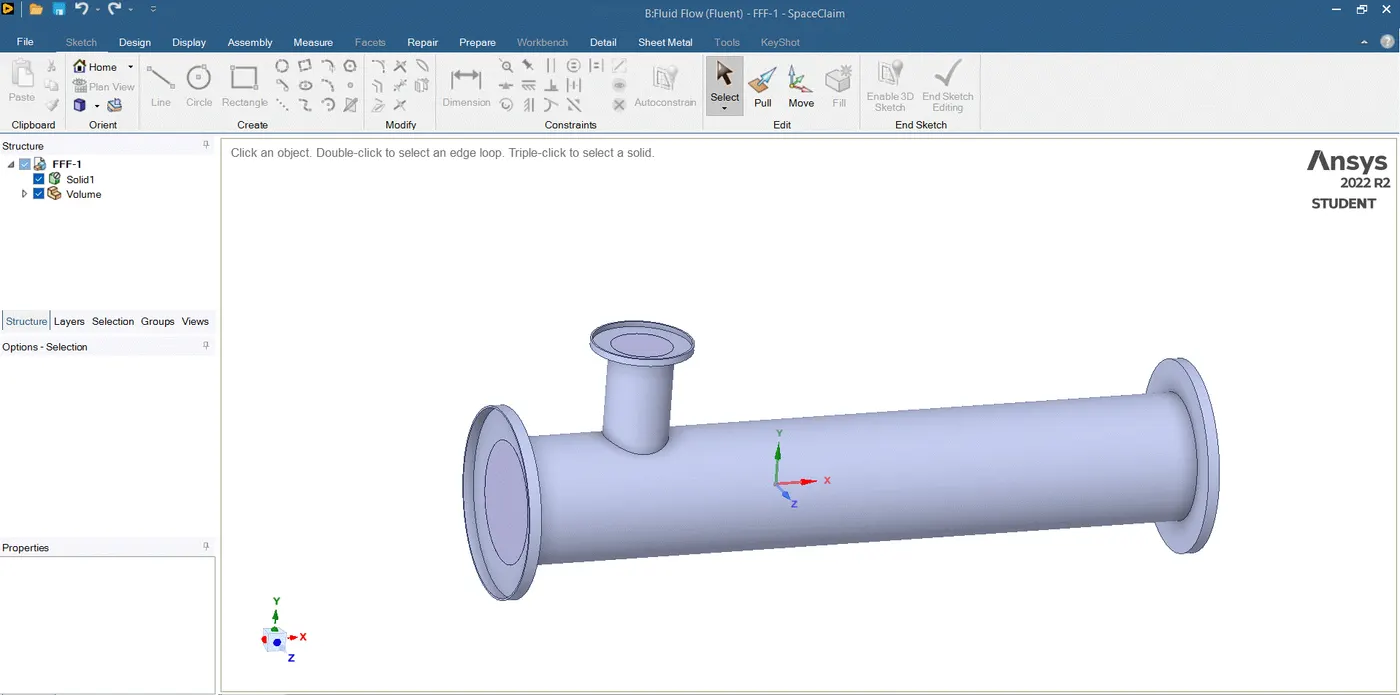
We are to analyse the mixing of two fluid, so there is role of parts other than two pipes. To supress that we need to extract volume of tee. Go to prepare menu and click on volume extract. Switch to edge selection and select three outer edges and click on green check button.
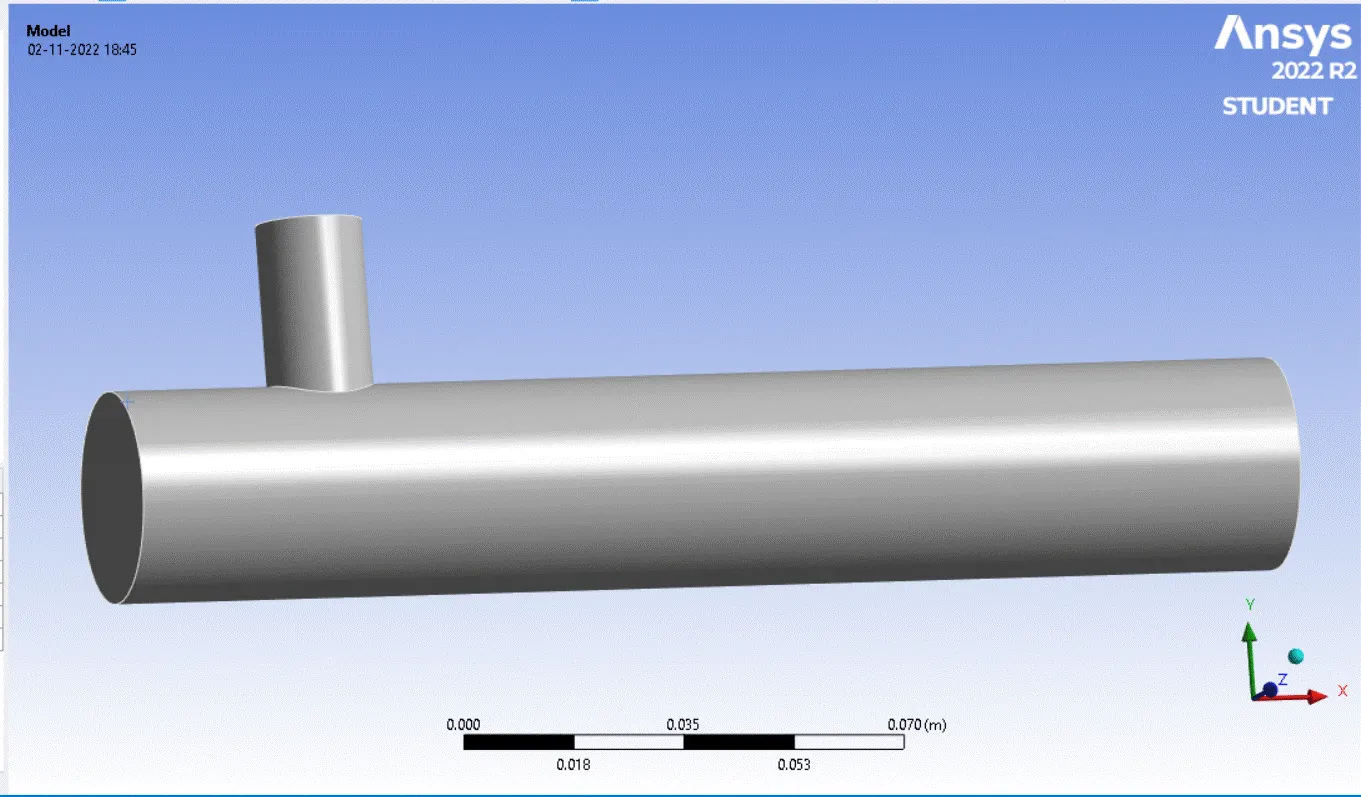
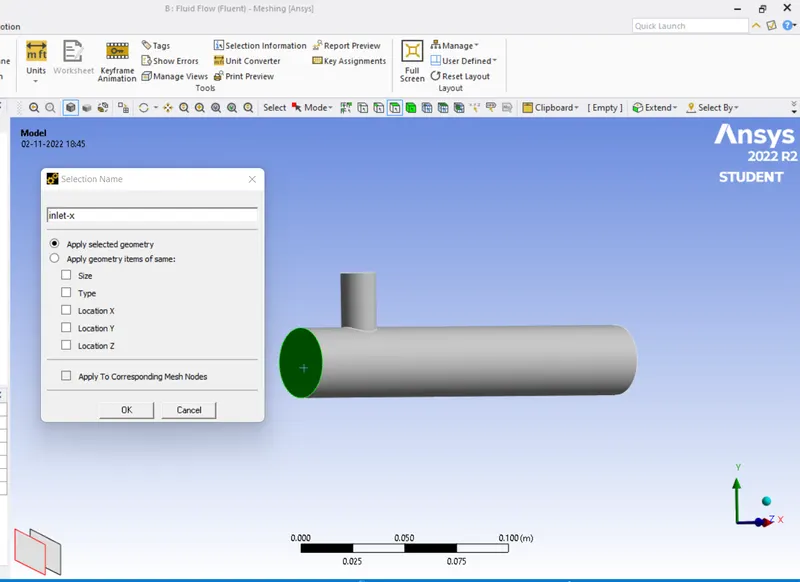
Select outer face and press right click of mouse, it will open a menu. Click on option create named selection and write suitable name for face. Repeat for other faces.
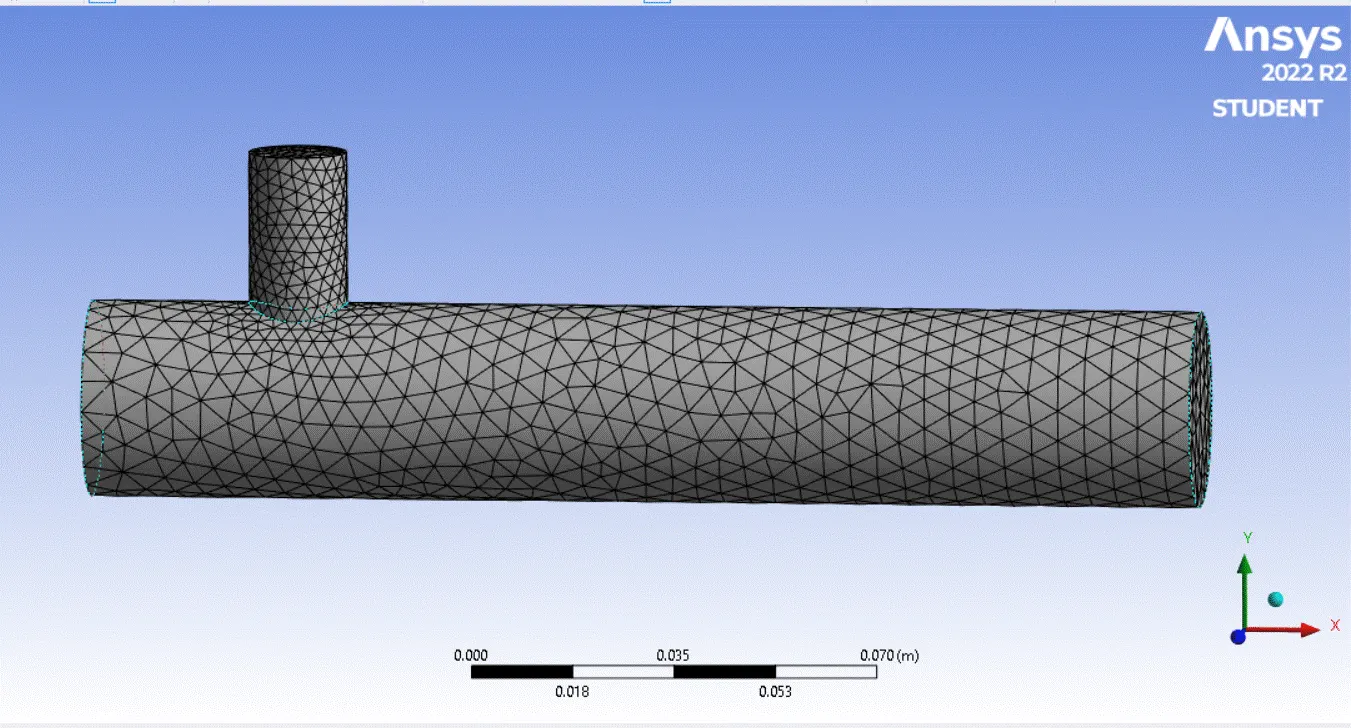
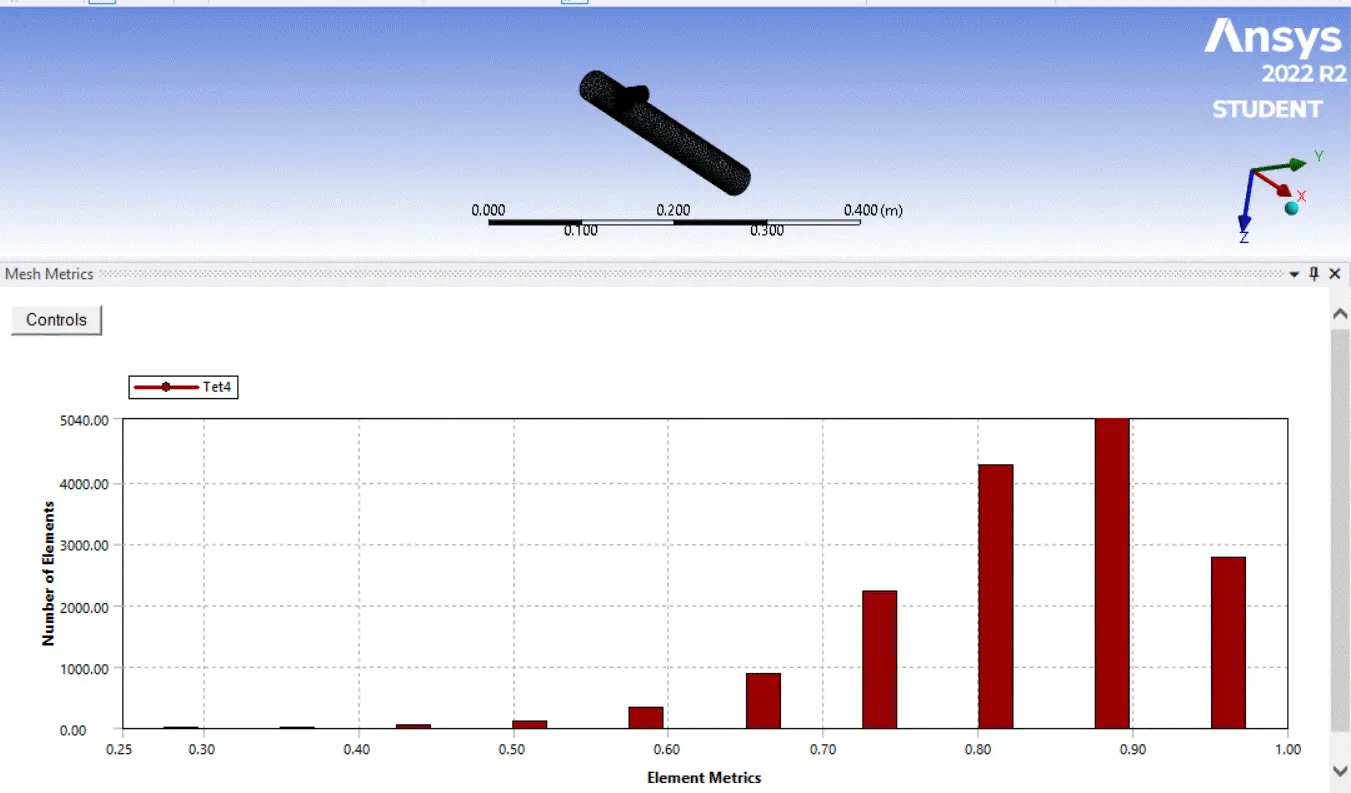
Now click on mesh option and choose generate mesh. It will generate mesh according to some predefined criteria. Element size can be selected but it is going to affect simulation time. Section plane can be created to see inner portion of geometry.
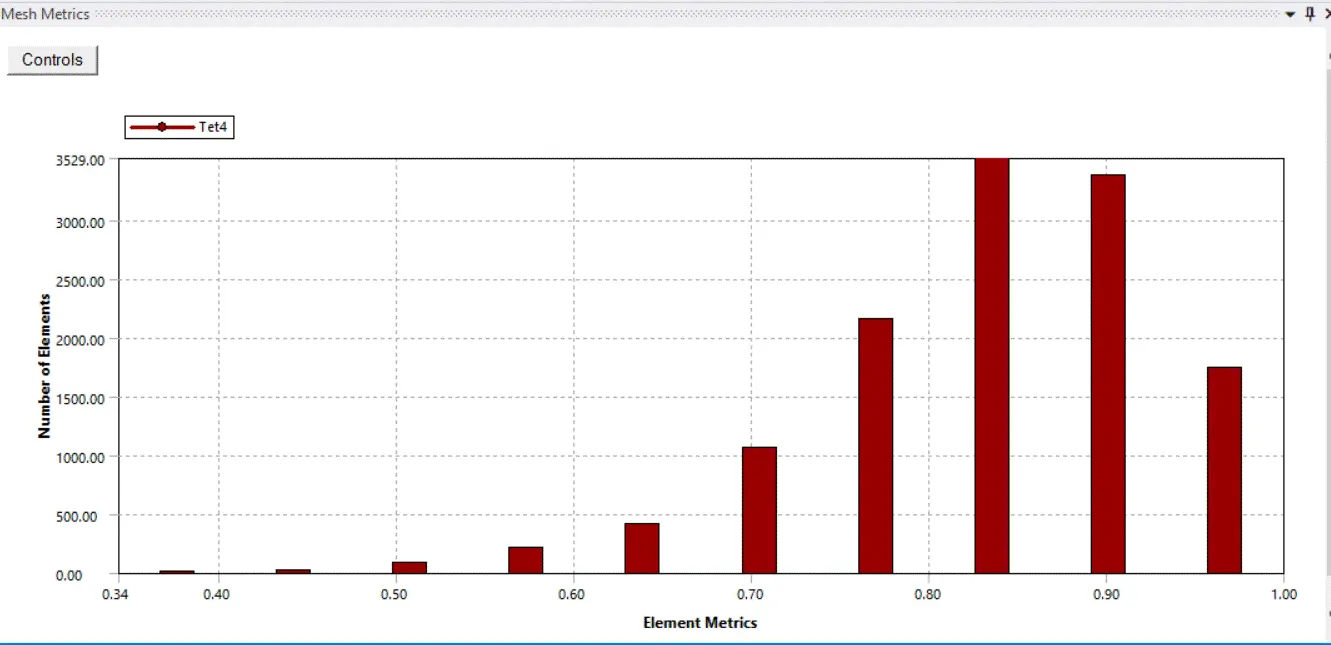
Select the option element quality to see, how many elements are defying quality. Quality is measured on the scale of 0 to 1. In our graph most of the element are near to 1 so we can say it is good quality.
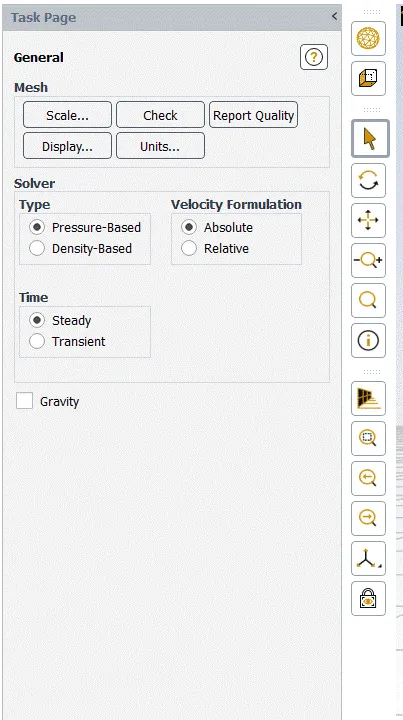
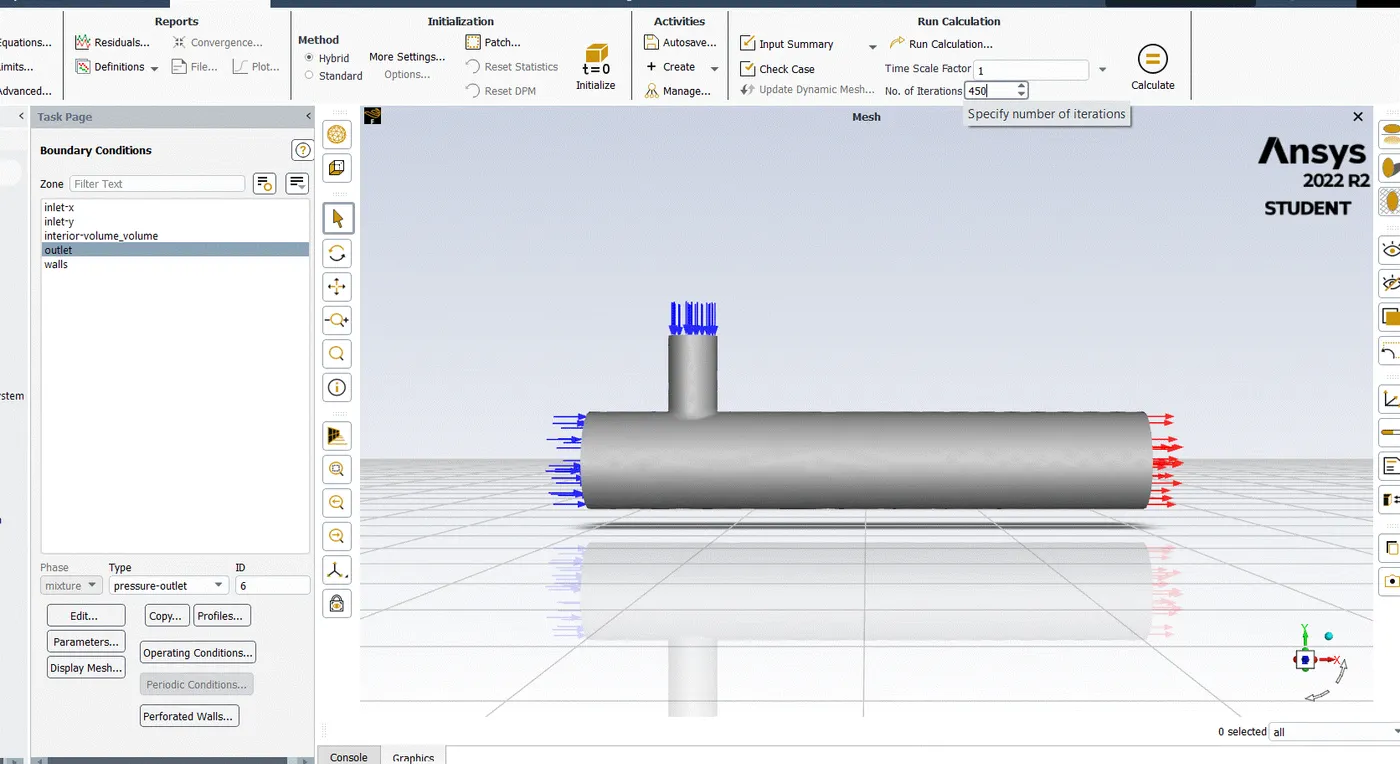
open setup. First, Check mesh, it is throwing no error then only we can proceed further. We are going to do pressure based steady state simulation, so choose these options on task page.
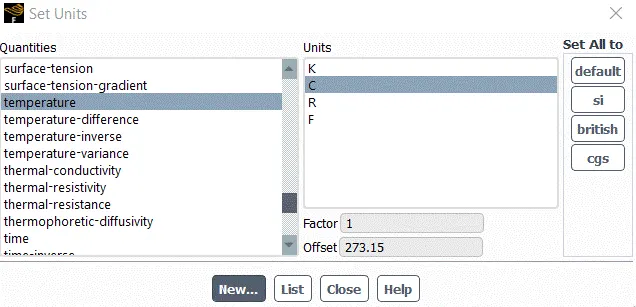
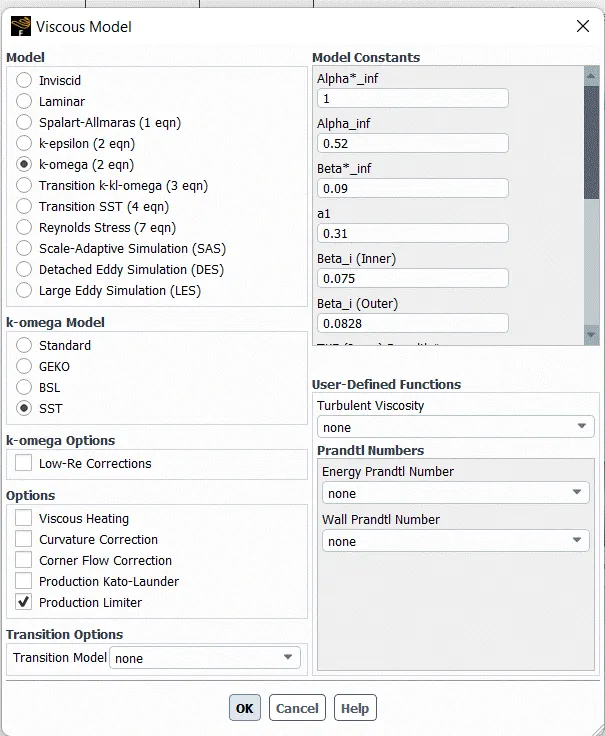
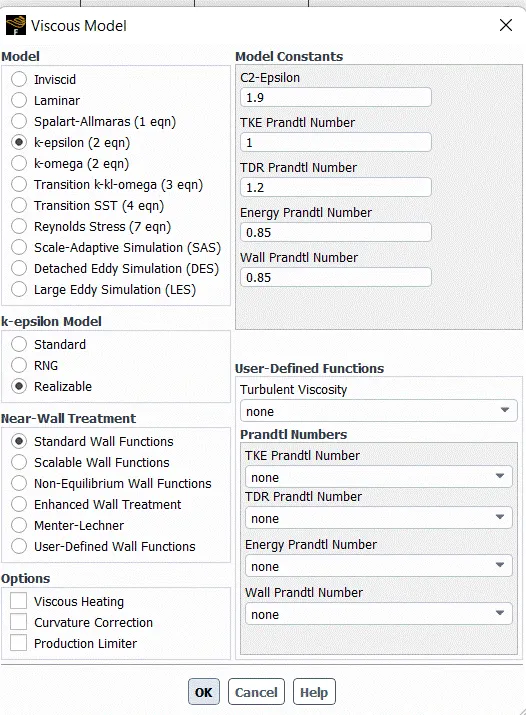
Go to physics menu and select viscous model. It will open a menu, choose realizable k-epsilon model and close it
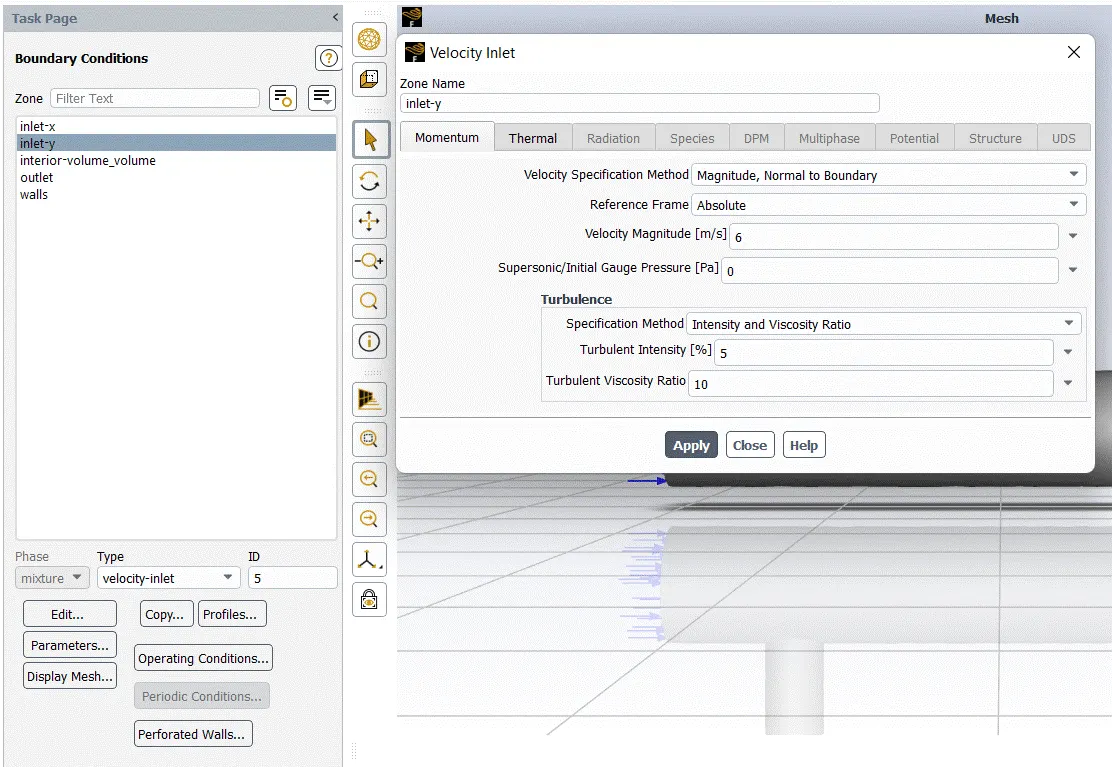
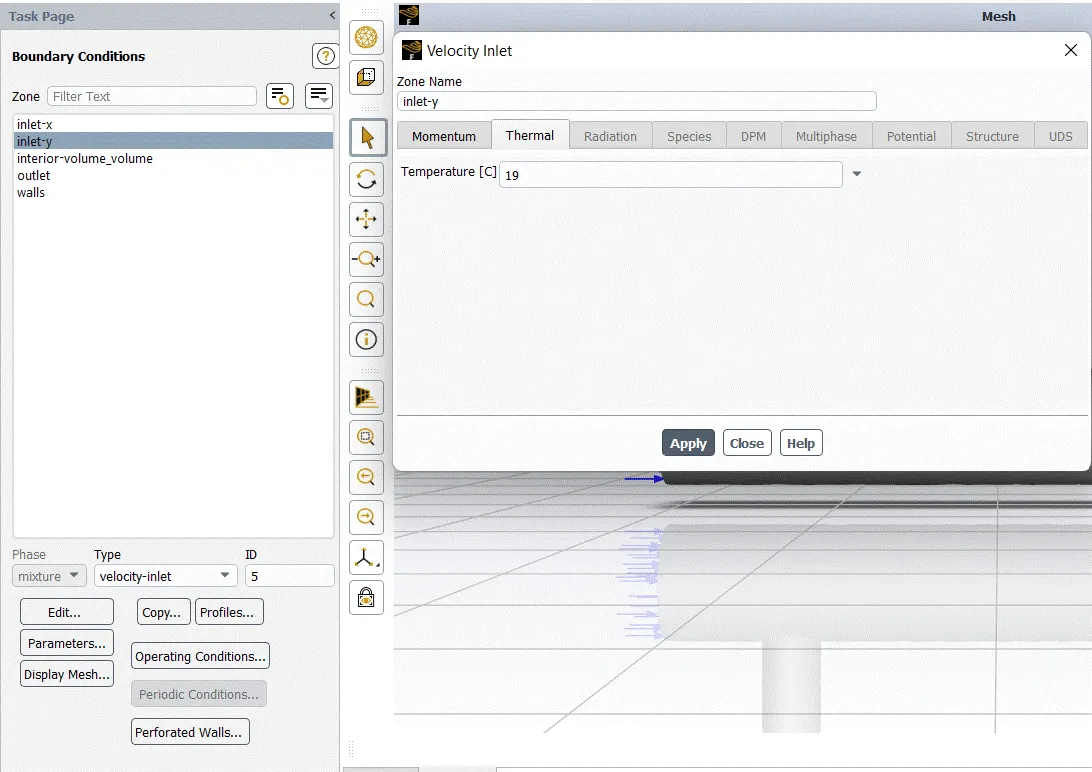
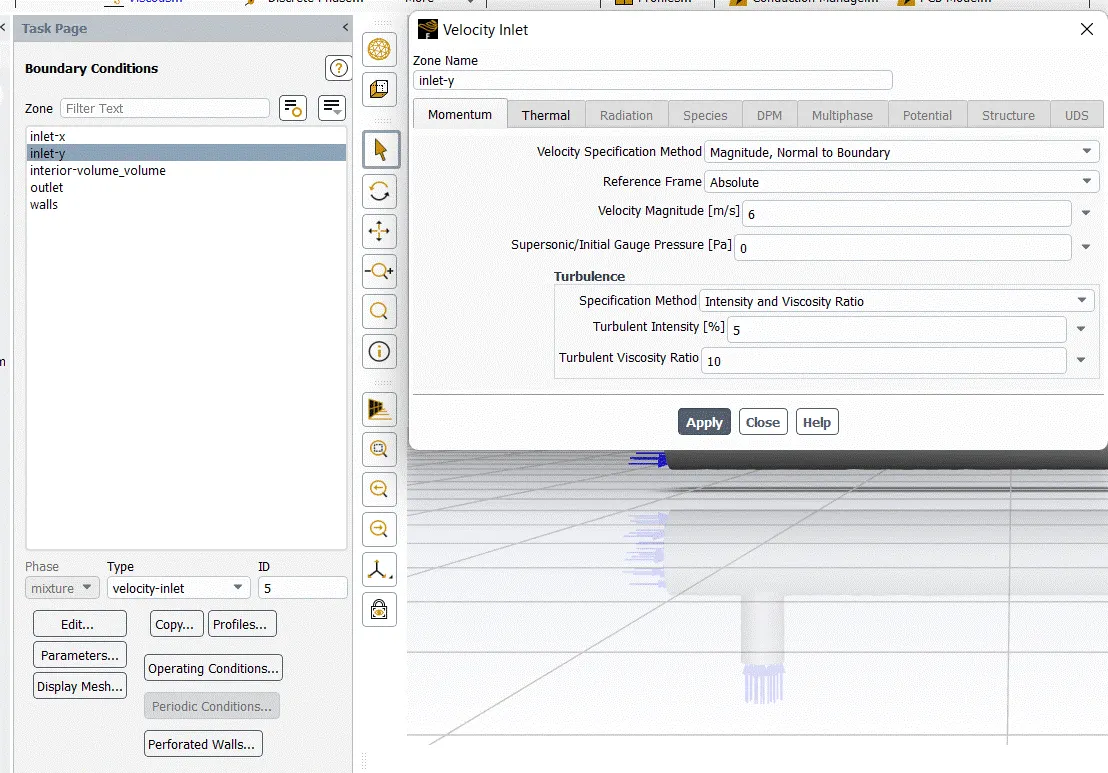
set up boundary condition :-
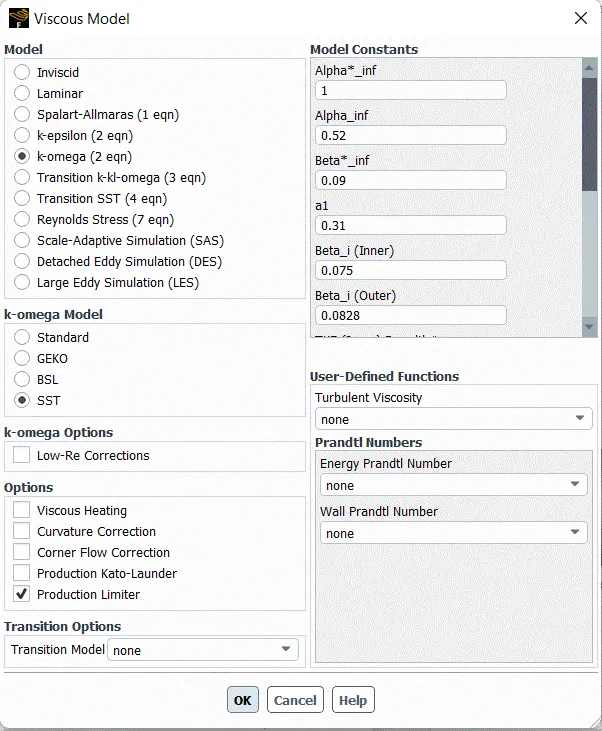
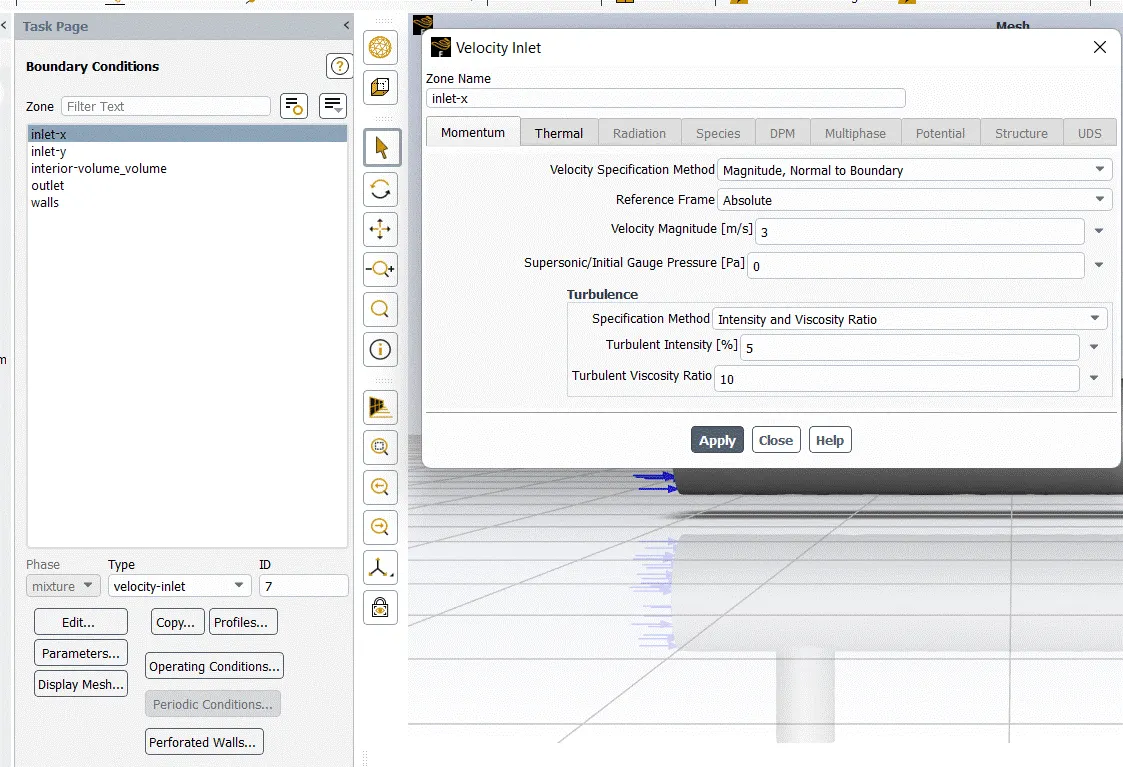
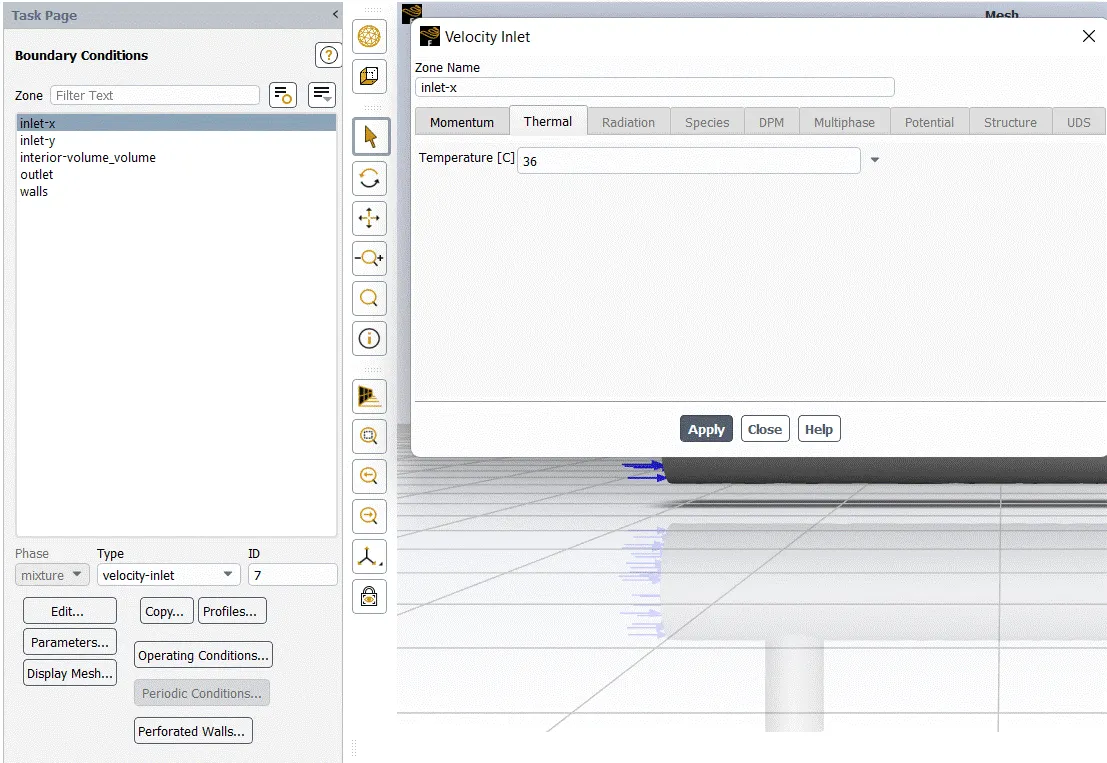
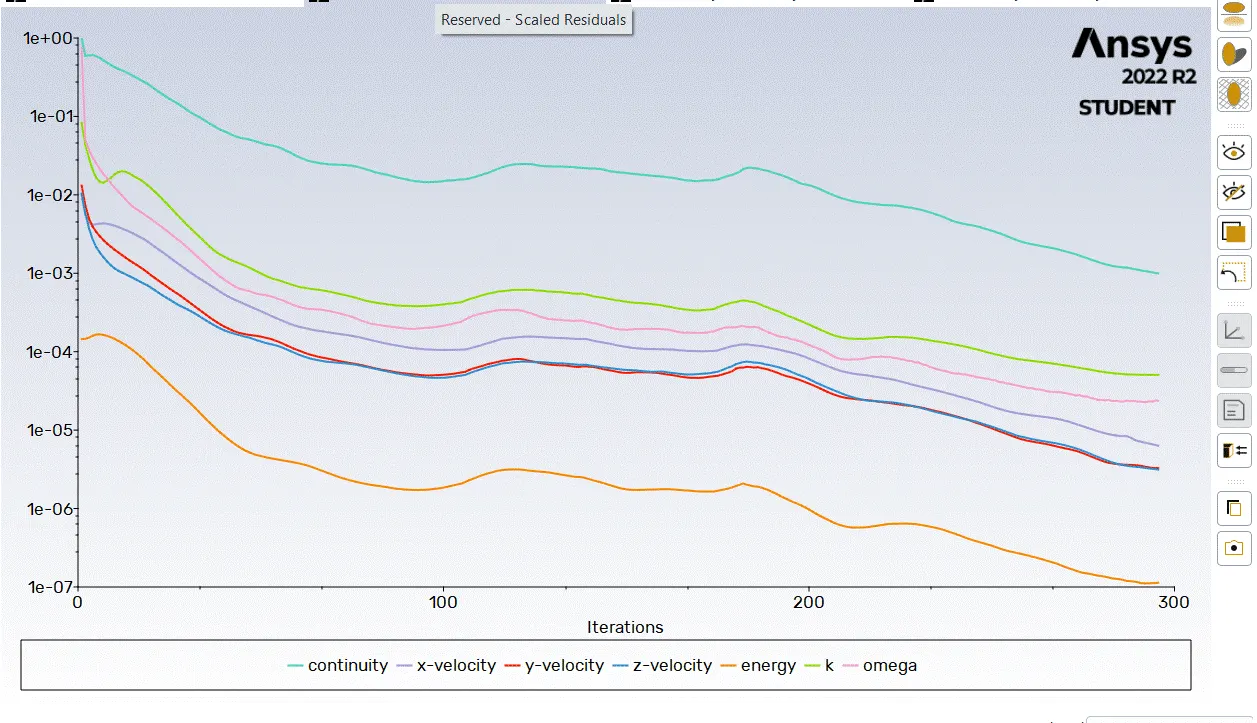
Solution :-
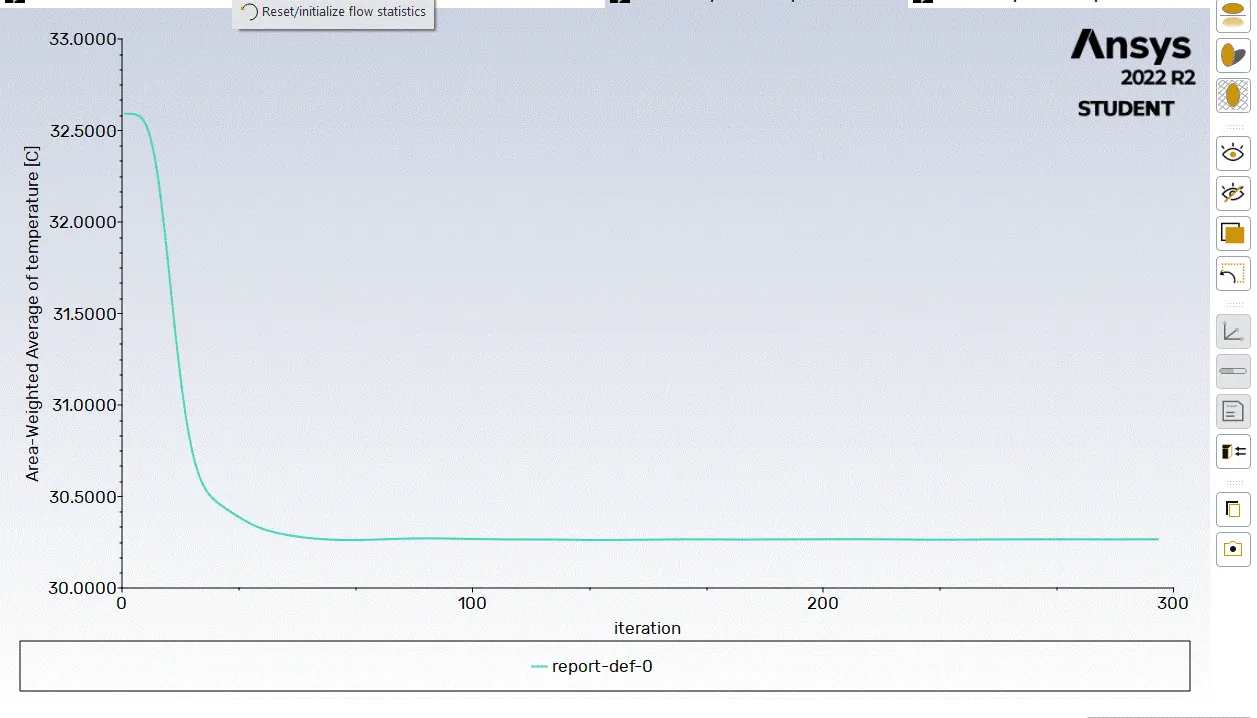
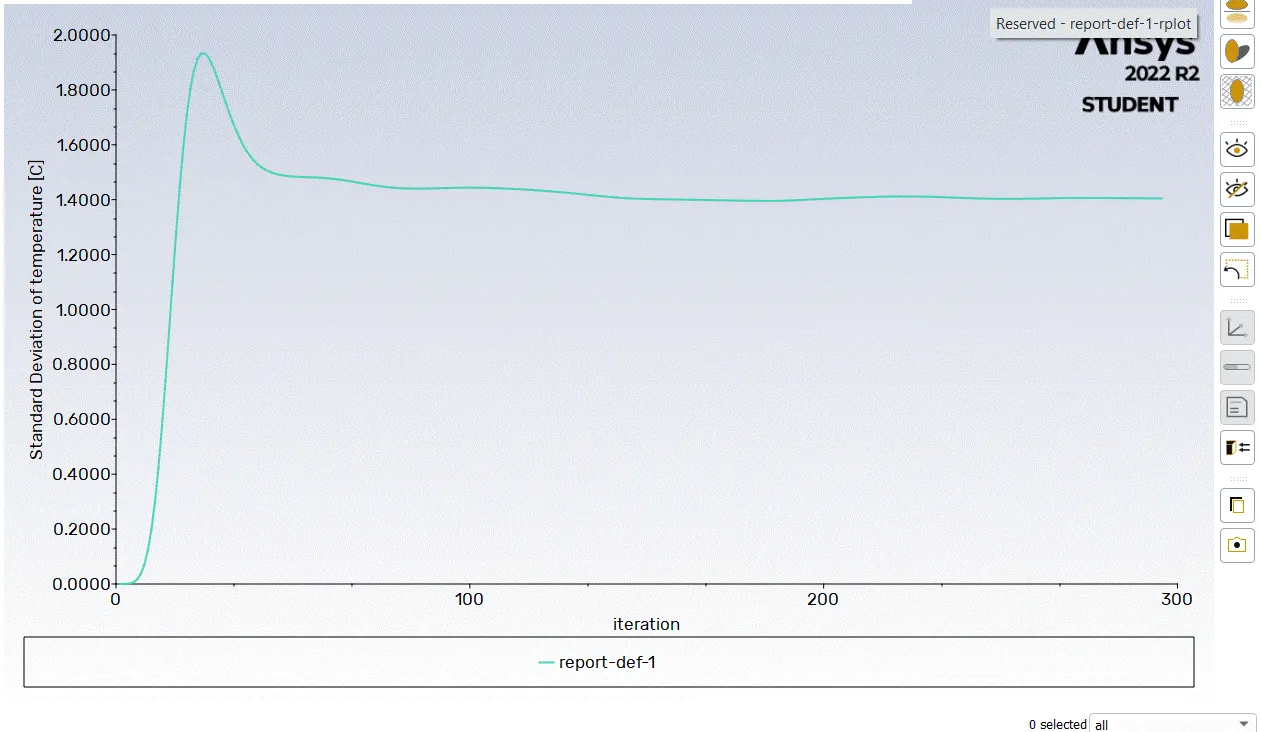
Result :-
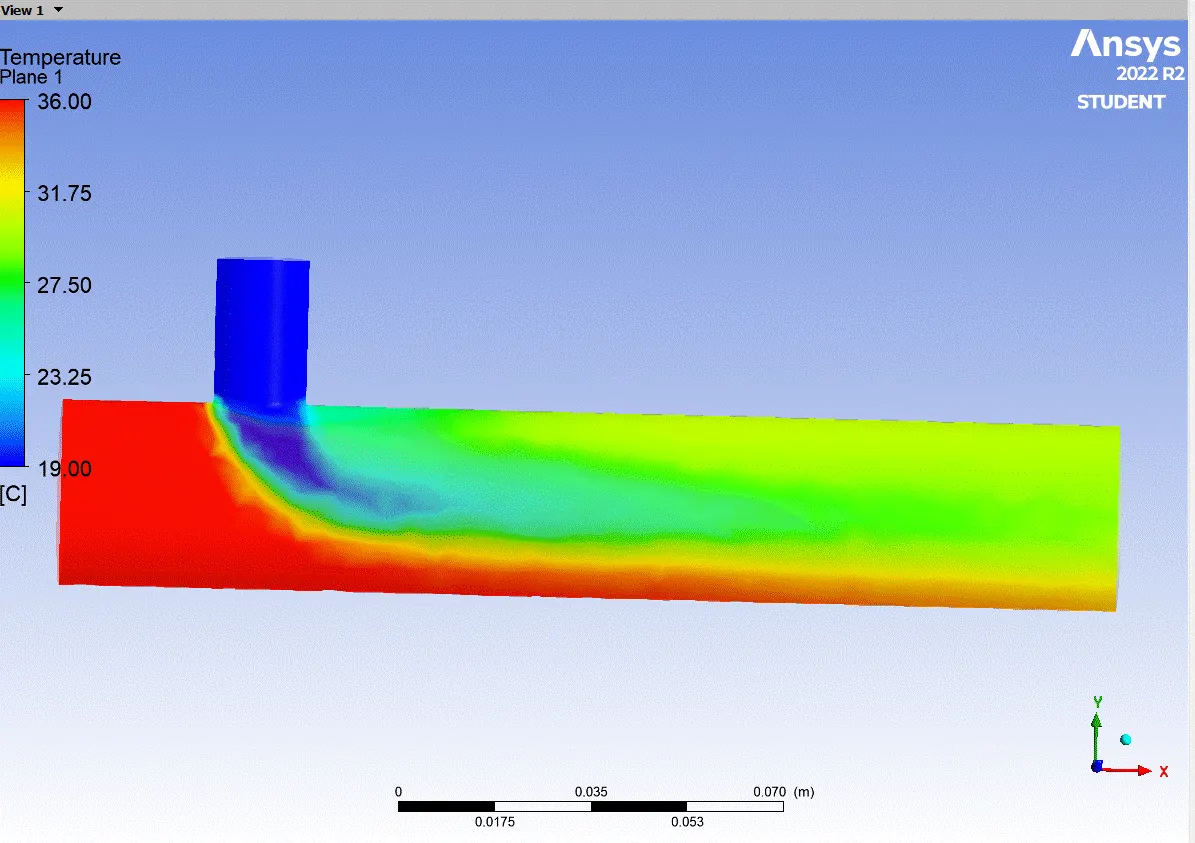
Case 1 :-
- Short mixing tee with a hot inlet velocity of 3m/s.
- Momentum ratio of 4
set up boundary condition :-
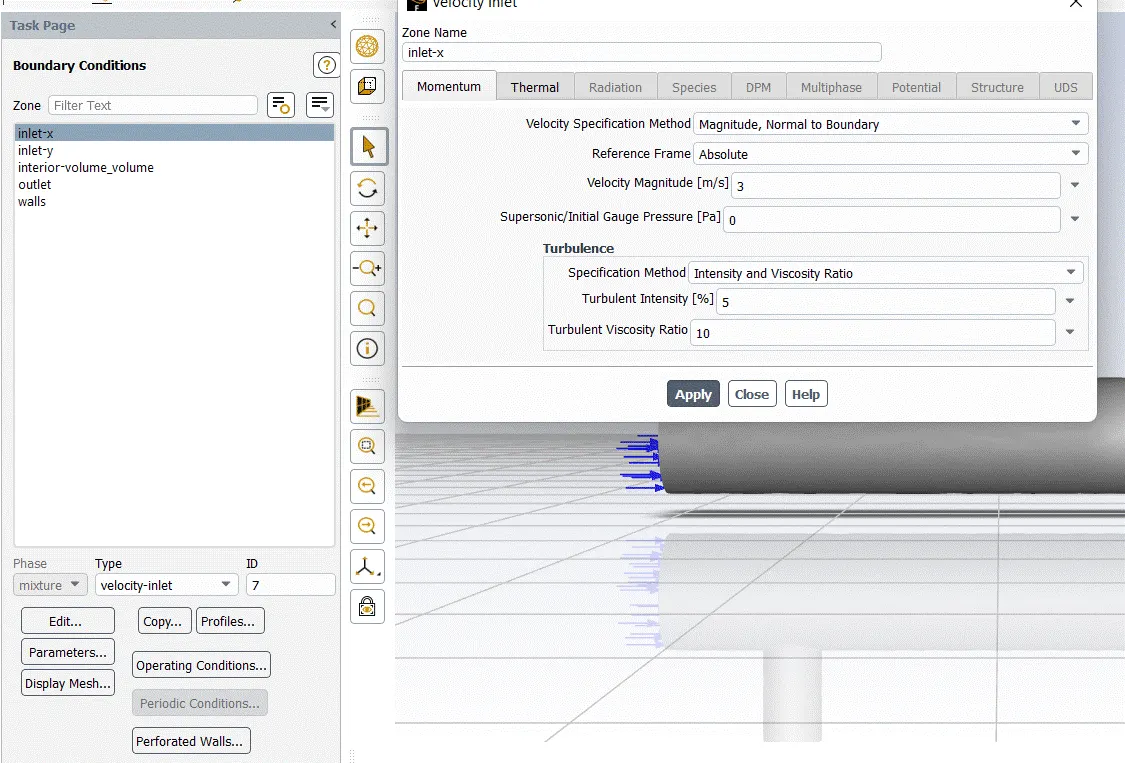
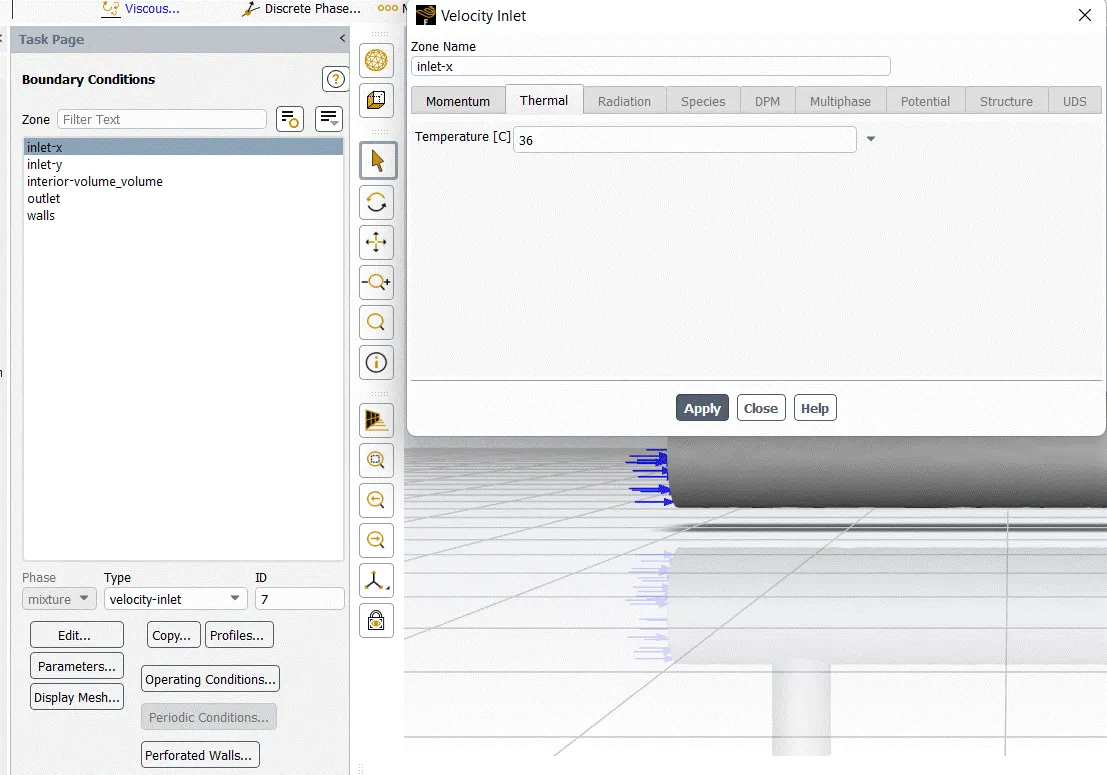
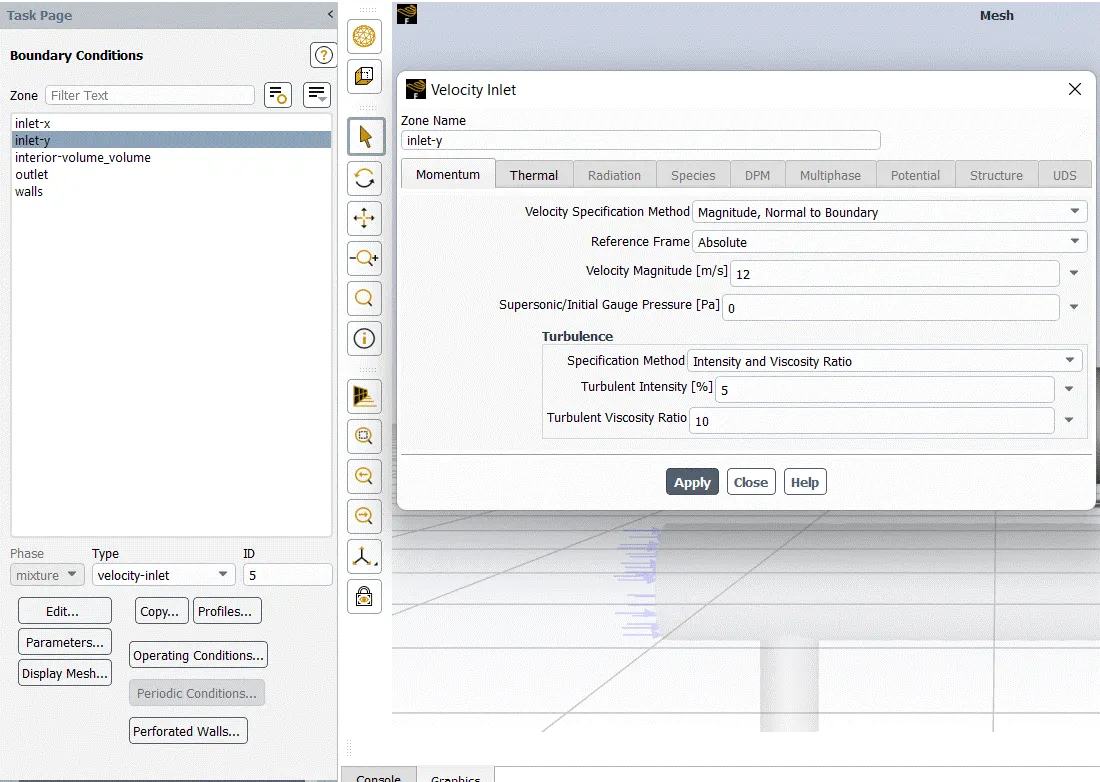
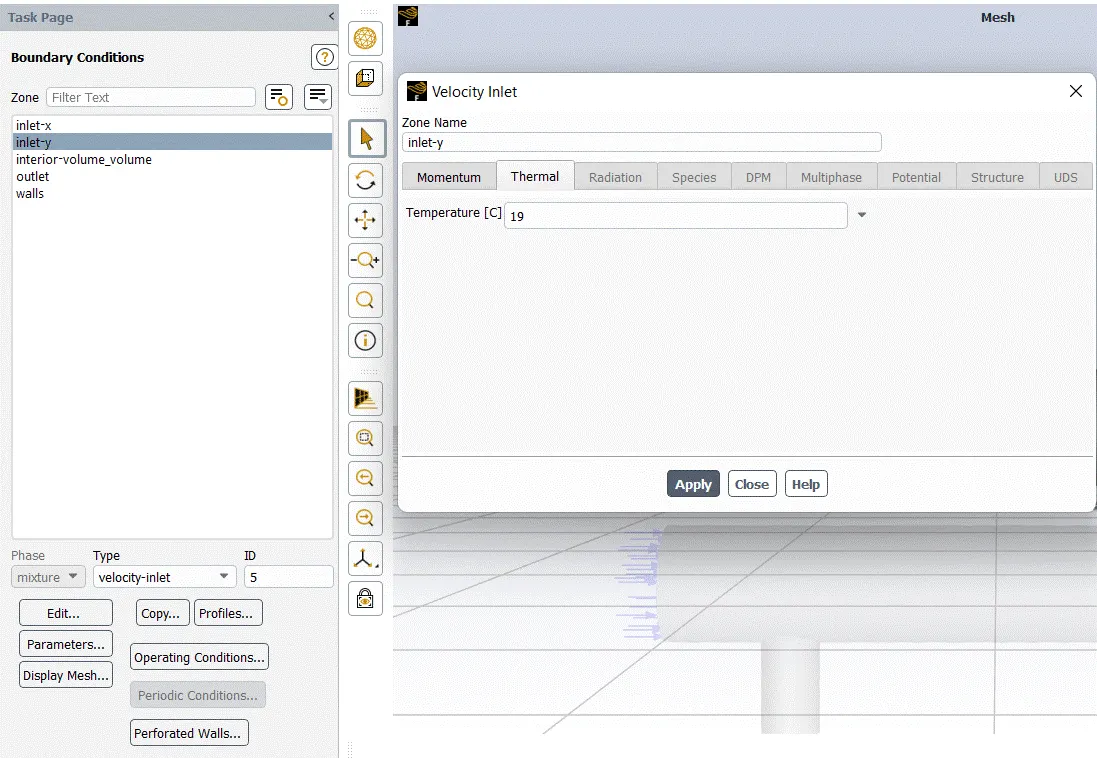
Solution :-
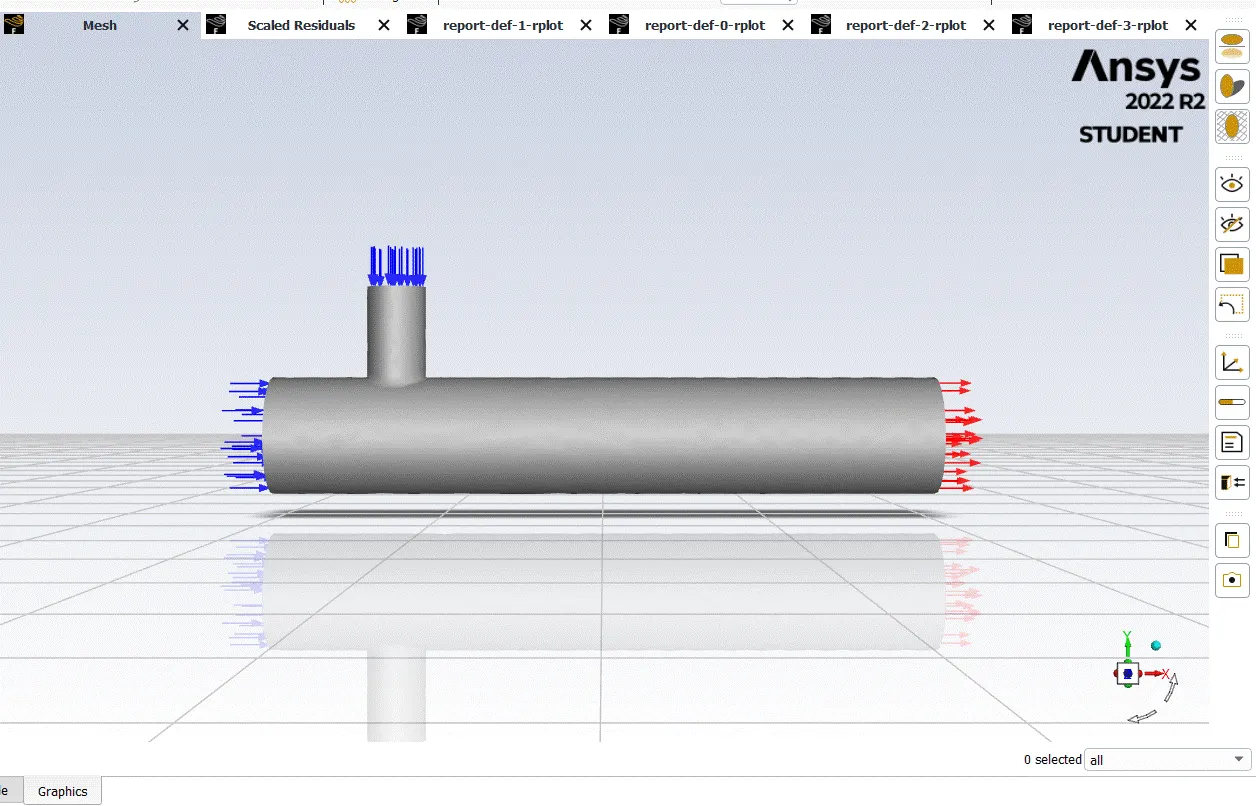
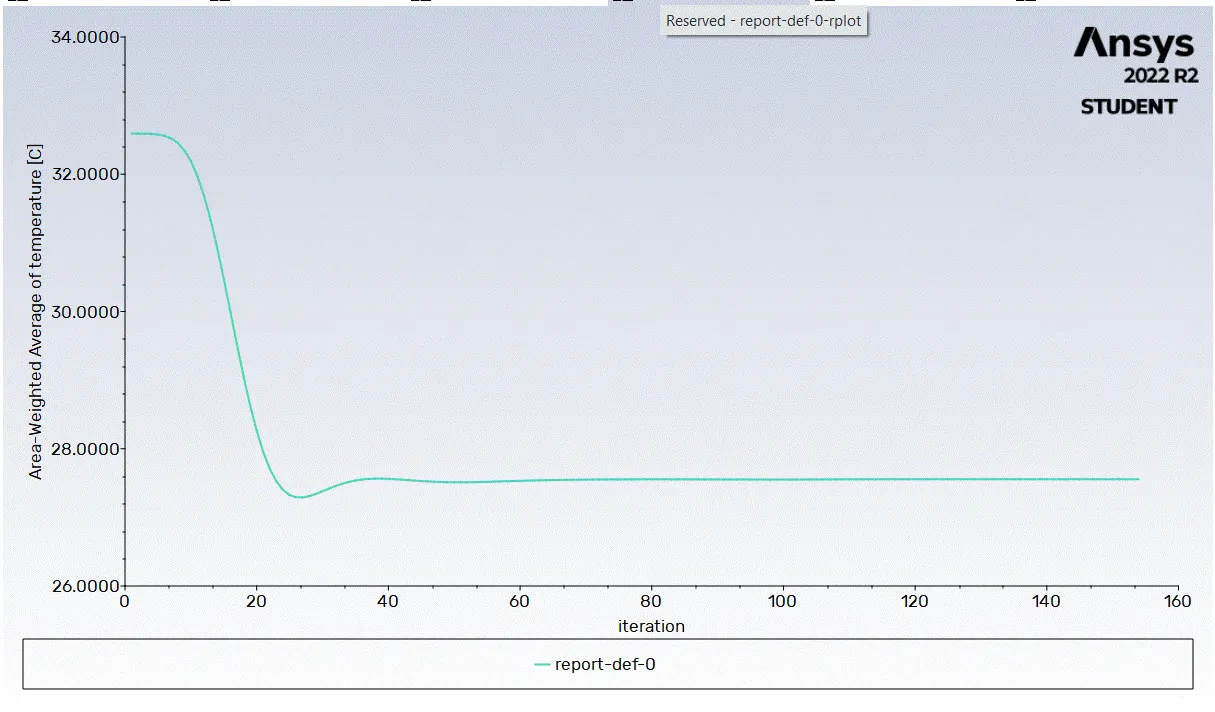
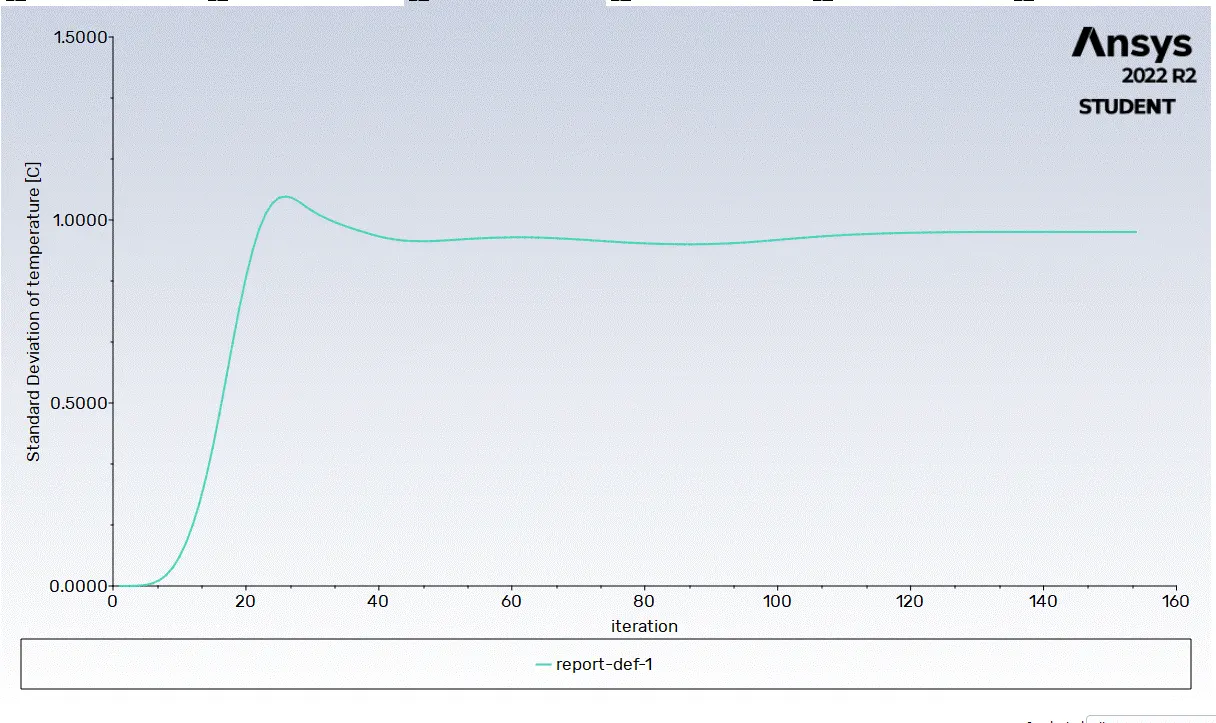
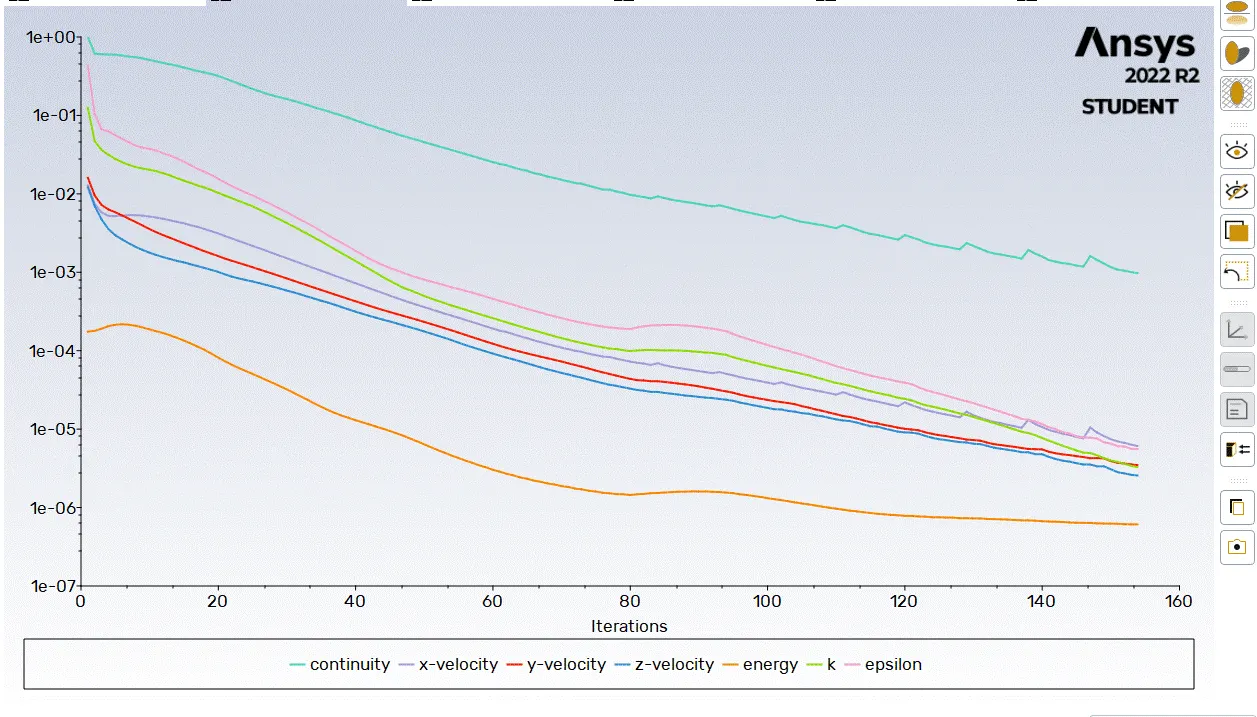
Result :-
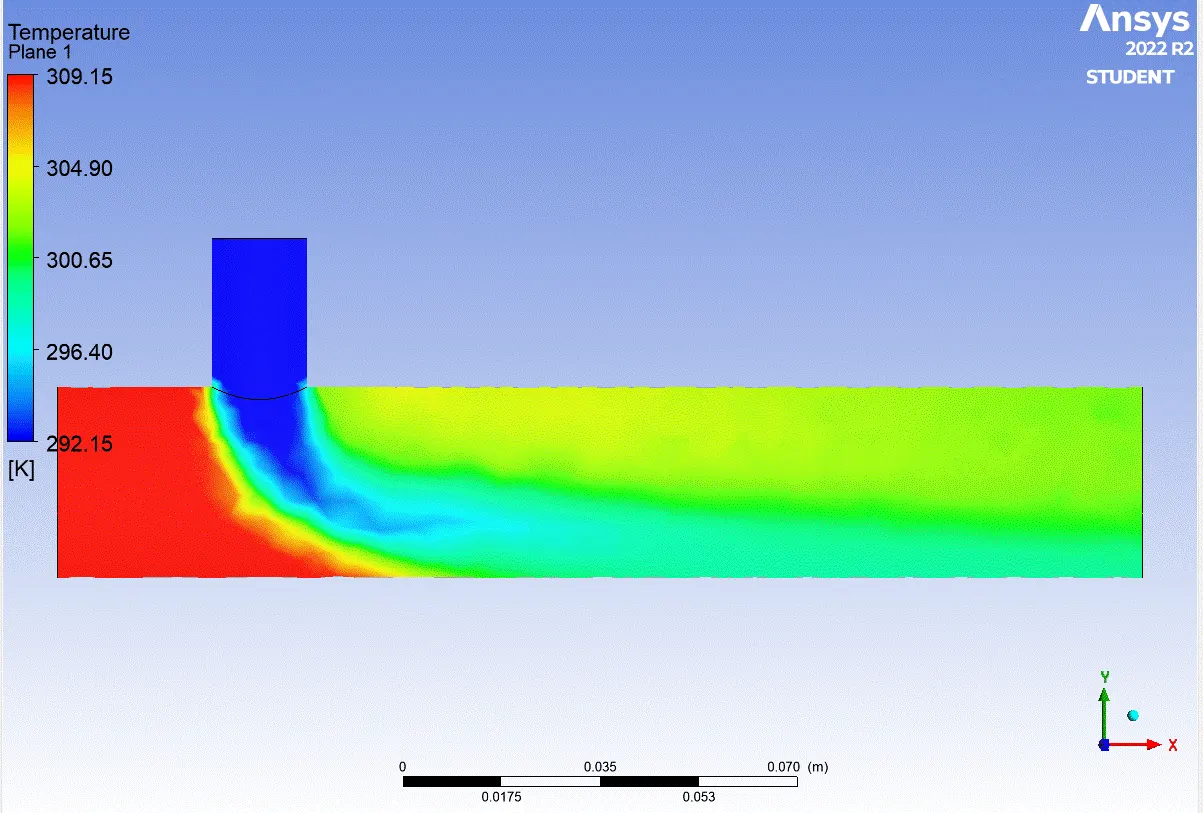
- Case 2 :-
- Long mixing tee with a hot inlet velocity of 3m/s.
- Momentum ratio of 2
Geometry :-
Mesh :-
Viscous model :-
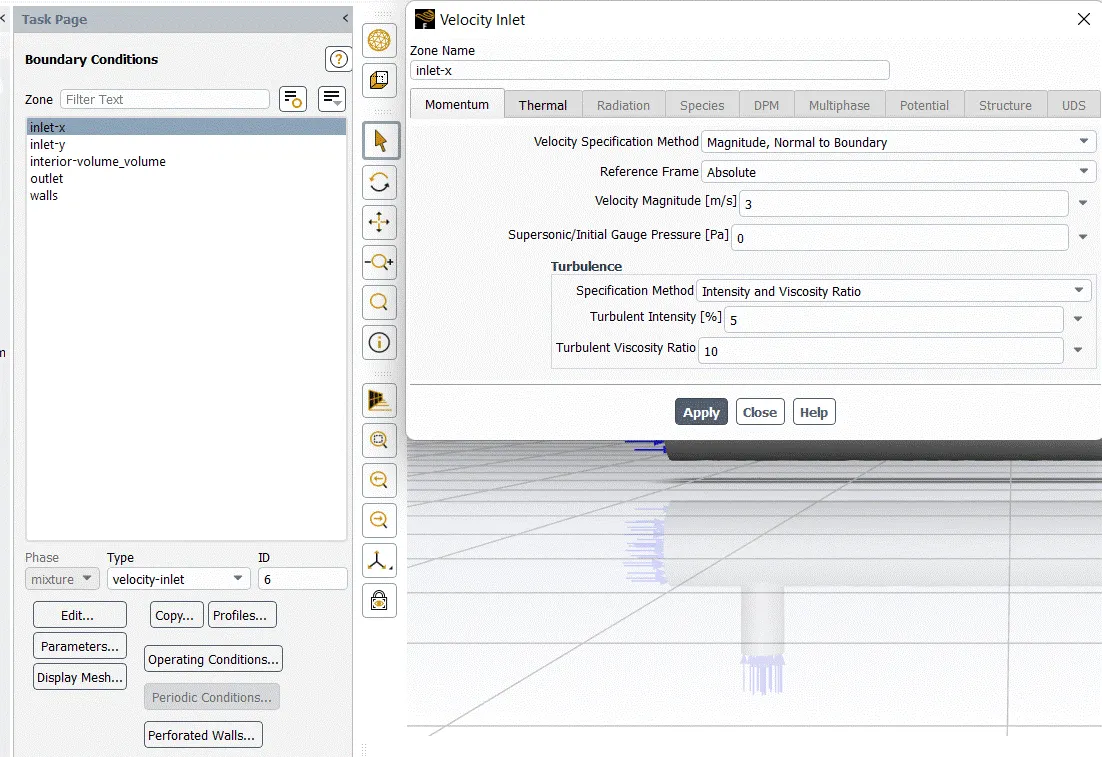
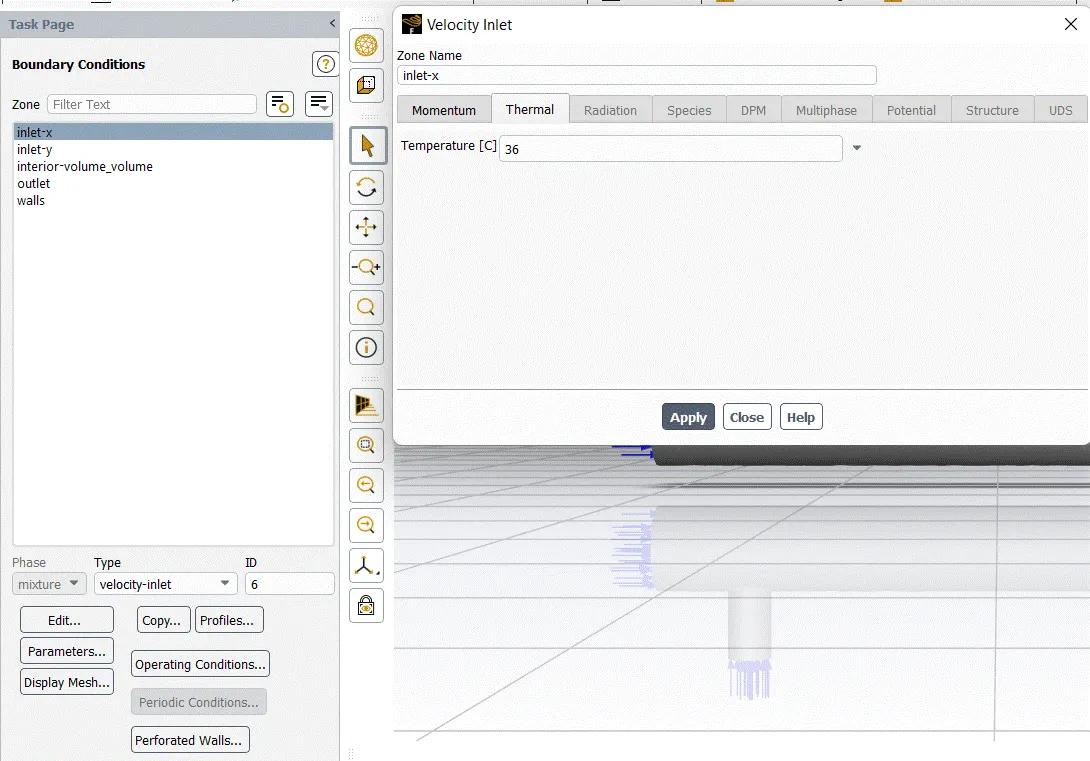
Boundary condition :-
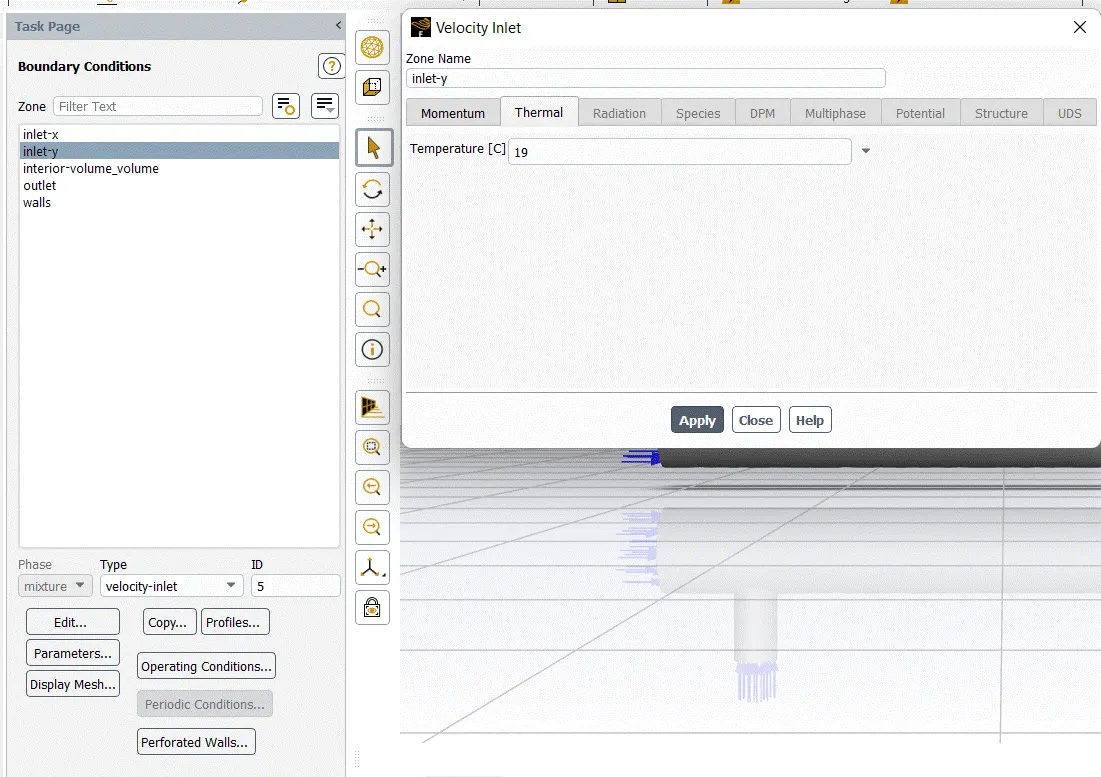
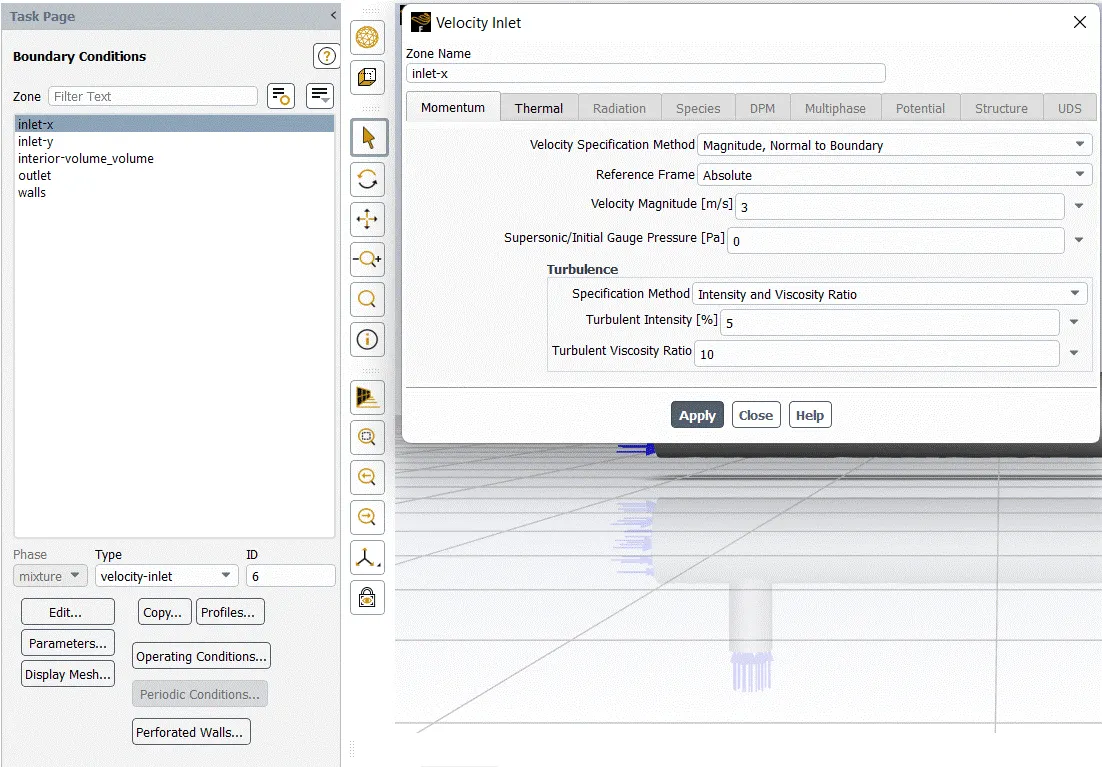
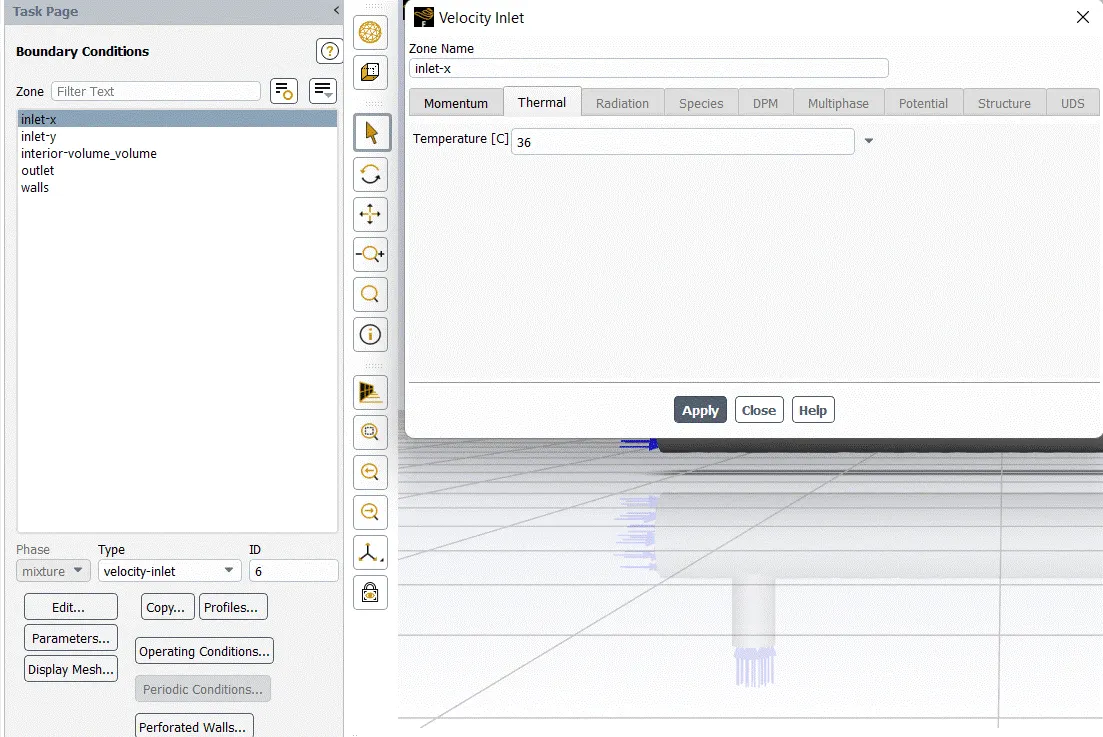
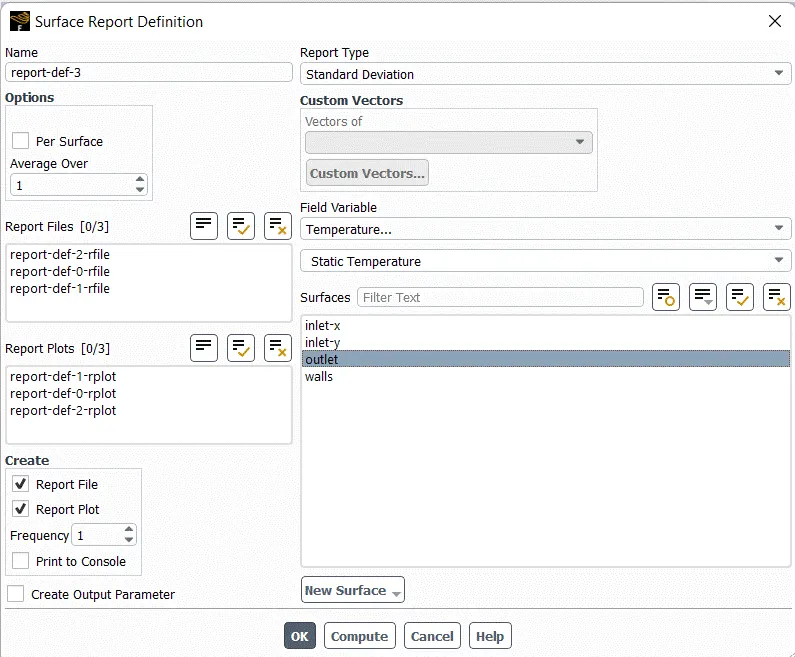
Surfaces Report Definition :-
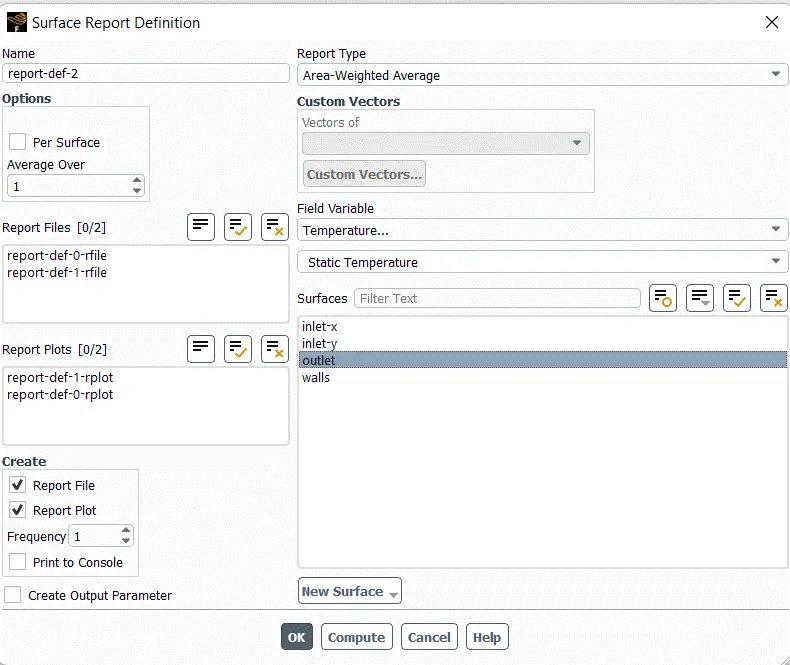
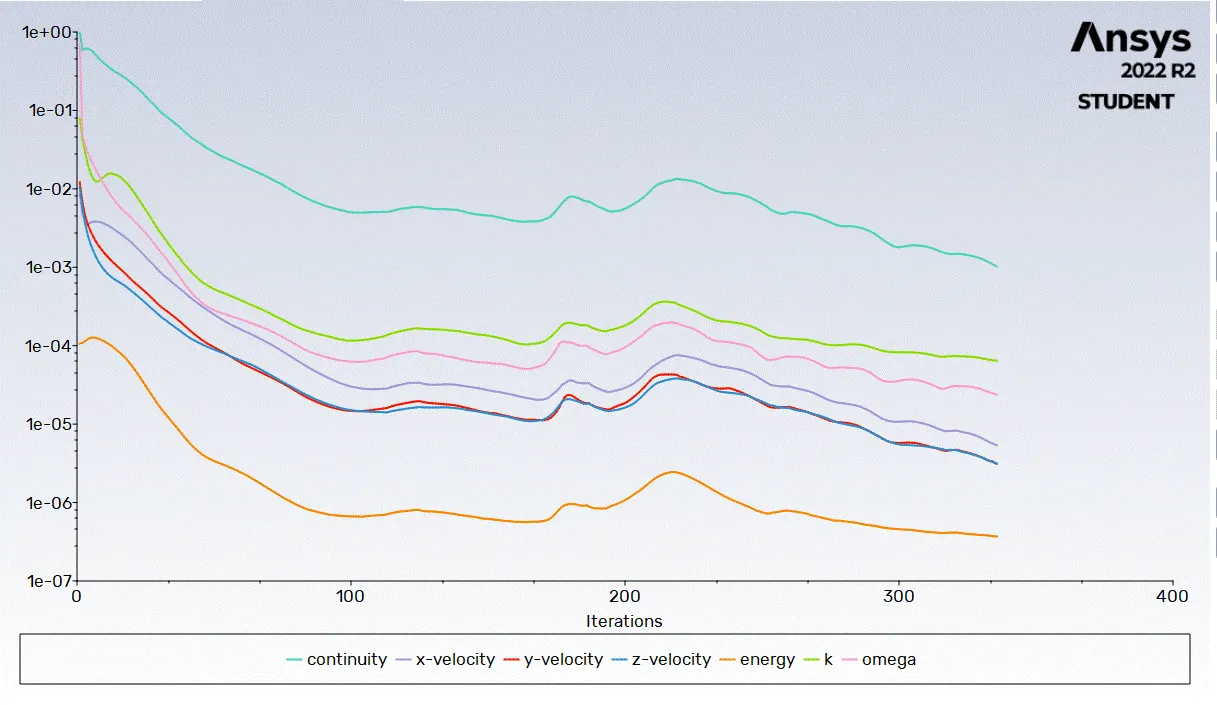
Iteration :-
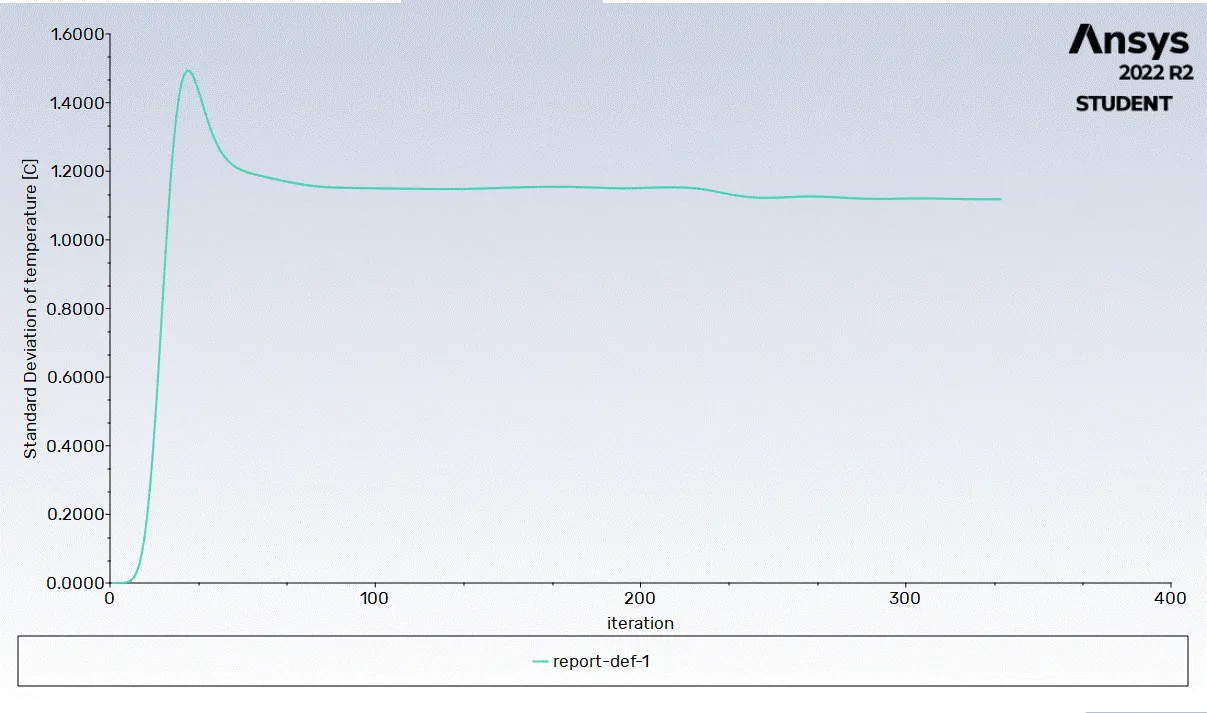
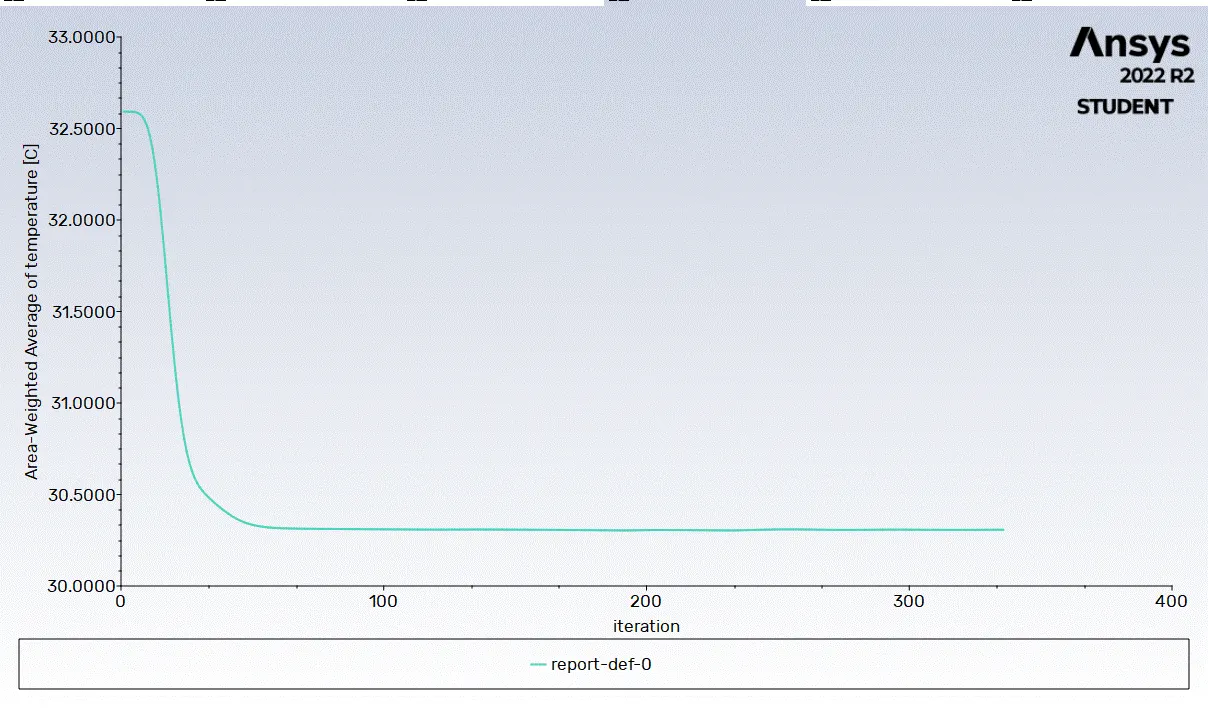
Result :-
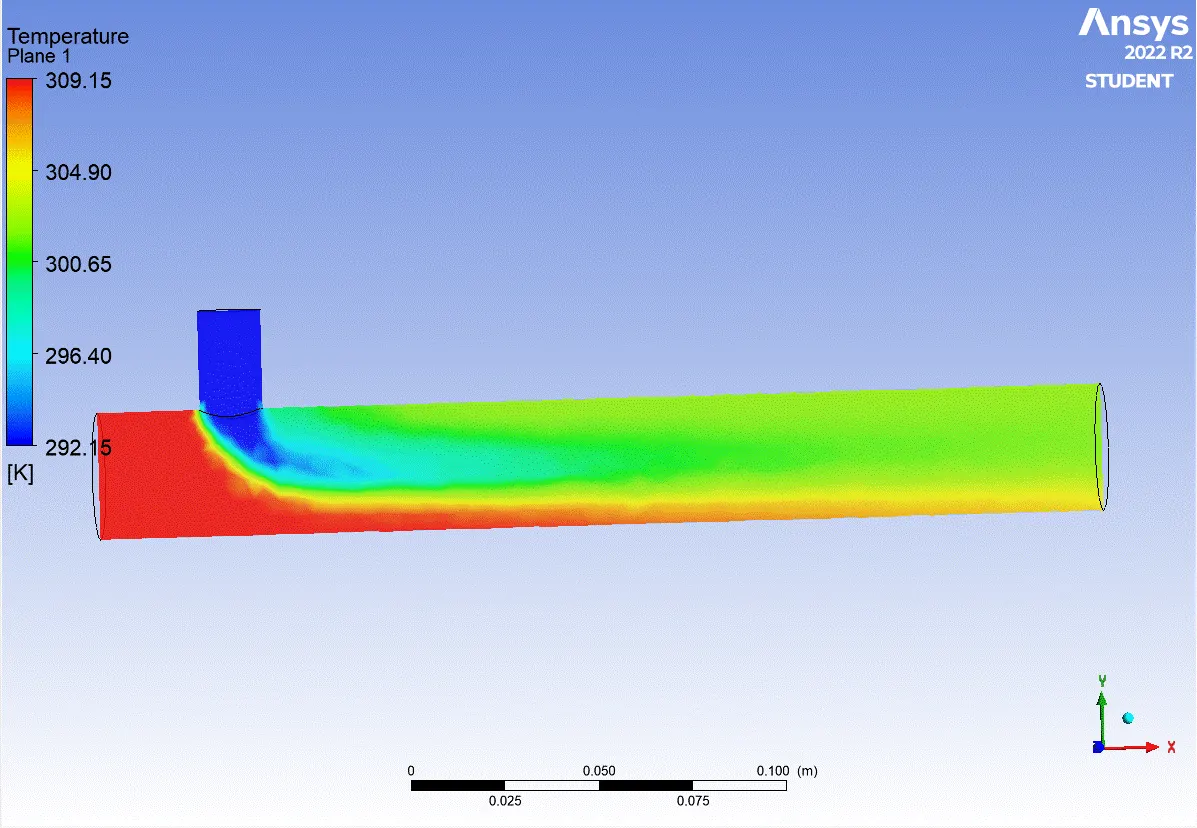
- Long mixing tee with a hot inlet velocity of 3m/s.
- Momentum ratio of 4
Viscous Model :-
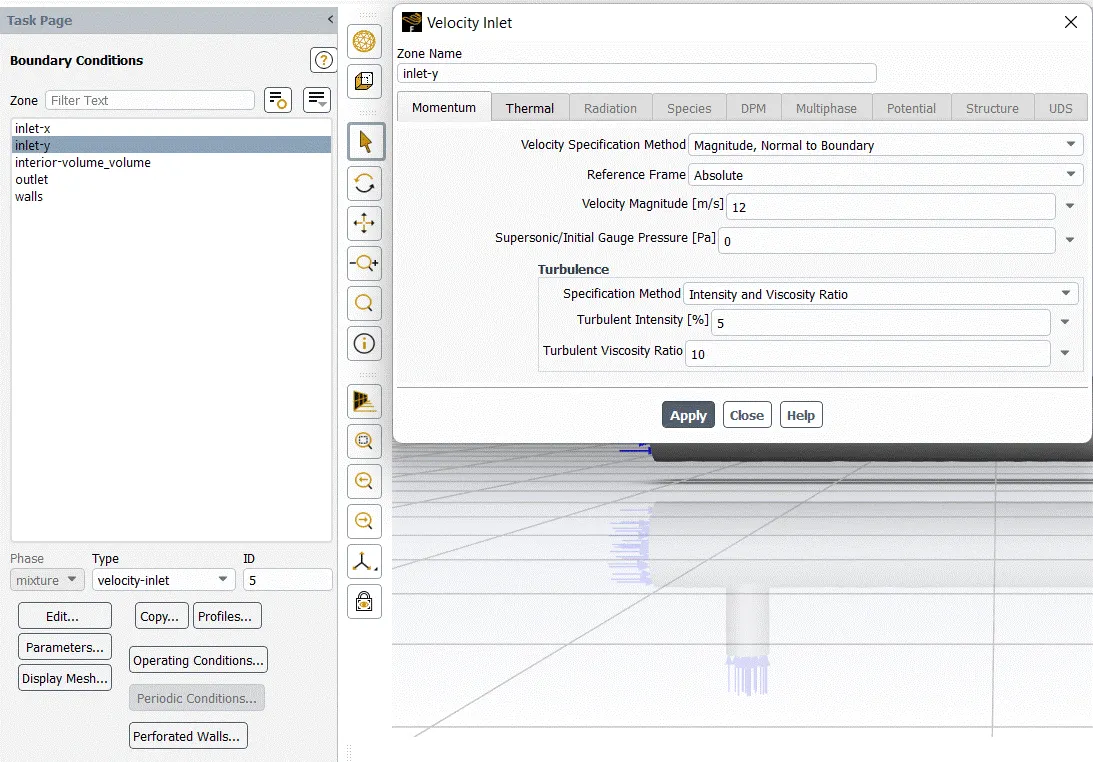
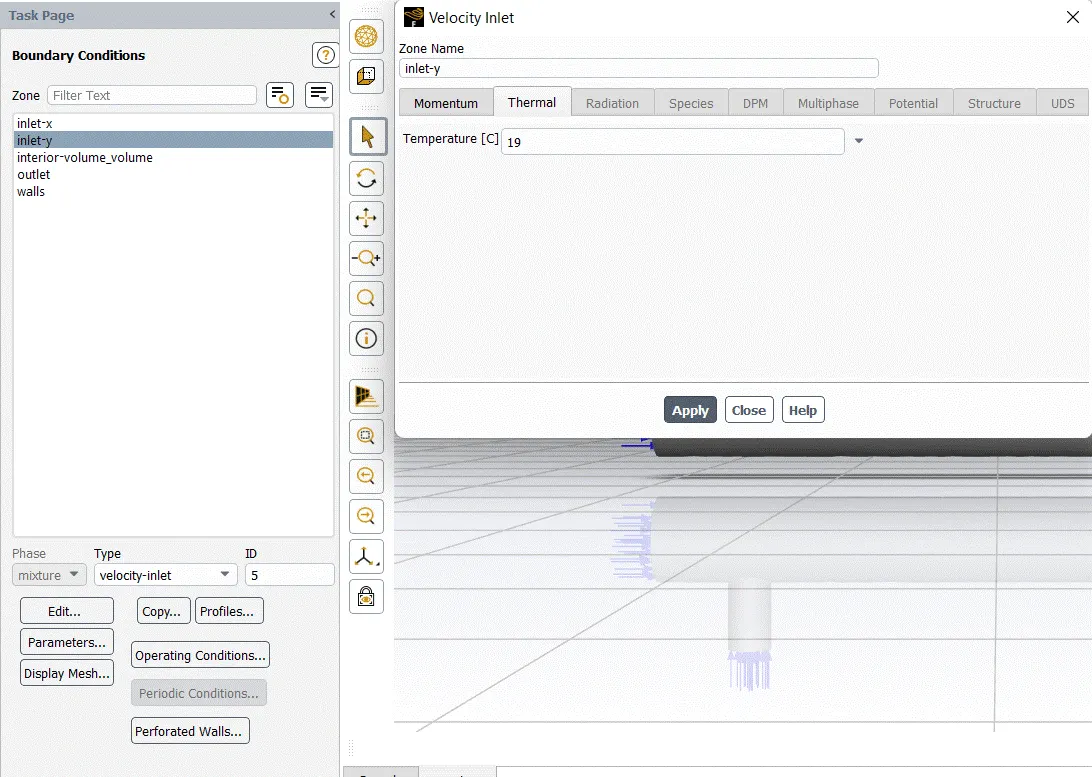
Boundary Condition :-
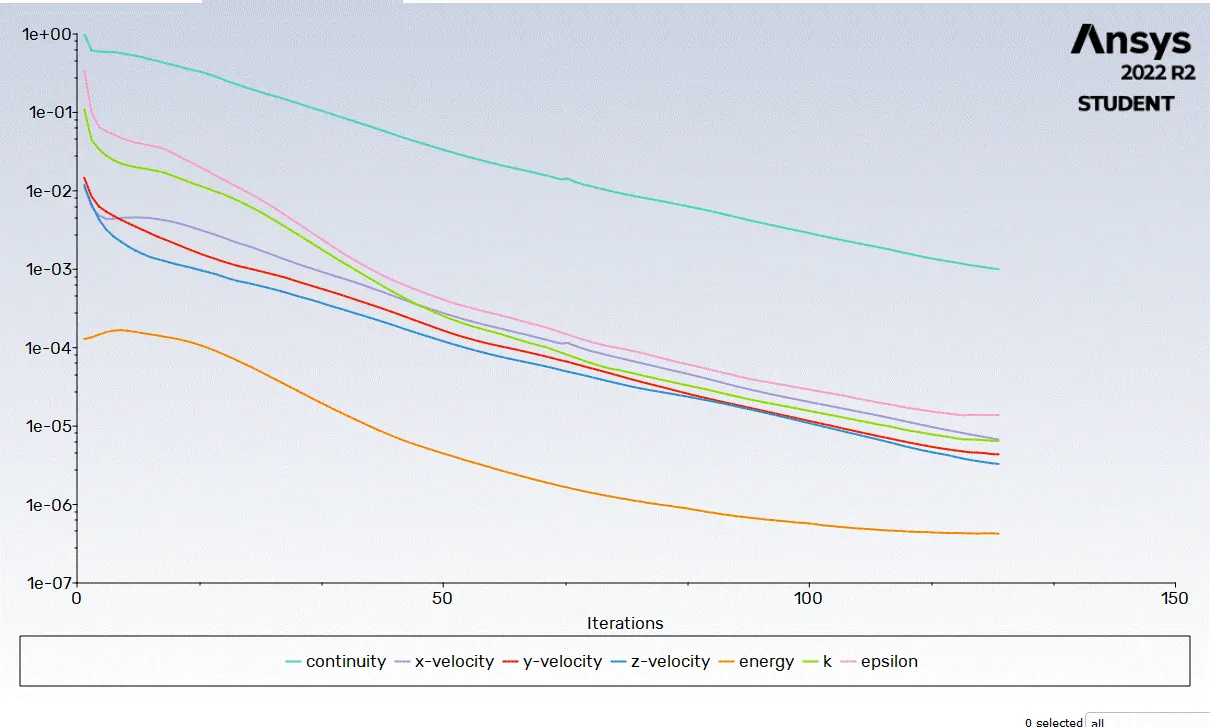
Solution :-
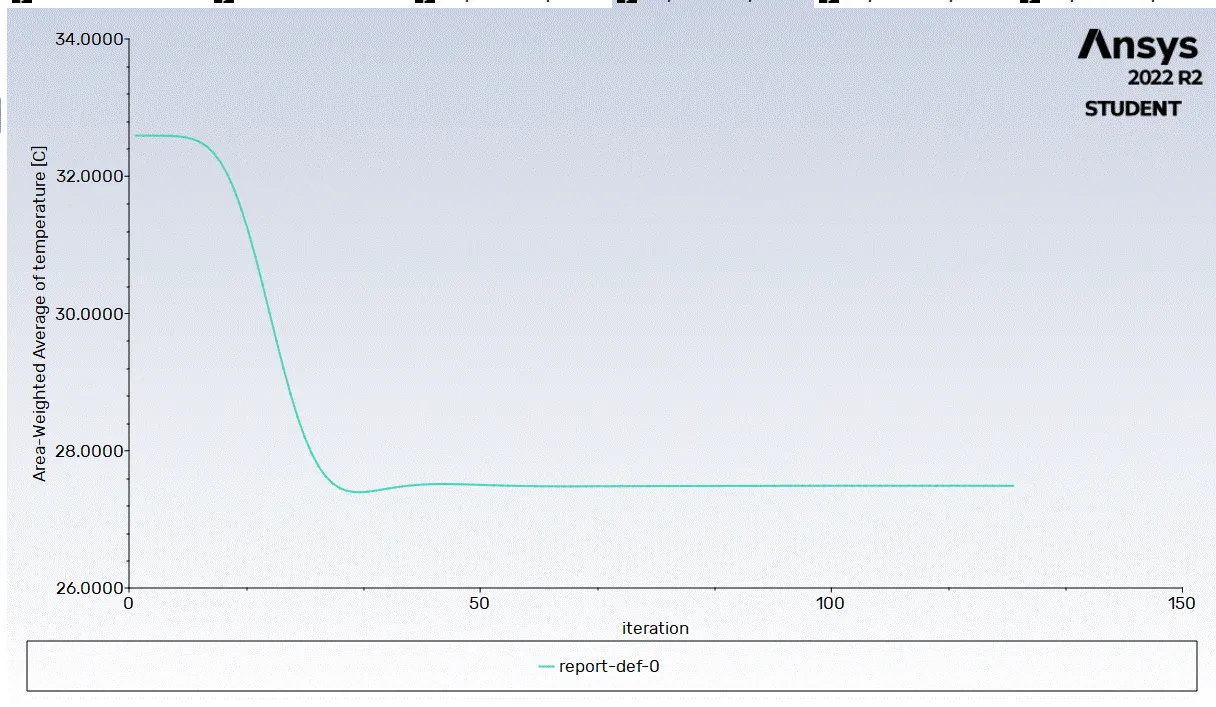
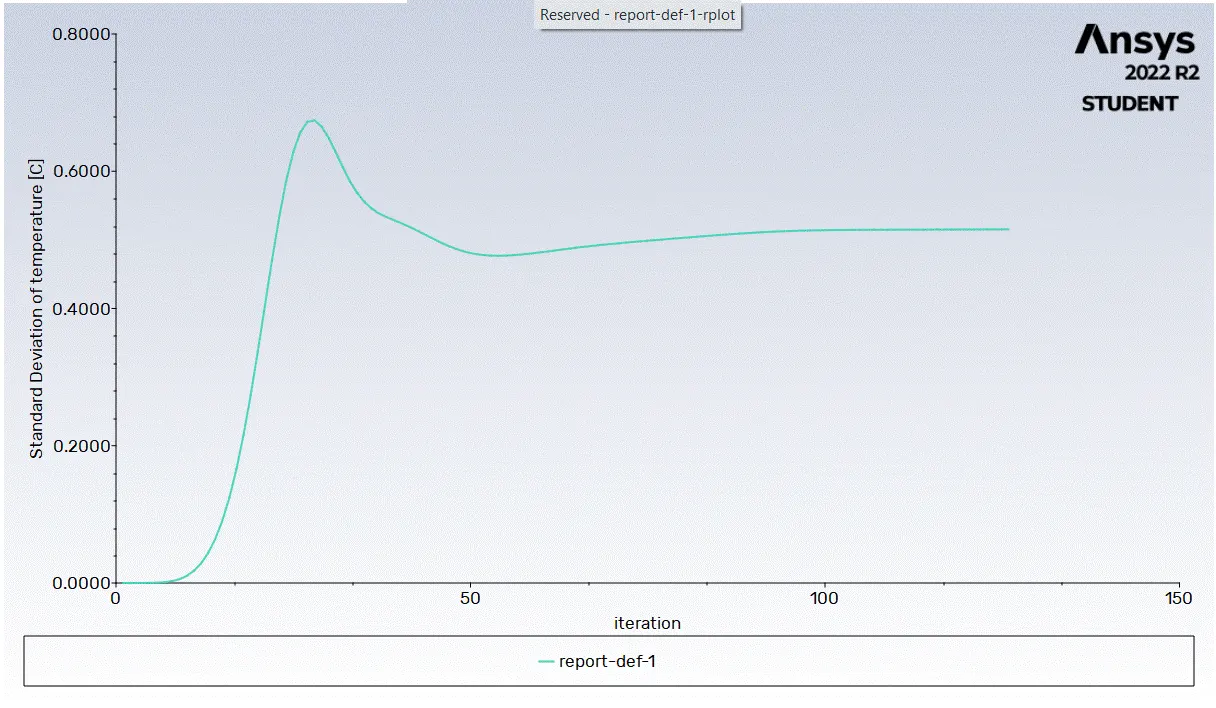
Result :-