Project 2
Problem Statement :-
1. Route the Wiring harness on Given car body and Prepare flatten view drawing in CATIA V5. Application of all Packaging rules, Industry best practices studied in this course shall be demonstrated in design. Apply Protection coverings as required.
2. Available connector 3D data can be used, or you can download the connectors from www.te.com
3. Prepare & Submit all necessary reports like clearance, Clipping/Clamping selection, Harness fixing requirements, Harness continuity, Assumptions if any along with CATIA 3D data.
Aim:-
To route the wiring harness on the given tailgate assembly and prepare the flatten view drawing in CATIA V5.
Given Back Door CAT Part File,
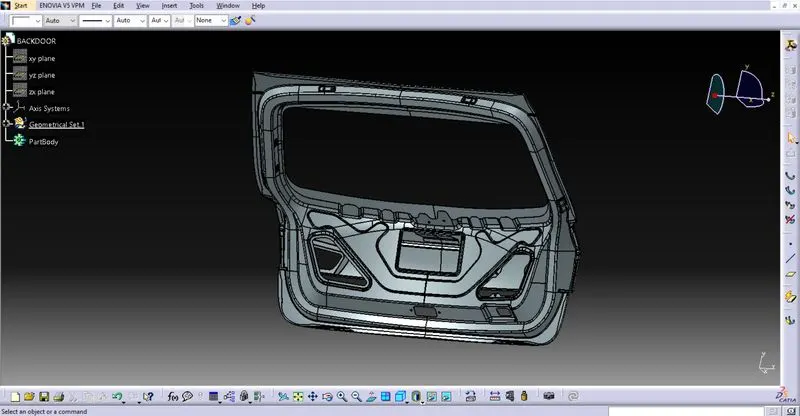
Assumptions-
- Provide clips/clamps as per requirement.
- Make sure that there is no any fauling case while designing the wire harness. Additional clips/clamps may be used to avoid fauling case.
- Give additional slack if needed. 5-15% slack is sufficient.
- Avoid routing on sharp edges or else provide protection over the harness.
- Follow the clearance distance and keep away the harness from heat generation components.
- Protection should be provided as needed according to surrounding temperature.
- Branch length should be greater than 50mm.
- Minimum distance between two branch points should be at least 50mm.
- Minimum distance between clip and branch point should be at least 25mm.
- Avoid too many sheet metal brackets on the engine.
- The wiring harness should be easy to assemble and easy to access.
- While using dummy connectors, ensure that whatever positions you are defining that are practical. Bundle diameters and another placements can be defined properly for the wire harness routing.
- If the packaging area is too tight and there are many packaging constraints then we can think of creating harness channel which can be used to route and protect the wire harness effectively.
Routing the Wiring Harness:
- First, we have to consider the components we need for the routing. Here we are only considering the taillights and the number plate lights.
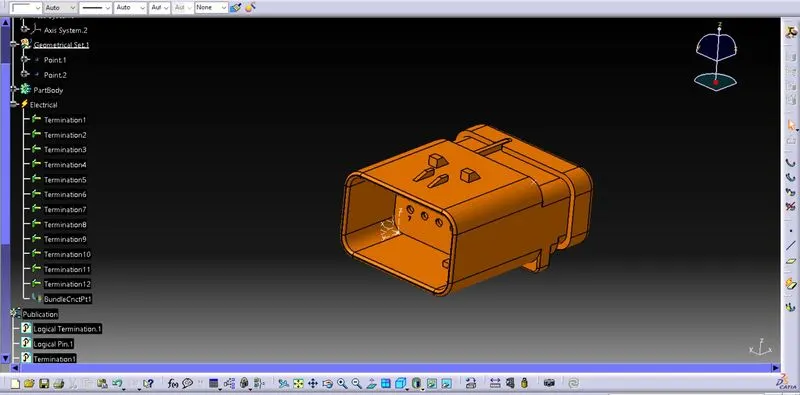
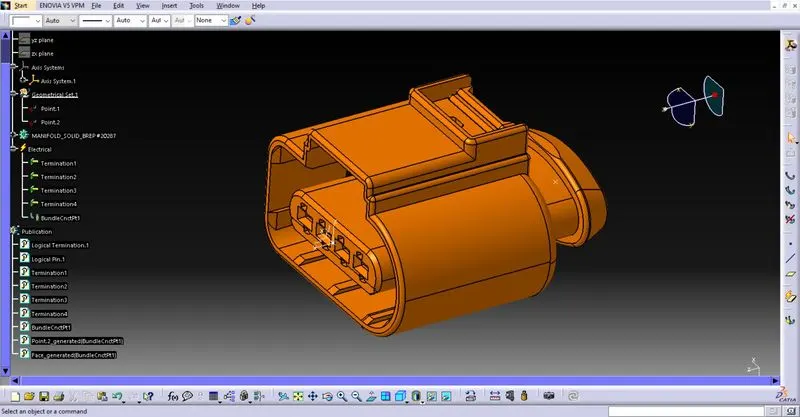
- Here we are considering 2 different types of connectors as follows
1.intercinnection connector,
2. Connector used for light
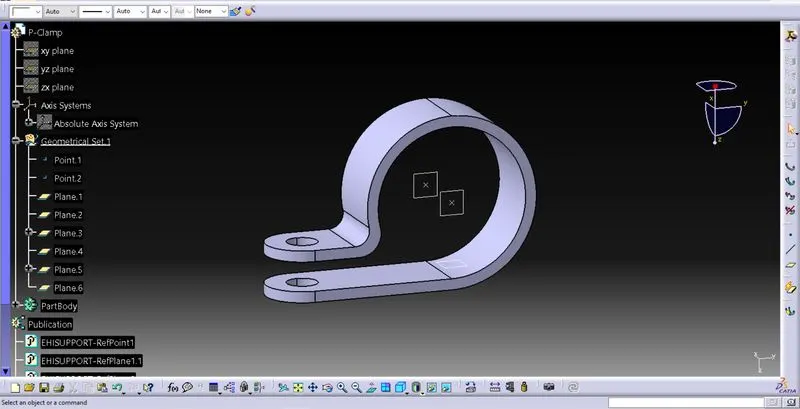
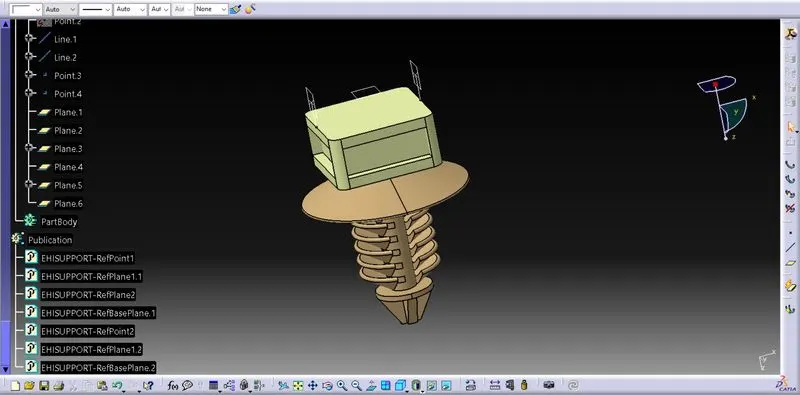
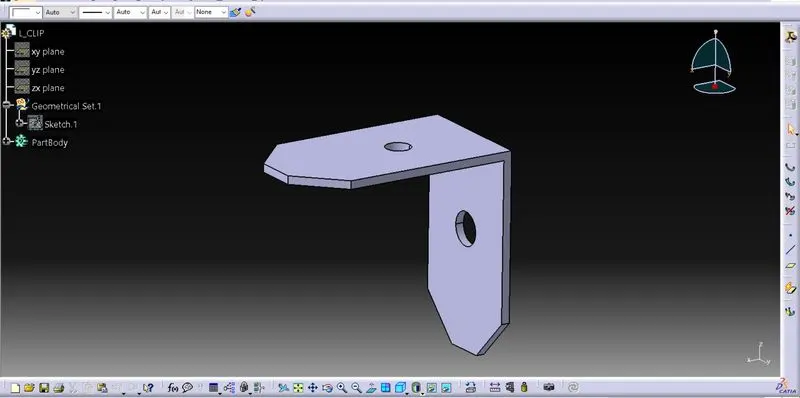
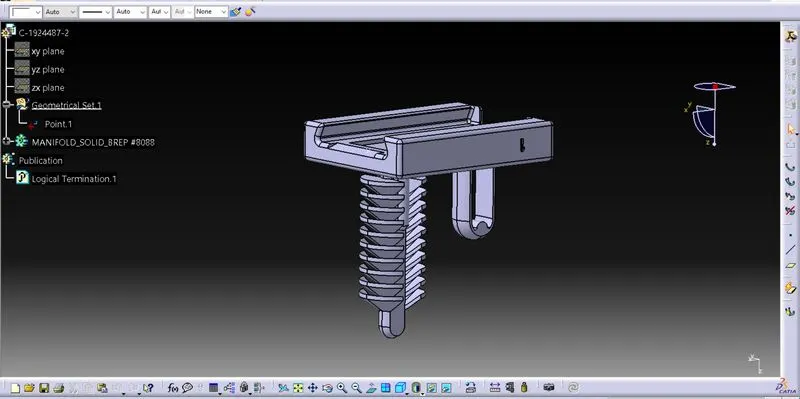
- Clip and clamp is used to set the location of wire
P-Clamp.
Furr Tree Clip
L-Clip
Support Clip
Steps for routing:
- First Defining all the connectors as electrical components and the clips as the supporting equipment.
- Locate all the connector , clip, and cavity at the desired location.
- Now by using multi-branch bundle route all the connector with the clip and clamp
- By create a catlouge and add the protection cover od 15mm diameter and 8 mm diameter.
- Now by using protection covering tool , protect all the bundle.
- Create a gap from the end and start extremity by 30mm
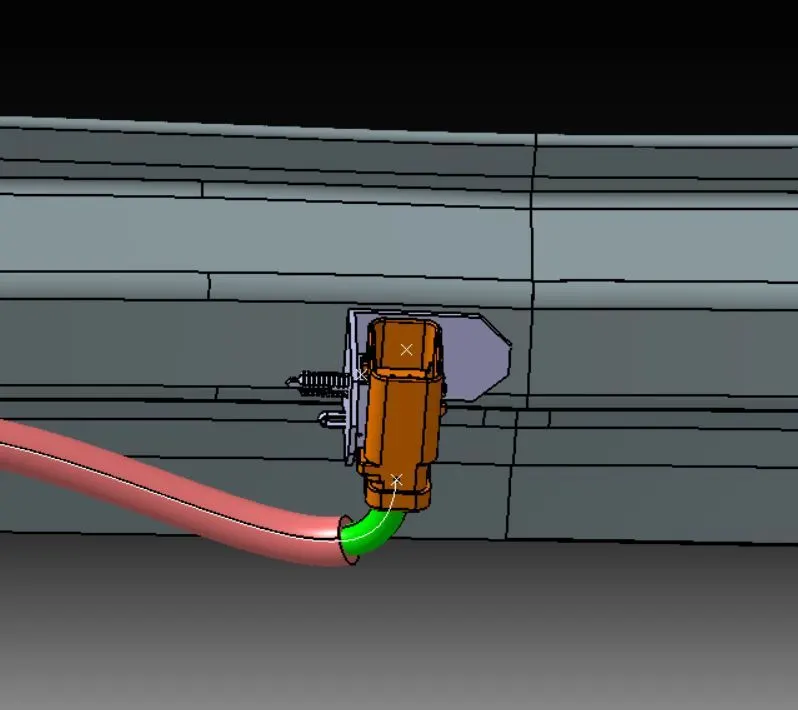
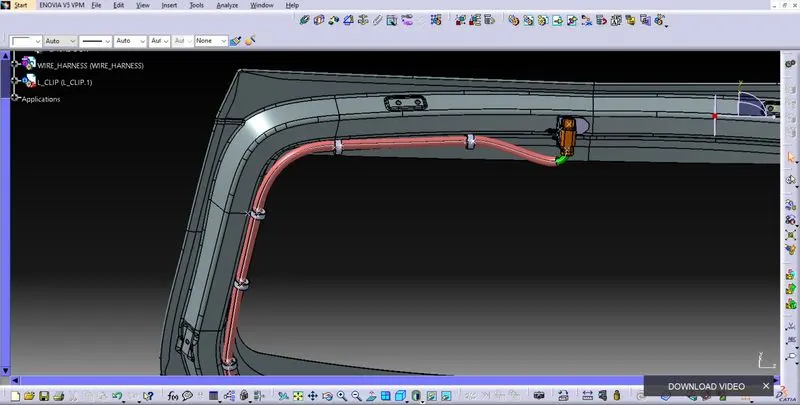
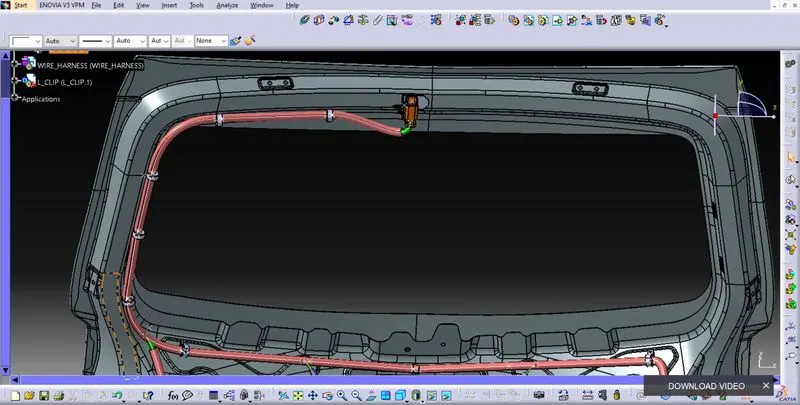
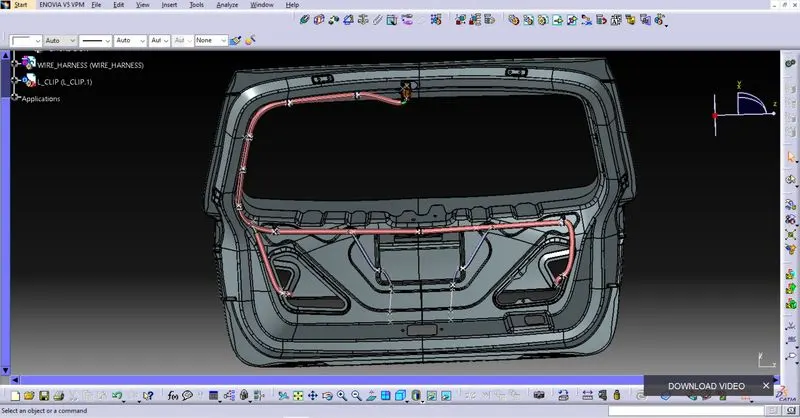
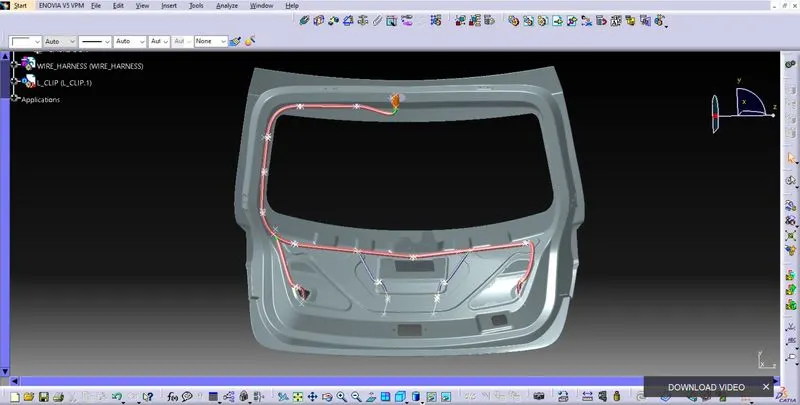
Complete Wire Harness Assembly.
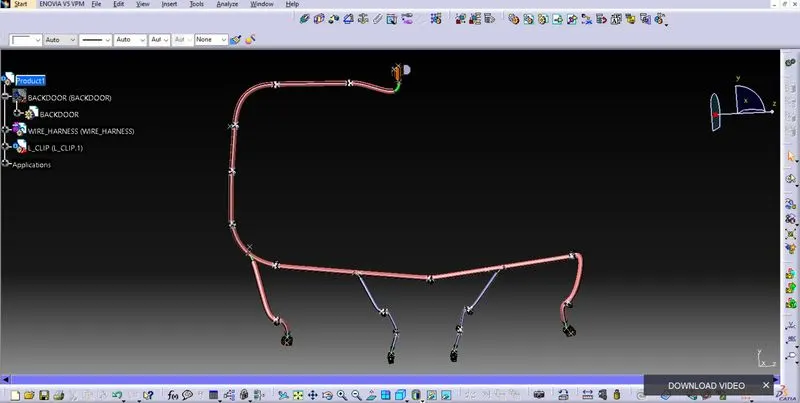
Continuity Check.
Once the wire routing is done, wire harness continuity check need to be done. This analysis give us whether is there any connection error in betweem two wires.
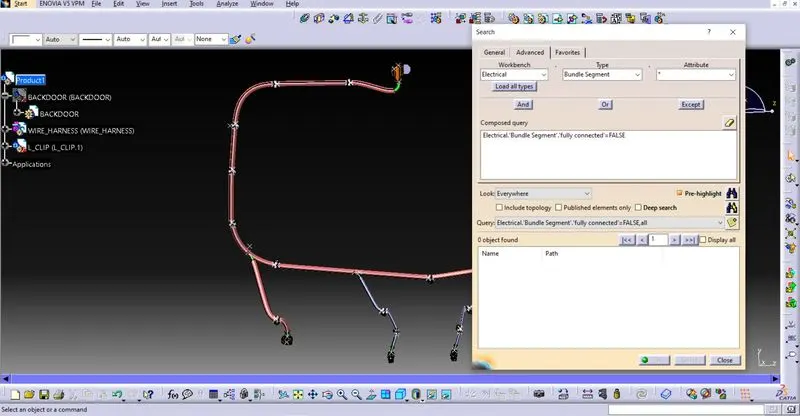
Create flatten view of the wiring harness bundle
- To create a flatten view of the harness assembly, we have to work in Electrical Harness Flattening workbench in Catia V5.
- Also, we have to make sure that the flattening file is saved into the same folder where we have all the parts of the harness assembly.
- As shown in below image, while defining the wiring harness flattening parameters make sure to select double line for bundle segment and Double line for protective covering.
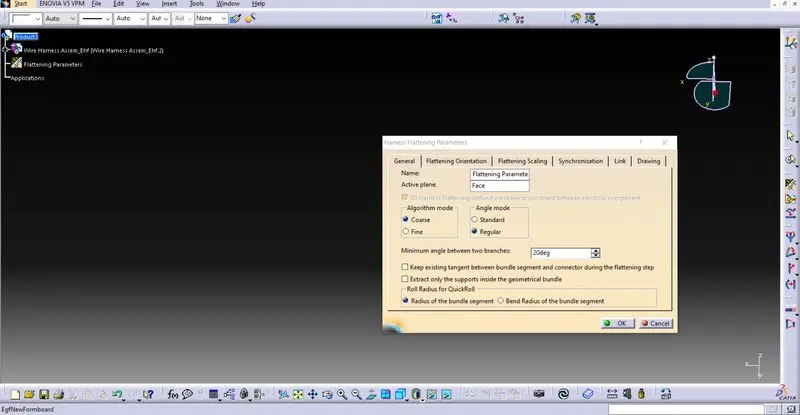
- After that, we have to extract and bring the bundle assembly into the car tail gate flattening product file.
- To flatten the harness assembly, we have selected Face as an active plane and selected all the branches as shown in below image.
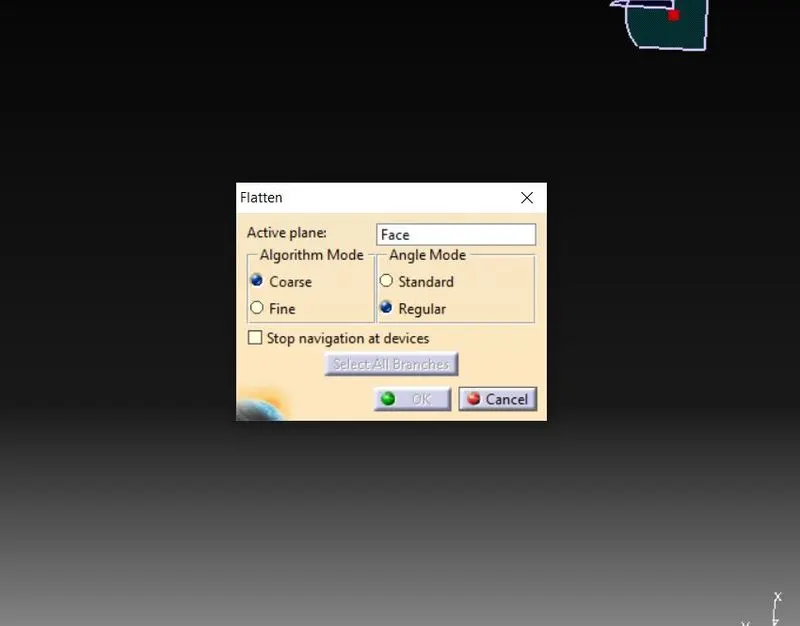
- Now, we have a flatten view of the wiring harness geometrical bundle assembly as shown in below image.
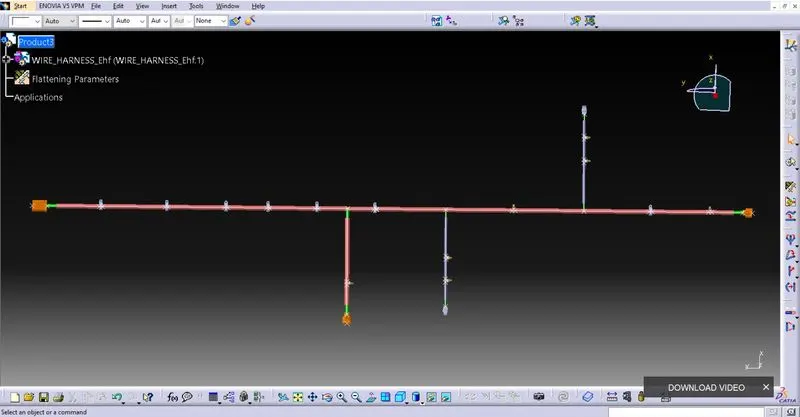
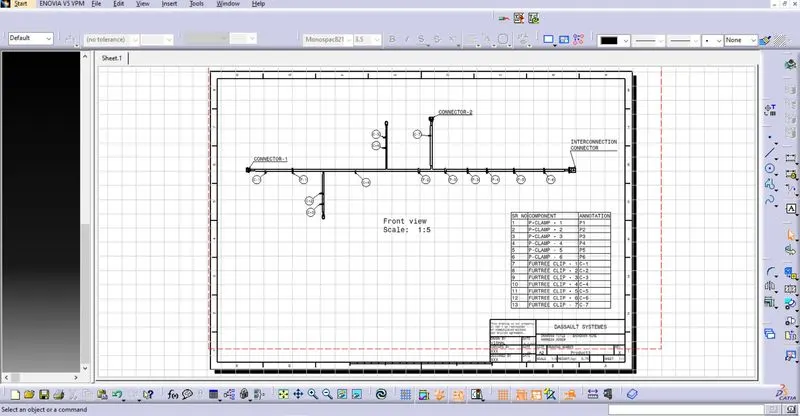
- As shown in below image, we have to insert front view of the harness assembly into drawing file and define drawing properties.
- It should be noted that for the Dress-up feature 3D wireframe is always ON. If this setting is not selected then the bundle segments will not be visible on the drawing view.
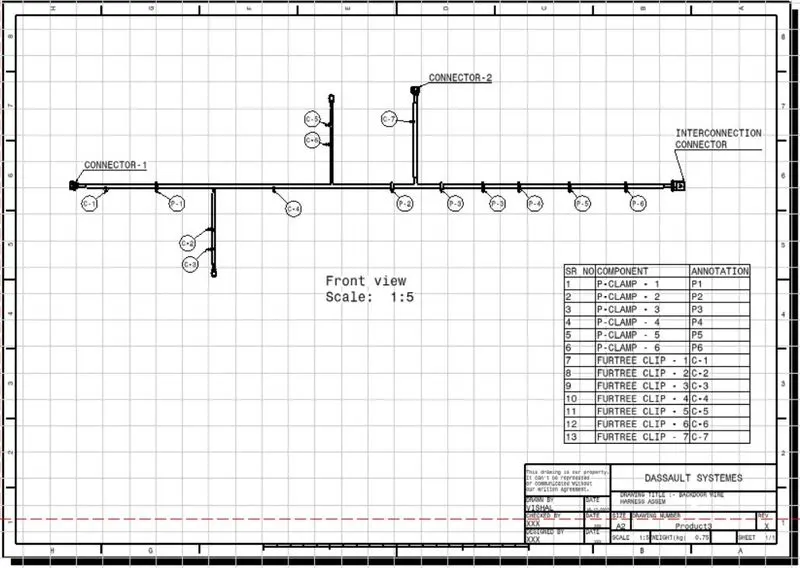
Conclusion:
Routing of the wiring harness for the car tail gate assembly has done and prepared flatten-view drawing in Catia V5. Applied all the packaging rules while routing the wiring harness, implemented industry best practices in the harness design. Also, provided details like clearance, clipping selection, harness fixing requirements, harness continuity in order to design the harness.