Project 2
AIM :
Route the Wiring harness on Given car body and Prepare flatten view drawing in CATIA V5. Application of all Packaging rules, Industry best practices studied in this course shall be demonstrated in design.
SOLUTION:
- Download & Define all the connectors by using following method
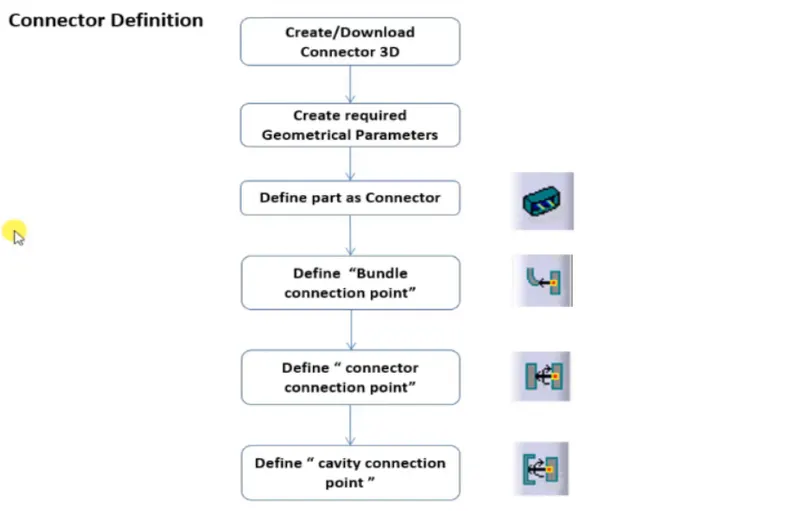
The following fig shows that given connectors is defined as Electrical Connector 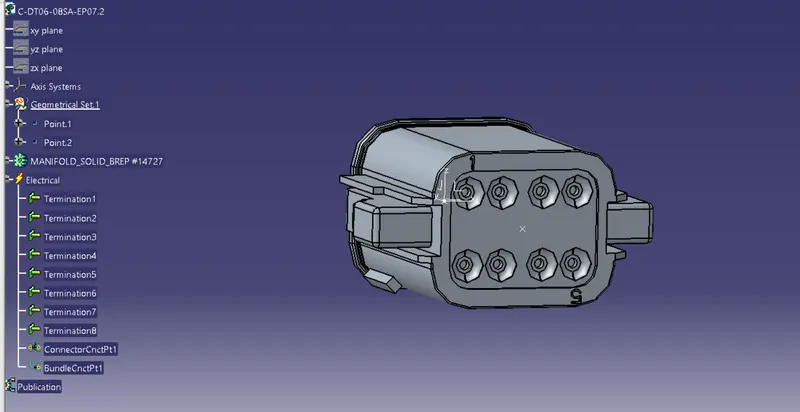
The following figure shows that all the operations done to define electrical connector
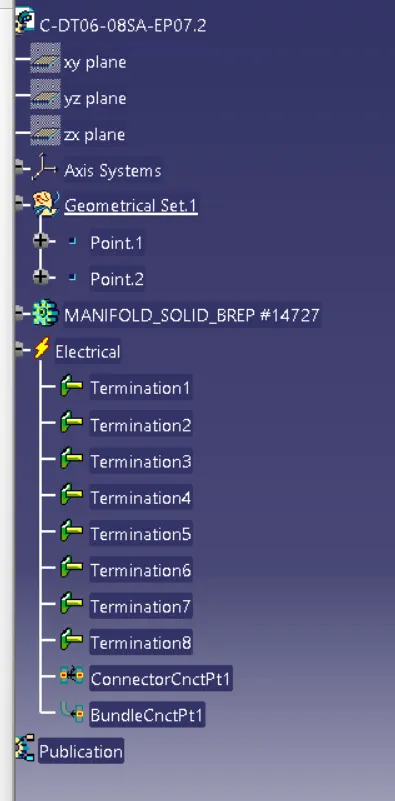
Similarly done this process for all the required connectors
- Add all the required connectors& protective coverings which are electrically defined to two of the geometric bundle assembly in harness assembly
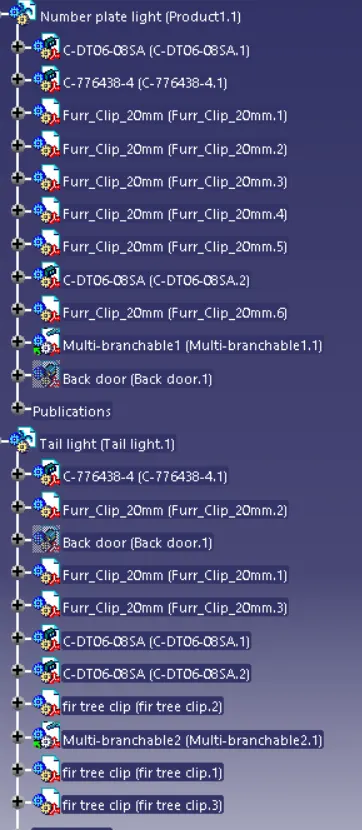
- Then define these geometric bundle assembly as electrically
- select geometricbundle then click on geometric bundle assembly(specification tree)

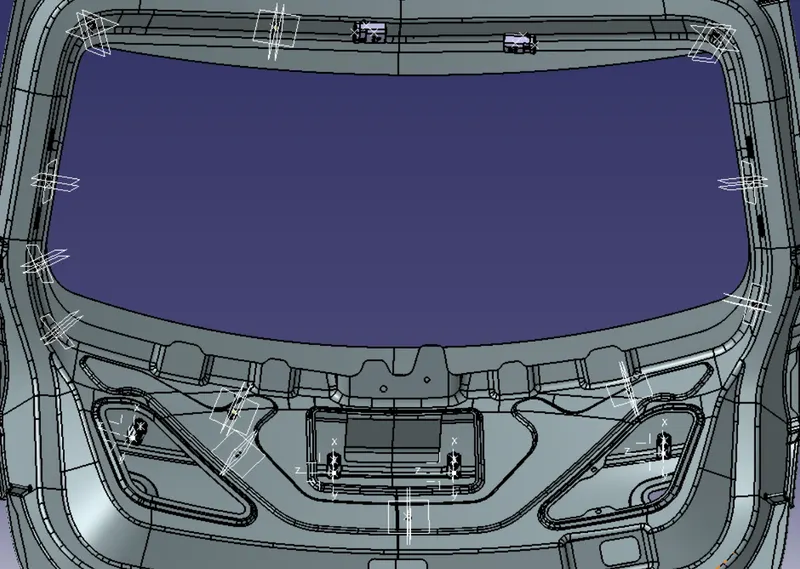
- position all the connector,clamps & guiding channels , with help of clips&clamps needs to create environment on which the bundle assembly will be placed
- Switch to mechanical assy work bench,position the connectors,clipps &guiding channels by using manipulation,snap,smart move and compass commands.
- positioning can be seen in below pics
- Now switch to electric harness assembly workbench select multi branchable documents
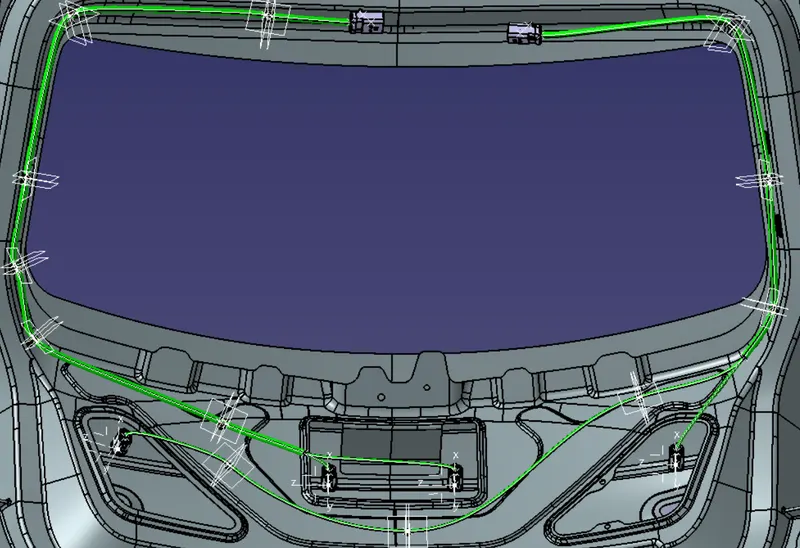
- create branch using route definations
- Then add the branch points where required
- Harness routing of the car body can be seen in the below figure
- Then we need to check with bundle continuity,In below figure we'll see the result of bundle continuity
- press ctrl+F then select required workbench,type,&attribute
- click pre-highlight to see the result
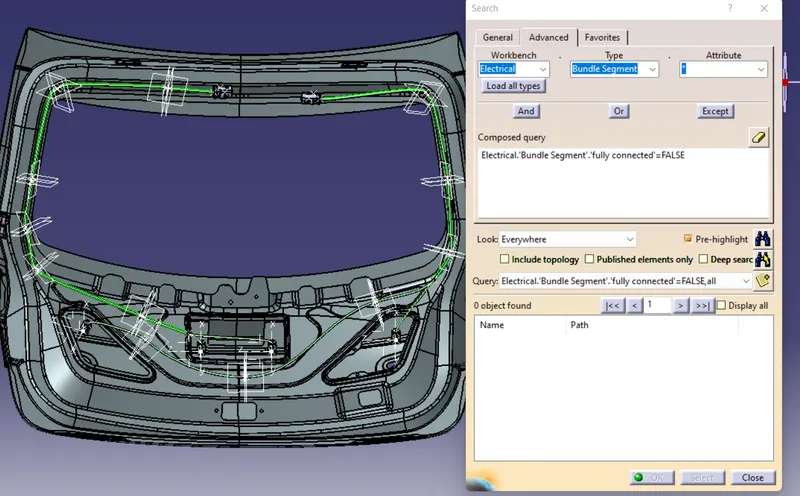
- Then we need to check with bundle continuity,In below figure we'll see the result of bundle continuity
- Need to check with any bundle warnings,if exist we can resolve by giving some slack or reversing tangent
- Then need to ceate new flatten product
- Open electrical harness flattening
- set all the flatten parameters by using harness flattening parameters from tool bar ,some of the settings shown below
- Open electrical harness flattening
-
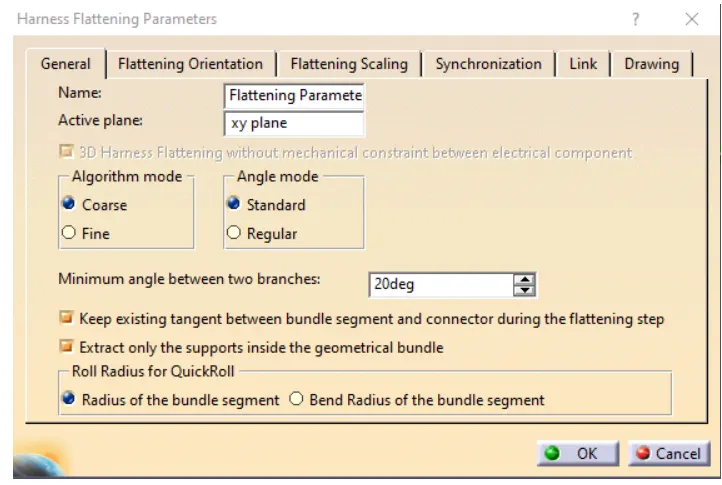
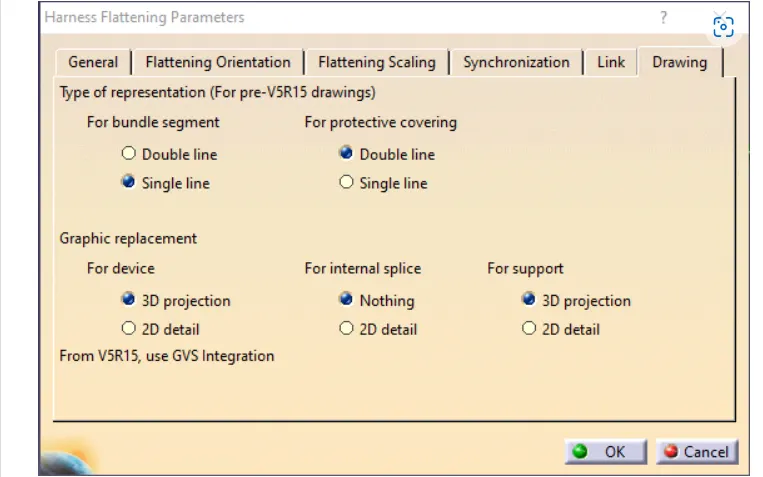
- Import the harness assembly by using extract option
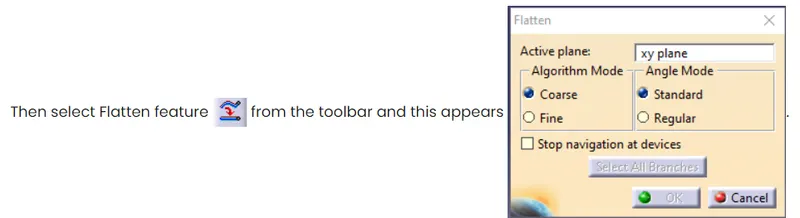
- After selecting the desired plane & branches click ok which results in
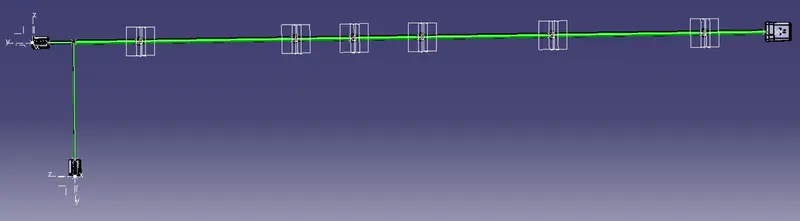
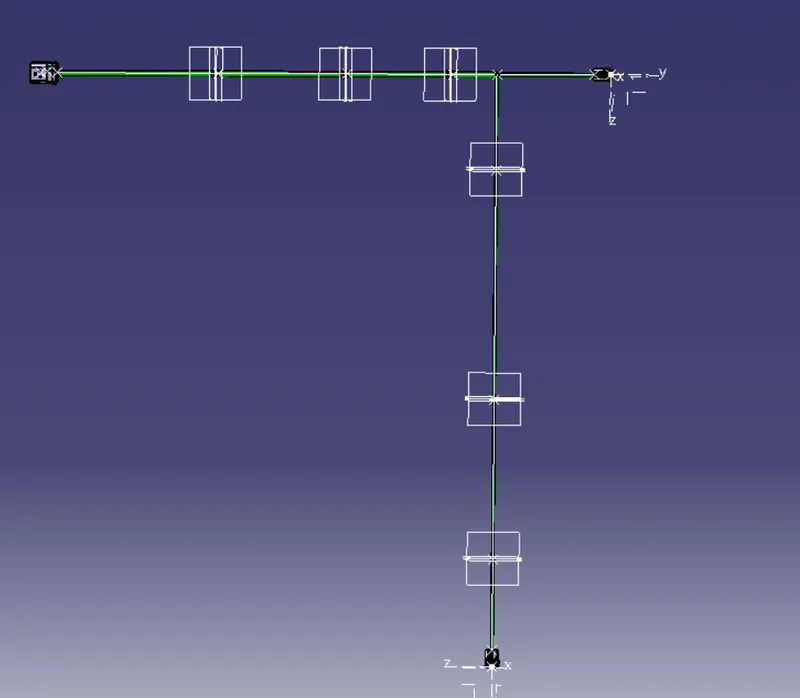
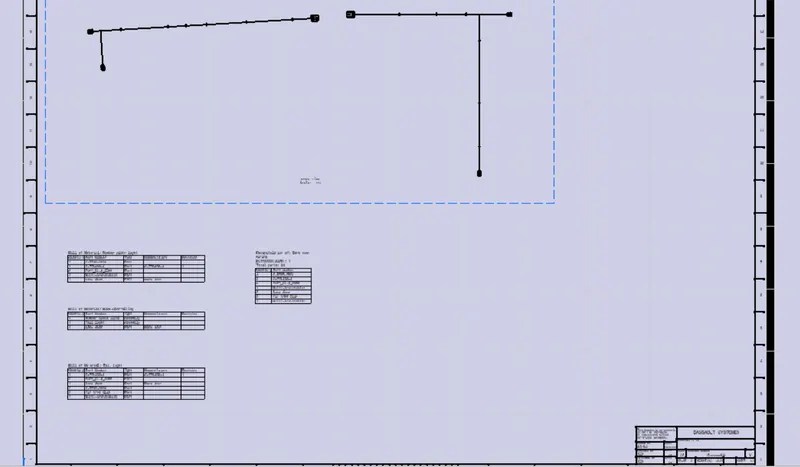
- create new drawing file,then select Front view feature from tool bar & need to select previously selected face which used during flattening, It gives imported drawing
- then select 3D wireframe> is always visible from properties
- apply background sheet & BOM ,It results in getting desired drawing
CONCLUSION :
Routed the Wiring harness on Given car body and Prepared flatten view drawing in CATIA V5.