Wiring harness design in CATIA V5 - 3D modeling Week 5 & 6 Challenge
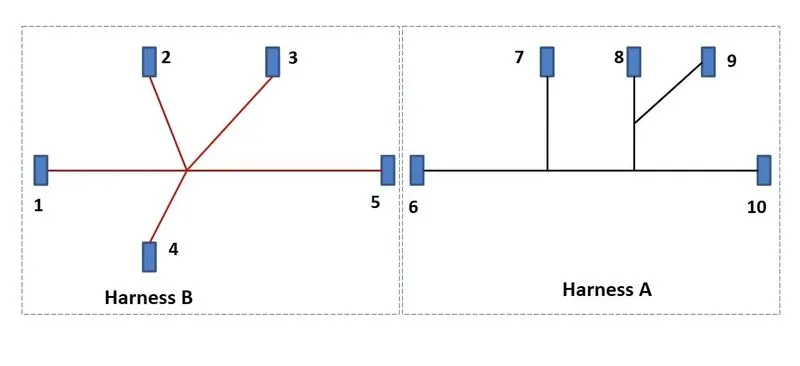
AIM:Route the following harness layout in Electrical workbench. Make assumption for harness bundle diameters. Use the connectors provided. After completion of routing,
- Check the bundle Continuity. Add snap of result in submission
- Add annotation to all connectors. Make an assumptions for annotations like connect 1 , 2 etc
- Check for the bundle warning. Add snap.
- Generate CAT.part of harness assembly and convert is in. igs format.
SOLUTION:
- Download & Define all the connectors by using following method
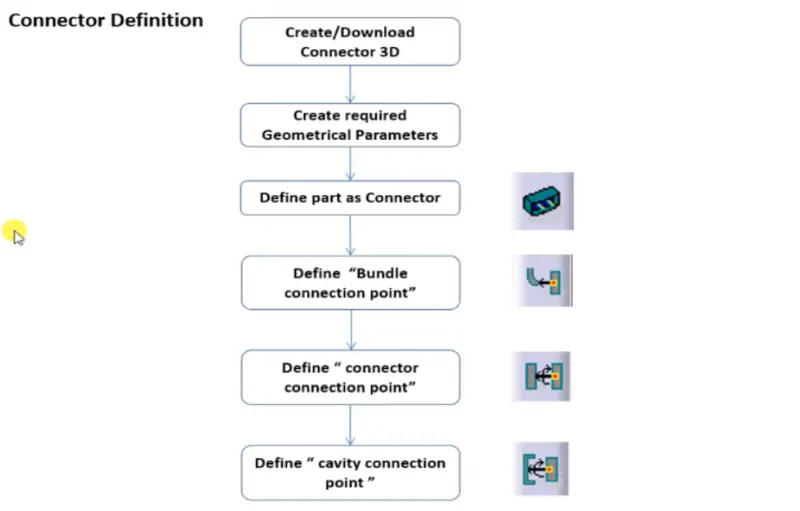
The following fig shows that given connectors is defined as Electrical Connector 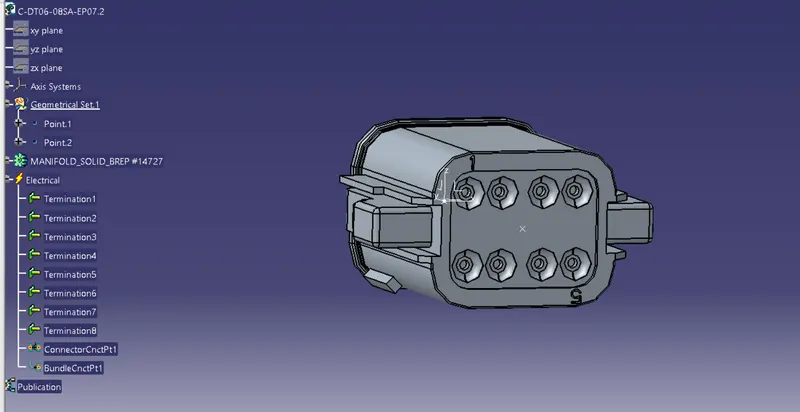
The following figure shows that all the operations done to define electrical connector
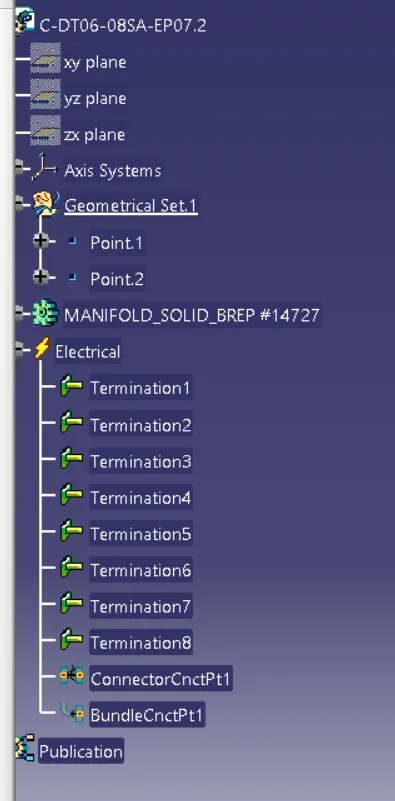
Similarly done this process for all the connectors
- Add all the connectors which are electrically defined to the geometric bundle assembly in harness assembly
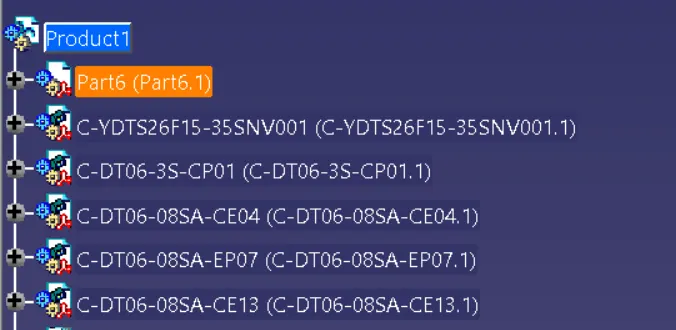
- Then define this geometric bundle assembly as electrically
- select geometricbundle then click on geometric bundle assembly(specification tree)

- To position all the connector as given in input file, needs to create environment on which the bundle assembly will be placed
- draw the reference sketch to place the connectors as per dimension
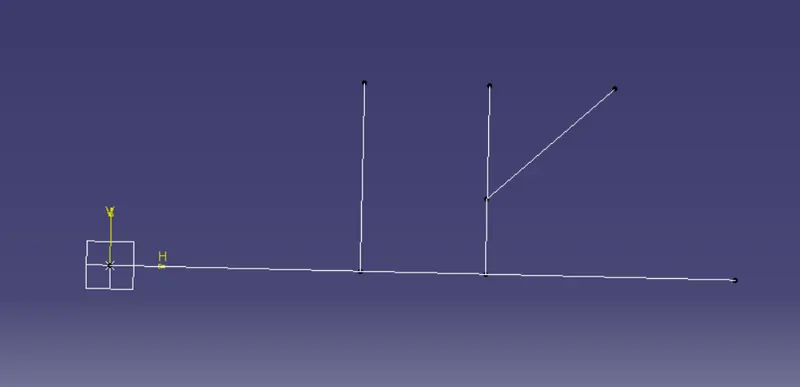
- Switch to mechanical assy work bench,position the connectors by using manipulation,snap,smart move and compass commands.
- Now switch to electric harness assembly workbench select multi branchable documents
- create branch using route definations
- Then add the branch points
- The below fig shows that, Routed the harness A layout in Electrical workbench
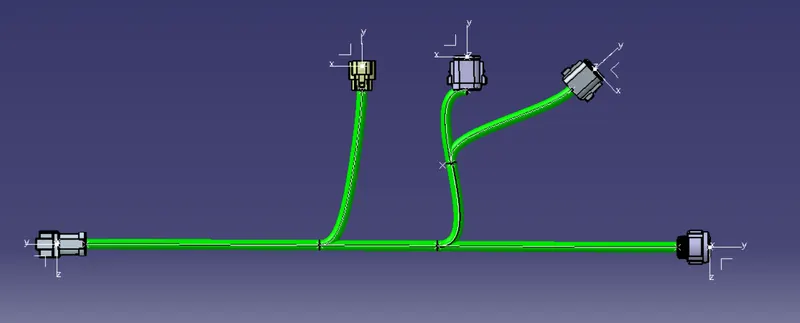 d
d
- Similarly do all the process to route Harness B layout ,as follow
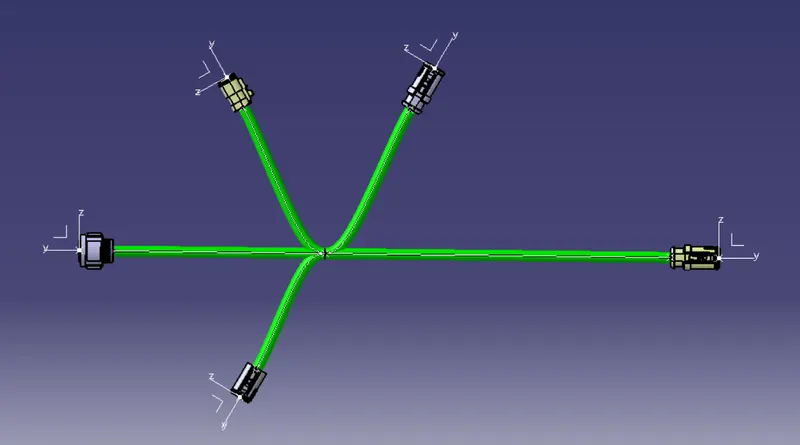
- then connect them electrically,the below fig shows that harness A &harness B connected electrically
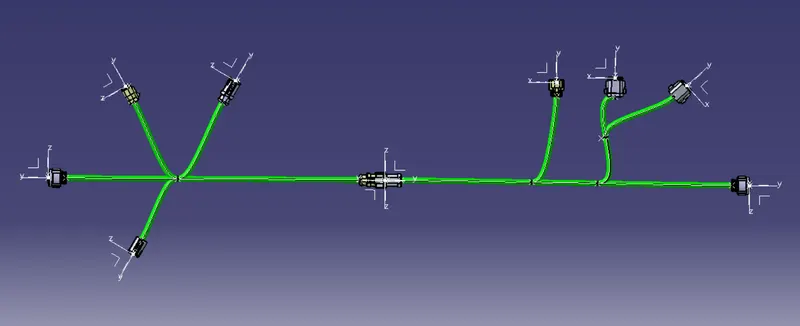
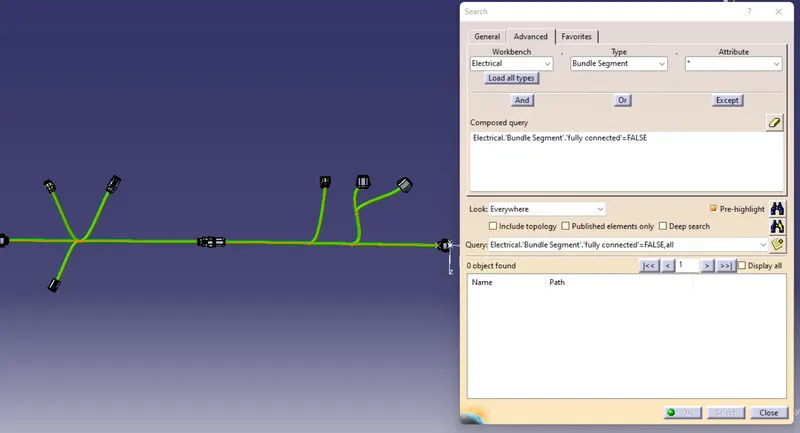
- Then we need to check with bundle continuity,In below figure we'll see the result of bundle continuity
- press ctrl+F then select required workbench,type,&attribute
- click pre-highlight to see the result
- we will see the annotations for all the connectors in th below figure
- with respect to any one flat plane annotatuions needs to be create
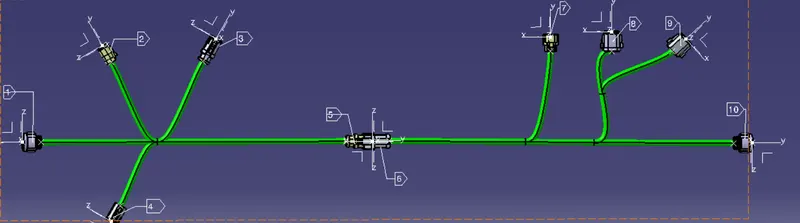
- with respect to any one flat plane annotatuions needs to be create
- Need to check with any bundle warnings,if exist we can resolve by giving some slack or reversing tangent
- In below figure we observe the bundle warning
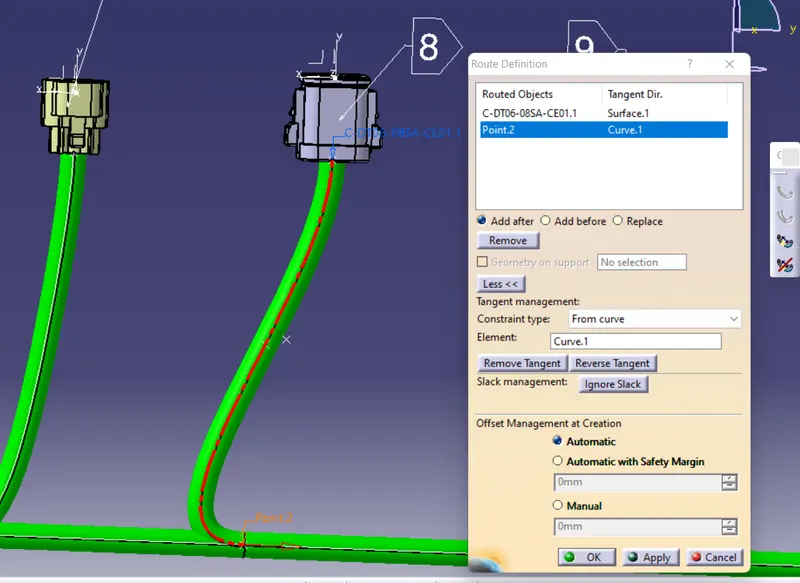
- bundle warning is resolved by reversing the tangent,we can see it in below fig
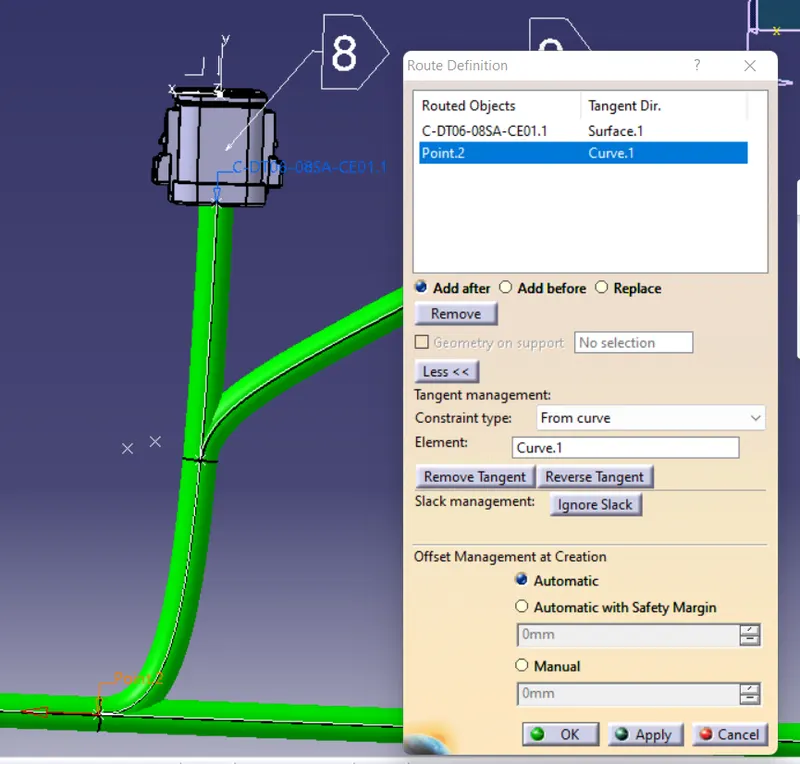
- Finle snap after doing all the required operations
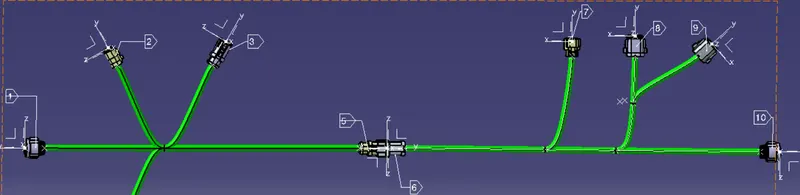
CONCLUSION:
Routed the harness layouts A & B in Electrical workbench & connected them electrically