Wiring harness design in CATIA V5 - 3D modeling Week 7 Challenge
AIM:
Flatten the previously done harness assembly which is shown below . Place the flattened view on drawing sheet. Ensure bundles with protective coverings has different visuals on drawing view.
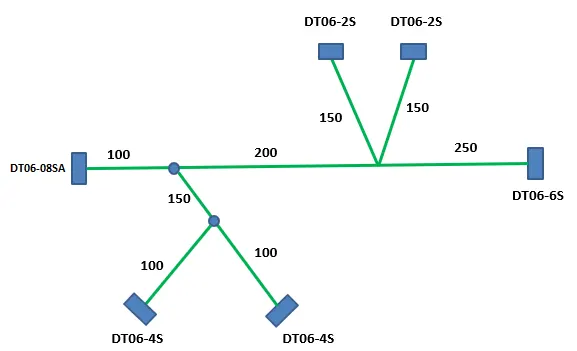
SOLUTION :
- Starting with the product file of previously done wire harness assembly
- Then nned to ceate new flatten product
- Open electrical harness flattening
- set all the flatten parameters by using harness flattening parameters from tool bar ,some of the settings shown below
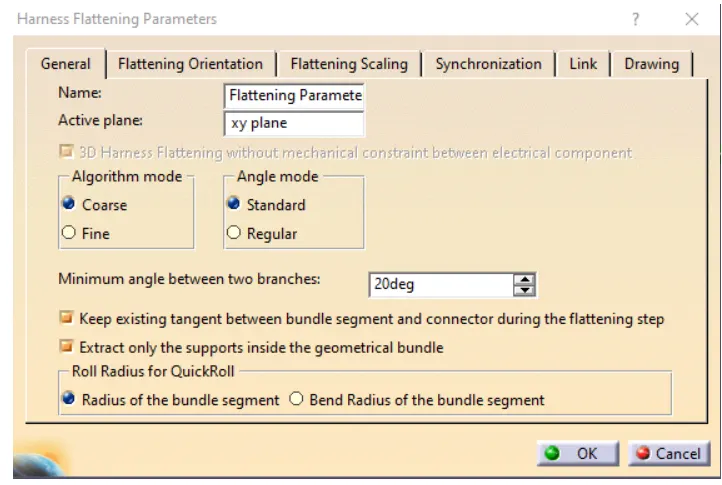
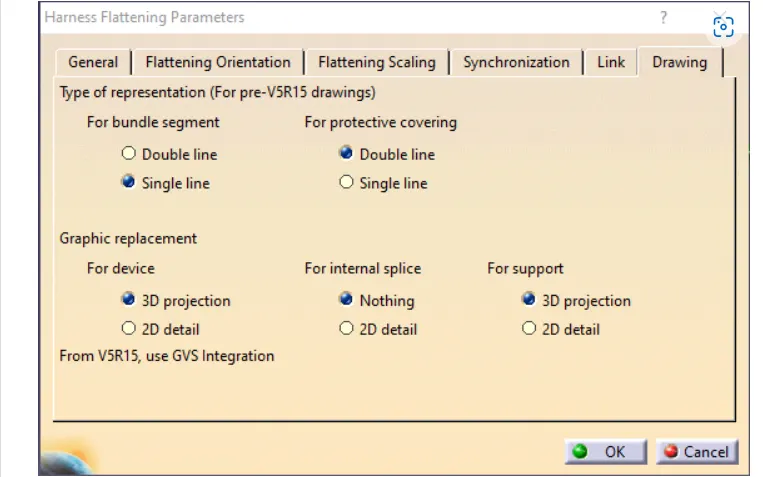
- Import the harness assembly by using extract option
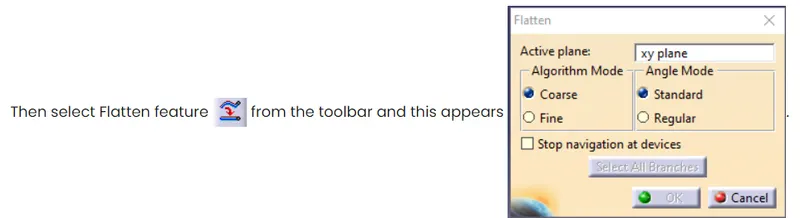
- After selecting the desired plane & branches click on which results in
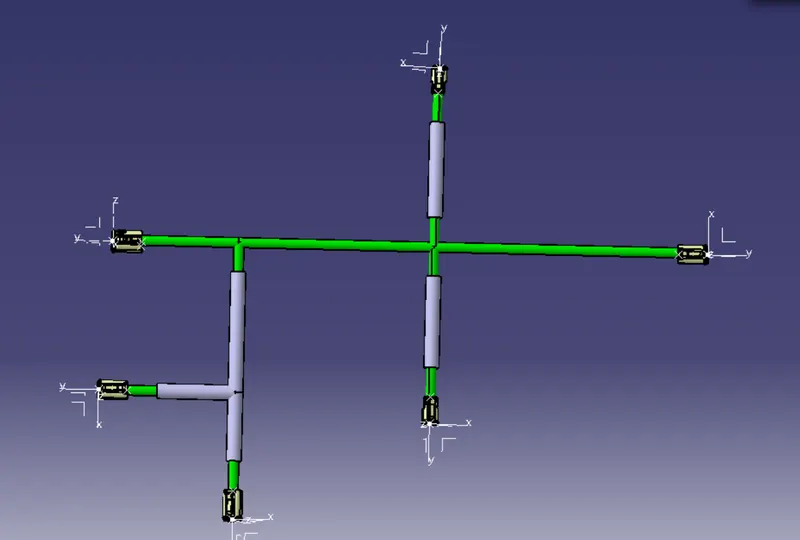
- create new drawing file,then select Front view feature from tool bar & need to select previously selected face used flattening, It gives imported drawing
- then select 3D wireframe> is always visible from properties
- apply background sheet & BOM ,It results in getting desired drawing
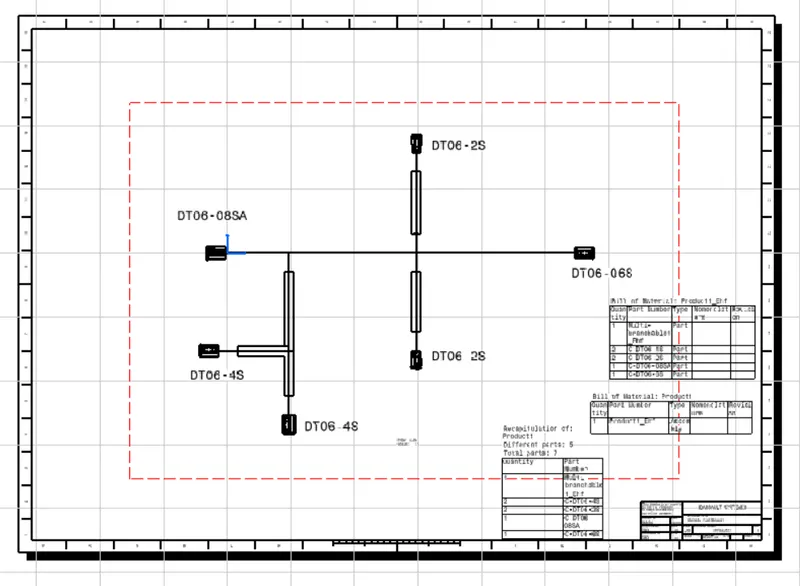
CONCLUSION:
The required harness assembly is flattened & converted as drawing by using Electrical harness flattening work bench