Project 2
Aim:
To create harness route and flatterning for "number plate & taill lamp " the given tail gate.
Procedure:
Download the tail gate and save it as Cat part file and also download the connector and furr tree clip and define it as electricaly.
1.Define connector
To definevthe connector we need create required geometric paramater for the connector in part design workbench
After create the geometric parameter we need shift the workbench to electrical part design workbench
There we need to define the part as connector by using cobnector definition and create bundle entry point then connector connection point. Save the file
Define Support
To define furr tree as electrical we need create entry plane exist plane and base plane in part design workbench
After create the required geometric bundle we need shift workbench into electrical part design workbench their we need define furr tree as support twice then save the clip
Harness Assembly workbench
In assembly workbench we need create product as context assembly under that create two geometric product file for tail lamp and number plate
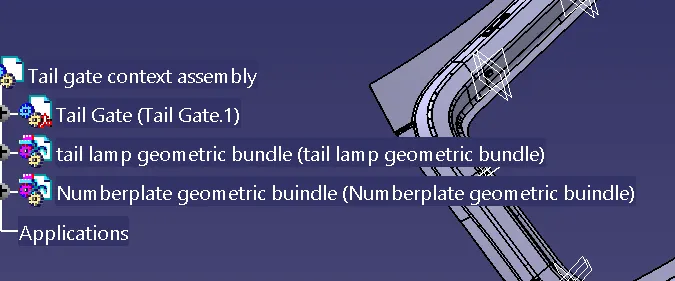
in assembly workbench then place the connector in the correct position similarly for furr tree clip
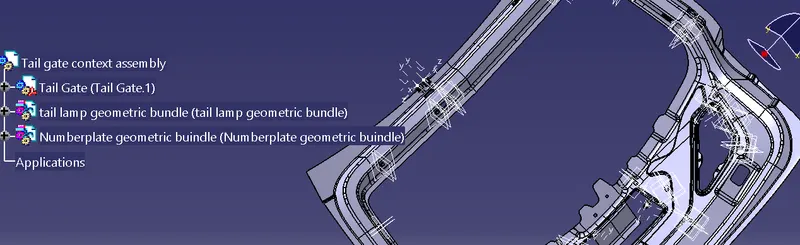
Start routing for tail lamp under tail lamp geometric bundle from inter connector to furr tree then to the connector.
Give bundle dia, bend radius as 1.5 give proper slag press to routing definition then start routing click ok
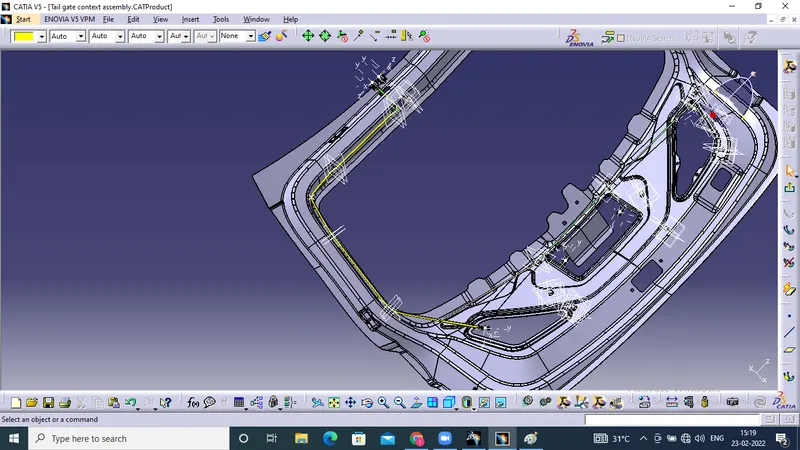
Number plate routing
Insert the connector furr tree under number plate geometric bundle and place it on respective location
Start the routing by multiple branch command then start the routing from inter connection to number plate connector give the bundle dia and bend radius as 1.5 , by using add branch point we start the route for other connector
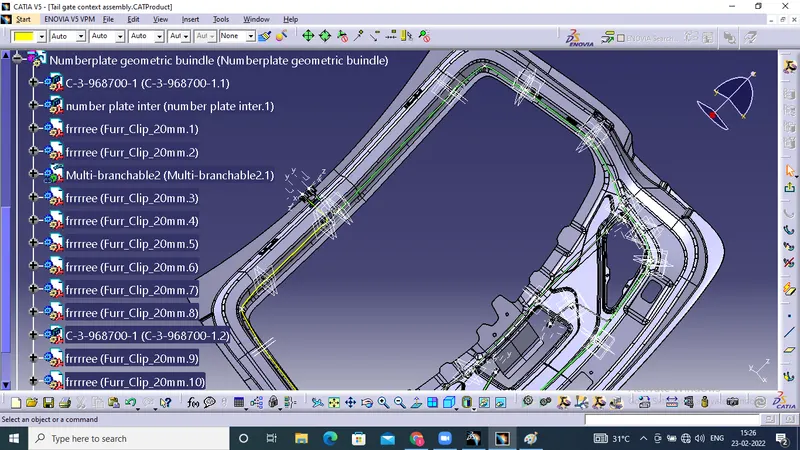
Save the file in two different folder one for tail lamp another one for number plate
Flattering for tail lamp
Open new product file and change the name into tail lamp flatterning give the flaterning parameter check the bundle connection by using
Edit -search-advance-type as electrical-bundle segment-fully connection
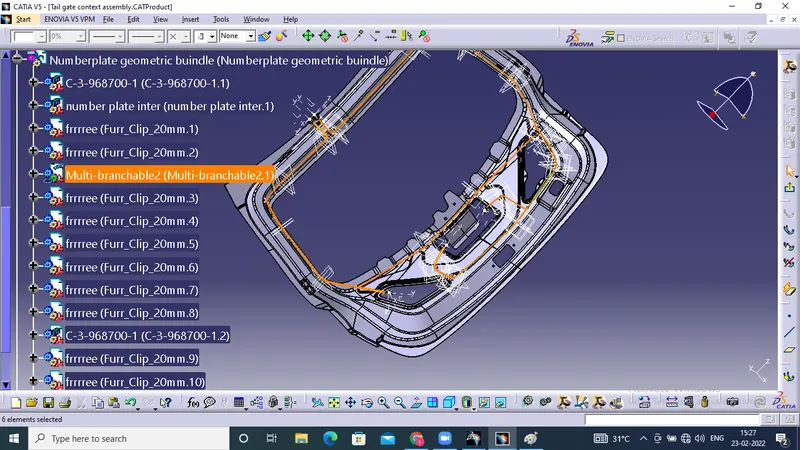
By using this we can check the bundle fully connected or not after checking this we need extract the geometric bundle for tail lamp
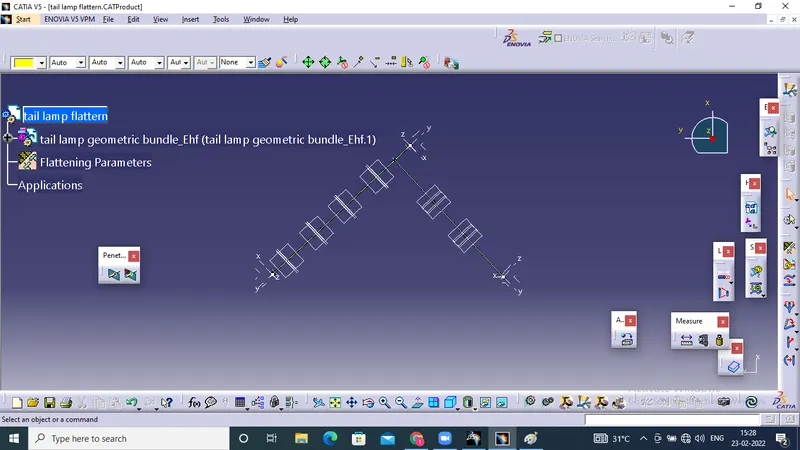
Once extract the tail lamp geometric bundle is imported into the flaterring workbench
In their we need to flattern the geometric bundle by clicking flattering select the active plane select the bundle and click on srlect all bundle clivk on ok
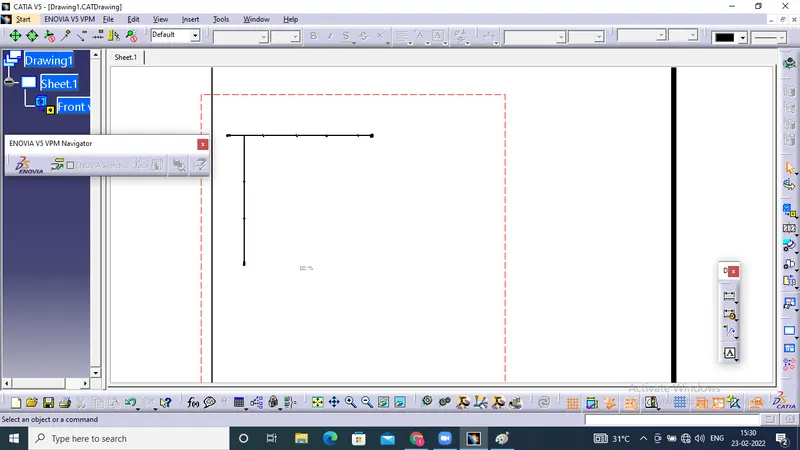
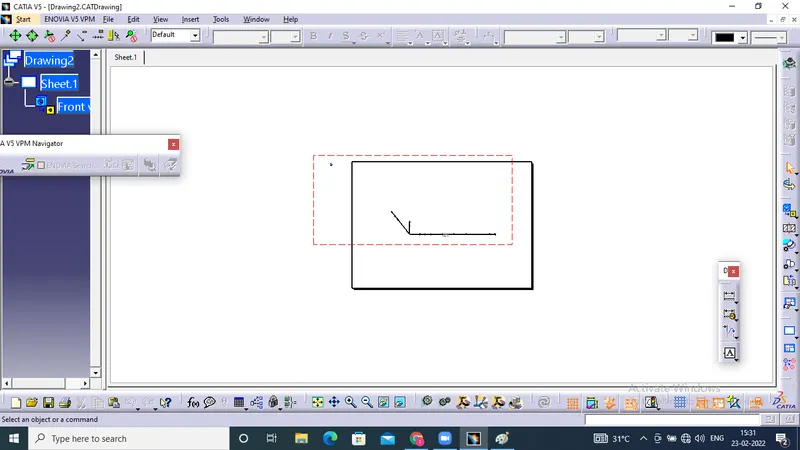
Then the bundle get flattern we rotate the branch as our requirements then import the flattern file into drafting then save as drawing file.
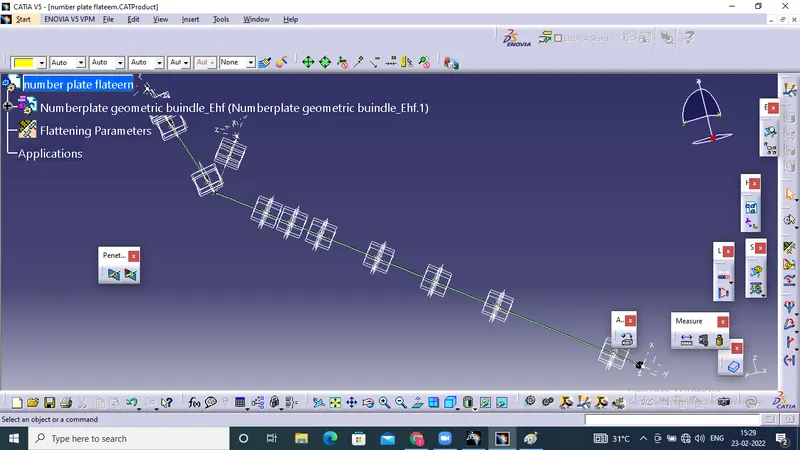
Similarly for number plate geometric bundle and flatern then save as drawing
Thank you