Project 2
Question:-
A 100 m WBM road needs to be constructed inside the Skill Lync Education center premises to allow access to the centre for students and faculties.
Create the following Project (under same EPS/OBS as project-1) and Resource :
Project Name - Education Centre Road
Assume - Calendar as 6 x 24 and start date on 22nd feb 2021
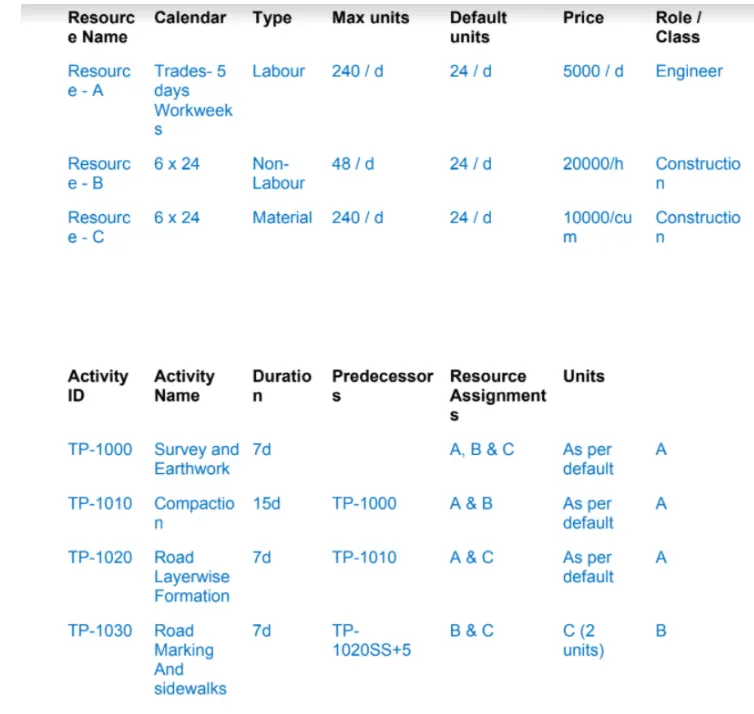
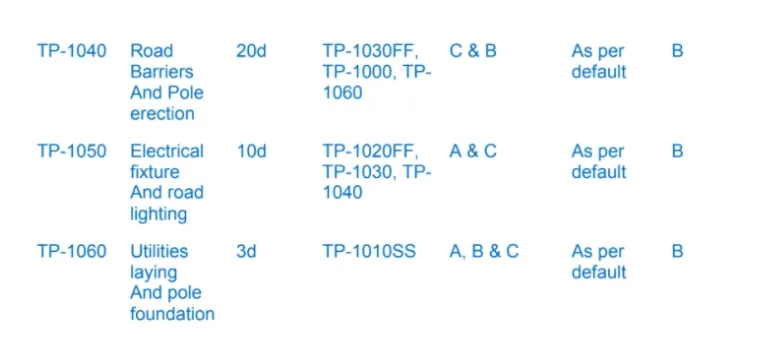
Please do the following:
1. Develop the project schedule as per the criteria above
2. Use 3-Tier timescale with Year / Month / Weeks
3. Define and Add resources
4. Add a budget to your project - INR 6 cr.
5. Assign a baseline to the project
6. Add following expense:
Task - 1 - Rs 20,000/- (Item - Fuel)
Task - 2 - Rs 30,000 /- (Item - Maintenance)
7. Generate material resource costs curve
8. Generate an activity wise cost report
9. Create a reflection
10. In the reflection, auto update the project at 15 days from start
11. Open a TSLD view of the project in Visualizer
12. Add curtains up-to first 15 days of the project.
13. Find out the actual cost for labour, non-labour and material cost of the updated schedule
Ans=
AIM:- To develop a schedule along with baseline and resource for the construction of 100m WBM road inside the Skill Lync Education center premises to allow access to the centre for students and faculties.
INTRODUCTION:-
I will name the project as Education Centre Road and assign a 6X24 calendar. The starting date of the project is 22nd of February 2021. Here I will accomplish the Project as per the provided information given below-
1. Develop the project schedule as per the criteria above
2. Use 3-Tier timescale with Year / Month / Weeks
3. Define and Add resources
4. Add a budget to your project - INR 6 cr.
5. Assign a baseline to the project
6. Add following expense:
Task - 1 - Rs 20,000/- (Item - Fuel)
Task - 2 - Rs 30,000 /- (Item - Maintenance)
7. Generate material resource costs curve
8. Generate an activity wise cost report
9. Create a reflection
10. In the reflection, auto update the project at 15 days from start
11. Open a TSLD view of the project in Visualizer
12. Add curtains up-to first 15 days of the project.
13. Find out the actual cost for labour, non-labour and material cost of the updated schedule
PROCEDURE:-
Here I will execute the project in Primavera P6 as per provided information. Now I will do the project step wise as mentioned below.
Step-1:-
First open Primavera P6 and create a 6X24 Calendar for project.
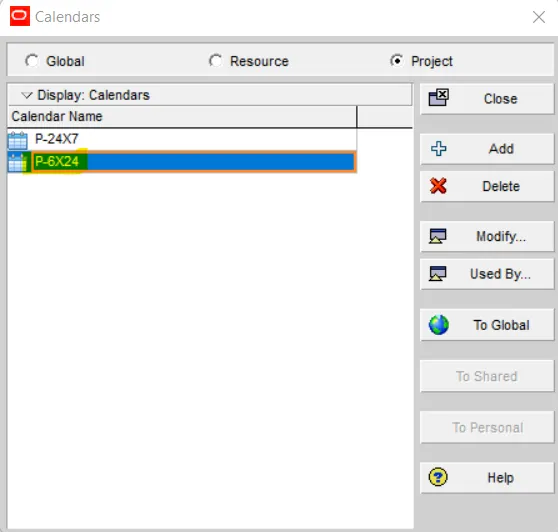
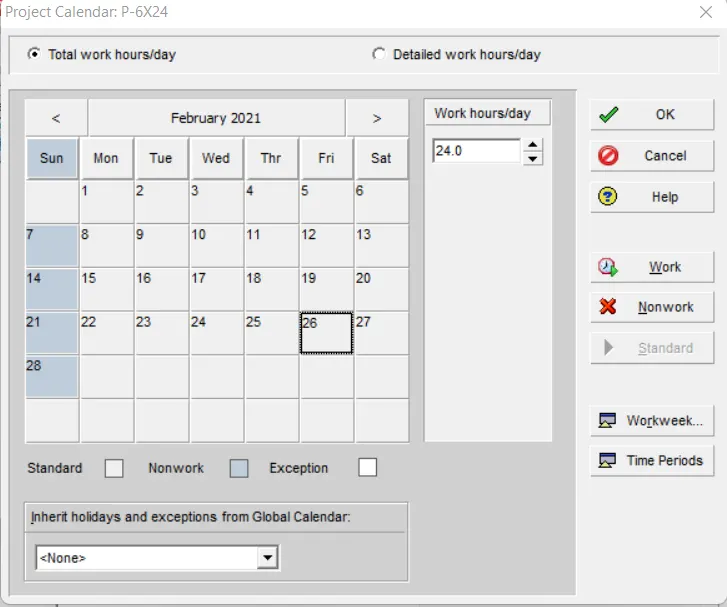
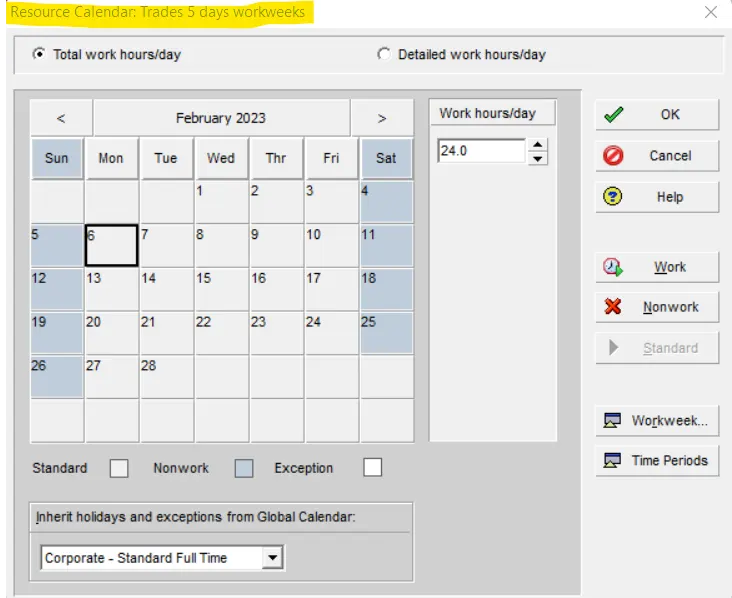
Similarly Create two resource calendars as R- 6X24 and Trades-5 days workweeks
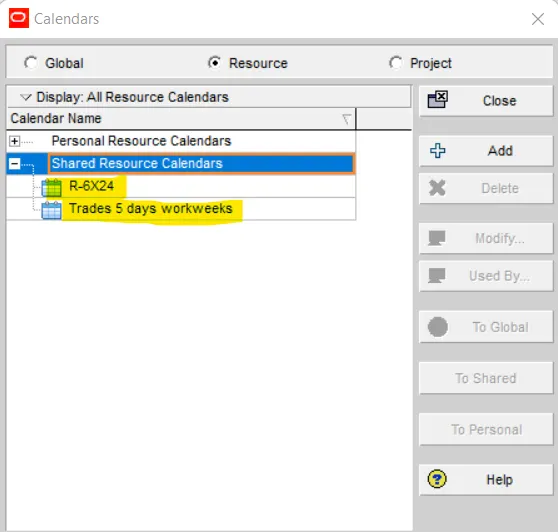
Resource calendar R-6X24
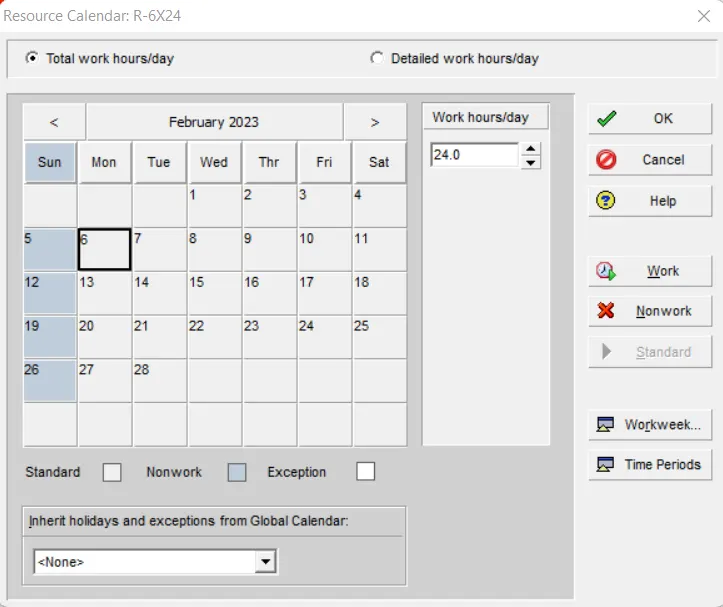
Resource calendar Trades-5 days workweeks
Step-2:-
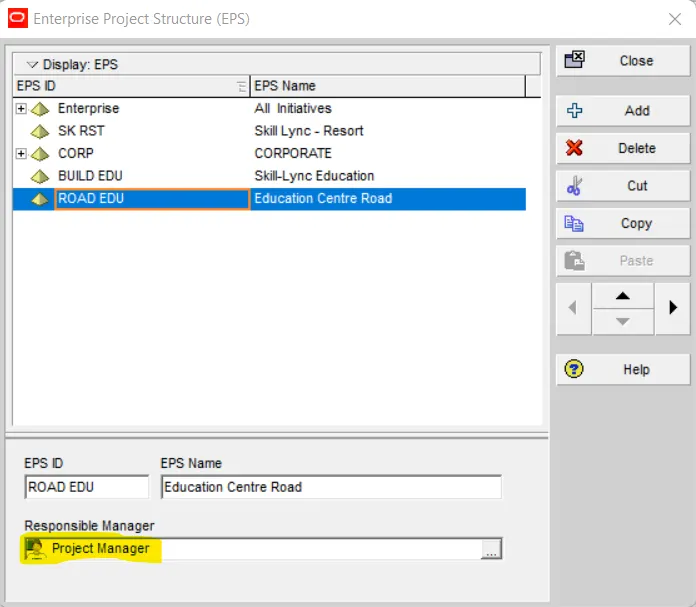
Now Create EPS as "Education Centre Road"and assign a Project Manager
Step-3:-
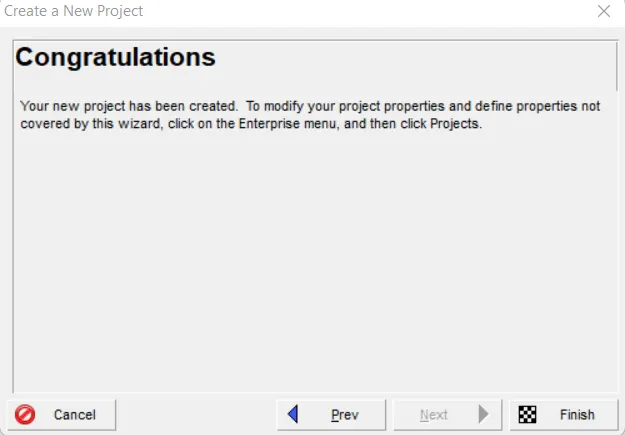
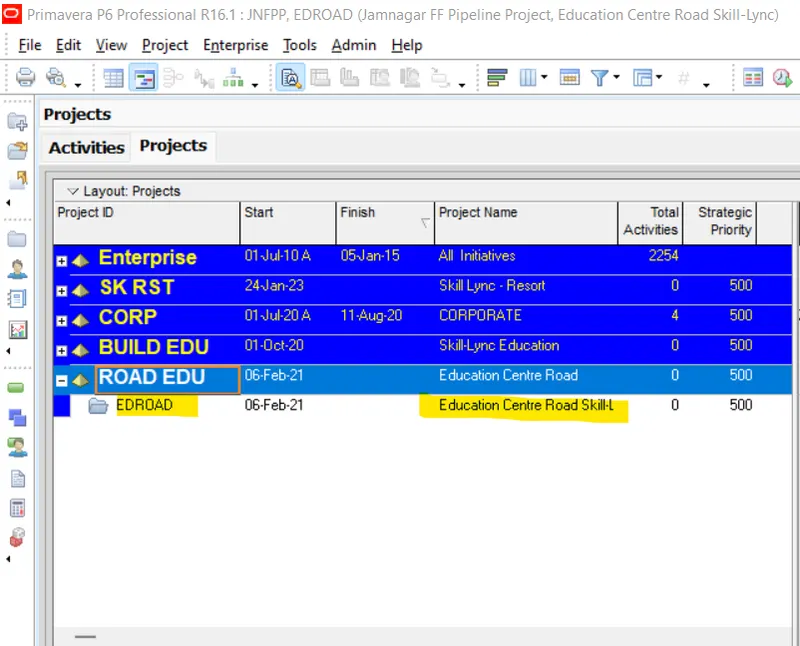
Create a project under the above EPS named "Education Centre Road"
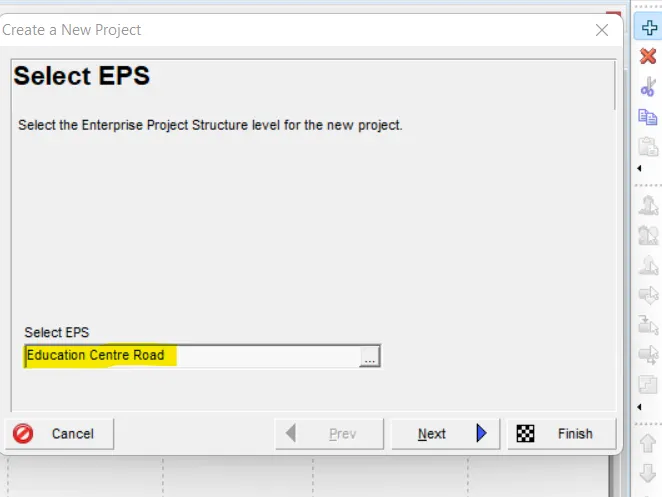
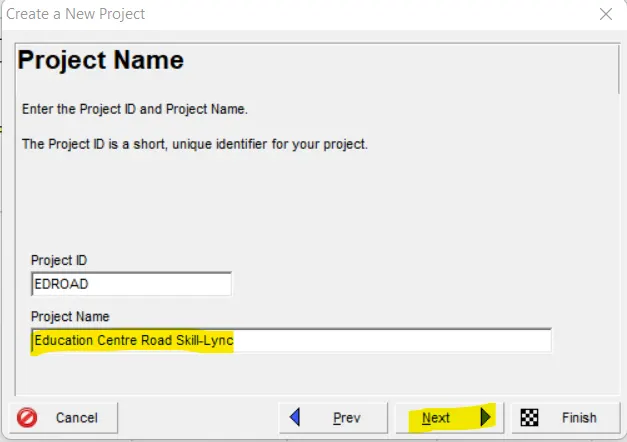
Click to next and name the project as Edication Centre Road Skill-Lync
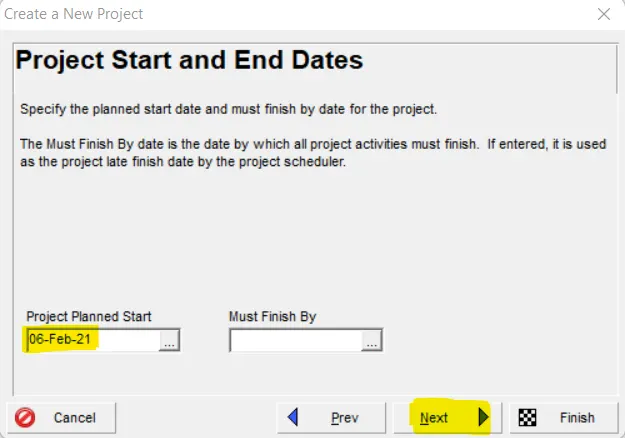
Then select the Project start date as 22nd February 2021
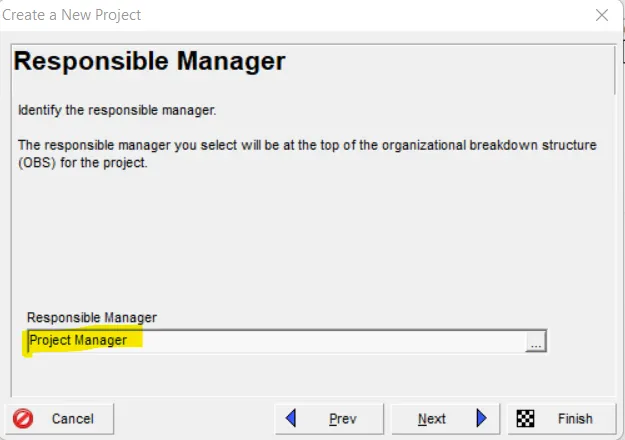
Then select the Responsible manager as Project Manager
Step-4:-
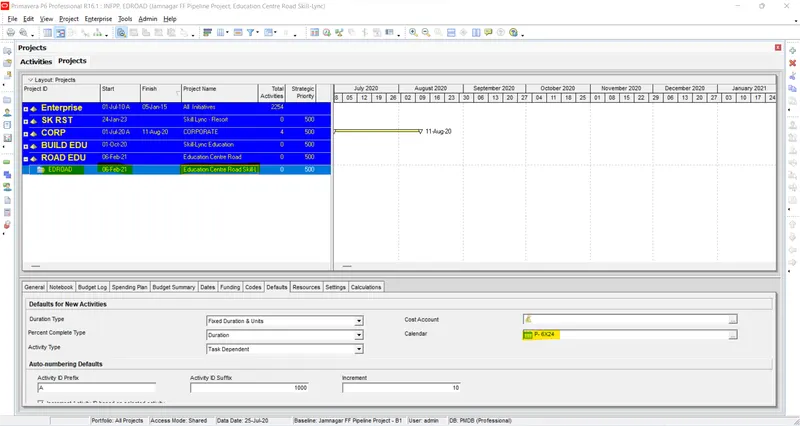
Now assign P-6X24 Calendar for this Project
Step-5:-
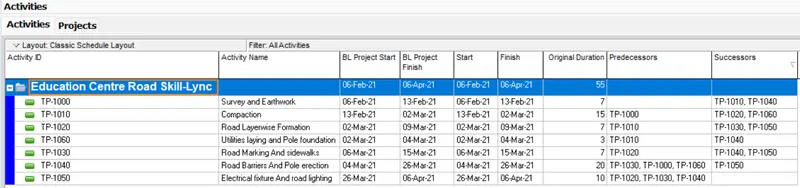
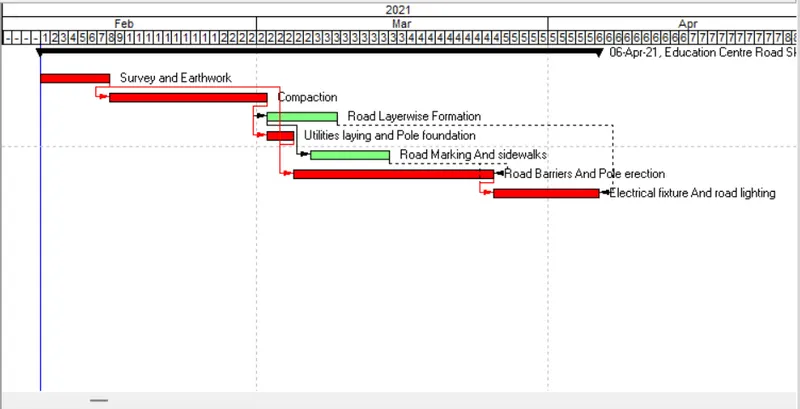
Now add activities along with durations as provided in the question under the Project
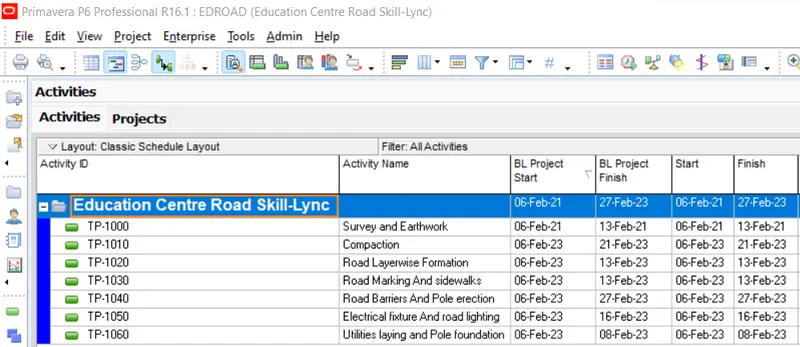
After that add Predecessors as per mentioned data in question
Step-6:-
Add Resources for the Project as per provided resource data in the question
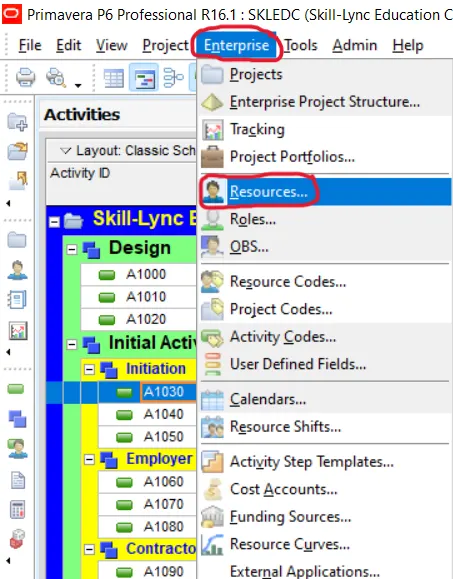
Then a resource tab will open and click in add
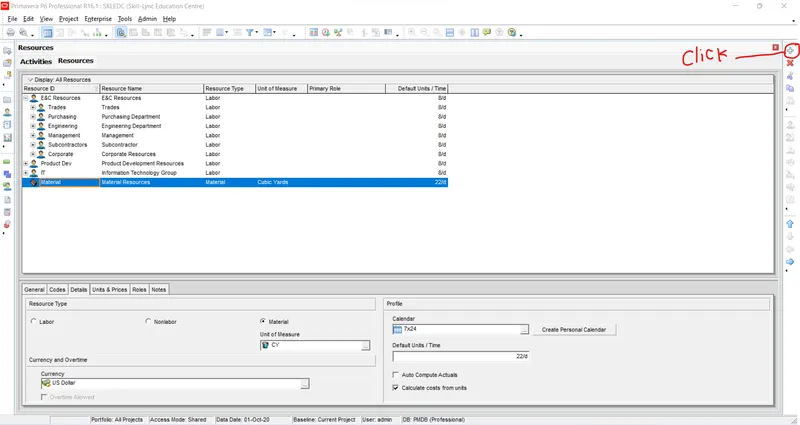
Now Create Indian currency as INR
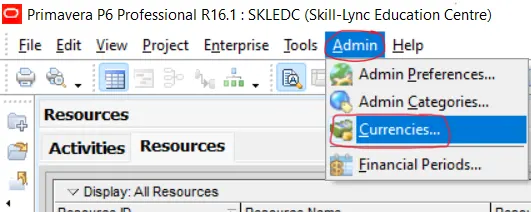
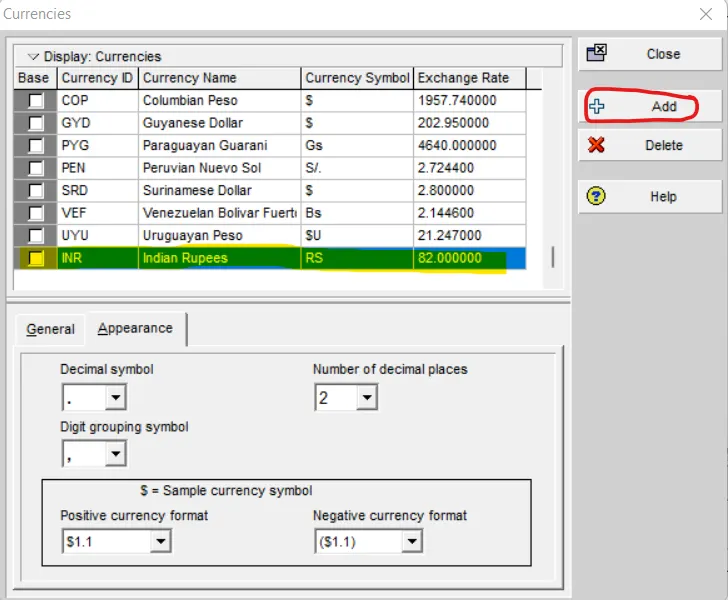
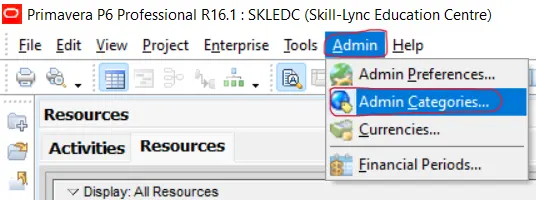
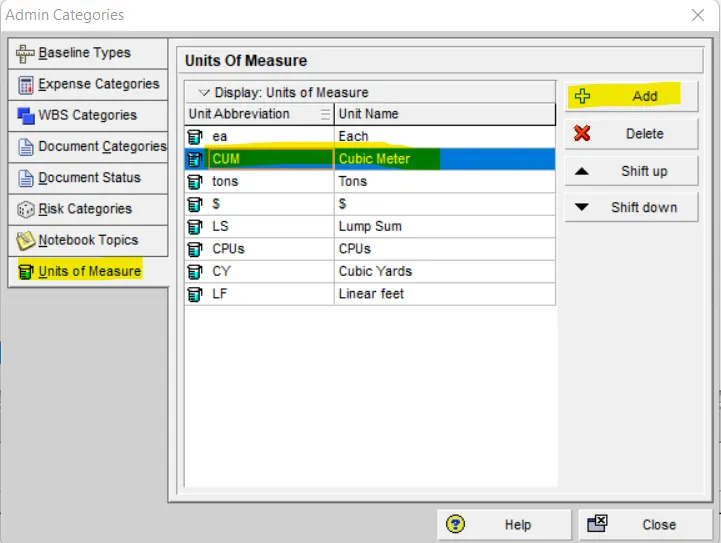
After that define material unit as Cubic meter by the following process
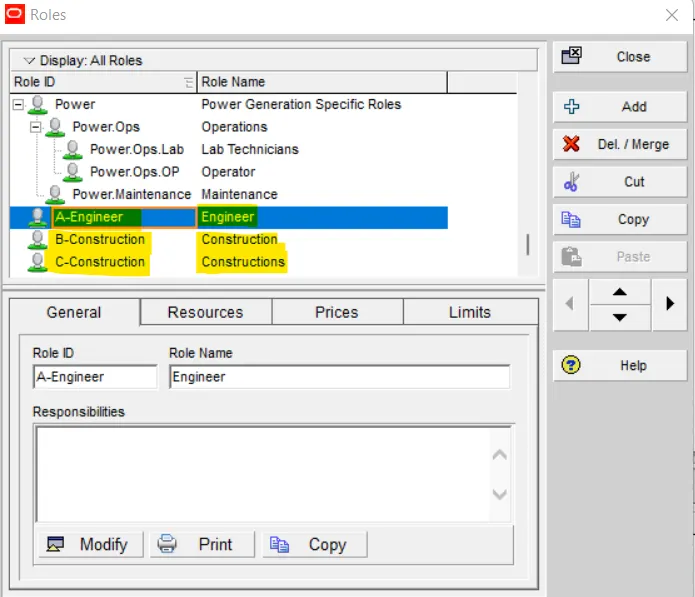
Add various Roles as mentioned below
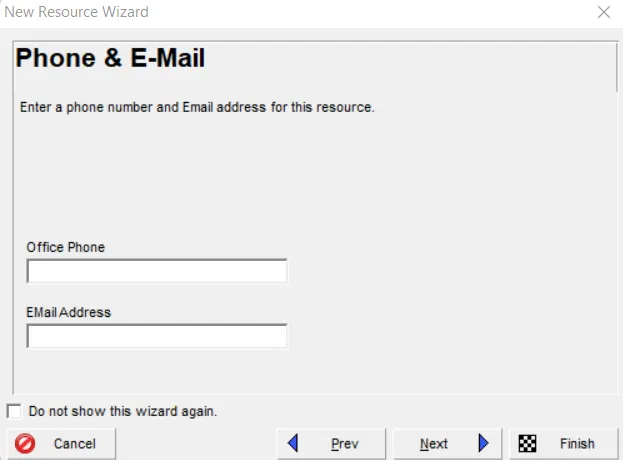
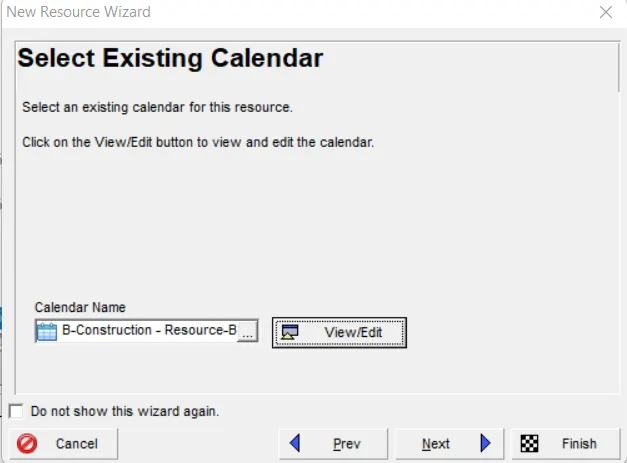
Now add resources as provided in the question
First I will add Resource-A as per provided information
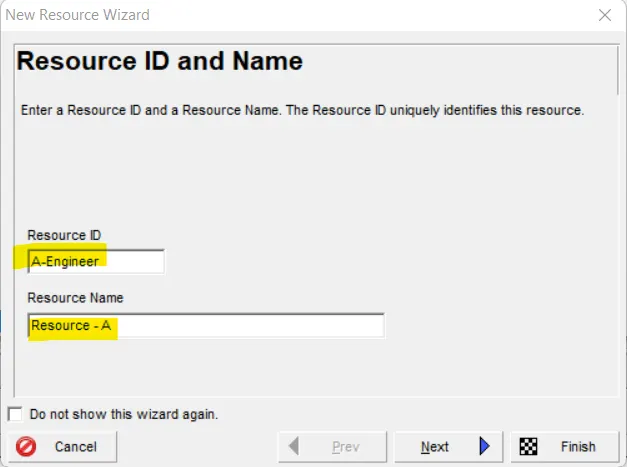
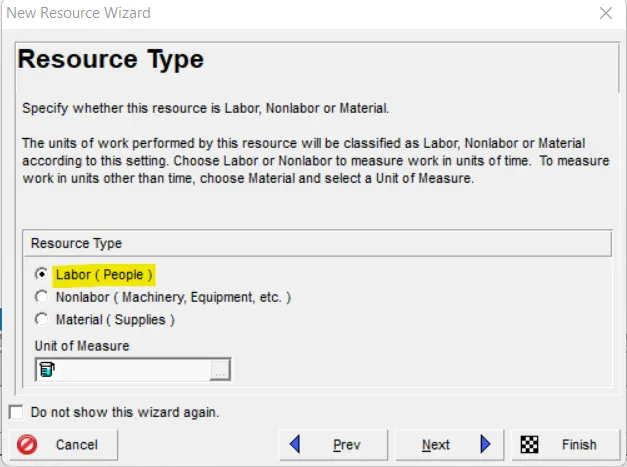
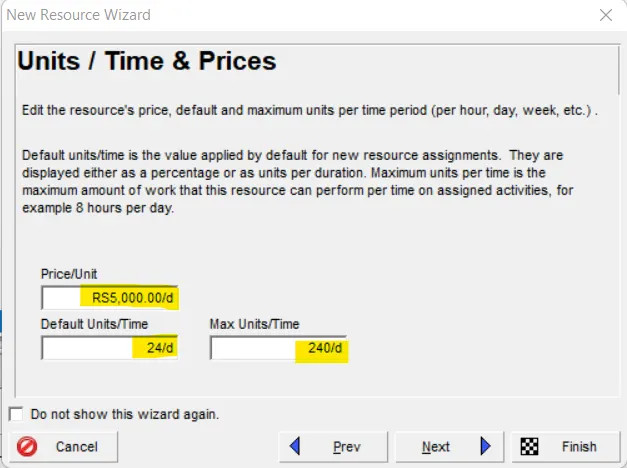
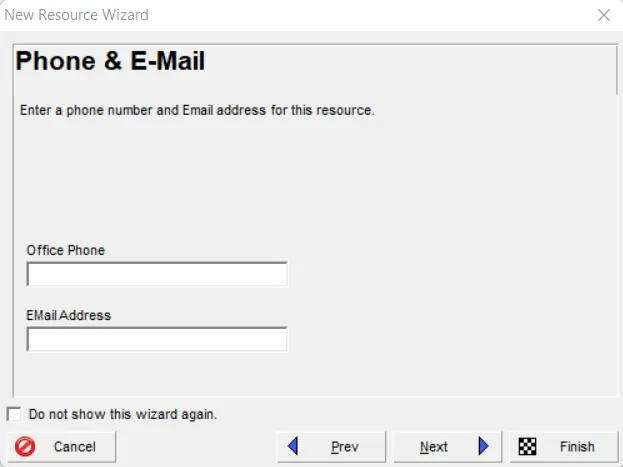
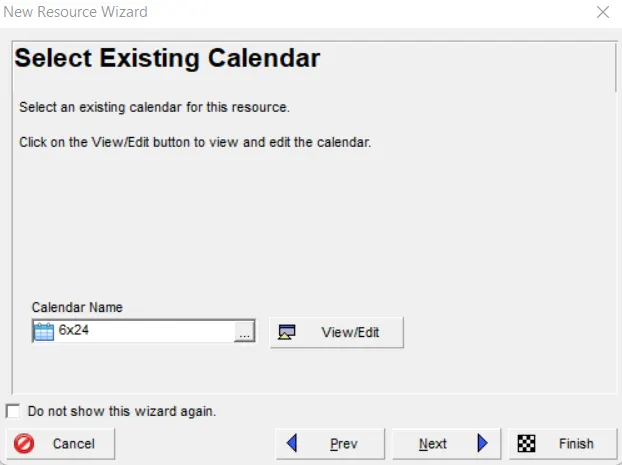
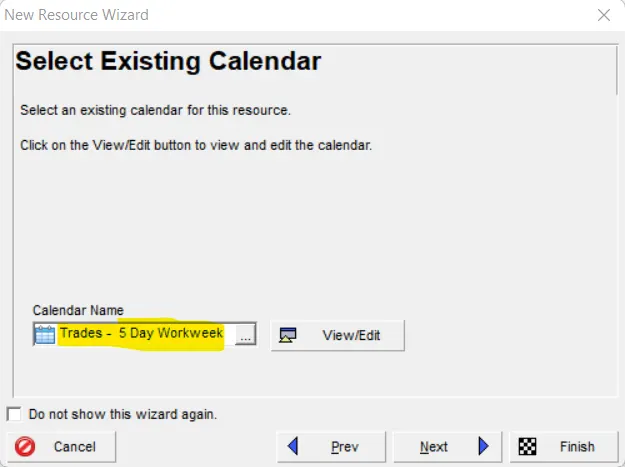
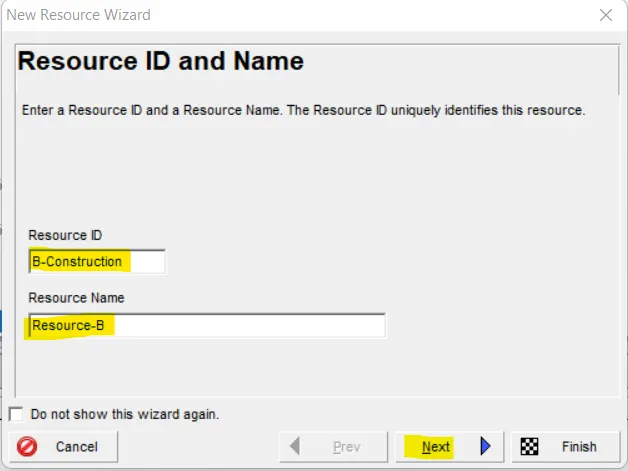
Now add next Resource as B- Construction
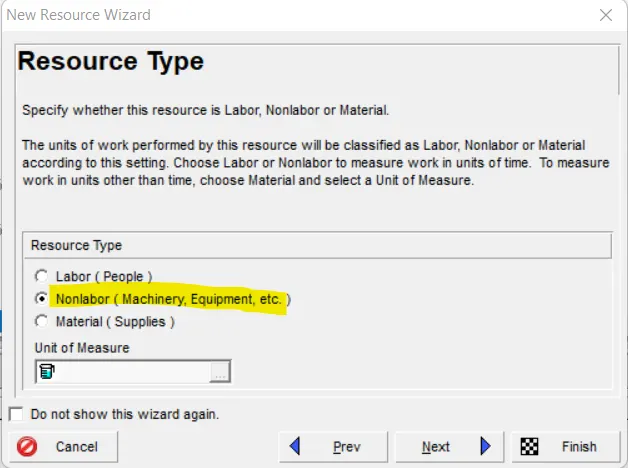
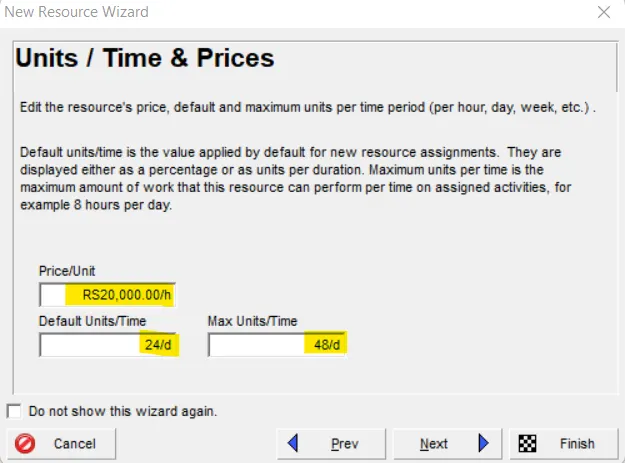
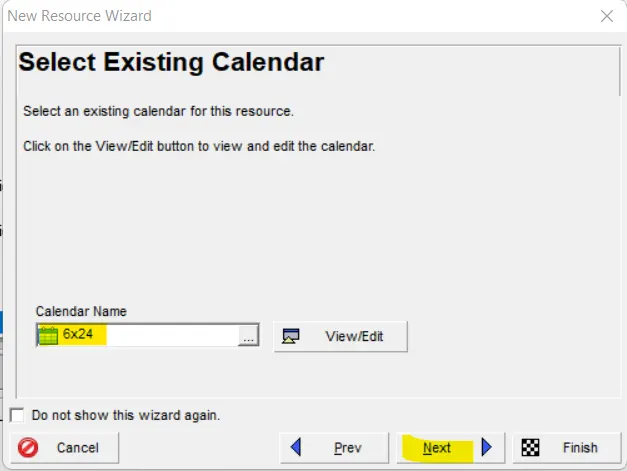
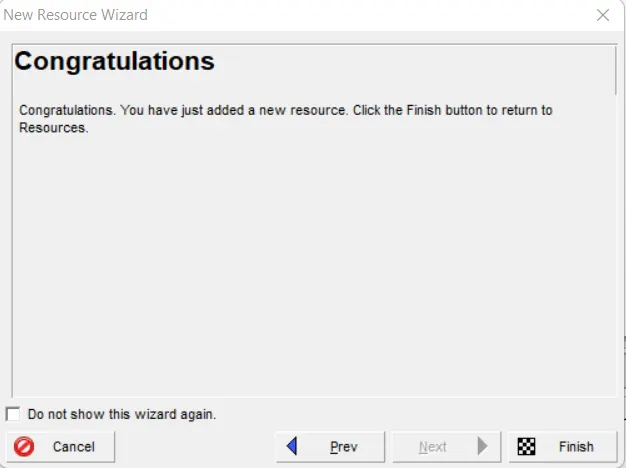
Now add another Resource as Resource-C
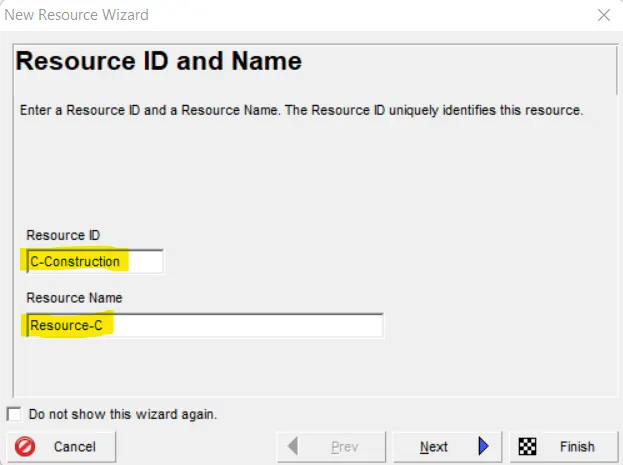
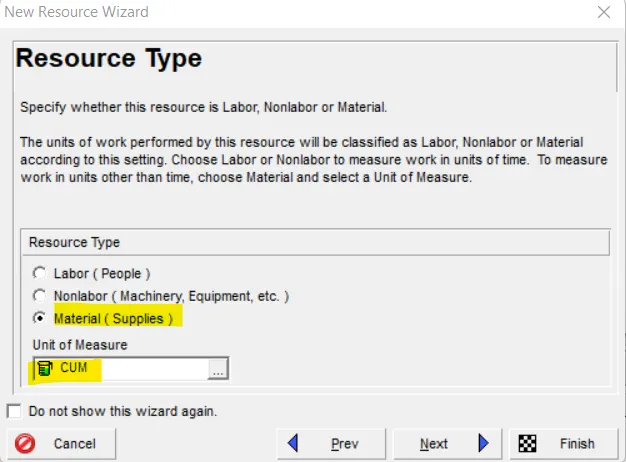
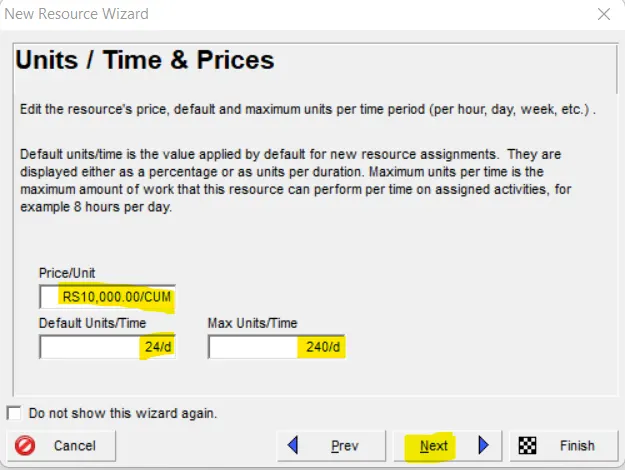
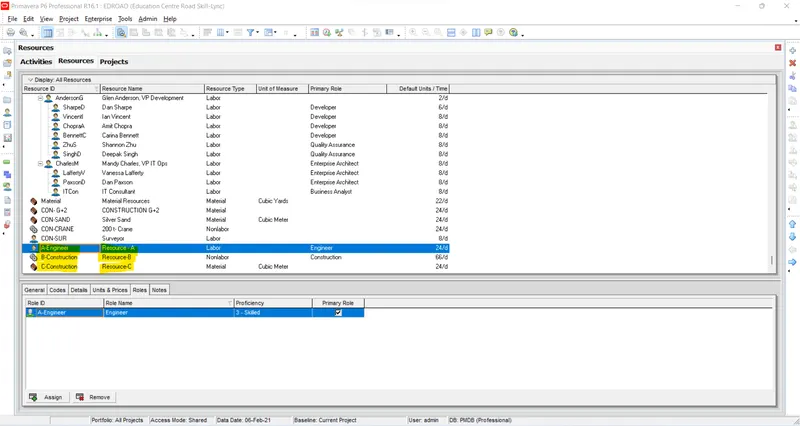
Now assign Roles accordingly
Step-7:-
Now assign Resources for each activities as given in the question
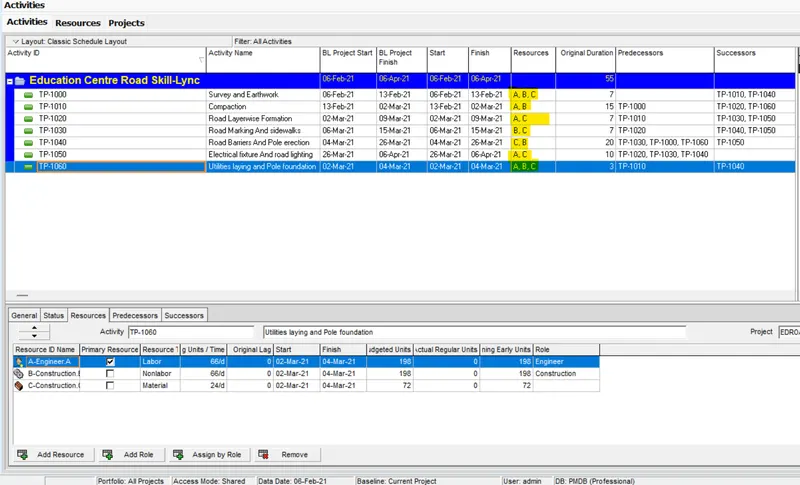
Step-8:-
Use 3-Tier timescale with Year / Month / Weeks
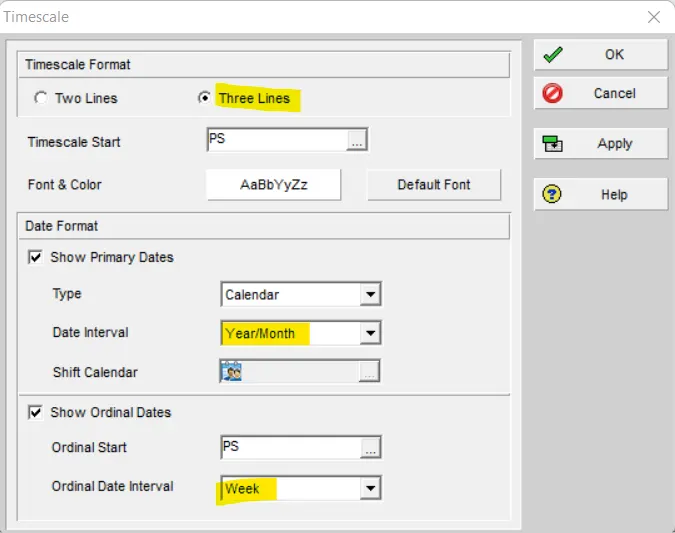
Step-9:-
Add a budget to your project - INR 6 cr.
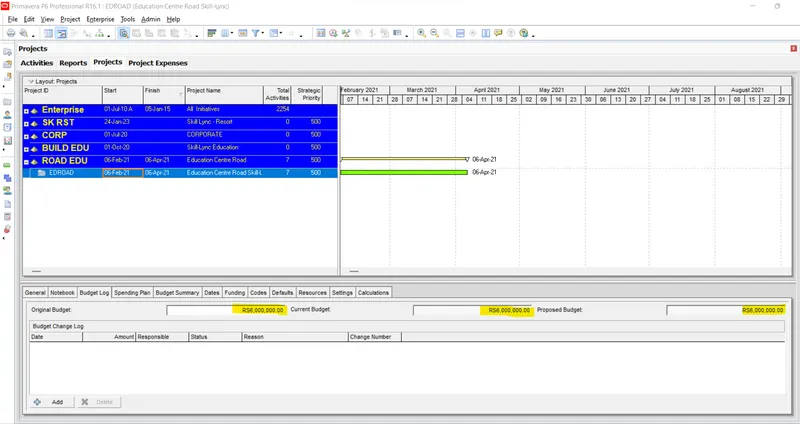
Step-10:-
Assign a baseline to the project
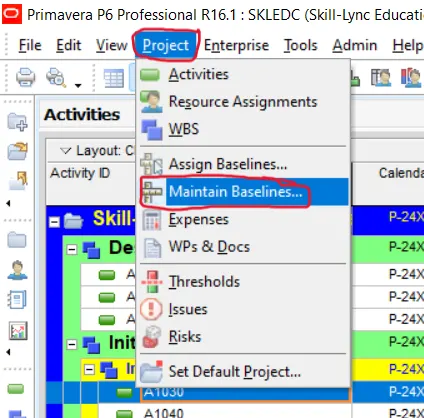
After clicking to Maintain baseline a new window will appear then click to add
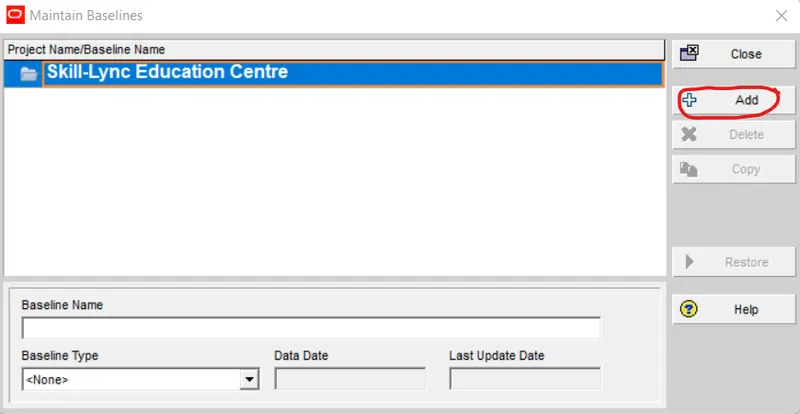
Click to OK
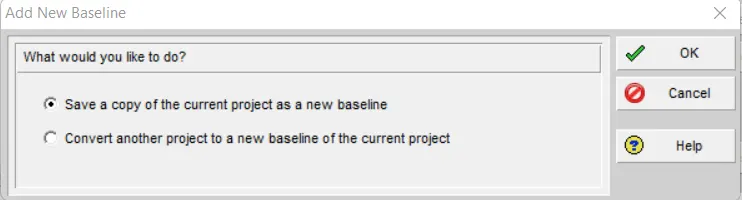
Then select the type of baseline as Initial Planning baseline and then close
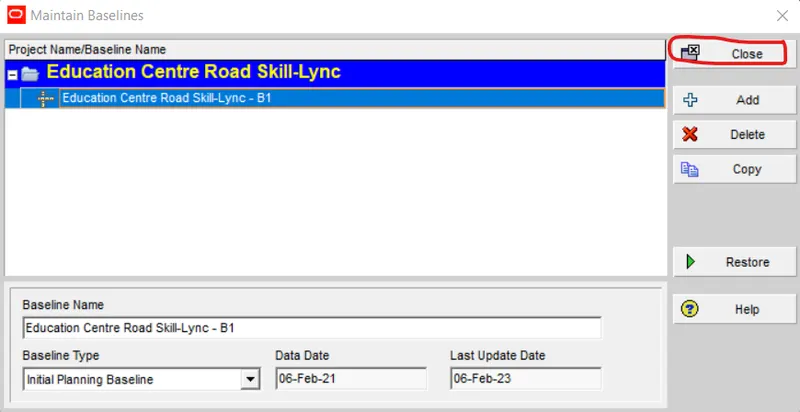
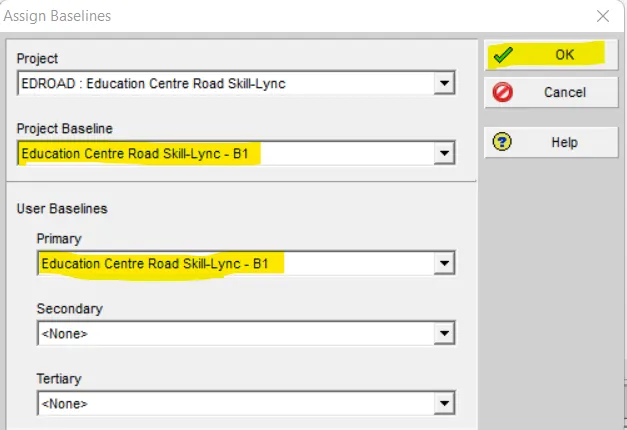
Then go to Project < Assign baseline
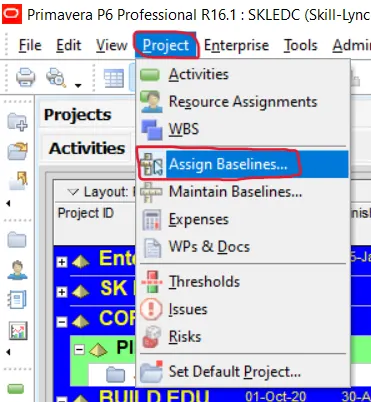
Then select baseline and Primary baseline and click OK
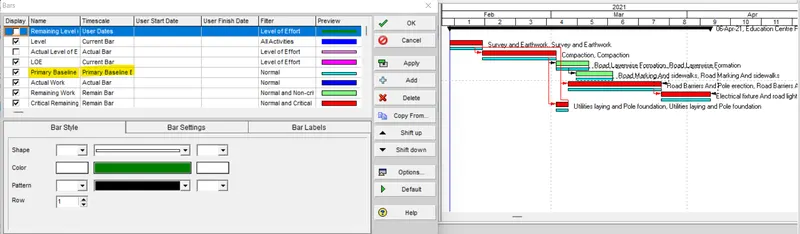
Then Go to bars and assign baseline
By right click Bars option will be available
Step-11:-
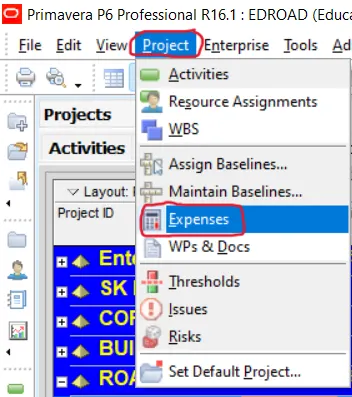
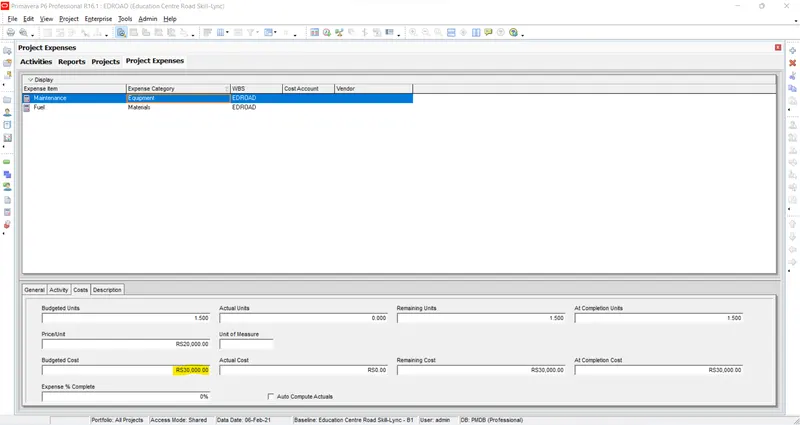
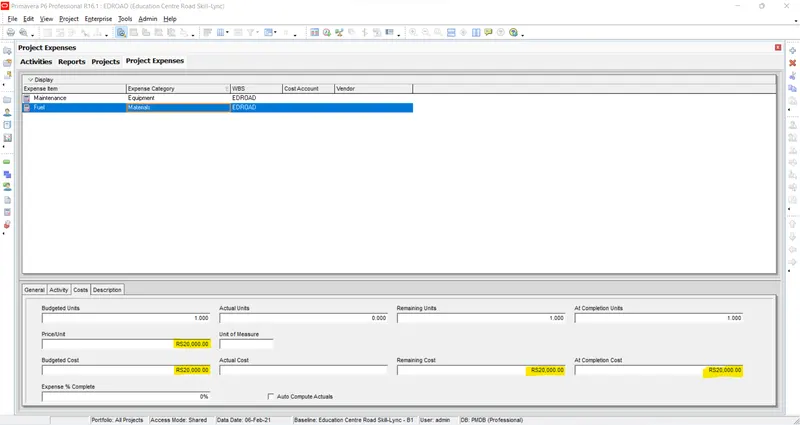
Add following expense:
Task - 1 - Rs 20,000/- (Item - Fuel)
Task - 2 - Rs 30,000 /- (Item - Maintenance)
Step-12:-
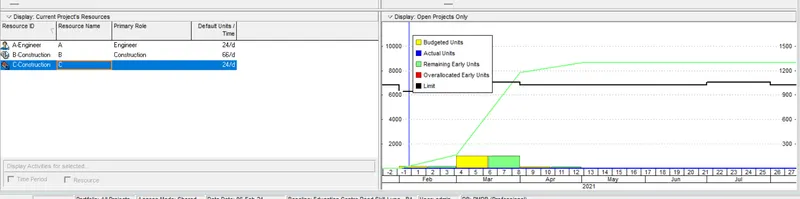
Generate material resource costs curve
Step-12:-
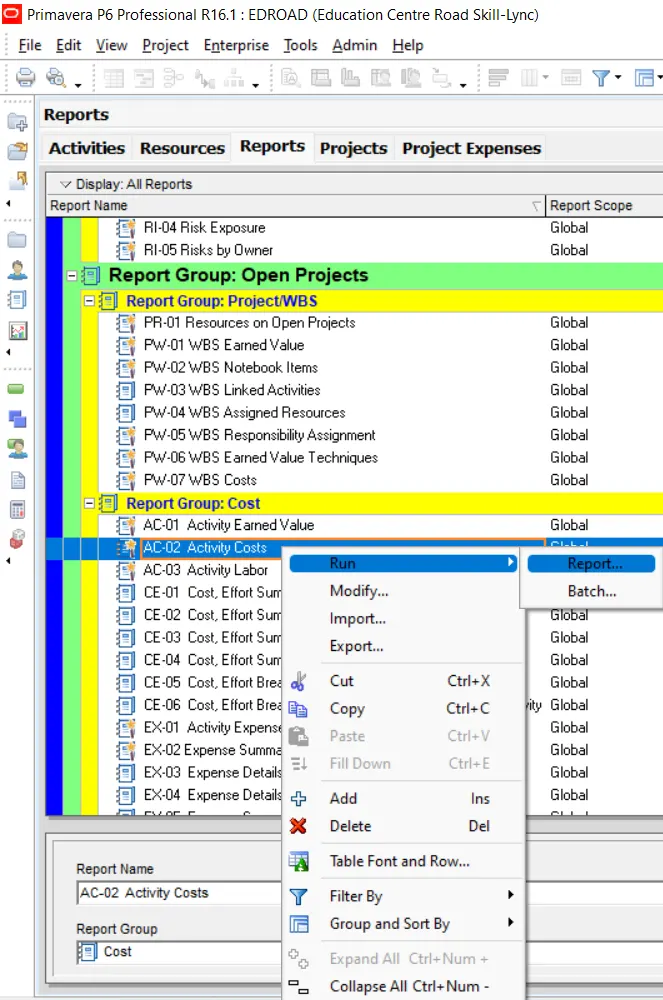
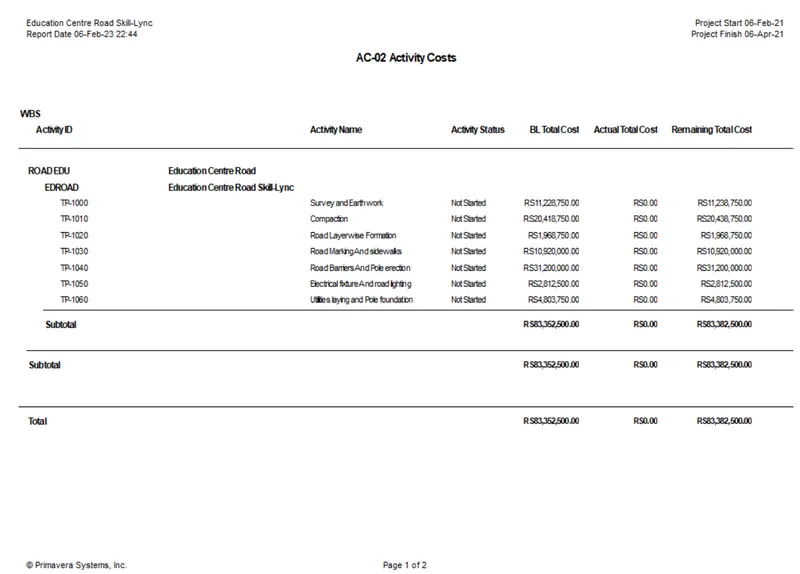
Generate an activity wise cost report
Step-13:-
Create a reflection
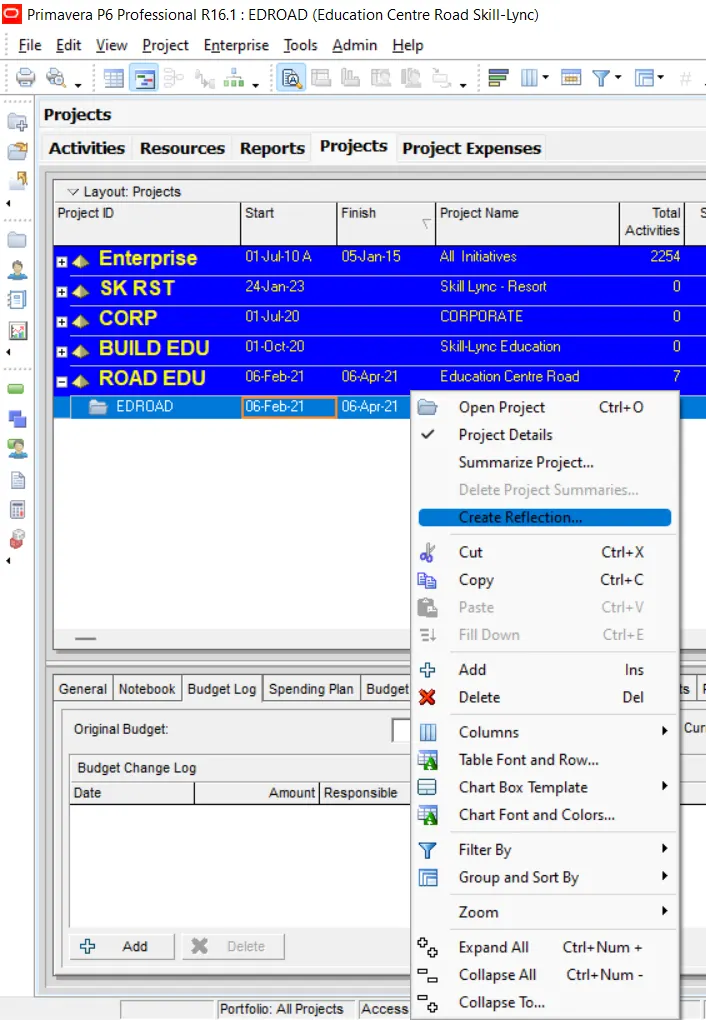
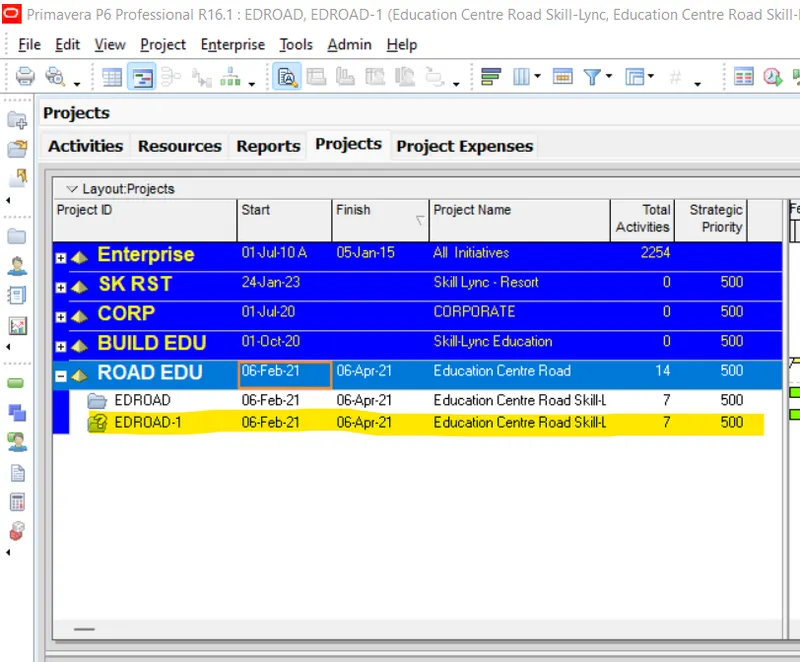
Reflection created
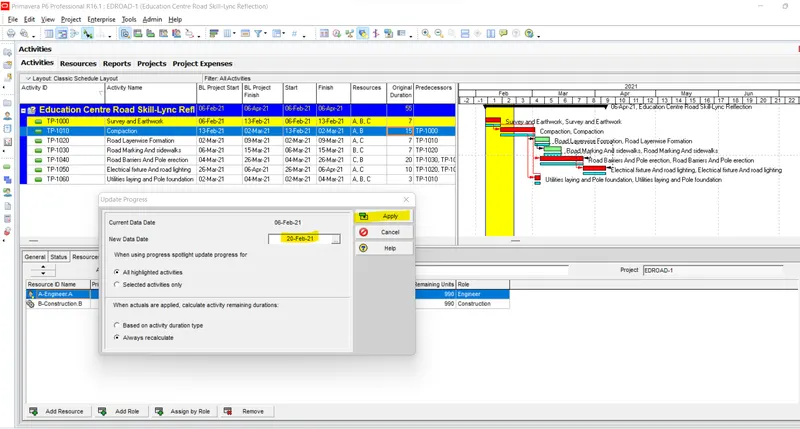
Step-14:-
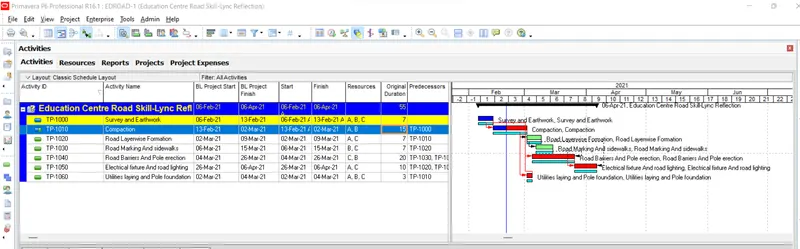
In the reflection, auto update the project at 15 days from start
Progress updated upto 15 days from start
Step-15:-
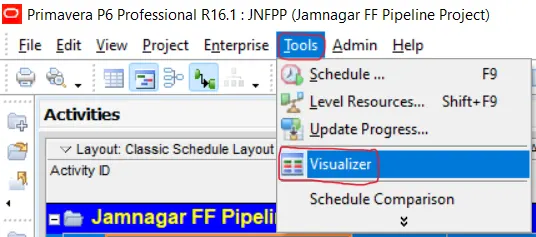
Open a TSLD view of the project in Visualizer
First go to visualizer from tool tab as shown below
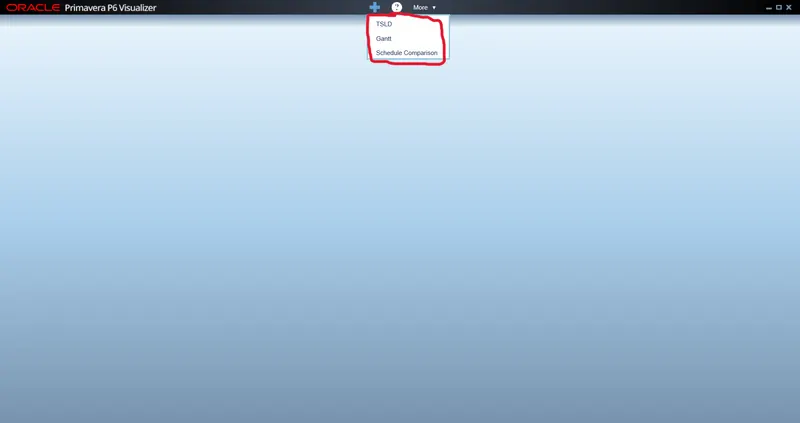
Then select the type of visualizer
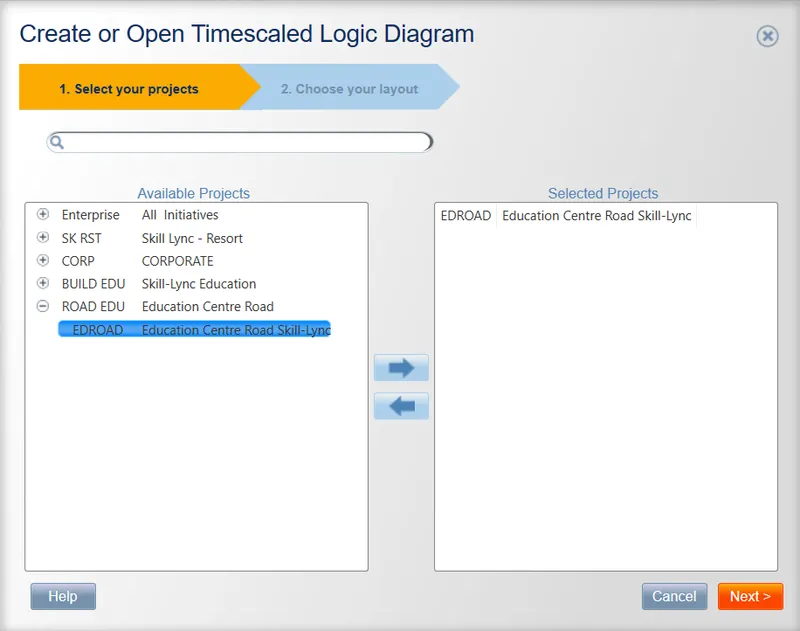
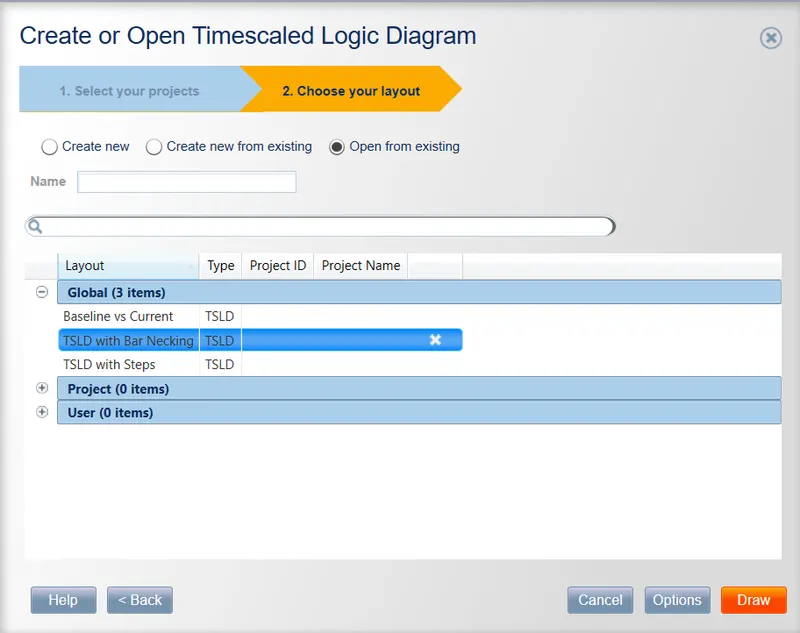
Now Choose TSLD from visualiser and select the project
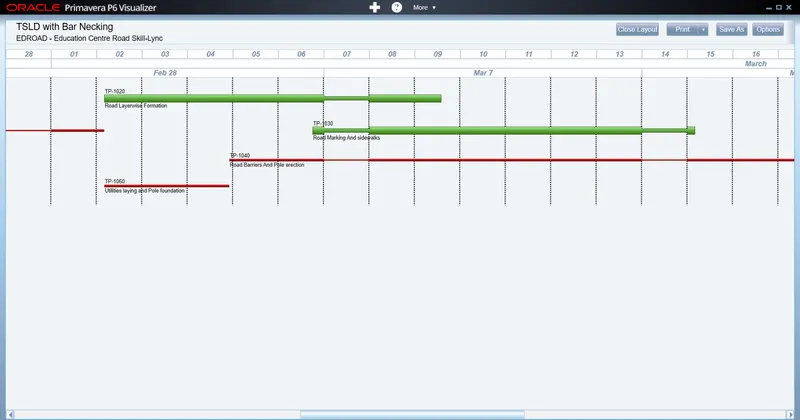
Step-16:-
Add curtains up-to first 15 days of the project.
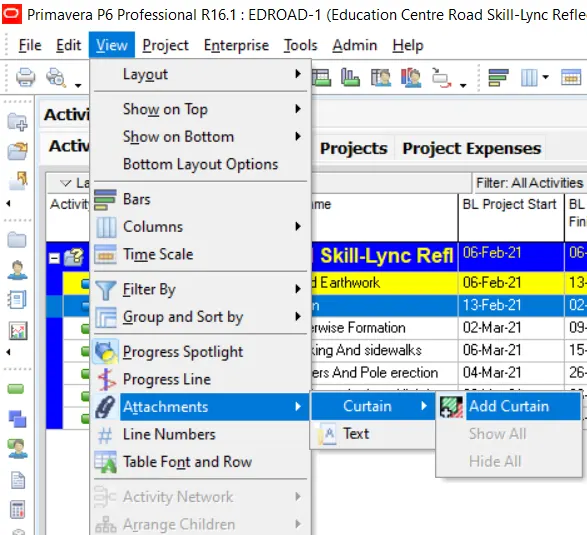
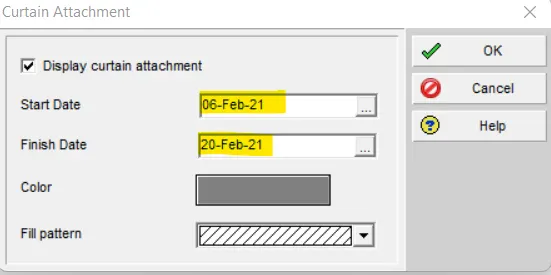
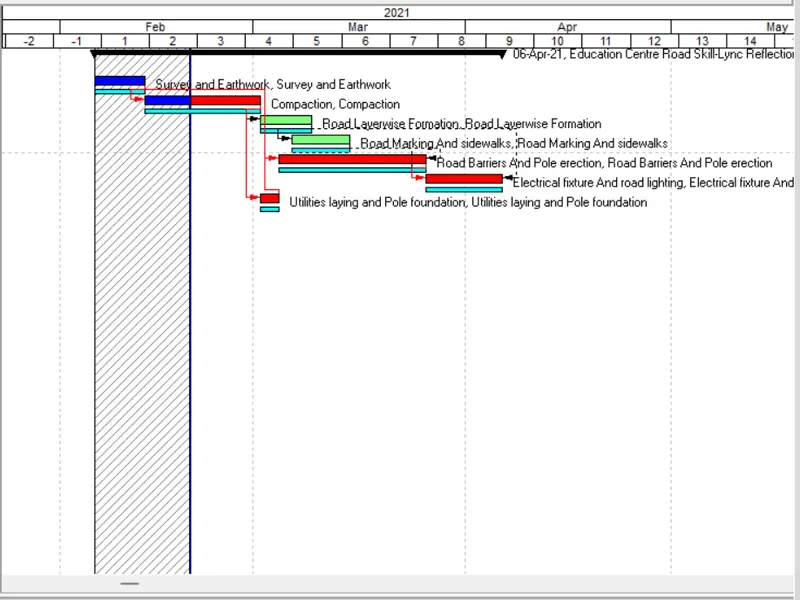
Step-16:-
Find out the actual cost for labour, non-labour and material cost of the updated schedule
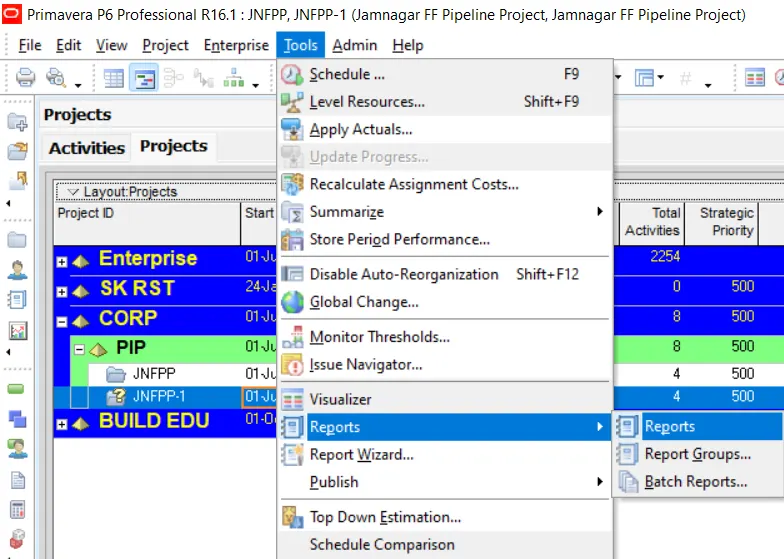
Now Go to Cost group Report and Click to Activity cost Report
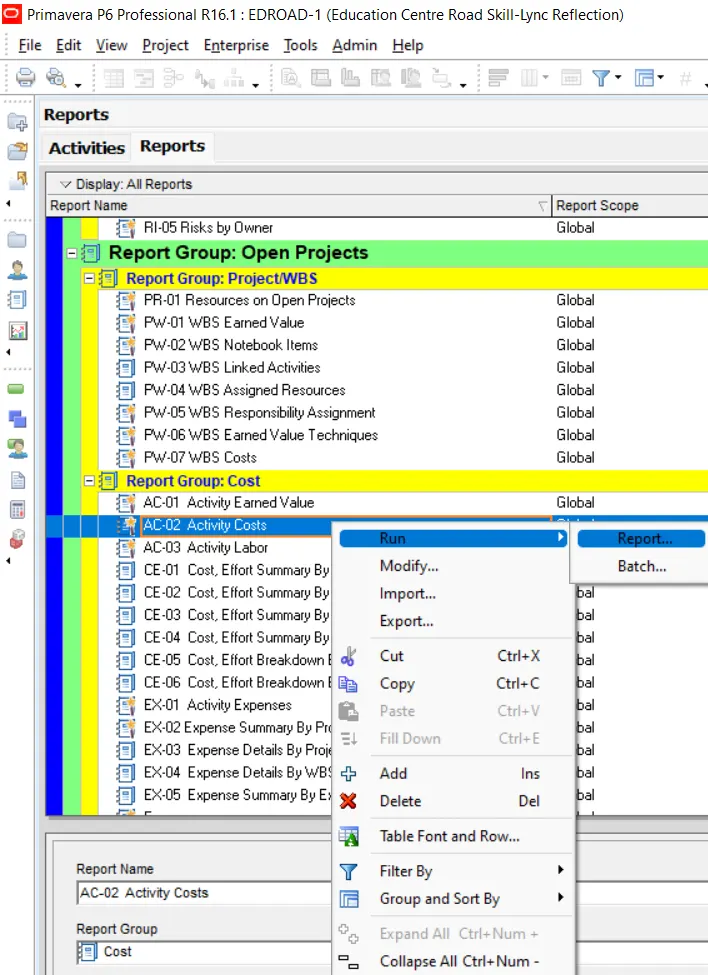
Now Generate the Report
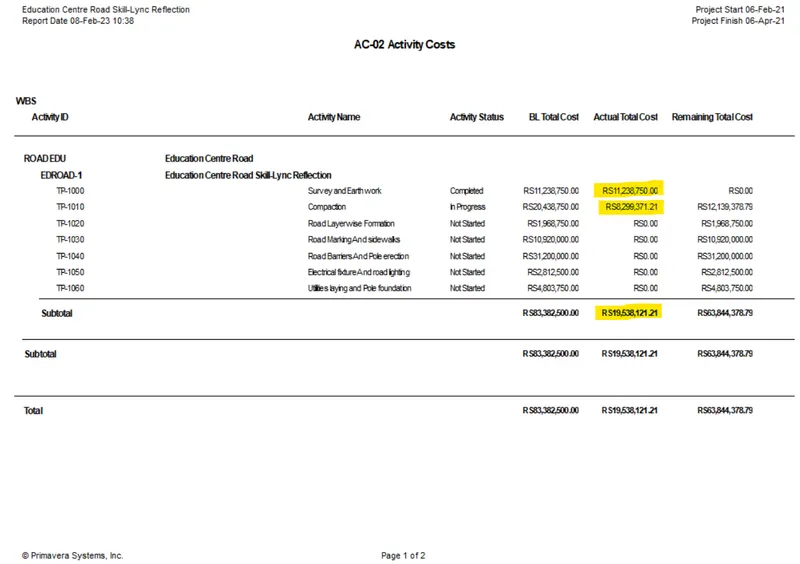
Result:-
I have completed all the mentioned task and I have attached Primavera P6 project file for further clarification.