Project 1 : CFD Meshing for Tesla Cyber Truck
In this we remove all the geometric error from model then performed a cfd mesh and enclosed a model by creating a surface. All the process can be done by the steps given below.
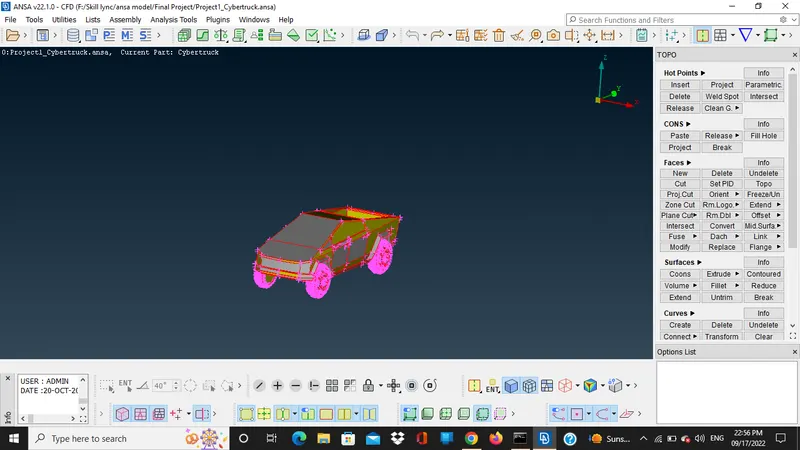
- We can do the geometric check so we can exactly know the error in the model.
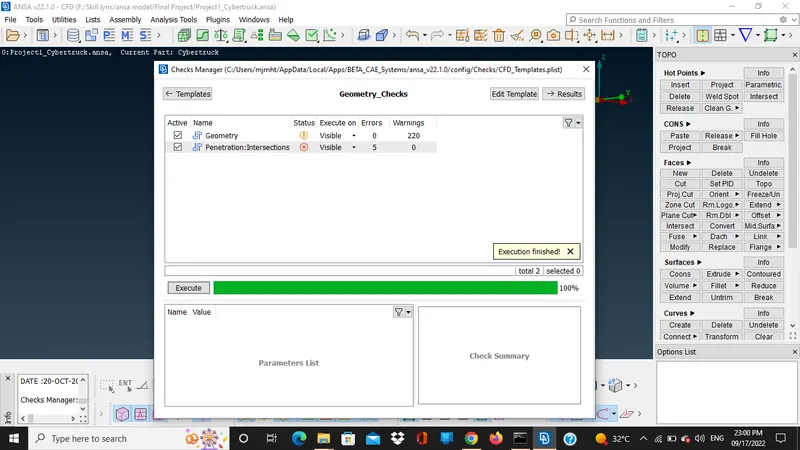
- After this we use topo so the unwanted error of single coons are removed using that now for the rest single coons error we need to make a new faces.
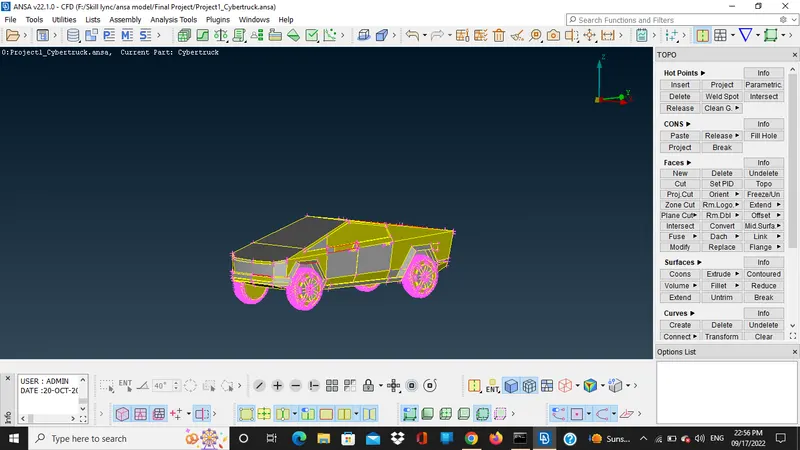
- Now we have fill all the surfaces by using new option under faces select the single cones make a fitted surface after thaṭ all the single cones error are solved now we have to solve the intersection and penetration error.
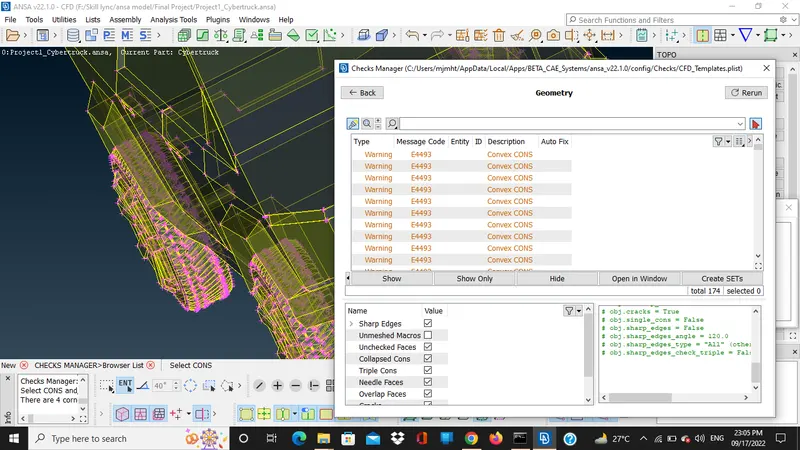
- For intersection and penetration error we have to remove the bottom surface and the top surafce using not option so we can see the overlapping surface on all four shaft and penetration in the rear part of car so for that we delete a surafce and make a new surface in parts after this only warning are left.
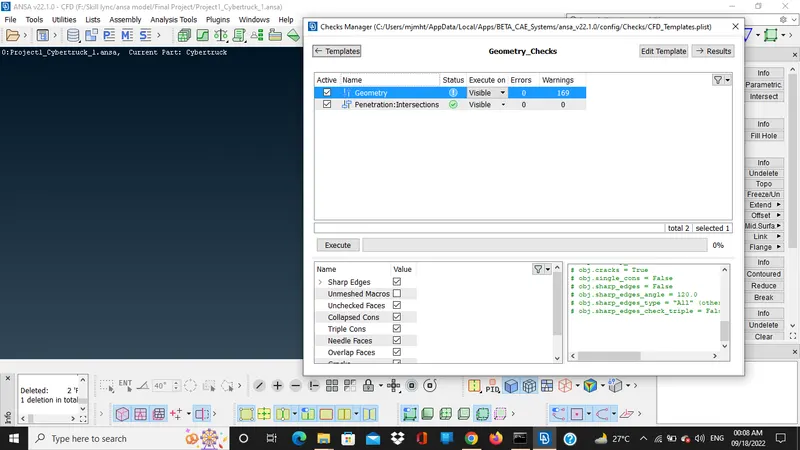
- So now we go towards the meshing parts and assinging a pid so in this model only 2 pid is assing one is tyres and rest is the body part.
- First we do the meshing for the tyres so the quality criteria for the tyre are given in the image mention below after these criteria no off elements are there.
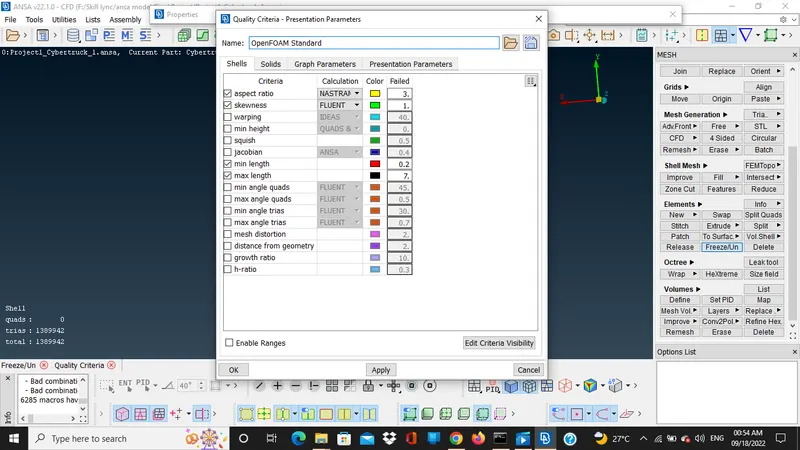
- After this we use length option under perimeter option in the mesh so here we can decide the length and macros of the mesh after that we perform the cfd mesh by using box selection and pressing the middle button of the mouse.
- Now we do the meshing a body so the quality criteria are mentioned in the image below and rest process is same for the body part too.
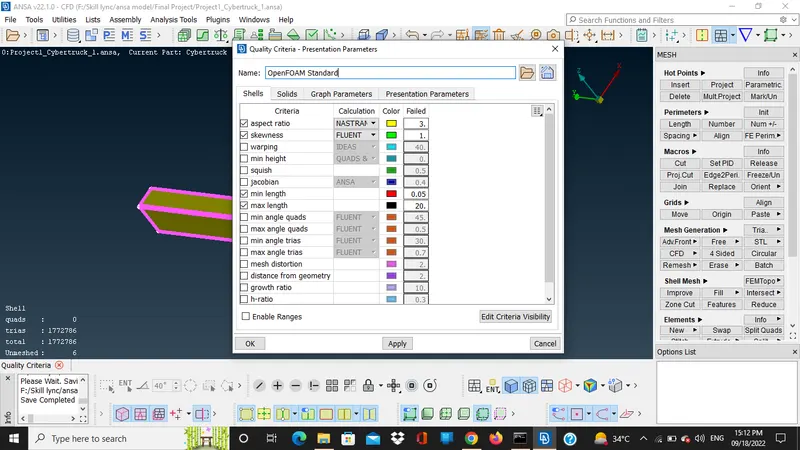
- After this criteria no off elements are there.
- We make a close surface for the truck for this we use the parameters same as the bmw car model after that we plot the points using relative option under the points in the topo.
- After that we have to join all the points using create under the curves after that we select all the curve and make a surafce using a new face option after that we have to make a full enclosed surface using same option.
https://drive.google.com/file/d/1pAUwpennBBEr9sPbIYsXGeu1vYkrthVC/view?usp=sharing