Project 1
Question:-
Skill-Lync wants to construct a school as a part of its corporate social objective. You are the project manager. Develop a realistic schedule to construct a main school building (G+2). It will have a parking facility with internal roads and main building complete with architectural, furniture and electrical fittings. You are required to plan the Design and Construction of the project. Also include basic electrical and plumbing activities. Project will start on 1st October 2020 and end by 30th April 2023. Work hours will be 24 hours and 6 days a week. Complete Design in 8 months.
The schedule guidelines are stated below :
1. Make the EPS as “Skill-Lync Education” and OBS and assign a Project Manager
2. Create project under the above EPS named “ Skill-Lync Education Centre”
3. Create at least 50 activities.
4. Break Major WBS as - Initial Activities , Design , Construction and Balance Works
5. Further Breakdown Construction into Substructure, Superstructure and Architectural
6. Further breakdown the WBS as per suitability
7. Use all FS , SS , FF and lags suitably
8. Filter all critical activity
9. There shall be no activity with more than 35 days float
10. Determine Early / Late - Start / Finish dates
11. All activity Id’s must have an interval of exactly 10
12. Assign a user defined field suitably
13. At Least 2 activities must have constraints (Excluding start)
14. Some predecessors may be discretionary but realistic.
Ans=
Aim:- To develop a realistic schedule in Primavera P6 software to construct a main school building (G+2) as per given data.
Introduction:- As a project manager I will develop a school building on behalf of Skill-Lync. School building will have a parking facility with internal roads and main building complete with architectural, furniture and electrical fittings. You are required to plan the Design and Construction of the project. Also include basic electrical and plumbing activities. Project will start on 1st October 2020 and end by 30th April 2023. Work hours will be 24 hours and 6 days a week. Complete Design in 8 months. Apart from that, I will follow the schedule guideline as mentioned below:-
1. Make the EPS as “Skill-Lync Education” and OBS and assign a Project Manager
2. Create project under the above EPS named “ Skill-Lync Education Centre”
3. Create at least 50 activities.
4. Break Major WBS as - Initial Activities , Design , Construction and Balance Works
5. Further Breakdown Construction into Substructure, Superstructure and Architectural
6. Further breakdown the WBS as per suitability
7. Use all FS , SS , FF and lags suitably
8. Filter all critical activity
9. There shall be no activity with more than 35 days float
10. Determine Early / Late - Start / Finish dates
11. All activity Id’s must have an interval of exactly 10
12. Assign a user defined field suitably
13. At Least 2 activities must have constraints (Excluding start)
14. Some predecessors may be discretionary but realistic.
Procedure:- First I will open Primavera P6 software and then I will design the schedule as per mentioned schedule step by step.
Step-1- Make the EPS as “Skill-Lync Education” and OBS and assign a Project Manager
Open primavera P6 and Create EPS as "Skill-Lync Education"and assign a Project Manager
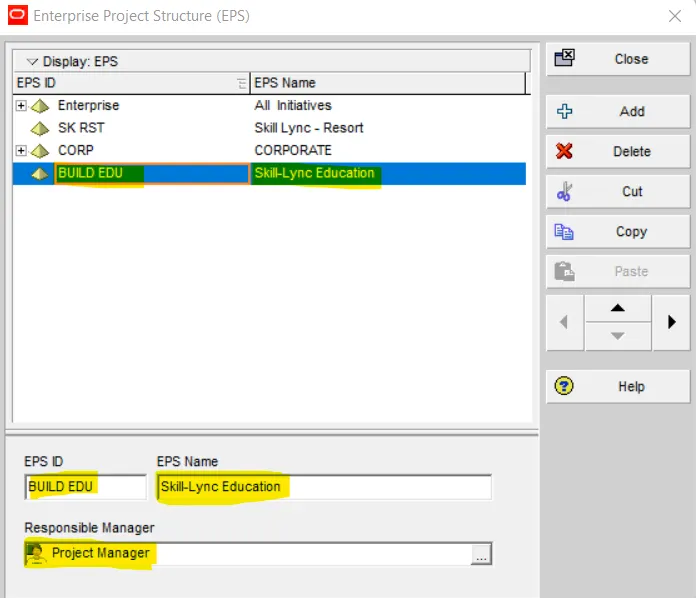
Step-2- Create project under the above EPS named “ Skill-Lync Education Centre”
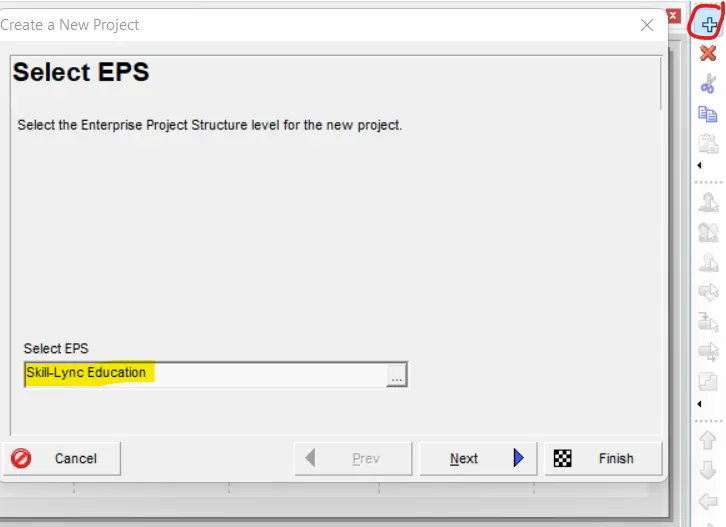
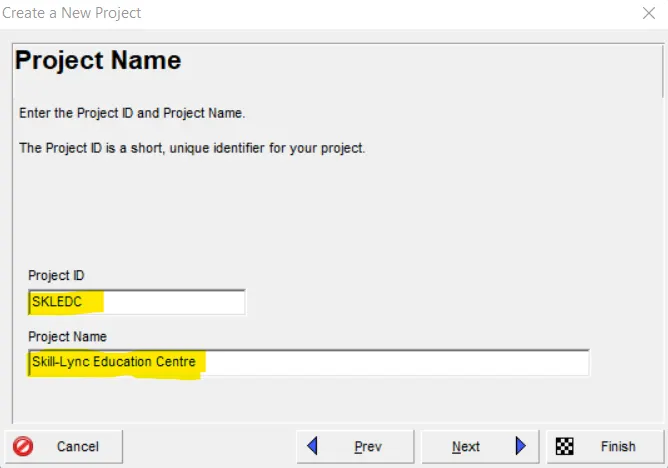
Name the Project as Skill-Lync Education Centre
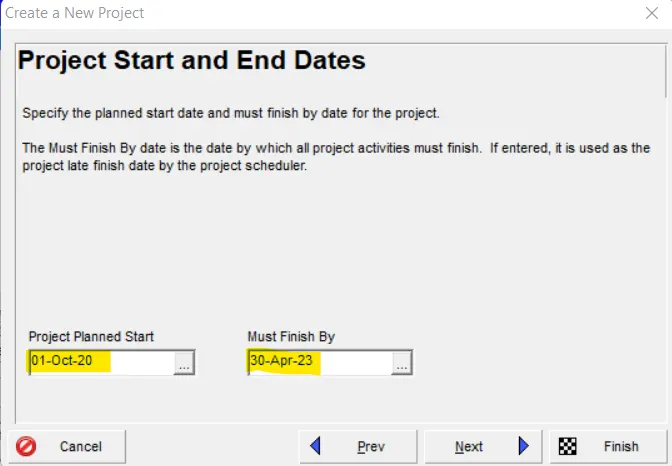
Enter start on 1st October 2020 and end by 30th April 2023
Select responsible manager as Project Manager
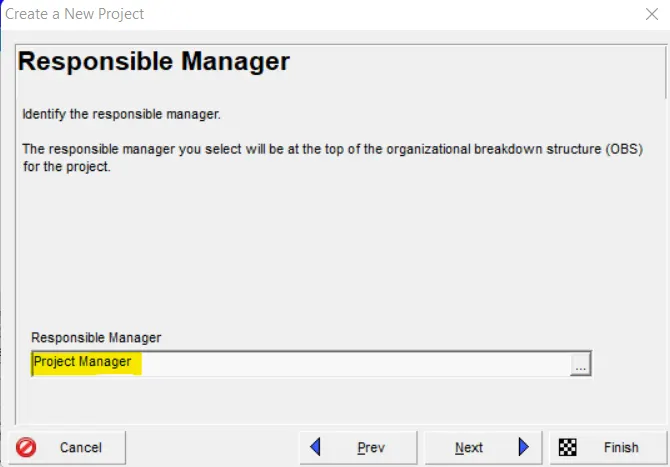
Now the project is successfully created
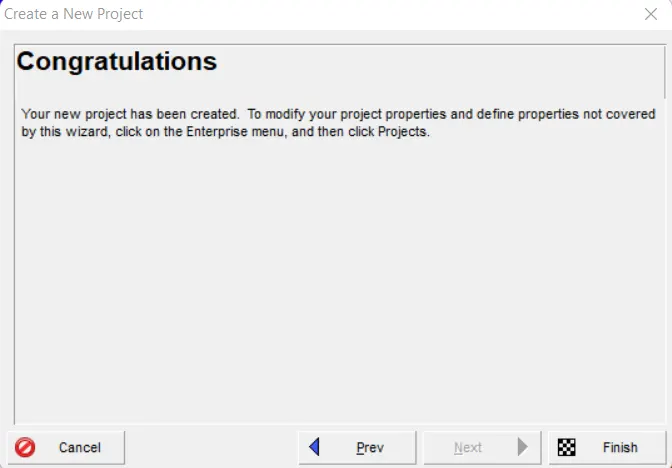
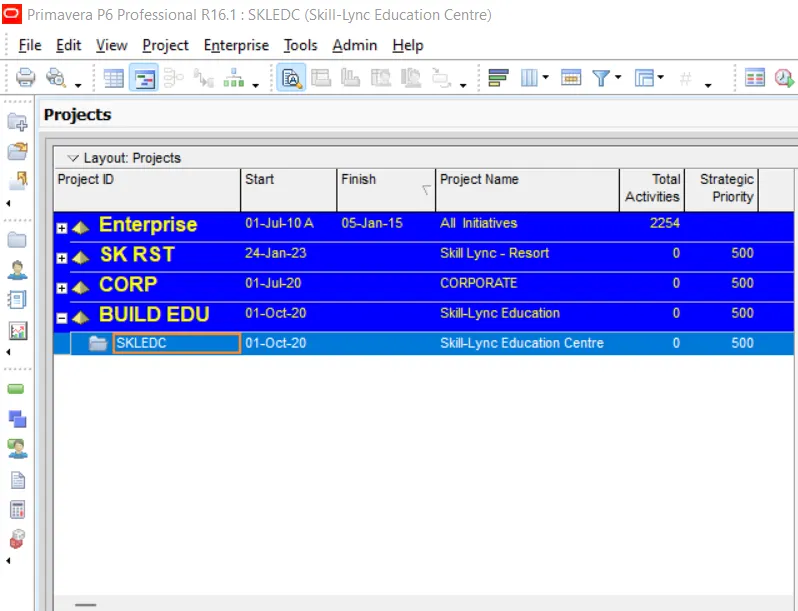
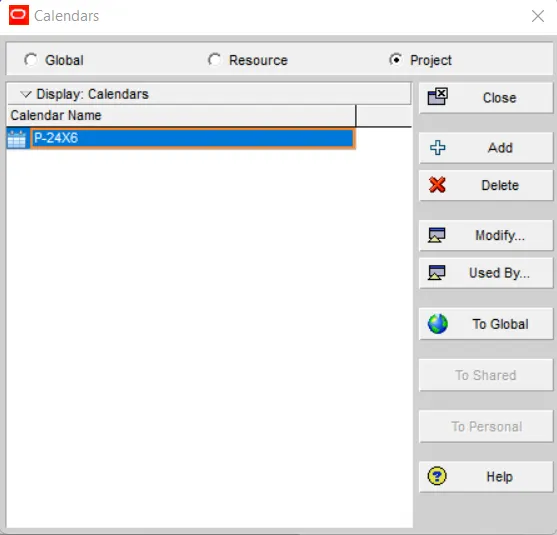
Step-3- Create a 24X6 calendar and assign it to the project
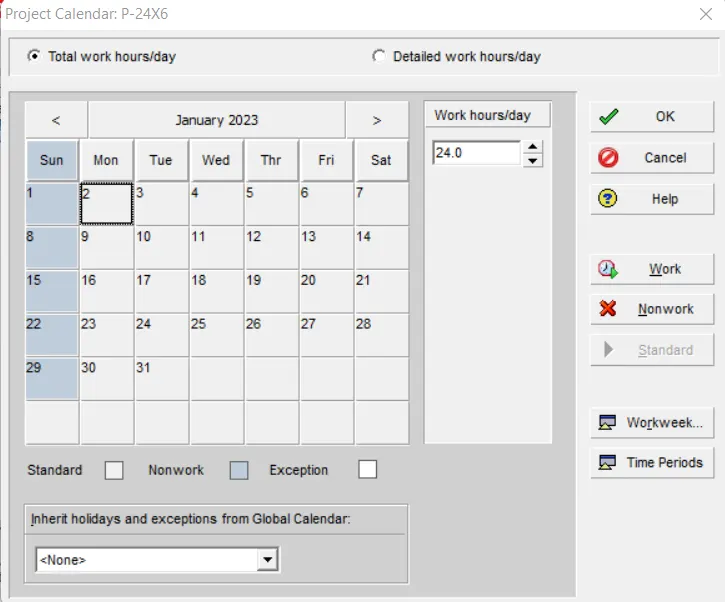
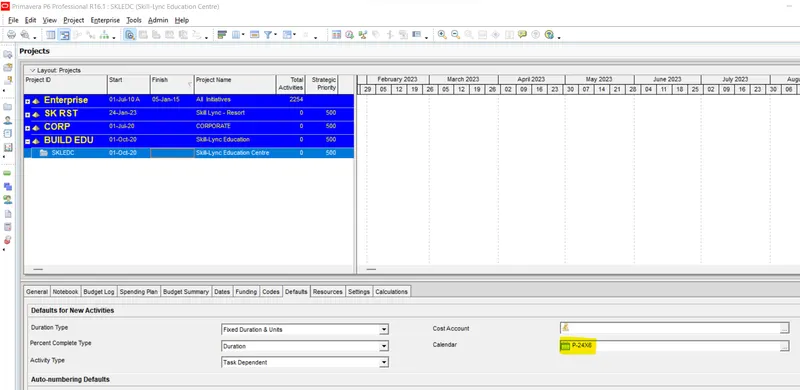
Now assign this calendar P-24X6 for this project
Step-4- Break Major WBS as - Initial Activities , Design , Construction and Balance Works and add more sub WBS
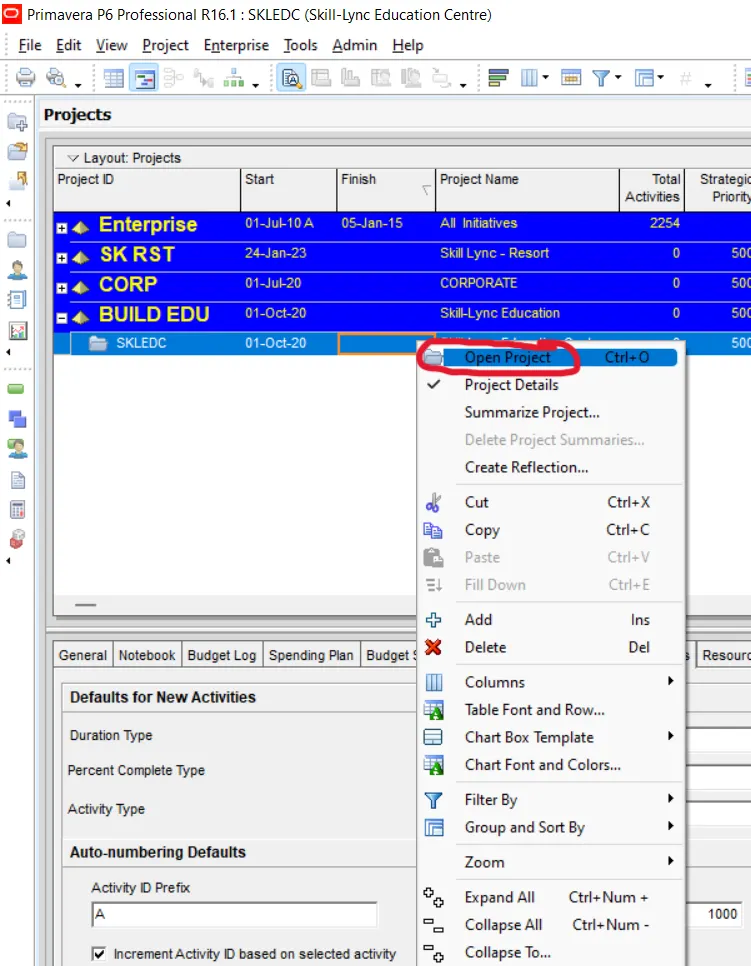
First right click on the project then click in open project
A new activity window will appear
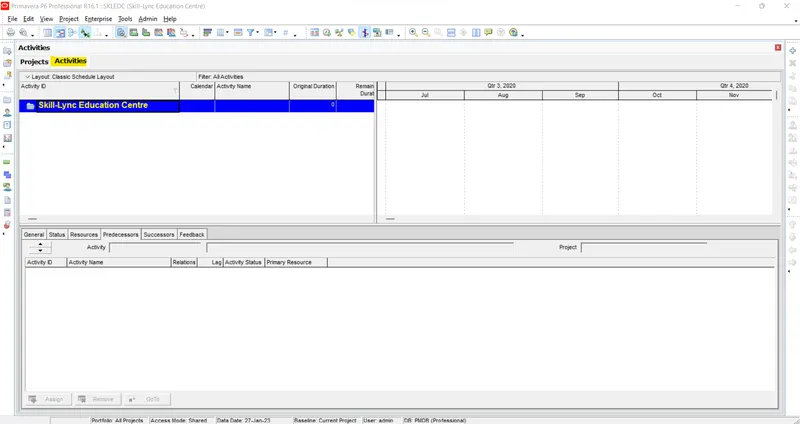
Add WBS as Initial Activities , Design , Construction and Balance Works
First add WBS window
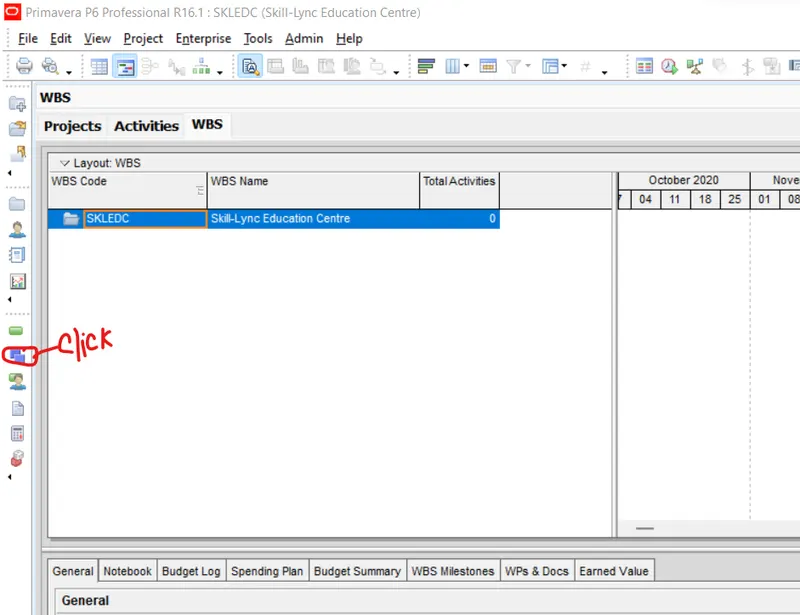
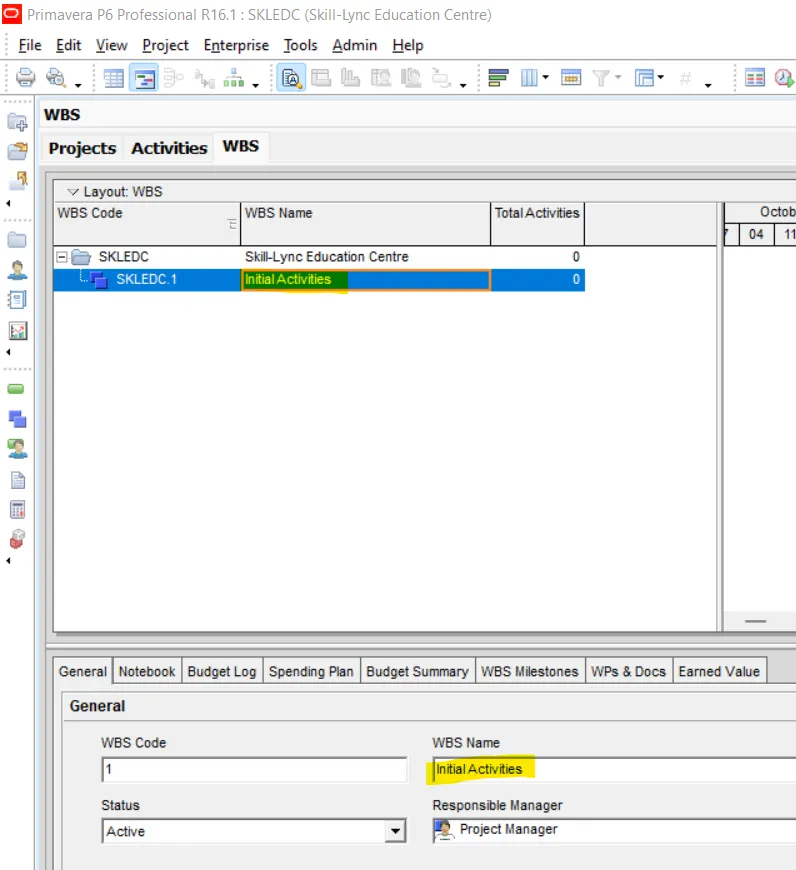
First add WBS as Initial Activities
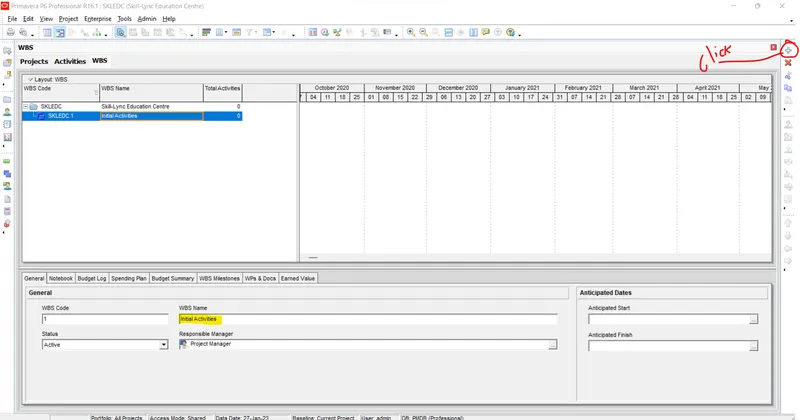
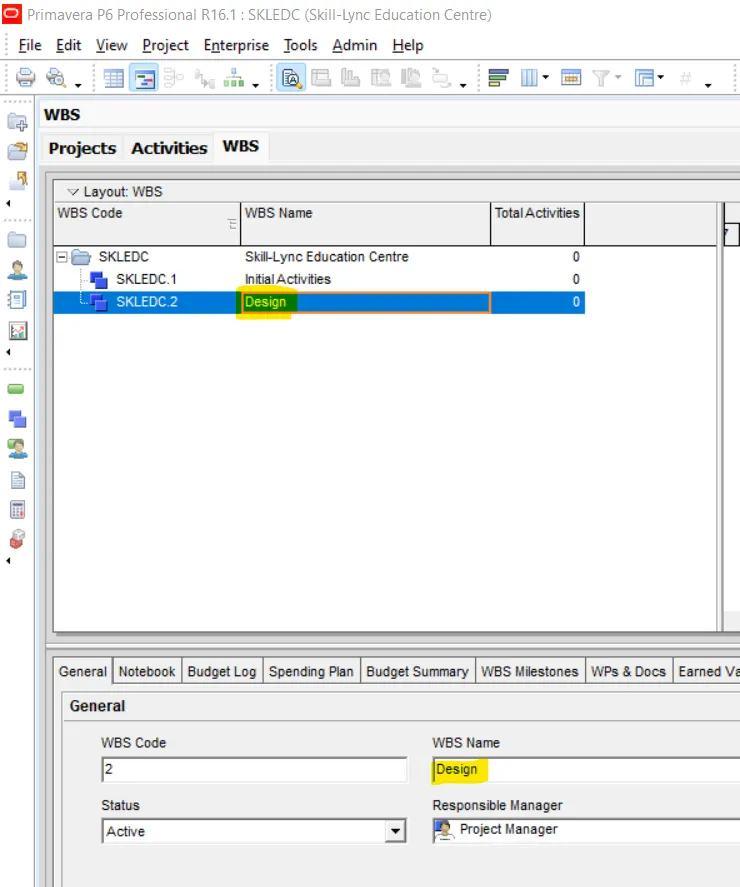
Then add another WBS as Design
After that another WBS as Construction
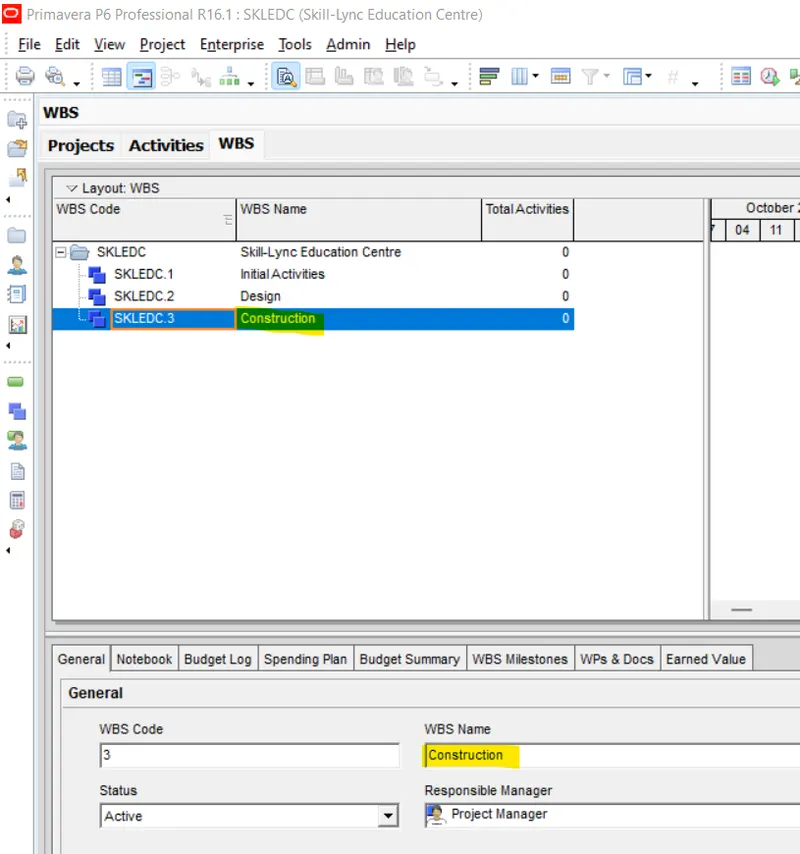
Under Construction add Three more WBS as Substructure, Superstructural & Architectural
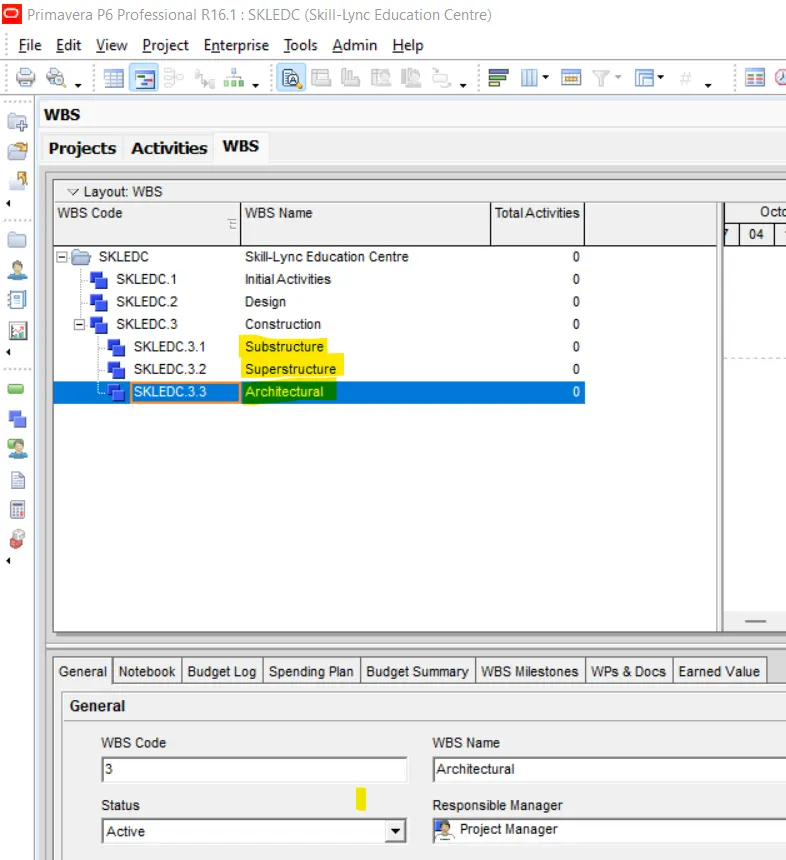
Add next WBS as Balance Works
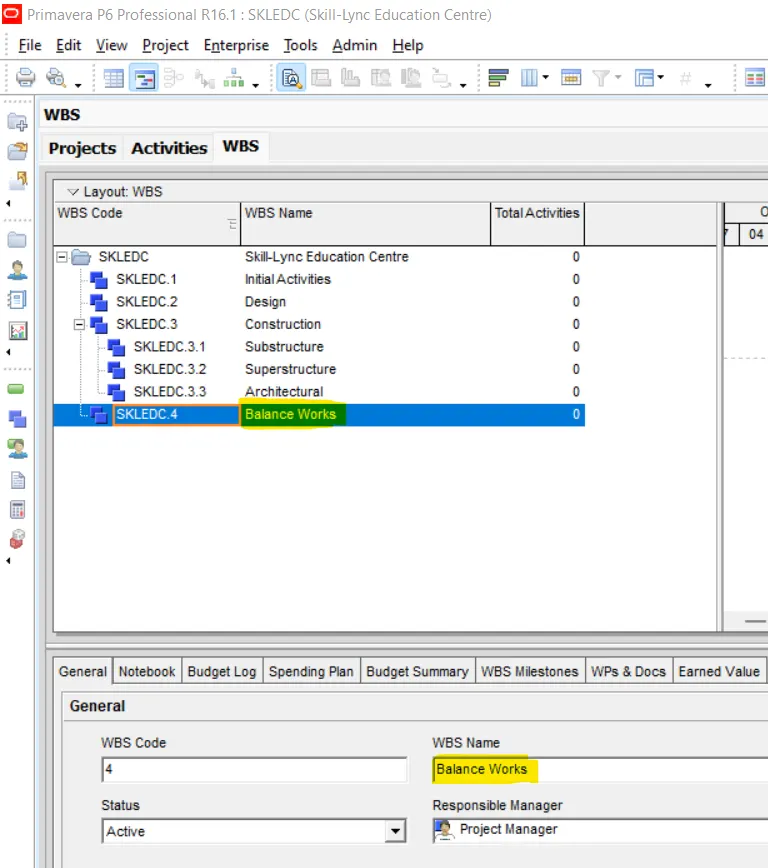
Also Add four more WBS under Initial activities WBS
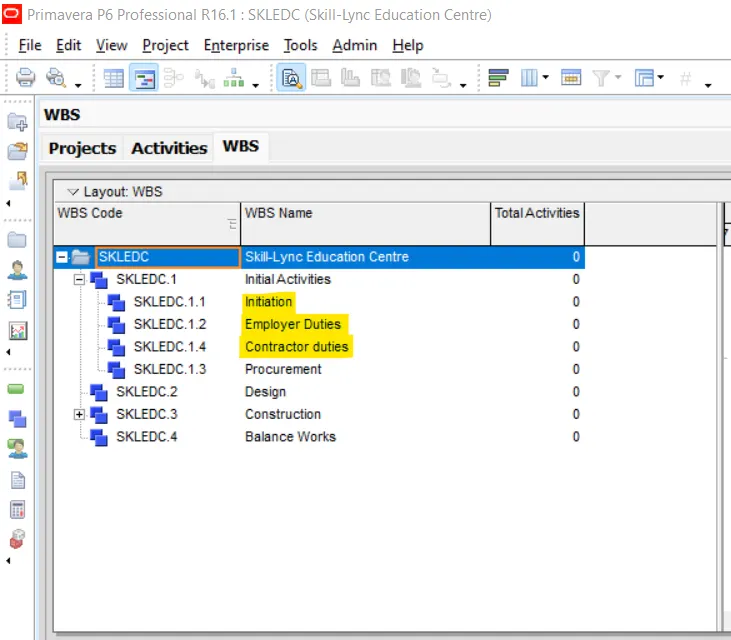
Step-5- Create at least 50 activities
Add activities under WBS of Initial Activities as mentioned below
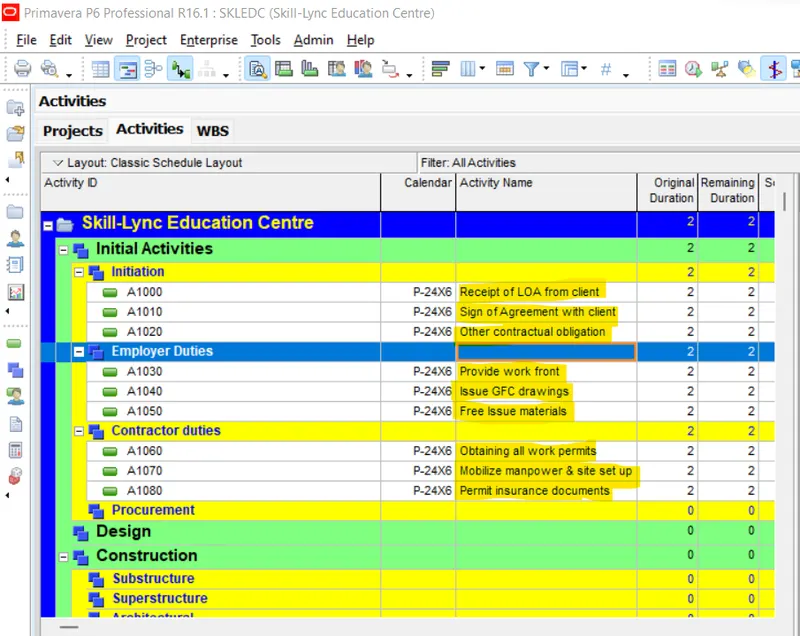
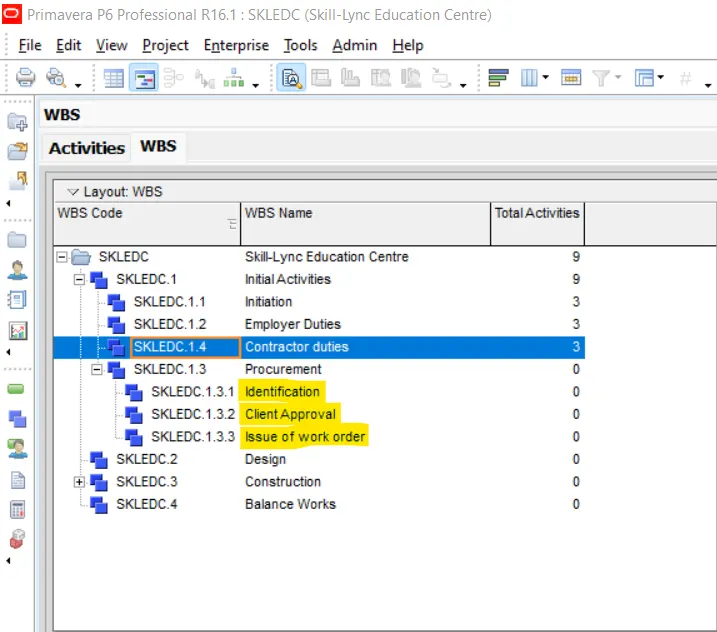
Now add three WBS under WBS Procurement
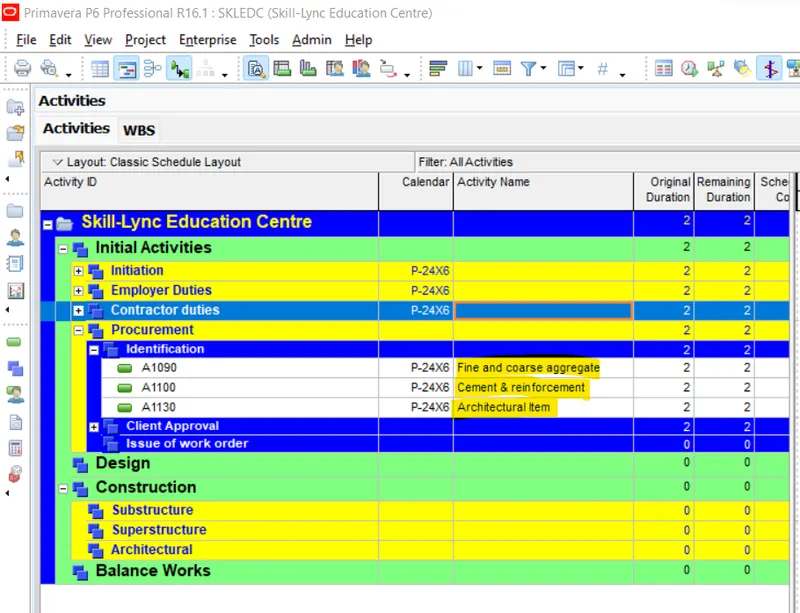
Now add activities under lastly added WBS as mentioned below
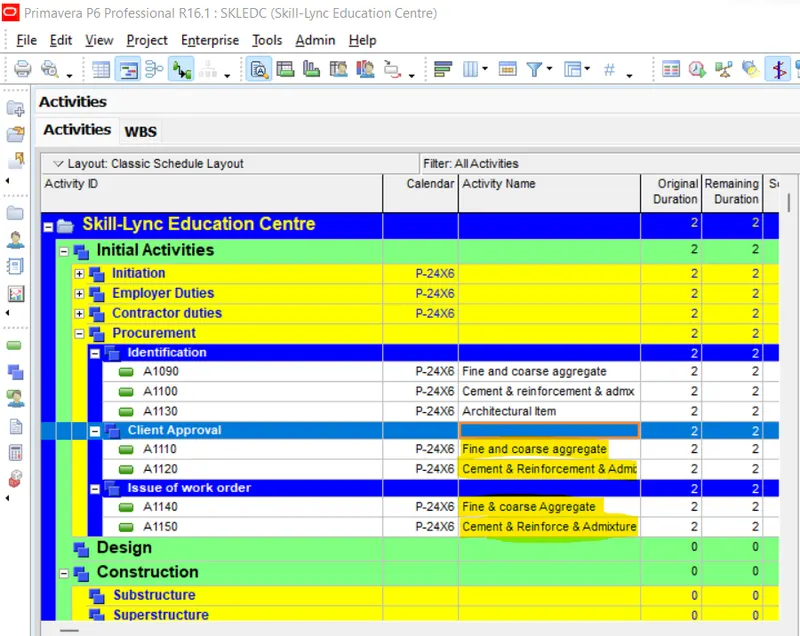
Add activities under WBS of Design as mentioned below
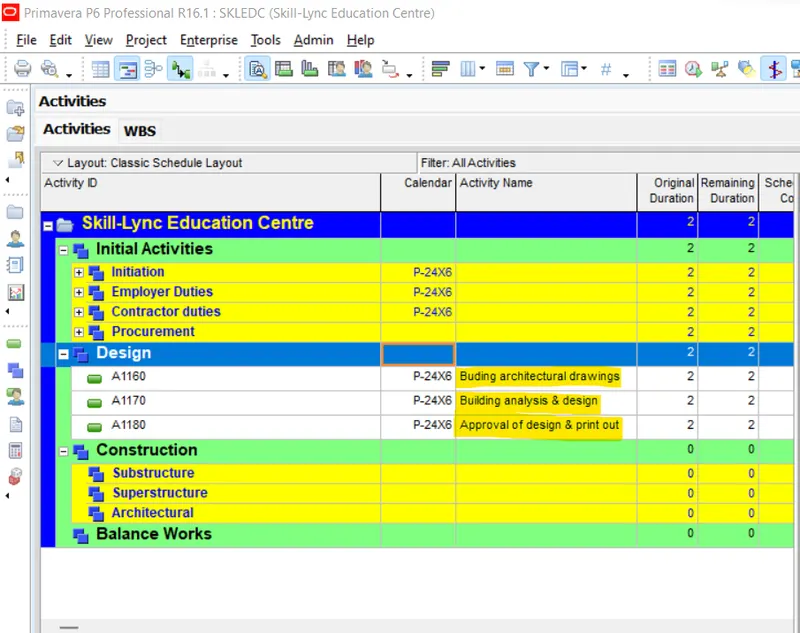
Now add activities under WBS of Substructure as metioned below
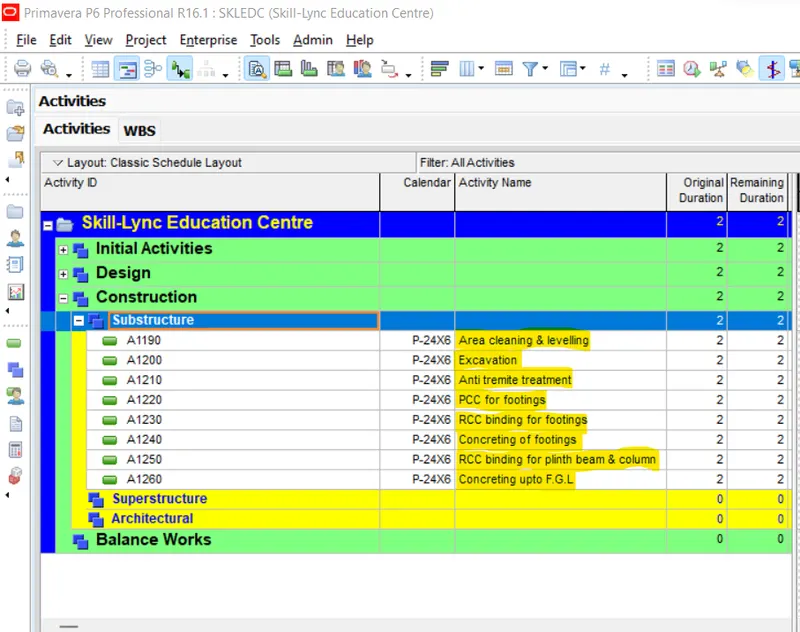
Now add Three WBS under WBS of Superstructure
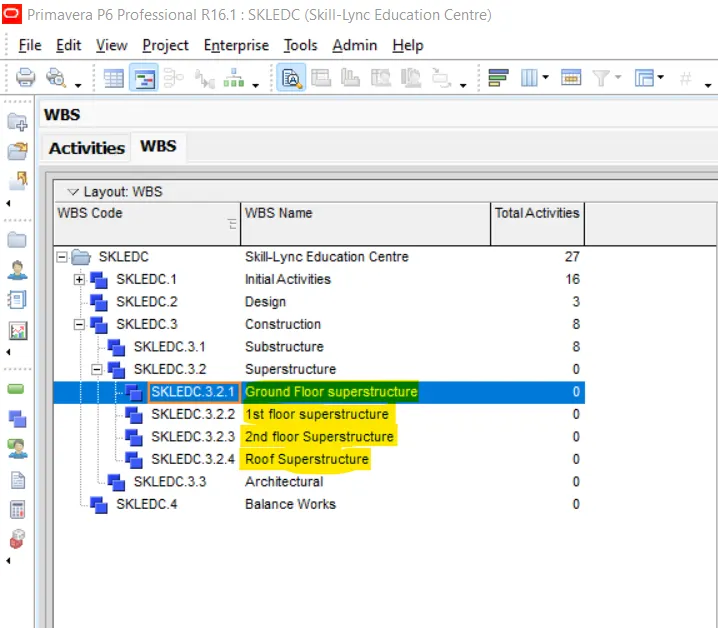
Now add Activities under WBS of Ground floor Superstructure
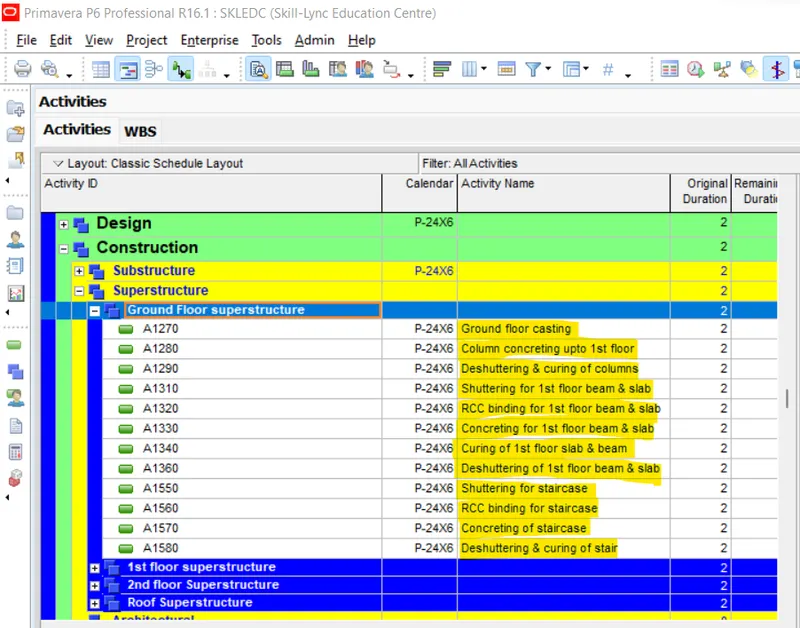
Now add Activities under WBS of First floor Superstructure
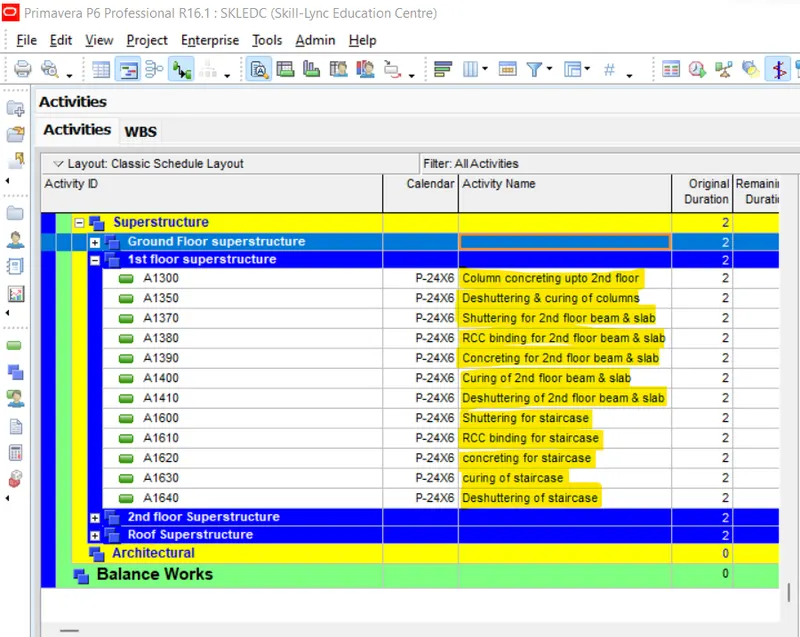
Now add Activities under WBS of 2nd floor Superstructure
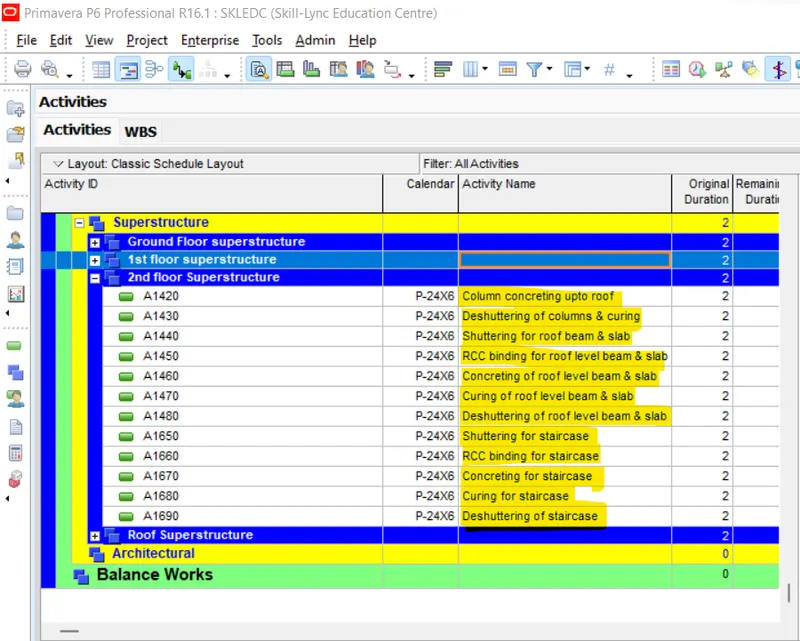
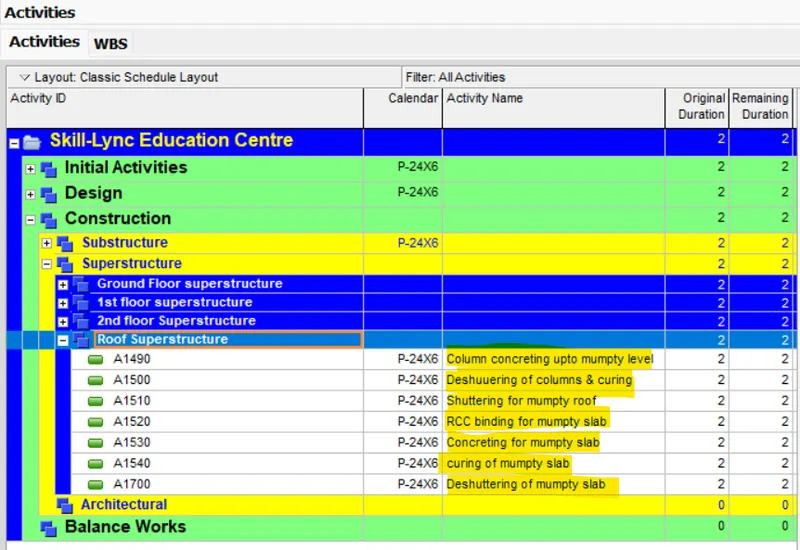
Now add Activities under WBS of Roof Superstructure
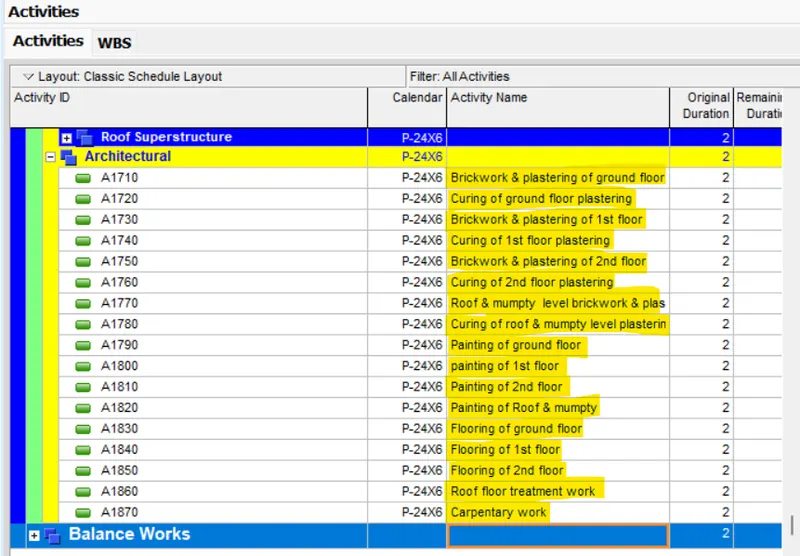
Now add Activities under WBS of Architectural
Now add two more WBS under WBS of Balanced work as mentioned
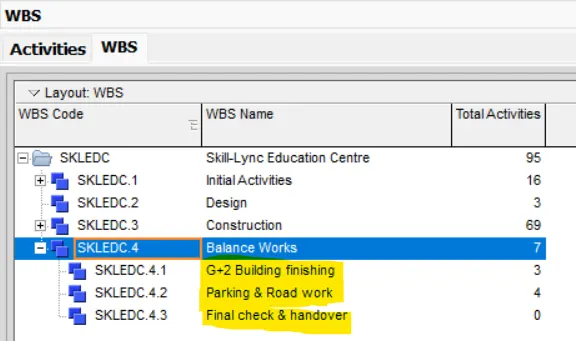
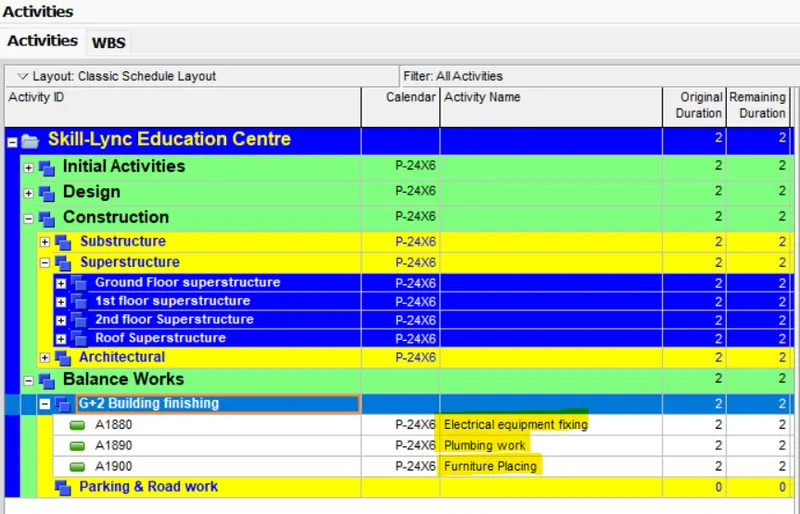
Add activities under WBS of G+2 building finishing
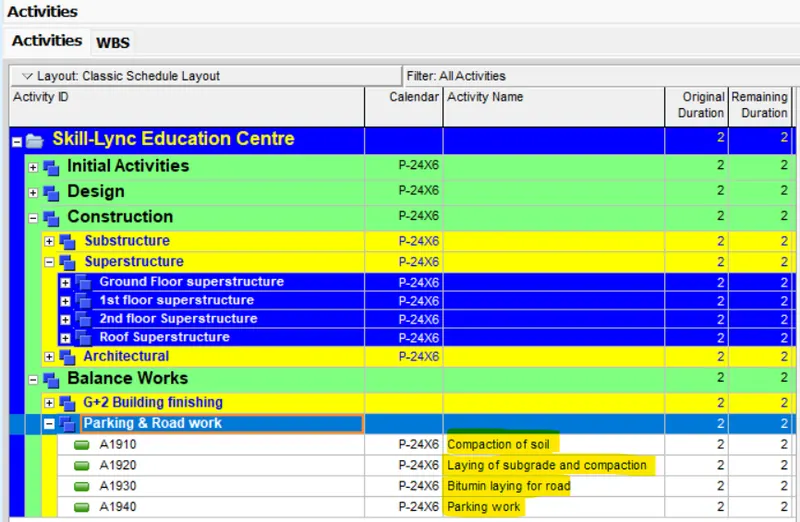
Add Activities under WBS of Parking & Road work
Add activities under WBS of final check & handover as mentioned below
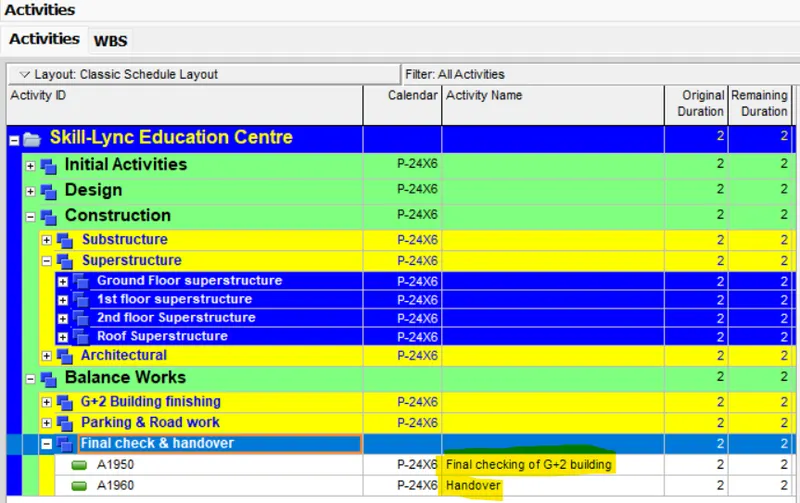
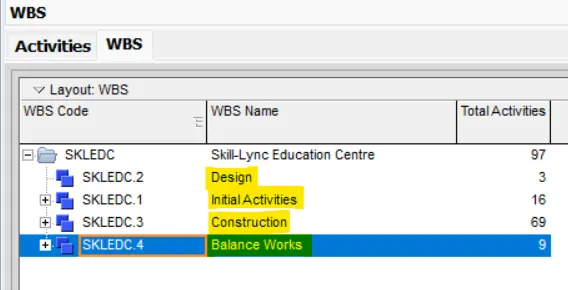
Now arrange WBS as mentioned below
Step-6- Provide activity duration and Predecessor & Successor for all activities and give all FS , SS , FF and lags suitably
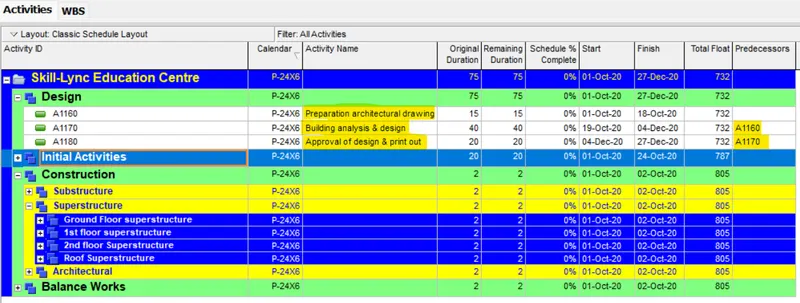
First provide activity duration under WBS of Design activities also predecessors accordingly(Here I used FS relationship)
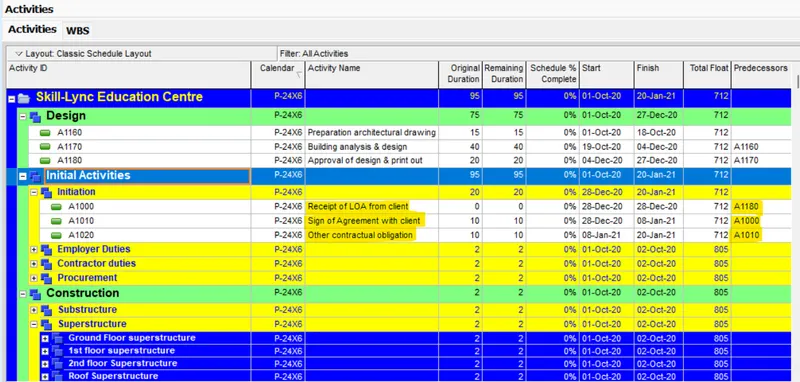
First provide activity duration under WBS of Initial activities also predecessors accordingly
Provide activity duration & predecessors under WBS of Initiation (here I used FS relationship)
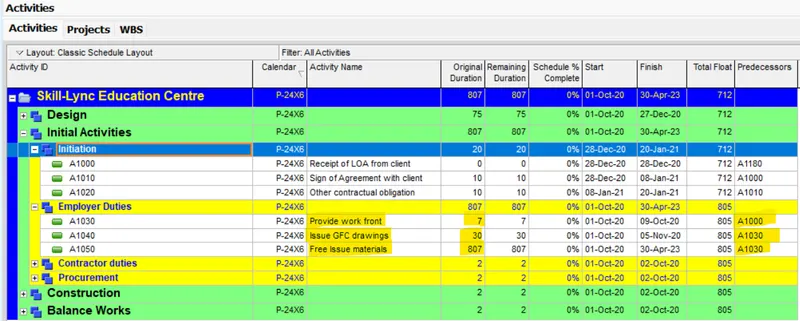
Provide activity duration & predecessors under WBS of Employer duties (here I used FS relationship)
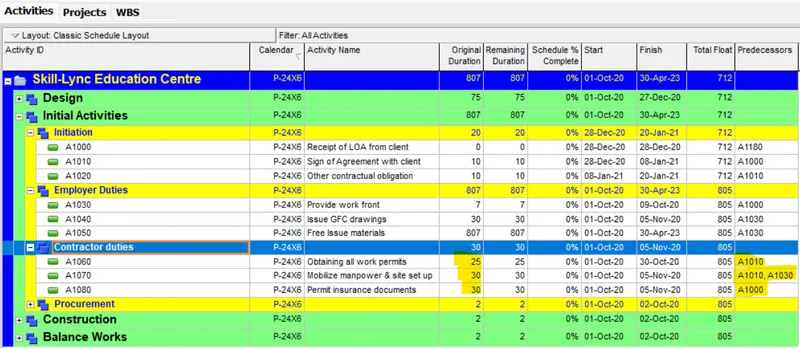
Provide activity duration & predecessors under WBS of Contractor duties (here I used FS relationship)
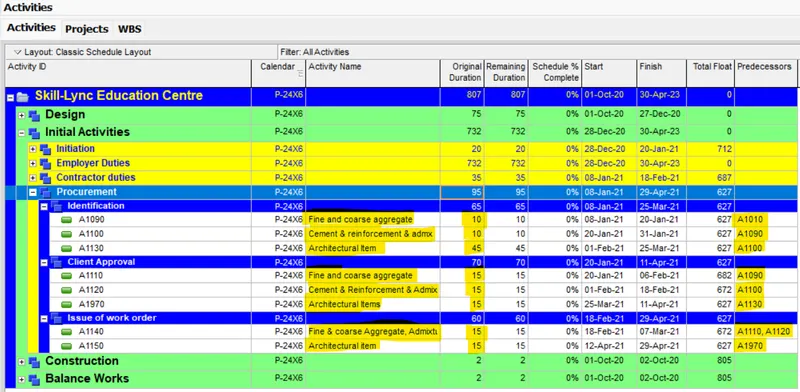
Provide activity duration & predecessors under WBS of Procurement (here I used FS relationship)
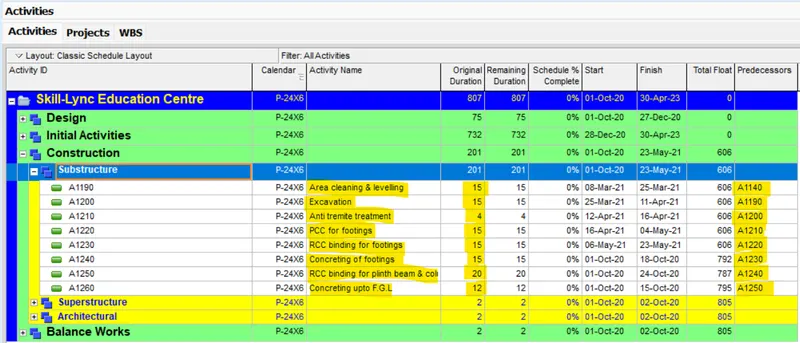
Provide activity duration & predecessors under WBS of Substructure (here I have used relationship as per site condition)
Apart from that I used lag as per site condition
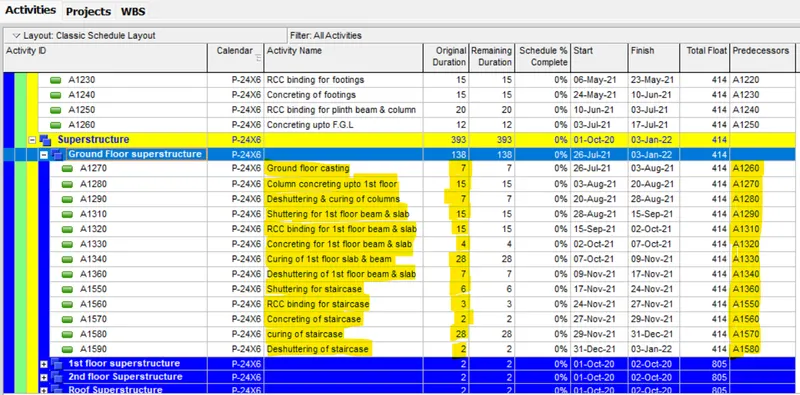
Provide activity duration & predecessors under WBS of ground floor superstructure (here I have used relationship as per site condition)
Apart from that I used lag as per site condition
Provide activity duration & predecessors under WBS of 1st floor superstructure (here I have used relationship as per site condition)
Apart from that I used lag as per site condition
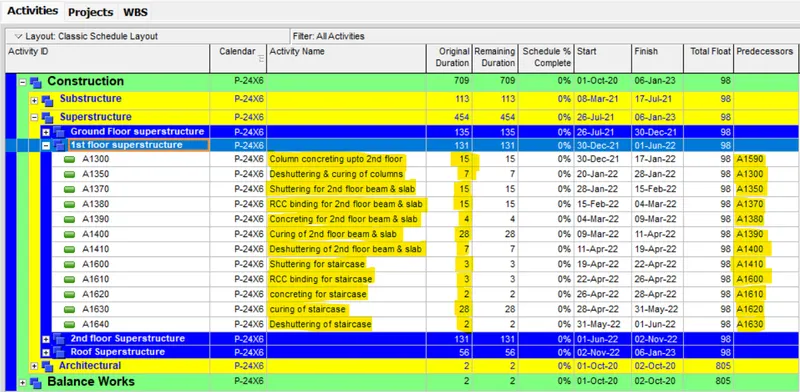
Provide activity duration & predecessors under WBS of 2nd floor superstructure (here I have used relationship as per site condition)
Apart from that I used lag as per site condition
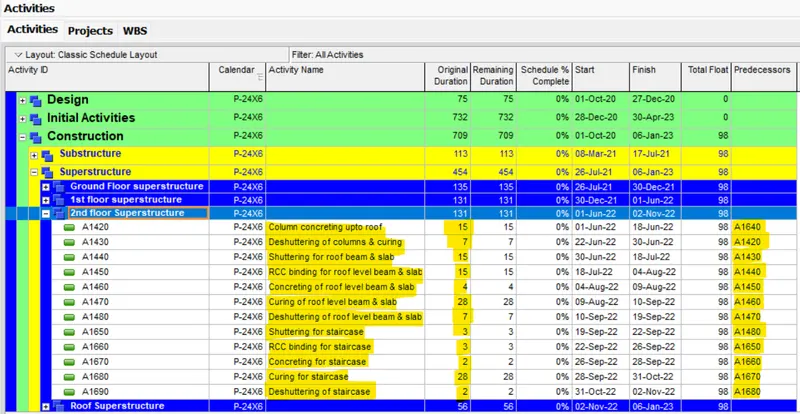
Provide activity duration & predecessors under WBS of Roof superstructure (here I have used relationship as per site condition)
Apart from that I used lag as per site condition
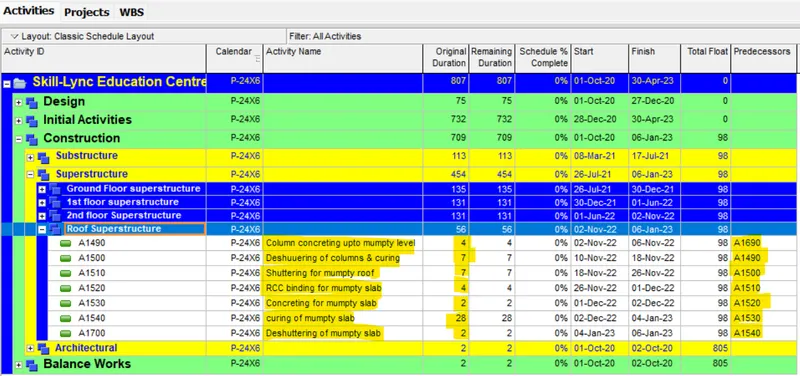
Provide activity duration & predecessors under WBS of Architectural (here I have used relationship as per site condition)
Apart from that I used lag as per site condition
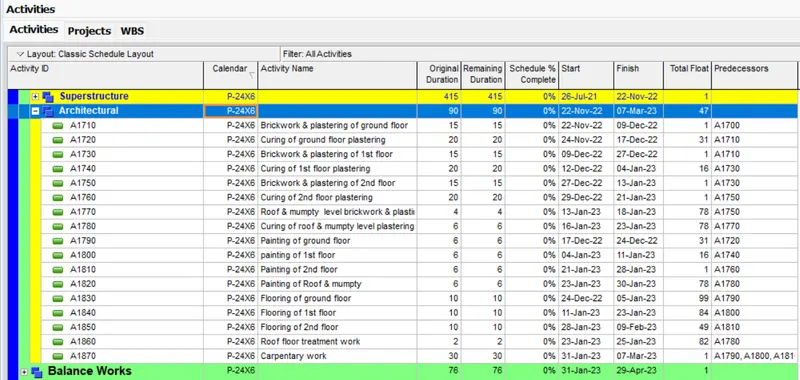
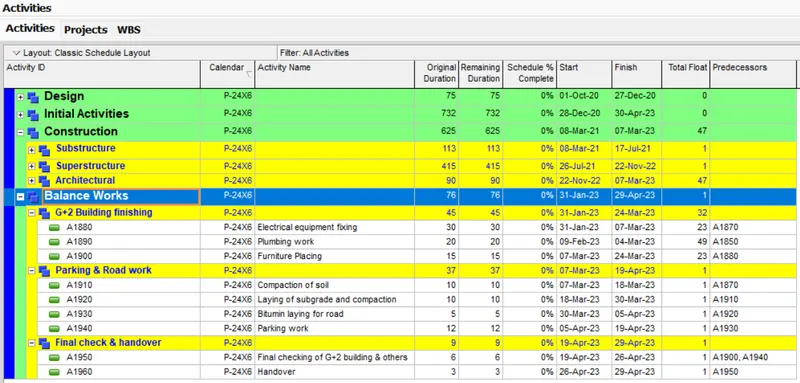
Provide activity duration & predecessors under WBS of Balanced work (here I have used relationship as per site condition)
Apart from that I used lag as per site condition
Step-7- Filter all critical activity
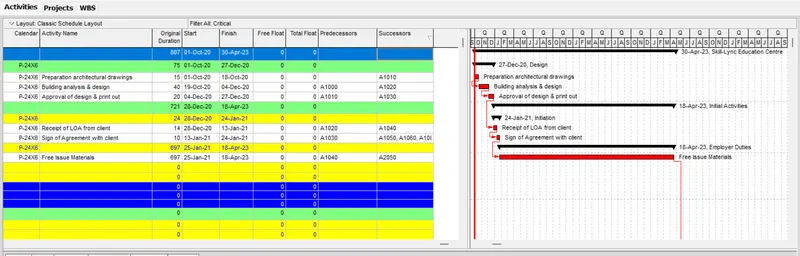
Go to filter option and select & apply critical activity
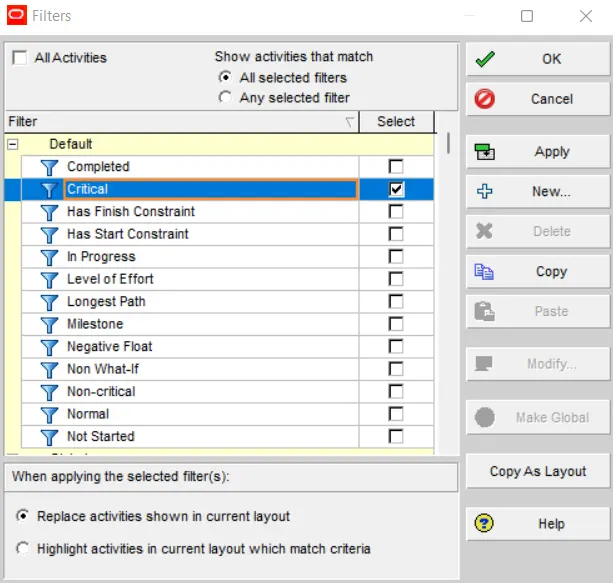
Critical activity is shown below
Step-8- There shall be no activity with more than 35 days float
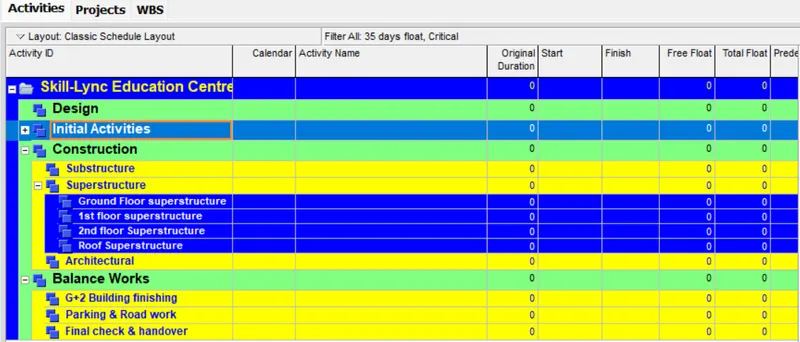
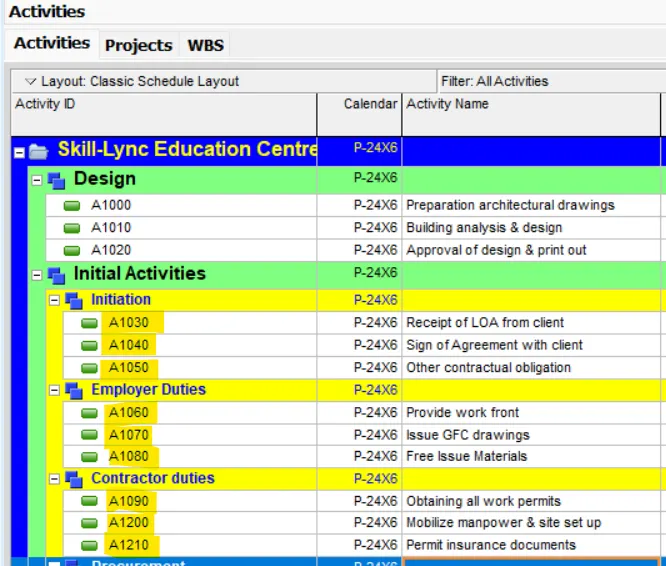
Step-9- All activity Id’s must have an interval of exactly 10
Step-9- Assign a user defined field suitably
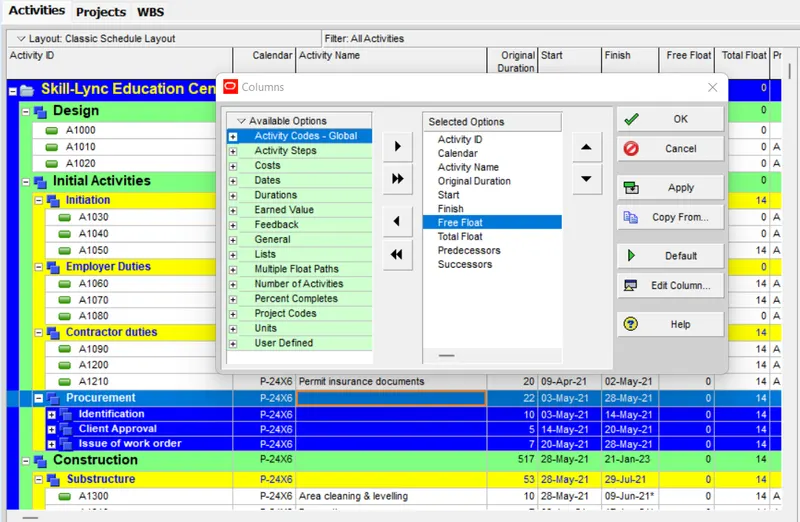
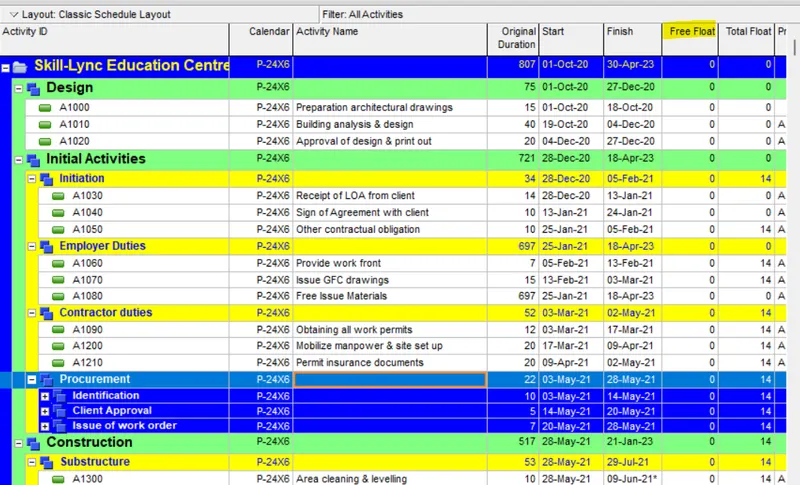
Here I added a column of Free float which is user defined activity
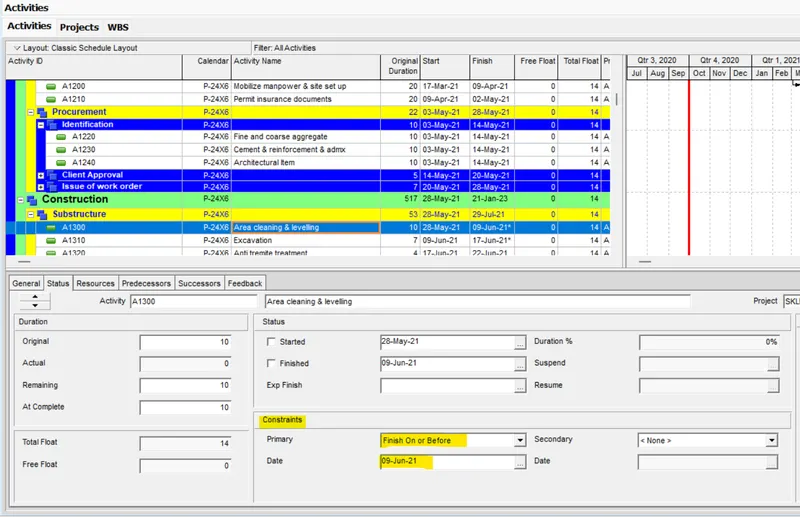
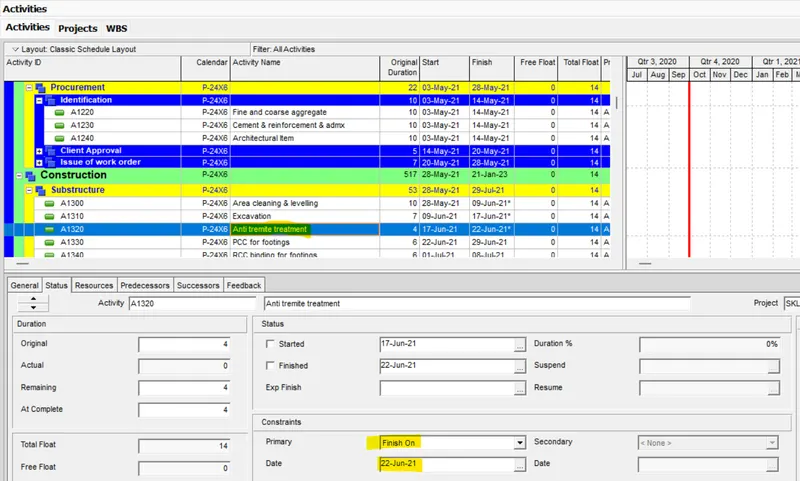
Step-10- At Least 2 activities must have constraints (Excluding start)
Step-11- Some predecessors may be discretionary but realistic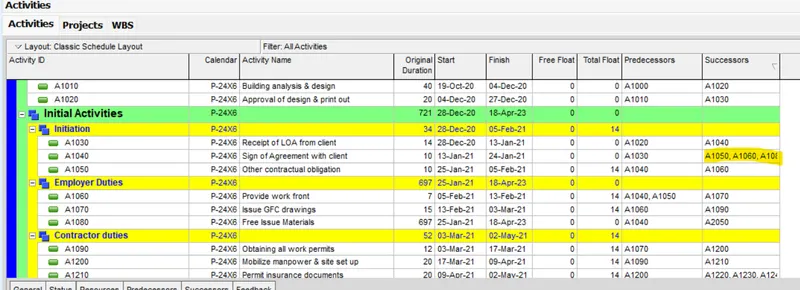
Result:-
I have completed all the mentioned task and I have attached Primavera P6 project file for further clarification.