Flow over a cylinder
AIM:
Need to calculate the Reynolds number for given conditions and then increase it by a factor of 20%, 40% and 100% then run the transient flow simulation. Proper simulation end time for each case should be calculated. Finally Create animations for pressure-velocity for all the three Reynolds number using flow simulation in solidworks.
INTRODUTION:
Computational fluid dynamics (CFD) is a branch of fluid mechanics that uses numerical analysis and data structures to analyse and solve problems that involve fluid flows. Here solidworks flow simulation is an intuitive computational fluid dynamics (CFD) solution embedded within solidworks 3D CAD that enables you to quickly and easily simulate liquid and gas flows through and around your designs to calculate product performance and capabilities. Velocity is the main parameter to run this flow simulation process and mess as well.
In fluid dynamics Reynolds number is one of the main parameter to analysis the flow type. So here we are going to calculate the Reynolds number first and then increase its value by the factor of 20%, 40% and 100% to calculate the pressure-velocity change for each case. And the velocity for each case of Reynolds number was calculated because it is the main input value in solidworks flow simulation. Using the velocity and domain length we can calculate the simulation end time.
THEORY:
The Reynolds number (Re) helps predict flow patterns in different fluid flow situations. At low Reynolds numbers, flows tend to be dominated by laminar flow, while at high Reynolds numbers flows tend to be turbulent. It also defined as the Reynolds number is the ratio of inertia forces to viscous forces within a fluid which is subjected to relative internal movement due to different fluid velocities. A region where these forces change behaviour is known as a boundary layer, such as the bounding surface in the interior of a pipe. A similar effect is created by the introduction of a stream of high-velocity fluid into a low-velocity fluid, such as the hot gases emitted from a flame in air. This relative movement generates fluid friction, which is a factor in developing turbulent flow. Counteracting this effect is the viscosity of the fluid, which tends to inhibit turbulence. The Reynolds number quantifies the relative importance of these two types of forces for given flow conditions, and is a guide to when turbulent flow will occur in a particular situation.
Let’s see how both the laminar and turbulent flow are differing:
- Laminar flow occurs at low Reynolds numbers, where viscous forces are dominant, and is characterized by smooth, constant fluid motion.
- Turbulent flow occurs at high Reynolds numbers and is dominated by inertial forces, which tend to produce chaotic eddies, vortices.
The Reynolds number is defined as

where:
- ρ is the density of the fluid (kg/m3)
- V is the velocity of the fluid (m/s)
- L is a characteristic linear dimension (m)
- μ is the dynamic viscosity of the fluid (Pa·s or N·s/m2 or kg/(m·s))
- ν is the kinematic viscosity of the fluid (m2/s).
For a flow over the cylinder, the characteristic linear dimension is exactly equal to the outer diameter. I took the diameter of the cylinder to be 0.02m.
Here I took the air as working fluid for flow simulation and also used air density and dynamic viscosity at 293.2K » 25°C to calculate the Reynolds number for given condition. The obtained values are given below,
For the given temperature the air density is 1.204kg/m3
dynamic viscosity is 1.825*10-5kg/(m·s)
velocity is 10m/s.
From the above formula the calculated Reynolds number is 13,194.5. Then increase the Reynolds number by a factor of 20%, 40%, and 100% and the calculated Reynolds number values are 15,833.4, 18,472.3 and 26,389. And the velocities for each Reynolds numbers were calculated and that values are given below,
If the Reynolds number (Re) =15833.4; then velocity (V) =12m/s
(Re) =18472.3; then velocity (V) =14m/s
(Re) =26389.0; then velocity (V) =20m/s
FLOW SIMULATION SETUP:
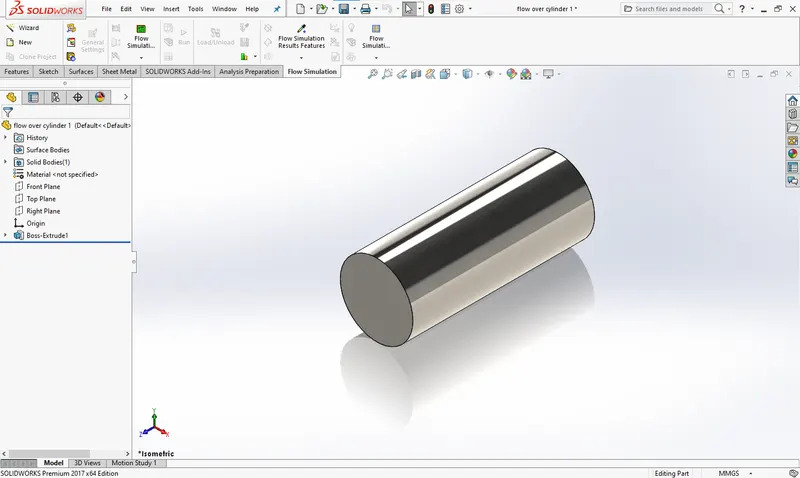
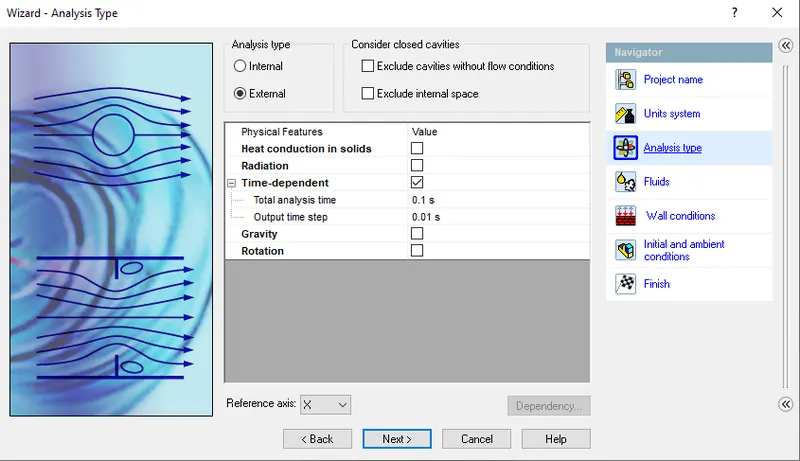
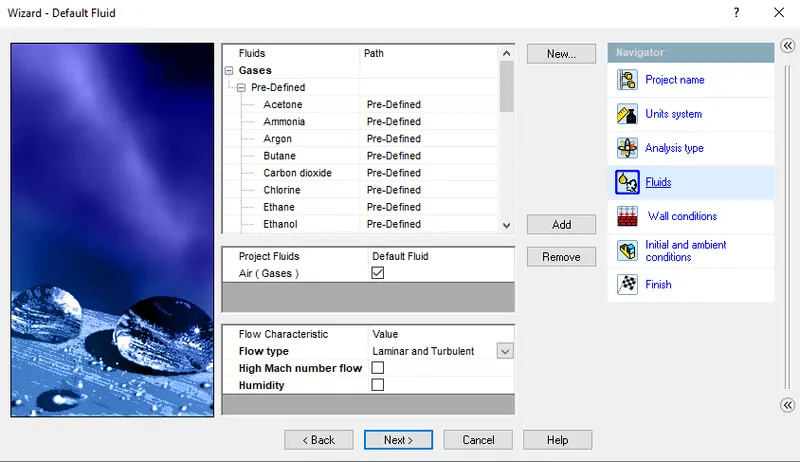
In solidworks part file the basic cylinder design was created with the length of 0.05m and outer diameter 0.02m in front plane. Before going into the flow simulation we need to save our part design. After that click on wizard in flow simulation tab to initiate the flow simulation. Here we will assign the analysis type, fluids, wall conditions and initial conditions.
a)Initial conditions: first step in flow simulation is some initial conditions we need to setup like velocity parameters, thermodynamic parameters and turbulence parameters.
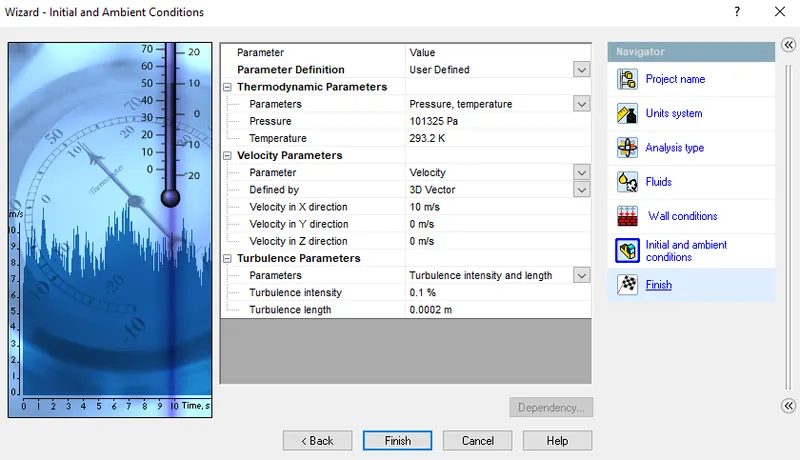 b)Boundary conditions: this is basic to start-up the flow simulation process. But for the external flow type the boundary condition were not inserted. Also the velocity for flow simulation process were given in initial condition velocity parameter.
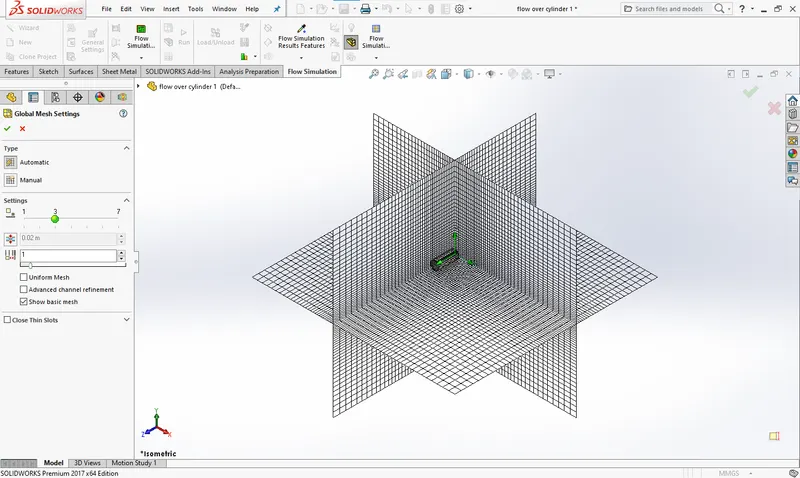
c)Mesh: The process of subdividing the model into small pieces is called meshing. In solidworks the mesh is create automatically with recommended value. If you increase it then the result will come up with more precious. We have two type of meshing one is automatic and another one is manual.
i)Case-1: baseline simulation
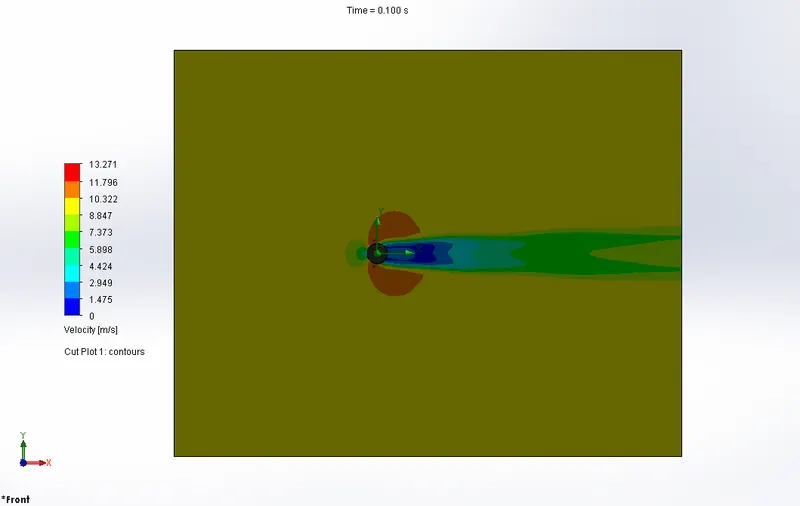
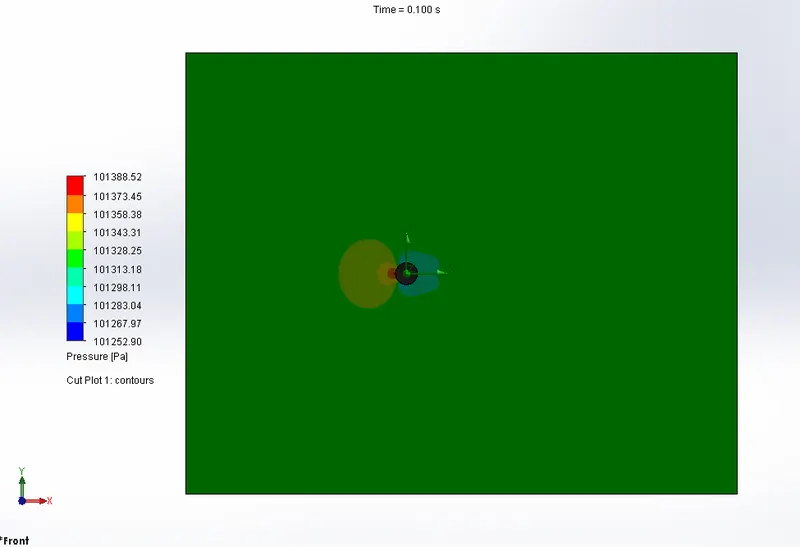
Here air is the working fluid and it travel along x-axis at the velocity of 10m/s. The calculated Reynolds number is 13,194.5 and the domain length in x-axis is 0.5m.
Time = Distance/Speed
Flow through time = 0.05s from the above formula. The simulation end time is 2 times of flow through time. So calculated end time = 0.1s and step time =0.01s.
velocity
pressure
ii)Case-2: increase the Reynolds number by a factor of 20%
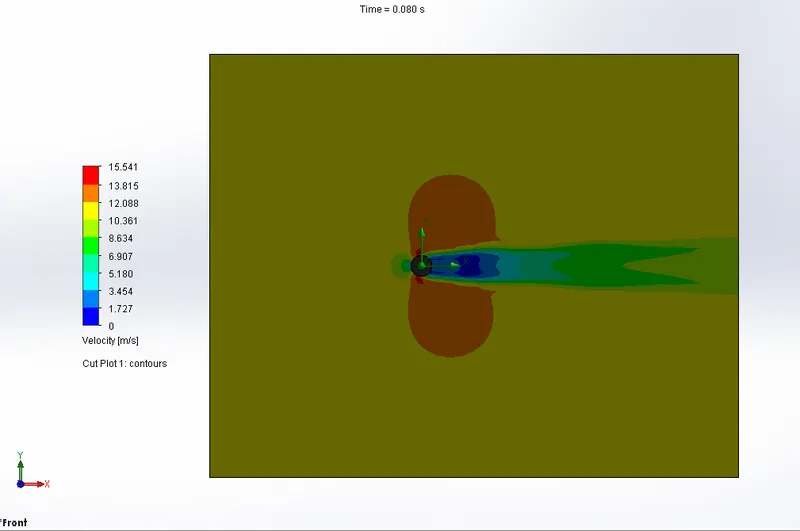
The Reynolds Number value for the baseline simulation is 13194.5. Then it should be increased (as a factor of 20%) to 15,833.4 and the calculated velocity is 12m/s.
Time = Distance/Speed
Flow through time = 0.042s from the above formula. The simulation end time is 2 times of flow through time. So calculated end time = 0.08s and step time =0.008s.
velocity
https://drive.google.com/file/d/12GiDX76RPoDejg5RnBuqE9TlLge7ZyU0/view?usp=sharing
pressure
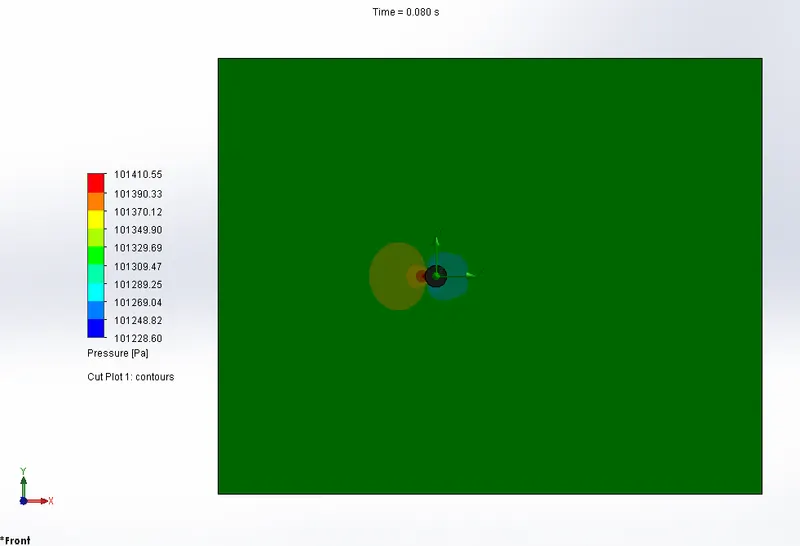
https://drive.google.com/file/d/12-dP0lEgc808RTPN7-gNbT8g9uYmOiSJ/view?usp=sharing
iii)Case-3: increase the Reynolds number by a factor of 40%
The Reynolds Number value for the baseline simulation is 13194.5. Then it should be increased (as a factor of 40%) to 18,472.3 and the calculated velocity is 14m/s.
Time = Distance/Speed
Flow through time = 0.035s from the above formula. The simulation end time is 2 times of flow through time. So calculated end time = 0.07s and step time =0.007s.
velocity
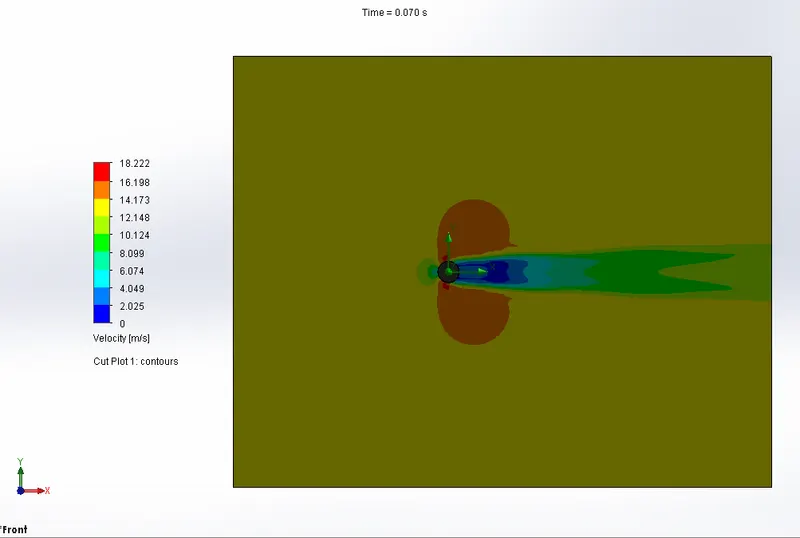
https://drive.google.com/file/d/129rpM_Kygl4iPi6iudtd9Gg2oiRZAogH/view?usp=sharing
pressure
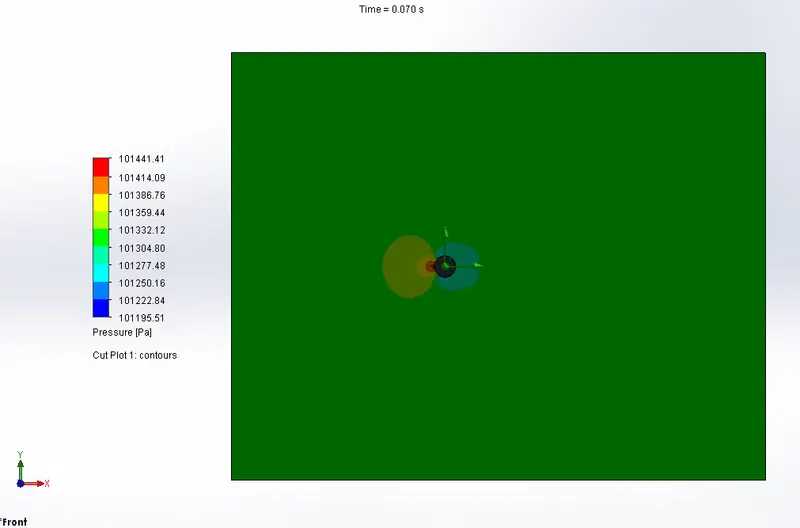
https://drive.google.com/file/d/12GfuweXEYMxzoY9Ht6r6A_P2V3GuM_hp/view?usp=sharing
iv)Case-4: increase the Reynolds number by a factor of 100%
The Reynolds Number value for the baseline simulation is 13194.5. Then it should be increased (as a factor of 100%) to 26,389.0 and the calculated velocity is 20m/s.
Time = Distance/Speed
Flow through time = 0.025s from the above formula. The simulation end time is 2 times of flow through time. So calculated end time = 0.05s and step time =0.005s.
velocity
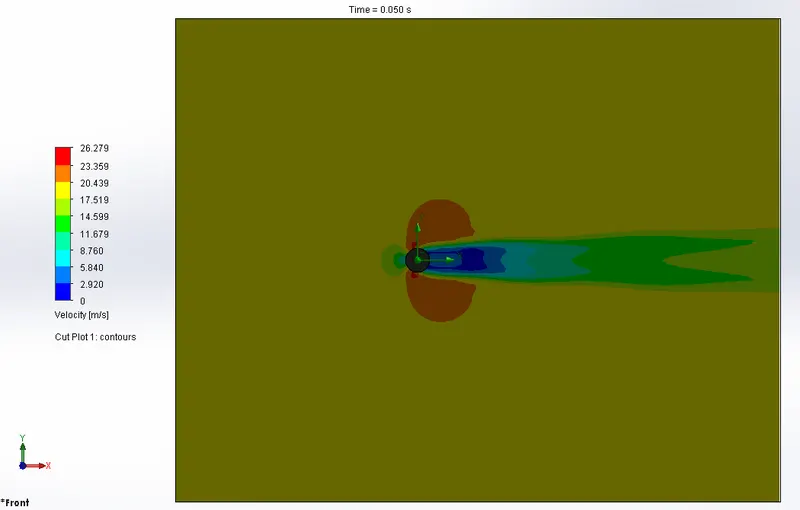
https://drive.google.com/file/d/122I9wGwDWbtXNHN7-MQweJPkIPQienyQ/view?usp=sharing
pressure
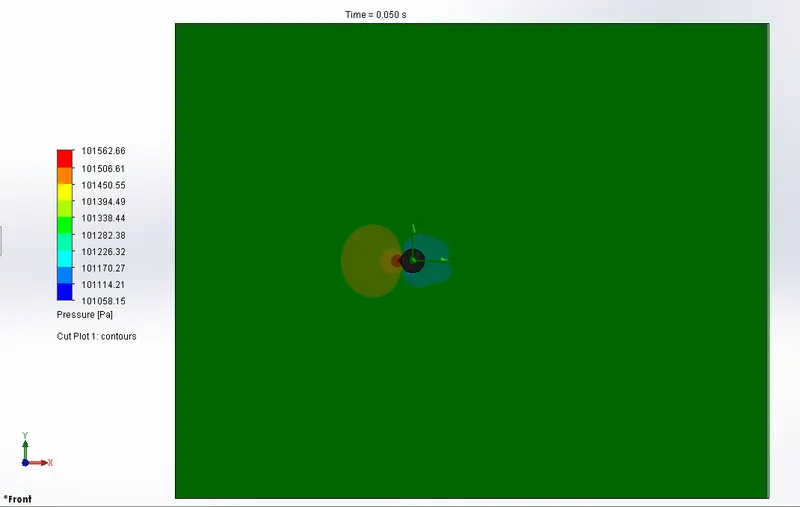
https://drive.google.com/file/d/123QGJ8EXwVbLanJM3kxHEAXkIJ1ifc6I/view?usp=sharing
OBSERVATION
| reynolds number | velocity | pressure | simulation end time | |
| baseline simulation | 13194.5 | 0-13.271 | 101252.90-101388.52 | 0.1 |
| increase (Re) by 20% | 15833.4 | 0-15.541 | 101228.60-101410.55 | 0.08 |
| increase (Re) by 40% | 18472.3 | 0-18.222 | 101195.51-101441.41 | 0.07 |
| increase (Re) by 100% | 26389.0 | 0-26.279 | 101058.15-101562.66 | 0.05 |
The velocity is increase if the reynolds number value is increase. but the minimum pressure is decrease and in other side the maximum pressure is increase for the corresponding reynolds number. at the same time the simulation end time decrease gradually.
CONCLUSION
Flow simulation helps to analysis maximum and minimum region of pressure-velocity over the cylinder with different velocities.