Door Arm Rest Week 8 Challenge
Aim: To perform the Draft Analysis on the given Class-A Surface of the Door Arm Rest and also create the Class-B and Class-C Surface and make a solid body out of it.
Procedure: The input model for the draft analysis is the class-A surface given by the class-A designers as shown below:
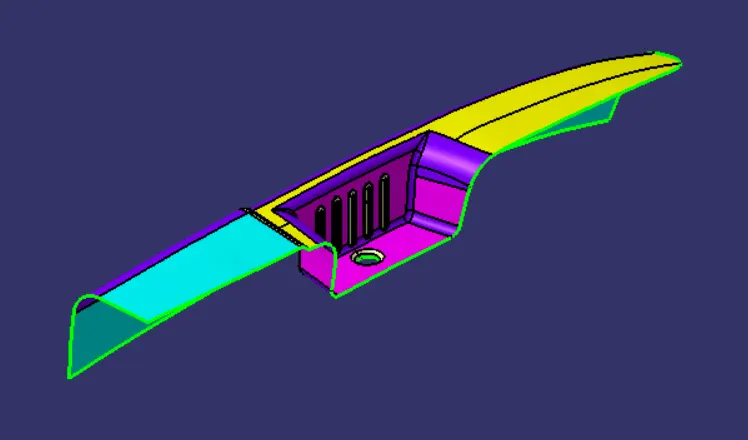
Fig. 1: Class-A Surface of the Door Arm Rest
In this particular case, I have used the Compass- Direction method to perform the Draft Analysis on the given Class-A Surface of the Door Arm Rest.
Initially, in the Generative Shape Design Workbench, insert a Geometrical set for the tooling axis. Put a point at the center of the hole and draw a line in the Z-direction. Rename this line as the Dummy tooling axis. Make sure that the View Mode Customization is set to the Material mode as shown below:
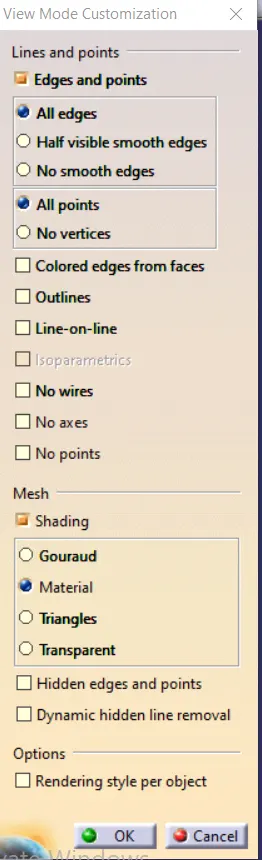
Fig. 2: View Mode Customization
Perform a draft analysis of the Class-A surface w.r.t. the Dummy tooling axis. In the Draft Analysis Toolbar, click on the Compass and put the compass on the dummy tooling axis. Now rotate the Compass and get a position such that the maximum possible faces on the Class-A surface will get cleared on for Draft Analysis. Lock the compass orientation and exit from the draft analysis. Put a line through the point in the direction of the compass to get the Main Tooling Axis. The draft analysis is shown below:
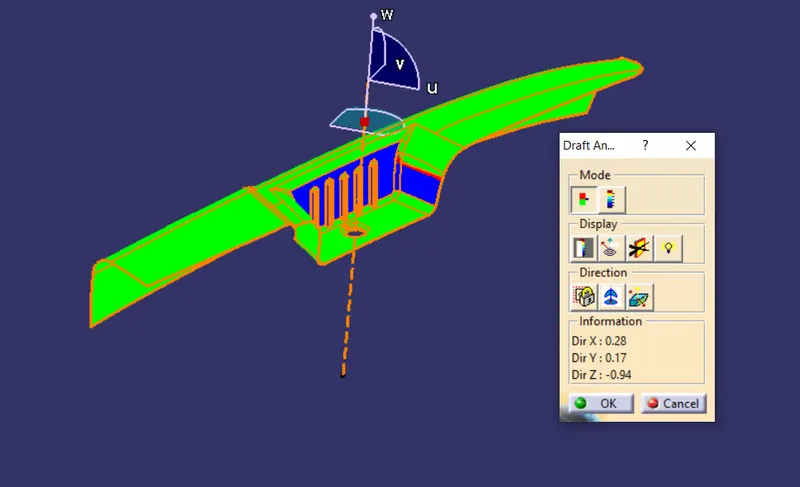
Fig. 3: Draft Analysis of Class-A surface w.r.t. Main Tooling Axis
In this particular position all the Green coloured faces are getting cleared and have adequate draft. Some faces are shown in blue coloured and those will be cleared using a Slider Axis.
In this draft analysis, the blue coloured faces don’t have adequate draft on the Class-A Surface. So, I could request the Class-A Surface designer to change the orientation of the surface such that the draft is adequate, but if that is not possible, so I used a slider axis to clear the faces as shown below:
To get the slider tooling axis, Extract the Class-A Surface and perform the draft analysis with compass on the Blue coloured face in the above image. Rotate the compass if necessary and lock in the direction where the faces which were not cleared with the main tooling axis get cleared. At last, put a line in this compass direction and name it as Side core tooling axis.
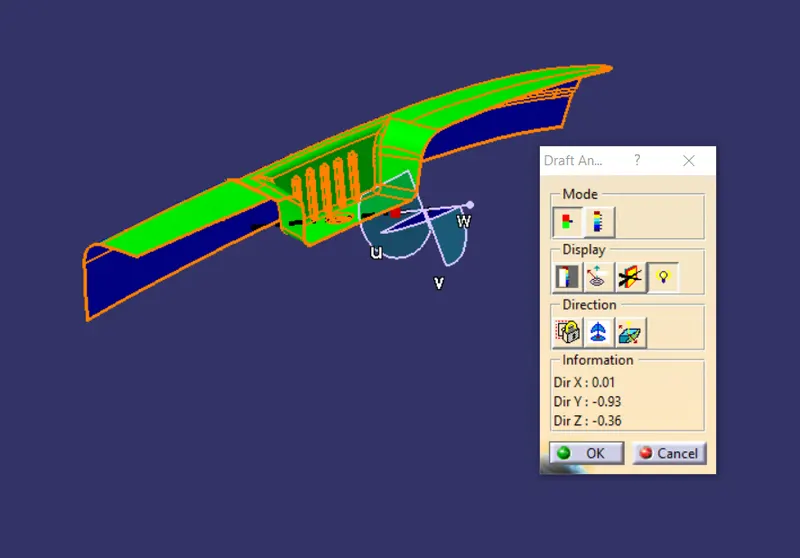
Fig. 4: Draft Analysis of Class-A surface w.r.t. Side Tooling Axis
Follow similar process on the closed surface body and the results of the draft analysis are shown below:
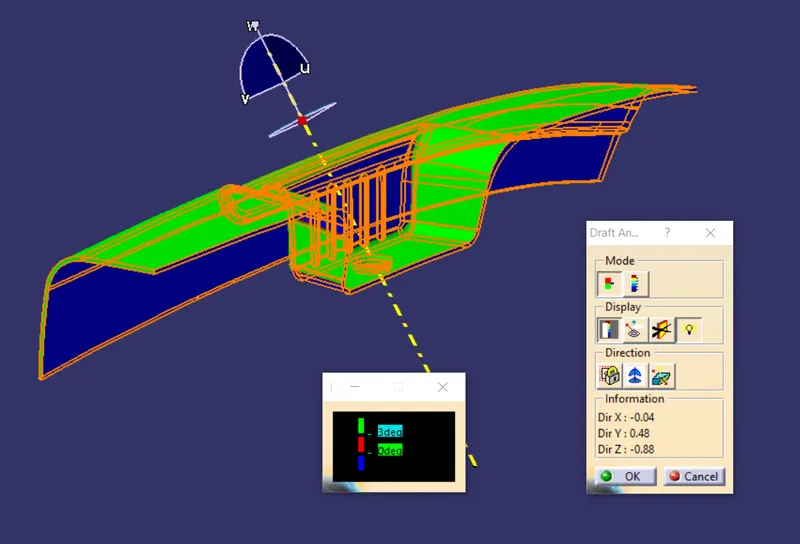
Fig. 5: Draft Analysis of closed surface w.r.t. Main Tooling Axis for the closed surface
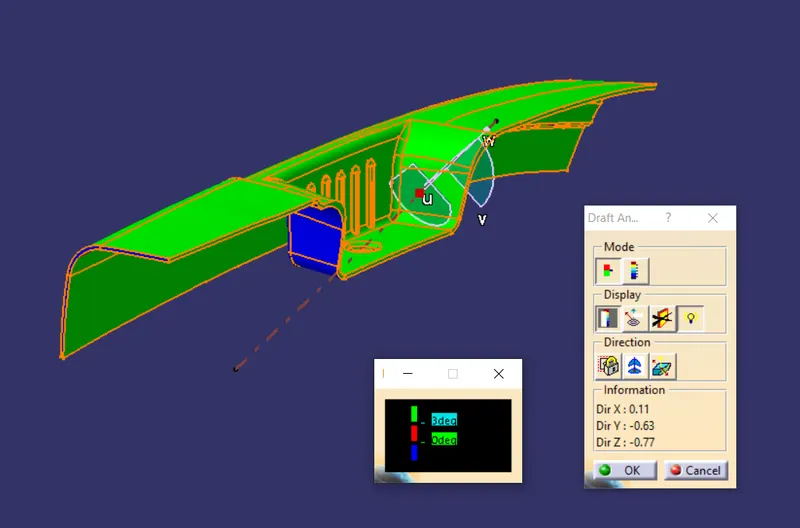
Fig. 6: Draft Analysis of closed surface w.r.t. Side Tooling Axis of the closed surface
Creating the Class-B Surface:
To create a Class-B Surface, use Extract, Untrim, Offset, Extrapolate and Trim commands to make the outline of the B surface which is 2.5mm away from the Class-A Surface. The Class-B Surface was divided into 4 parts- Cavity, Top Surface, Outer Surface and the Joining Surface. The Cavity, Outer and the Top Surface can be easily made using the above commands. To make the joining surface, I used Sweep command to sweep a Line along the path. The path was extracted and then Curved Smooth to get a curve without any discontinuities. The sketches are shown below:
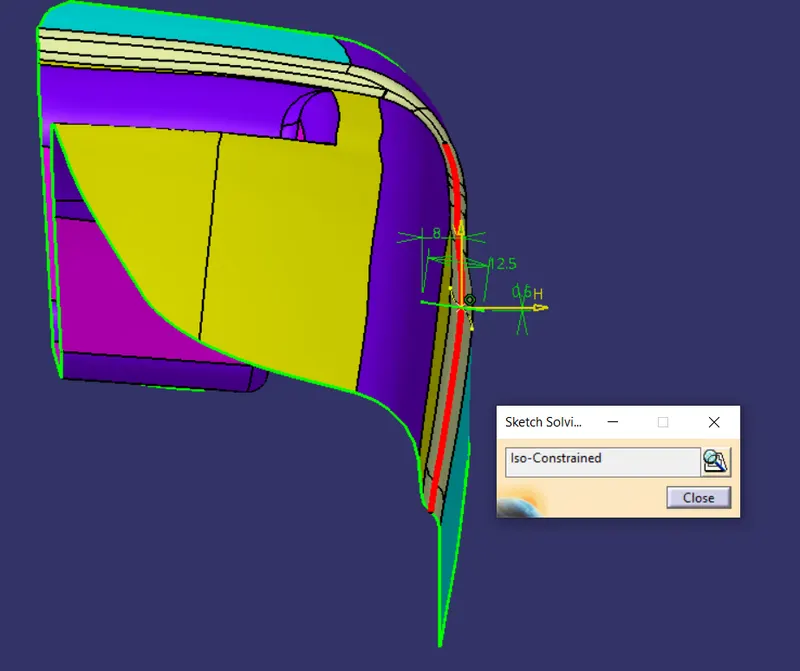
Fig. 7: Sketch of the Joining Surface Line
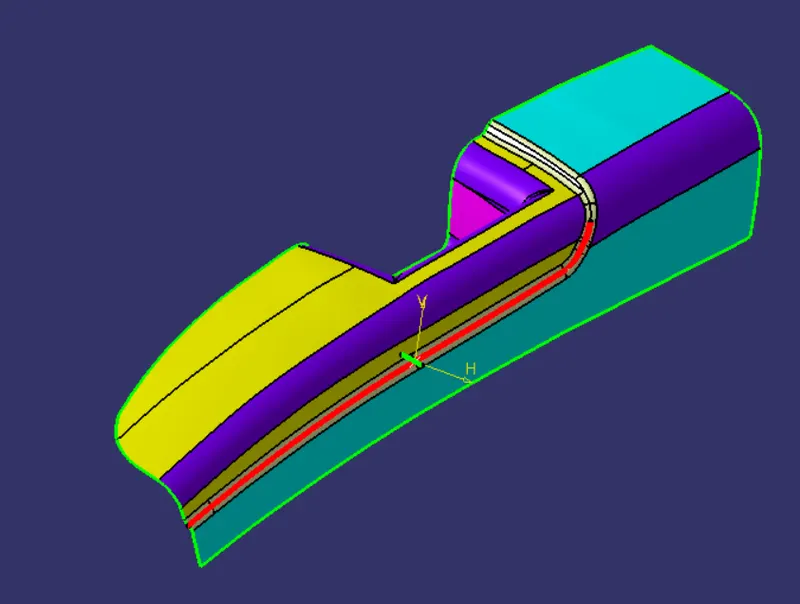
Fig. 8: Red coloured line is the guide curve for the sweep and the green coloured sketch is the profile
The Final Class-B Surface is shown below:
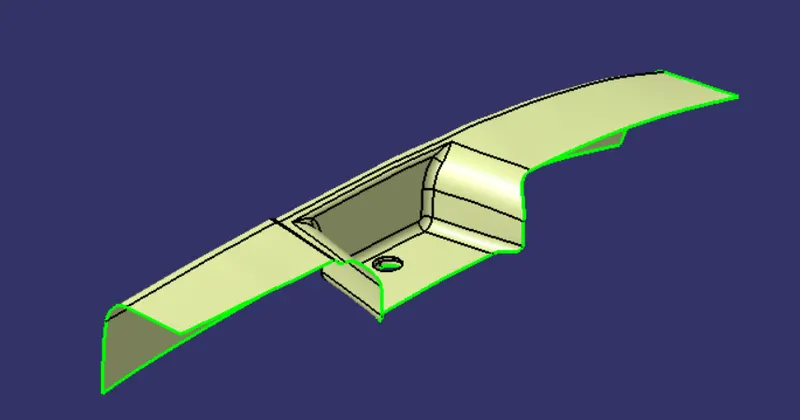
Fig. 8: Class-B Surface
Creating the Class-C Surface:
The Class-C Surface is created using the Boundary command, and then sweeping the Boundary along the direction of the tooling axis with a draft angle of 3 degrees. Some part of the C surface is also made using Multi-Section surfaces to get a smooth transition along the edges. The Class-C surface is shown below:
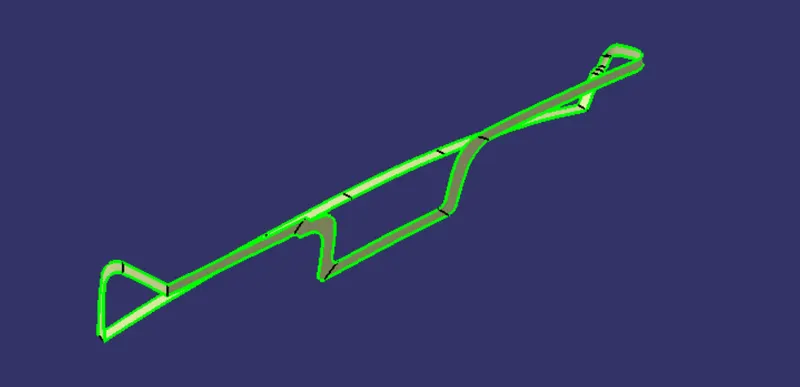
Fig. 9: Class-C surface
These Surfaces were then trimmed together and closed to get the part as shown below:
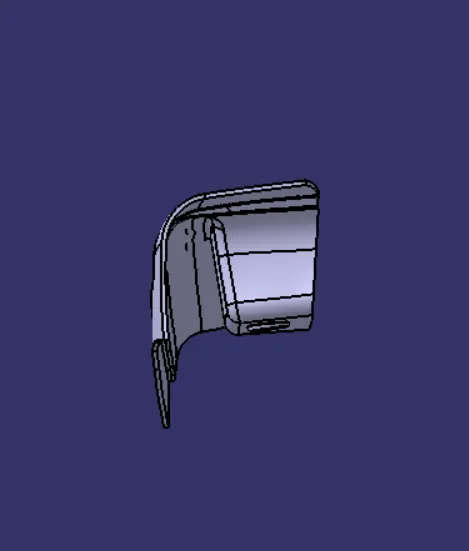
Fig. 10: Front View of Door Arm Rest
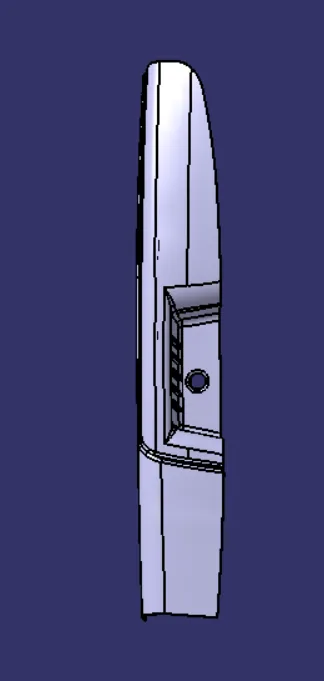
Fig. 11: Top View of Door Arm Rest
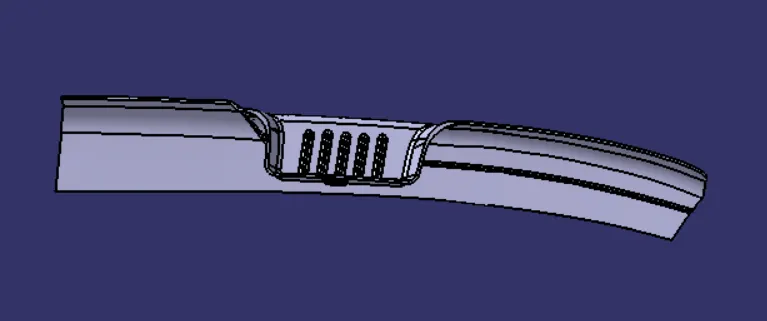
Fig. 12: Right View of Door Arm Rest
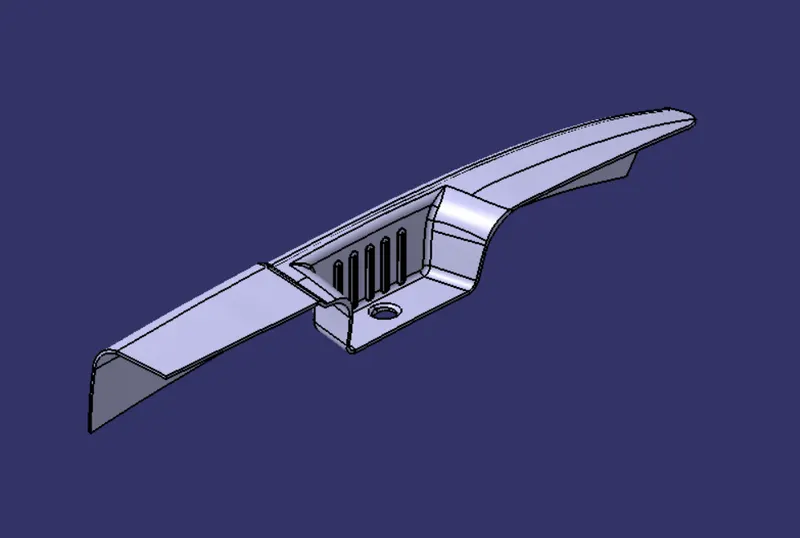
Fig. 13: Isometric View of Door Arm Rest
The feature tree of the Door Arm Rest is shown below:
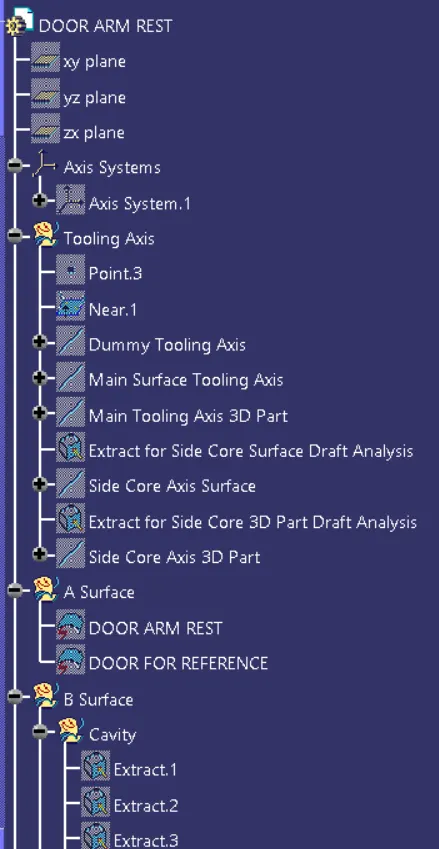
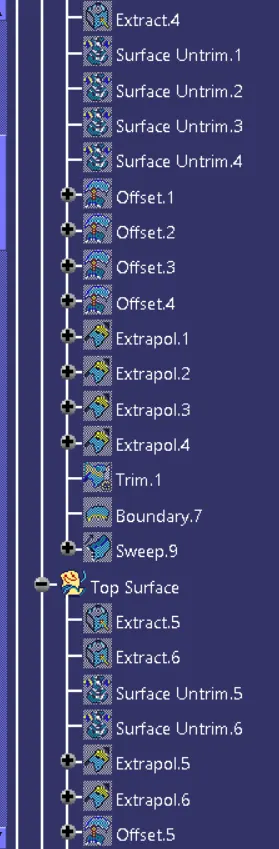
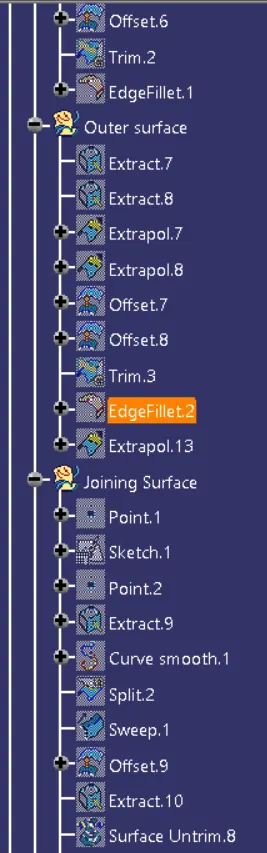
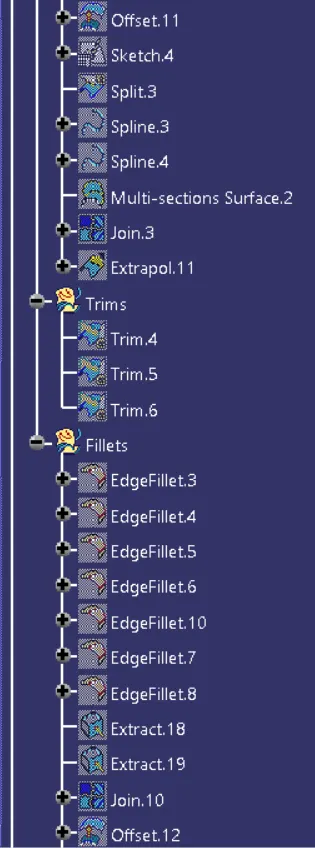
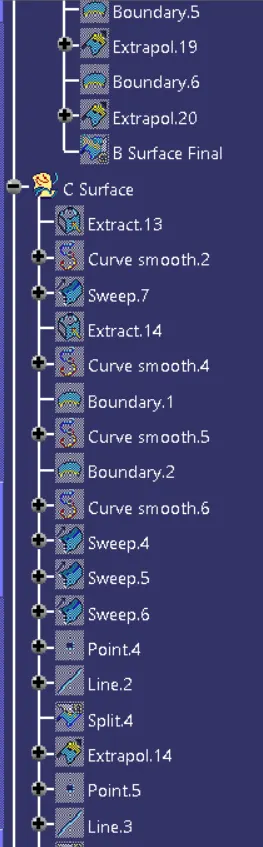
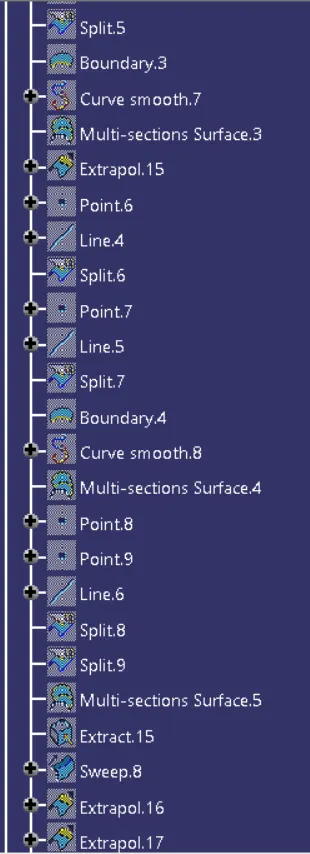
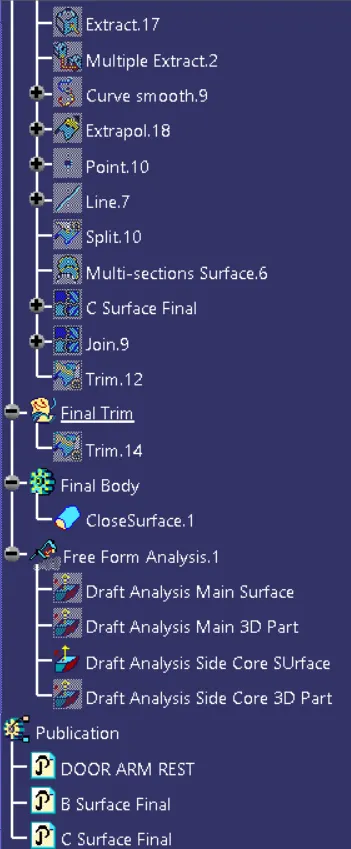
Fig. 14: Feature tree of Door Arm Rest
Conclusion: The Draft analysis of the Door Arm Rest was completed successfully and a solid part was made out of the given Class-A Surface.