Creating Bar Bending schedule, Different Door types, and Creation of standard drawing templates using AutoCad
1,
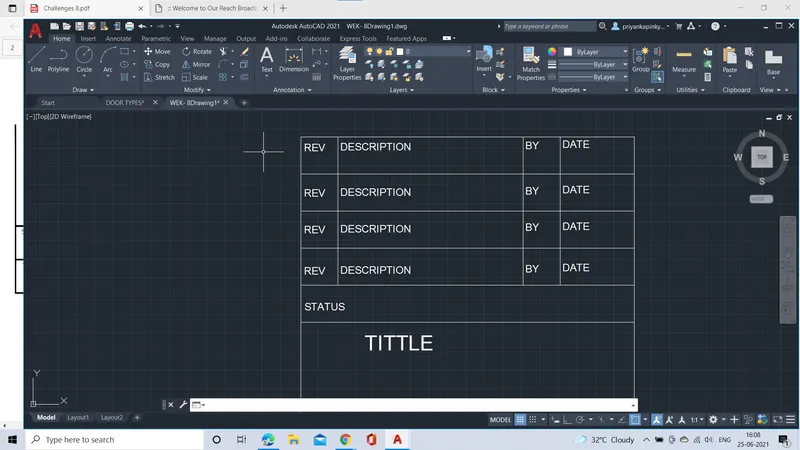
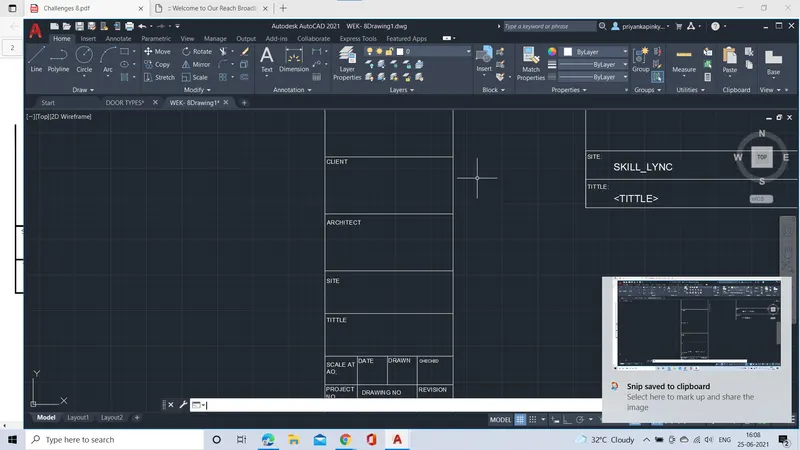
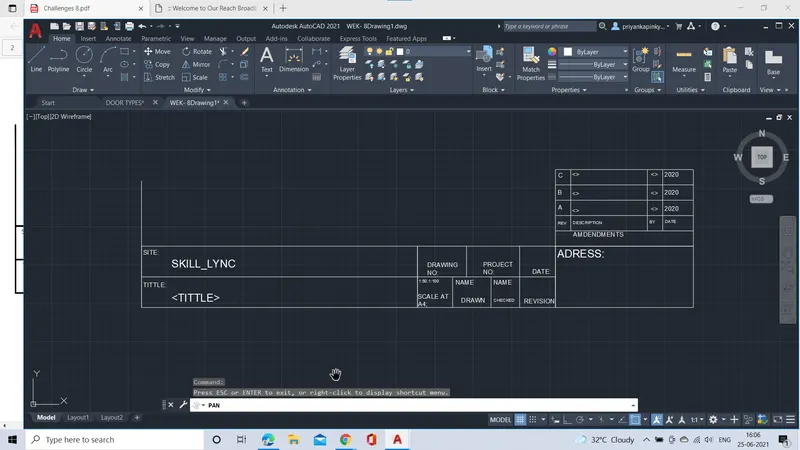
AIM:TO Create the templates as shown in the figure:
INTRODUCTION:
- The commands used for creating templates are;Line command and offset comand
- In order to create the blocks, we have to defiine the block from various ways such as;
- From RIBBON: INSERT> BLOCK DEFINITION> CREATE BLOCK.
PROCEDURE:
- Firstly set units of the Drawing sheet as Decimal type.
- Set the limits of the sheet as required.
- Then using the line command; specify the first point on the drwaing sheet.
- Then specify the distance of template in length and width with respectively.
- Draft the template with some offset distance of required space in order to create template.
- Use the text command and specify the text in the template box.
- After creating the template , create the blocks.
- Define the blocks using command prompt>>B.
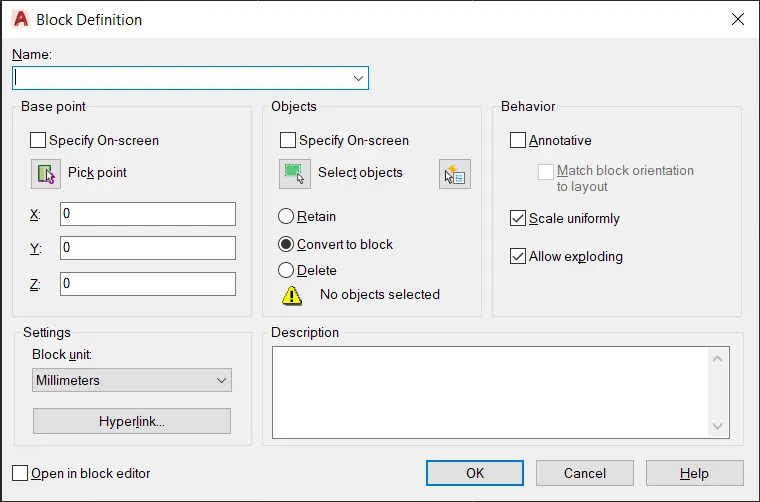
- Create the blocks, Name the block ;specify the base point; select the object.
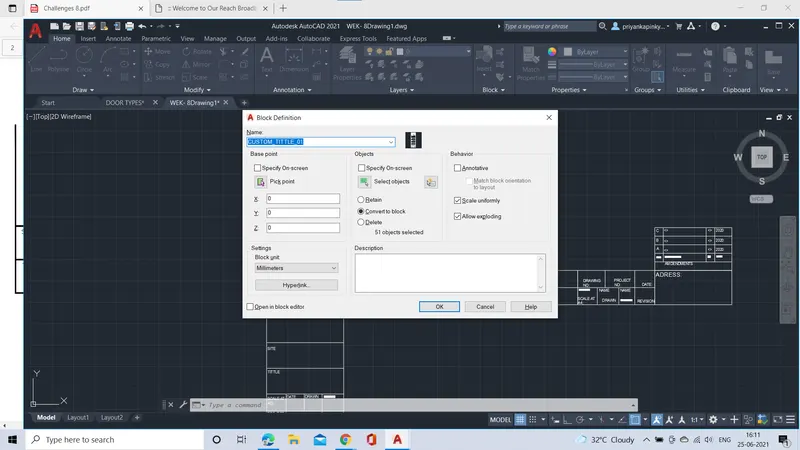
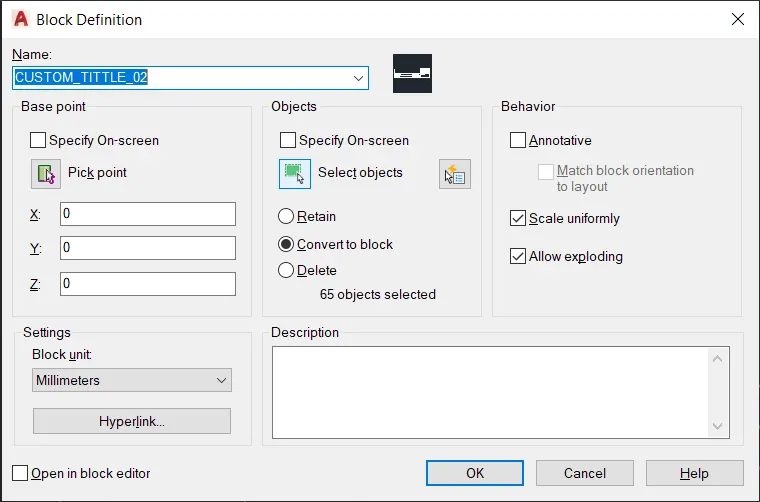
- Finally, The tittle blocks are created.
RESULT:
THE TEMPLATES HAVE BEEN CREATED AS BLOCKS WITH NAMES AS GIVEN IN FIGURE:
2,
AIM:To create the door types of given measurements and to create the blocks for the door types.
INTRODUCTION:
- The commands used for drafting door types are;Line command, rectangle command, offset and trim commands.
- In order to create the blocks, we have to defiine the block from various ways such as;
- From RIBBON: INSERT> BLOCK DEFINITION> CREATE BLOCK.
- From TOOL BAR AS : DRAW> make block and, from COMMAND PROMPT: B/BLOCK.
PROCEDURE:
- Firstly set units of the Drawing sheet as Decimal type.
- Set the limits of the sheet as required.
- Then using the line command; specify the first point on the drwaing sheet.
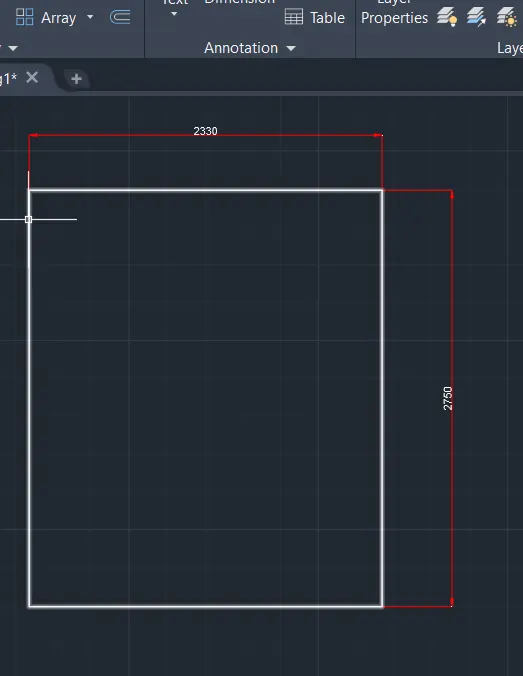
- Then specify the distance of 2330mm in length and 2750mm in width which forms a closed figure.
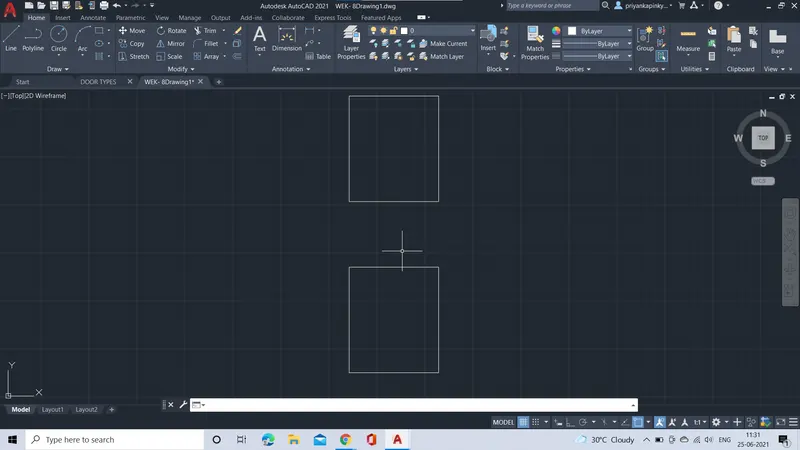
- THen using the copy tool, cpoy the object and displace the object with displacement of required distance.
- Using the rectangle coammand, create the rectangle and using other drafting tools such as offset, trim draft the design on the door as shown in the refered figure.
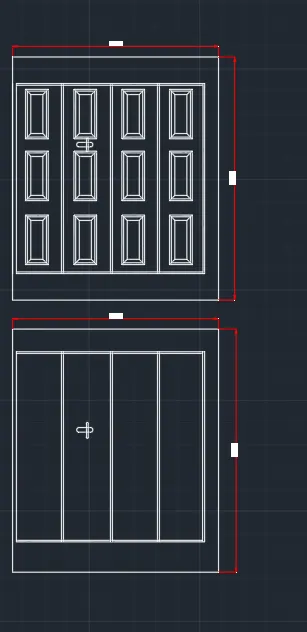
- Then using copy command, displace the design on the door neatly.
- Then after creating door types, Create the blocks for doors.
- Using command propmpt, define the block ( B).
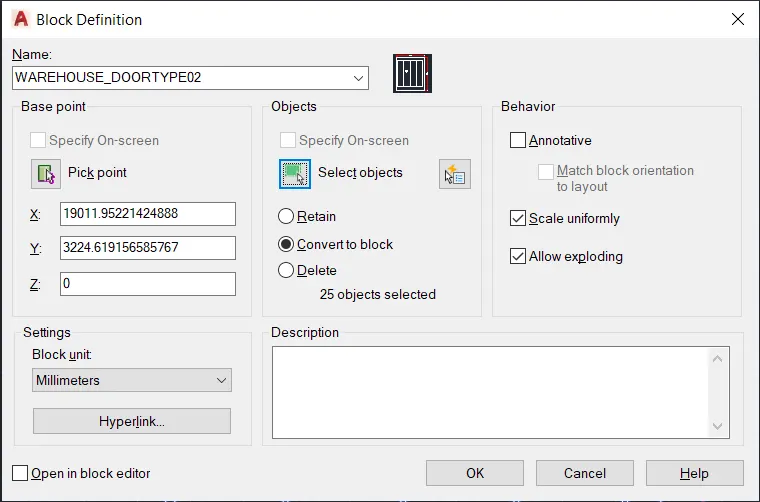
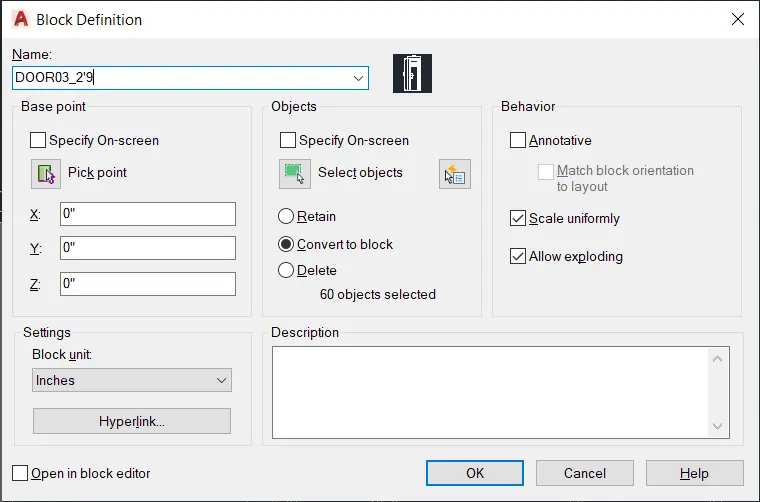
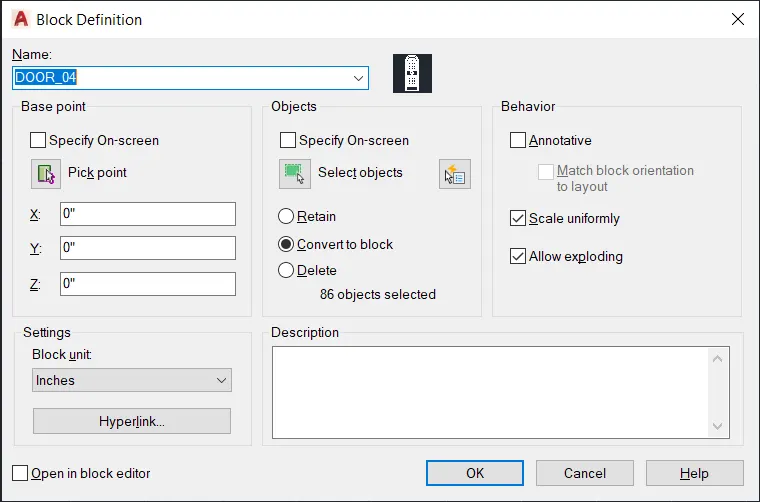
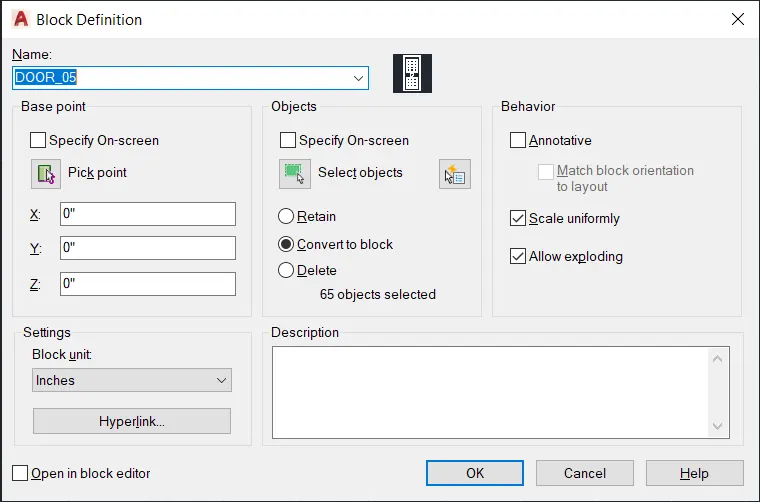
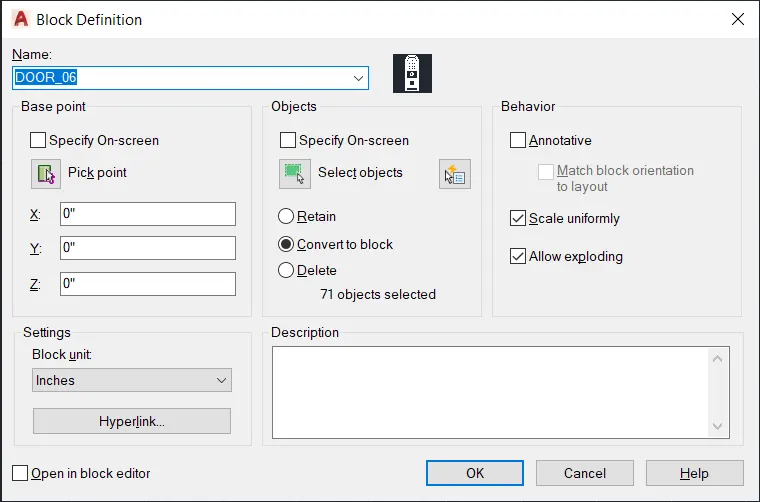
- Then the dialogue box of define block opens, then give the name of the block and give the base point >> slect object>>convert to block>> scale uniformly>>ok.
- Finally the block will be created for doors, In the same way create the another block for another door.
RESULT:
DOORTYPES:
BLOCK OF DOORTYPE01
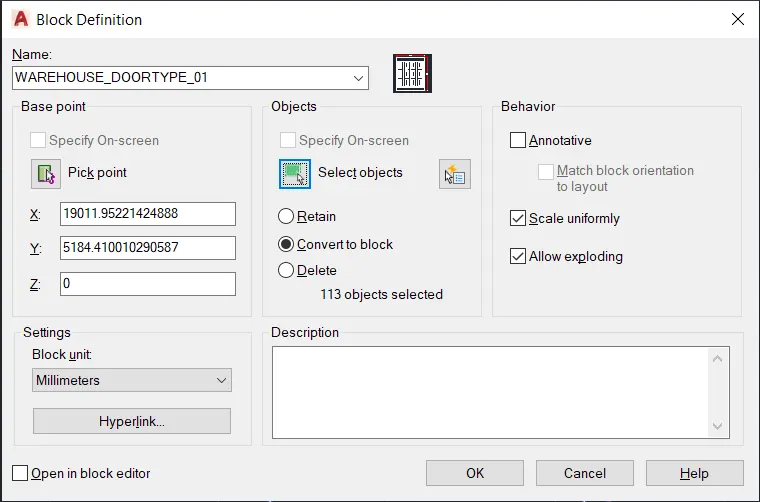
BLOCK OF DOORTYPE02
3,
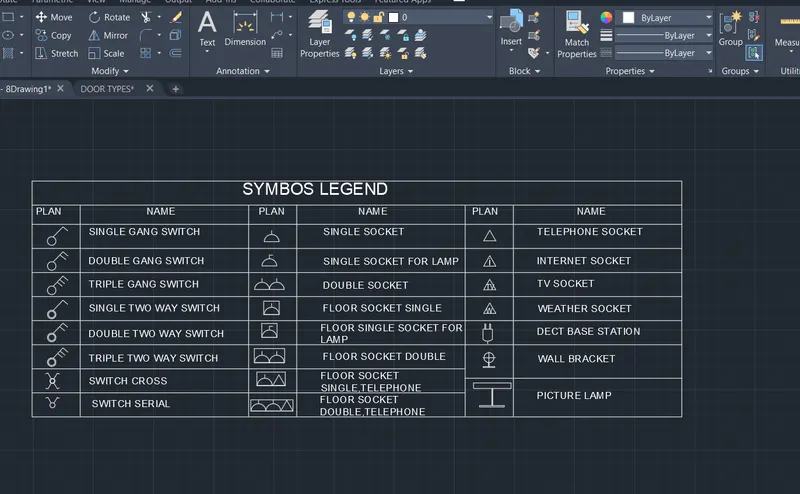
AIM:To Create the symbols as a block with the given name in the legend.
INTRODUCTION:
- The commands used for drafting symbols are;Line command, circle command, offset, trim and other commands.
- In order to create the blocks, we have to defiine the block from various ways such as;
- From RIBBON: INSERT> BLOCK DEFINITION> CREATE BLOCK.
- From TOOL BAR AS : DRAW> make block and, from COMMAND PROMPT: B/BLOCK.
PROCEDURE:
- Firstly set units of the Drawing sheet as Decimal type.
- Set the limits of the sheet as required.
- Then using the line command; specify the first point on the drwaing sheet.
- Draw the legend using the line command.
- Using required drafting tools create the symbols in the legend.
- Then after creating door types, Create the blocks for symbols in the legend.
- Using command propmpt, define the block ( B).
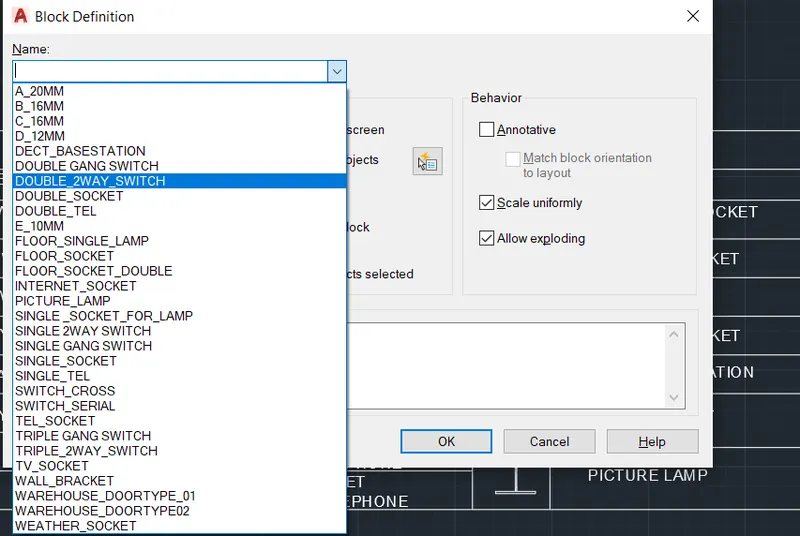
- Then the dialogue box of define block opens, then give the name of the block and give the base point >> slect object>>convert to block>> scale uniformly>>ok.
- Finally the blocks will be created for symbols with the name given in the legend .
RESULT:
SYMBOLS IN THE LEGEND
BLOCKS CREATED FOR THE SYMBOLS WITH THE NAMES
4,
AIM:TO Create the door types for residential buildings as a bolck
INTRODUCTIO:
- The commands used for drafting doortypes for residentail building are;Line command, circle command, offset, trim and other commands.
- In order to create the blocks, we have to defiine the block from various ways such as;
- From RIBBON: INSERT> BLOCK DEFINITION> CREATE BLOCK.
- From TOOL BAR AS : DRAW> make block and, from COMMAND PROMPT: B/BLOCK.
PROCEDURE:
- Firstly set units of the Drawing sheet as Engineering type.
- Set the limits of the sheet as required.
- Then using the line command; specify the first point on the drwaing sheet.
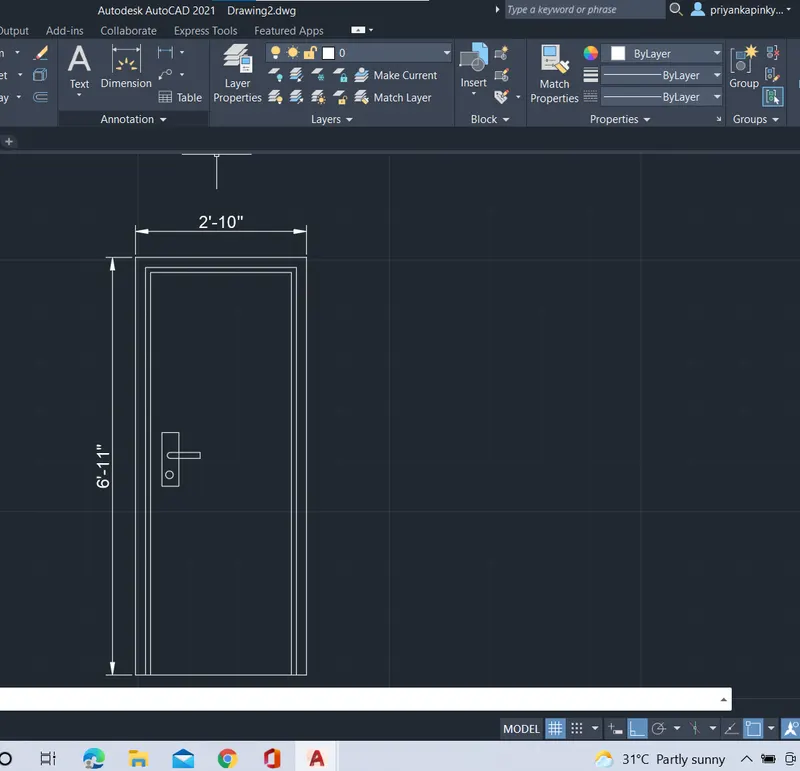
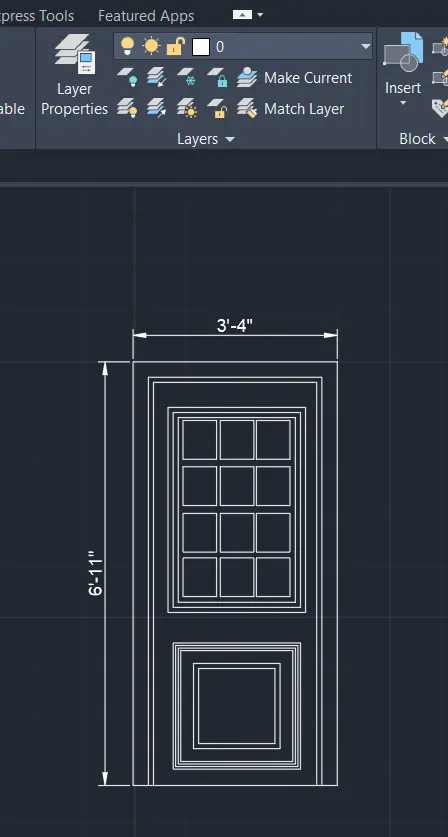
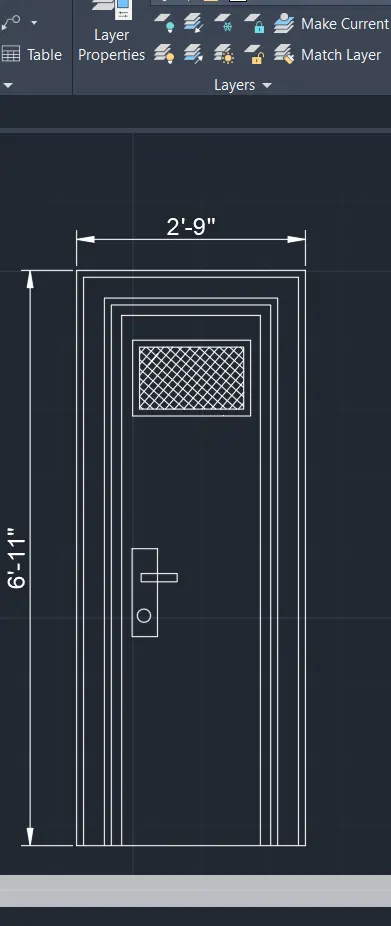
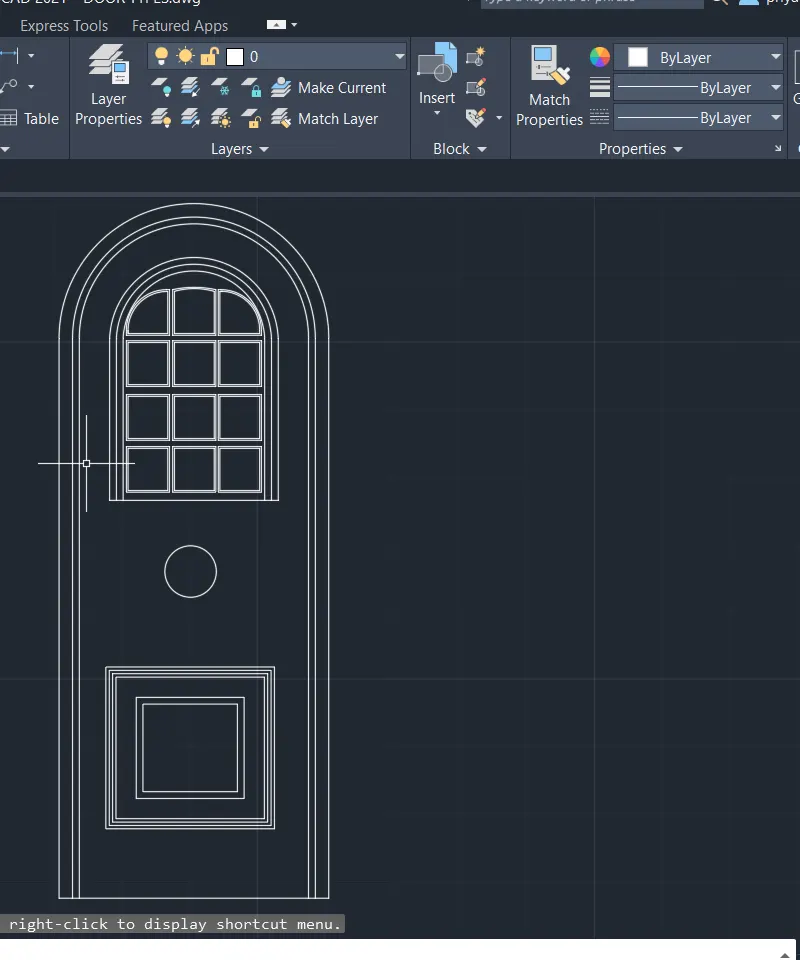
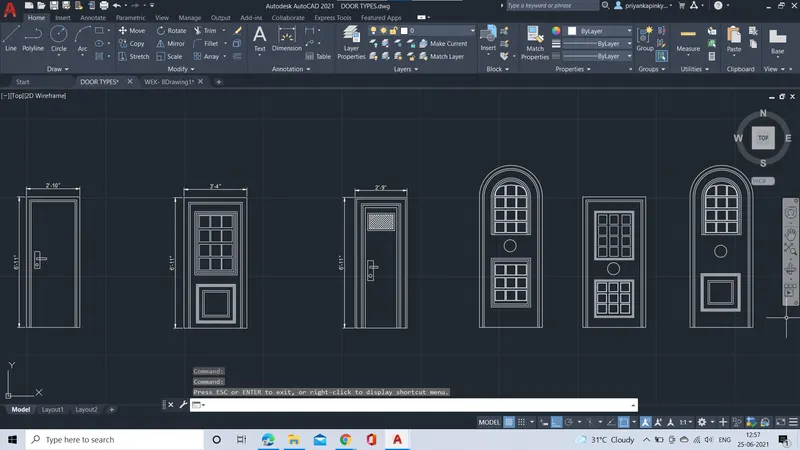
- Draft the outer dimensions of the door as height as 6'11" and with as 2'10" ; 3'4" and 2'9" for different door types and use standard dimension for remaining doors.
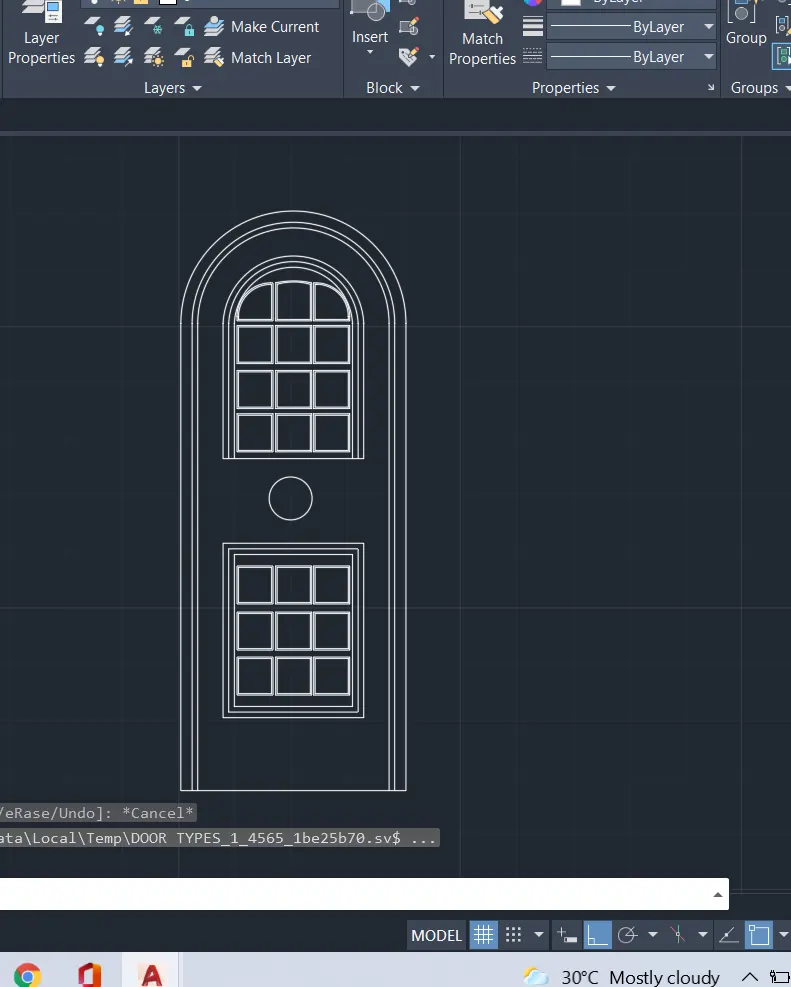
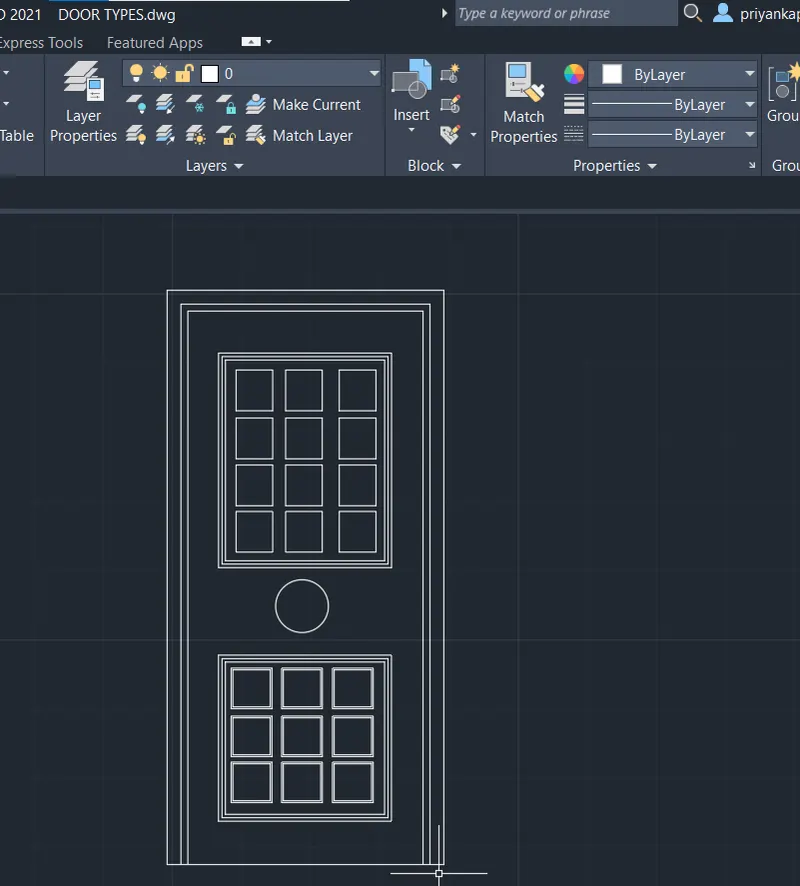
- Using drafting commands such as offset, trim, fillet, copy and other drafting tools create the door types.
- Then the doors types for residential buildings are D1,D2,D3,D4,D5 and D6.
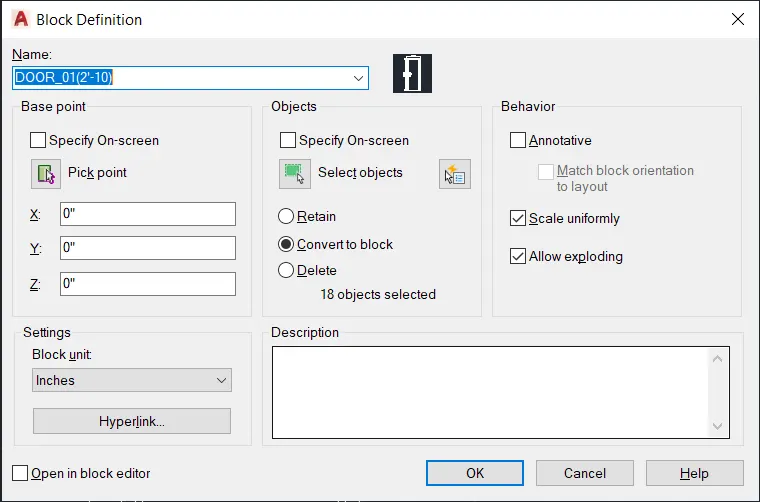
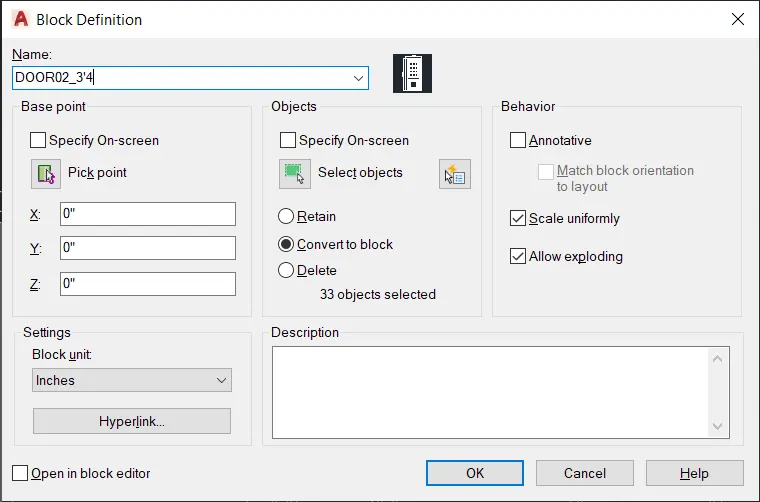
- Then after creating door types, Create the blocks for doors.
- Using command propmpt, define the block ( B).
- Then the dialogue box of define block opens, then give the name of the block and give the base point >> slect object>>convert to block>> scale uniformly>>ok.
- Finally the block will be created for doors, In the same way create the another block for another doortypes.
RESULT:
DOORTYPES D1,D2,D3,D4,D5 AND D6 AS BLOCKS.
5,
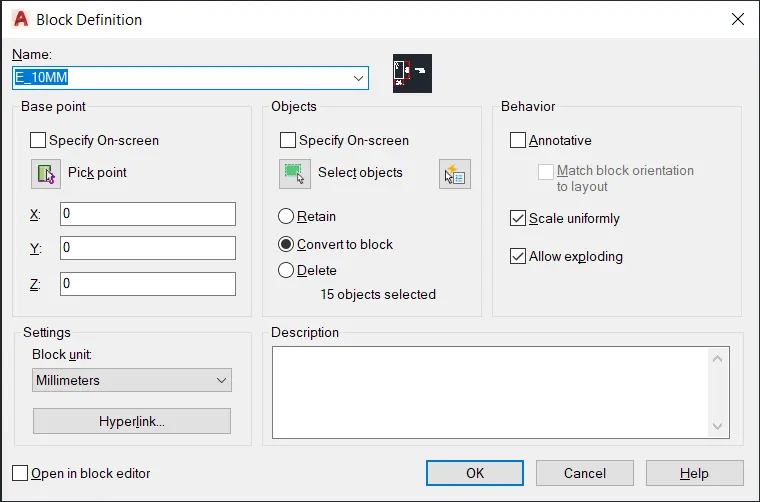
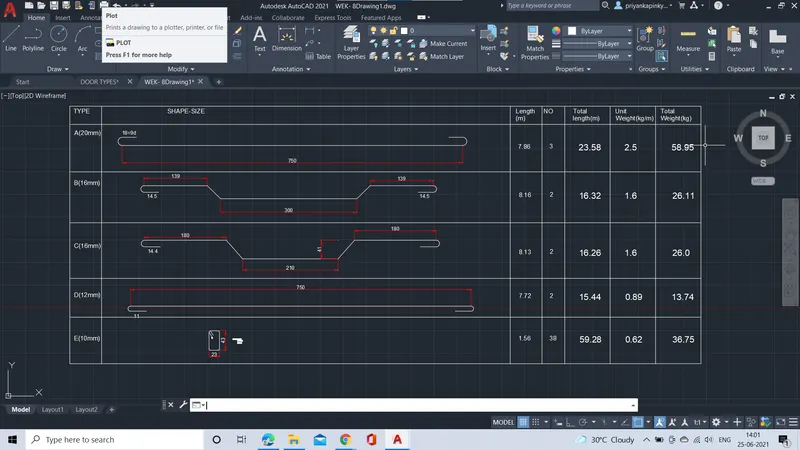
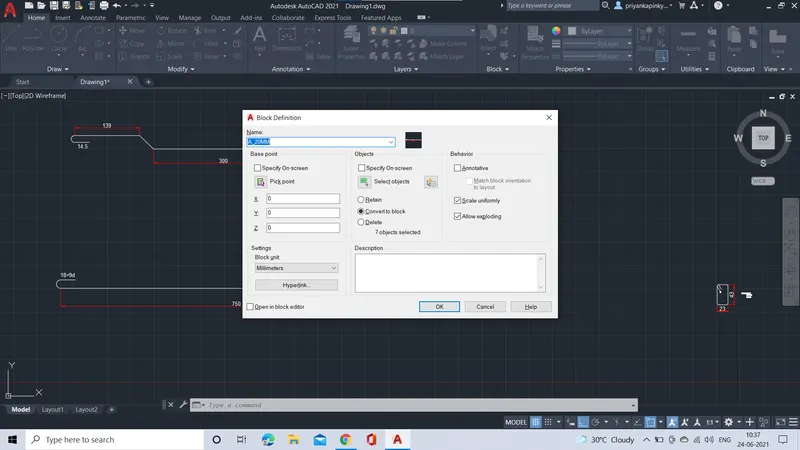
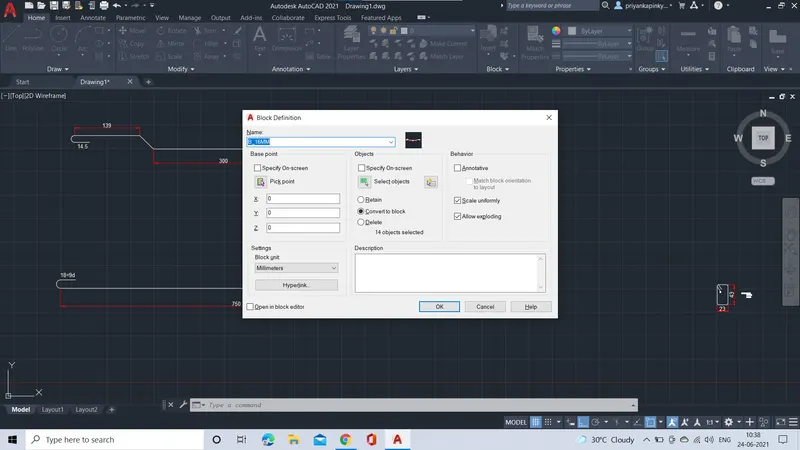
AIM:TO Create each shape and create as a bock and insert them into the table.
INTRODUCTION:
- The commands used for drafting shapes are;Line command and offset comand
- In order to create the blocks, we have to defiine the block from various ways such as;
- From RIBBON: INSERT> BLOCK DEFINITION> CREATE BLOCK.
- From TOOL BAR AS : DRAW> make block and, from COMMAND PROMPT: B/BLOCK.
- In order to insert the bolcks ; from COMMAND PROMPT: I.
ROCEDURE:
- Firstly set units of the Drawing sheet as Decimal type.
- Set the limits of the sheet as required.
- Then using the line command; specify the first point on the drwaing sheet.
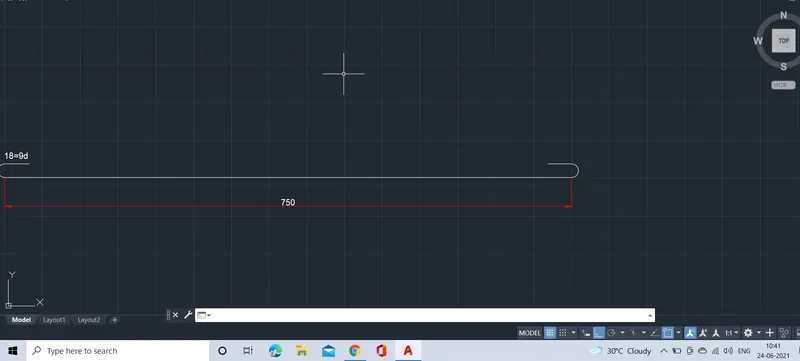
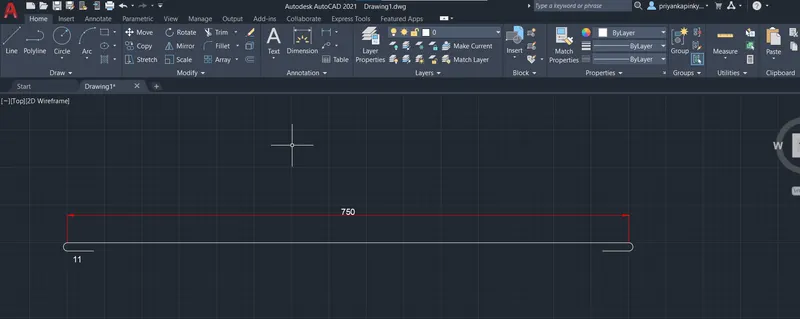
- Draw the line of length 750mm and create the hook of 18mmo bothsides.
- Draw the line of length 390mm and offset of 41mm and 139mm bendline on bothsides.
- Draw the line of length 210mm and offset of 41mm and 180mm bendline on bothsides.
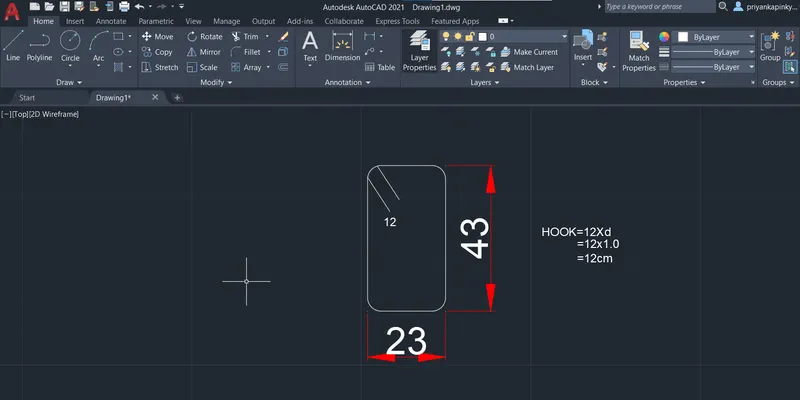
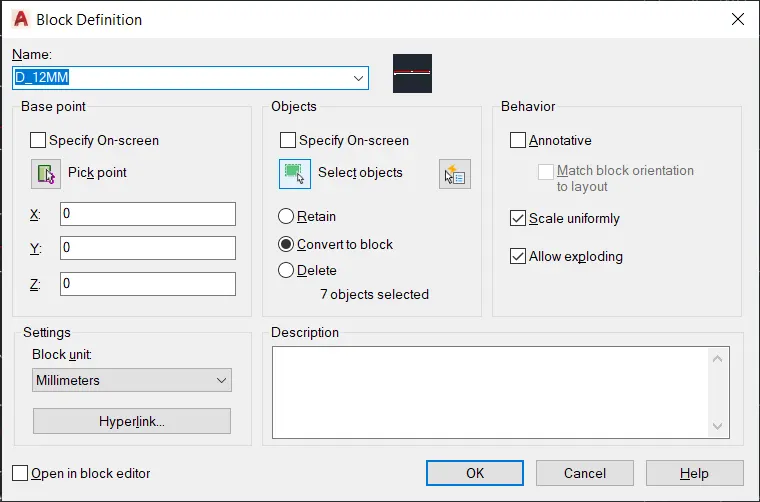
- Draw the strip up of length 23mm and 43mm with hook of 12mm dia.
- Then after creating shapes, Create the blocks for doors.
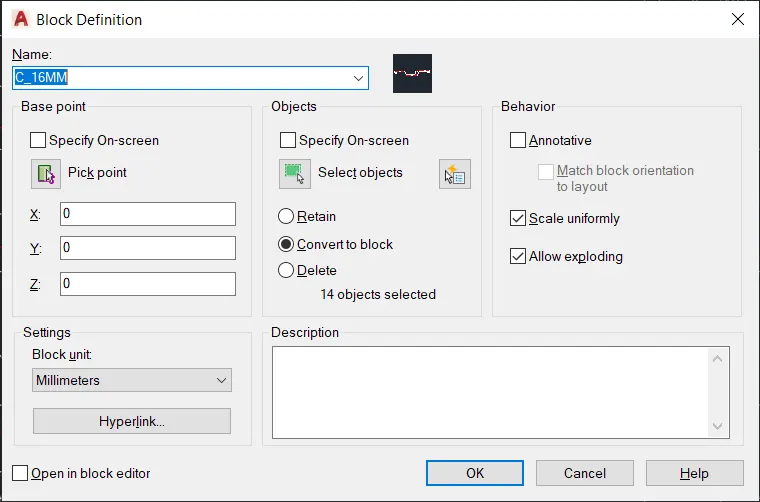
- Using command prompt, define the block ( B).
- Then after creating the blocks save the blocks and insert them.
- In the command prompt, give the command as 'I', Then give the insertion point and set the scale settings and give the rotation angle of the block.
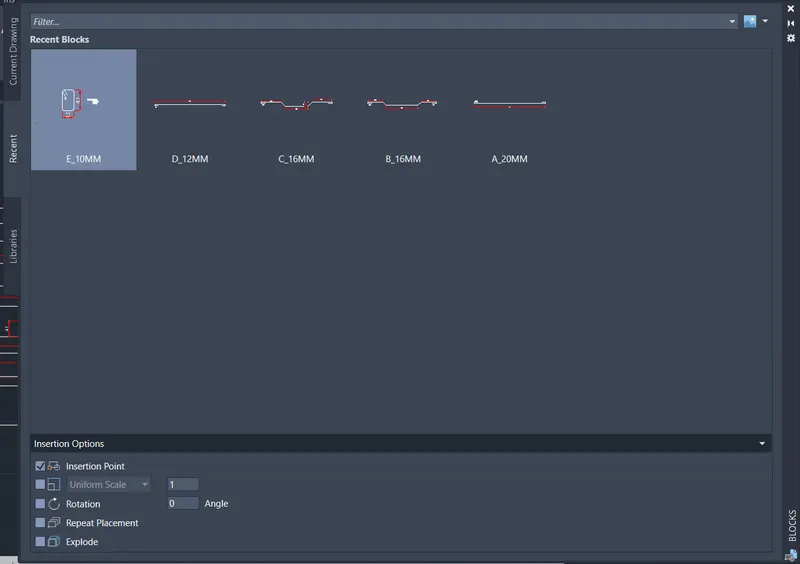
- Then the shapes will be inserted on the table.
RESULT:
SHAPE AS BLOCKS WERE INSERTED INTO THETABLE.
SAPES AS BLOCKS
A_20MM
B-16MM
C_16MM
D_12MM
E_10MM