Creating Architectural and Structural model with 3D rendering using REVIT
1) Select the type of structure you want to build from one of the three below:
a. Multi-Unit Residential Apartment
b. Office Buildings
c. School
aim:
Select the type of structure you want to build from one of the three below
* I choosed the office building to make their structure and arch / interior through the revit software , probably in office building some differ from house in this building we gonna make the workers cabin area , toilet , reception seating area for rest peoples ...
2) Assume reasonable assumptions for geographic and location details for your project modeling. Based on assumptions and type of structure selected identify the modeling requirements from NBC
aim:
Assume reasonable assumptions for geographic and location details for your project modeling. Based on assumptions and type of structure selected identify the modeling requirements from NBC
procedure:
im set the geographic location for the project modelling then we need to select element under nbc
the open space around the building should not less than 4.5m
now in my model it been more space than 4.5 m so its safe and it under nbc
the plot size is taken as 59m *59m
which is within the prescribed limit as per nbc
the height of the building should not less than 15 m
there is no need to make a stair for the below 15 m building
the width of road abutting building is taken as 9m which 30'
3) Using the structural model, include the following components based on the type of structure selected
a. Foundation – Isolated / Wall/Matt Foundation
b. Columns
c. Beams Connected to Columns
d. Roof Framing/ Truss
e. Floor / Decks
f. Floor Openings for Elevators and Stairs
aim:
Using the structural model, include the following components based on the type of structure selected
procedue:
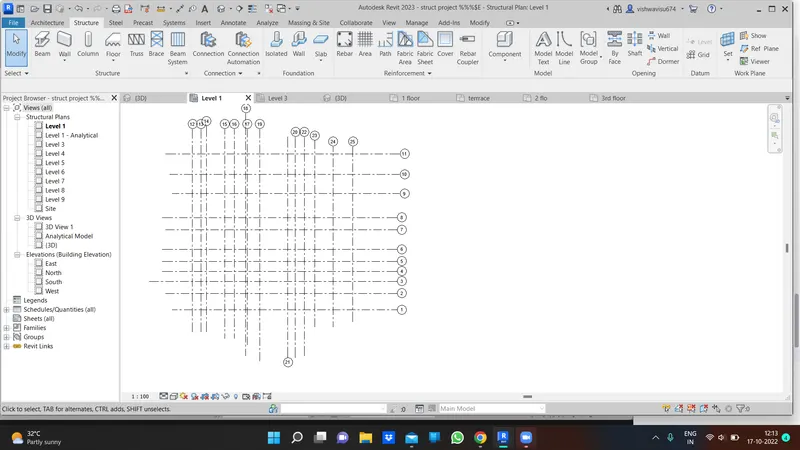
first i make the grids with appropriate measurements then i make the level for the office building ,since i create the multi storey i just open elevation and make the levels with my assumption . and i go to the coordinate under manage tab and i set the coordinate specify in the grid for future use.
* first i want to make the footing for the design so i made the footing and i connect into all the intersecting not at all intersection its depend upon my plan to make the footing
* now i make the column for each footing and placed it
* ONCE WE have done the footing and column the we have to do frame strc which means beam
and beams are connected to the top of the column
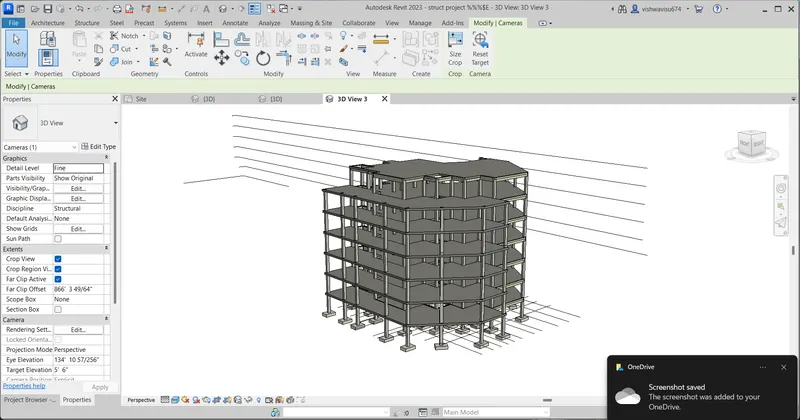
once we have cmplt all this then we have to put a slab on it so i make the slab and lay on the top of the beam atlast i have done the strc model now we need to create the multi because we choose office building it compriesed of many storeys now we have to filter it and the copy it and make it arrange untill its end so now we have created the strc model for office building
along with this we have to create the shaft opening to the building for the lift it is mainly for physcically challenged people
need to some opening for stair ..
result:
grids :
3d skeleton model :
4) Using the architectural model, include the following components based on the type of structure selected
a. Wall Layout with appropriate material and finishing
b. Exterior façade with fancy finish
c. Interior partition walls to size rooms
d. Components to add details to a room ( Desk, Chair, Lighting, Plumbing fixtures)
e. Add components such as stairs Elevators
f. Have at-least one side of the building with curtain walls and glass panels
g. Include interior and exterior lighting fixtures
h. Place proper topographic components from outside ( Trees, Parking, Plants) to add details to the model
aim:
Using the architectural model, include the following components based on the type of structure selected
a. Wall Layout with appropriate material and finishing
b. Exterior façade with fancy finish
c. Interior partition walls to size rooms
d. Components to add details to a room ( Desk, Chair, Lighting, Plumbing fixtures)
e. Add components such as stairs Elevators
f. Have at-least one side of the building with curtain walls and glass panels
g. Include interior and exterior lighting fixtures
h. Place proper topographic components from outside ( Trees, Parking, Plants) to add details to the modelUsing the architectural model
procedure :
first i insert the struct file into the revit link
as strct model with grid and then what have been we done has given below :
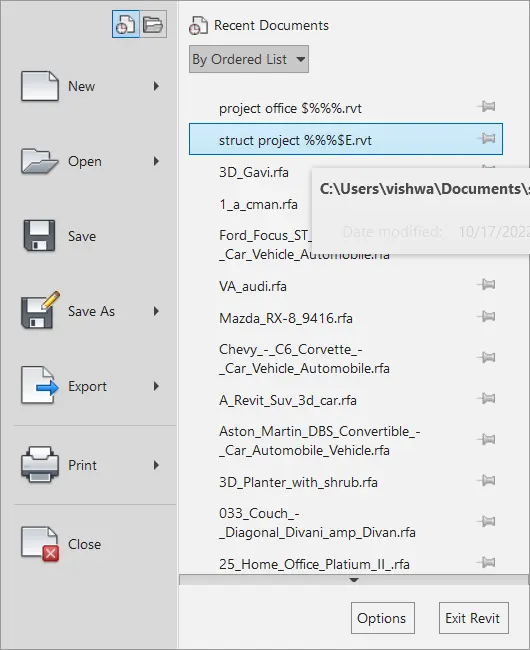
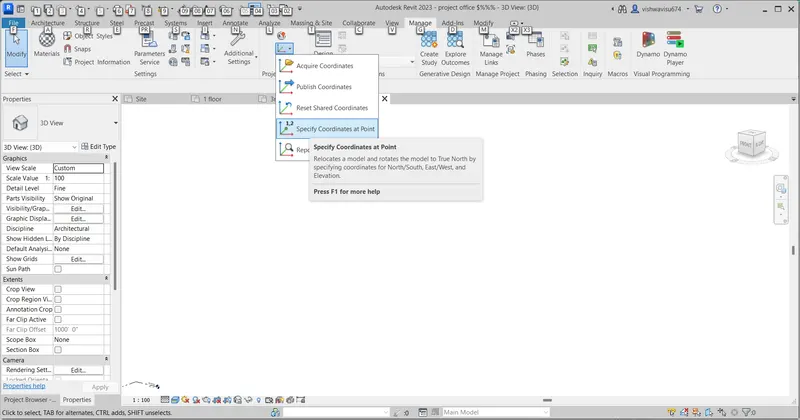
copy monitor is used to break the link of the struct and select those object which we inserted
since we use the ref to draw the archi model we did these
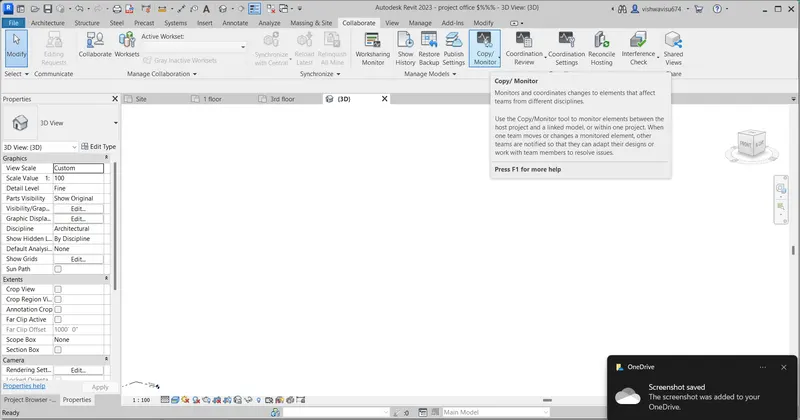
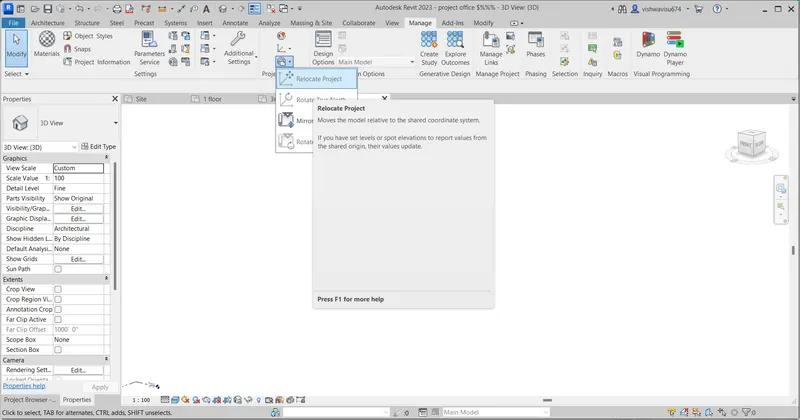
once we place the grids on the archi tab it will not in the correct position we need to fix by use this coordinates to did that .
and also we use this for arrange the coorinates in the correct position .
a. Wall Layout with appropriate material and finishing
b. Exterior façade with fancy finish
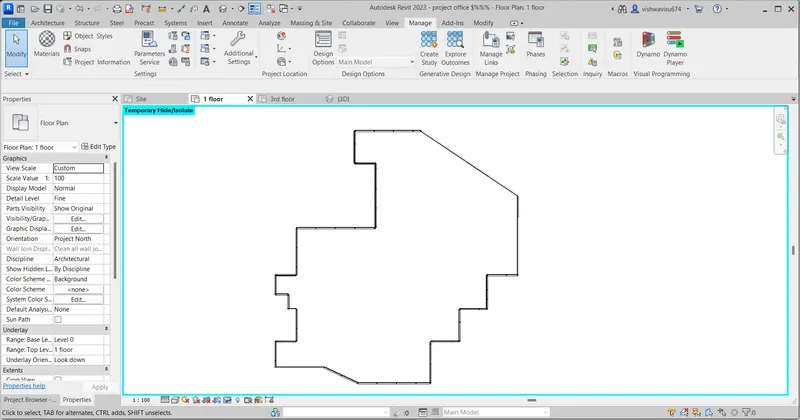
c. Interior partition walls to size rooms
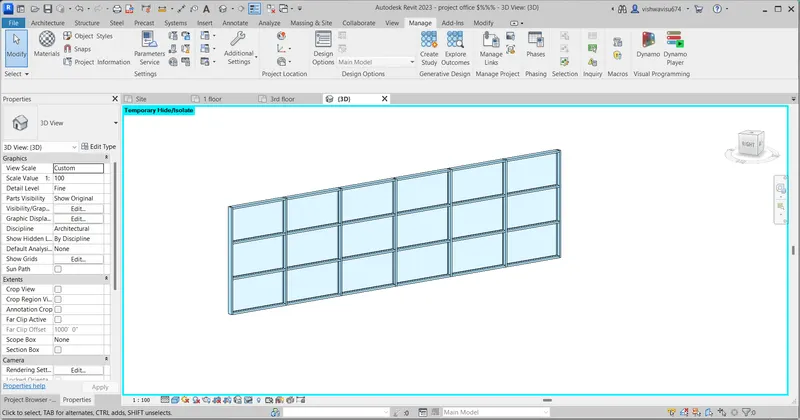
d. Components to add details to a room ( Desk, Chair, Lighting, Plumbing fixtures)
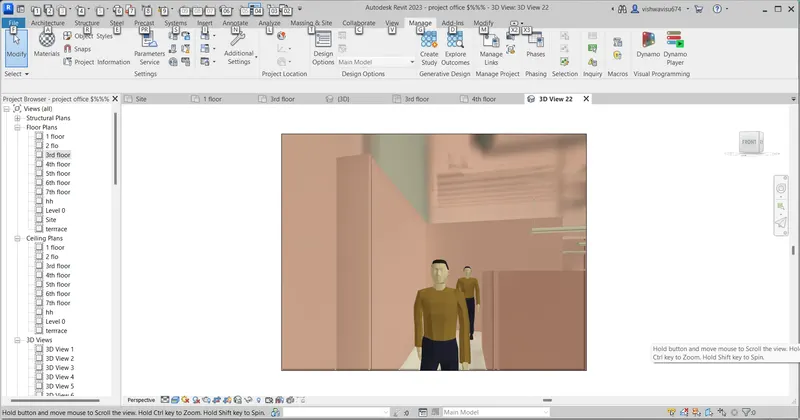
e. Add components such as stairs Elevators
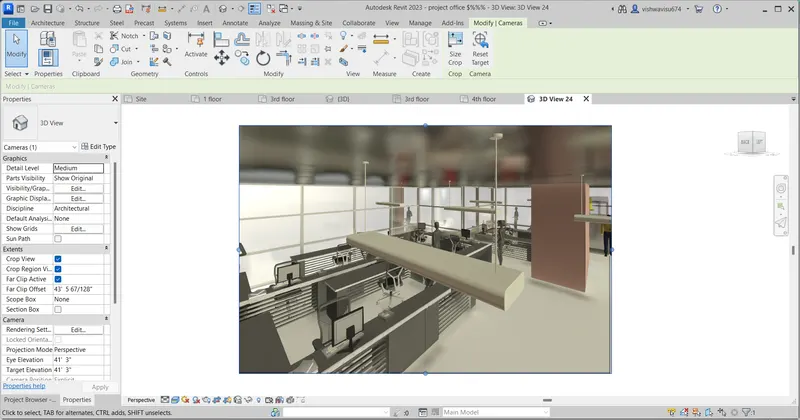
f. Have at-least one side of the building with curtain walls and glass panels
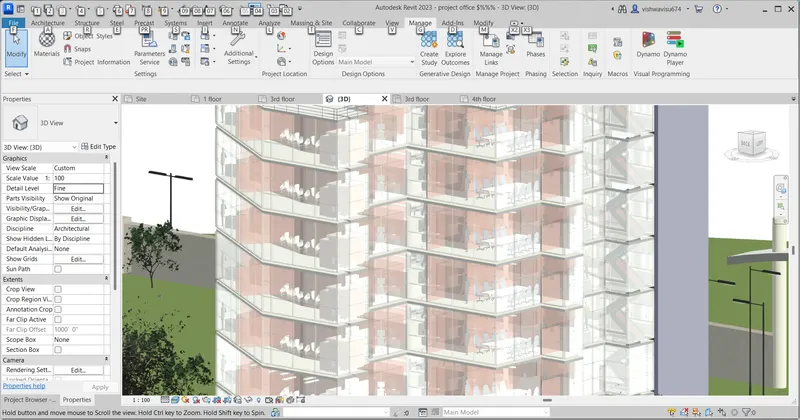
g. Include interior and exterior lighting fixtures
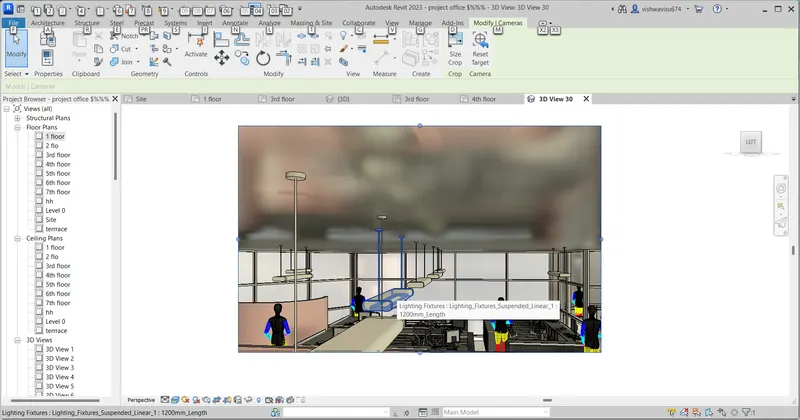
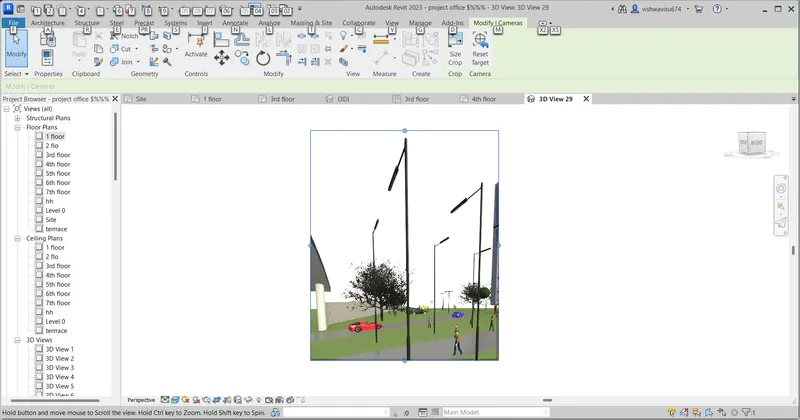
h. Place proper topographic components from outside ( Trees, Parking, Plants) to add details to the modelUsing the architectural model
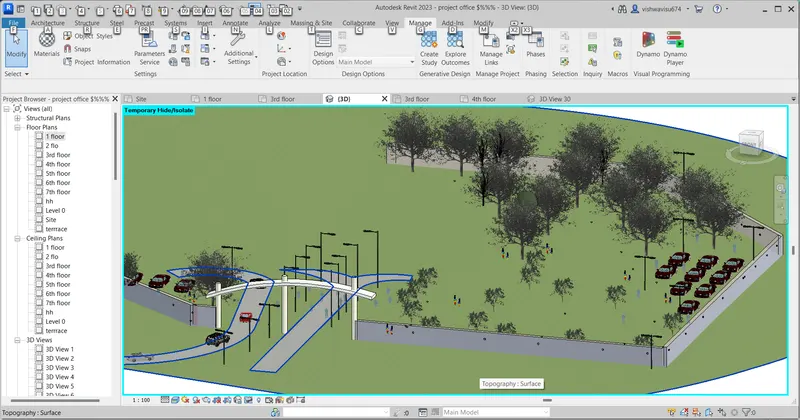
result:
*first i draw the with appropriate structure we use strutc model as ref to draw this
* in these i used curtain walls instead of normal wall because curtain will enhance the aesthetics
some model in place i used this for create the elevation to look better
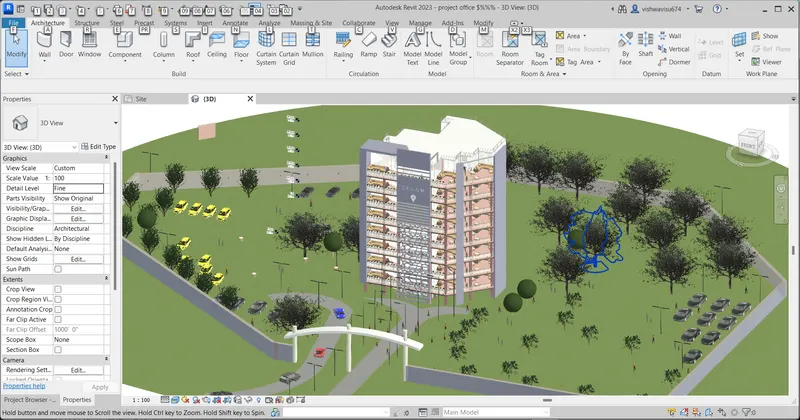
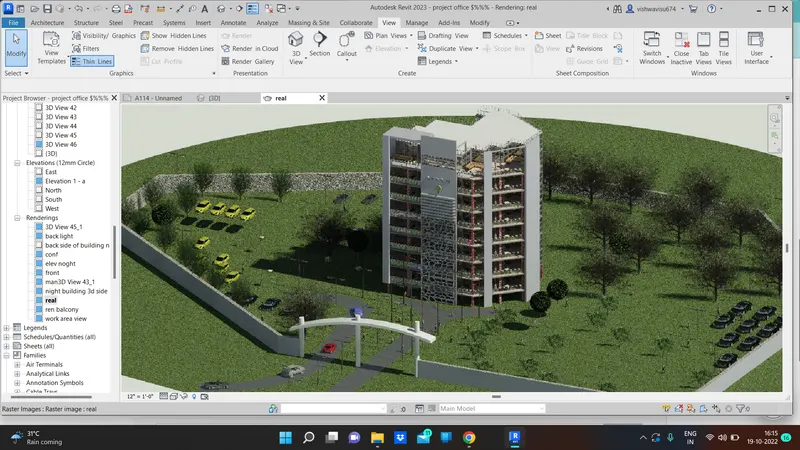
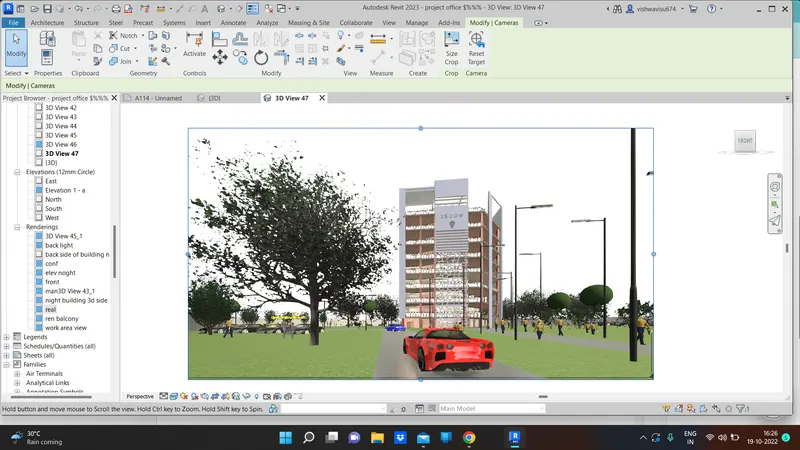
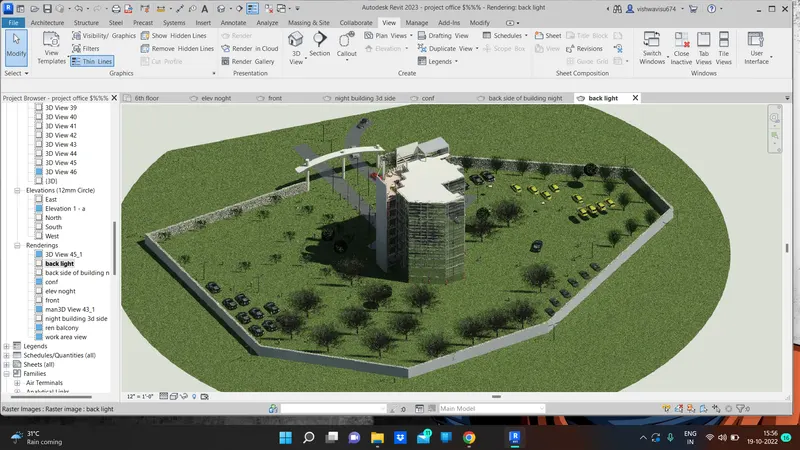
*i make topo graphy and some bim objects i will insert so it will gives the realistic view
and it is very beautiful we look at it
some light are fixed in the interior and exterior
stair case and lift has developed using shaft opt
some paint and material browser to enhace the aesthetica
3d model name has use for the title of the building
buildng with consistent colour
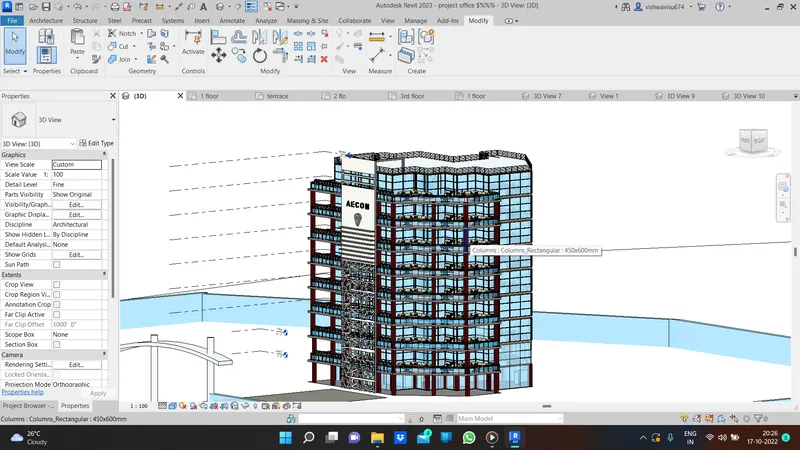
its my building seperate view without trees park etc..
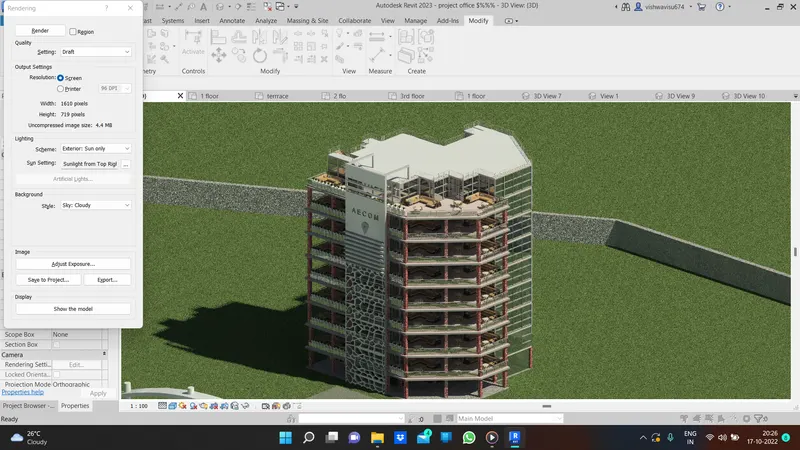
my building with topo facility ;
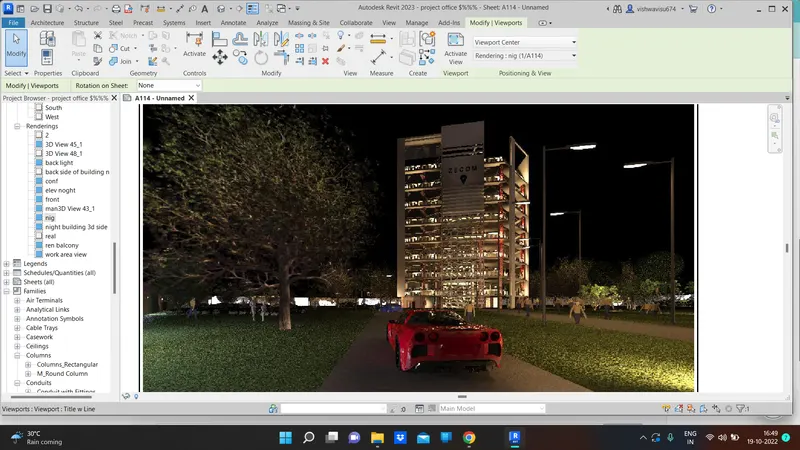
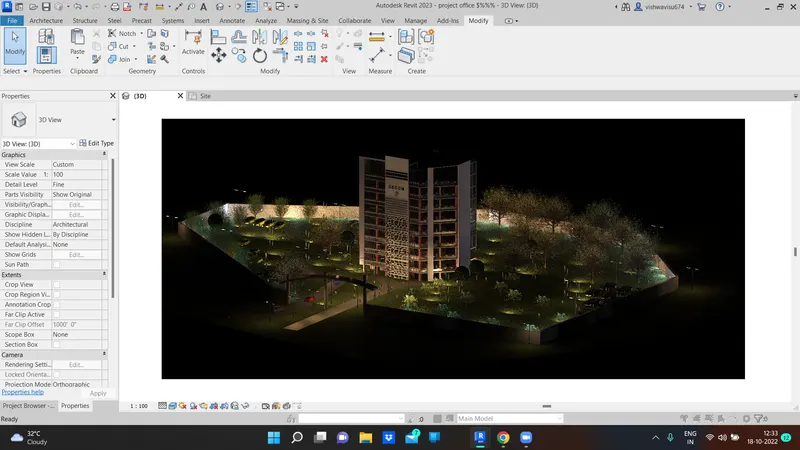
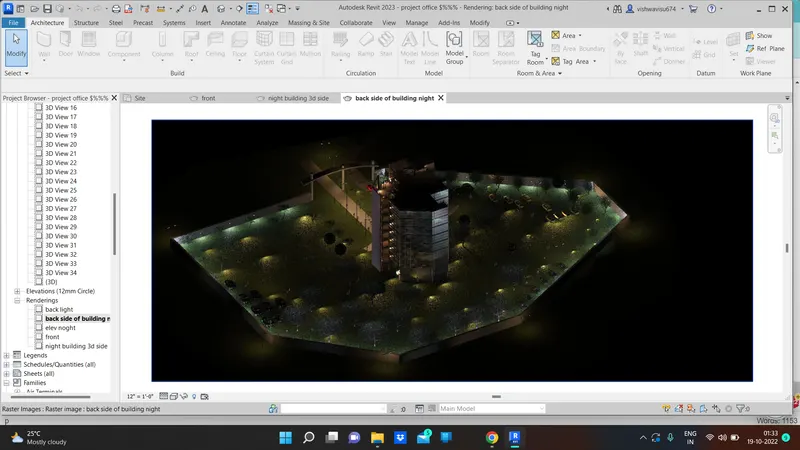
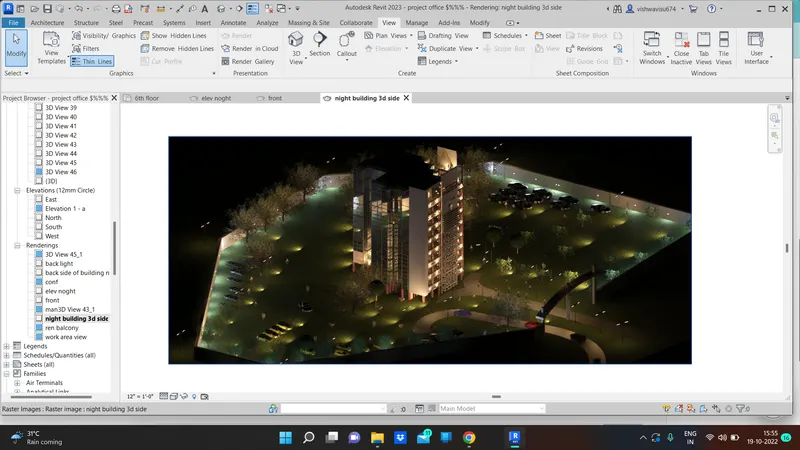
5) Provide a set of drawings in an architectural and structural model to list the following details with categories and appropriate sheet templates included
a. Floor Plans with Annotations
b. Elevations
c. Sections
aim:
Provide a set of drawings in an architectural model to list the following details with categories and appropriate sheet templates included
procedure:
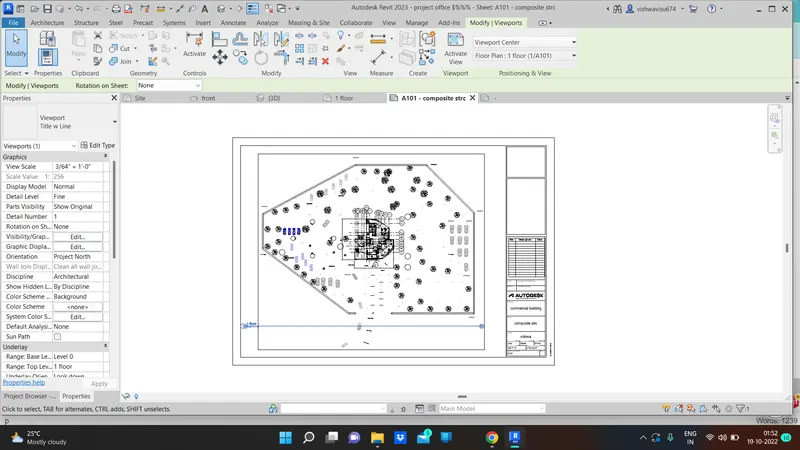
the ques is to create the sheet and insert the floor plan sectio elevation floor plan ,
now first go to the archi model take the floor plan annotate it and go to view tab
open the sheet and drag the floor plan in project browser
set the scale and adjust the view in the sheet for better look
this same procedure we need to done in all set
a.floor plan with annotation
ans :
take the floor plan and annotate it and insert into the sheet
ans i edit the sheet with approprite name and
made the sheet with paln (floor)
result:
sheet with floor plan .
b. Elevations
ans:
to create the elevation and insert into the sheet under view tab.
RESULT:
first we need to set the elevation under view tab
then open the sheets and insert the eleavtion through the proj browser
set the appropriate scale for that view
and the sheets give some information regarding project
elevation procedure pic :
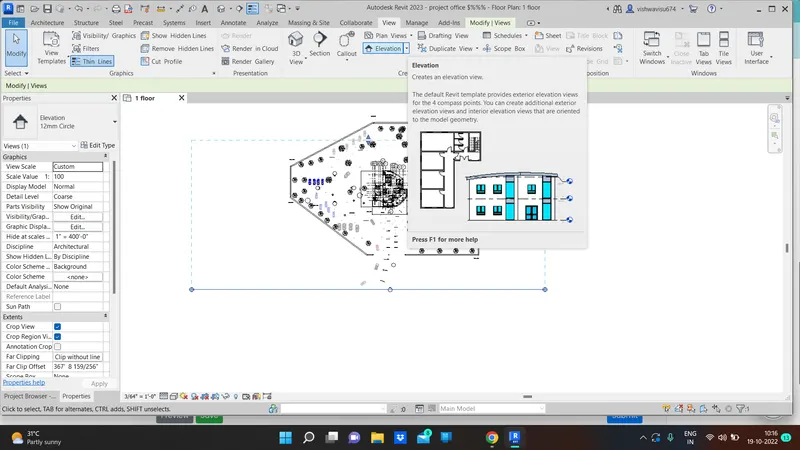
sheets with front elevation
c. Sections
ans:
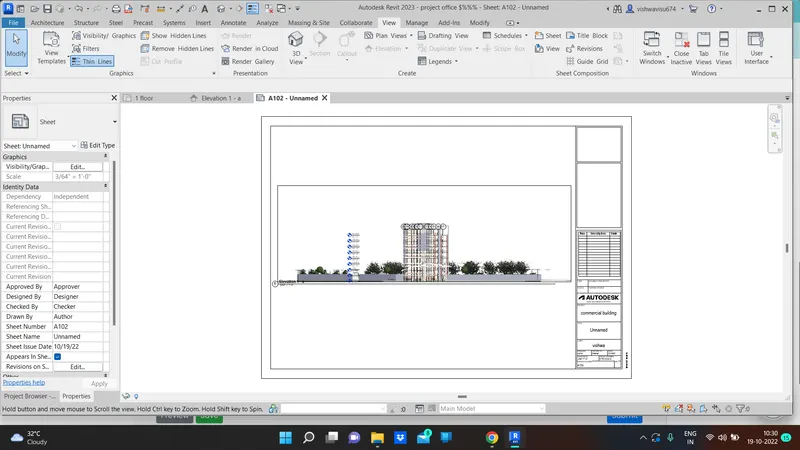
to create the section and insert into the sheet under view tab.
RESULT:
first we need to set the section under view tab
then open the sheets and insert the section through the proj browser
set the appropriate scale for that view
and the sheets give some information regarding project
and further i attach two section views either one is about longitudinal
and another one is transverse
section made on the ff -plpan pic
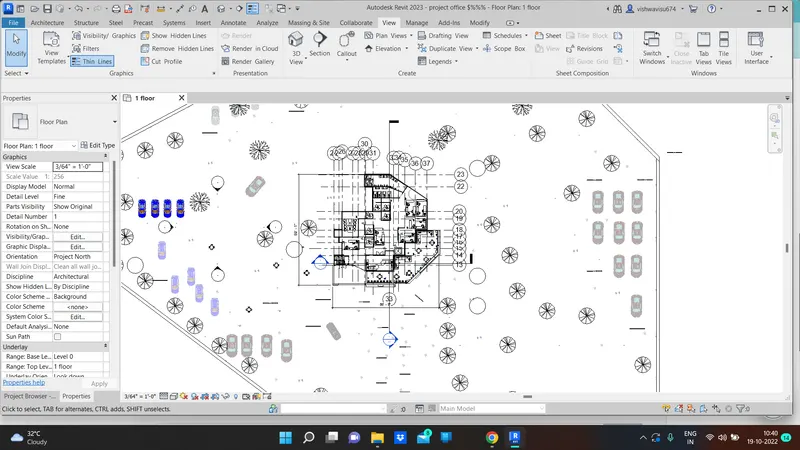
section view both ,in in the sheet :
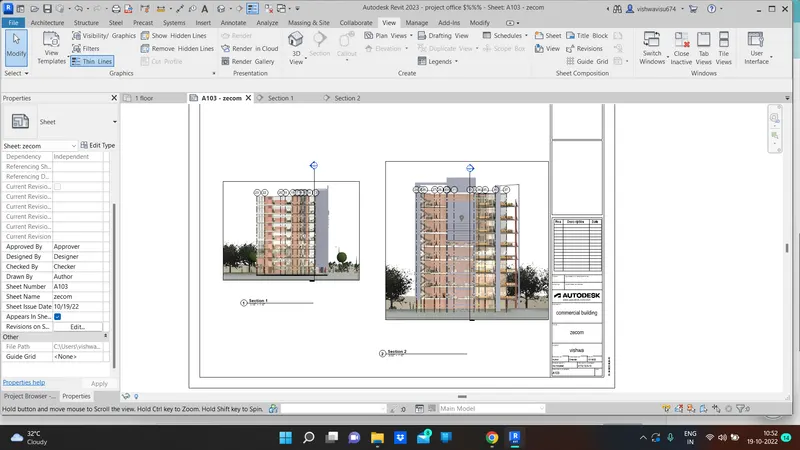
next step now i gonna make the structural model in the sheets with section , elevation what ever they give im gonna carry out through the revit
aim:
Provide a set of drawings in structural model to list the following details with categories and appropriate sheet templates included
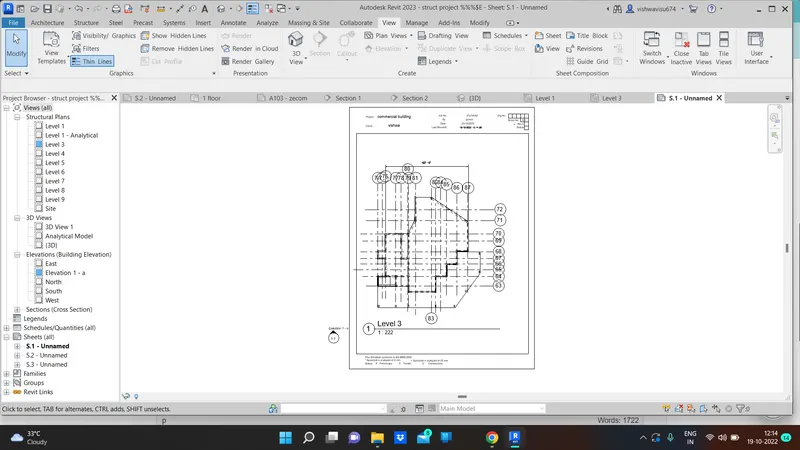
procedure:
the ques is to create the sheet and insert the floor plan sectio elevation floor plan ,
now first go to the structural model take the floor plan annotate it and go to view tab
open the sheet and drag the floor plan in project browser
set the scale and adjust the view in the sheet for better look
this same procedure we need to done in all set
a.floor plan with annotation
ans :
take the floor plan and annotate it and insert into the sheet
ans i edit the sheet with approprite name and
made the sheet with paln (floor)
sheet with floor plan:
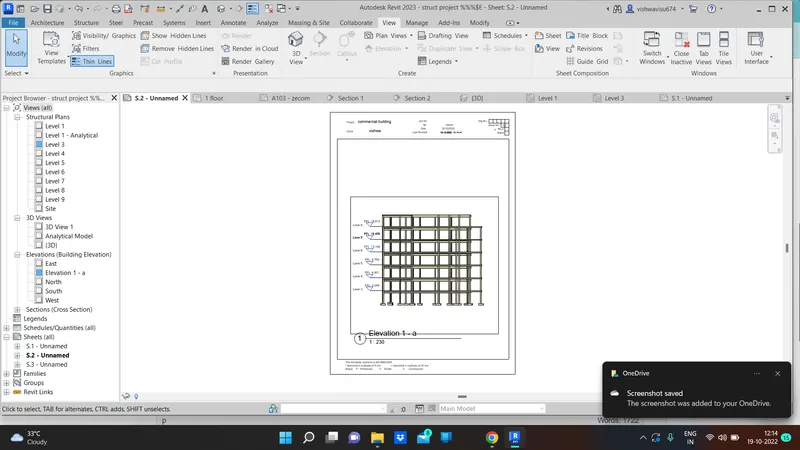
b.Elevations
ans:
to create the elevation and insert into the sheet under view tab.
RESULT:
first we need to set the elevation under view tab
then open the sheets and insert the eleavtion through the proj browser
set the appropriate scale for that view
and the sheets give some information regarding project
elevation procedure pic :
c. Sections
ans:
to create the section and insert into the sheet under view tab.
RESULT:
first we need to set the section under view tab
then open the sheets and insert the section through the proj browser
set the appropriate scale for that view
and the sheets give some information regarding project
and further i attach two section views either one is about longitudinal
and another one is transverse
section made in sheet :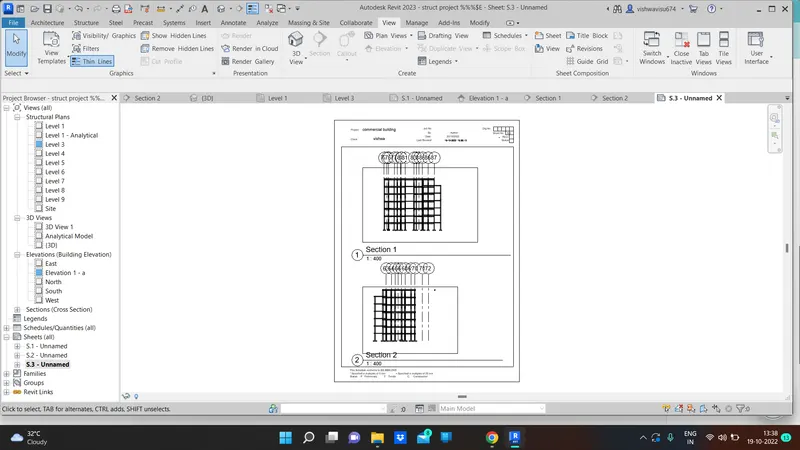
6) Using the Rendering settings, Render images of the 3D model produced and include the rendered images to the drawing sheets
a. Rendering from interior rooms
b. Rendering from out showing topographic features
c. Rendering through structural framing
aim:
Using the Rendering settings, Render images of the 3D model produced and include the rendered images to the drawing sheets
procedure:
as the procedure what we did in the before question we do a same thing here
a. Rendering from interior rooms
ans:
as per the aim we need to create the sheet and insert the 3d model image with rendered pic
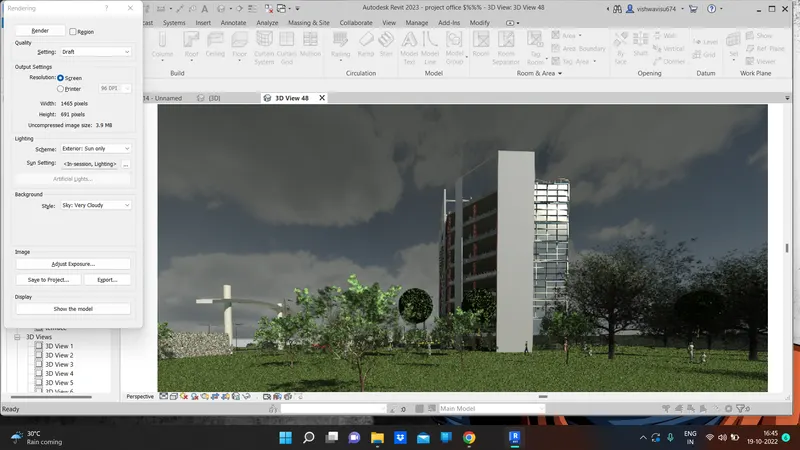
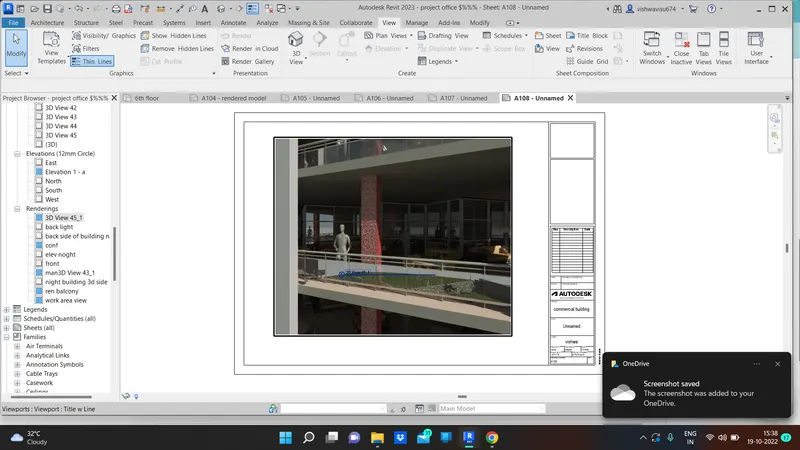
first we need to select some camera view in our desired position next we go to click the view that the render option is there under a view tab so first we click the render and the dialog box will appear at the screen which we see the before going to press the render button we need to set the high medium opt and if we want the building is whether it would be a night view or sunlight view IE if i choose exterior artificially only option it will show the night time model
result:
Rendering from interior rooms
open the sheet and insert the saved render pics
pic1 with sheet
working area :
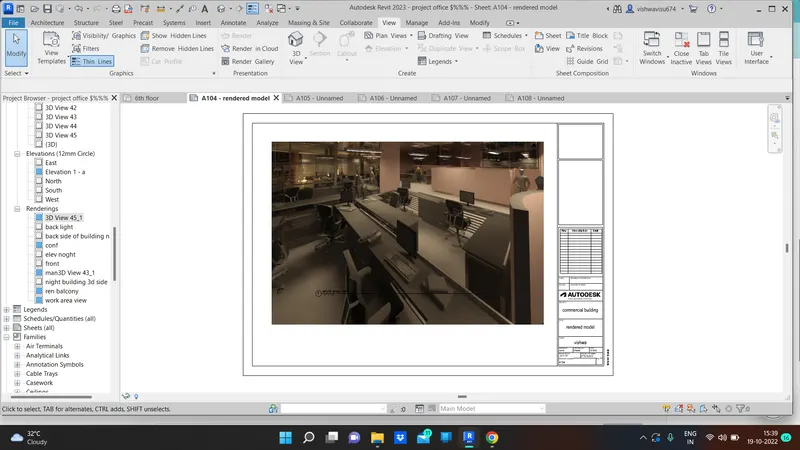
balcony interior :
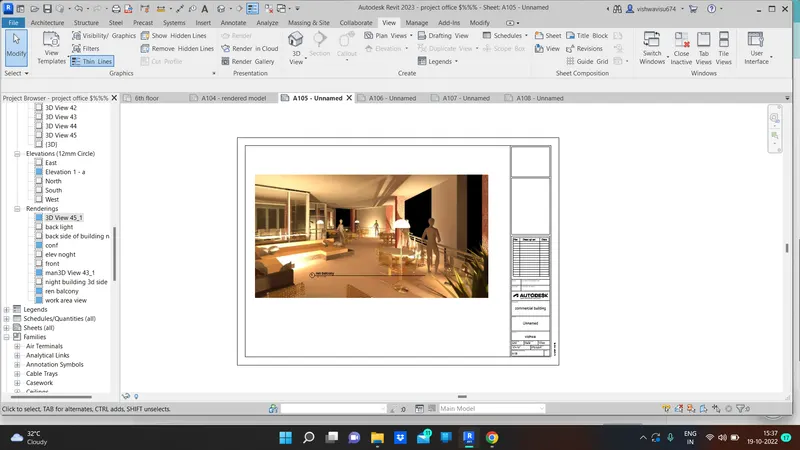
conference hall:
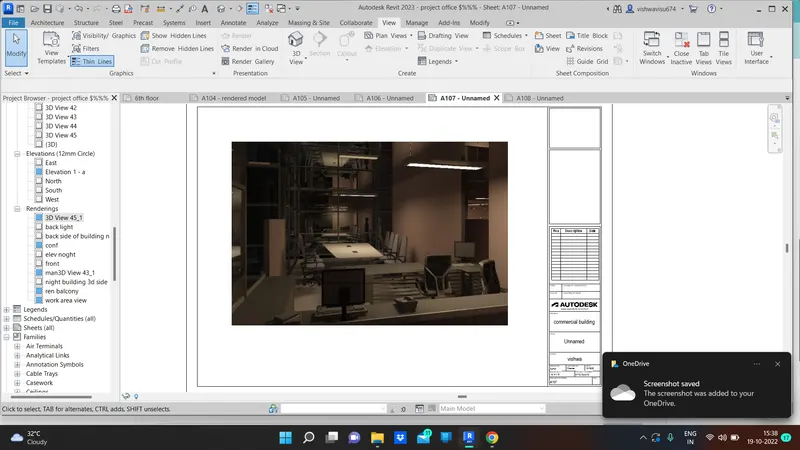
manager room:
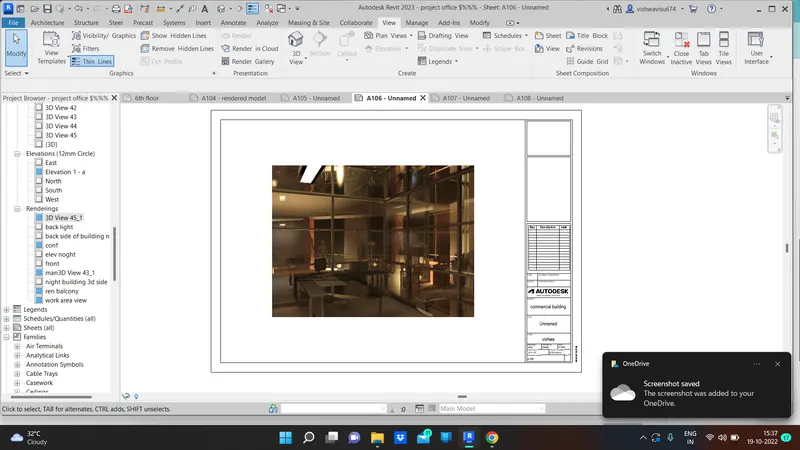
balcony from outside :
toilet for workers: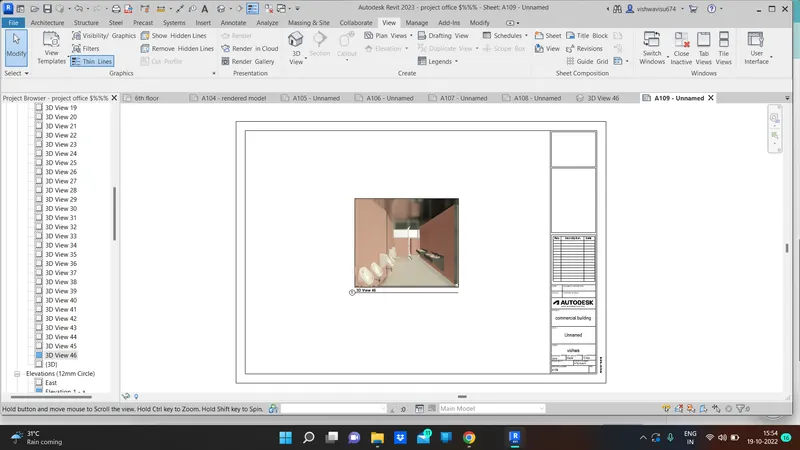
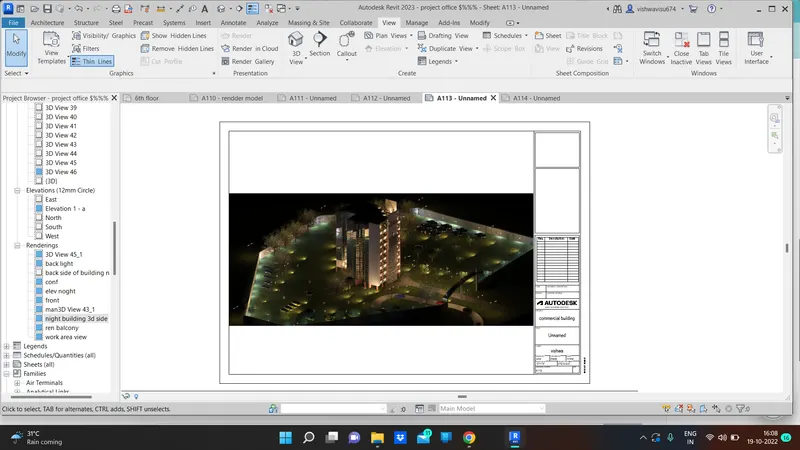
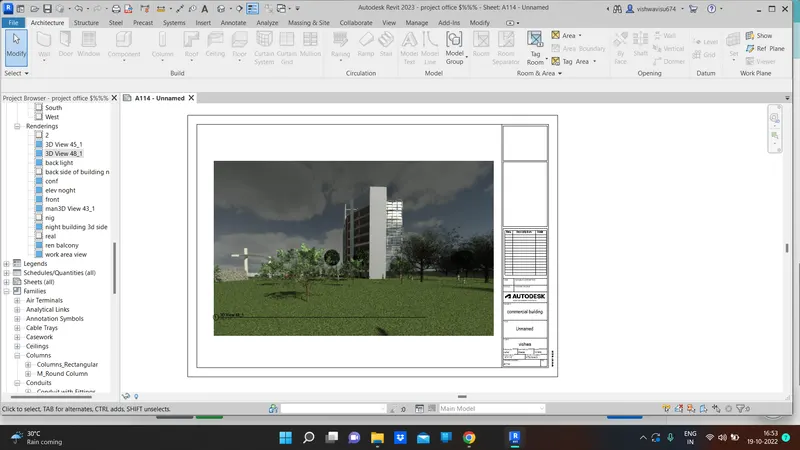
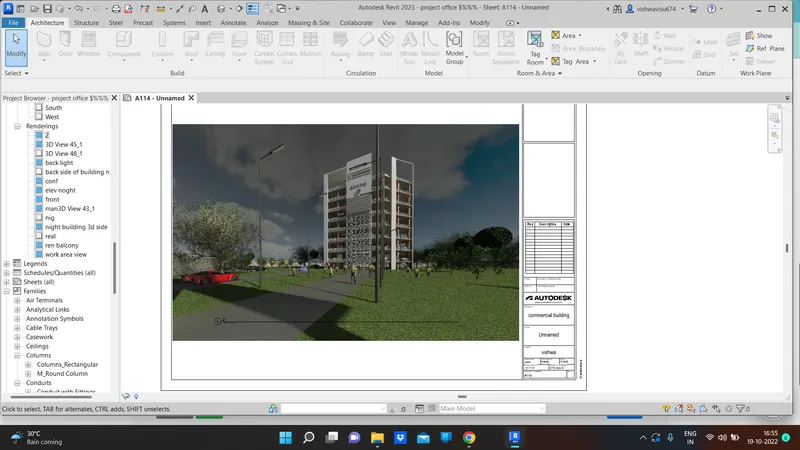
b. Rendering from out showing topographic features
aim:
to Rendering from out showing topographic features and insert in sheets.
procedure:
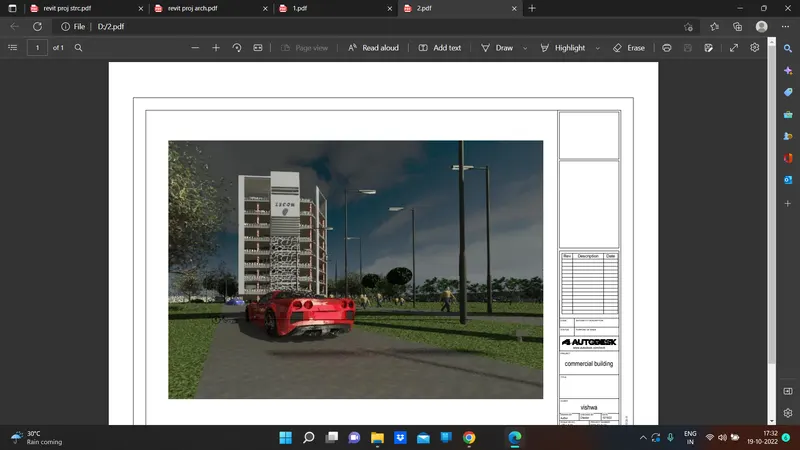
the same procedure as we done before the in interior room render likewise we should do here need to create the
outside look of building with topography further cars , human etc..
result :
open the sheet and insert the saved render pics
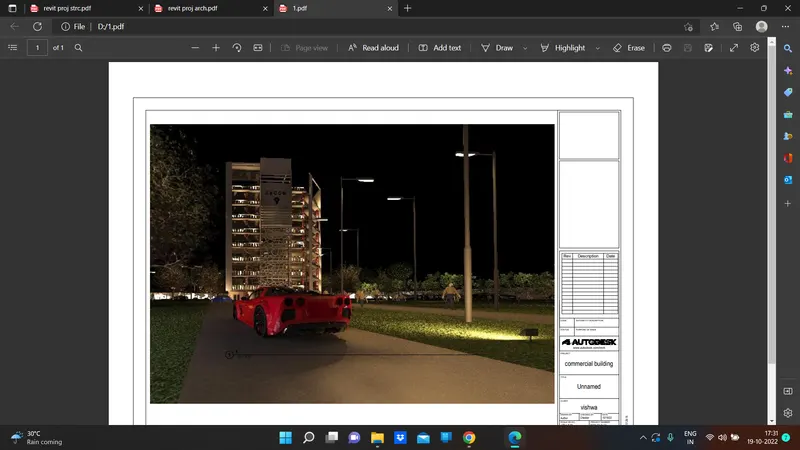
pic1 with sheet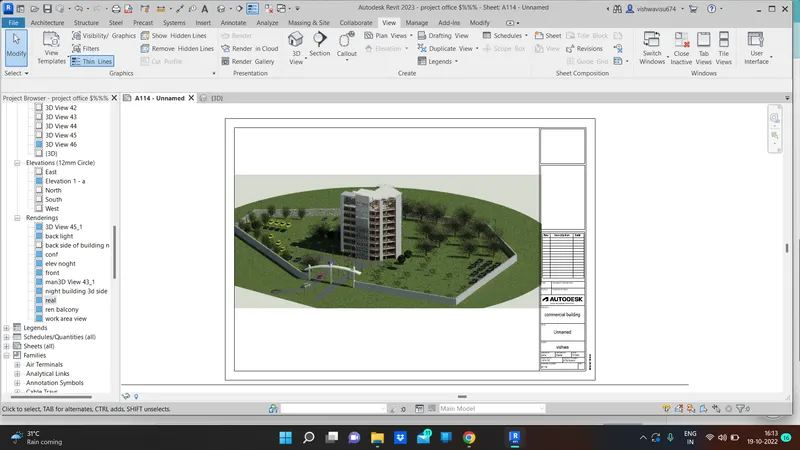
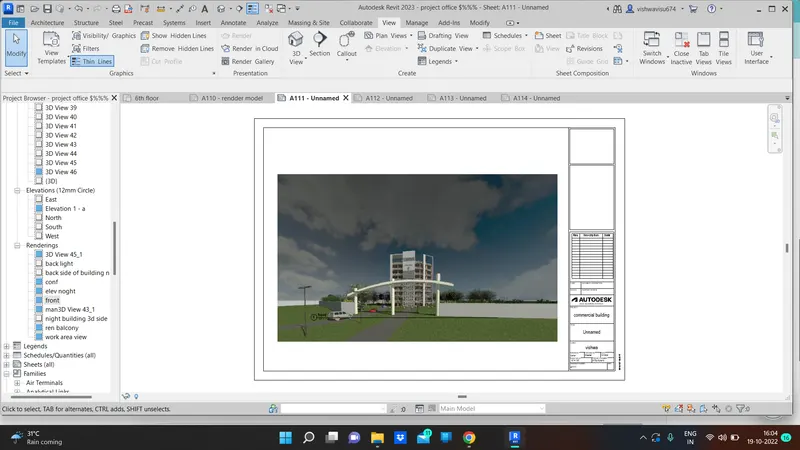
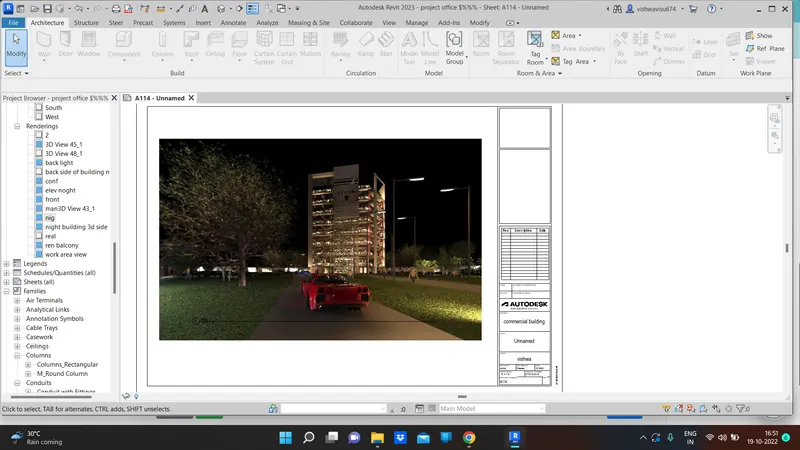
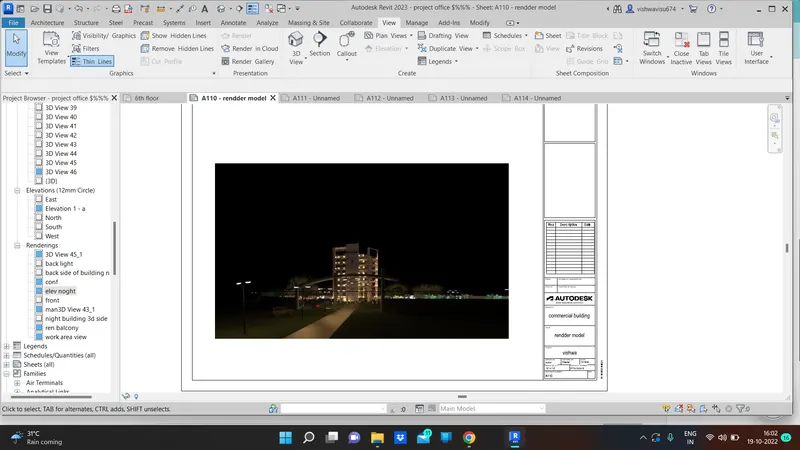
back side of building
rendered and insert it in sheet 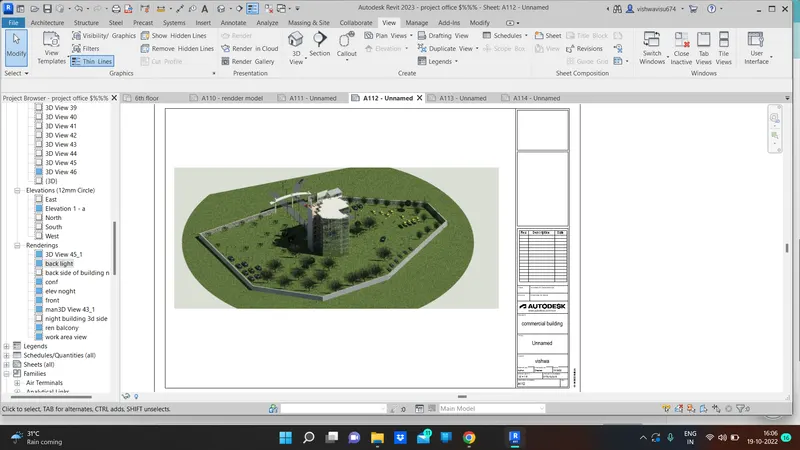
c. Rendering through structural framing
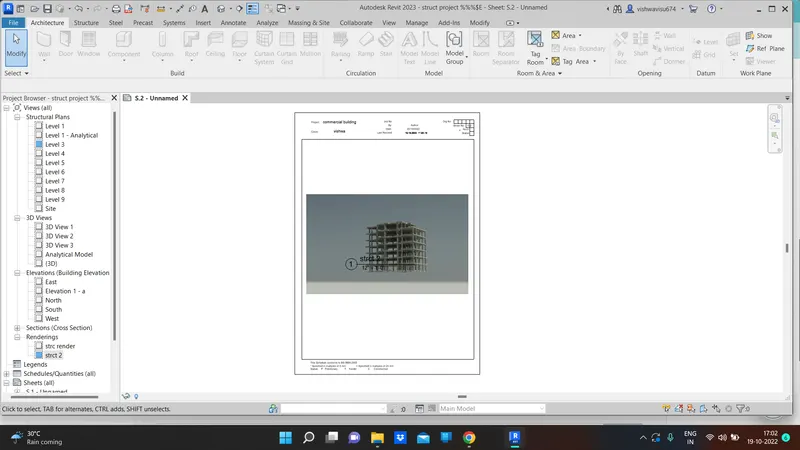
aim:
Using the Rendering settings, Render images of the 3D model produced and include the rendered images to the drawing sheets
procedure:
as the procedure what we did in the before question we do a same thing here
result:
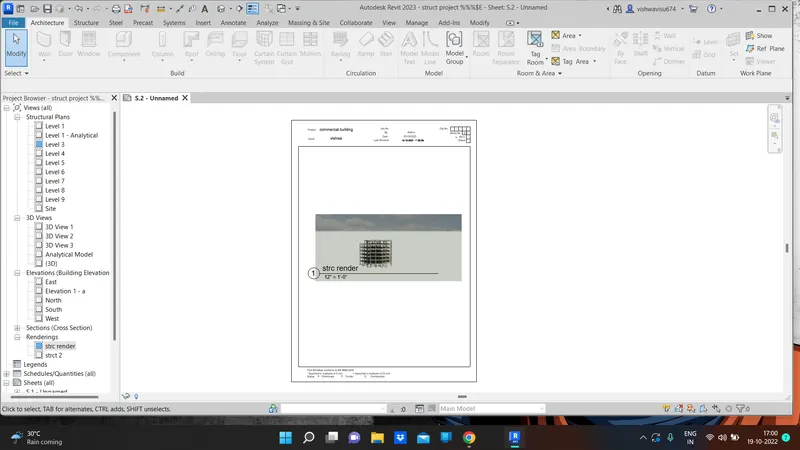
structural render ans insert in sheet :
7) Print the set of drawing sheets created and submit the drawings from the architecture and structure model
aim:
Print the set of drawing sheets created and submit the drawings from the architecture and structure model
procedure:
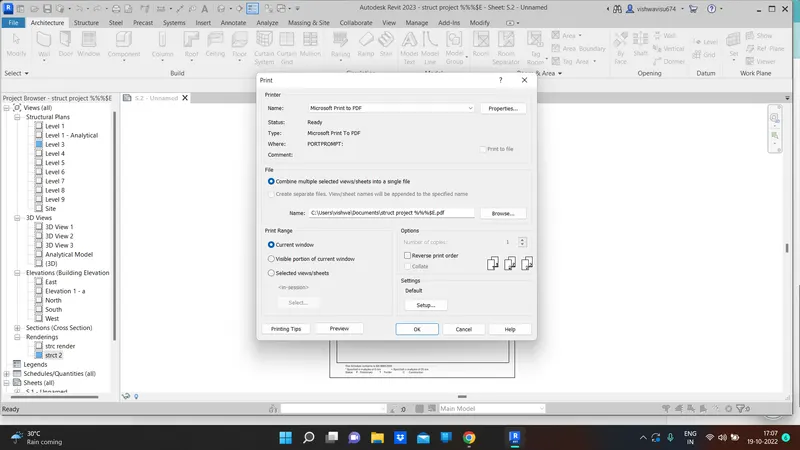
ctrl + p to print the drawing
now we gonna make the print for the structural sheet drawing and the archi drawing
edit in this dialog box for make the print
result:
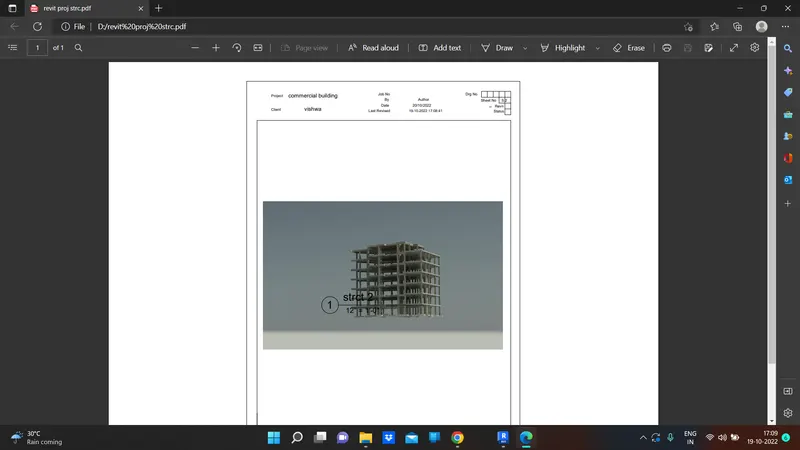
ardchitecur sheet pdf:
pdf pic
the ...........end ......................******