Creating 3D Isometric view of various structural elements in AutoCAD
INTRODUCTION-Creating 3D Isometric view of various structural elements in AutoCAD 2019.
AIM-To create 3-d models of wall footing,staircase,4-storey building and of normal building with proper plans and elevations respectively in AutoCAD 2019.
COMMANDS USED
- EXTRUDE
- LAYERS
- BOUNDARY-"BO"
- LINE,RECTANGLES
- TEIM,ERASE
- COLOUR
- VISUAL STYLE MANAGER
- VIEW MANAGER
STEPS FOR WALL FOOTING
(1) Creating plan and sectional view of wall footing
- Create a rectangle of 7500x230 unit,by PAN zoom the object to closely view the figure,now at corners of 230 width give 35 unit width increment from the corners to get total width of 300 unit,after this 25 units at 300 unit width to get 350 unit wdth,then at last 125 units at corners of 350 unit width to get total width of 600 unit.
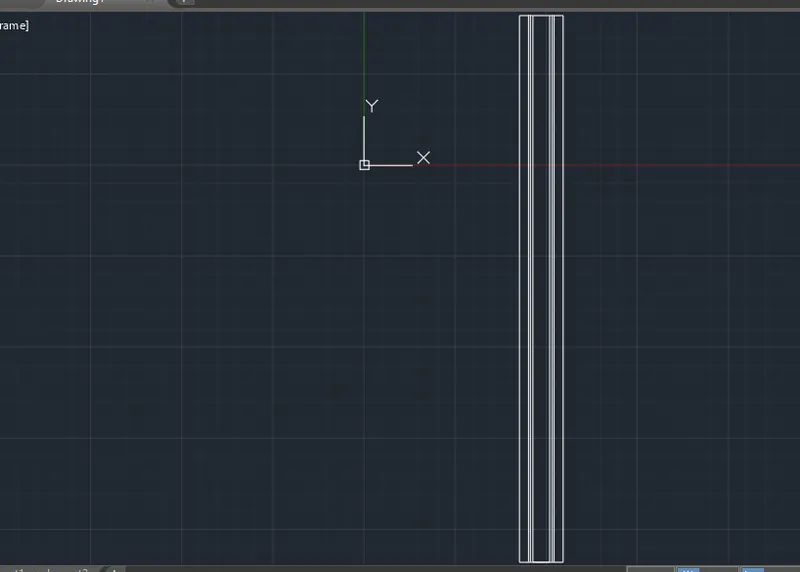
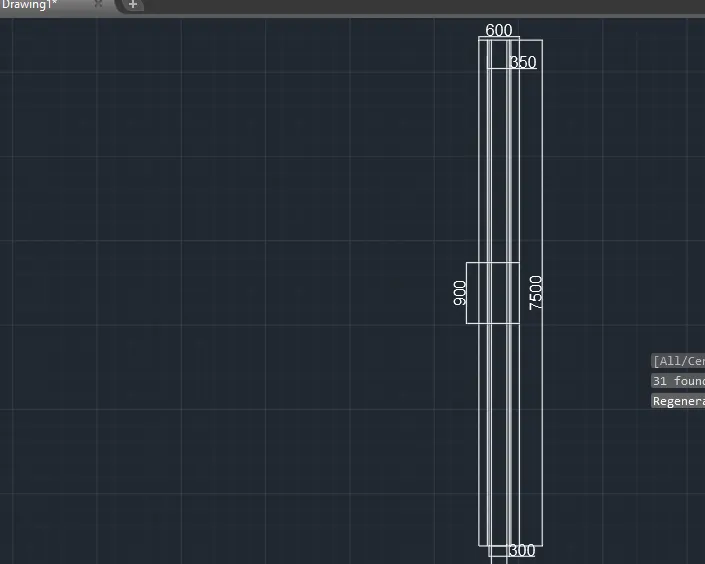
- Providing door of 900 width at centre of 7500 unit length and provide hatching of ANSI132 and conc hatch from hatch tool.
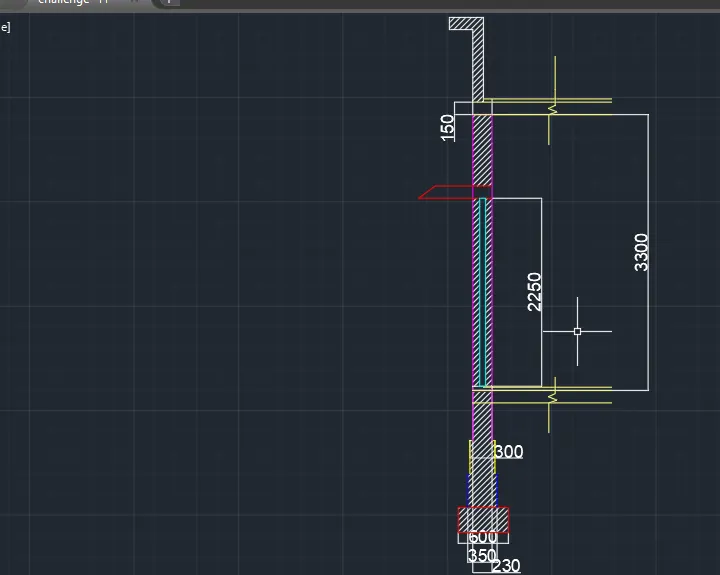
- Creating sectional view of footing by staring from 600,350,300 and 230 widths with their lengths of 300,400,400 and 600 units of lengths respectively finally assign rest of the length and design as per the question to get the final result of section view of wall footing.
3-d view of footing
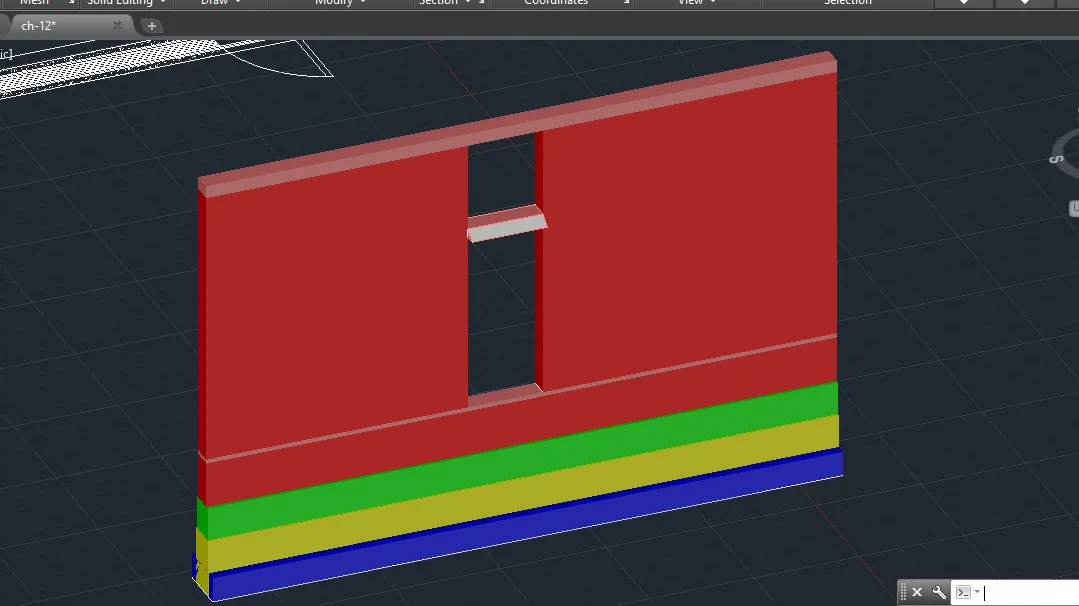
(2) MAKING 2-D VIEW OF FOOTING TO 3-D MODEL
Select each region by making rectangles and creating boundary to each layer by command-boundary start extruding each rectangles at heights of 300,400,400 and 600 unit respectively and further extrude till 3400 unit length to get the figure ,provide shaded region by visual style manager option.
MAKING STAIRCASE VIEW -3D
(1) PLAN OF STAIRCASE
- Create a rectangle of 12'x3',then at 3' length from top width create 1' width and by offset command create 8 more widths of 1' .
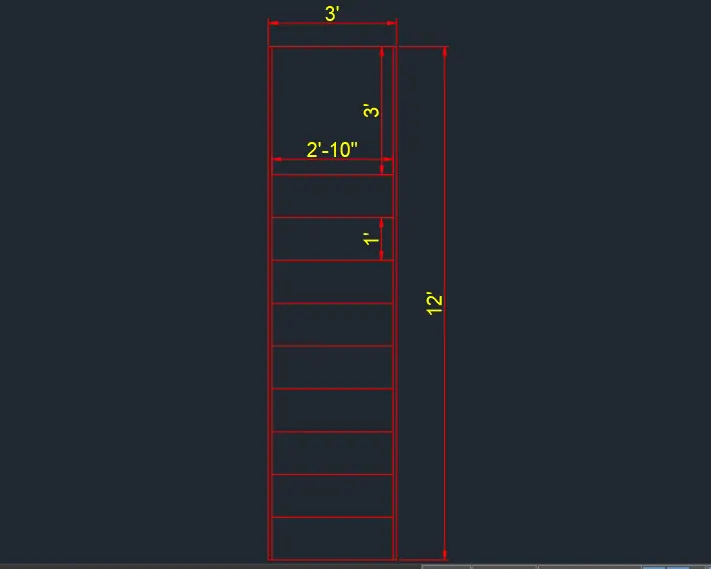
(2) SECTION VIEW OF STAIRCASE
- Creating slab of 6" and each stair of vertical rise of 6" and step of 1' repeat 10 times and at last give 3' unit length and downwards giving 4" width to compelete the 2-d view stair.
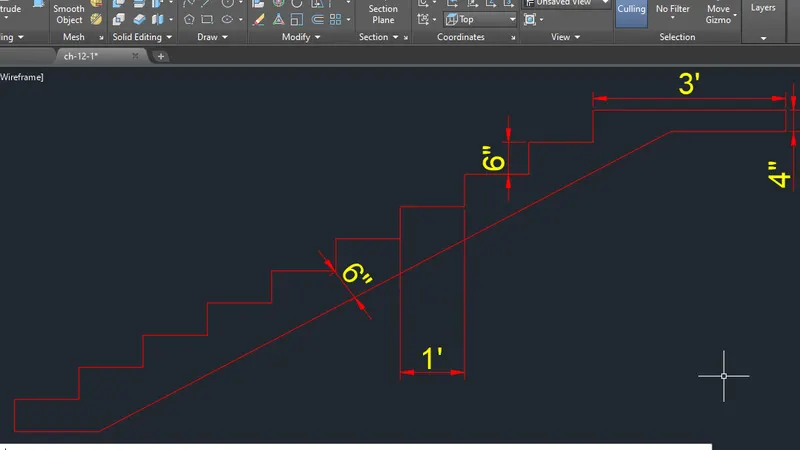
(3) Transforming 2-d to 3-d view
- Select whole stair part and provide boundary to it and extrude the stairs to height of 3' and by 3-d orbit rotate the figure .
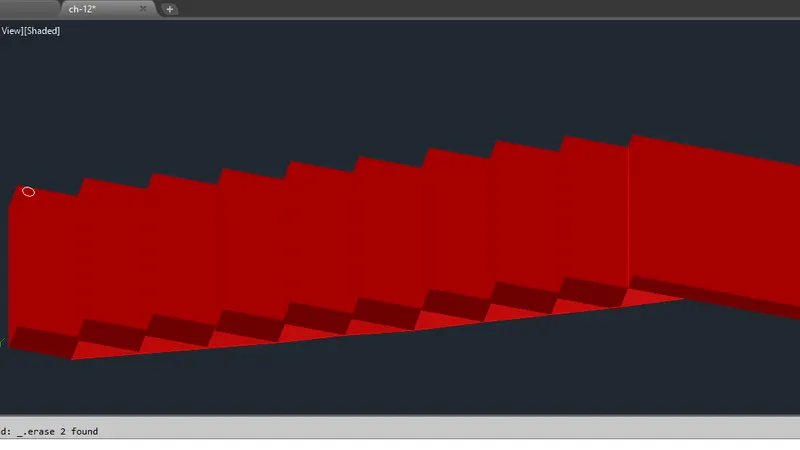
- Use circle command with layer of green colour place it in all the stairs and extrude at a certain height to get the vertical pole ,by sphere command ,make all the spheres at each poles of stairs,connect each pole by line and extude that region to get the final view of staircase or the hand rail of staircase.
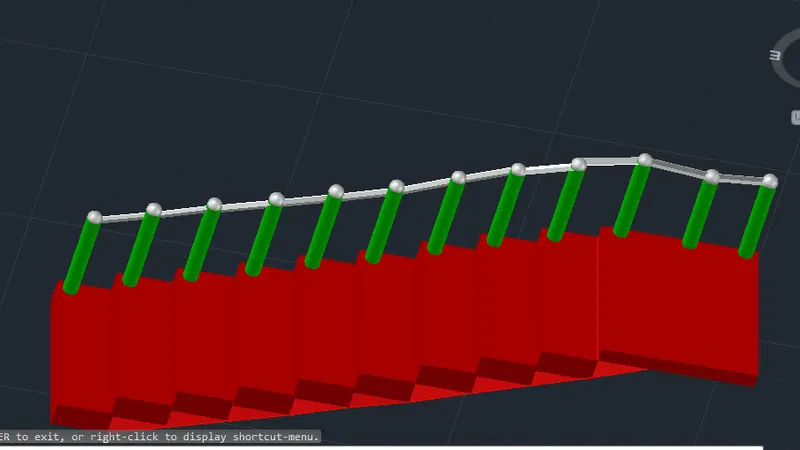
QUESTION-3
MAKING 2-D VIEW OF BUILDING FACADE
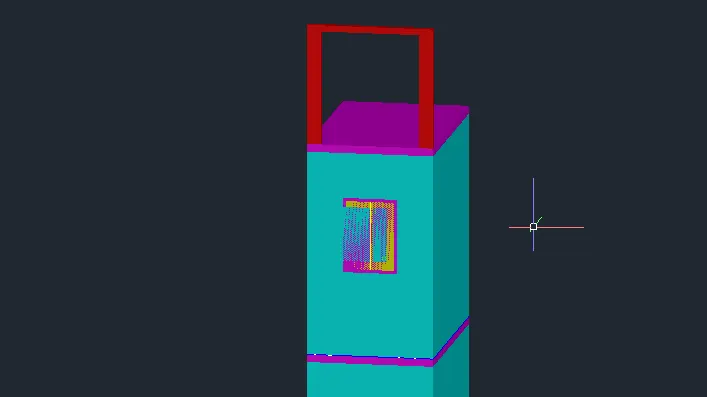
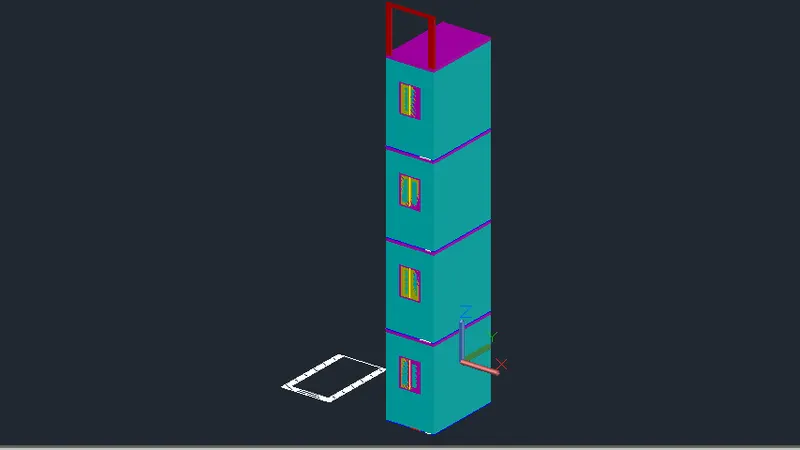
- Creating a rectangle of 10'9' x6'9",offset the rectangle to 9" unit further to create inner rectangle and jion the top width oto first one by the use of EXTEND/TRIM command and creating a window at bottom of width 3' and at last provide hatching to the figure.
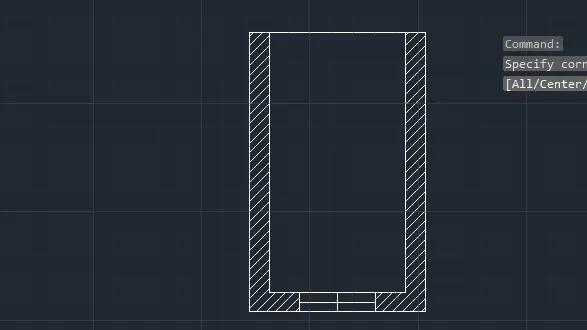
Transforming 2-d view of building facade into 3-d view
Select whole 2-d figure by boundary command and extrude the figure by height of 10'11" and assign conceptual visual from visual style manager.
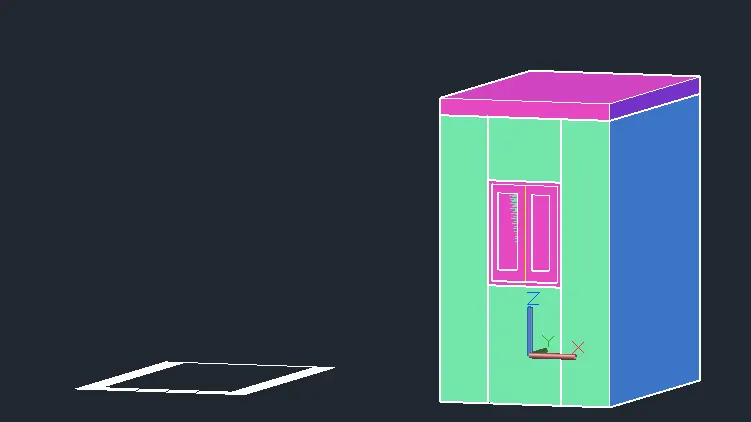
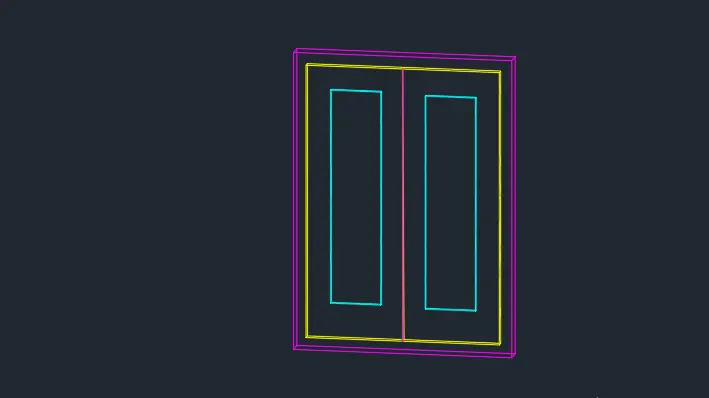
Creating window of size ath middle portion of 4'x3' at the middle by extruding the walls to get the middle portion by s-e isometric going directly in gap or hollow portion creating window of size created and extruding frame by -3" and innerv frame to -1.2",or palcing 3-d view of mirror to gap created .
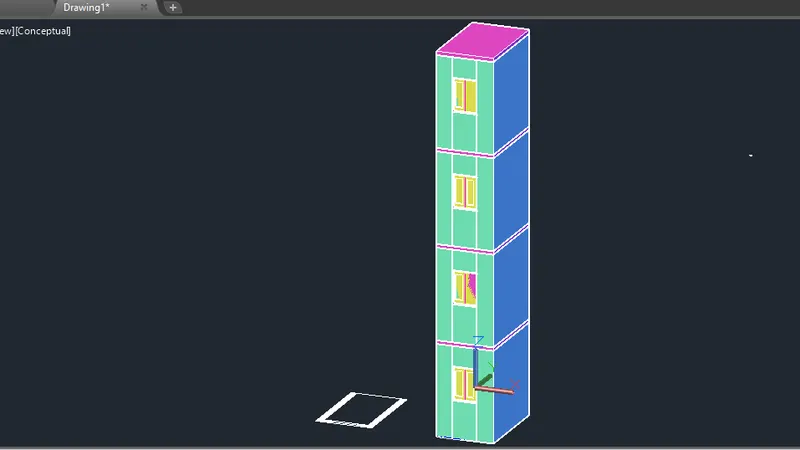
Extending 3 more floors by using copy selection command,in z-axis to get the final view of multi storey building ,also make c-shape rectangle and extrude it to certain length to get the desired design.
MAKING 3-D DESIGN OF BUILDING.
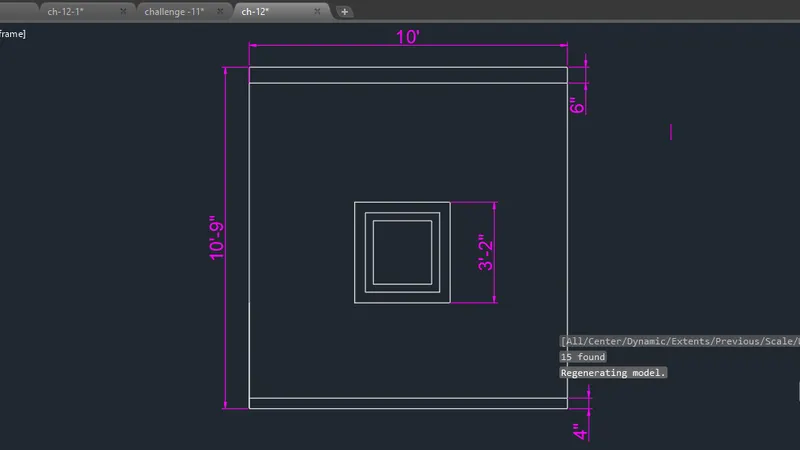
(1)Making plan
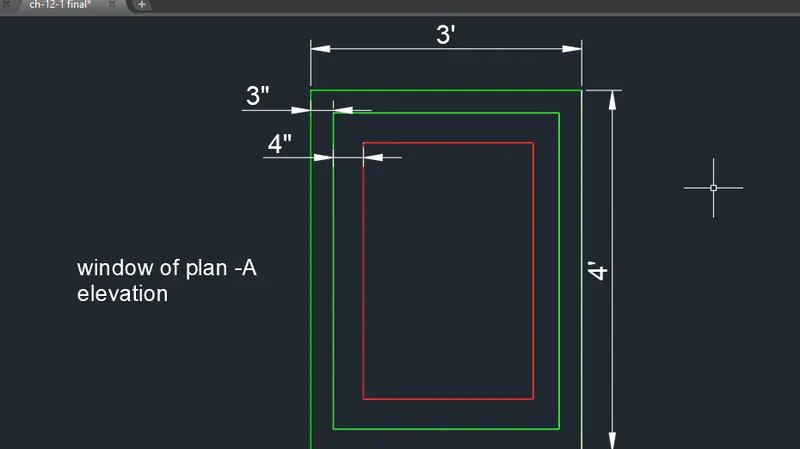
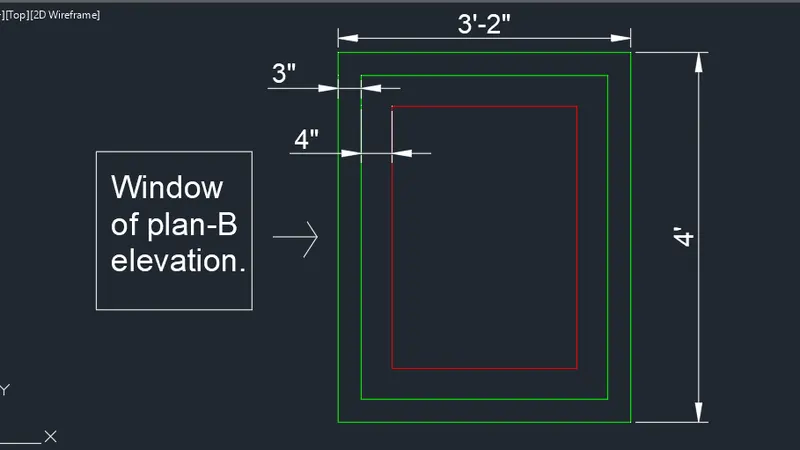
create a rectangle of 10'9" x10' offset it to 9",create windows of widths-3'2" and 3' at section-A and section-B respectively.
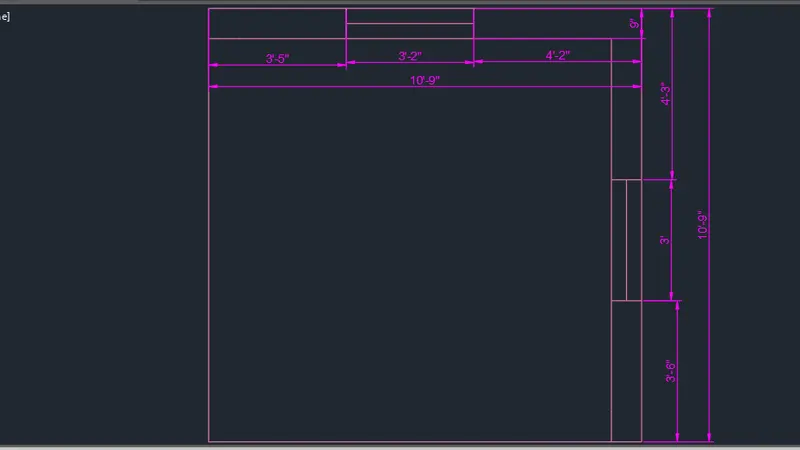
ELEVATION OF SECTION -A
Extending the lines from plan and trimming the side sto get elevation of A.
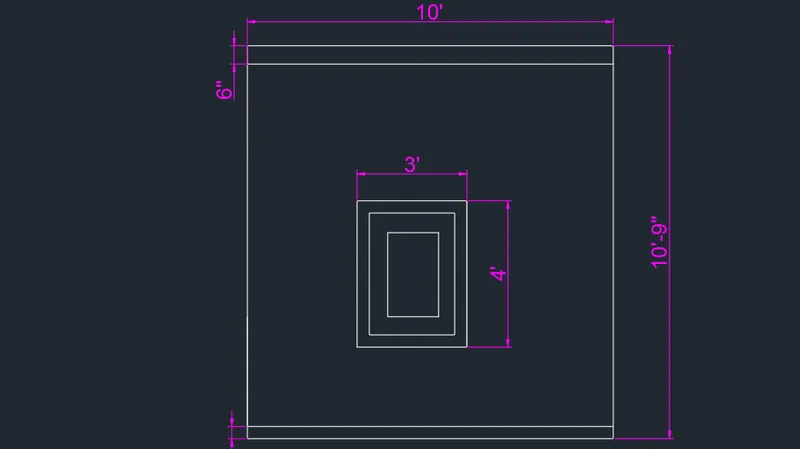
ELEVATION OF -B
Extending the lines from plan and trimming the side sto get elevation of B.
MAKING 2-D VIEW TO 3-D
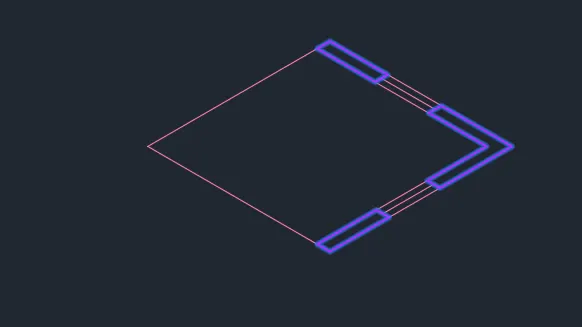
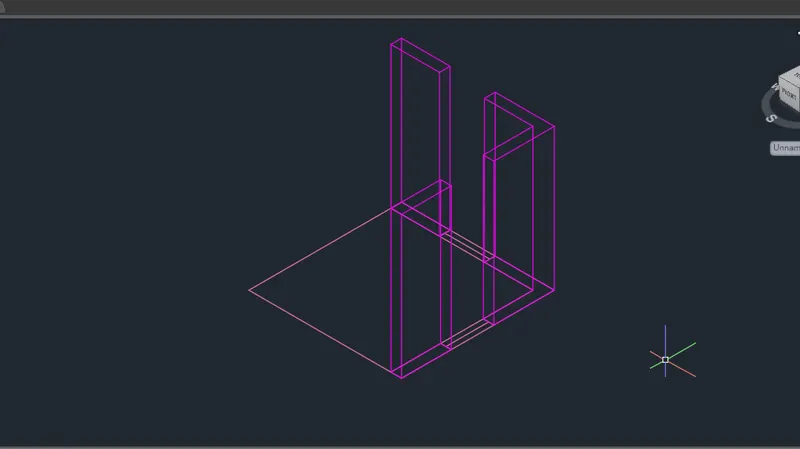
select the walls of the of the plan by boundary command extrude it to heght of 10'.
MAKING WINDOW FRAMES
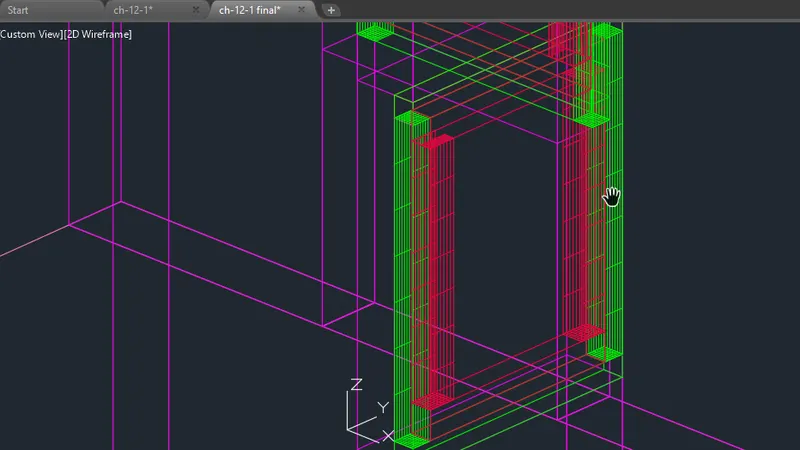
At the gap created draw rectangle of 3'x4' at section 4 and extrude its frame by -3" and inner frame to -1.2 ,similarly for section B create rectangle of 3'2"x4' and extrude it in same manner.
FINAL 3-D VIEW
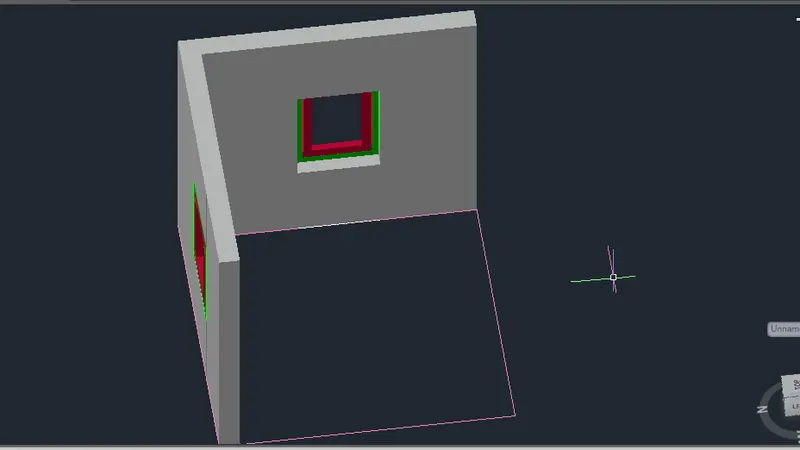
RESULT
We have successfully compltede our challenge 12.