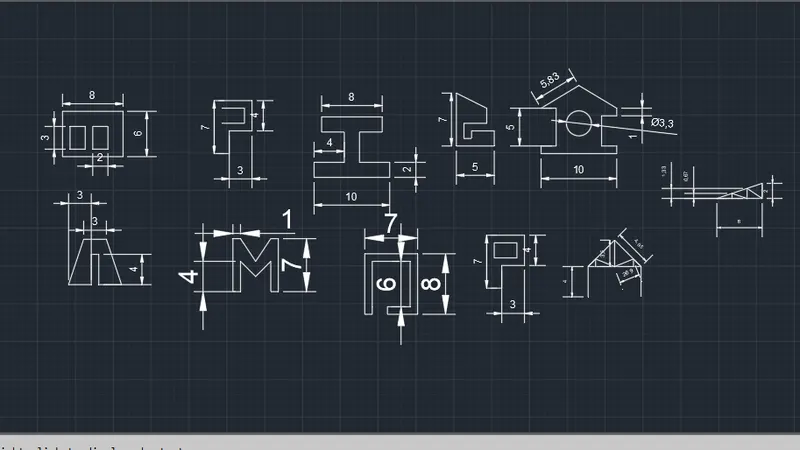
Creation of geometries by Coordinate system methods using AutoCad
INTRODUCTION-TO DRAW THE GEOMETRIES AS PER COORDINATE SYSYTEM METHOD.
AIM-TO DRAW THE GEOMETRIES(P1,P2,P4,P5,P7,P8,P9,P10,PROFILE WOOD,QUEEN POST TRUSS AND MONO PITCH.
SOFTWARES AND TOOLS
- AUTOCAD 2019
- LINE
- LIMIT
- GRID.
COMMON STEPS
- Set units
- Set limits
- Specify grid
STEPS FOR P1
- Give coordinate point as (2,1),give (0,6),(6,0),(-1,0),(-5,0) to complete the half drawing.
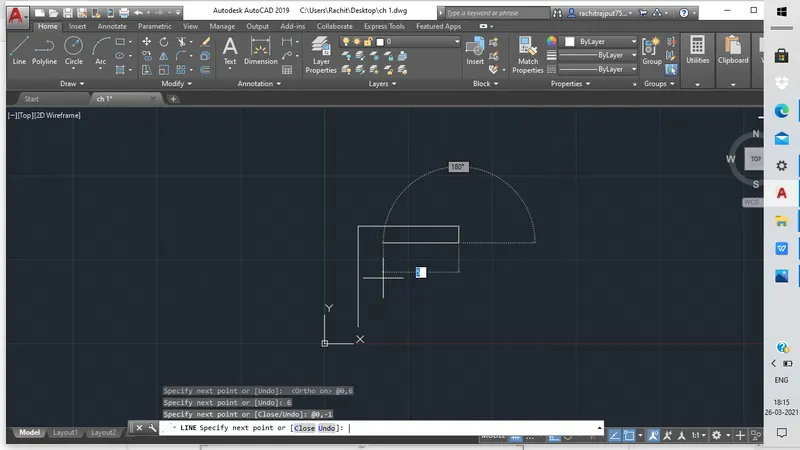
- Then give (0,-4),(5,0),(0,-1) and close the diagram.
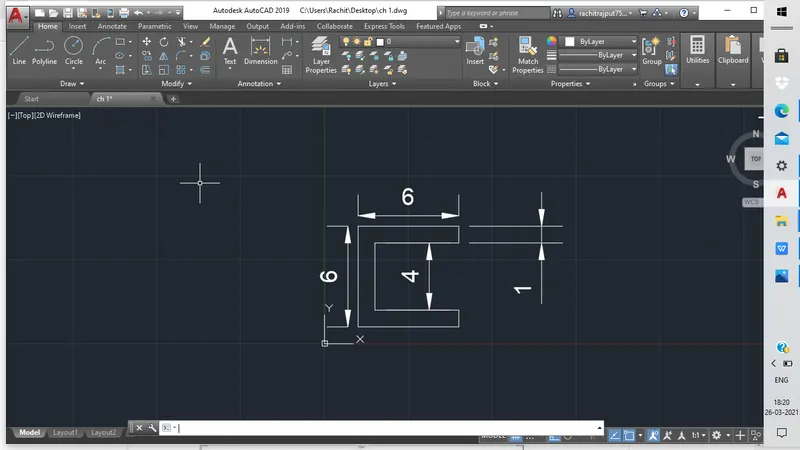
STEPS FOR P2
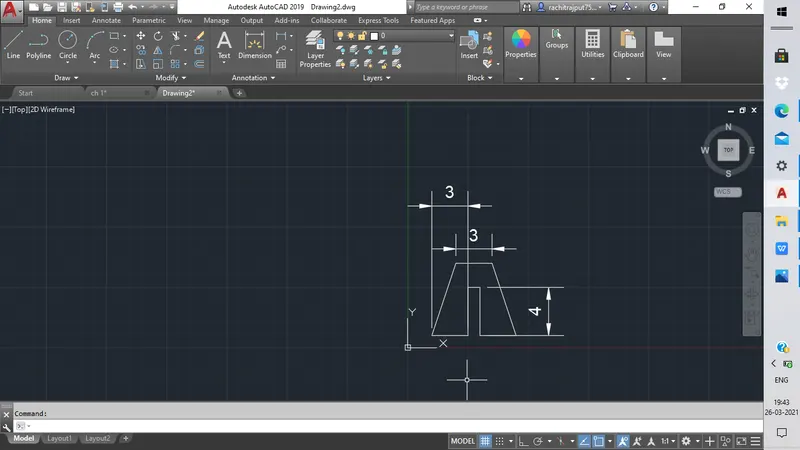
- Specify first point as (2,1) then give (2,7) to reach top side of trapezium give (3,0) to complete half drawing.
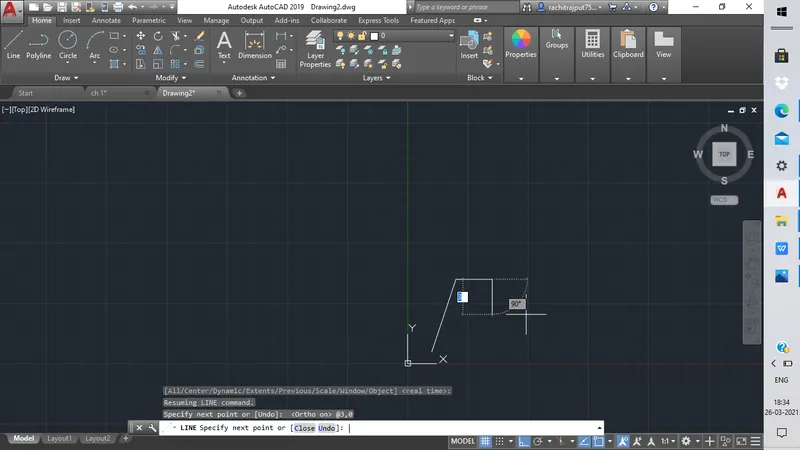
- Give (2,-7),(-3,0),(0,-4),(-1,0) and lastly give (0,-4) and close the figure.
STEPS FOR P4
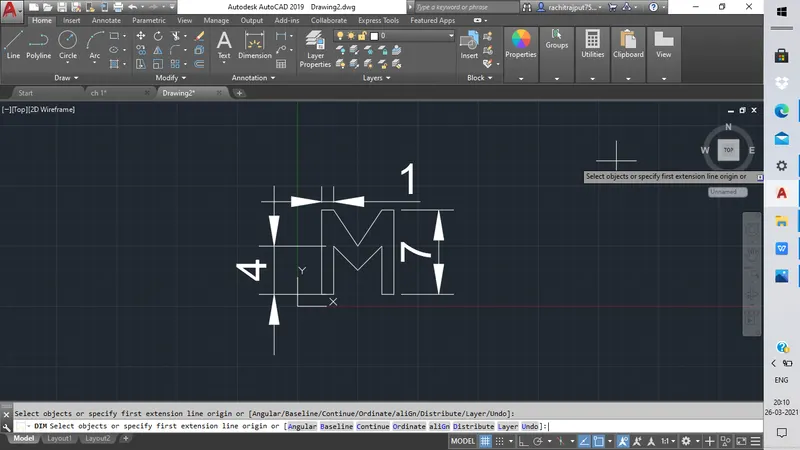
- Specify first point as (2,1),give (0,7),(1,0),(2,-2),(2,3),(1,0),(2,-2),(2,3),(1,0),(0,-7) and (0,4) to complete the half drawing
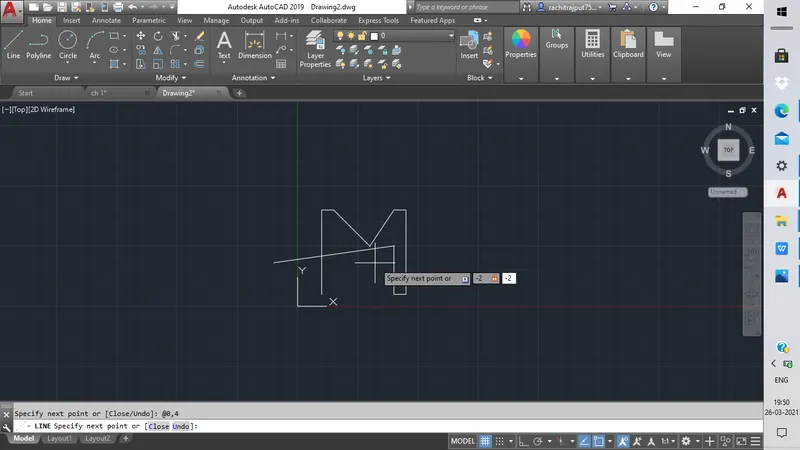
- Give (0,8),(7,0),(0 ,-8),(-4,0),(0,1),(3,0),(0,-6) ,(-5,0) and last point (0,-8),close the figure
STEPS FOR P5
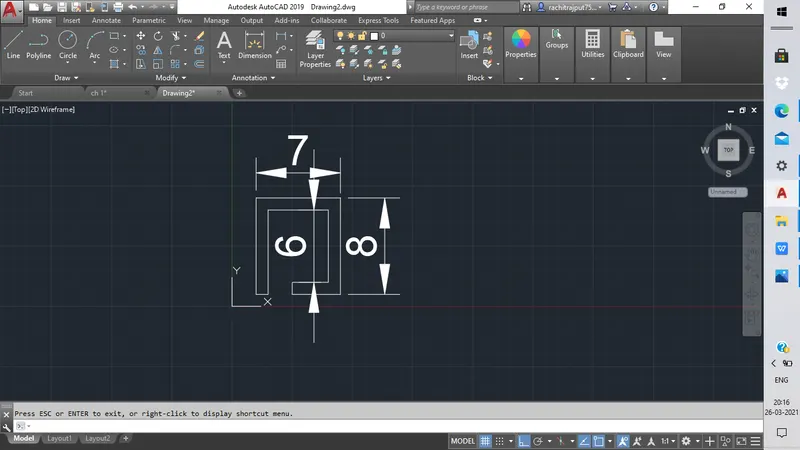
- Specify first point as (2,1),give (7,0),(0,-8),(-4,0),(0,1),(3,0),(0,-6),(-5,0) and last point (0,-8),close the figure.
STEPS FOR P7
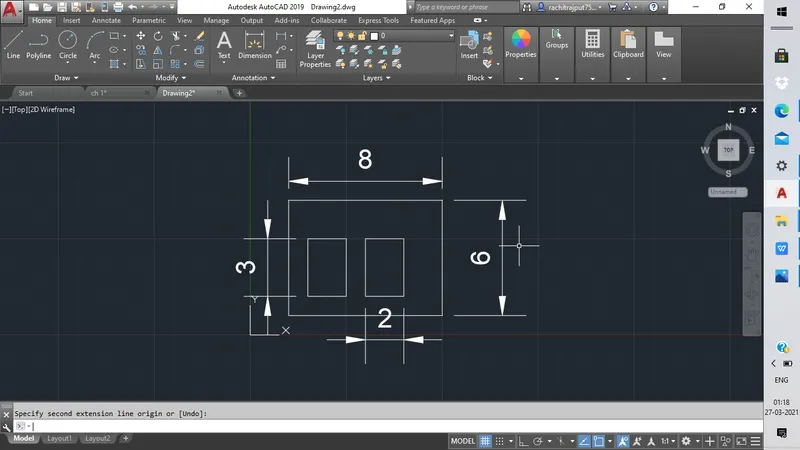
- Specify first point as (2,1),then give (0,8),(8,0),(0,-8)and draw rectangle of (3,2) to (5,5) to complete the half the drawing.
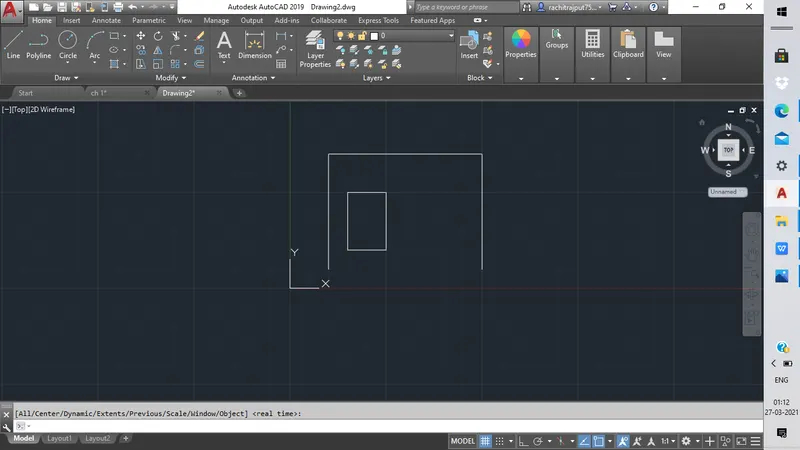
- Similarly draw rectangle of (6,1) to (8,5) and close the figure.
STEPS FOR P8
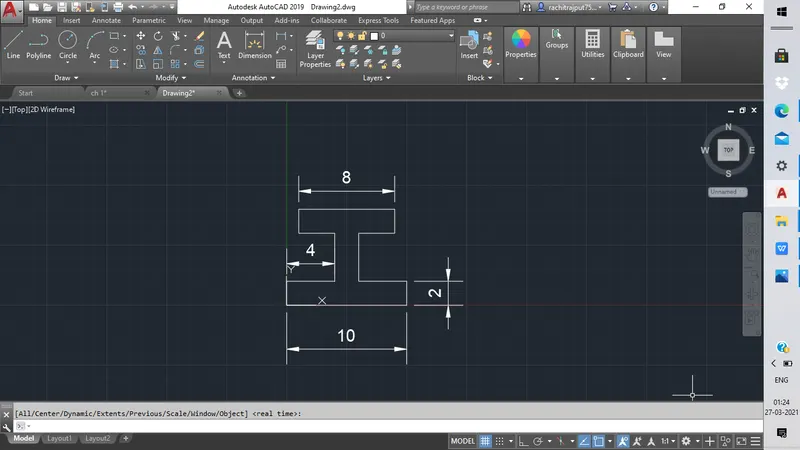
- Specify first point as (0,0) then give (0,2),(4,0),(0,4),(-3,0),(0,-2),(8,0) and lastly give (0,-2) to complete half drawing.
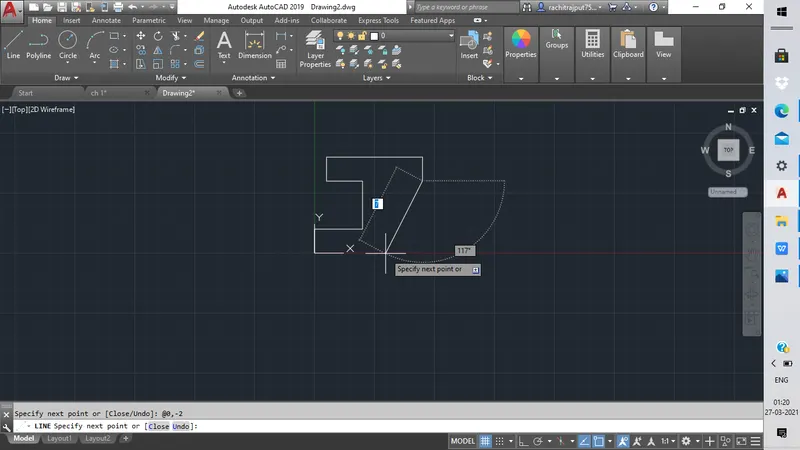 ]
]- Give (0,-4),(4,0) and lastly give (0,-2) and close the figure.
STEPS FOR P9
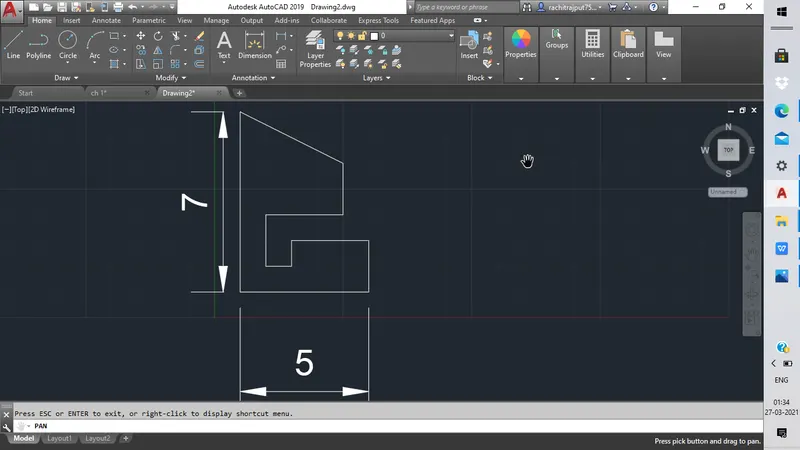
- Specify first point as (1,1),give (0,7),(4,-2) and (0,-2) to complete half the drawing.
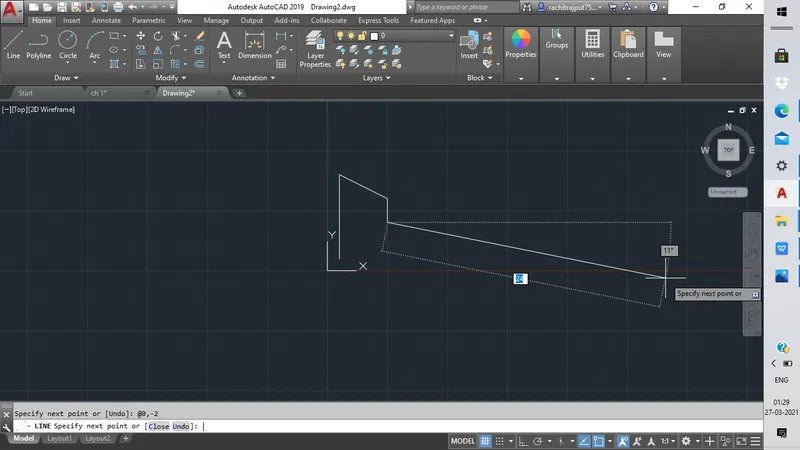
- Give (-3,0),(0,-2),(1,0),(0,1),(3,0) and last coordinate as (0,2) and finally close the figure.
 .
.
STEPS FOR P10
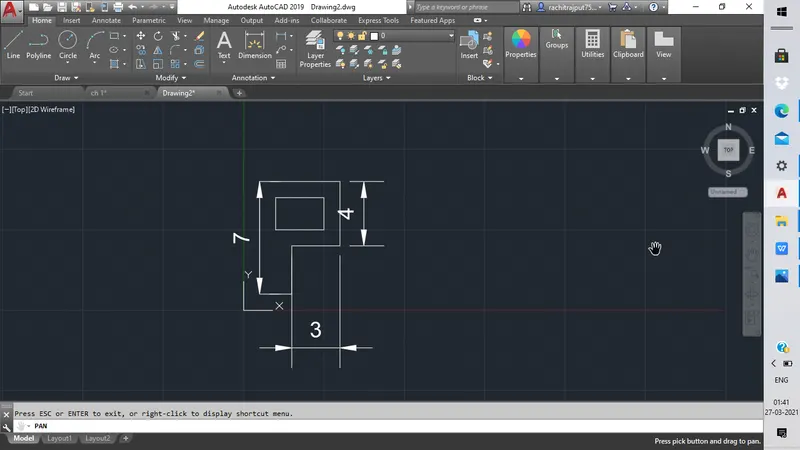
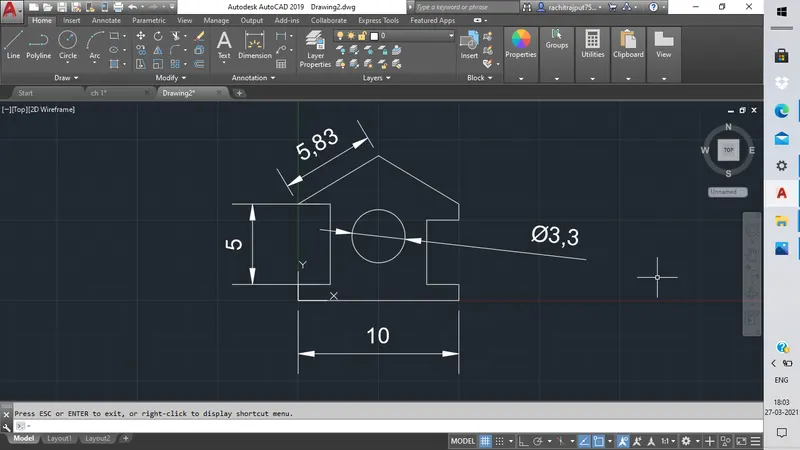
- Specify first point as (1,1) then give (0,7),(5,0),(0,4),(-3,0),(0,3),now draw rectangle of (2,5) to (5,7) and close the figure and finally give dimensions to the figure.
STEPS FOR PROFILE WOOD
- Specify first point as (1,1) then give (0,1),(2,1),(0,5),(-2,0),(5,3),(-5,3) and (0,-1) to complete half drawing.
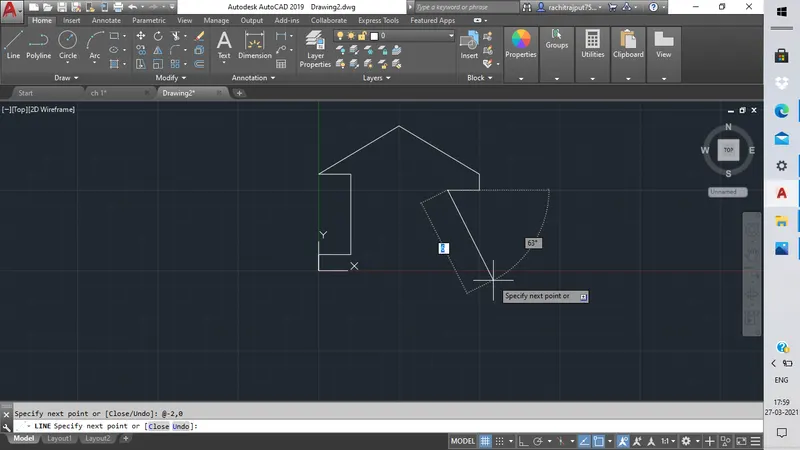
- Give (-2,0),(0,-4),(2,0) and lastly give (0,-1) and close the figure.
STEPS FOR QUEEN POST TRUSS
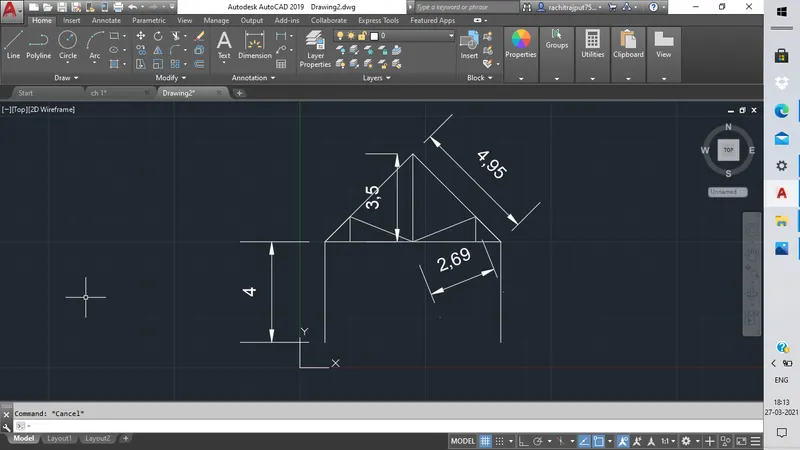
- Specify first point as (1,1),give (0,4),(3.5,0),(3.5,0) draw line at (3.5,3.5) and join corner points to top most point.
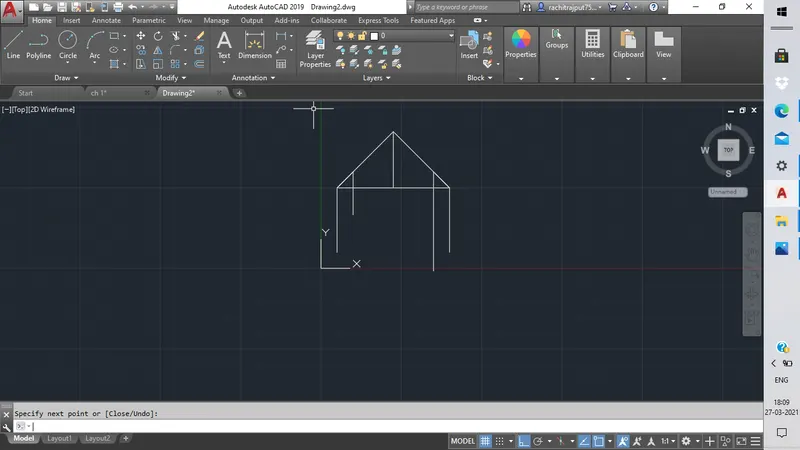
- Give line (1,1) and from another end (-1,-1) draw the joining line.
STEPS FOR MONO PITCH
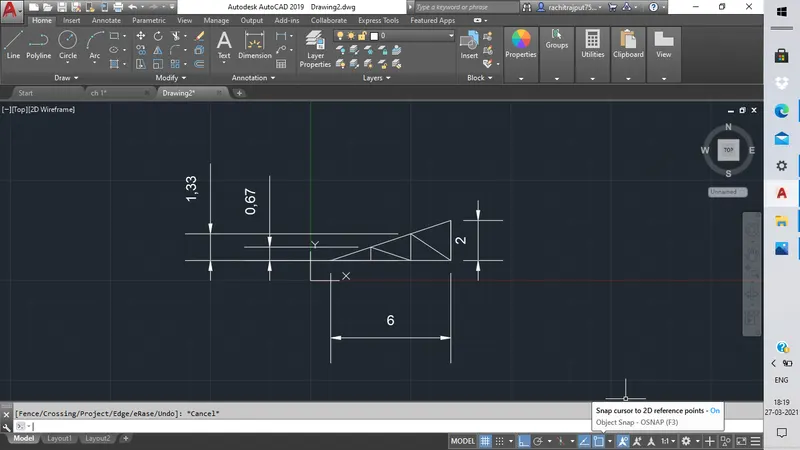
- Start with (1,1) give (6,2) line coordinate then (0,-2), now give (2,0) coordinate then again (2,0) to close the figure
RESULTS
- We have completed our drawings in Autocad 2019 successfully by adopting coordinate sysytem method.