Assignment 4
AIM: To analayse the material property and compare the results.
Compare 7 cases as discussed in last 3 slides, in a tabulated format on the basis of:
1. Total number of cycles, Energy error, mass error and simulation time.
2. Notice the animation of all 5 and describe the animations in brief on the
basis of whether the elements are being deleted or cracked.
3. Plot energies and notice any difference.
4. Based on all the results, which case would represent the on-field
scenario.
5. Prepare a ppt/docx and list down case by case result and your conclusion
as to why the failure happened.
CASE 1.M2_PLAS_JOHNS_ZERILN
In this file the material is considered to be electroplastic and input parameters are given according to johnson_failure.Here this card helps in capturing proper stress under compresssion. All the parameters related to the card are already filled, so we have to change the recomended properties in property card.
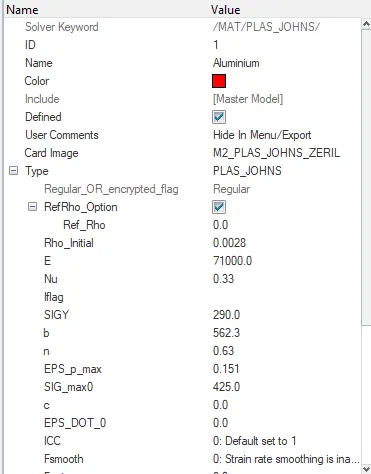
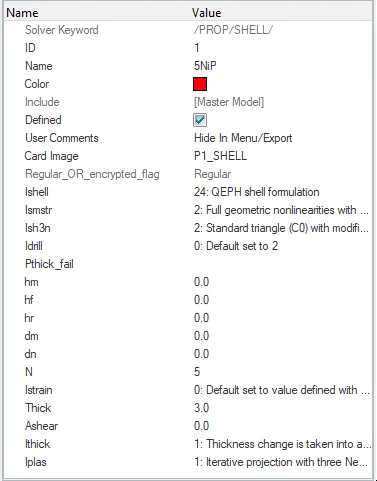
After all the checks are done on the input data goto-analysis-radioss-select the path- click radioss.
Check the time elpase value and number of cycles.
Elpase value:176.24 s.
No of cycles:49380.
Open the .OUT file and check for mass error and energy error
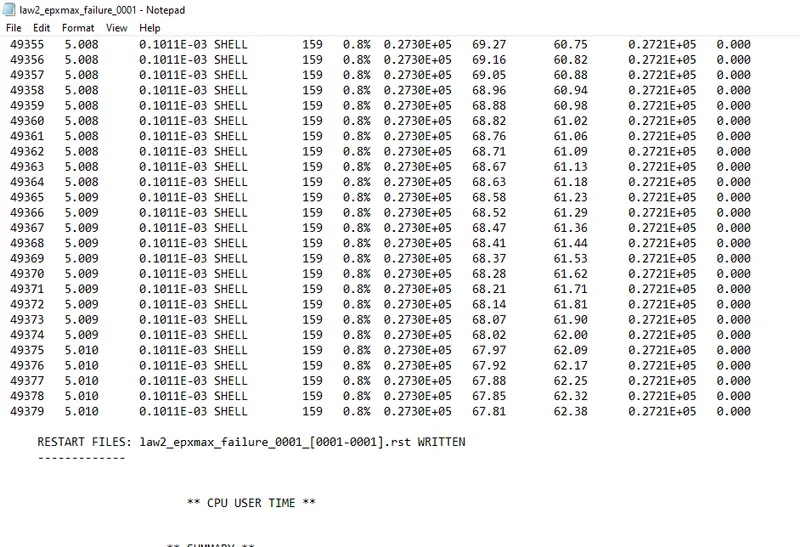
energy error=0.8%
mass error=0.00
So its acceptable and furthur stimulation can be carried out.
Now go to hyperview and then import the H3D file in software

check for the various different displacement , velocity ,von misses and then run the model.
%thickness reduction
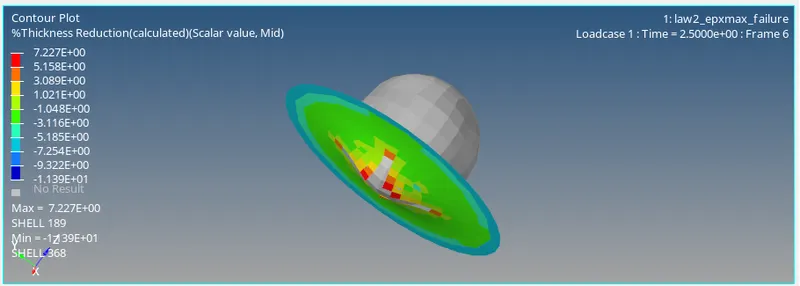
Von misses
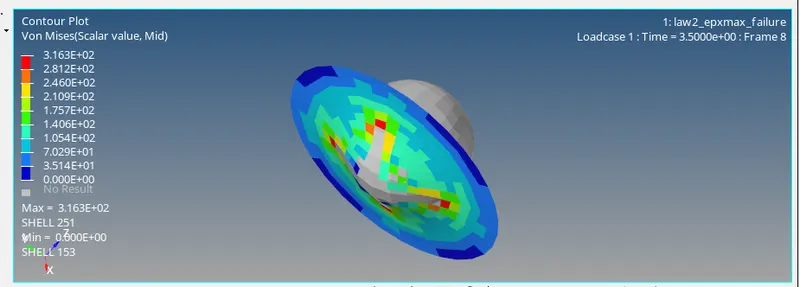
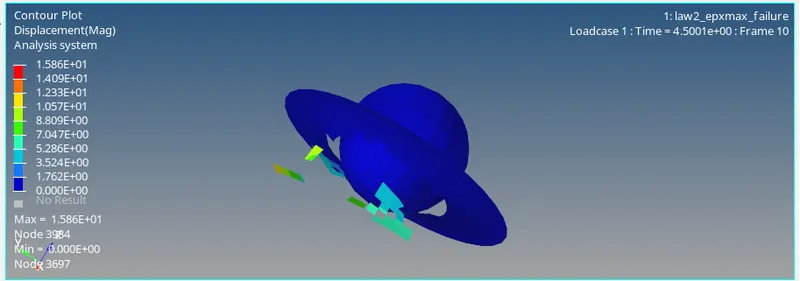
dispalcement
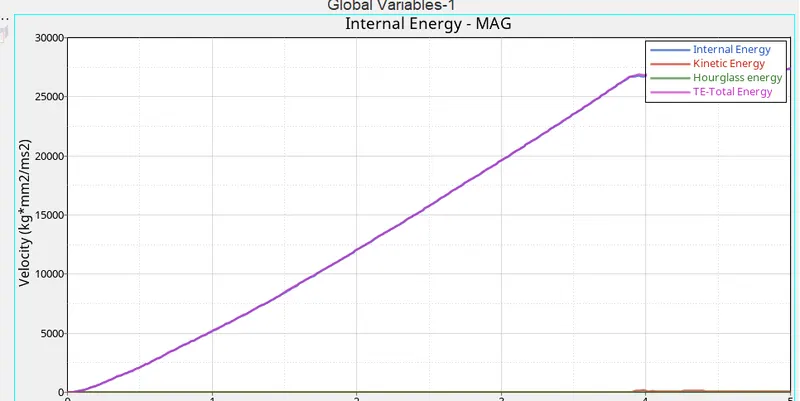
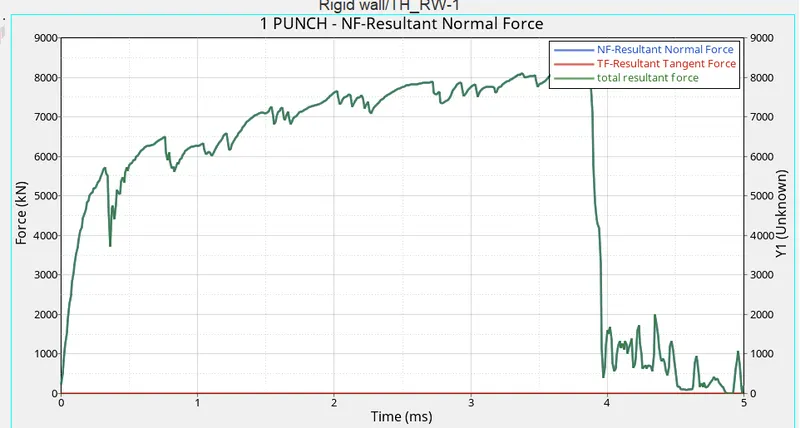
Now compare the results and plot the graph
open .T01 file and then apply.select the varaiables required and plot the graph
global varaiables
Rigid wall forces
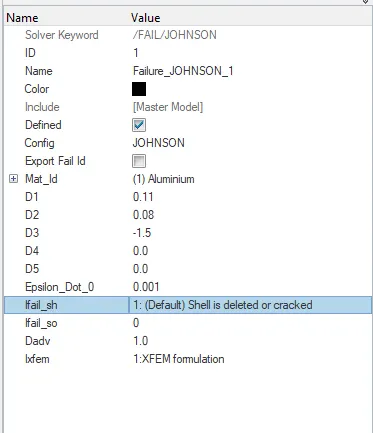
CASE 2.In FAIL/JOHNSON change the Ifail_sh=1,Davd=1,Ixfem=1. Run the model as Epx_max crack.
In this model the changes are made in the failure tab and the input is given as per the question. These changes are made to visualize checking and braking down of elements.
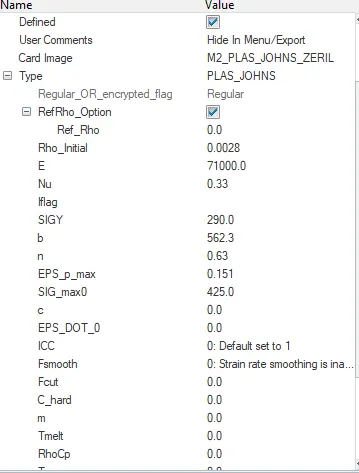
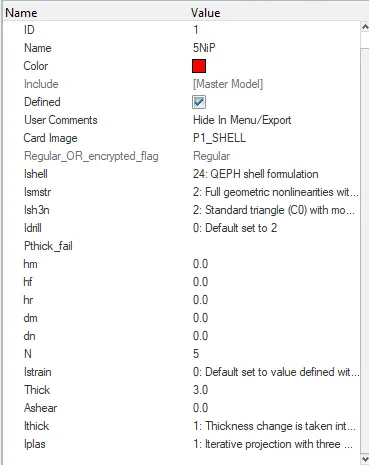
Import the failure_0000.rad in the solver deck and then check the property and material inputs
Ifail_sh=1,Davd=1,Ixfem=1 in failure johnson file
After all the checks are done on the input data goto-analysis-radioss-select the path- click radioss.

Check the time elpase value and number of cycles.
Elapsed value:207.82 s
No of cycles:49217
Open the .OUT file and check for mass error and energy error
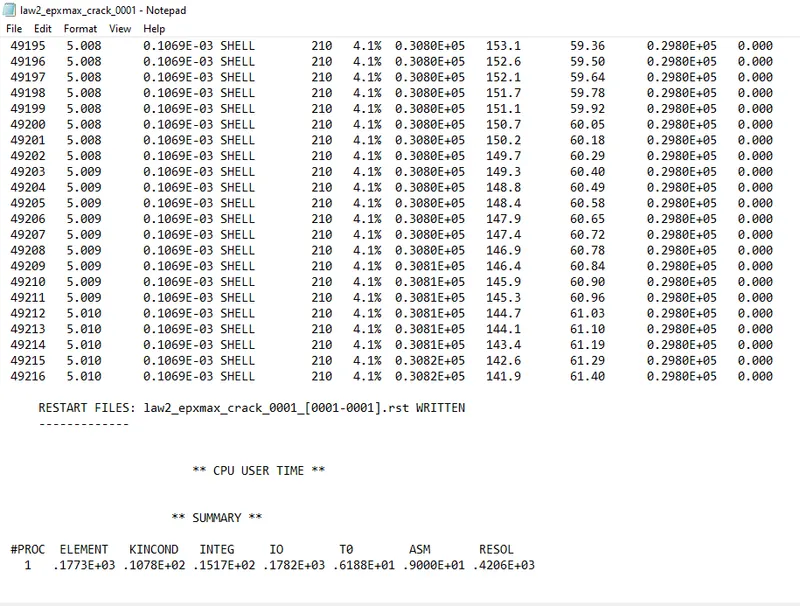
energy error=4.1%
mass error=0.00
So its acceptable and furthur stimulation can be carried out.
Now go to hyperview and then import the H3D file in software
check for the various different displacement , velocity ,von misses and then run the model.
%thickness reduction
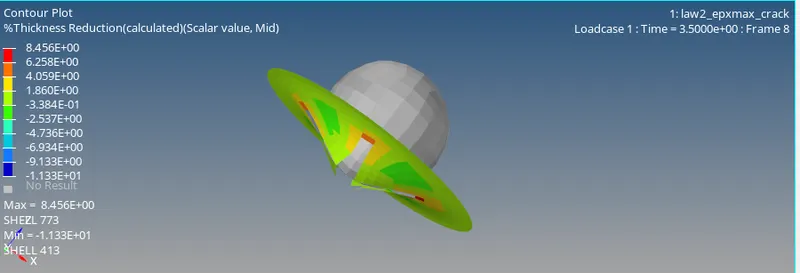
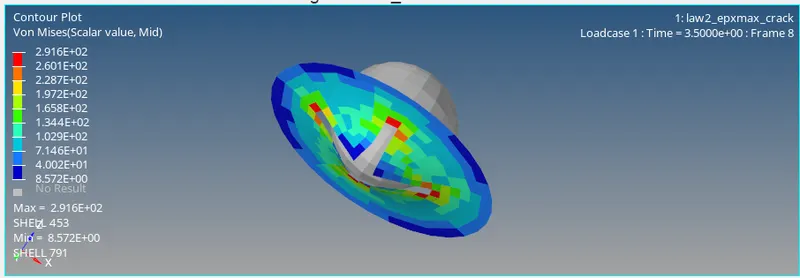
Von misses
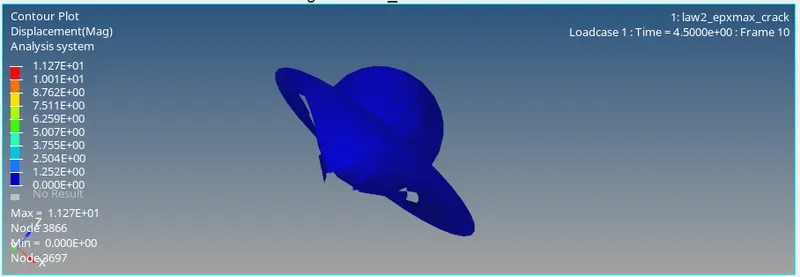
dispalcement
Now compare the results and plot the graph
open .T01 file and then apply.select the varaiables required and plot the graph
Global varaiables
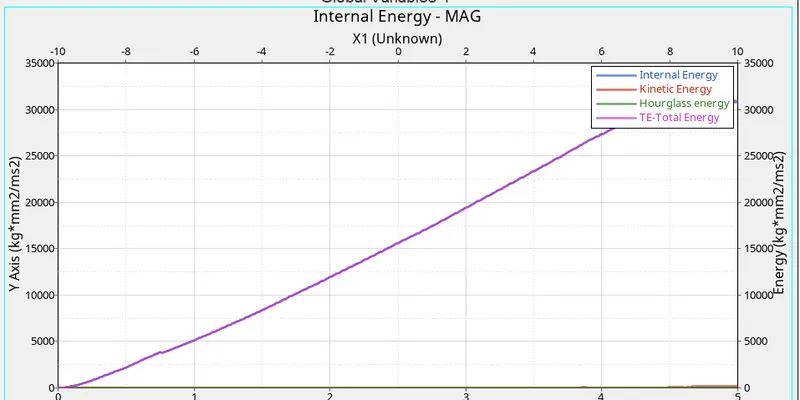
Rigid wall forces
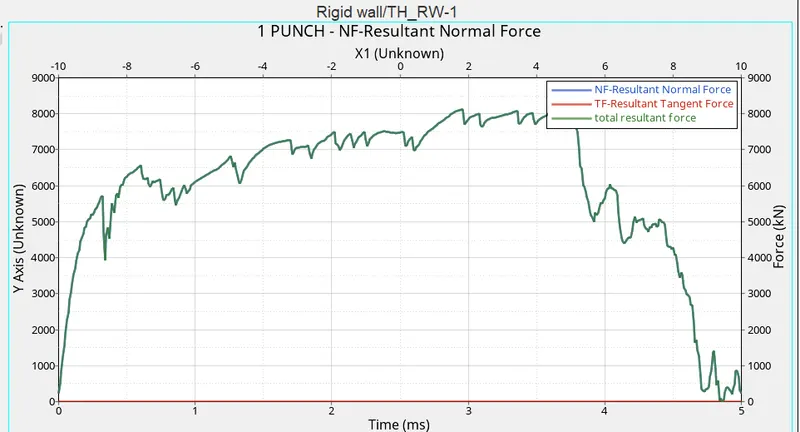
CASE 3.DELETE THE FAIL/JOHNSON CARD and run the model as law2_epxmax_no fail
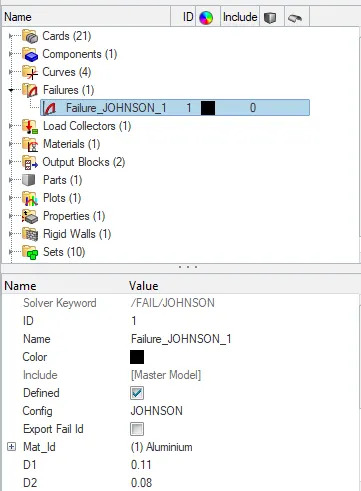
In this model the changes are made by deleting the failure card and model is stimulated
Import the failure_0000.rad in the solver deck and then check the property and material inputs.
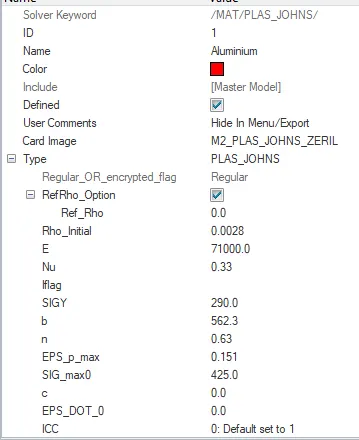
After all the checks are done on the input data goto-analysis-radioss-select the path- click radioss.
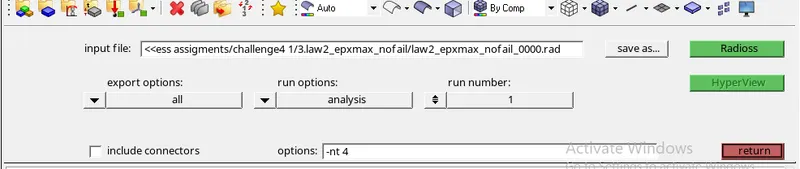
Check the time elpase value and number of cycles.
Elapsed value:206.29 s
No of cycles:49408
Open the .OUT file and check for mass error and energy error
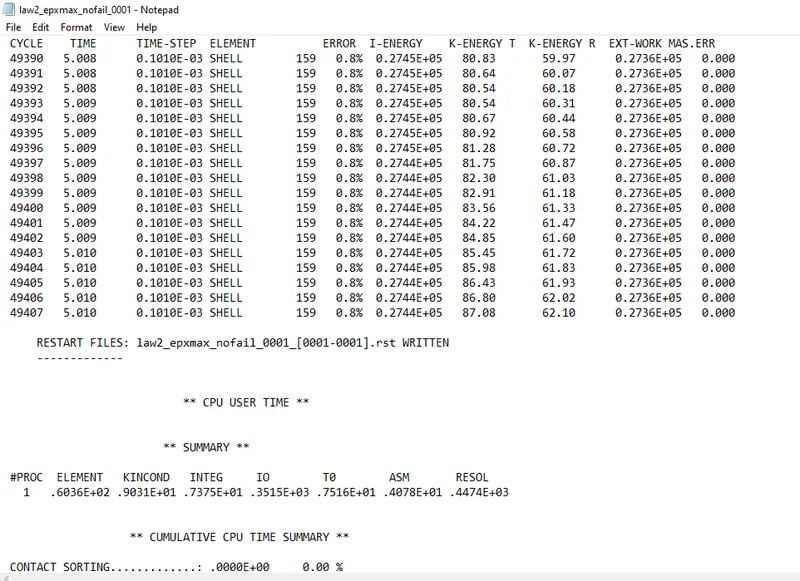
energy error=0.8%
mass error=0.00
So its acceptable and furthur stimulation can be carried out.
Now go to hyperview and then import the H3D file in software
check for the various different displacement , velocity ,von misses and then run the model.
%thickness reduction
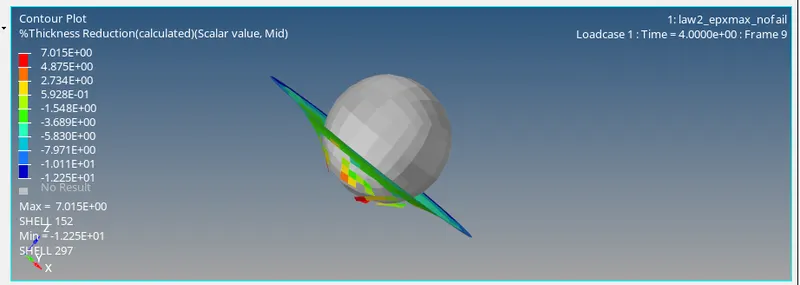
Von misses
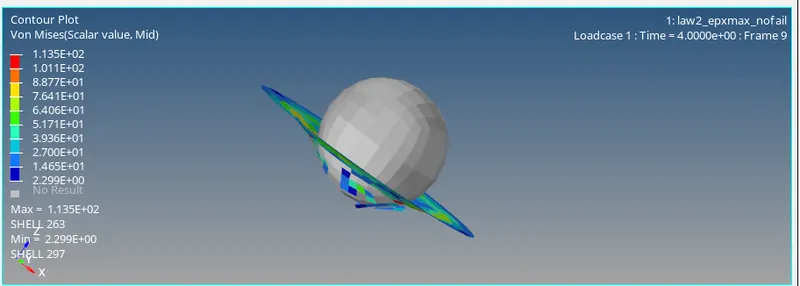
dispalcement
Now compare the results and plot the graph
open .T01 file and then apply.select the varaiables required and plot the graph
Global varaiables
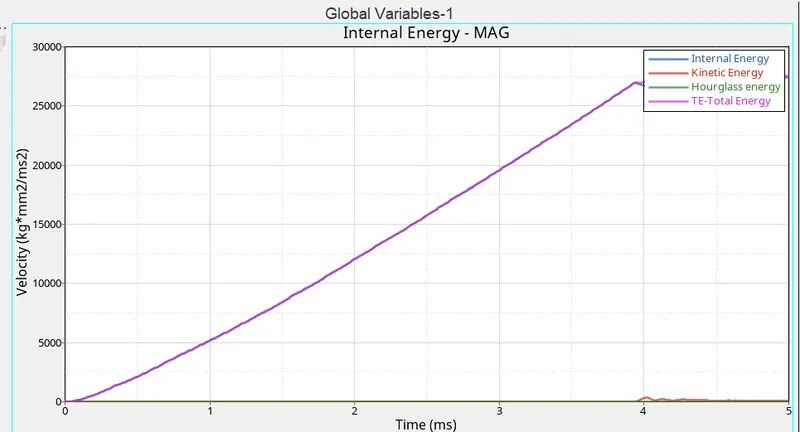
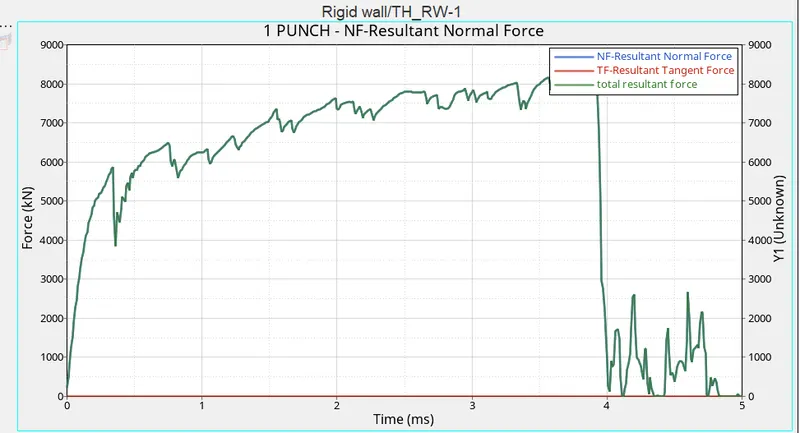
Rigid wall forces
CASE4:Delete the value of epxmax and the run the model as LAW2
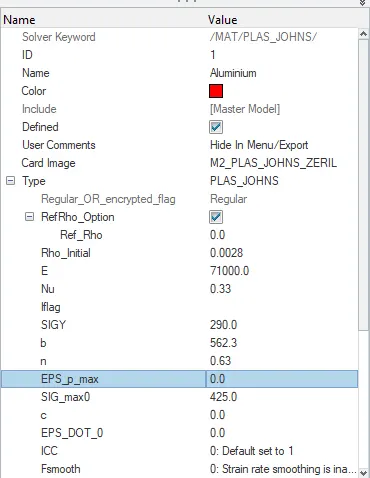
EPxmax which defines max permitted plastic strain is ste to 0 whose default valueis 10^3.
In this model the changes are made by deleting the value of EPxmax in the card and model is stimulated
Import the failure_0000.rad in the solver deck and then check the property and material inputs.
After all the checks are done on the input data goto-analysis-radioss-select the path- click radioss.
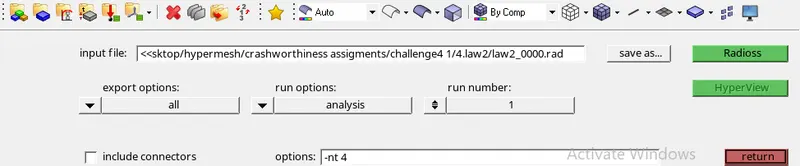
Check the time elapse value and number of cycles.
Elapsed value:191.67 s
No of cycles: 49304
Open the .OUT file and check for mass error and energy error
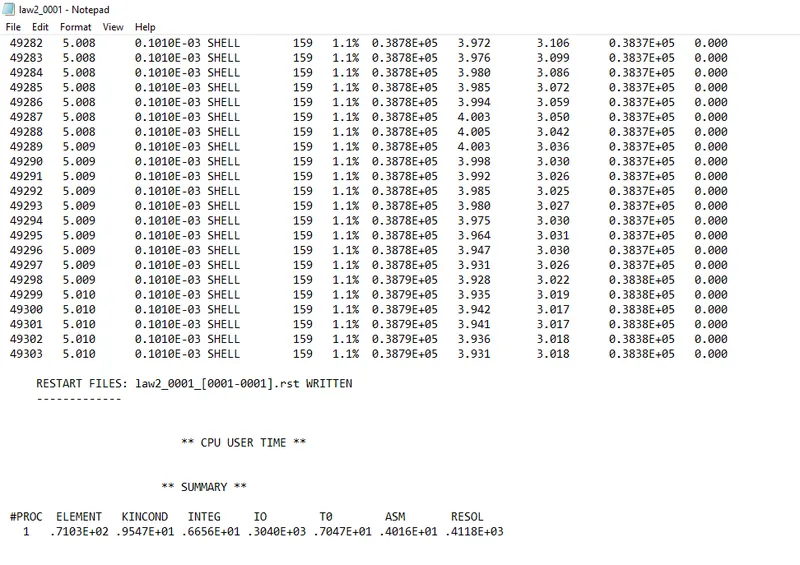
energy error=1.1%
mass error=0.00
So its acceptable and furthur stimulation can be carried out.
Now go to hyperview and then import the H3D file in software

check for the various different displacement , velocity ,von misses and then run the model.
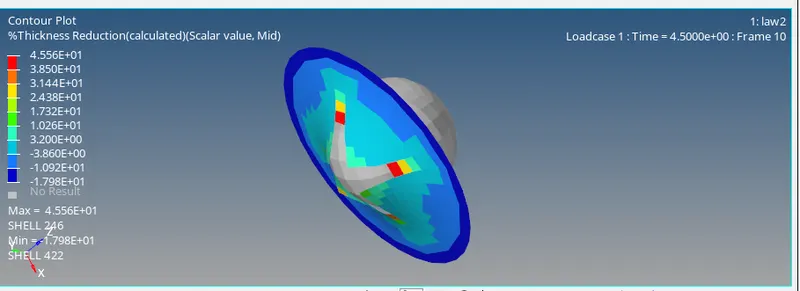
%thickness reduction
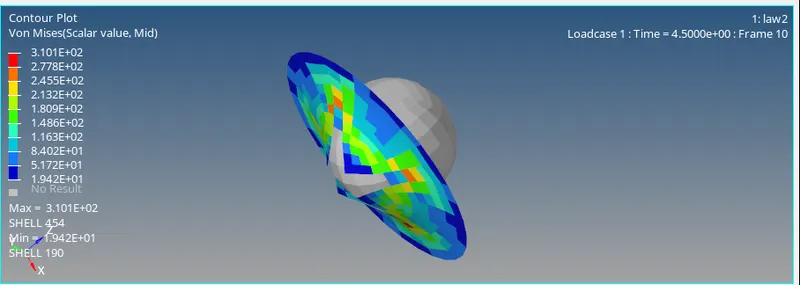
Von misses
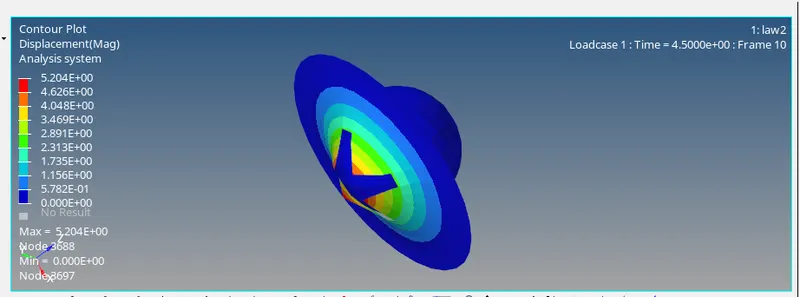
dispalcement
Now compare the results and plot the graph
open .T01 file and then apply.select the varaiables required and plot the graph
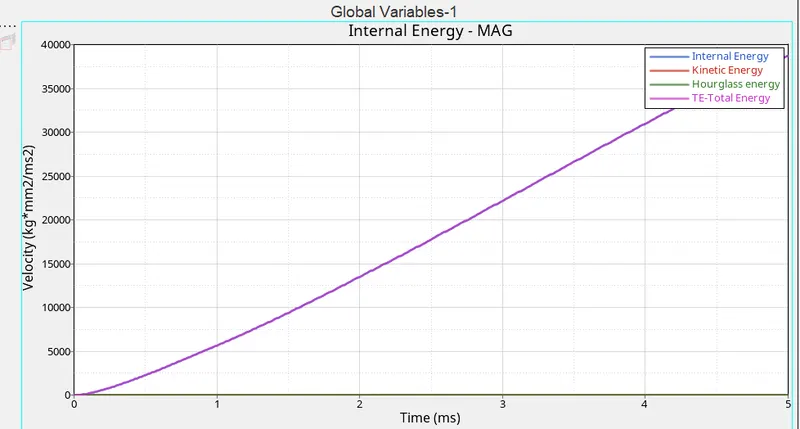
Global varaiables
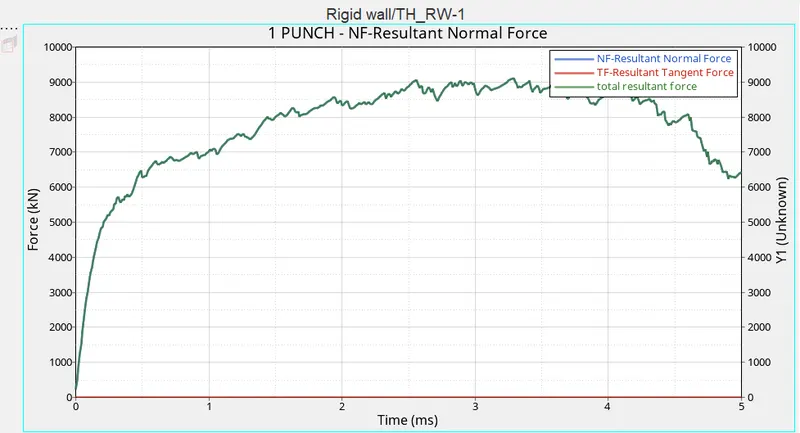
Rigid wall forces
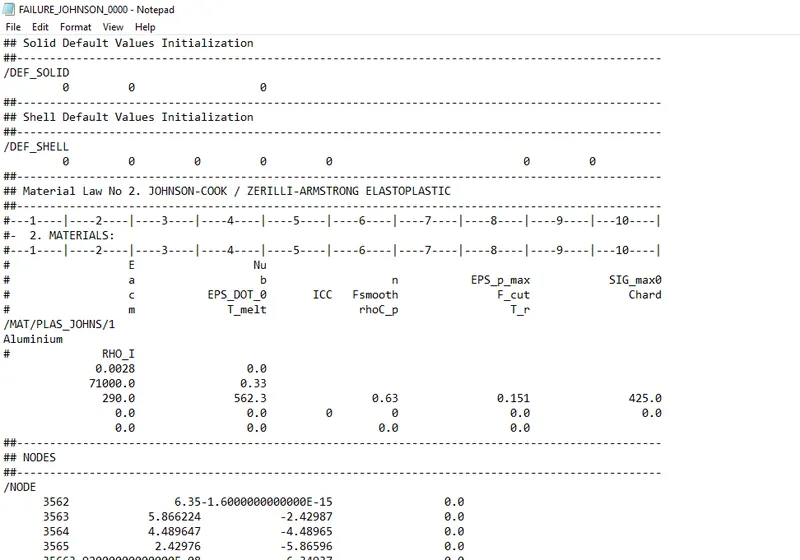
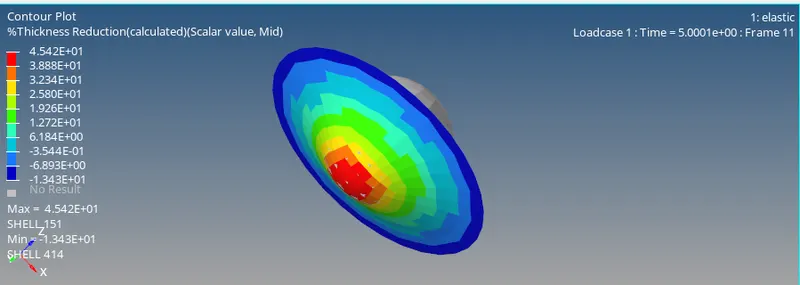
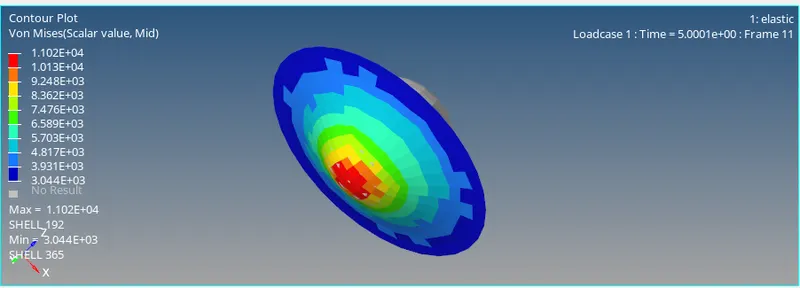
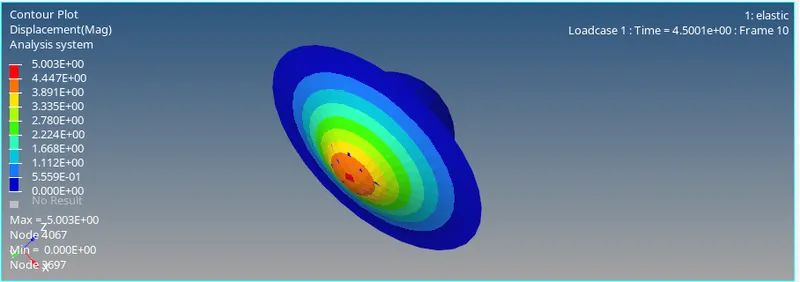
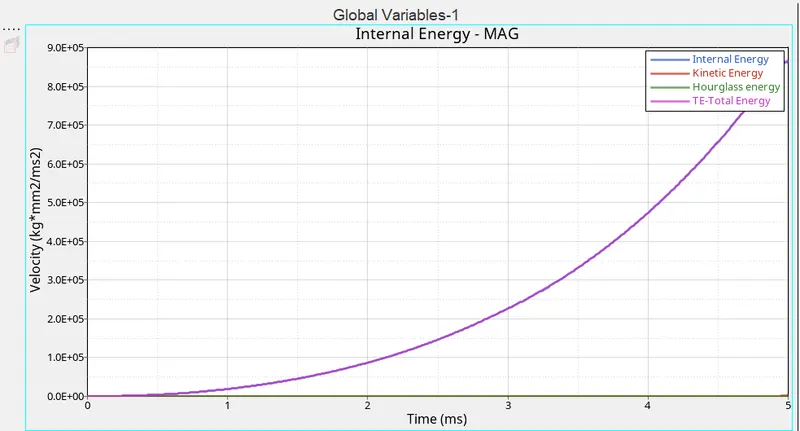
CASE 5.Convert the material model to law 1 with same density,E and nu.Run and check the results
This material obyes hooks law no plastic deformation is expected in this model.
In this model the changes are made by changing the material crad to law1 and model is stimulated
Import the failure_0000.rad in the solver deck and then check the property and material inputs.
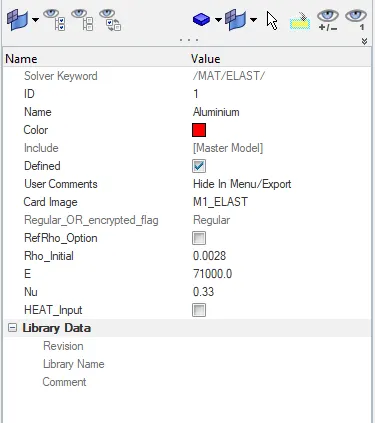
The values for E,Rho and Nu are taken from below card
change the property to M1-elastic
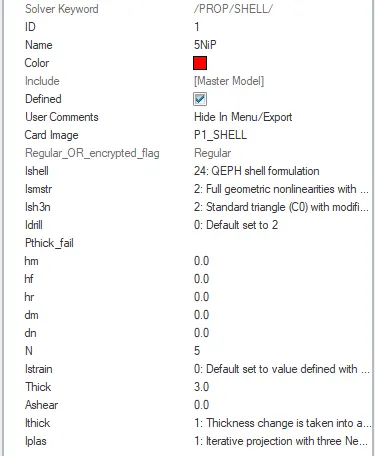
After all the checks are done on the input data goto-analysis-radioss-select the path- click radioss.
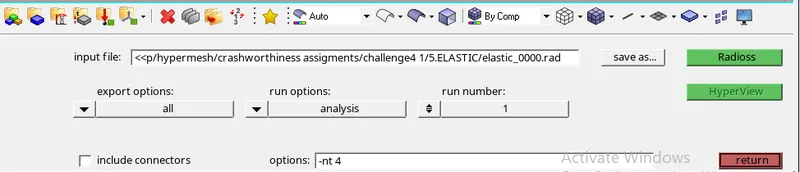
Check the time elapse value and number of cycles.
Elapsed value:184.33 s
No of cycles: 47969
Open the .OUT file and check for mass error and energy error
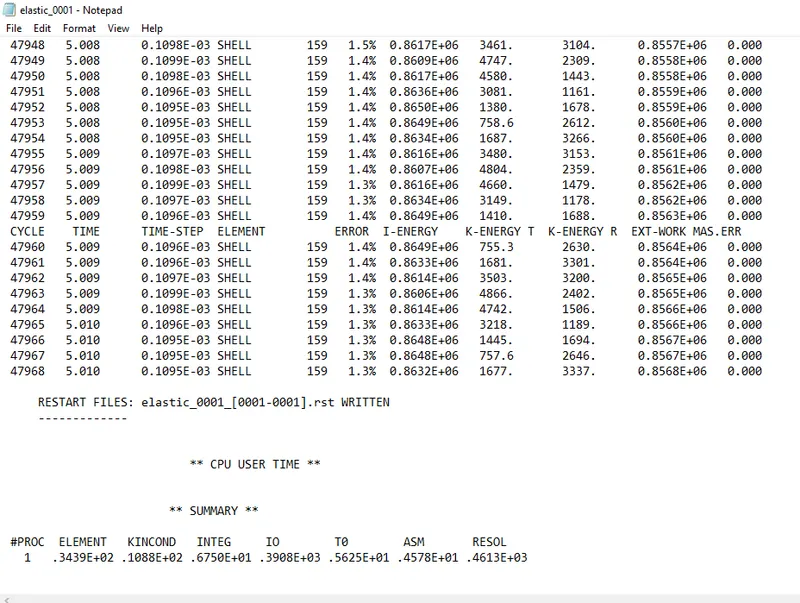
energy error=1.3%
mass error=0.00
So its acceptable and furthur stimulation can be carried out.
Now go to hyperview and then import the H3D file in software
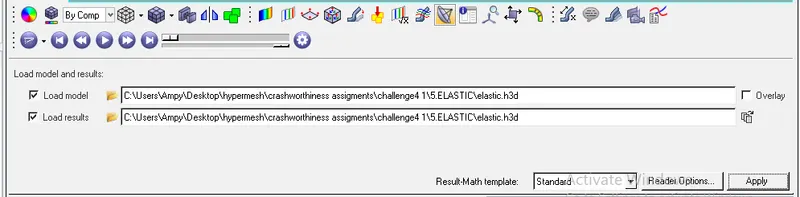
check for the various different displacement , velocity ,von misses and then run the model.
%thickness reduction
Von misses
dispalcement
Now compare the results and plot the graph
open .T01 file and then apply.select the varaiables required and plot the graph
Global varaiables
Rigid wall forces
6.law27_0000.rad
Import the _000.rad file solver deck
Open the model-material property-select the m2plastic/dat and enter the Rho,E values
In curves create a strain curve as per mentiones values in the vedio6&7
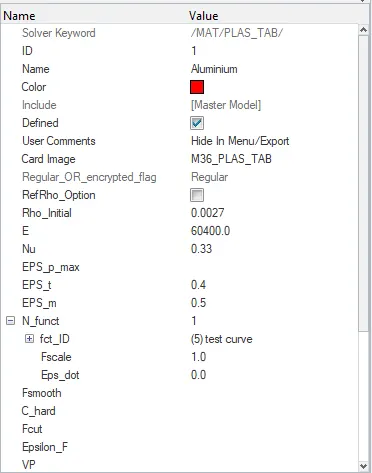
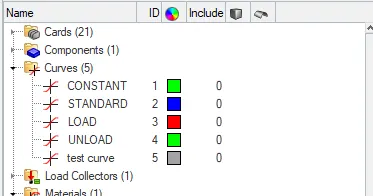
Assign the curve in the material model and then go to analysis-radioss-sleect the path-click radioos
once the stimulation is completed open the .OUT file and check for energy and mass error
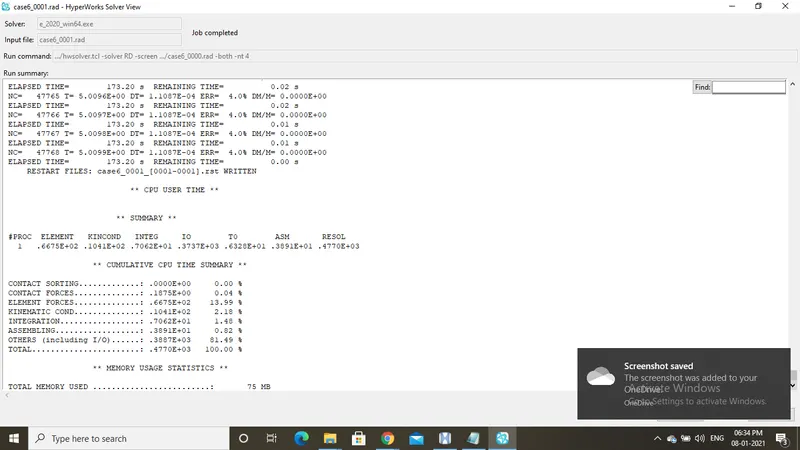
energy error=4% and mass error is 0
so the energy error below 15% is accpeted and good for stimulation
open the hypergraph and import the .H3D file and apply

change the values as per your need and check th results
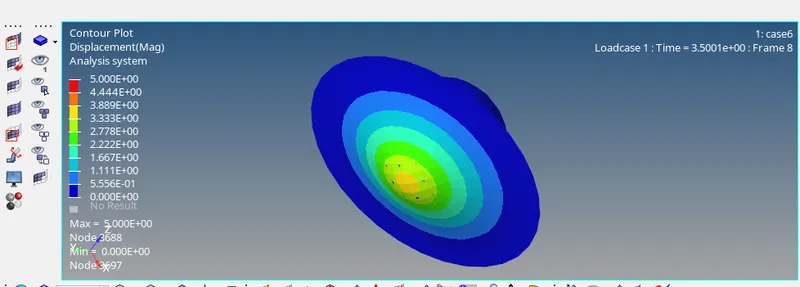
Displacment
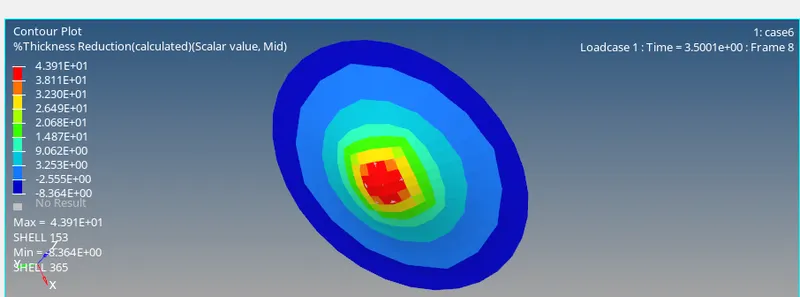
thickness reduction
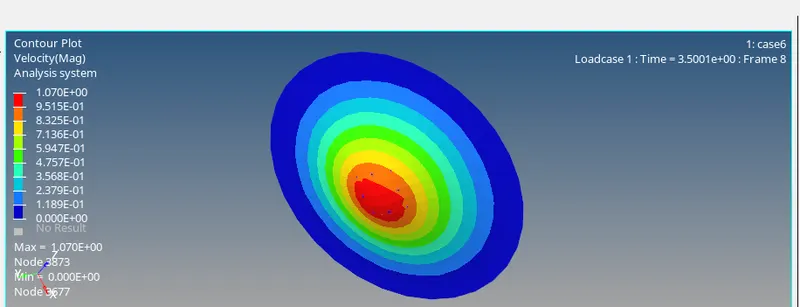
Velocity
Now plot a graph as per our need.
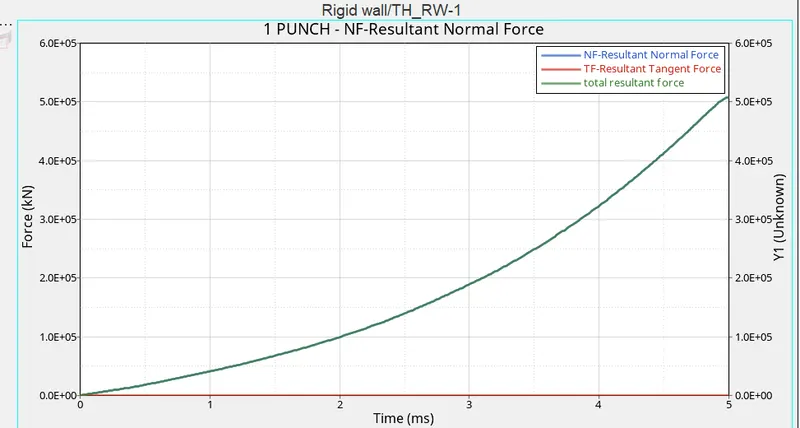
rigid wall force:
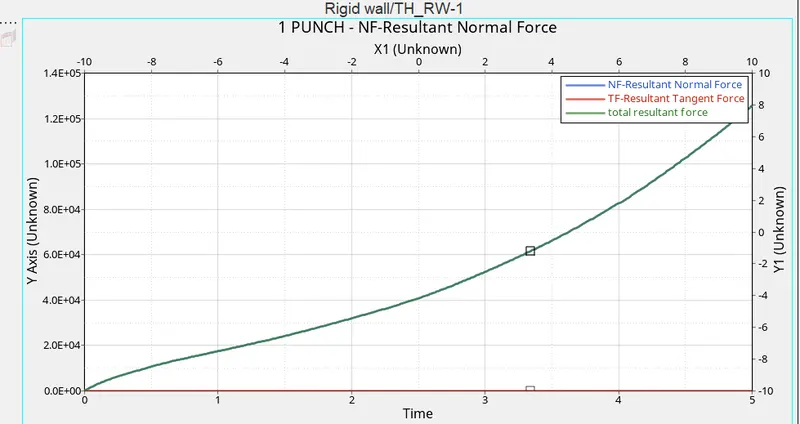
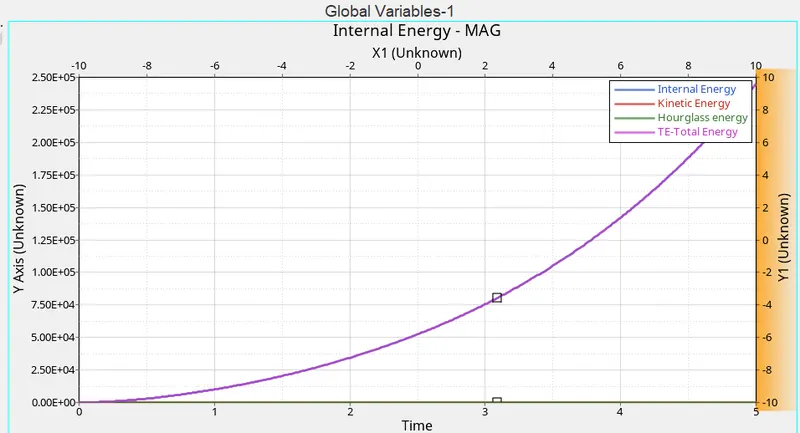
Global varaiable graph:
7.LAW27
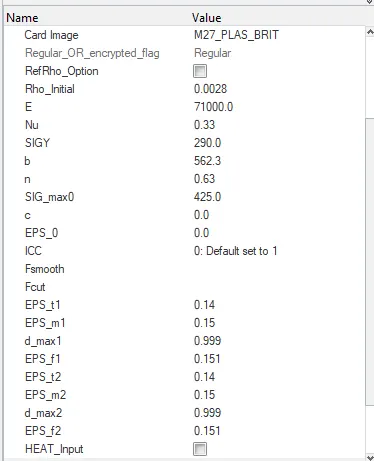
As it is a brittle it doent have a Eps max value.
import the file in sover deck
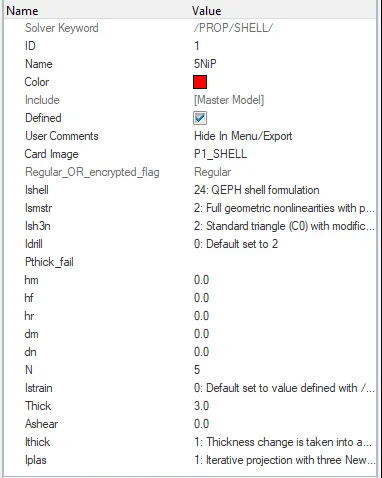
change the parameters related to the material and property card.
Time elaspsed:186.81 s
TOTAL NUMBER OF CYCLES : 49508
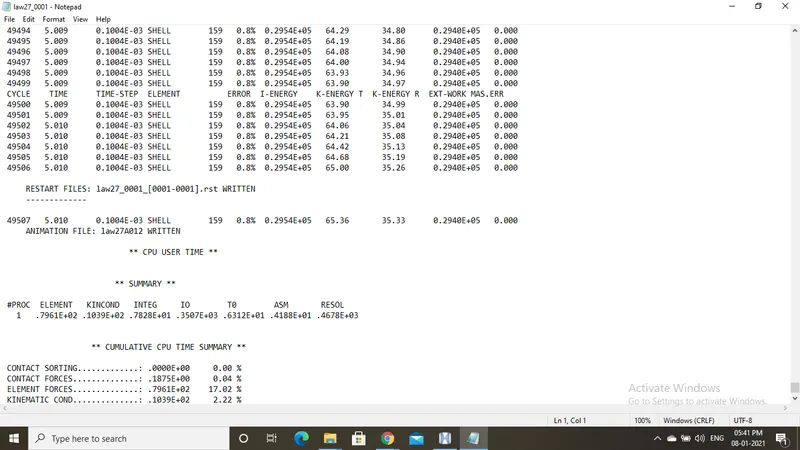
energy error=0.8% and mass error=0.00
enegry error is acceptable below 15%
hence it good for furthur stimulation
convert the hypermesh into hyperview and follow the following steps
open the folder and search for the H3D file and open it

once the model is open we can see the model and stimulate it by pressing the pass and play button
we can change the input like velocity and von mises and get the results and check the results
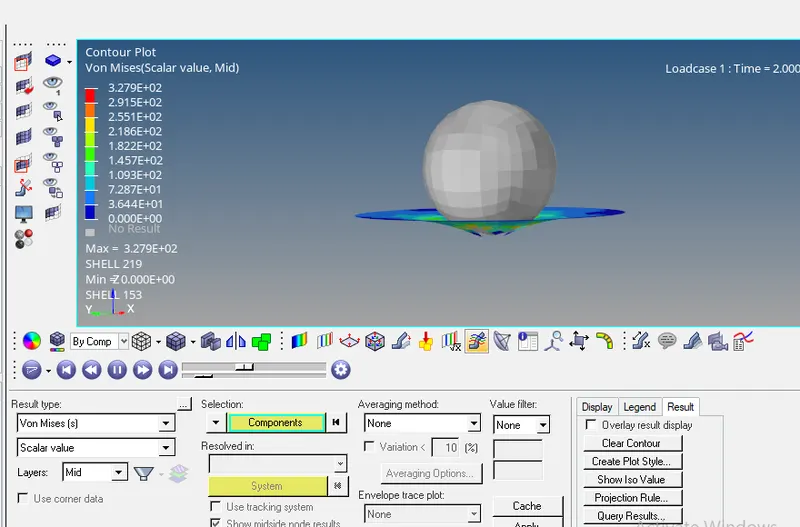
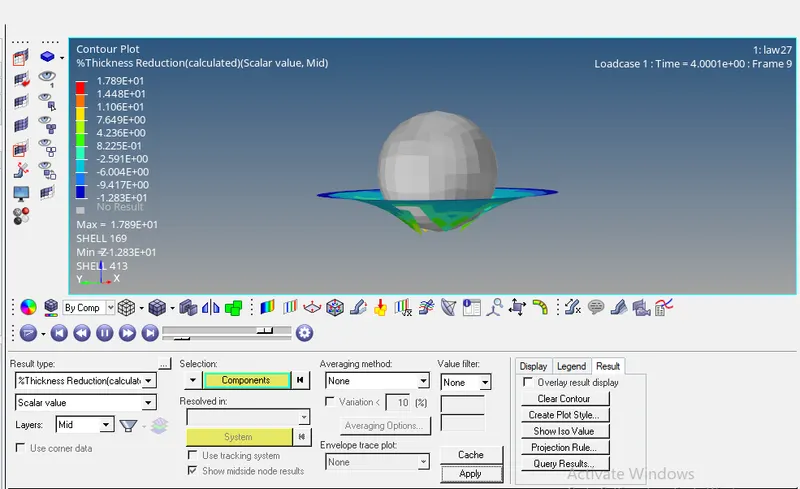
Plot a graph :
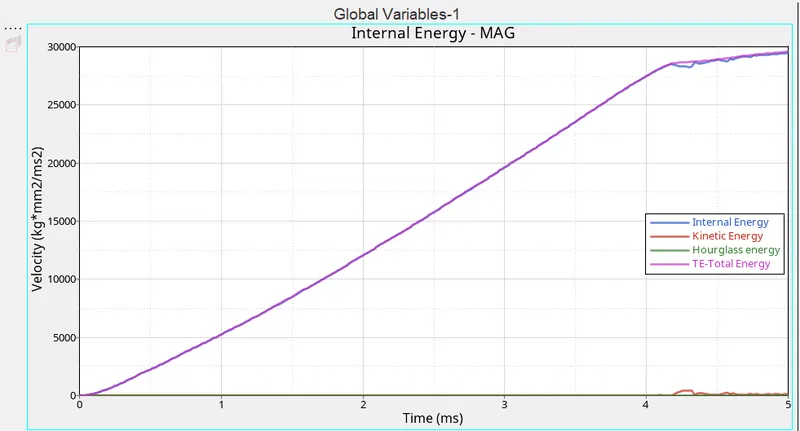
Global variables:
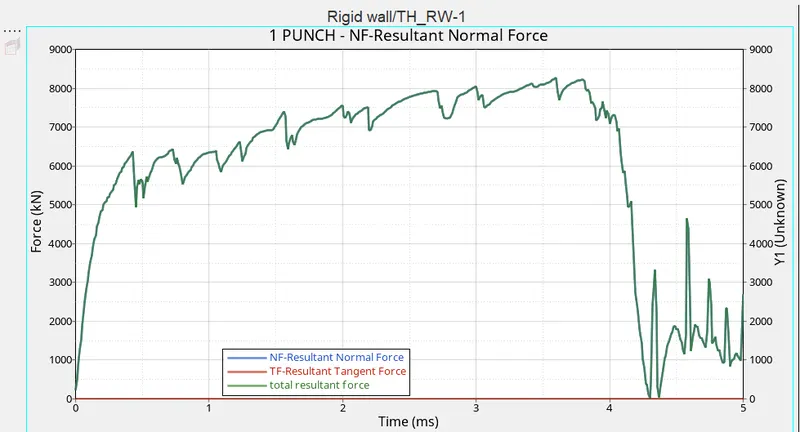
Rigid wall forces:
RESULT:
As stated in sumaary for the current problem where the material in question is aluminium alloy case1,case6 and with proper input case 7 will give out good results. LAW 27-pla_brit material model is the best option with the given inputs awith more detailed results than the law-elastoplastic with Fail-johnsoncard. At end Plast tab using (stress strain Curve), plastic strain parameters would be another option.