Assignment 3-2D Element Formulation Challenge
OBJECTIVE:
AIM: The main goal is to complete the given task to simulate the given model set of the parameters.The task given is as follow.
Comparison of results with base simulation and improved shell element properties
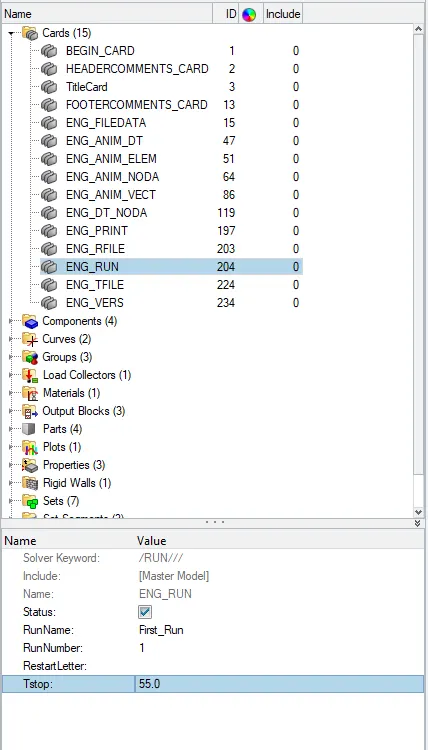
1.Using the crash beam file from the previous assignment, change the run time to 55 ms.
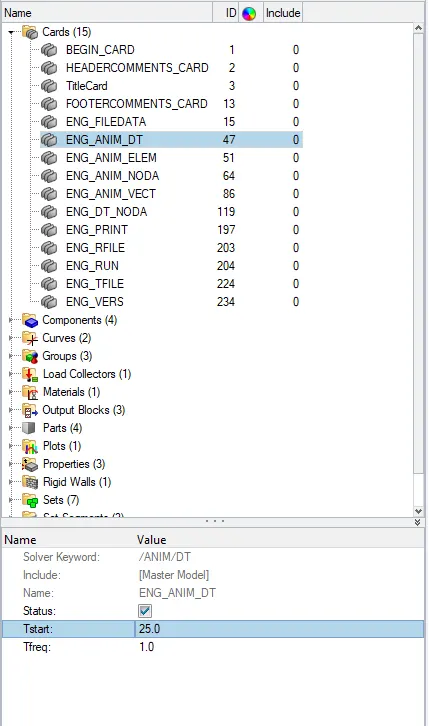
2. Change the number of animation steps during simulation to a minimum of 25 and maximum of 60.
3. Run the base simulation without any modification to element properties.
4. At the end of the simulation, do the energy error and mass error checks and determine whether results would be acceptable.
5. If acceptable, Plot rigid wall forces, internal energy, hourglass energy, contact energy, total energy of the simulations.
6. Change all the shell elements properties to recommended properties, save this as separate, rad files and run the simulation.
7. Follow steps 5 and 6.
8. Create a brief report comparing all the results from steps 5 and 6 for both simulations.
9. Comment whether there is any change in the results and why there is any change in the result.
Recommended properties:
| Parameters | Comment | |
|
Ishell =24 |
QEPH 4 nodes shells are best combination of cost and accuracy. | |
|
Ismstr=2 |
Full geometric nonlinearities (default)with possible small strain formulation activation in RADIOSS Engine. | |
|
Ish3n=2 |
Standard 3 noded shell (C0)with modification for large rotation(default) |
|
| N=5 | Number of integration points set to 5 for accuracy bending. | |
|
Ithick=1 |
Thickness change is taken into account for accuracy. |
|
|
Iplas=1 |
Iterative plasticity for good accuracy. |
METHODOLOGY
The process which is followed as given:
- Opening the file.
- changing the Run time
- Change the simulation step.
- change the properties.
- simulation changes
- Opening Hyper view
Procedure:
Case 1:(Default properties)
- Import the Model by going to the import solver deck and import.
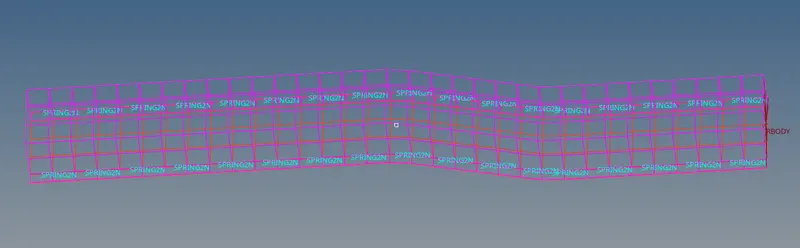
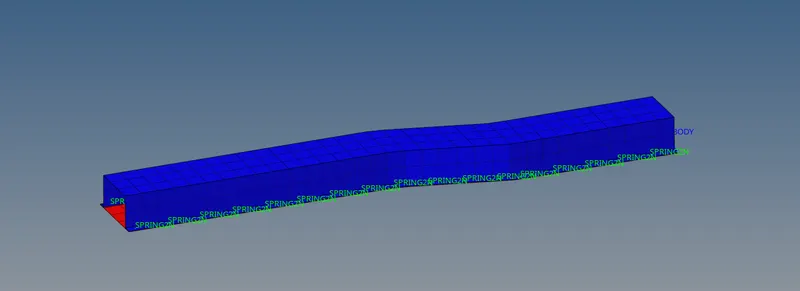
- After importing the model change from the wire frame geomentry to the Shaded Geomentry.
- After we should have to go to Card >ENG run and change the input to 55.
- After that we should have to go ENG DT and give the time step as 25.
- Go to the Analysis and save the file and thick on include connector and apply.
- Then the Radioos will be running the solver.
- After completing the solver we will get a window that display the results.
Hyper view :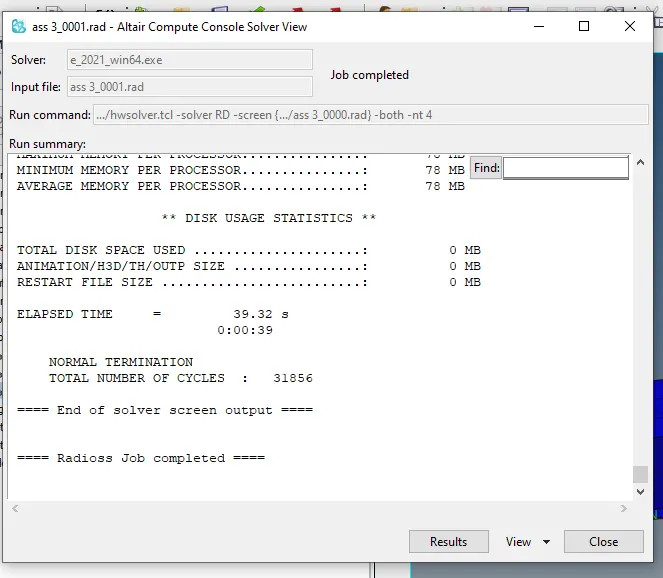
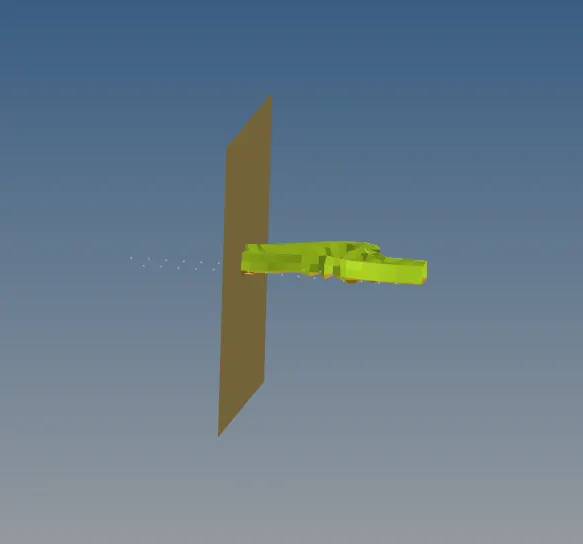
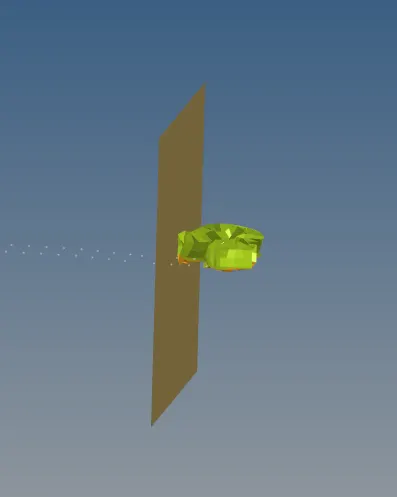
- After completing the solving process we should can the mode to the Hyper view s that we can see the results.
- Go to file and select the .h3d and click on ok.
- We can the model is getting the simulation done we can also see the model deformation.
Hyper Graph.
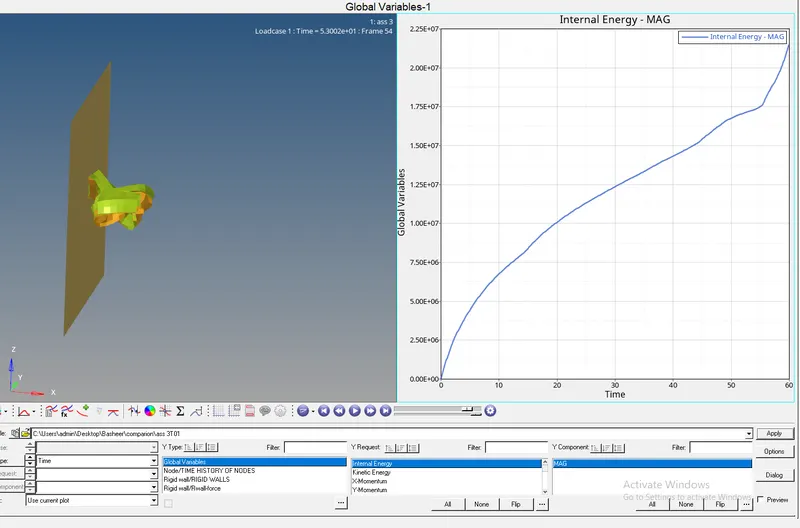
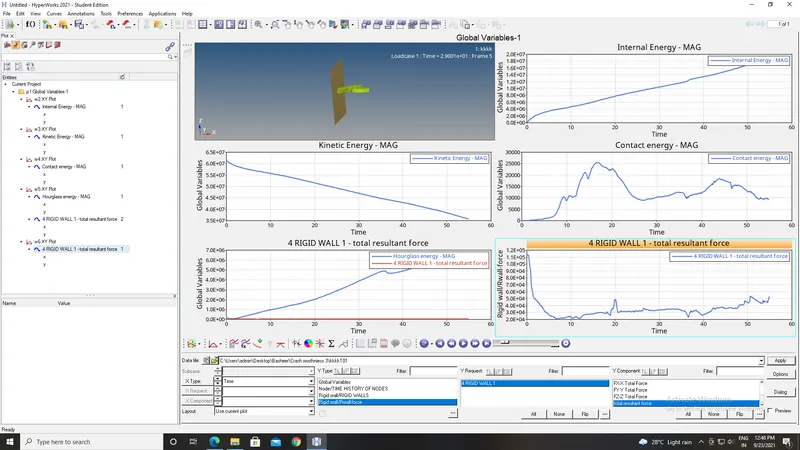
- For the Graph we should go the the Hyper graph panel. so that we can plot the graph.
- We should plot the graph for rigid wall forces, internal energy, hourglass energy, contact energy, total energy of the simulations.
Case 2:
-
The process which is followed as given:
- Opening the file.
- changing the Run time
- Change the simulation step.
- change the properties.
- simulation changes
- Opening Hyper view
Procedure:
Case 1:(Default properties)
- Import the Model by going to the import solver deck and import.
- After importing the model change from the wire frame geomentry to the Shaded Geomentry.
- After we should have to go to Card >ENG run and change the input to 55.
- After that we should have to go ENG DT and give the time step as 25.
- We should change the propertis of the componets that were given the question we should change the properties
-
Parameters Comment Ishell =24
QEPH 4 nodes shells are best combination of cost and accuracy. Ismstr=2
Full geometric nonlinearities (default)with possible small strain formulation activation in RADIOSS Engine. Ish3n=2
Standard 3 noded shell (C0)with modification for large rotation(default)
N=5 Number of integration points set to 5 for accuracy bending. Ithick=1
Thickness change is taken into account for accuracy.
Iplas=1
Iterative plasticity for good accuracy. - Go to the Analysis and save the file and thick on include connector and apply.
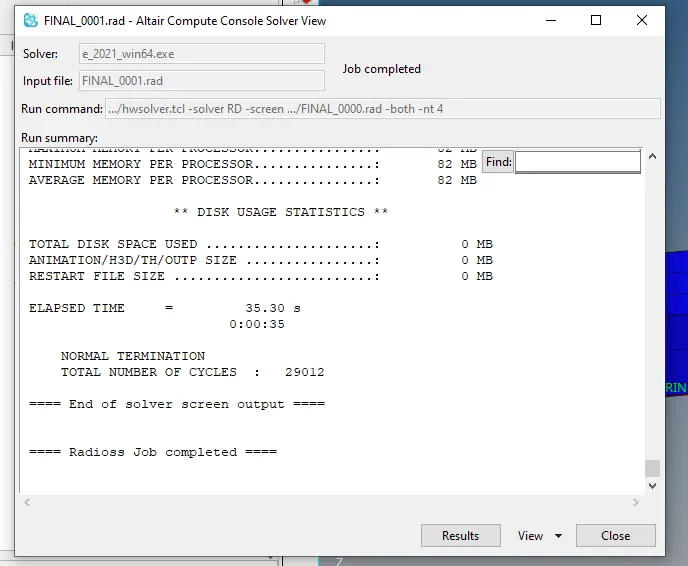
- Then the Radioos will be running the solver.
- After completing the solver we will get a window that display the results.
Hyper view :
- After completing the solving process we should can the mode to the Hyper view s that we can see the results.
- Go to file and select the .h3d and click on ok.
- We can the model is getting the simulation done we can also see the model deformation.
Hyper Graph.
- For the Graph we should go the the Hyper graph panel. so that we can plot the graph.
- We should plot the graph for rigid wall forces, internal energy, hourglass energy, contact energy, total energy of the simulations.
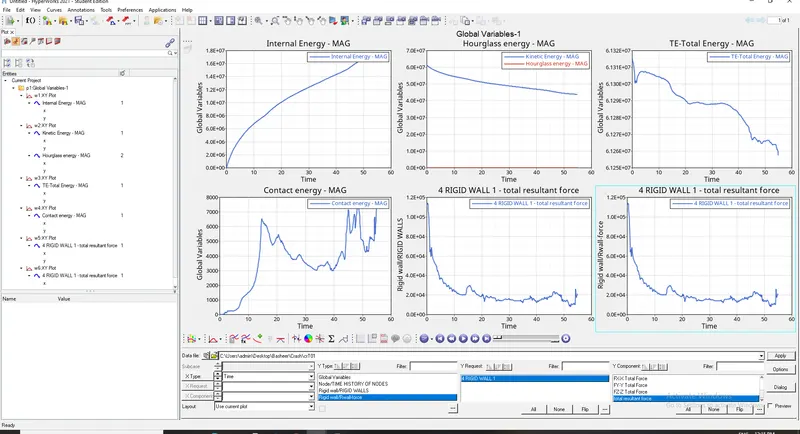
- We can see from the above graphs that Housing Energy is changing from case 1 and case 2and Total energy s changing from case1 to case 2.
- We know that if the Total Energy is stran deformation is reduces a bit.
- Hourglass Energy becomes zero in the case 2 which means the Model has a minimum stiffness esponse
- Terms used:
- T start: Tstart is the Time at which the simulation starts.
- Tstop:is that Time at which the Simulation stop.
- Ishell: Ishell is an element formualtion for the 4 nodes shells.
- Ismstr: is an element formulation for the small or Large strains.
- Ish3n:it is an element formulation for 3 nodes.
Intergation points: An FEA solver displacement and fore results at the element nodes.The shape function is used in the interior of the element.
- Ithick: To determine if the thickness must be remainined constant or vary the thickness for the component.
- Iplast :it was used for post calculating post yield strain.
Hourglass Energy:
- Hour glass are the non physical mode of defrmation that were occur in the underintergated elements and produces no stress.
- Reduce the intergration can leads to non physical energy and zero energy called Hour glasses mode.
Conclusion: Hence the simulation of the both case 1 and case 2 and we have compared the results.