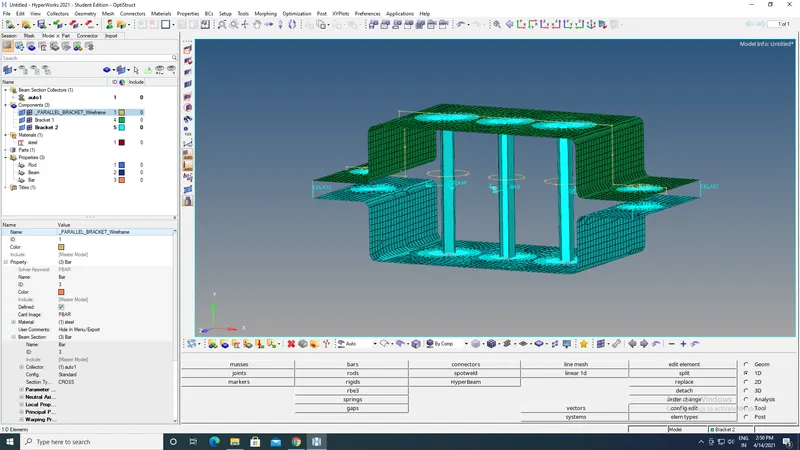
Week 4-1D Element Creation Challenge
Mesh the Given component with the Size of 5 Units. Create 1D elements on the following component with given cross-section and DOF
a. Rod element:- Translational DOF should be Constrained with RBE2 link
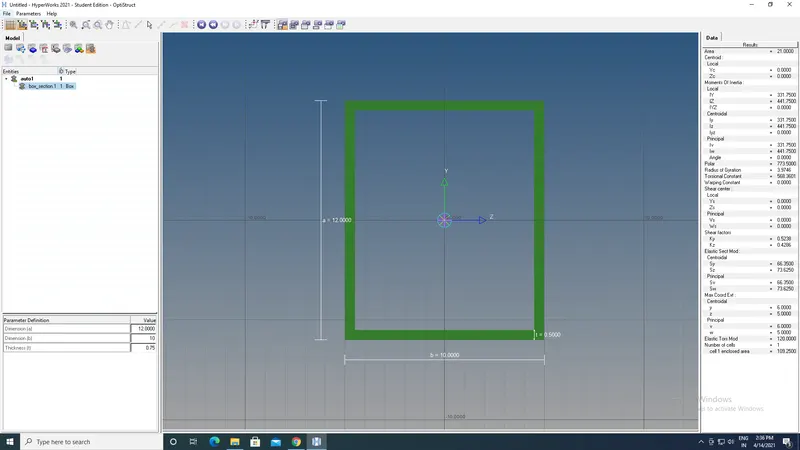
Cross-Section: BOX- Dimension a= 12 mm
dimension b=10 mm
Thickness t= 0.75 mm
b. Beam element:- All DOF should be constrained with RBE3 link
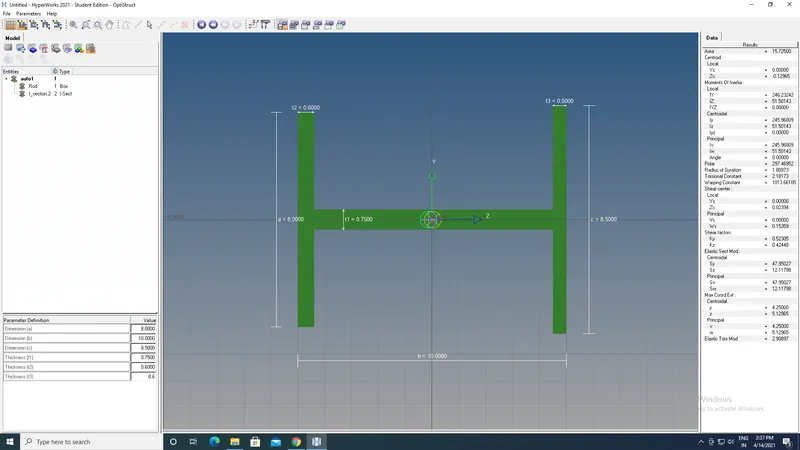
Cross-Section: I Section- Dimension a= 8 mm
Dimension b= 10 mm
Dimension c= 8.5 mm
Thickness t1= 0.75 mm
Thickness t2= .6 mm
Thickness t3= .6 mm
c. Bar element:- Constrain only x and y DOFs With RBE3 link
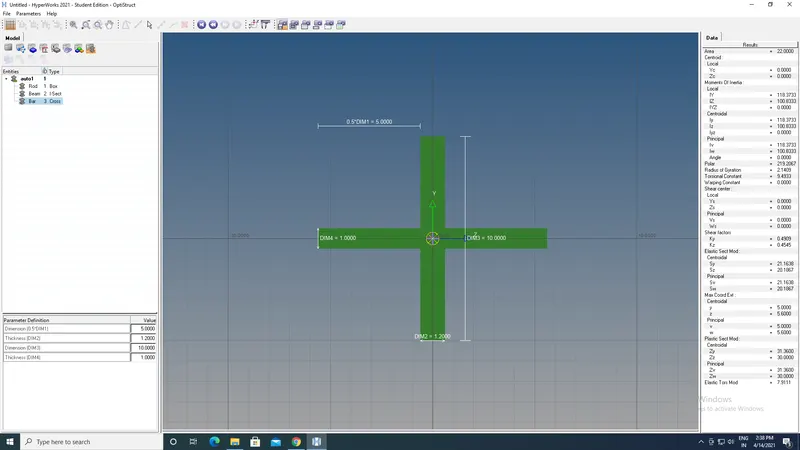
Cross-section: X section- Dimension DIM1= 5 mm
Thickness DIM2= 1.2 mm
Dimension DIM3= 10 mm
Thickness DIM4= 1.2mm
d. & e. Apply the mass of magnitude 10 with the RBE2 link
f. Join the two components with Spring elements
Objective
Mesh the Given component with the Size of 5 Units. Create 1D elements on the following component with given cross-section and DOF
1.Import the given model into the GUI and applying the mid surface to the plane one and plane two and create the two componemts into the GUI.
2.After making the mid surface then delete the parallel body.
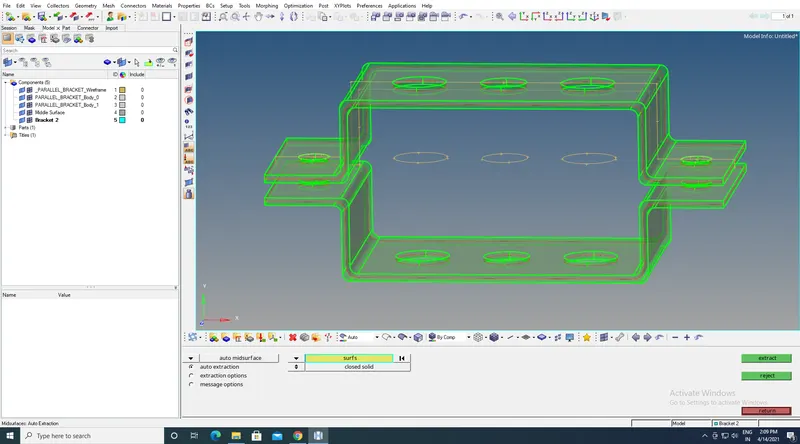
3. After creating the mid surface then remove the surafaces in the screen.
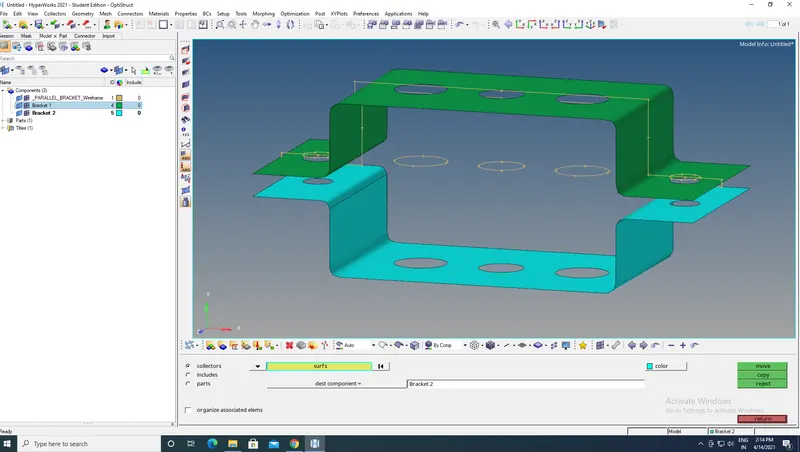
3.After deleting the surface then give the meshing to the model with the target element as 5.
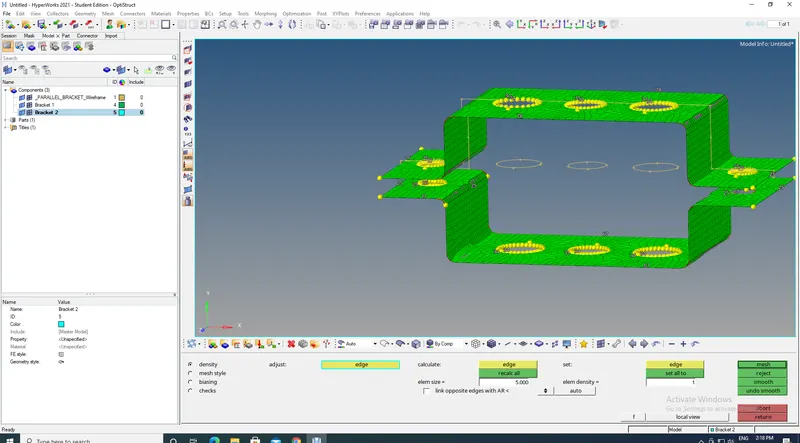
4.After giving the target element byusing the washers split with the offset of 10mm at the the circles.
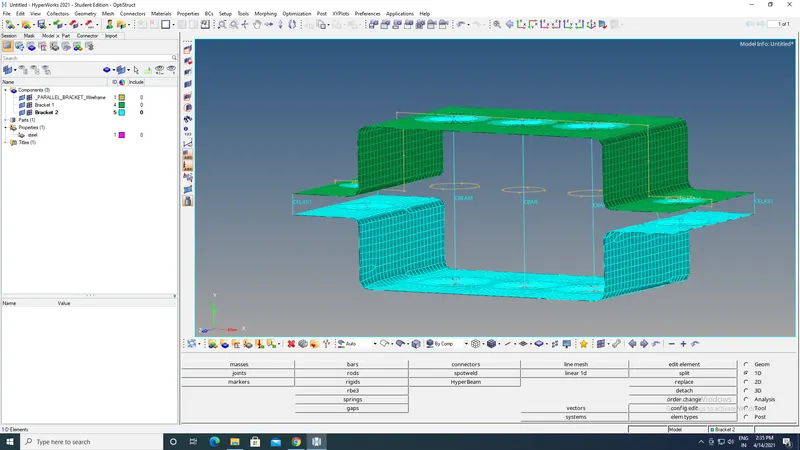
5.After applying the washer split and creat the Bar,Beam,Rod .
6.Then go to the hyper beam section and give the crossection of Bar,Beam,and Rod with the given crossection.
7.Give the properties to the material of Bar,Beam ,Rod.
8.Go to the Bar and update properties like CMBEAM,CMBAR,CMROD.
9.Then apply the material and properties to the model.
10.Apply the masses at the to the model.
11.Apply the springs to the model.