Assignment 2-RADIOSS Engine File Editing & 3D Meshing Challenge
RADIOSS Engine File Editing & 3D Meshing Challenge
Objective:
- To calculate the speed of sound in steel rail
- To calculate time taken for shock wave to cross the rail of 1000mm
- To edit the engine file so that the stress wave can be monitored, moving from one end of the rail to the other during impact.
- To set the frequency of animation output to a time that will give 20 animation
- To set the N_print value as -10
- To perform 3D meshing on the given components with given quality parameters.
Procedures:
- To calculate the speed of sound in steel rail
Formula for "Speed of sound" C = √E/ρ
the given 0000.rad file we can get the material properties of steel rail as shown in figure:1
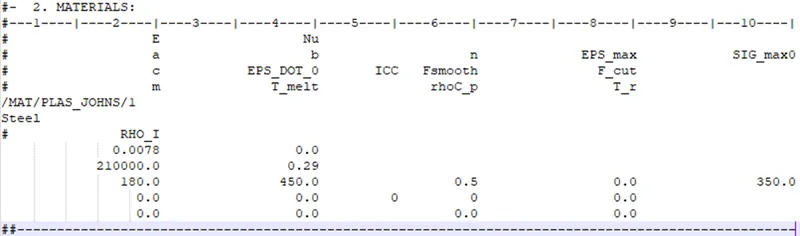
Figure 1: 0000.rad file
the value of
E = 210000 Mpa(N/mm^2)
ρ = 0.0078 g/mm^3
C = √210000/0.0078
= 5188.75 m/s
2) Calculate time taken for shock wave to cross the rail of 1000mm
Formula for time taken ( t ) = l/c
t = 1/5188.75
= 0.1927ms(milli seconds)
3) Time for sound to travel length of rail = 0.1927ms
4) To edit the engine file
The engine file edited according to the calculated values, its shown in Figure 2.
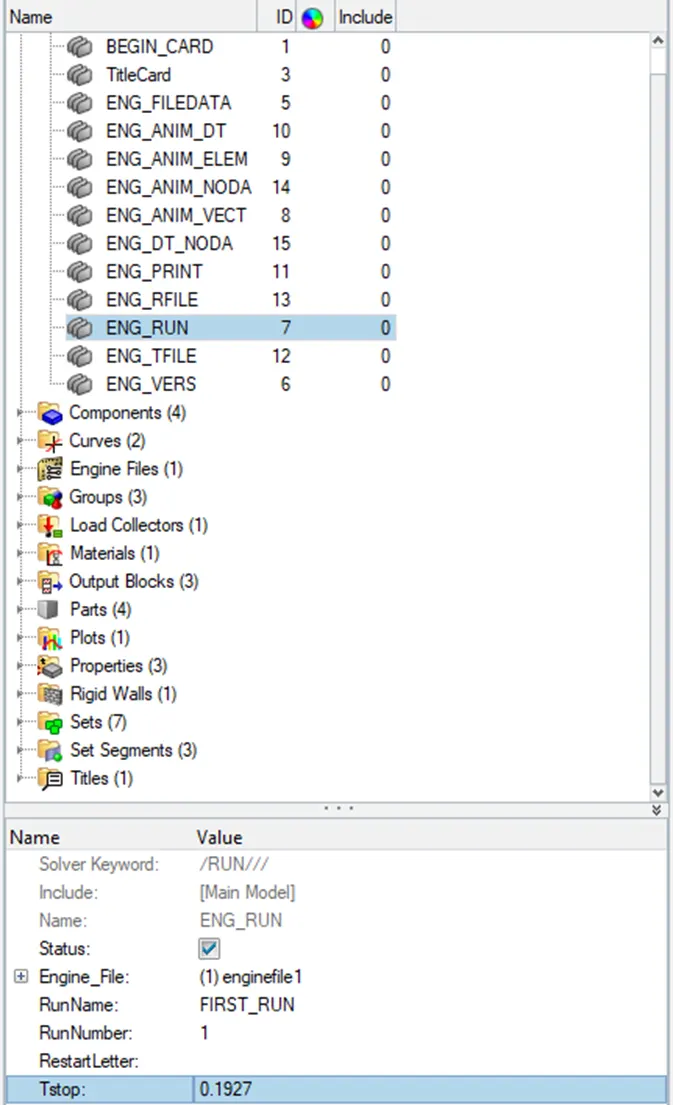
Figure 2: Engine File Edit
5) To set the frequency of animation output to a time that will give 20 animation
Frequency = (l/c)*time
= (1/0.1927)*20
= 104 Hz
Frequency of animation output file edited according to the calculated values, its shown in Figure 3.
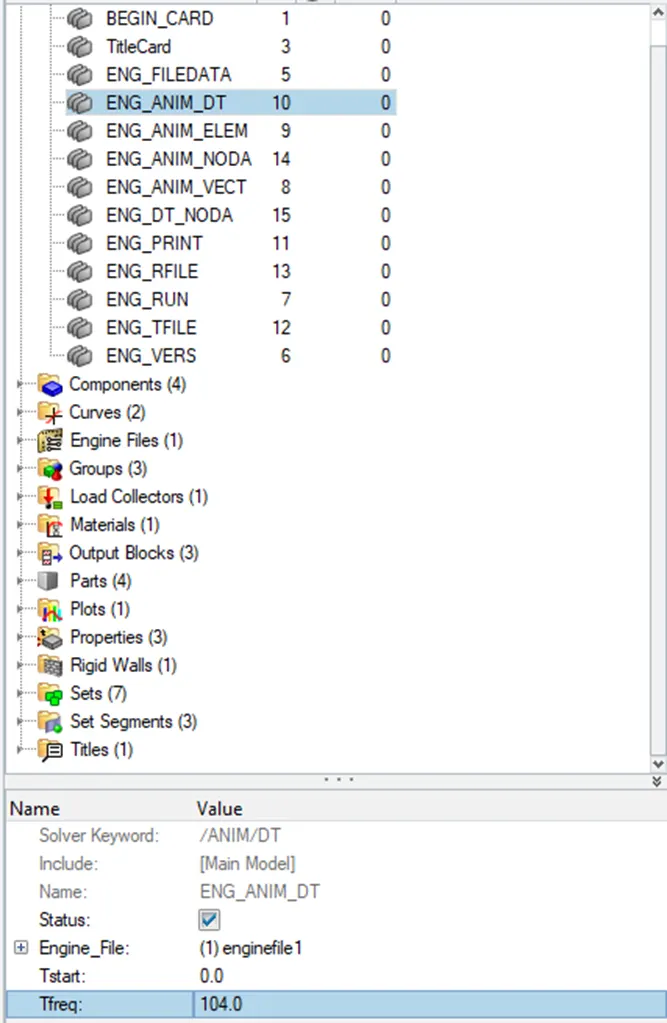
Figure 3: Edited 0001.rad file (frequency)
6) To set the N_print value as -10
File edited according to set N_print value, its shown in Figure 4.
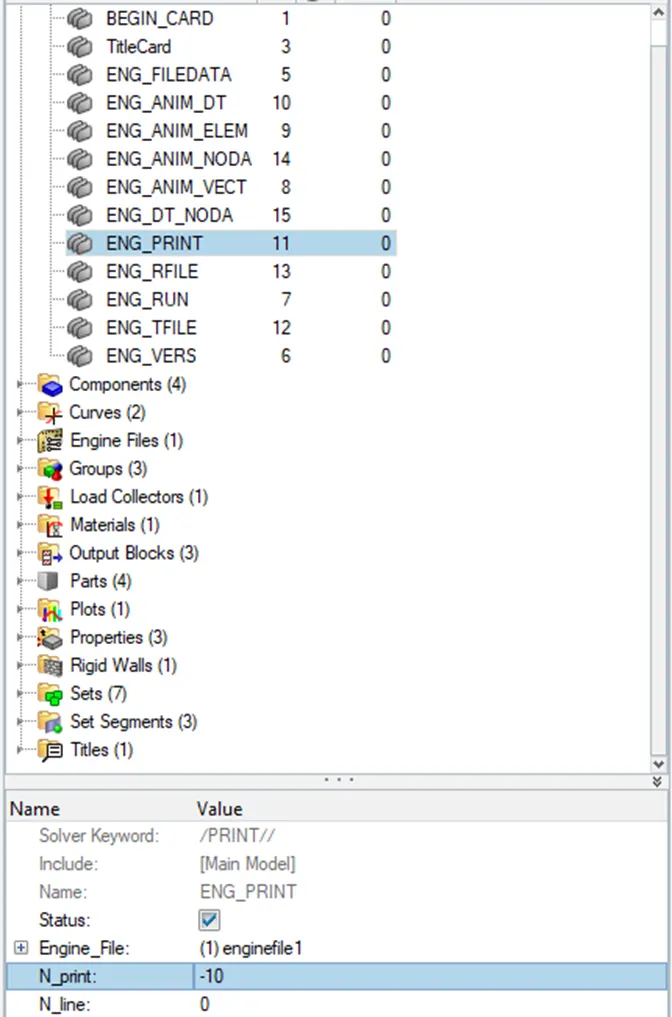
Figure 4: Edited 0001.rad file (N_print)
After changing all the values Export the solver deck file in .rad format as shown in Figure 5.
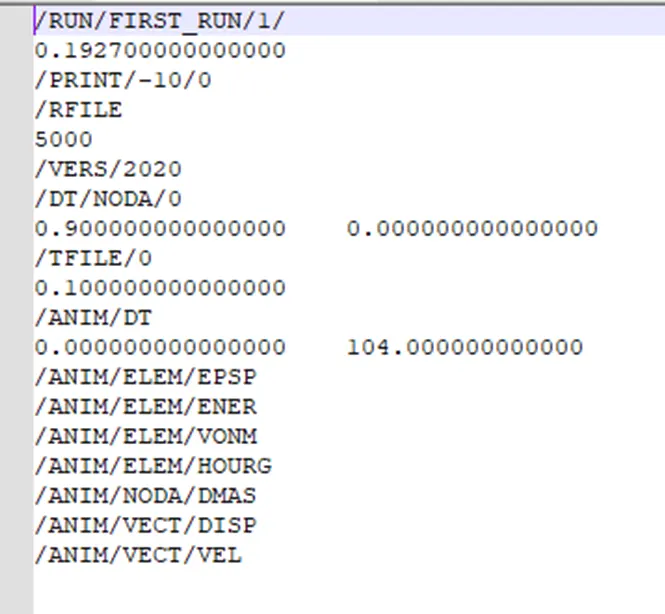
Figure 5: After Editing 0001.rad file
Model 2:
Geometry Import
The Housing Component is imported. The model is next checked for any missing surfaces or triple cons. The imported component is shown in Figure 6.
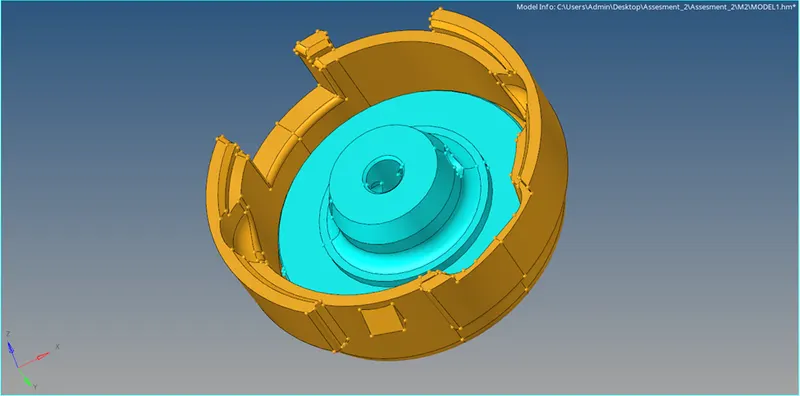
Figure 6: Imported Housing Component
Meshing
Delete the solids on the model and with the model surface create a 2-D mesh by
Command : 2D+ automesh+ surface+ tria-element+ mesh.
Convert 2D tria mesh in to 3D tetra mesh by
Command : 3D + tetramesh+ select the element+ mesh
3D Tetra meshed component is shown in figure 7,& 8.
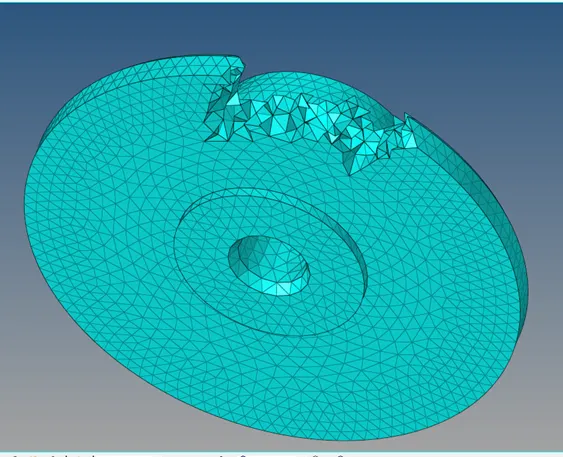
Figure 7: Meshed Inner housing model
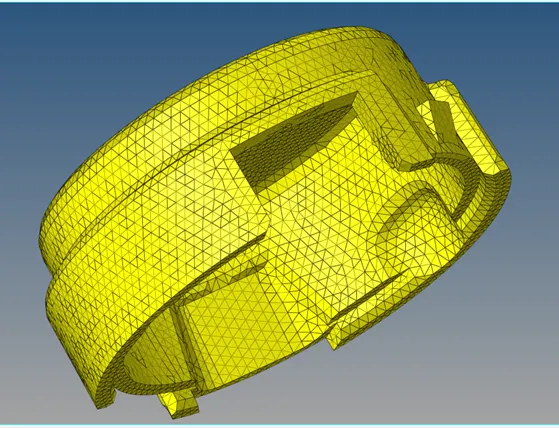
Figure 8: Meshed outer housing model
Model 3:
Geometry Import
The arm bracket Component is imported. The model is next checked for any missing surfaces or triple cons. The imported component is shown in Figure 9.
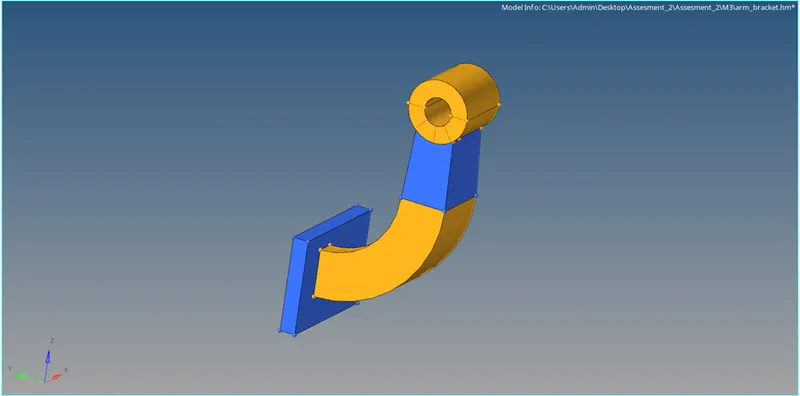
Figure 9: Imported arm bracket Component
Meshing
Meshed component is shown Figure 10.
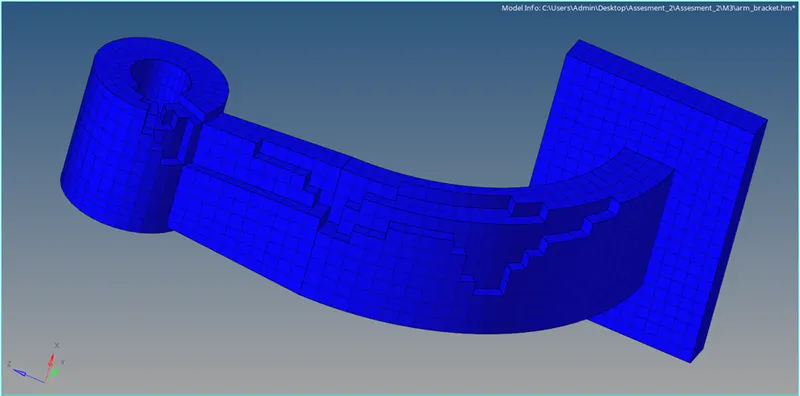
Figure 8: Hexa Meshed arm bracket Component
CONCLUSION:
- Recognised the methods for calculating the speed of sound in various materials, frequencies, and time steps.
- a working knowledge of input radioss file read
- Recognised how to supply the value and import the radioss solver deck file
- Recognised the.rad file export process.
- learned how to make 3D hexa and tetra meshes.
- learned how to present several types of 1D connections and the notion of hyperbeam