Assignment 2-RADIOSS Engine File Editing & 3D Meshing Challenge
1. Check the material properties of the rail component and calculate the speed of sound in steel rail=_______?
Ans :- Speed of the sound wave C =root(E/density ) = root((210000)/(0.0078)) = 5188.745mm/ms
2. The length of the rail is about 1000 mm.calculate the time takes for a shock wave to travel from one end of the rail to the other.
Ans = Time step =l/C = (1000/5188.745) = 0.19273ms
3.Time for sound to travel length of rail=______
Ans : Dt = l/C = 1000/5188.745 = 0.19273 .
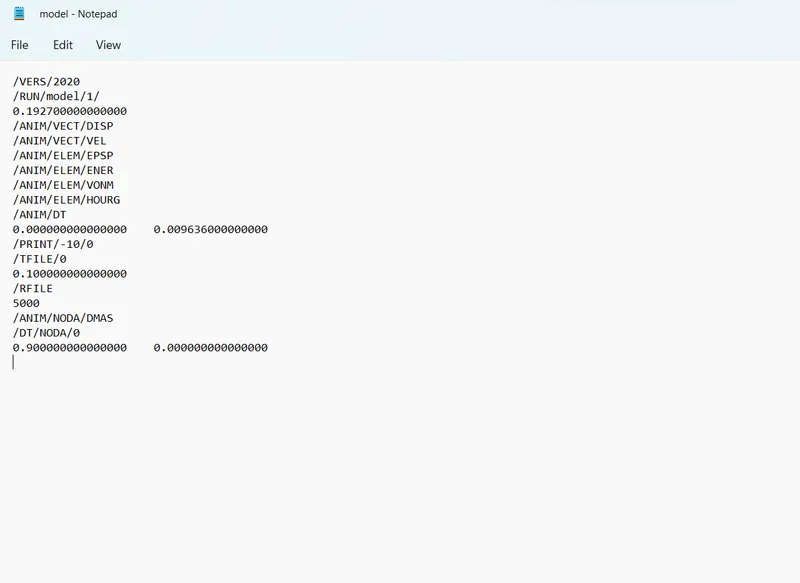
4.Edit the engine file so that the stress wave can be monitored, moving from one end of the rail to the other during impact -this will require a termination time equal to the time it takes for the sound to travel the length of the rail(set on/RUN card)
5.Set the frequency of animation output to a time that will give 20 animation steps(/ANIM/DT)
Ans =0.009636
6.Change /print -10.
7. 3d meshing tetra mesh and hex mesh of given Model .
Model 1 :-
Aim:- Mesh the given component in tetra mesh.
Step 1 :-Import the model
File -open -select the model - open.
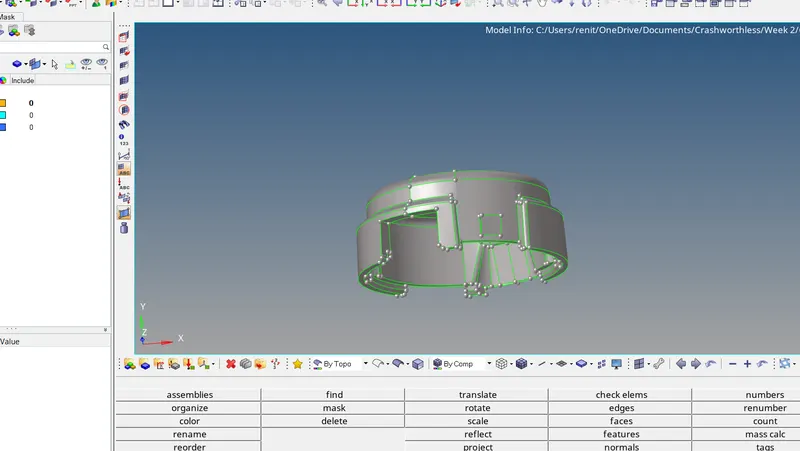
Step 2 :- Checking for free edges and assigning Quality criteria .
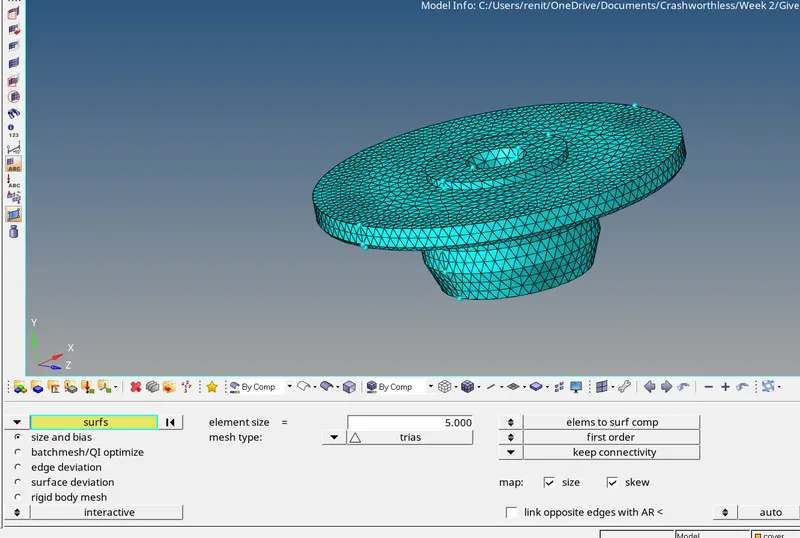
Step 3 :- Generating 2D Mesh.
2D - Automesh -Surface -select the surfaces -element size 5 -element type -trias - mesh.
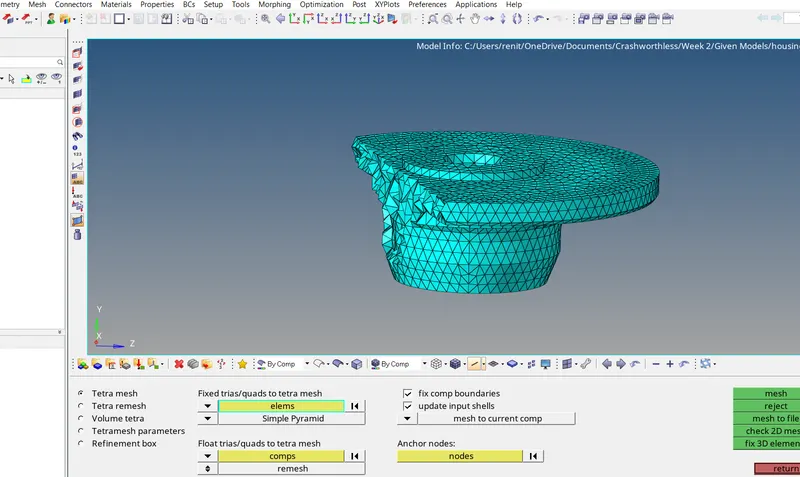
Step 4 :- Generating Tetra Mesh.
3D -Tetra Mesh - tetra mesh parameters -give tet collapes -minum elenent size - tetra mesh -select the elements - mesh.
Step 5 :- Cleared all Tet collapse.
tool - Check elements -3D -Tet collapse =0.15
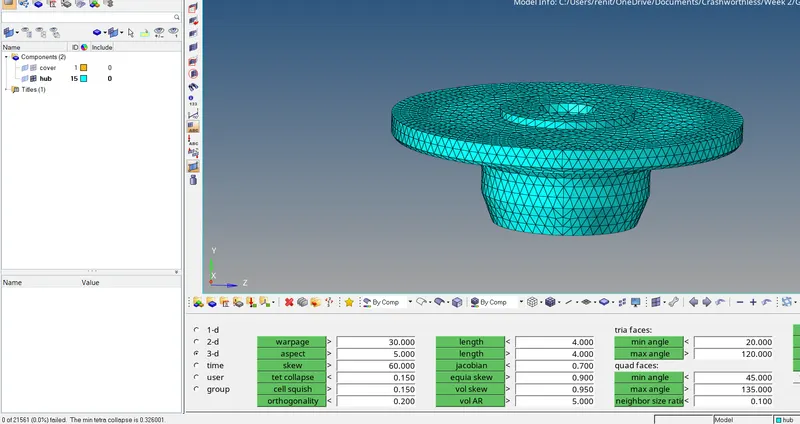
Step 6 :- Ttera meshing the quick tetra mesh .
View -browsers-hypermesh -utility -geometry mesh -quick teramesh -select the component - give element size and elemenet type -mesh.
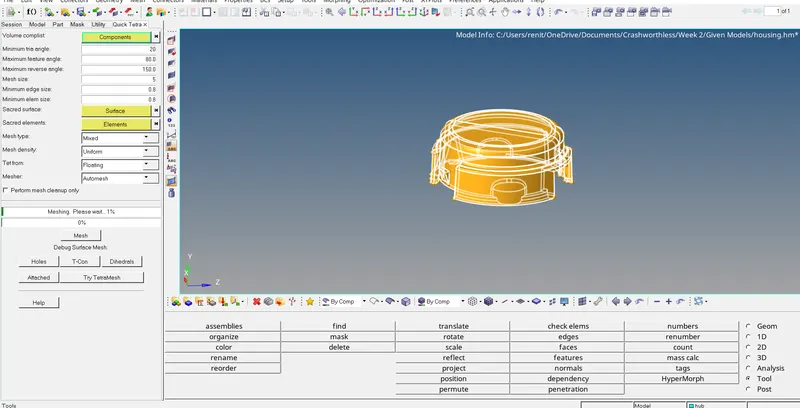
Step 7 :Passes tet collapse.
tool - Check elements -3D -Tet collapse =0.15
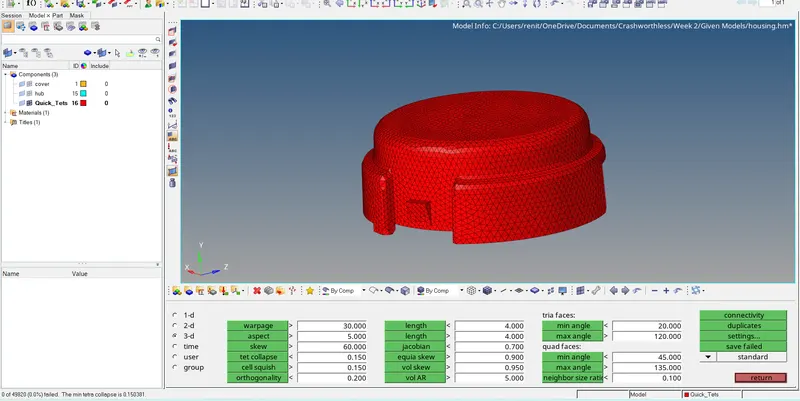
Final Model.
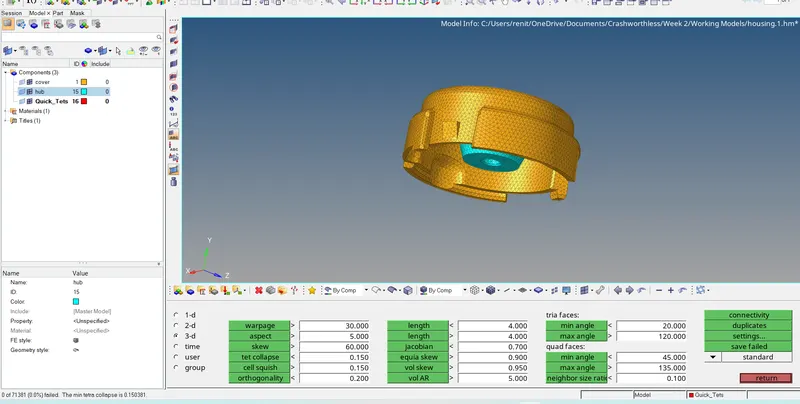
Result :- Given compoents is meshed with tetra mesh with give quality parameters.
Model 2 :-
Aim :- Generating Hexa mesh.
Step 1 :-Import the model.
file -open -select the model-open.
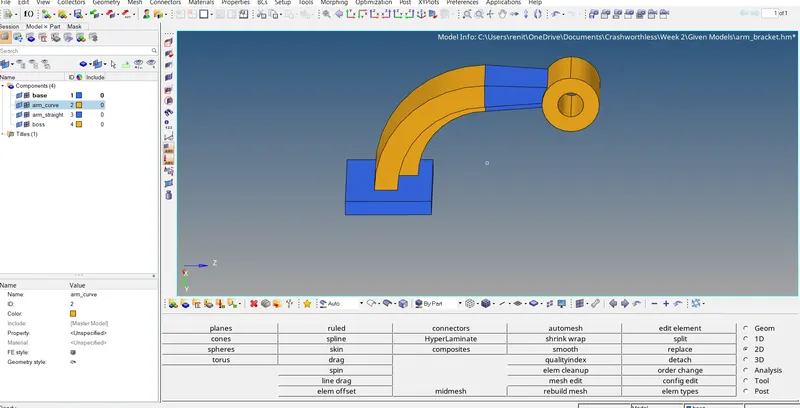
Step 2 :- Generating 2d Mesh.
2D -automesh -select the surface - element size 10 -element type mixed - mesh.
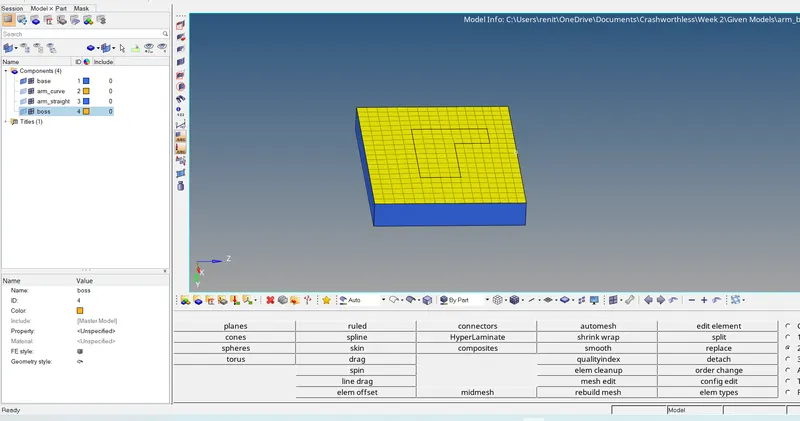
Step 3 :- Element offset
3D -element offset - select the elements - select the surface to offset - give number of layers -give thickness offset.
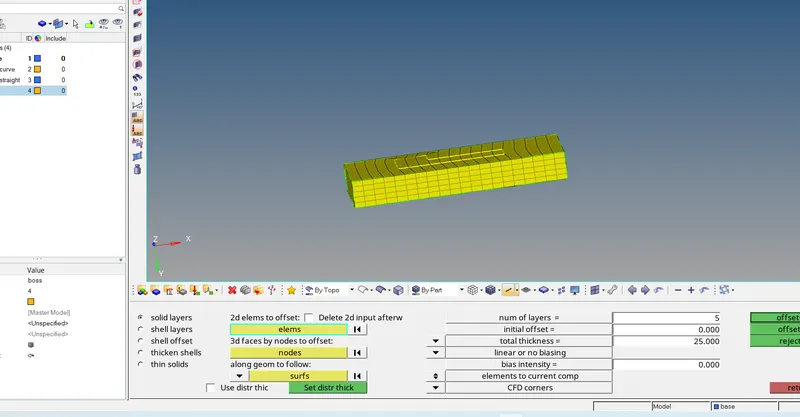
Solid mesh created
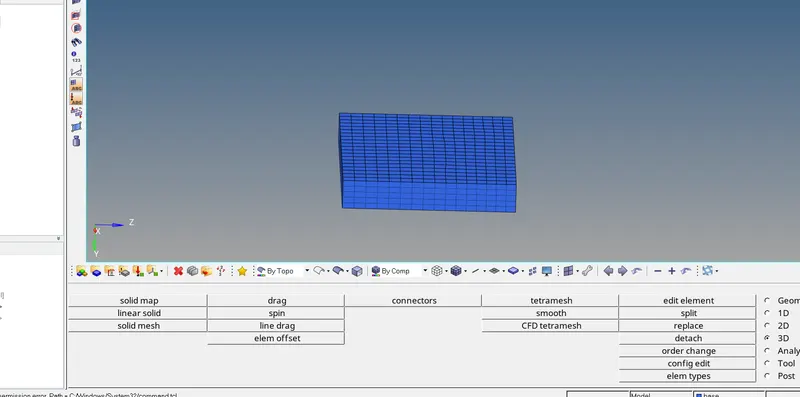
Step 4 :- Creating solid in curve.
created center node .
Geometry -distance -select two nodes on the curve -create a center nodes.
Creating solid elements .
3D -spin -spin elements - select the element -select the axis -select the base node as center node- angle =90degree - give on spin -spin +
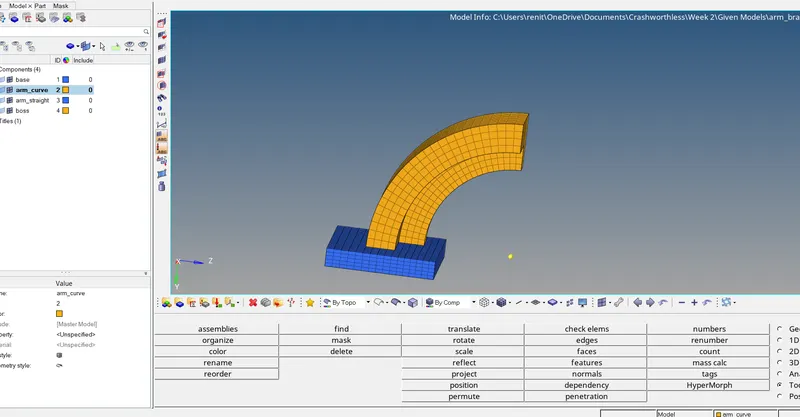
Step 5 :- Create a linear solid .
create an edges
tool -edges -select the element s -edges .
Generate a mesh linear as the solid mesh.
3D -linear solid -select the elemensy on edges -select the elements which is newwly created -give alignments nodes and same as edges and new created mesh - give density -create solids .
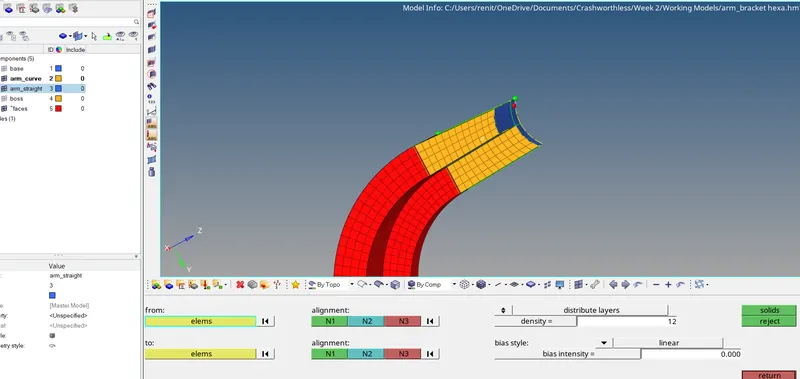
Step 6 :-Create a solid map.
Create a mesh on the base .
3D - Solid map-general - source dest geometry -none -dest geom-select the opposite base surface - elements drag -select themeshed elements - along geometry -select the lines - Mesh
Final Model.
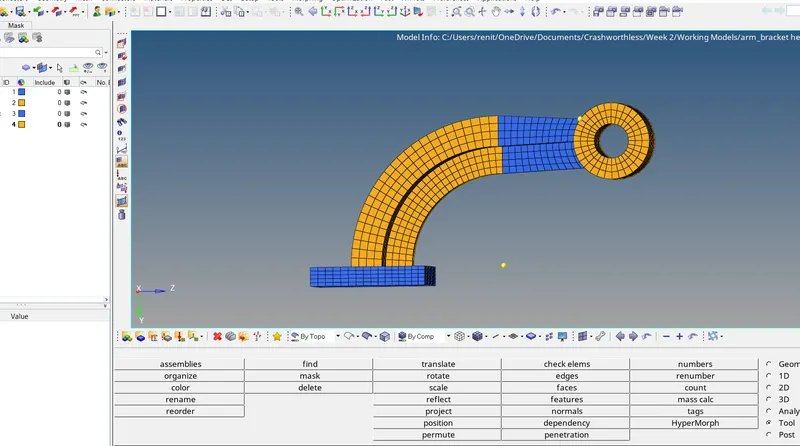
Result :- Given compoents is meshed with Hexa mesh with give quality parameters.
Learning Outcomes .
*Learned about whats are the parameters in radioss file.
*Learned about how to calculate the values.
*Learned about how to edit engine files.
*Learned about the generate tetramesh and hexa mesh.
Thanks
Renith Balachandran M