Advanced Sheet Metal Design Using NX Cad Challenge_5_Odd Shaped Enclosure
1. Title: Odd_Enclosure
2. Objective: To design the Odd_Enclosure with sheet metal from Nx CAD
3. Introduction: The sheet metal working domain is widely used in industries because sheet metal can quickly get and does not require any type of machining process like turning, milling, boring or any other kind of process which can be done with the help of CNC or VMC machine. In the Sheet metal process, the power utilization and material wastage are very less. So it is money and time saving also, by which the cost of sheet metal parts little bit reduces. We can manufacture a part with good strength and rigidity like a part modelling.
The Odd Enclosure name is suggesting to make a closed box with sheet metal with respect to the manufacturing process which is a complicated design methodology.
4. Design Approach:
-- Trapezium Sketch of 200 mm base , hight 100 mm sides 60* angle from horizontal.
-- Extrude the sketch 200 mm.
-- Project the side edges of the top of the trapezium.
-- Convert the solid into a sheet of 3 mm thickness.
-- Jog creation of 20 mm height of step on a tab from a sketch in the opposite face.
-- Unbend the whole component and get a flat sheet.
-- Draw the Sketch at the top of the box for making 2 beads (emboss).
-- Make 10 mm diameter holes on unbend sheet.
-- Rebend the sheet from all edges.
-- Flat pattern to make drafting.
5. Description:
Sketch: 2d sketch drawn for making the sheet metal of 1 mm and other features like dimples, and beads.
Extrude: to create a 3d model from sketch.
Solid to sheet metal: convert the solid model into a sheet.
Flange: make the flanges from the end edges of sheet metal according to the requirements.
Unbend: Make the flat sheet metal plate.
Dimple: To make the emboss-like structure.
Beads: To make this is also made to emboss the structure but a circle sketch is required.
Jog: Use the Jog command to create an offset or a step in a tab.
Rebend: Rebend the sheet metal with respect to its bending edges.
Flat Pattern: To make flat sheet metal for drafting details.
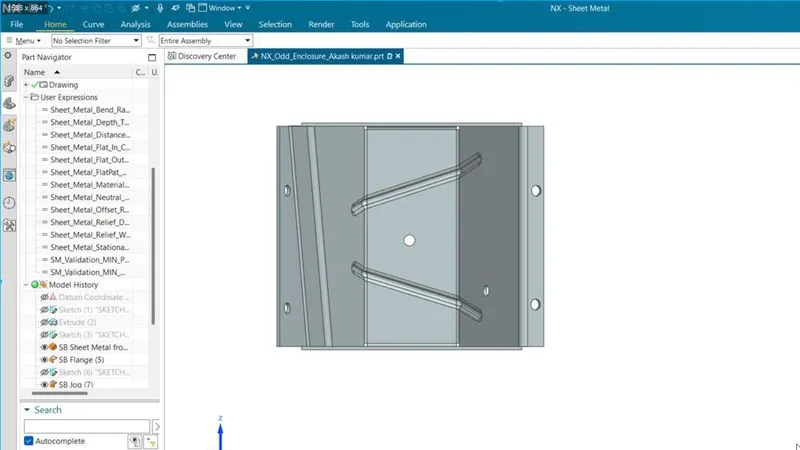
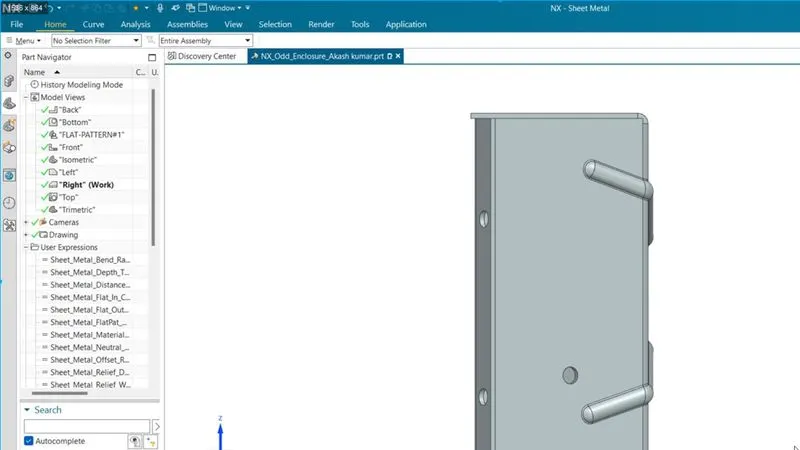
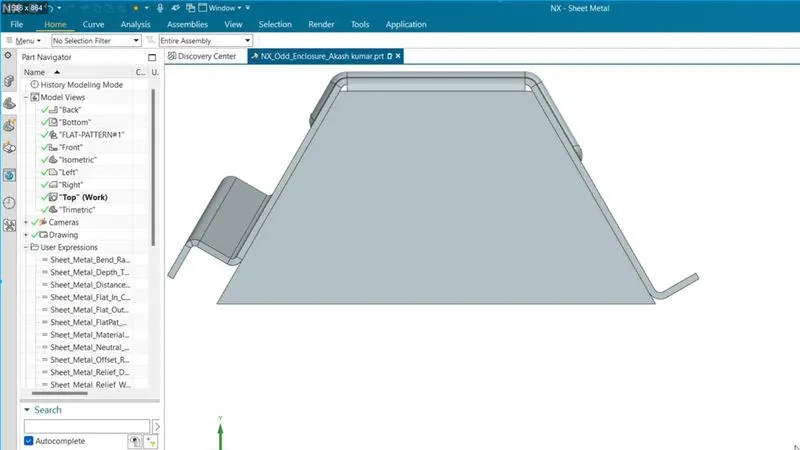
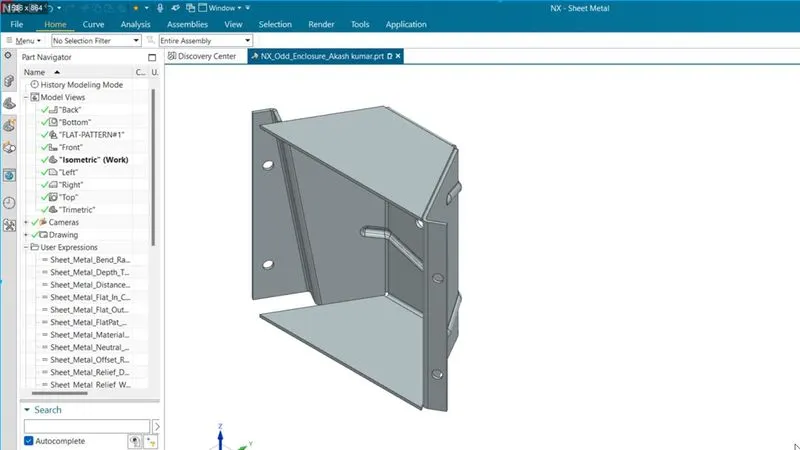
6. All Views of Model:
Front View
Side View
Top View
Isometric View
7. Detail drawing view:
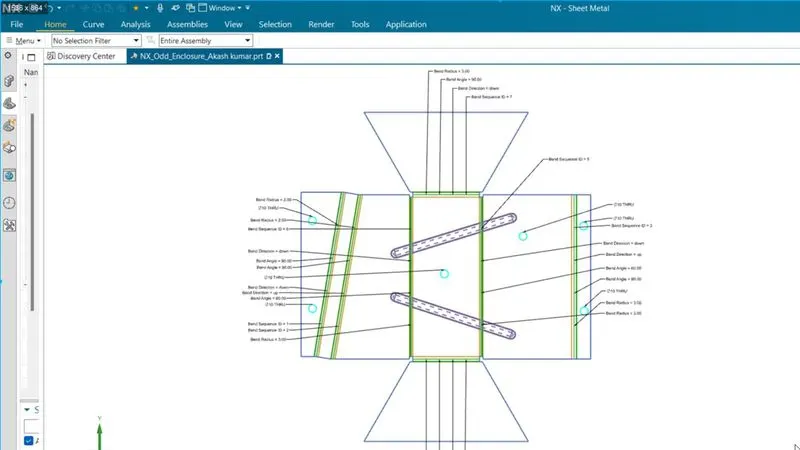
8. Conclusion: we have learned about the new commands like a jog, Solid to sheet metal conversion and others. We can make a complicated sheet metal job and detail drawing it from this tutorial.