Advanced Sheet Metal Design Using NX Cad Challenge_5_Odd Shaped Enclosure
Title:- To Design an Odd Enclosure Using Sheet Metal NX CAD.
Objective:-
In this Project to create is design Odd Enclosure Using command name as Solid Body, Sheet Metal from solid,Flanges,Jog or Bend, Hole, Cutout, Dimple, Louver Feature,Rebend,Unbend areas and Flat Pattern and Drafting Using in sheet Metal NX CAD.
Introduction:-
NX, formerly known as "unigraphics", is an advanced high-end CAD/CAM/CAE, which has been owned since 2007 by Siemens Digital Industries Software.It initialy release in 1973.It is simplifies complex product design.It is very simple and usefull and powerfull software.It is also used in aerospace and automotive companies.
In this project we have design Odd Enclosure sheet metal part using in NX CAD. I have created odd Enclosure part used is command name as Solid Body, Sheet Metal from solid,Flanges,Jog or Bend, Hole, Cutout, Dimple, Louver Feature,Rebend,Unbend areas and Flat Pattern and Drafting Using in sheet Metal NX CAD.You can also quickly convert solid part to sheet metal components.
Design Methodology:-
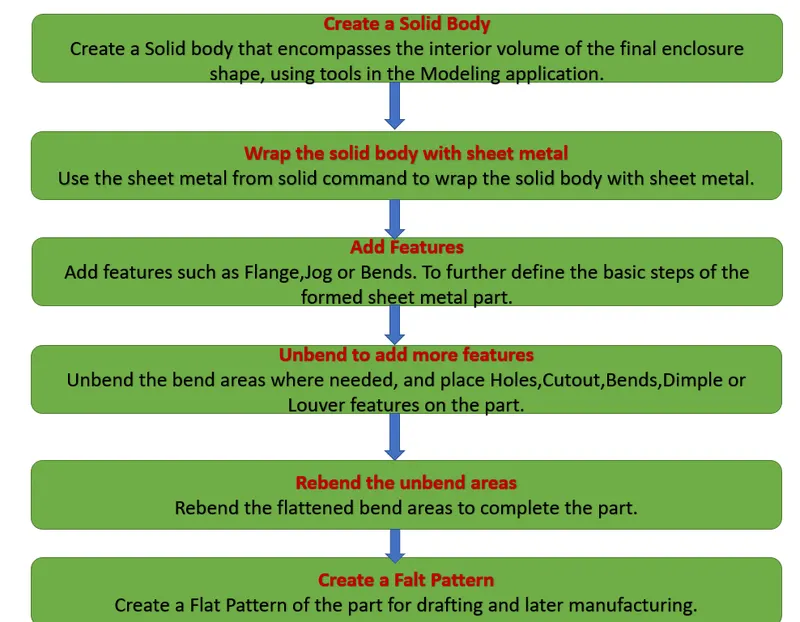
Description:-
1] Sheet Metal in NX CAD:-
Firstly, I have open the NX CAD Sheet Metal Model.
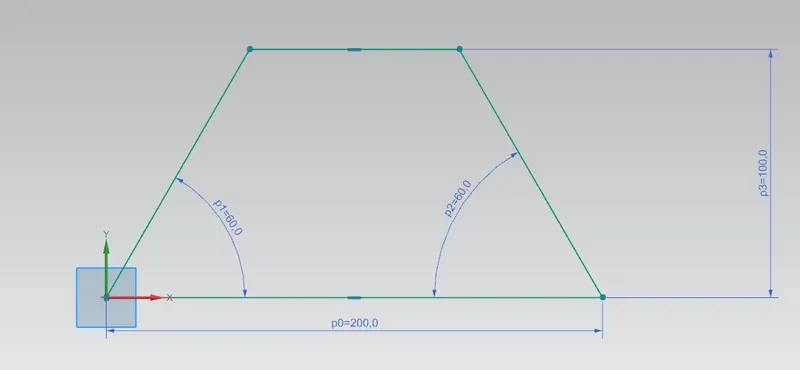
2] Create a 2D shetch:-
Created 2D sketch on XY Plane.
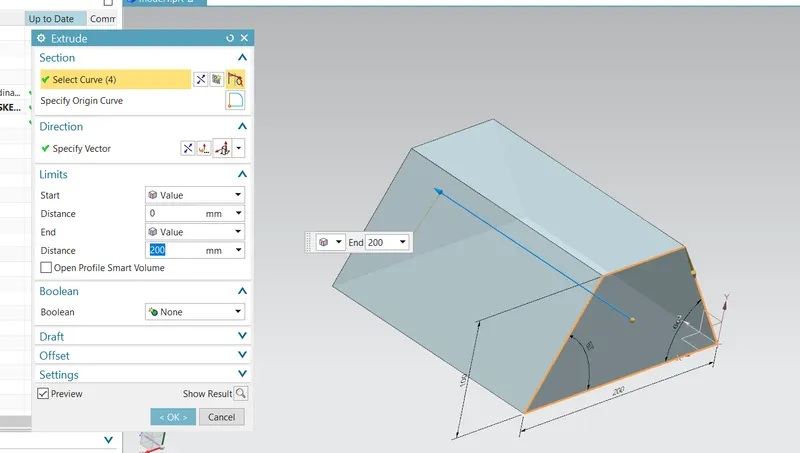
3] Extrude:-
Extrude is defined as the process of creating a feature from a sketch by adding the material along the direction normal to the sketch or any other specified direction.
4] Sheet Metal From Solid:-
In Siemens nx sheet metal from solid use to build a sheet metal model that takes its shape from a collection of planar face.
5]Flange:-
This command adds a flat flangeat an angle to a planar face and adds a bend between the two.The bending feature is used to the bend the sheet from the given line in the sheet at a 90 angle.Next, we have using flanges.
6] Jog:-
The Jog tool adds material to a sheet metal part by creating two bends from a sketched line. Some additional items to note about the Jog tool: The sketch must contain only one line. The line does not need to be horizontal or vertical. The bend line does not have to be the exact length of the faces you are bending.
7] Unbend
Flattens a bend and the material adjacent to the bend.
8] Bead:-
This command lift material along the contour of a sketch that simulates a stamping tool.
9] Hole:-
This command that users could create or drill standard sized holes with it. This command is called Hole and you can activate this command by clicking on it. You can create various kinds of holes that generally used in mechanical structures according to accepted standards. Here are what kind of hole types that you can create with Hole command and how to create them by using Hole command in Siemens NX.
10] Rebend:-
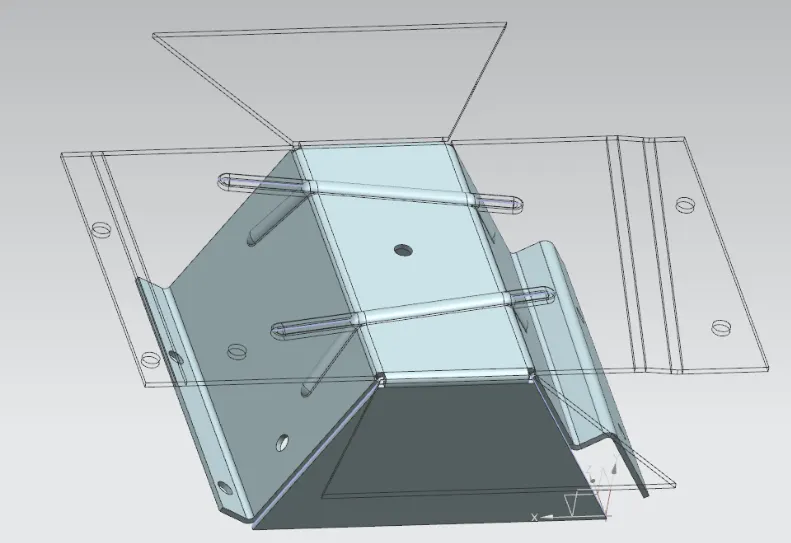
Restores an unbend feature to its previous bend state, along with any features adding after the unbend features
11] Flat Pattern:-
Creating a flat solid allows the designer to quickly get a flattened model of the bent sheet metal part. This tool can be extremely useful to measure the total area of the sheet metal required for the component.
12] Drafting:-
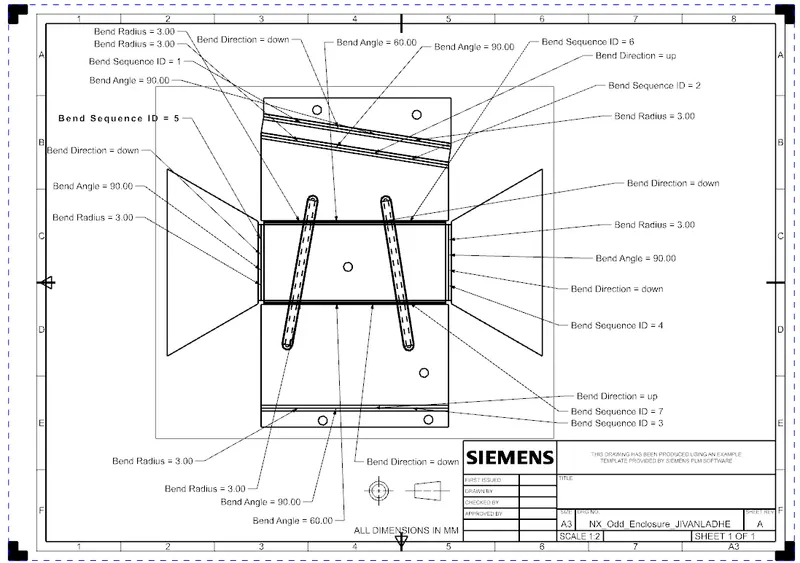
Quickly and easily create engineering drawings from 3D models using highly efficient drafting tools. The drafting software automatically creates drawing views from 3D part and assembly models, and helps you align and scale drawing views and arrange drawing sheets.
Create the 2D sketch for solid body:-
Create a Extrude:-
Wrap the solid body with sheet metal and add the feature Flange, Jog or Bend:-
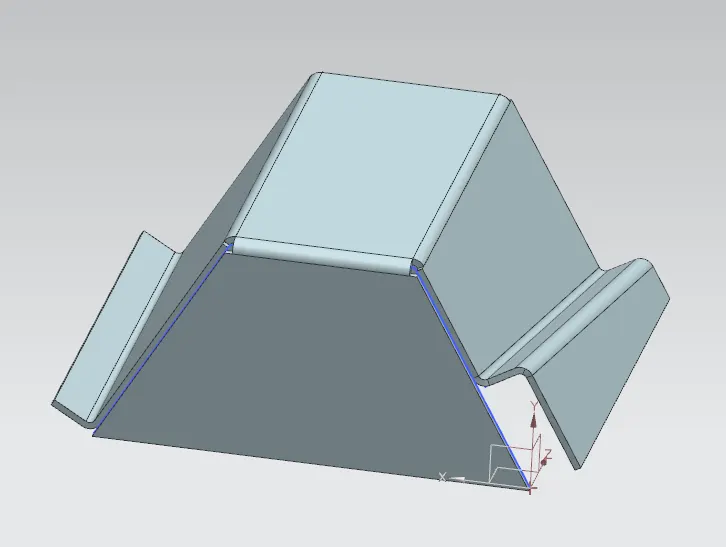
Apply the Unbend Tool:-
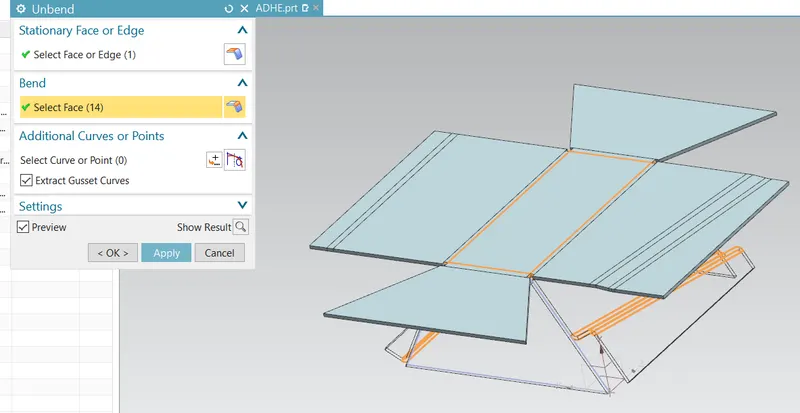
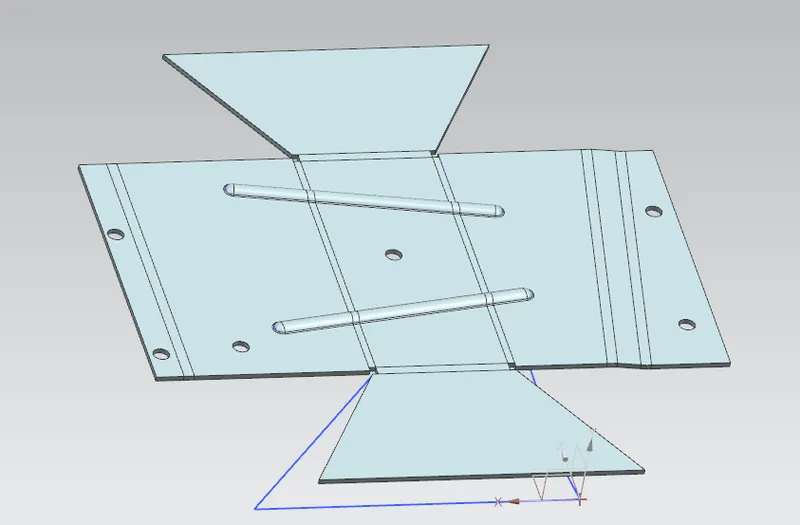
Unbend to add more feature such as Hole,Cutout,Bend, and Dimple:-
Rebend the unbend areas:-
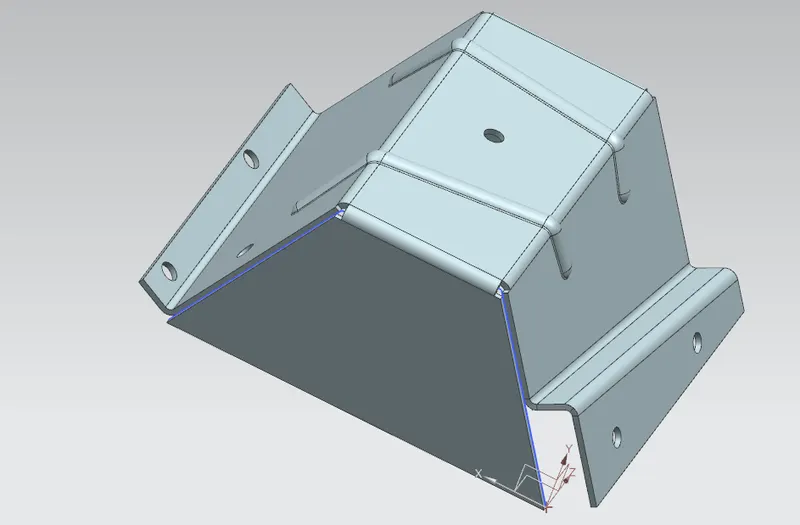
Final Part:-
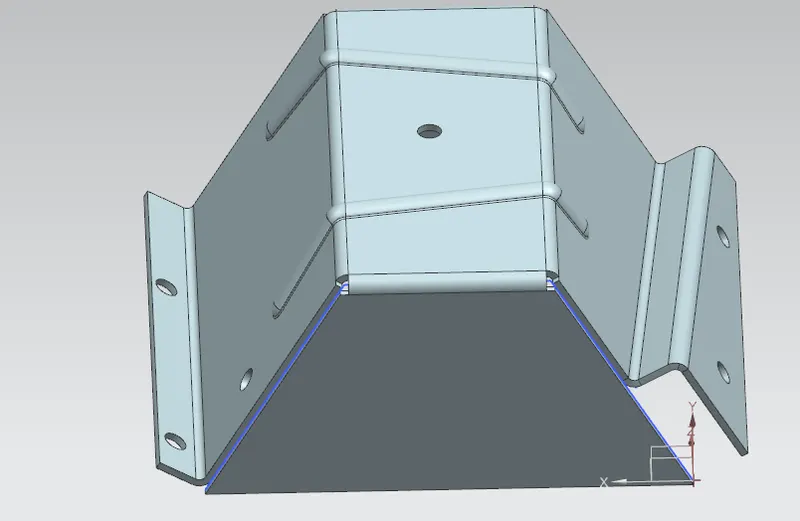
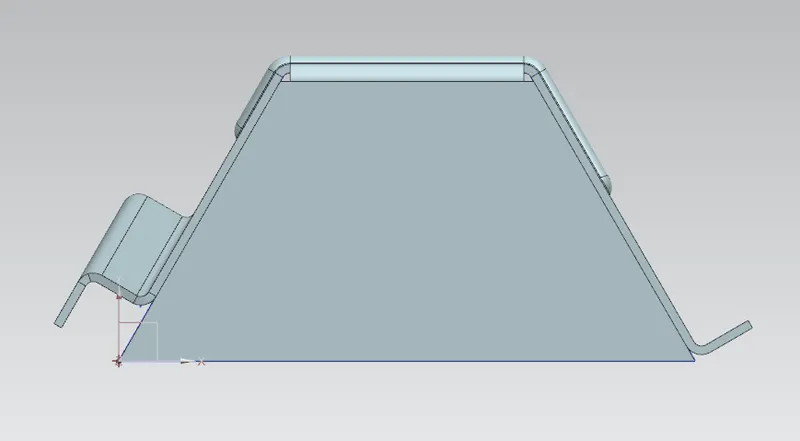
Front View:-
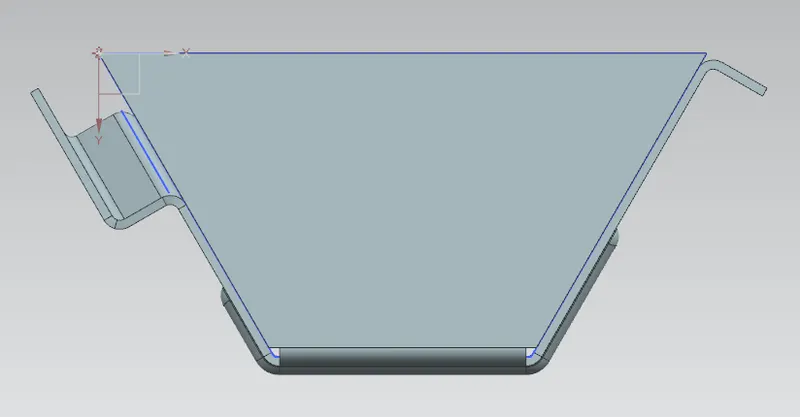
Bottom View:-
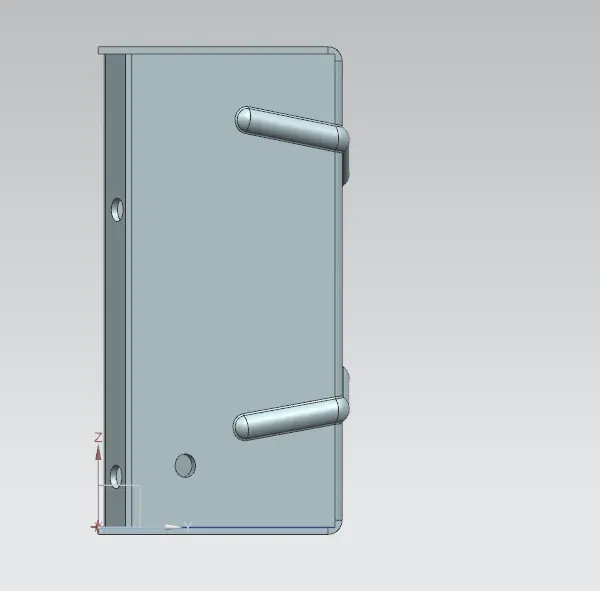
Side View:-
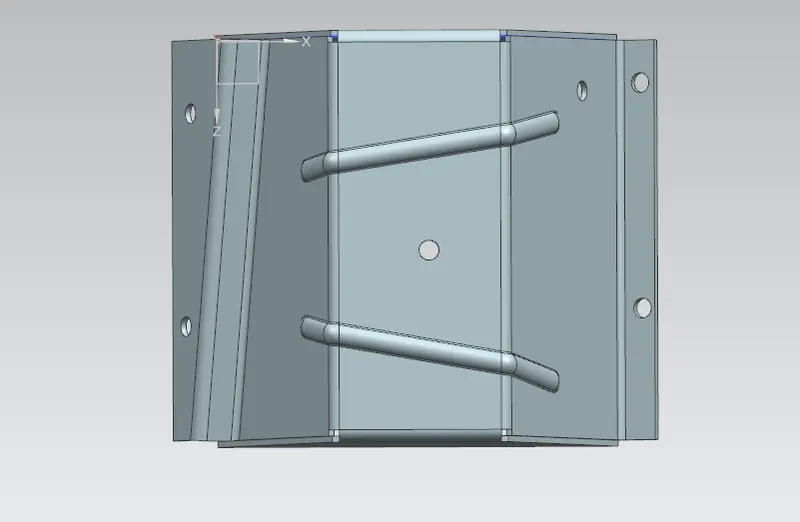
Top View:-
Isometric View:-
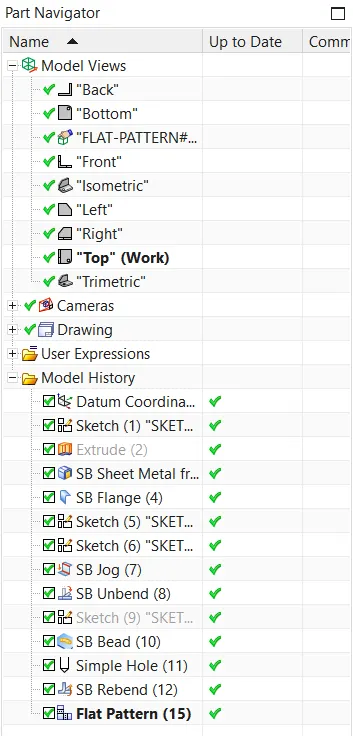
Tree Feature:-
Drawing Sheet:-
Conclusion:-
In this project design an Odd Enclosure Design and Drafting Sheet Metal Design Using NX CAD.