Advanced Sheet Metal Design Using NX Cad Challenge_5_Odd Shaped Enclosure
REPORT ON THE ODD SHAPED ENCLOSURE
OBJECTIVE:
- Design an odd shaped enclosure Using NX CAD.
- Create Drafting Using NX CAD.
- Gain knowledge about all the features tools & their Applications.
INTRODUCTION:
NX Sheet metal design software incorporates material and process information in sheet metal-specific modelling features: bends, flanges, tabs, cutouts, beads, dimples, louvers, corner and edge treatments, patterns and other formable features.
Creating fast, accurate flat patterns is the goal of any organisation that manufactures products which contain sheet metal parts.
NX Sheet Metal provides a set of tools within the NX design environment that allows for simple and fast design of sheet metal parts, dependent on their material and manufacturing process, the most common of which is straight brake sheet metal forming.
DESIGN METHODOLOGY:
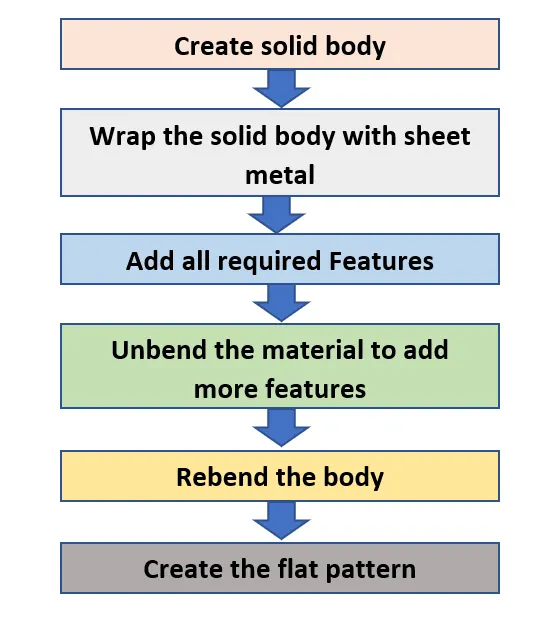
FEATURES USED:
- Sketch
Base and Initial operation of the sheetmetal.
- Extrude
Extruding the sketch along the vector by providing the Thickness.
- Sheet Metal from Solid
Used to Create the sheet Metal model from Selecting face.
- Flange
Adds flat Flanges on basis of edges at an angle to a planar face.
- Unbend
Used to unbend the adjacent bends material and Flatten Them.
- Hole
It adds a Hole to one or more Solid bodies in a part or Assembly.
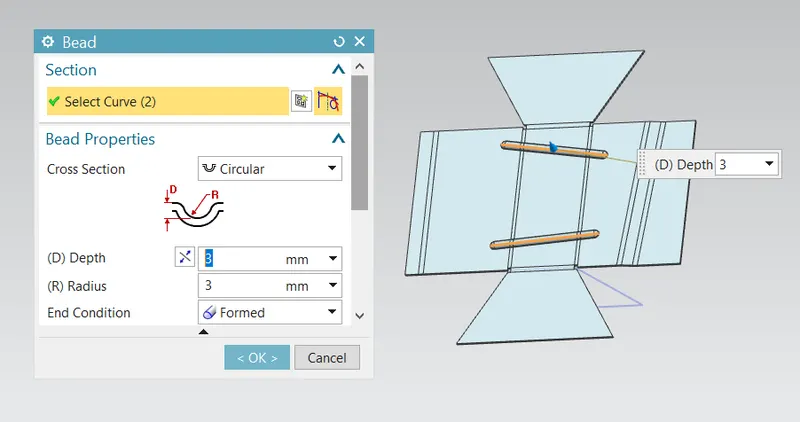
- Bead
Lifts the material along the Contour sketch.
- Rebend
It restores the Bend.
- Flat pattern
Creates a flat pattern feature from the formed sheet Metal.
PROCEDURE TO CREATE MODEL:
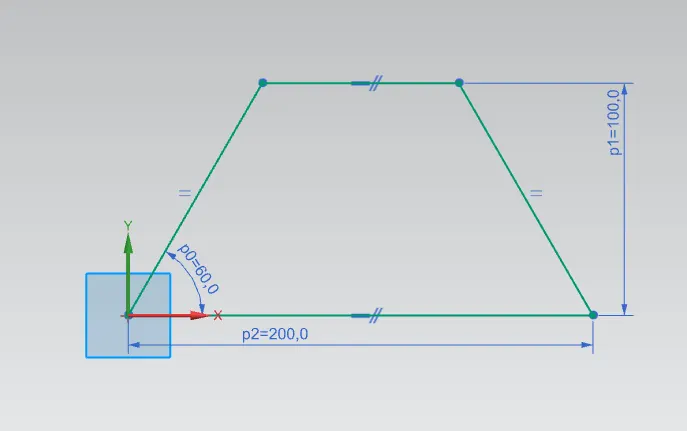
1. Sketch a profile on the XZ Plane. Its a Base of Sheet Metal.
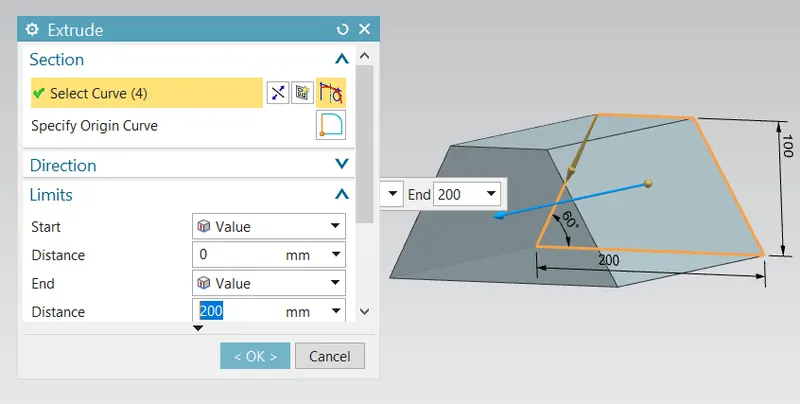
2.Create an Extrude of 200 mm.
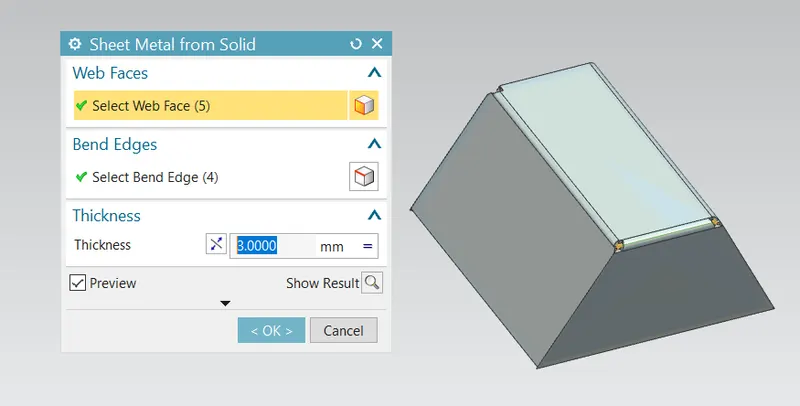
3.Convert the Solid Body into the Sheet Metal Using Command Sheet Metal from solid on basis of selected Faces and Edges.
4.Create flange at one edge of the model.
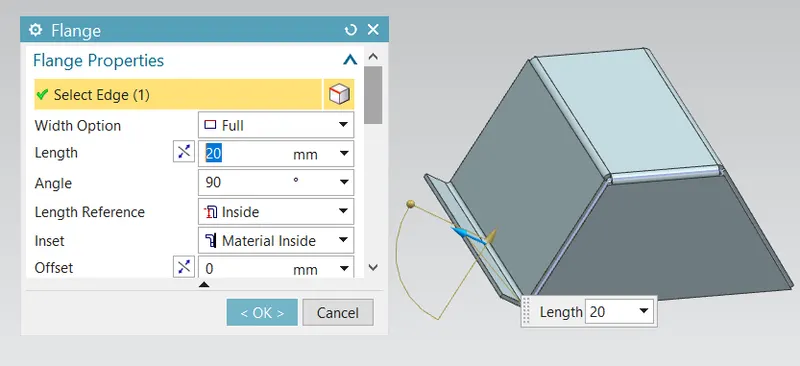
5. Sketch is drawn by selecting the face for applying Jog.
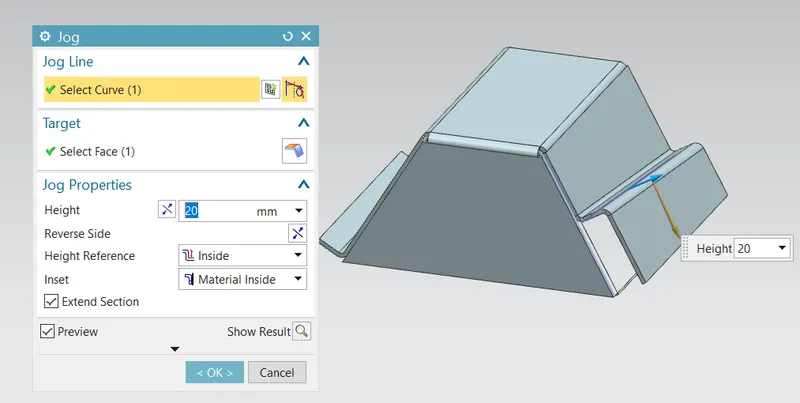
6.
- Unbend the material.
- Apply the Bead which lift the material along the Sketch.
7.Create the holes.
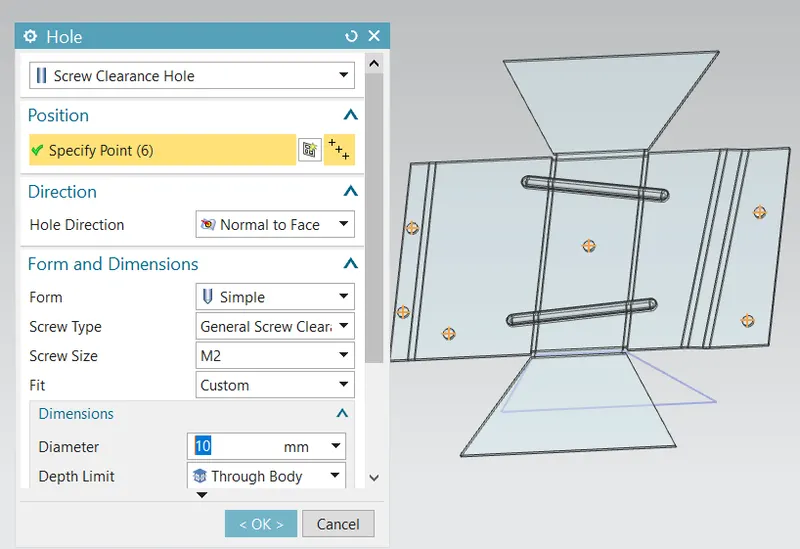
8.After applying all the Required Holes Rebend the Material.
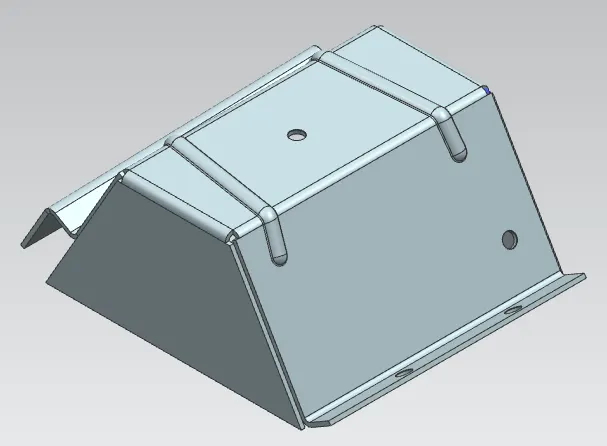
TOP VIEWS:
FRONT VIEW
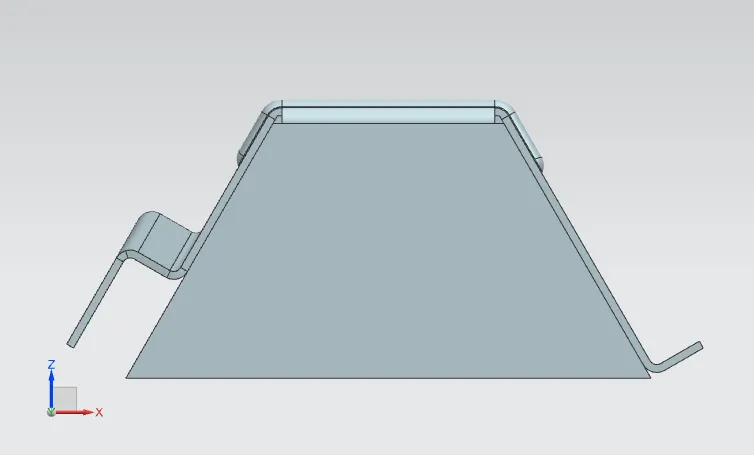
SIDE VIEW
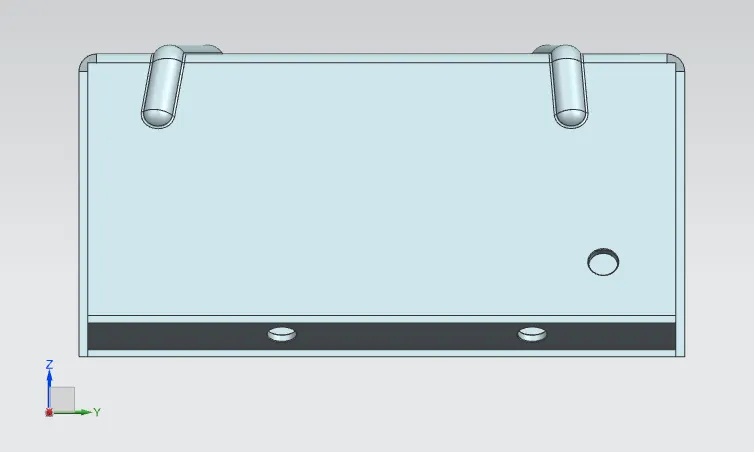
TOP VIEW
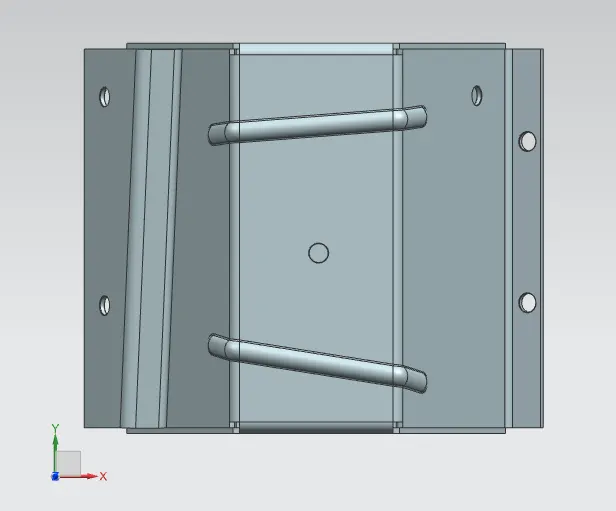
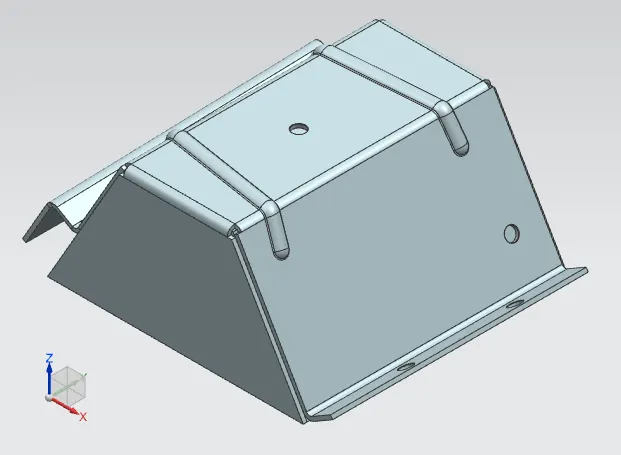
ISOMETRIC VIEW
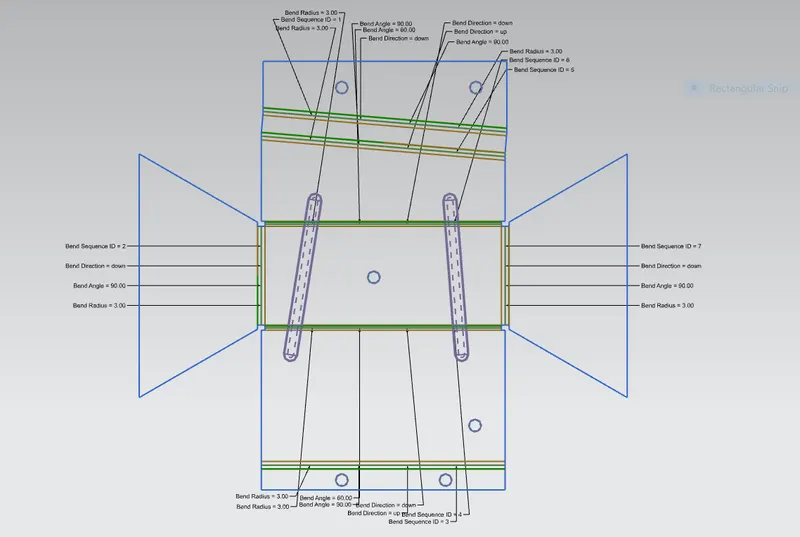
FLAT PATTERN
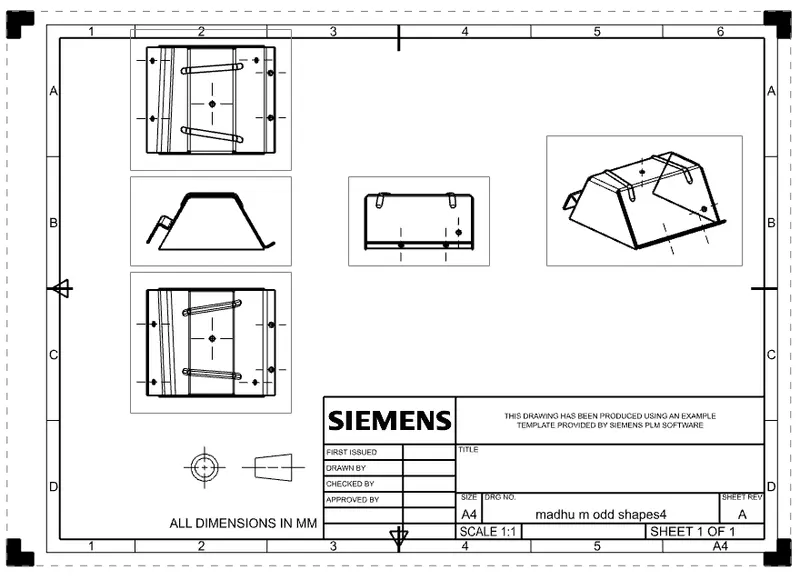
DRAFTED VIEW
CONCLUSION:
BY finishing this task, i have learned all advanced tool features in NX CAD & Gain knowledge that How to use all the above mentioned features application Tools.