Advanced Sheet Metal Design Using NX Cad Challenge_2_Box Assembly
Title :-Create a Box Assembly using Nx Cad
Objective :-The Objective Of this Report is to using the Advance feature Of Sheet Metal Design to create a Box Asssembly.
Introduction :-
Sheet Metal :-
- Sheet metal is metal formed by an industrial process into thin, flat pieces. Sheet metal is one of the fundamental forms used in metal working and it can be cut and bent into a variety of shapes. Countless everyday objects are fabricated from sheet metal.
- Applications:- Aircraft bodies, Automobile bodies, Utensils used for domestic purpose, Bevarage Cans.
- The Sheetmetal Application provides an environment for the design of sheetmetal parts used in Machinery,Automotive,Aerospace etc.
Design Methodology :-
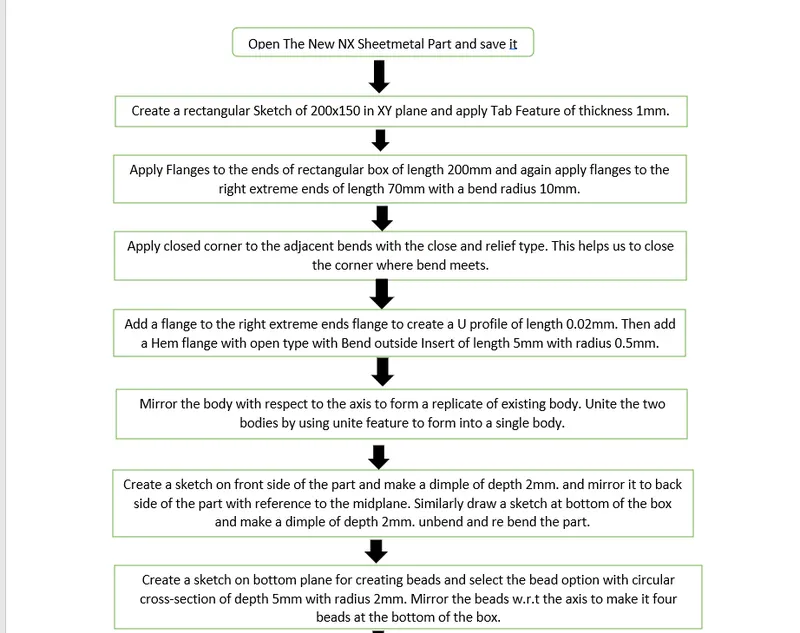
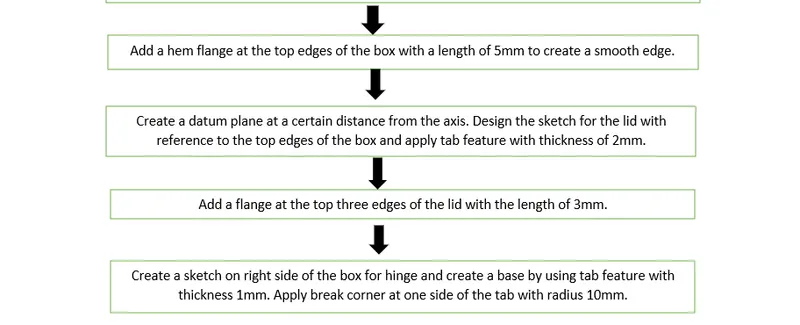
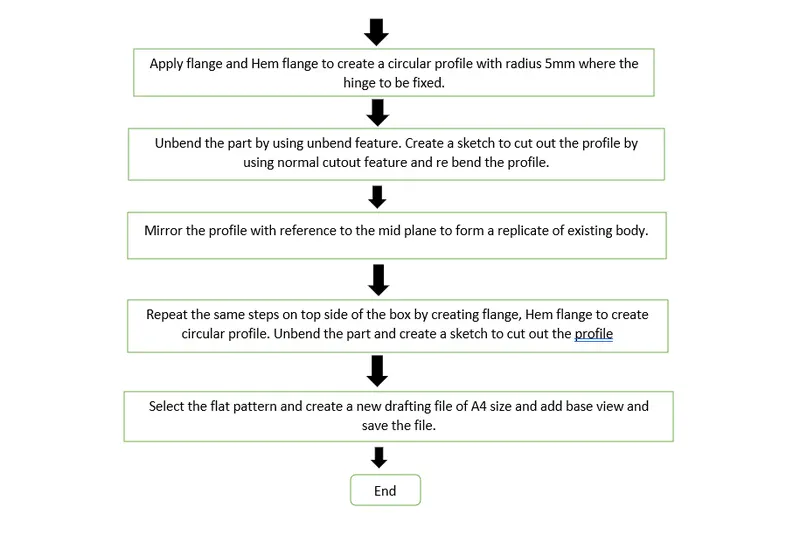
Features Used While Creating the Box Assembly:-
- Sketch: It is basic comand to draw to draw 2d models
- Tab: This command is used to create a base feature by extruding a sketch along vector by a thickness value or by adding material to exixting faces and bend regions of sheetmetal part.
- Flange: This command is used to add a flat flange at a angle to the planar faceand add a bend between the two. A flange consists of bend region and a web.
- Closed Corner: This command is used to modify two flanges in one operation and to close the corner where the two flanges meet.
- Hem Flange: This command is used to modify an edgeof a sheetmetal part by folding it on to itself for the purpose odf safe handling or to increase edge stiffness.
- Mirror Body: This command is used to mirror the part w.r.t the required axis.
- Unite: This command is used to combine the two parts into one part.
- Dimple: This command is used to lift an area of the model inside the sketch that stimulates a stamping tool.
- Mirror Feature: This command is used to mirror the required sketch to other side with reference to the axis.
- Unbend: This command is used to faltten the 3D model by selecting one stationary face.
- Rebend: This command is used to rebend the flattern sheet material.
- Bead: This command is used to lift material along contour of a sketch that stimulates a stamping tool. Bead can also be created to stiffen shhet material.
- Datum Plane: This feature is used to project the plane at a certain distance by giving the distance.
- Normal Cutout: This command is used to remove the unwanted material w.r.t to the sketch.
- Break Corner: This command is used to round or chamfer sharp corners of a tab or flange.
Box Assembly View :-
Isometric :-
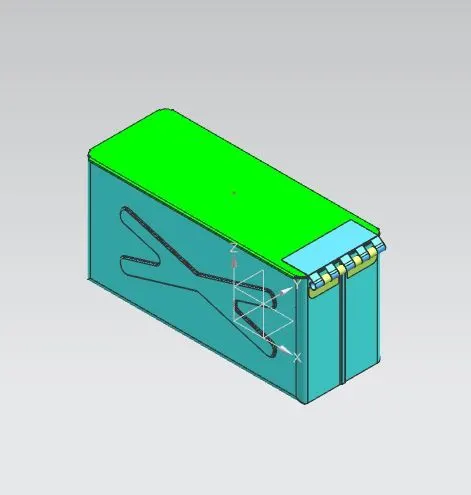
Front View :-
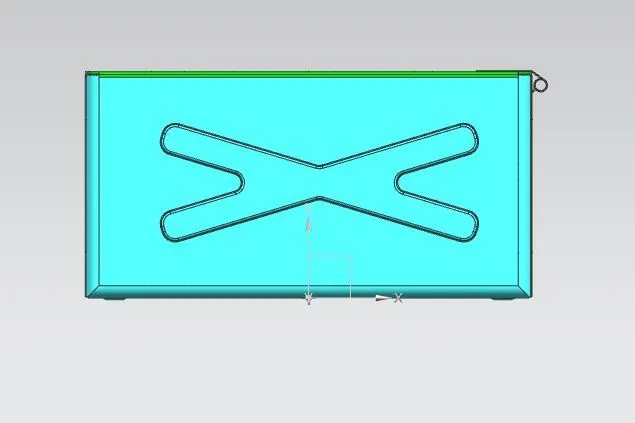
Top View :-
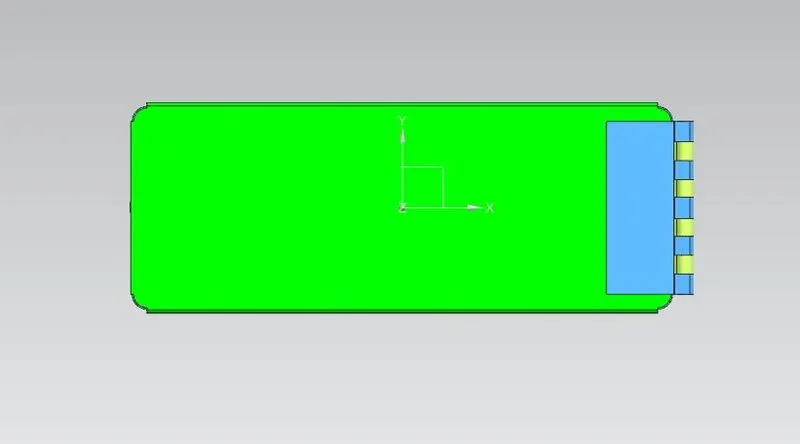
Right Side view :-
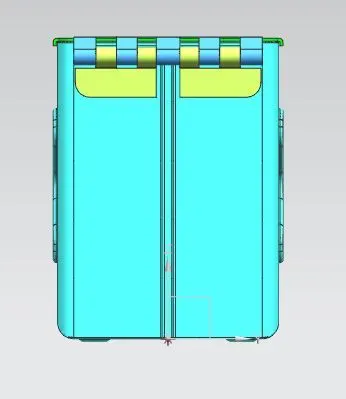
Bottom View :-
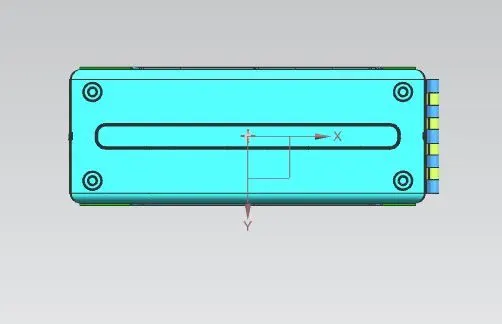
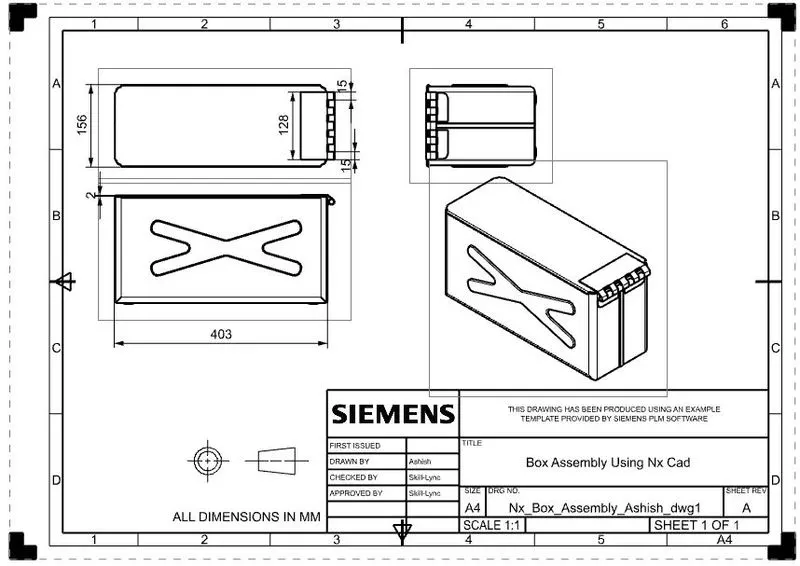
Sheet :-
Conclusion :-
Learn the design methedology used to make a component and also learn about the basic feature tool used to create the cad model and drafting the model by using Nx cad.