Advanced Sheet Metal Design Using NX Cad Challenge_2_Box Assembly
TITLE: Design of sheet metal box assembly using NX CAD.
OBJECTIVE:
The main objective of the project is to design a sheet metal box assembly by different options in siemens NXCAD.
INTRODUCTION:
Sheet metal is metal formed by an industrial process into thin, flat pieces. Sheet metal is one of the fundamental forms used in metal working and it can be cut and bent into a variety of shapes.
Sheet metal is available in flat pieces or coiled strips.Parts manufactured from sheet metal must maintain a uniform thickness for ideal results.
There are many different metals that can be made into sheet metal, such as aluminium, brass, copper, steel, tin, nickel and titanium. For decorative uses, some important sheet metals include silver, gold, and platinum.
Sheet metal is used in automobile and truck (lorry) bodies, airplane fuselages and wings, medical tables, roofs for buildings (architecture), and many other applications.
DESIGN METHODOLOGY:
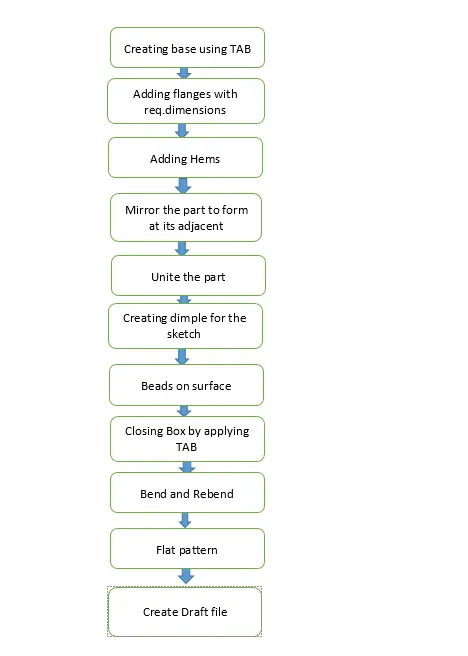
DESCRIPTION:
STEP1:
Start NX CAD,then set the global parameters.
STEP2:
Design a base sketch and create a base with TAB option.
TAB: It is used to form a base of the model along the planar face with respective thickness.A sketch with single or multiple closed profile can form a base.
STEP3:
Use flange option to form the side bodies of the box.
FLANGE: It creates a flat bended profile at an angle to a planar face.
STEP 4:
Apply closed corner at the adjacent sides for both sides.
CORNER: It helps to close a corner where two adjacent bends meets.
STEP 5:
After closing the corner,use Hem flange to create a U profile which selflocks the sheet metal after bending.
HEM: It is used to modify the model by folding the edge of the sheet metal flange over onto itself.
STEP 6:
Mirror the body to form the replicate of the excisting body.
MIRROR FEATURE: It mirrors the selected body across the selected planes or line.
STEP 7:
Now unite the two bodies.
UNITE: It is used to unite the selectied bodies into a single body.
STEP 8:
Create a sketch and make a dimple on the front and bottom side of the box and mirror it on back side.
DIMPLE: It is used to lift the area of the model perpendicular to the face where sketch is drawn.
STEP 9:
For creating the beads,select bead option with circular cross section and give proper radius and depth and mirror it to make it four beads at the bottom.
BEAD: It is used to lift the material along the contour of the sketch.
STEP 10:
Use HEM flange at top edge to create a U shaped corners which neglect the sharp edges and create a smooth and safer edge.
HEM: It is used to modify the model by folding the edge of the sheet metal flange over onto itself.
STEP 11:
Create a datum plane at rep.distance,the design a base sketch and create a base with TAB option.
STEP 12:
Use flange to create the bends in the sketch which seats on the sides of the box.
STEP 13:
Using the right side face of the box as a reference,create the base for the hinge using TAB option.
STEP 14:
Use break corner option on hinge base to avoid the sharp edge.
STEP 15:
Using the flange and Hem flange,create a circular profile with the dia where rod got inserted to lock.
STEP 16:
After creating flange,unbend the profile with the use of unbend option.
STEP 17:
Create a sketch that has to be cutout from the profile with normal cutout.
NORMAL CUTOUT: It is used to remove the material from the base.
STEP 18:
Then rebend the model and mirror it to get the bended view of the model with the replication of the excisting body.
REBEND: It is used to restore the model to its bended state.
TOP VIEW:
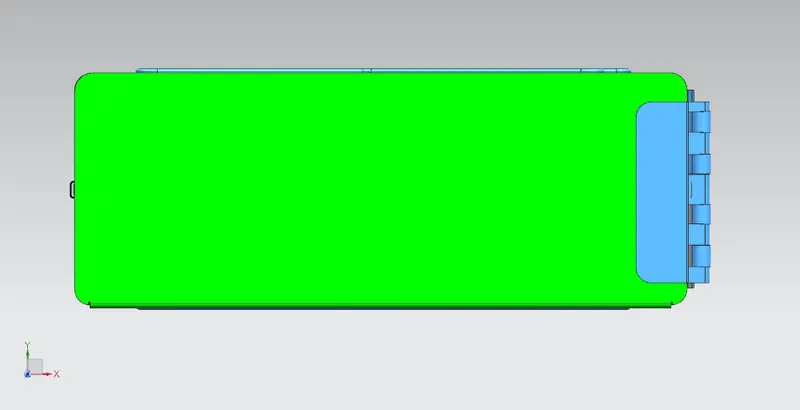
FRONT VIEW: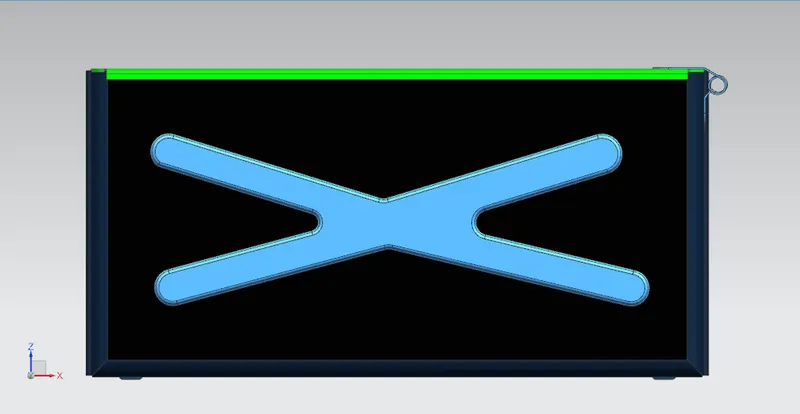
RIGHT SIDE VIEW: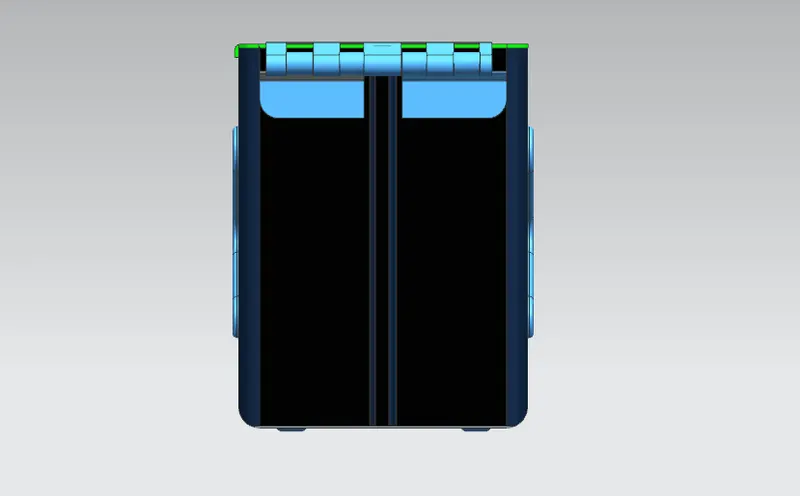
ISOMETRIC VIEW: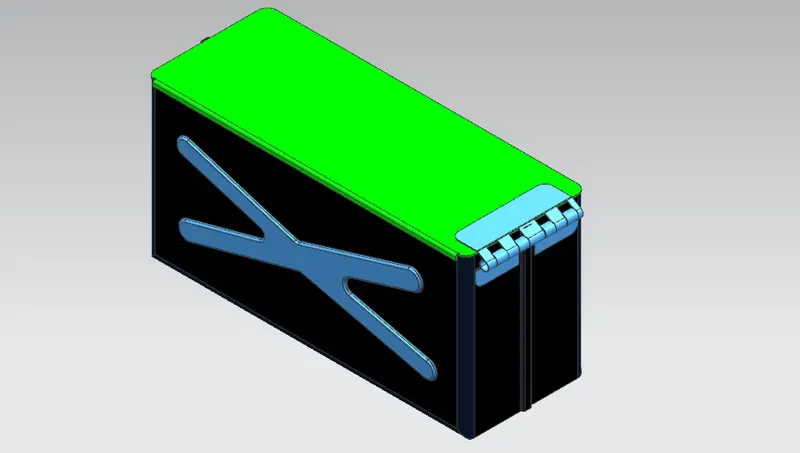
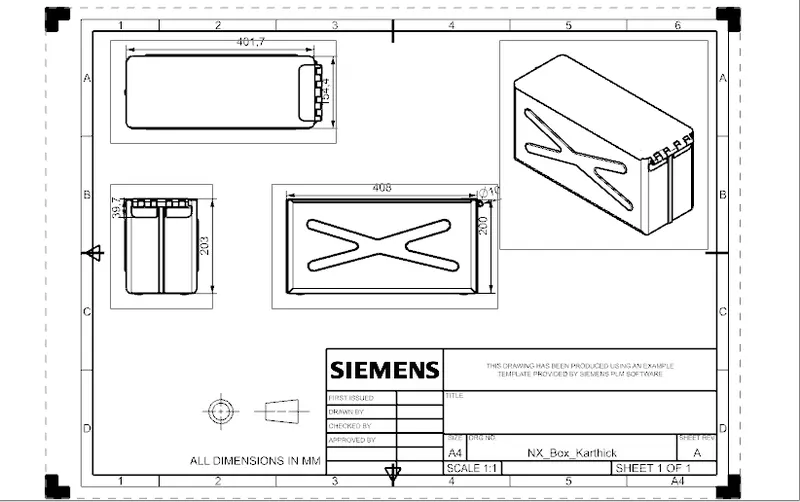
DRAWING SHEET:
CONCLUSION:
The box assembly has been designed with the use of NXCAD tool and learned about the features involved in creating the sheet metal model.
LINK:
https://drive.google.com/file/d/1CsEZO4dtE7xTg83x4HVtVedrlSXX1-jH/view?usp=sharing