Casing Design Using NX-CAD
CASING DESIGN USING NX-CAD
- Objective:
- The ultimate aim of this project is to design casing by using NX-CAD software in a sheet metal environment and get familiar with the use of sheet metal features and tools available in NX-CAD.
- To get knowledge of how to apply these features and tools by using software thereby creating complex sheet metal parts.
- Introduction:
In this Project, I have designed a casing which is a sheet metal part by using NX-CAD PLM Software version 10.0. I have explained all the tools and features which are used in this sheet metal part modeling such as tab, flanges, Dimple, bend, hole, etc. Basically, NX-CAD software can be used for both solid modeling as well as sheet metal modeling but the features which it provides for sheet metal are very handy and feasible to use for the design of complex sheet metal parts.
NX-CAD is a software developed by Siemens, it is a very powerful tool with parametric modeling features for ease and accuracy to model your parts, Siemens NX software is a flexible and powerful integrated solution that helps you deliver better products faster and more efficiently. NX delivers the next generation of design, simulation, and manufacturing solutions that enable companies to realize the value of the digital twin.
Design Methodology of Casing:
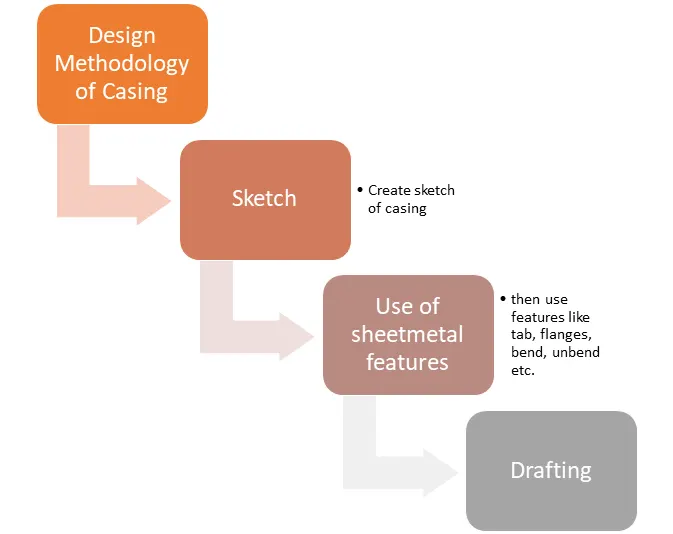
To start with our sheet metal part design first open the NX-CAD software and select the sheet metal as our working environment.
Features use in the design of casing :
- Sketch This is the basic or common feature used in any type of modeling but it plays a vital role as it is the foundation of our part model. NX-CAD provides a number of sketch entities and tools for creating sketches such as line, arc, rectangle, spline, circle, ellipse, polygon, etc. In the case of our casing, I have used sketch entities like rectangle, circle, arc.
- Tab: This feature is used to create a solid body by extruding the sketch along a vector by given thickness value or it is also used to add material along a planar face.
- Flange: This adds a flange along a face at an angle we can change the angle value by providing a bend between a face, this is a very handy feature to create flanges as it propels the bend values which are required to create a flange.
- Normal Cut-Out: This feature cuts or removes material from an existing solid body by projecting the sketch along with the model and then cuts perpendicular the faces which intersect the projecting sketch.
- Bend: It modifies the model by bending it on one side of the drawn sketch line by providing bend between two sides.
- Break Corner: It rounds or breaks the sharp corner of the tab created thereby providing a smooth round profile to the corners.
- Mirror Feature: This is used to mirror the selected features along a plane by selecting the mirror plane from the existing planes, it is a handy tool to replicate our features which are created once and saves time and effort required to recreate that same feature.
- Unbend: It is used to create a flat sheet of our sheetmetal model, it does by unbending the bend and material adjacent to the bend.
- Rebend: It again restores the bends which were given to the model previously along with any other features added to the model after unbending.
- Bead: It lifts material along a contour of the sketch thereby acting like a stamping tool.
- Dimple: It is similar to that of the Bead feature this also lifts the area of the model inside the sketch and acts like a stamping tool.
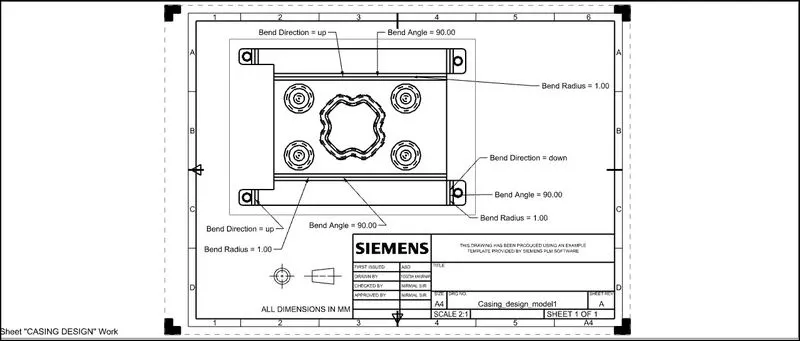
- Flat pattern: It is used to create a flat pattern of our existing sheetmetal part, it generates a separate Flat view of our sheetmetal model, which can be used further as a base view in drafting mode to create a 2D view of our sheet metal.
- Drafting: This is another working environment in NX-CAD in which we can create or drat the 2D views of our 3D model to generate the Drawing of our model.
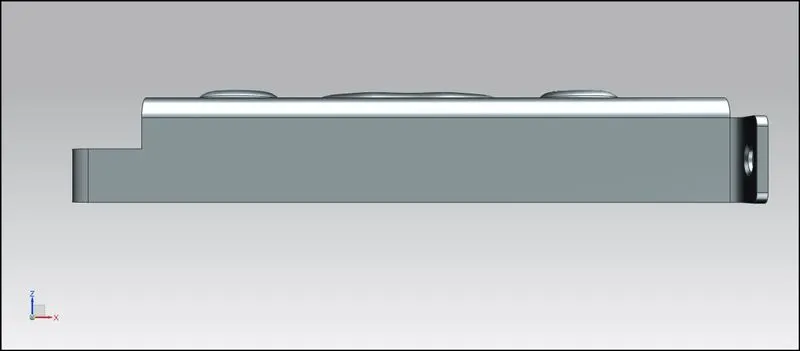
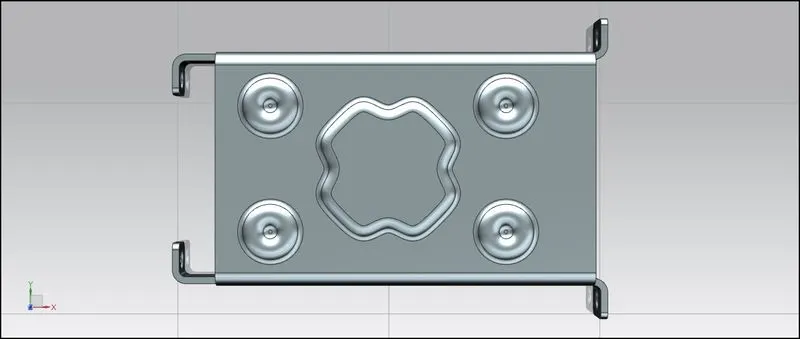
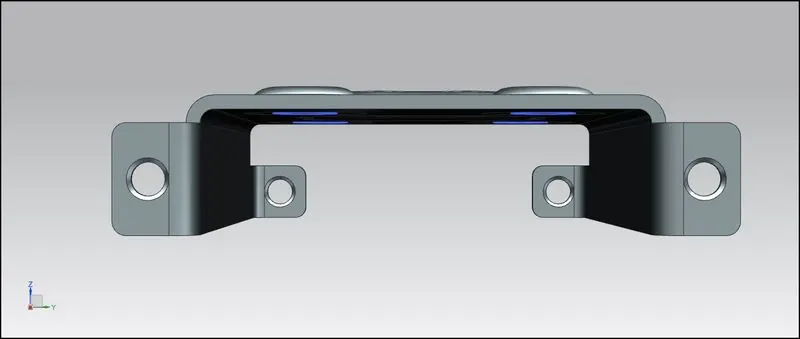
Different Views of Casing
- Front View
- Top View
- Side View
- Bottom View
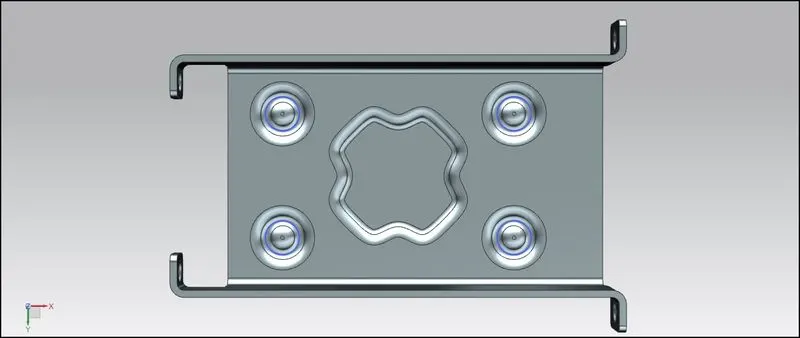
- Isometric view
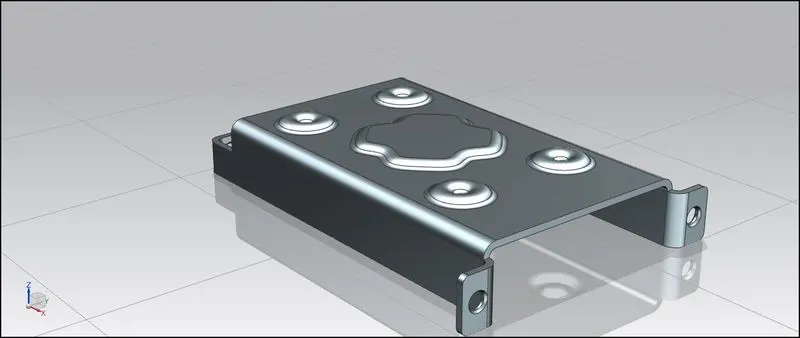
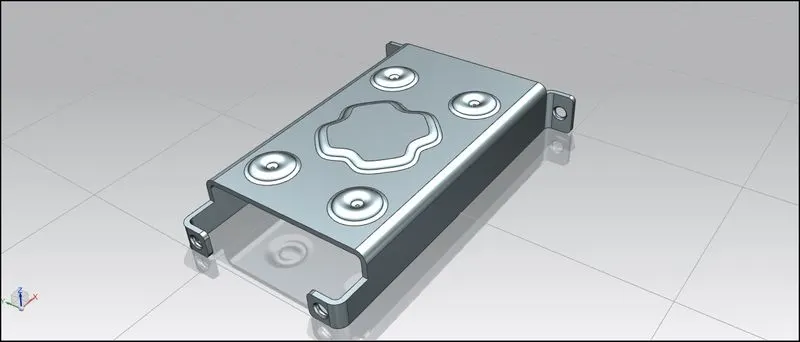
- Drawing Sheet of Casing
Conclusion : Hence, I have successfully completed the design of casing by using NX-CAD software and gain knowledge about use of different sheetmetal features available in the software.