Advanced Sheet Metal Design Using NX Cad Challenge_1_Casing Design
TITLE - MODELLING OF CASING DESIGN
OBJECTIVE
- Design the casing using NX (sheet metal operations) .
- Sheet metal tools are used to generate accurate flat pattern data for downstream applications from solids, sheets and wireframe geometry.
- NX offers high-performance modeling, drafting and assembly simultaneously.
INTRODUCTION
- NX 12 is used to develop the casing.
- It Creates sheet metal component models using specific, feature-based tools for tabs, flanges and other necessary features. Sheet metal tools can be used to generate accurate flat pattern data and good finish.
DESIGN METHODOLOGY
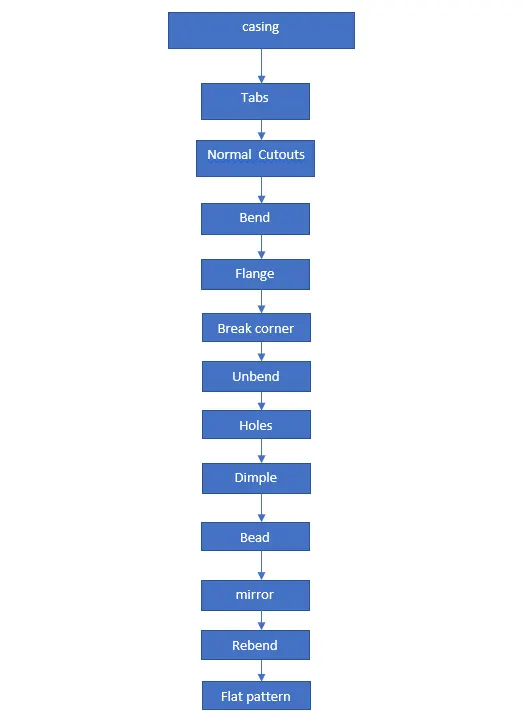
DESCRIPTION OF TOOLS AND FEATURES THAT ARE USED WHILE CREATING CASING
CASING
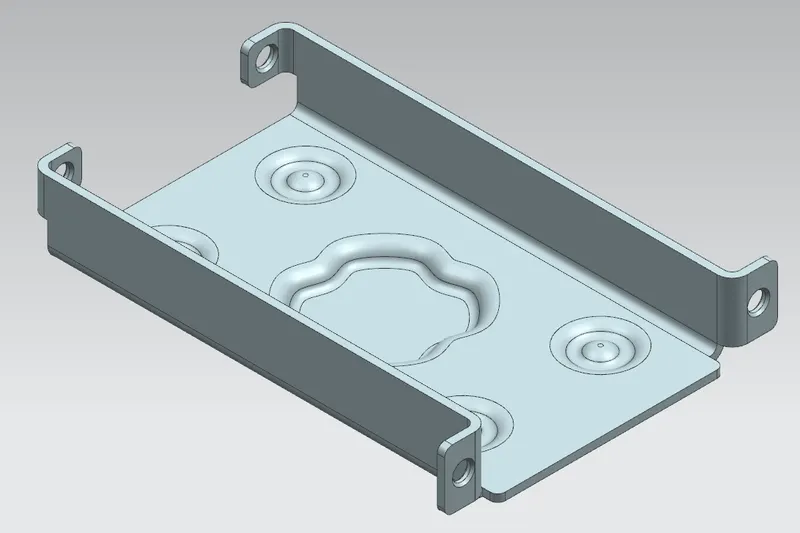
Features used to create casing
- Sketch
- Tab
- Normal cutout
- Bend
- Flange
- Break corner
- Unbend
- Simple screw holes
- Dimple
- Bead
- Mirror
- Rebend
- Flat pattern
Sketch - It is a 2 Dimensional representation of the model. For example sketch entities like line, circle, arcs, spline, etc.
Tab - It is used to add a material to a planar surface by extruding a sketch along a direction of given thickness.
Normal cutout - It is used to remove a material of the selected sketch.
Bend - It is used for bending the material on one side of a sketch.
Flange - It is used to create a flat flange at an angle to a planar surface and adds the bends between the two sides.
Break corner - It is used to create a round fillet or chamfer to the sharp edge to form a smooth finish.
Unbend - It flattens all the bends and made adjacent to the selected stationary face or edge.
Simple screw holes - It is used to produce one or more holes to the solid material in a part.
Dimple - It is used to lift an area of the model inside the sketch and represents as stamping tool.
Bead - It is similar to dimple,that makes the impression along the direction of sketch.
Mirror - It is used to copy a body or mirror the body across the plane taken as reference.
Rebend - It is used to restore the unbend feature to its previous bend state.
Flat pattern - It is used to produce a flat pattern feature from the formed sheet metal part.
Process to create a casing
- Open the NX and select the new file as sheet metal.
- Create the sketch and apply tab feature to the sketch to make it a solid material, and produce few more sketches to remove the material.
- Bend the corner edge of tab and apply flanges to the bend part.
- Apply break corner to the edges of the previous flanges to make it smooth finish.
- Unbend all the bends and create sketch on required face, then apply simple screw holes to that sketch.
- Create a new sketch on the middle of the bottom surface and apply dimple feature, apply bead on other sketches.
- Make the mirror of bead feature and sketches by taking XZ plane as a reference, and finally rebend the unbend feature to restore its previous bend state.
- At last make a flat pattern body(feature) from the formed sheet metal part and save the file as casing.
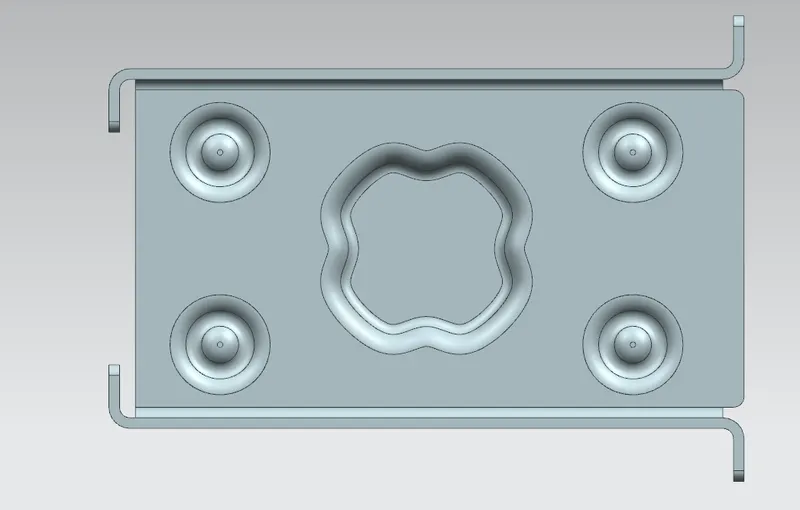
Casing
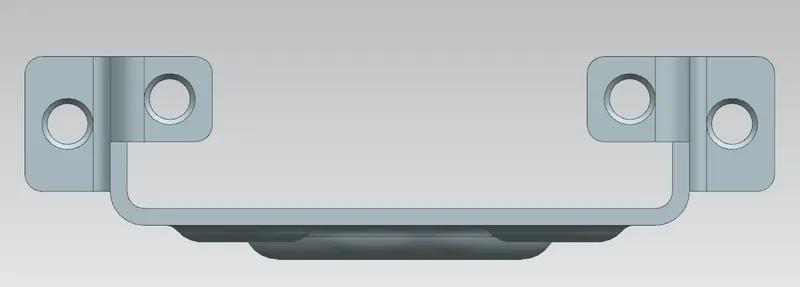
Front view
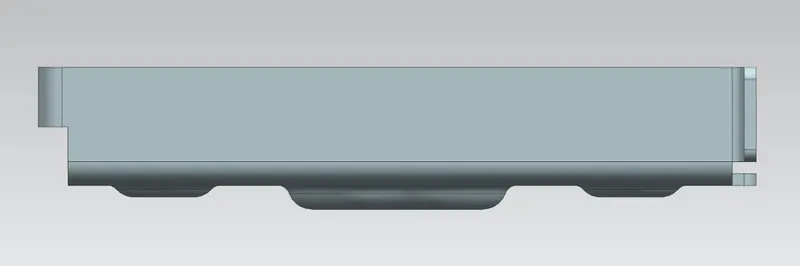
Side view
Isometric view
Top view
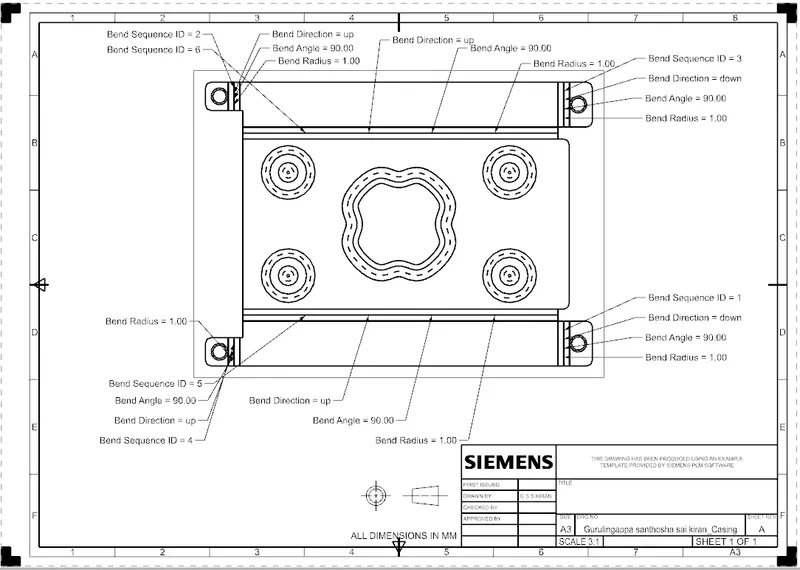
Drawing sheet image
Conclusion
- Casing is designed using NX 12 software with proper dimensions to make the sketch fully defined.
- Also made the 2D representation of the casing on the drawing sheet using drafting.