Advanced Sheet Metal Design Using NX Cad Challenge_1_Casing Design
CASING DESIGN
OBJECTIVE
To create the casing using NX CAD software by sheet metal tool.
INTRODUCTION
The sheet metal can be bent, drawn, cut, punched, or stretched. These processes are responsible for forming the metal into a different shape, surface, or size.
Here, By using Siemens NX Software the sheet metal modelling of casing is done.
DESIGN METHODOLOGY
FLOW
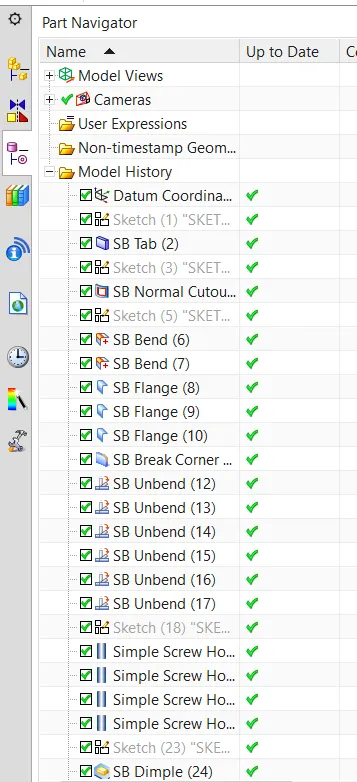
1. Tab
2. Normal Cutout
3. Bend (2)
4. Flange (4)
5. Break Corner (10)
6. Unbend (6)
7. Hole (4)
8. Dimple (45 Degree)
9. Bead
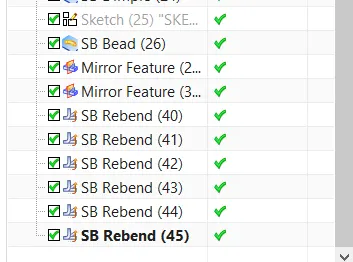
10. Mirror Feature (2)
11. Rebend (6)
12. Flat Pattern
DESCRIPTION
Tab
- It creates a base feature by extruding a sketch along a vector by a thickness value or adds a material to a planar face.
- Insert - Tab
Normal Cutout
- It cuts the material by projecting a sketch onto the model and then cutting perpendicular to the faces intersected by the projection.
- Insert - cut - Normal cutout.
Bend
- Bend modifies the model by bending material on one side of a sketch line, adding a bend between the two sides.
- Insert - Bend - Bend
Flange
- It creates a single flange instance or multiple instances by selecting a single or multiple base edges.
- Insert - Bend - Flange
Break Corner
- It used to round or chamfer sharp corners of a tab or flange.
- Insert - corner - Break corner
Unbend
- It used to unbend a portion of the part to construct cutout features, hole features, or deform features across a bend.
- Insert - Form - Unbend
Hole
- It used to add the following types of hole features in a part or assembly:
- General holes (simple, counterbored, countersunk, or tapered... )
- Drill Size holes
- Screw Clearance holes (simple, counterbored, or countersunk form)
- Threaded holes
- Holes on non-planar faces.
- Insert - Design feature - Hole
Dimple
- It is used to lift an area of the model inside a sketch that simulates a stamping tool.
- Insert - punch - dimple
Bead
- It used to lift material along the contour of a sketch that simulates a stamping tool. Beads can also be created to stiffen sheet metal parts.
- Insert - punch - Bead
Mirror feature
- It used to mirror one or more selected features about a selected datum plane or planar face. It can also mirror selected of a pattern instead of the entire pattern.
- Insert - Associative copy - Mirror feature
Rebend
- It is used to reverse an unbend operation so that the feature that was unbent returns to its previous bent state. Any features added after the unbend operation are properly repositioned during the rebend operation.
- Insert - form - rebend
Flat Pattern
- It is used to create a 2D representation of the flattened 3D sheet metal part.
- Insert - flat pattern - flat pattern
MODEL IMAGES
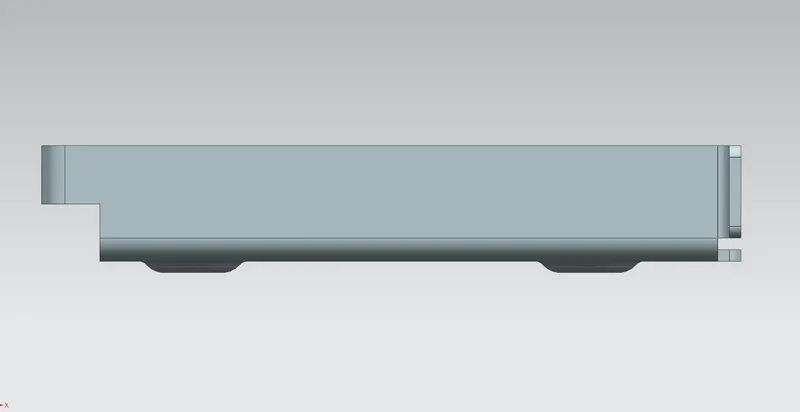
Front View
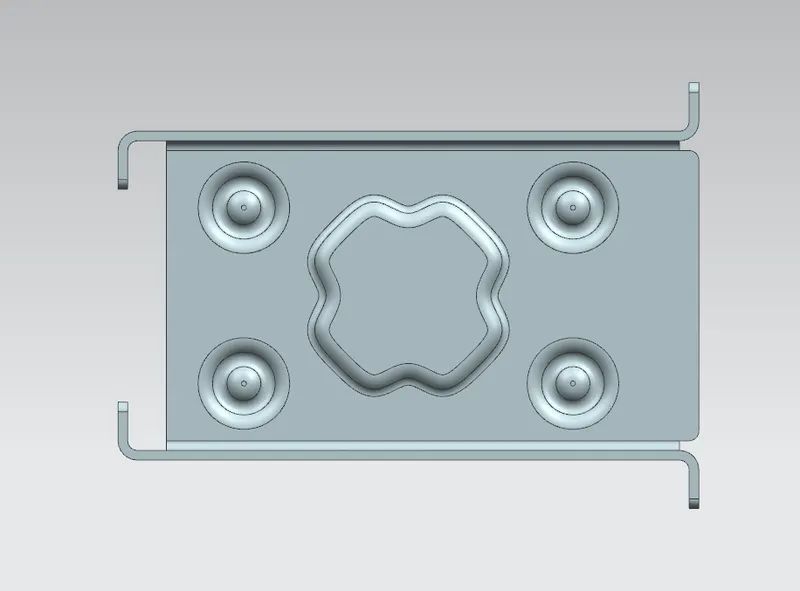
Top View
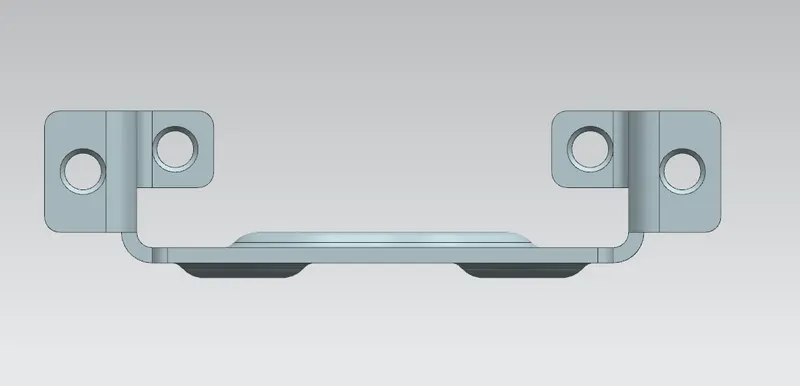
Side View
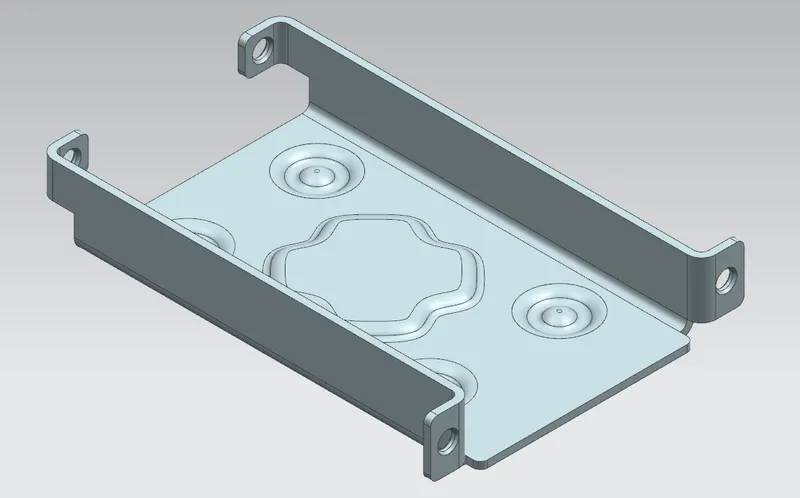
Isometric View
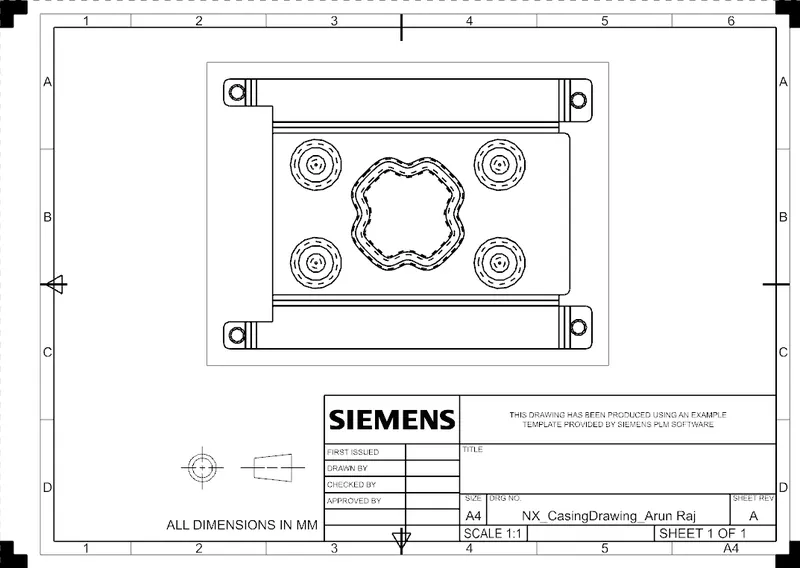
Drawing Image
Model Tree
CONCLUSION
Thus the casing using NX sheet metal software is done. And the results are obtained.